Best Automation Platforms in 2026: The Short Answer
Scr0ll d0wn to D0VVNL0AD
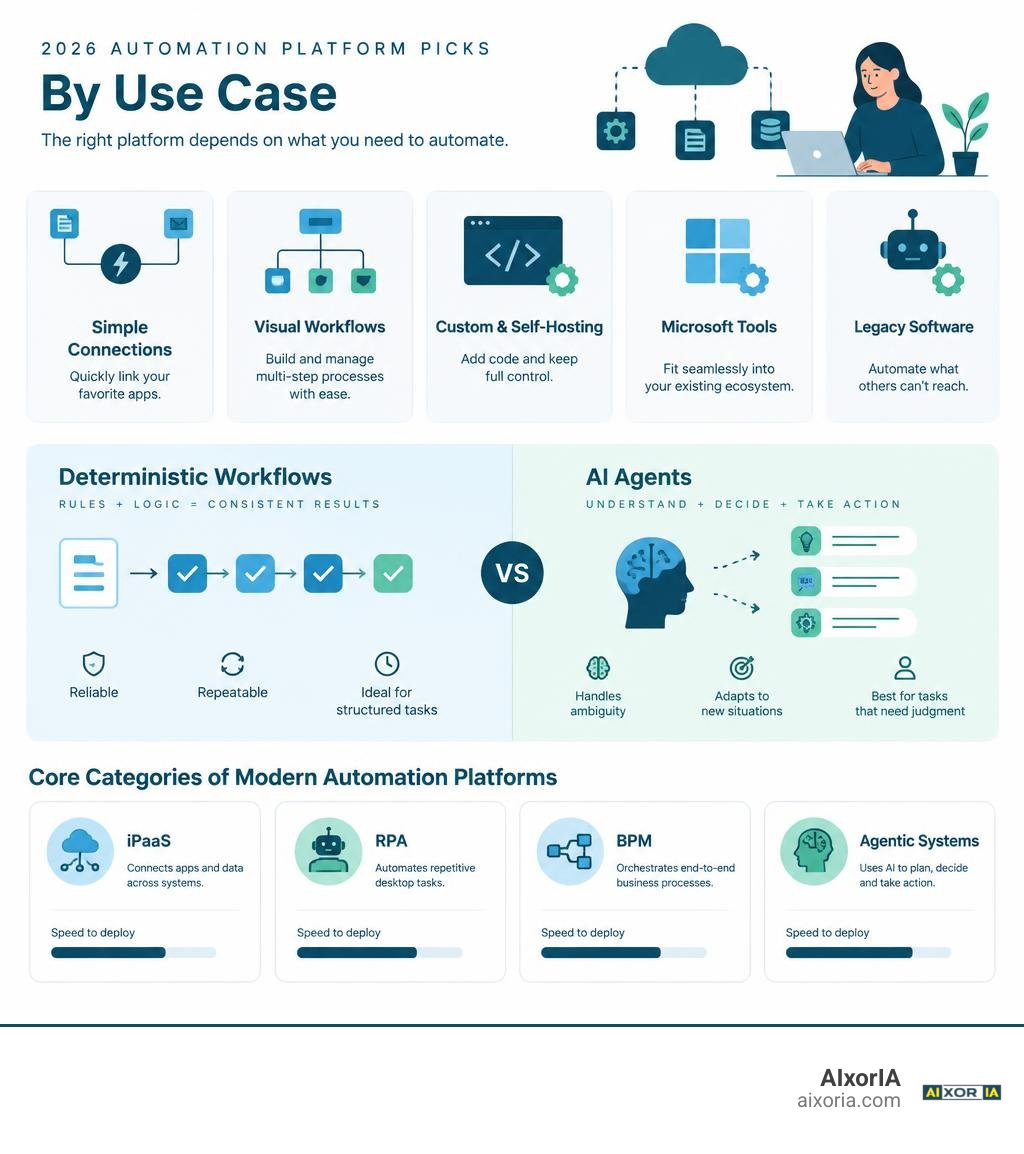
The best automation platform depends on the work you need to automate. A simple app-connection tool is a strong starting point for basic integrations. A visual workflow builder offers more control over multi-step workflows. Developer-focused platforms suit technical teams that want custom code or self-hosting, while enterprise automation tools can help automate older software that lacks an API.
Before choosing, test one real workflow in two or three tools. Check how each handles failures, what it costs at your expected volume, and whether your team can maintain it. If a task needs judgment, consider an AI agent. If it must run the same way every time, use a rule-based workflow.
Core Categories of Modern Automation Platforms
Selecting the right software begins with identifying the operational problem you want to solve. Today, systems fall into distinct categories designed for specific architectures. When examining what are AI and automation in modern operations, we see tools dividing into Integration Platform as a Service (iPaaS), Robotic Process Automation (RPA), Business Process Management (BPM), and agentic systems.
| Category | Primary Execution Model | Speed to Deploy | Technical Complexity | Typical Use Case |
|---|---|---|---|---|
| Visual iPaaS | Cloud API Triggers & Webhooks | Hours to Days | Low to Moderate | SaaS syncing, notifications, lead enrichment |
| Developer iPaaS | Code-in-the-Loop & Fair-Code Engines | Days | Moderate to High | Backend data transformation, self-hosted webhooks |
| Enterprise RPA | Front-end Screen Clicks & OS Hooks | Weeks to Months | High | Legacy mainframes, Citrix, air-gapped terminals |
| AI Agent Orchestrators | Probabilistic LLM Semantic Routing | Days to Weeks | Moderate | Customer ticket triage, unstructured parsing |
Visual Workflow Builders and iPaaS Engines
Visual workflow engines connect cloud applications via webhooks and REST APIs. These platforms give non-technical operators and engineers drag-and-drop interfaces to define triggers, conditional branches, and data actions.
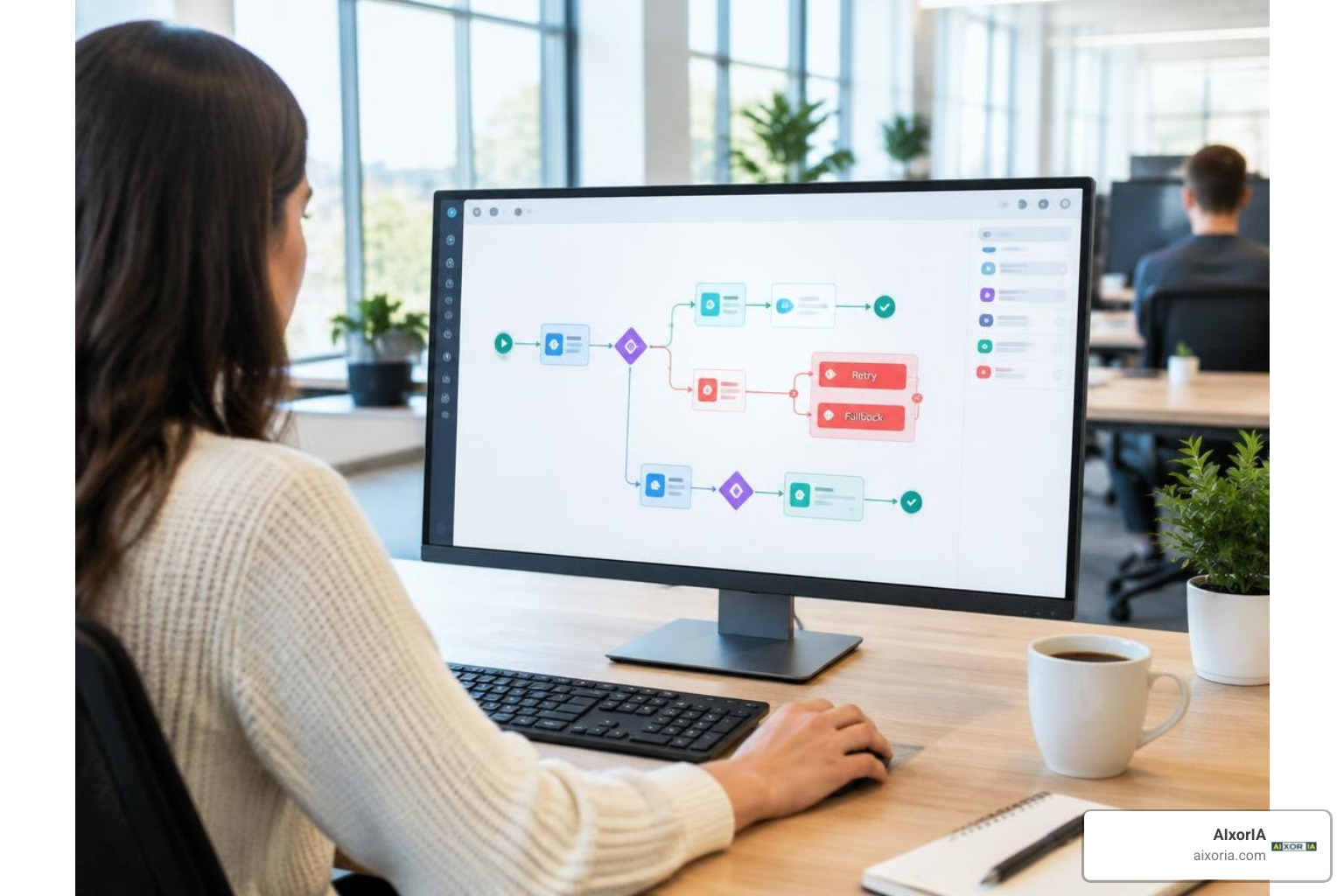
When reviewing workflow automation software tested across standard scenarios, visual builders shine because they accelerate prototyping. Instead of writing custom webhook listeners and setting up middleware servers, teams can build automated lead enrichment sequences or billing syncs in minutes. Modern platforms also include native error interceptors, exponential backoff retries, and step-level logging to ensure workflows do not fail silently in the background.
AI Agent Builders and Orchestration Systems
Traditional workflow automations are deterministic: if event A occurs, step B runs identically every single time. However, modern operations frequently involve unstructured text, shifting inputs, and tasks requiring judgment.
This is where autonomous agent builders come in. Platforms designed for building production-ready AI agents incorporate the Model Context Protocol (MCP) to let Large Language Models (LLMs) inspect tools, execute pre-approved workflows, and route data semantically.
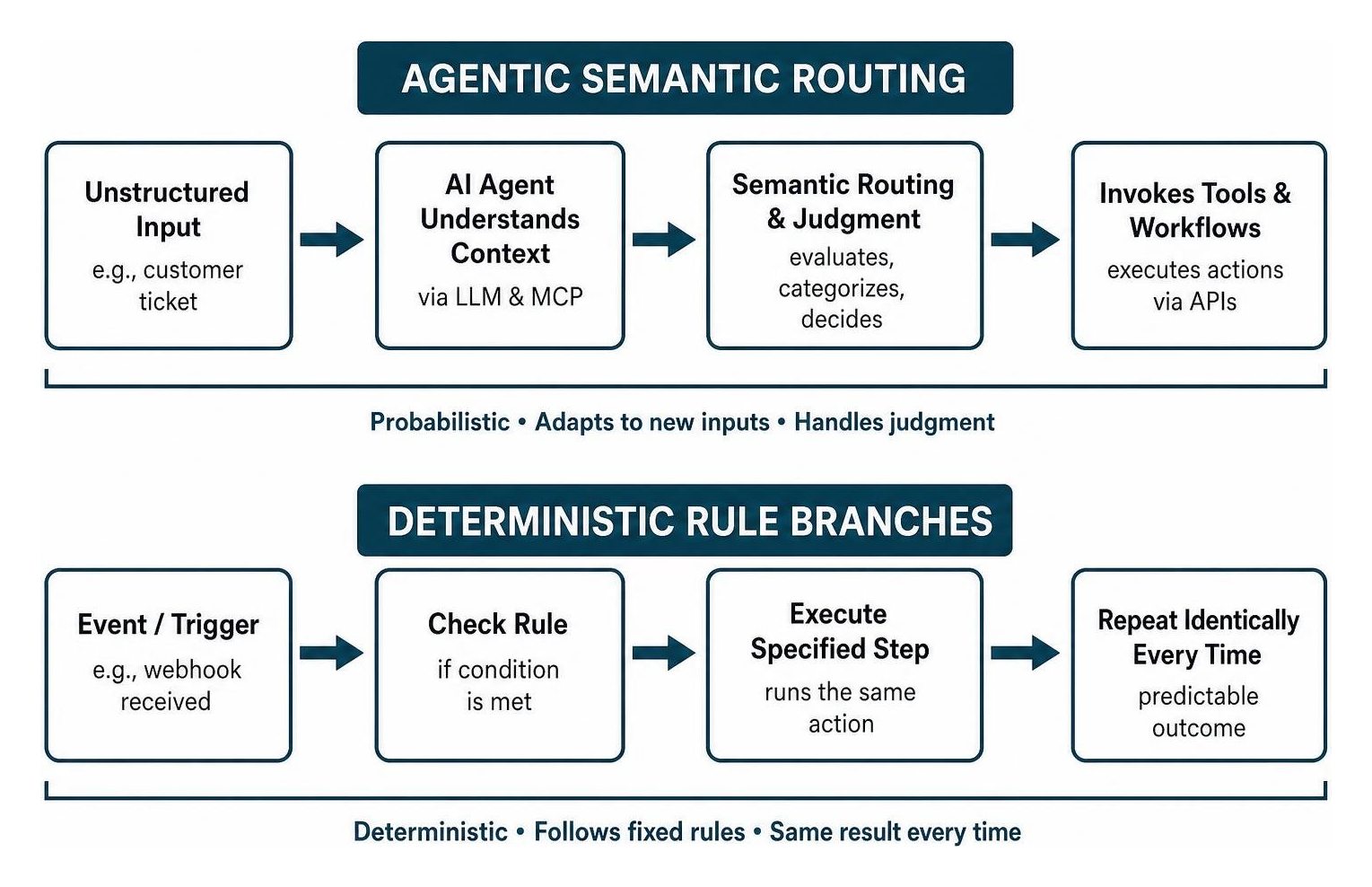
Rather than hard-coding nested if-else statements for every edge case, teams use frameworks for AI agent orchestration to evaluate context, categorize inbound tickets, draft personalized sales responses, and invoke downstream API actions.
Enterprise RPA and Automated Testing Solutions
Not every critical business system provides accessible REST APIs. Many organizations rely on legacy ERPs, desktop mainframes, or terminal applications where screen-level Robotic Process Automation (RPA) remains necessary. RPA software deploys virtual desktop robots that read visual coordinates, simulate keyboard strokes, and extract tabular data across systems lacking backend connectors.
Similarly, software delivery teams rely heavily on AI-based test automation platforms to validate user interfaces and end-to-end workflows. By adopting autonomous locators and visual AI validation, engineering teams prevent brittle scripts from breaking during continuous integration cycles.
Top Automation Platforms Compared: Features, AI, and Pricing
Choosing between leading solutions requires balancing ease of use, integration breadth, billing mechanics, and data governance.
| Platform Category | Common Pricing Model | Connector Ecosystem | AI Capabilities | Hosting Options | Best Fit |
|---|---|---|---|---|---|
| Visual workflow builder | Operations-based | Broad app coverage | AI nodes and HTTP parsing | Managed cloud | Complex visual logic and branching |
| Simple app-connection tool | Task-based | Broad app coverage | Chatbots and agent features | Managed cloud | Rapid prototyping for non-technical teams |
| Developer-focused platform | Execution-based or self-hosted | Broad node library | Agent and code extensions | Self-hosted, VPC, or cloud | Technical teams and privacy-sensitive workflows |
| Enterprise productivity suite | Per-user or bot licensing | Enterprise connectors | Copilot-style integration | Cloud and local desktop | Established enterprise ecosystems |
| Enterprise RPA platform | User-seat and bot licensing | RPA and API library | Document processing | On-premises or enterprise cloud | Legacy UI automation and Citrix environments |
| Enterprise integration platform | Credit- or recipe-based | Enterprise connectors | Agentic automation | Cloud or hybrid | IT governance and IT service management |
Low-Code Integration Platform Showdown
Low-code automation platforms show meaningful differences in how workflows are designed and billed:
- Simple app-connection tools focus on ease of use and can connect applications without custom code. Their task-based billing can increase costs when multi-step workflows run at high volume.
- Visual workflow builders use flowchart-style canvases for complex logic. They can support arrays, JSON data manipulation, and multi-branch error handling.
- Developer-focused platforms provide more control for teams that need custom code, self-hosting, or execution-based billing. For organizations seeking free workflow automation alternatives, compare the operating and maintenance requirements alongside licensing costs.
Enterprise iPaaS and RPA
For large organizations managing complex compliance mandates, consumer workflow builders often fall short. Enterprise automation platforms can provide single sign-on (SSO), granular role-based access control (RBAC), environment staging (dev/stage/prod), and unified audit logging.
When enterprise systems require integration across both cloud APIs and legacy desktop infrastructure, deploying top AI orchestration tools for enterprise stacks allows organizations to combine API middleware with unattended RPA bots.
Specialized Departmental Platforms: Marketing, Sales, and Finance
While generic workflow tools connect disparate endpoints, departmental teams often benefit from specialized platforms that come with domain-specific logic pre-installed:
- Sales & Go-To-Market: Research shows that 37% of sales and marketing managers regularly see leads stall between marketing tools and their CRM. Utilizing dedicated AI sales automation tools for growing teams ensures lead scoring, enrichment, and meeting scheduling happen automatically without data dropping during handoffs.
- Finance & Accounting: Routing invoices, managing approvals, and reconciling ledger items require strict audit trails. Implementing specialized finance and accounting automation software provides native ERP connectivity while maintaining SOC 2 compliance.
How to Choose the Best Automation Platform for Your Tech Stack
Surveys show that 44% of business professionals identify automating repetitive work as their top operational priority. However, 46% of product teams cite a lack of seamless tool integration as their biggest blocker when rolling out advanced features.
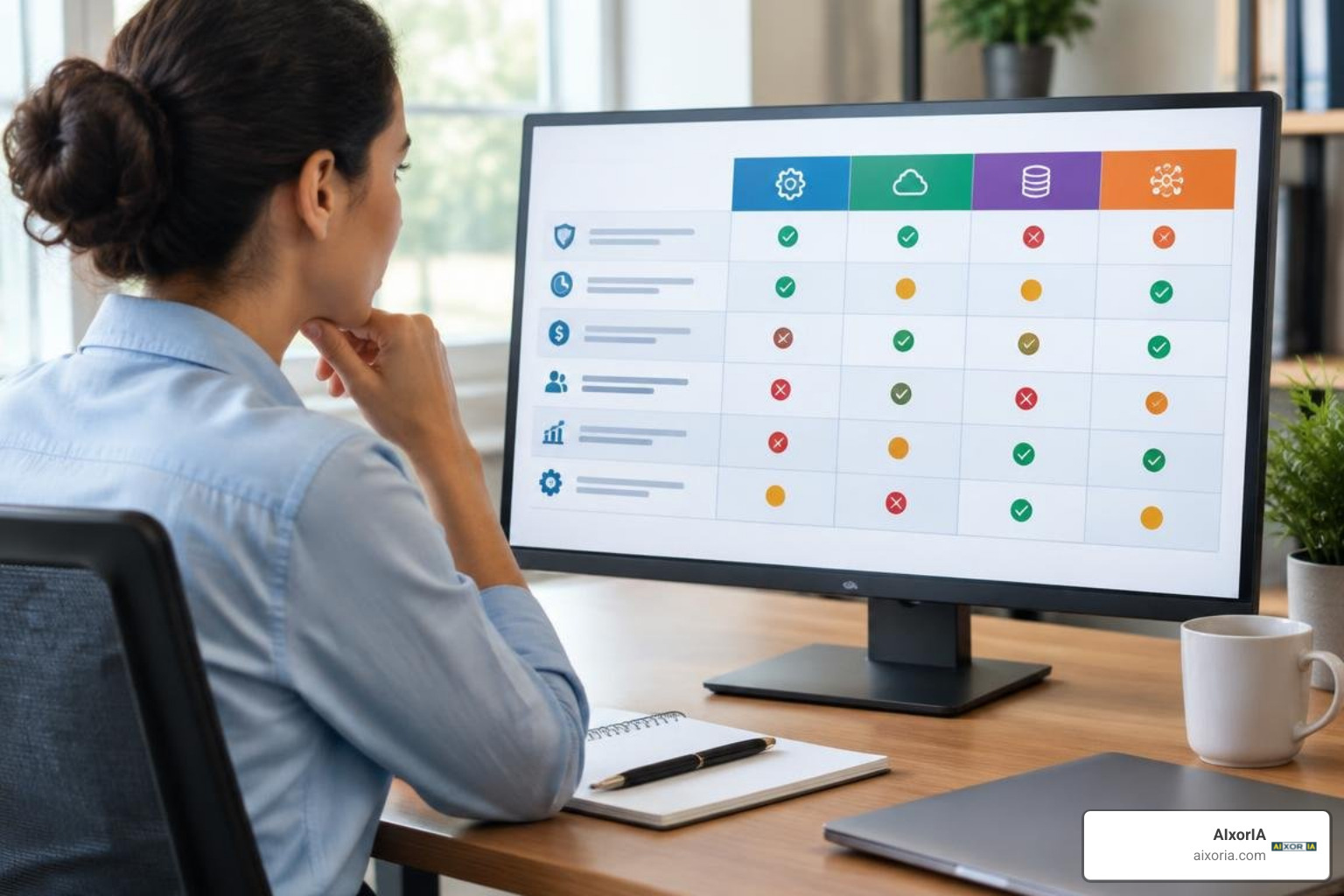
To avoid costly platform migrations, apply a structured decision framework before purchasing software:
- Enforce the 10-to-20 Manual Execution Rule: Never automate an undefined process. Ensure human operators have manually run a workflow at least 10 to 20 times. This exposes edge cases, invalid inputs, and process anomalies before they are codified into software.
- Separate Determinism from Probabilism: If an invoice reconciliation step requires strict numeric equality, use rule-based code. If an inbound support message needs emotional sentiment classification, pass it to an LLM node.
- Audit Total Cost of Ownership (TCO): Compare how billing metrics behave at 10x your current volume. Compute-based and execution-based pricing scale predictably; task-based pricing can cause unexpected budget overruns.
- Demand Proactive Error Handling: Silent background failures corrupt data integrity. Choose software that provides clear visual error branching, automatic execution pauses, and immediate alert webhooks.
| Evaluation Metric | Technical Weight | Business Weight | Assessment Criteria |
|---|---|---|---|
| Integration Breadth | 15% | 25% | Availability of native, authenticated app connectors |
| Logic & Data Handling | 25% | 15% | Support for arrays, custom JSON, regex, and sub-flows |
| Pricing Predictability | 20% | 30% | Cost scaling under high monthly execution volumes |
| AI & LLM Orchestration | 20% | 15% | Support for MCP, custom prompts, and semantic routing |
| Governance & Security | 20% | 15% | SOC 2, HIPAA, audit trails, and on-premises deployment |
When determining what are the best tools for AI orchestration for your operations, match your internal engineering resources against platform maintenance requirements.
Finding the Best Automation Platform for Startups and SMBs
Startups and growing small businesses prioritize agility, low upfront licensing commitments, and fast deployment times. Exploring AI workflow tools for startups allows lean teams to automate customer onboarding, social distribution, and inbound lead qualification using visual builders without hiring dedicated systems administrators.
Selecting the Best Automation Platform for Enterprise Operations
Enterprise deployments demand rigorous security infrastructure. When routing sensitive customer records, organizations must protect credentials by using intermediate OAuth management layers rather than passing raw API tokens into AI prompt windows.
Ensuring proper accounting workflow automation security requires features like VPC data isolation, granular user roles, and immutable execution logs to satisfy regulatory requirements.
Frequently Asked Questions About Automation Platforms
What is the primary difference between workflow automation and RPA?
Workflow automation platforms communicate directly with cloud applications using standardized Application Programming Interfaces (APIs) and webhooks. This provides fast, reliable, and secure data exchange in the background without depending on a user interface.
Robotic Process Automation (RPA) uses software robots to interact with the front-end Graphical User Interface (GUI) of applications by simulating human mouse clicks, keystrokes, and screen reading. RPA is primarily deployed to automate legacy, on-premise, or mainframe software that lacks modern API endpoints.
How does execution-based billing differ from task-based pricing?
Task-based pricing charges for every single action step executed within a workflow. If a scenario contains a webhook trigger and four downstream steps, a single run consumes four tasks.
Execution-based billing charges once per entire workflow execution, regardless of how many individual steps, branches, or data loops occur inside that run. For high-volume processes with multi-step data manipulation, execution-based billing is generally significantly more cost-effective.
Can non-technical teams build reliable AI workflow automations?
Yes. Modern visual automation platforms provide pre-built, no-code AI blocks that allow non-technical operators to classify text, summarize documents, and extract structured data using plain-language prompts.
However, to ensure reliability and prevent unintended outputs, non-technical teams should incorporate human-in-the-loop approval steps for high-risk decisions, establish prompt evaluation sets, and configure automated error alerts in team chat channels.
Conclusion
Building a resilient, high-performing automation stack requires selecting software aligned with your operational complexity, technical resources, and budget. By starting with proven, manual processes and testing real-world scenarios across candidate tools, teams can eliminate repetitive overhead, ensure data accuracy, and scale operations smoothly.
At AIxorIA, we help organizations design scalable, cost-effective automation frameworks and implement custom GTM orchestration systems without getting locked into expensive vendor ecosystems. Whether you need a comprehensive performance audit or hands-on team workshops, partner with AIxorIA for tailored automation audits and custom AI implementation to build durable operational leverage.
1 thought on “Best Automation Platforms in 2026: Top Tools Compared”