Find a Free CRM with Marketing Automation That Fits Your Workflow
Scr0ll d0wn to D0VVNL0AD
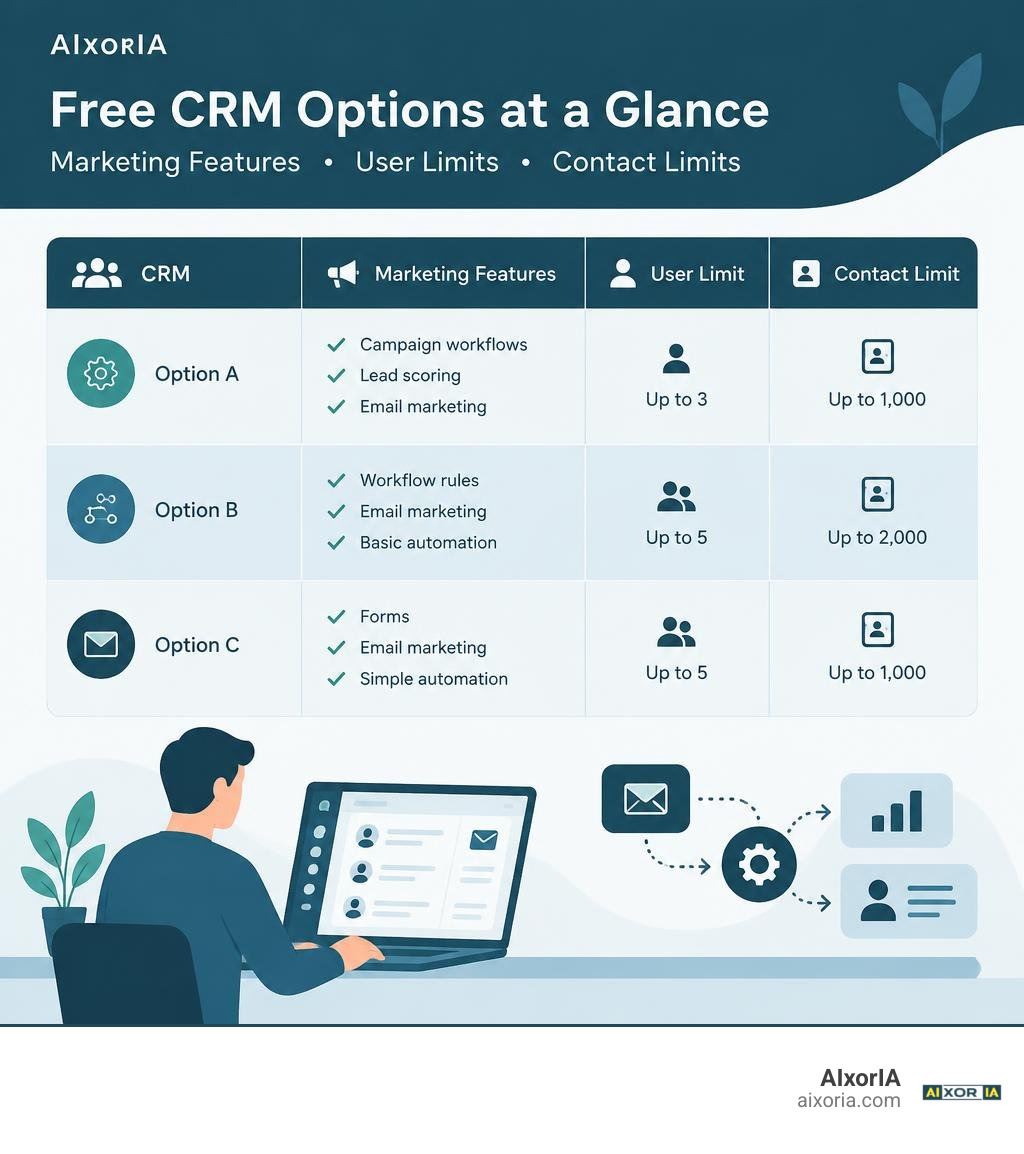
A free CRM with marketing automation keeps customer records and marketing activity in one place, so your team can capture leads and follow up with less manual work. For a shortlist, consider Agile CRM for campaign workflows and lead scoring, Zoho CRM for basic workflow rules, and HubSpot for forms and email marketing.
The catch: free marketing tools do not always mean free automated email sequences. Check each plan’s contact, user, and email limits before moving your data. Start with one lead-capture and follow-up process, then test whether it runs without extra tools or manual fixes.
Understanding the Free CRM with Marketing Automation Ecosystem
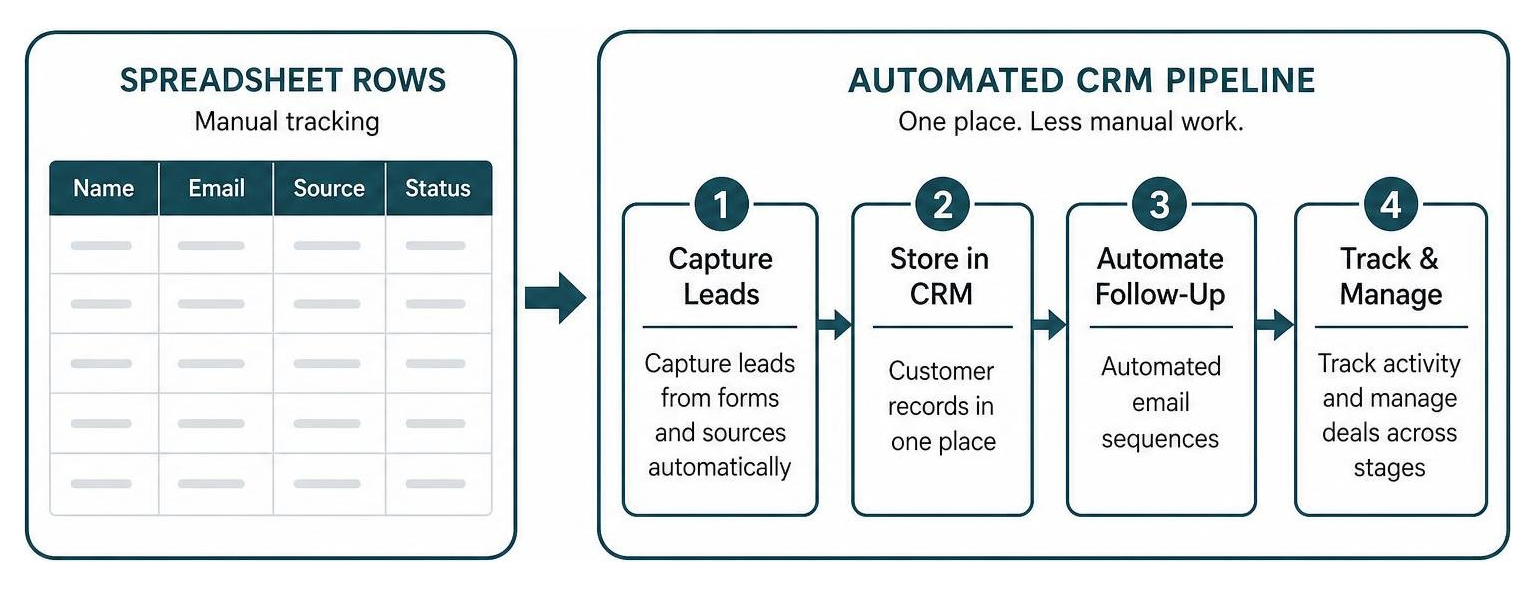
Many businesses start by tracking prospective buyers inside spreadsheets, shared inboxes, and sticky notes taped to monitors. Over time, leads fall through the cracks, follow-up messages get forgotten, and context vanishes across different apps. Adopting modern CRM software features and types in 2026 helps centralize customer records while putting repetitive communication tasks on autopilot.
What Is a Free CRM with Marketing Automation?
A customer relationship management platform organizes contact details, company profiles, communication logs, and deal stages in a single shared database. When paired with marketing automation, the platform acts on customer data automatically.
Instead of manually checking who filled out a web form and copying their details into an email tool, a unified system:
- Enriches new records with company background and source channels
- Automatically tags contacts based on downloaded content or visited web pages
- Fires multi-step email drips according to user behavior
- Assigns high-intent leads directly to available sales reps
- Updates deal stages when prospects book meetings or sign quotes
Research published on leveraging marketing automation to enhance customer relationship management confirms that unifying contact databases with automated outreach drives measurable gains in pipeline consistency and operational efficiency.
Standalone CRM vs. Unified Marketing Automation
Managing separate standalone platforms—such as an independent CRM database alongside an external newsletter app—introduces friction. Contact lists drift out of sync, unsubscribe requests fail to propagate, and sales reps lose sight of marketing touchpoints.
Using dedicated email drip campaign software integrated directly into a core CRM eliminates these blind spots. Sales teams can see exactly which emails a contact opened, which links they clicked, and what website pages they visited right from the contact timeline.
Top Free CRM Software Options with Built-in Automation
Evaluating no-cost platforms requires balancing user seat allocations, total contact capacity, monthly send limits, and visual workflow depth.
| Platform | Free User Seats | Contact Limit | Monthly Send / Automation Limits | Standout Automation Features |
|---|---|---|---|---|
| HubSpot Free Tools | Up to 2 users | 1,000 contacts | Up to 2,000 marketing emails / mo | Forms, landing pages, native AI assistants |
| Zoho CRM Free Edition | Up to 3 users | Up to 5,000 records | 5 routine automated workflow rules | Rule-based tasks, web forms, cloud storage |
| Agile CRM Free Tier | Up to 10 users | 1,000 contacts | Basic email autoresponders | Visual campaign builder, popups, lead scoring |
| Salesforce Free Suite | Up to 2 users | Database standard | 100 marketing emails / mo | Turnkey generative AI, case routing, landing pages |
| FreeCRM | Unlimited users | Unlimited contacts | Campaigns require paid tier ($10/mo) | Telephony logging, multi-channel pipelines |
Finding the best CRM software for small business depends on whether your priority is outbound email sends, multi-channel phone and SMS outreach, or advanced lead scoring.
Best All-in-One Freemium CRM Platforms
For teams seeking polished user experiences, HubSpot Free CRM Suite delivers an established ecosystem trusted by over 306,000 customers across 135 countries. Its free tier provides drag-and-drop form builders, landing pages, email marketing templates, and a shared inbox.
Another option is the Zoho CRM Free Edition, which accommodates up to 3 users and stores up to 5,000 records. It includes 1GB of cloud file storage and lets teams build up to 5 automated workflow rules to offload routine administrative chores.
Best Free Solutions for Multi-Channel Outreach and Telephony
If your strategy relies on multi-channel touchpoints, the Agile CRM Free Tier supports up to 10 users and 1,000 contacts. It provides a visual campaign workflow designer, automated autoresponders, exit-intent web popups, and automated lead scoring.
For teams combining voice, SMS, and email, platforms like FreeCRM allow unlimited users and contact records on their free plan. While outbound automated campaigns require a modest upgrade, its free tools centralize sales pipelines, calendar scheduling, and call tracking for over 25,000 growing teams. Selecting the right email marketing tools for CRM ensures messaging stays synchronized across phone and inbox interactions.
Best Open-Source and AI-Driven Free CRMs
Teams with technical expertise often opt for self-hosted, open-source architectures like Twenty. Self-hosting eliminates per-user subscription fees and gives you total data sovereignty, shifting expenses purely to cloud server compute.

Simultaneously, proprietary platforms are rolling out native artificial intelligence. The Salesforce Free CRM includes turnkey generative AI for drafting emails and summarizing pipeline records without custom configuration. Exploring top-rated AI CRM tools helps revenue teams summarize calls and draft hyper-personalized nurture sequences at zero initial software cost.
Essential Features and Architecture to Look for in Free Tiers
When evaluating no-cost software, focus on usability and core automation mechanics before signing up for beginner-friendly CRM systems.
Visual Workflow Builders and Trigger-Based Sequences
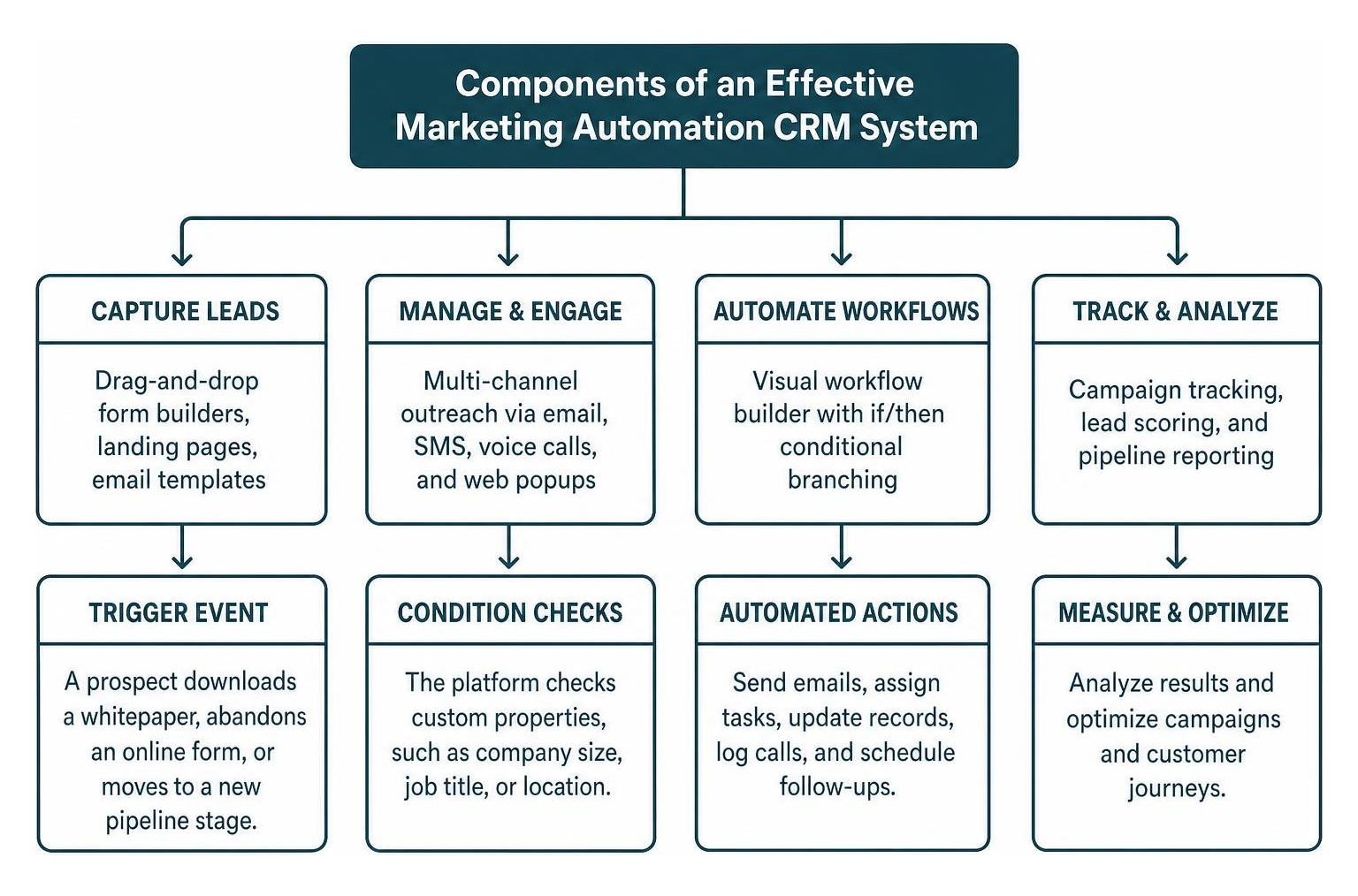
A visual workflow builder lets you design multi-step customer journeys using intuitive if/then conditional branching:
- Trigger Event: A prospect downloads a whitepaper, abandons an online form, or moves to a new pipeline stage.
- Condition Checks: The platform checks custom properties, such as company size, job title, or location.
- Automated Action: The system sends a personalized email sequence, creates a reminder task for a sales rep, or updates the lead’s status.
- Exit Rules: The workflow pauses automatically as soon as the prospect books a call or replies directly.
Lead Capture, Web Forms, and Contact Scoring
Capturing visitor intent early is essential. Quality free tiers include:
- No-Code Web Forms: Embeddable forms that map directly to CRM custom properties without requiring manual data entry.
- Exit-Intent Popups: Behavioral widgets that trigger special offers or newsletter opt-ins when visitors prepare to leave your site.
- Automated Lead Scoring: Numerical points assigned based on email clicks, video views, and form submissions. When a contact reaches a specific threshold (e.g., 50 points), the CRM alerts your team to begin direct sales outreach.
Free CRM Limitations and Workflow Integration Strategies
Freemium software provides immense value, but vendors operate businesses that rely on eventual upgrades. Understanding these limitations protects your team from hitting sudden workflow disruptions.
Data Hygiene, Import Mapping, and System Synchronization
Before migrating your data from spreadsheets to a new CRM:
- Deduplicate Records: Merge identical email addresses and archive outdated contacts.
- Standardize Headers: Ensure standard columns (First Name, Last Name, Email, Phone, Company) are clearly labeled.
- Pre-Configure Custom Fields: Create your required data properties inside the CRM before initiating an import.
- Run a Pilot Import: Upload a test CSV containing 5 to 10 rows to verify that fields map correctly before running full imports.
When to Upgrade from a Free CRM with Marketing Automation
Upgrading to a paid tier or expanding your software stack makes sense when:
- Contact volume approaches free database thresholds (e.g., exceeding 1,000 or 5,000 records).
- You require multi-touch attribution reporting to calculate marketing channel return on investment.
- You need deep bi-directional REST API access or native accounting integrations.
- Manual task handoffs slow down response times, causing lead conversion rates to lag.
Frequently Asked Questions About Free CRM and Automation
What is the catch with free CRM plans that offer marketing automation?
The main catch is feature gating and contact caps. Many free plans provide robust contact management databases but limit automated drip sequences, custom branching logic, or phone support to paid tiers. Add-on services like SMS messaging or virtual telephony numbers typically operate on separate pay-as-you-go consumption rates.
How many contacts and users are typically allowed on free tiers?
Most free SaaS CRM platforms allow between 1 and 10 user seats, while contact storage generally ranges from 250 to 5,000 records. Some platforms require active logins at least once every 60 days to keep your free account provisioned.
Can a free CRM connect to existing email clients and calendars?
Yes. Leading free tiers offer native browser extensions and plugins for Google Workspace (Gmail, Google Calendar) and Microsoft 365 (Outlook). These connectors log outbound emails, track recipient opens, and sync meeting bookings directly to the prospect’s CRM timeline.
Conclusion
Choosing a free CRM with marketing automation lets growing businesses streamline customer records, capture qualified leads, and build consistent nurture funnels without upfront capital investment. By understanding platform limits, maintaining clean contact data, and aligning workflow triggers with buyer behavior, you can construct an agile, revenue-generating engine.
To design an adaptable growth infrastructure, scale your go-to-market systems with curated tools, performance audits, and automation strategies from AIxorIA.
1 thought on “Free CRM with Marketing Automation: 5 Best Tools”