Why Finding the Best Workflow Automation Software Is Harder Than It Should Be

The best workflow automation software in 2026 depends on your team’s size, technical skill, and the tools you already use. Here’s a quick overview of the top options:
| Tool | Best For | Starting Price | AI-Native? |
|---|---|---|---|
| Zapier | Non-technical users | ~$20/mo | Partial |
| Make | Visual builders | ~$9/mo | Partial |
| n8n | Technical/developer teams | ~$20/mo | Yes |
| Gumloop | AI-first automation | Custom | Yes |
| Microsoft Power Automate | Enterprise + Microsoft users | Varies | Yes |
| Workato | Enterprise security | Custom | Yes |
| Vellum AI | AI agent orchestration | Custom | Yes |
Only 5% of enterprise AI pilots ever reach production. That’s a sobering number — and it points to a real problem most teams face.
It’s not that automation tools don’t work. It’s that choosing the wrong one creates more friction than it solves. Integrations break. Pricing scales unexpectedly. Non-technical users hit walls. Engineers feel constrained.
Meanwhile, 46% of product teams say lack of integration with existing tools is their biggest barrier to AI adoption. That’s nearly half of all teams — stuck before they even get started.
The good news? A new generation of workflow automation platforms is closing that gap fast. Some are built for business owners who’ve never written a line of code. Others give engineers deep control with Python, JavaScript, and self-hosting. And the best ones do both.
This guide cuts through the noise and shows you exactly which tools are worth your time — and which ones to skip.
Defining the Best Workflow Automation Software in 2026
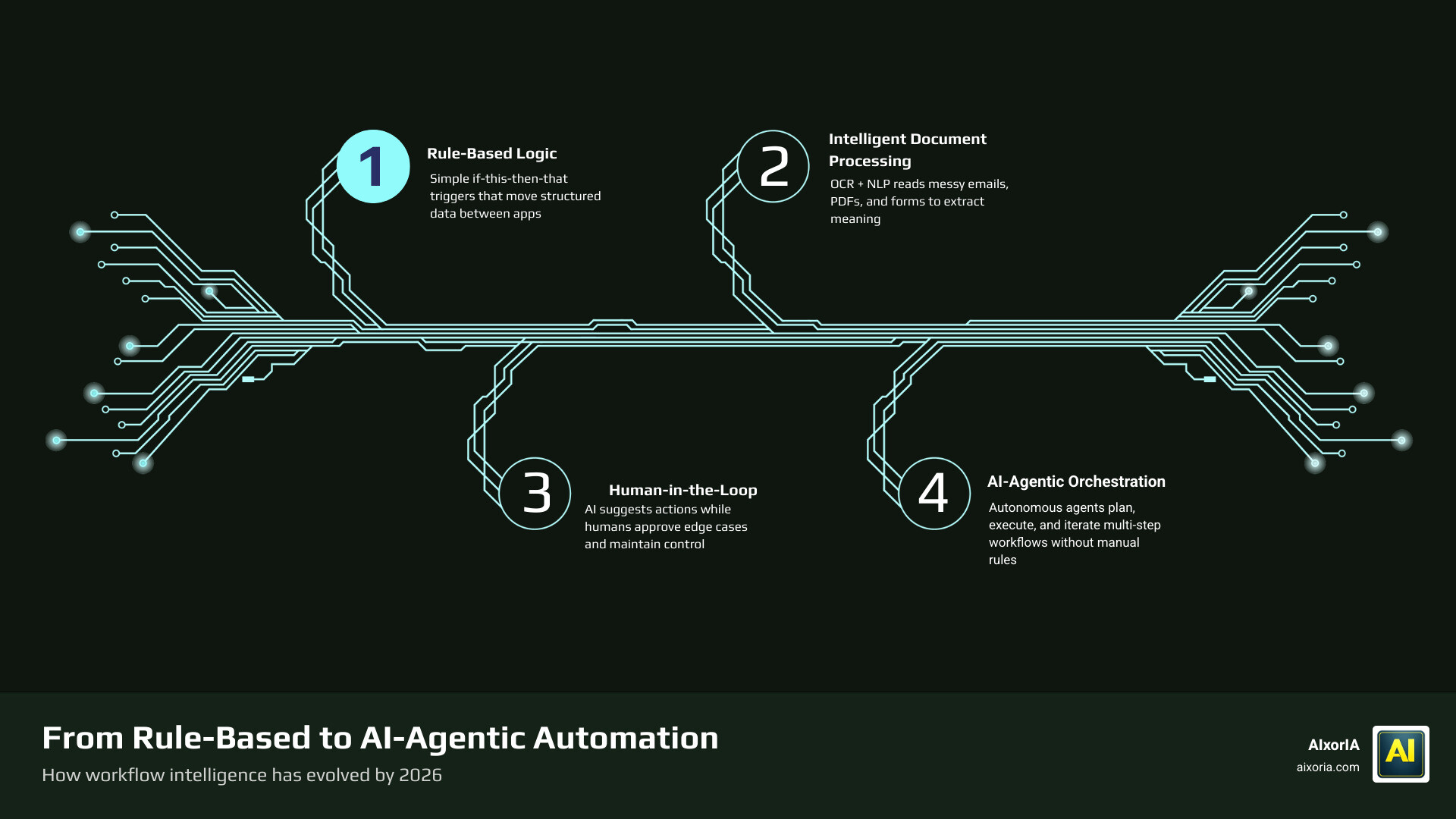
In 2026, the definition of “automation” has shifted. We are no longer just talking about moving data from a form to a spreadsheet. The Best Workflow Automation Software in 2026 Tested now involves a sophisticated blend of rule-based logic and AI orchestration.
Traditional tools followed a simple “if this, then that” structure. Modern platforms, however, utilize Intelligent Document Processing (IDP) and Business Process Management (BPM) to handle unstructured data. This means the software can read a messy email, understand the intent, and decide which department needs to see it—all without a human clicking a single button.
Evaluating the Best Workflow Automation Software for Non-Technical Users
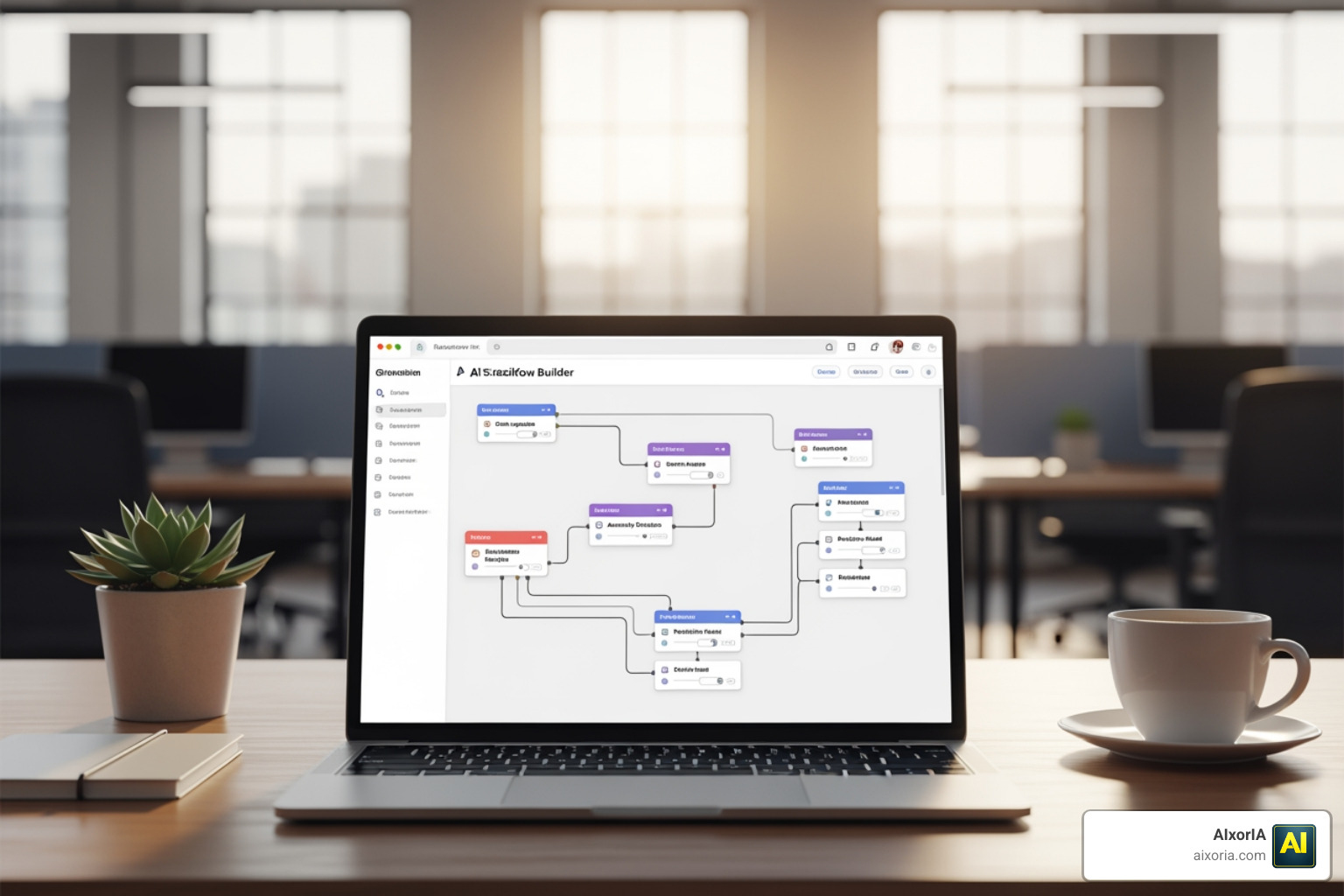
For many of us, the goal is to build something that works without needing a computer science degree. The top tools for startups and small teams focus on low-code accessibility.
- Natural Language Triggers: You can now describe a workflow in plain English (e.g., “When I get a new lead in LinkedIn, summarize their profile and send it to Slack”) and the AI builds the steps for you.
- Pre-built Templates: Platforms like Make offer over 7,500 templates, while n8n provides 4,000+ community-created starters.
- Drag-and-Drop Forms: Tools like 7 Best AI Workflow Automation Tools for Startups 2026 emphasize visual interfaces where you connect “bubbles” or “nodes” to map out a process.
Technical Capabilities of the Best Workflow Automation Software
On the flip side, technical teams need more than just “bubbles.” They need extensibility. The best workflow automation software for developers allows for custom JavaScript or Python steps directly within the workflow.
Key technical features to prioritize include:
- Model Context Protocol (MCP): This allows external AI agents to plug directly into your software stack.
- Self-hosting: For companies with strict data privacy needs, being able to host the automation engine on your own servers is a game-changer.
- API Management: The ability to build custom connectors when a pre-built one doesn’t exist.
Key Features and AI Integration Trends
The most exciting trend we’re seeing in 2026 is agentic automation. This is where AI doesn’t just follow a path; it “thinks” about the best way to reach a goal.

When exploring What are the Best AI Agent Orchestration Tools 2026 Guide, look for these advanced features:
- Semantic Routing: The tool routes tasks based on meaning and intent rather than just keywords.
- Confidence Thresholds: You can set a rule that says, “If the AI is less than 85% sure about this invoice, send it to a human for review.” This Human-in-the-loop (HITL) approach is vital for maintaining accuracy.
- Real-time Observability: Detailed logs and “traces” that show exactly why an AI made a specific decision.
- Automated Versioning: The ability to test a new AI prompt or model version side-by-side with the old one to see which performs better.
Top Workflow Automation Platforms Compared
Choosing the best workflow automation software requires understanding how these giants stack up against each other.
| Feature | Zapier | n8n | Microsoft Power Automate | Kissflow |
|---|---|---|---|---|
| Integrations | 8,000+ | 400+ (plus custom code) | 1,400+ | 500+ |
| Ease of Use | Very High | Medium (Dev-focused) | High (for MS users) | High |
| Governance | Basic | High (Self-hosted) | Enterprise Grade | High (IT-led) |
| Best For | Marketing/Sales Ops | Technical Engineers | Corporate Ecosystems | Business Processes |
For specialized needs, such as Best Accounting Workflow Automation Software in 2026, platforms like Workato or Power Automate are often preferred due to their heavy focus on security and SOC 2 compliance.
Meanwhile, Kissflow stands out for its ability to combine structured processes (like procurement) with unstructured work (like Kanban boards), making it a favorite for HR and Finance teams. Celigo is another powerhouse, particularly for e-commerce and RevOps teams that need to connect complex ERP systems like SAP or NetSuite.
Strategic Implementation and Enterprise Governance
Scaling automation isn’t just about building flows; it’s about making sure they don’t break your business. Organizations that use external partnerships—like low-code AI workflow tools—double their success rates compared to those trying to build everything internally from scratch.
The 30-Day Rollout Plan
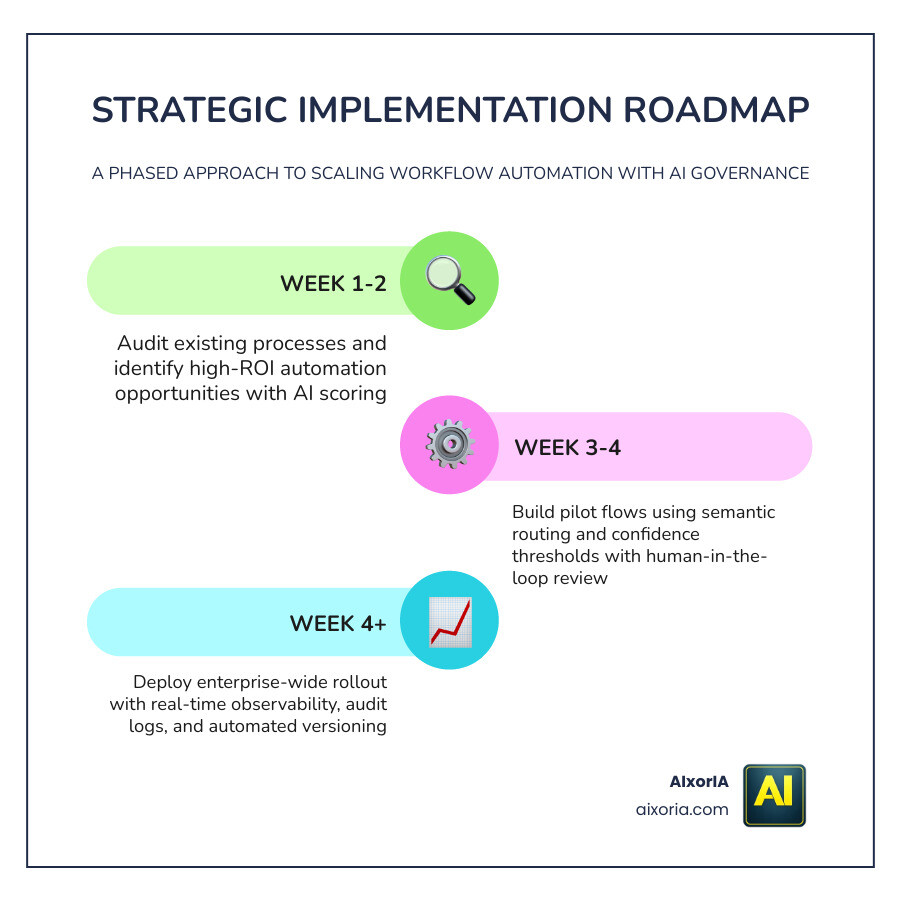
We recommend a phased approach to implementing the best workflow automation software:
- Week 1: Identify 1-2 simple “quick win” automations. Define your “golden set” of 10-20 examples of what a perfect output looks like.
- Week 2: Add semantic routing and confidence thresholds to handle edge cases.
- Week 3: Have your engineering team set up dev, staging, and production environments.
- Week 4: Factor successful pieces into reusable components and roll out to a second department.
Security and Compliance
For enterprise users, governance is non-negotiable. You should prioritize:
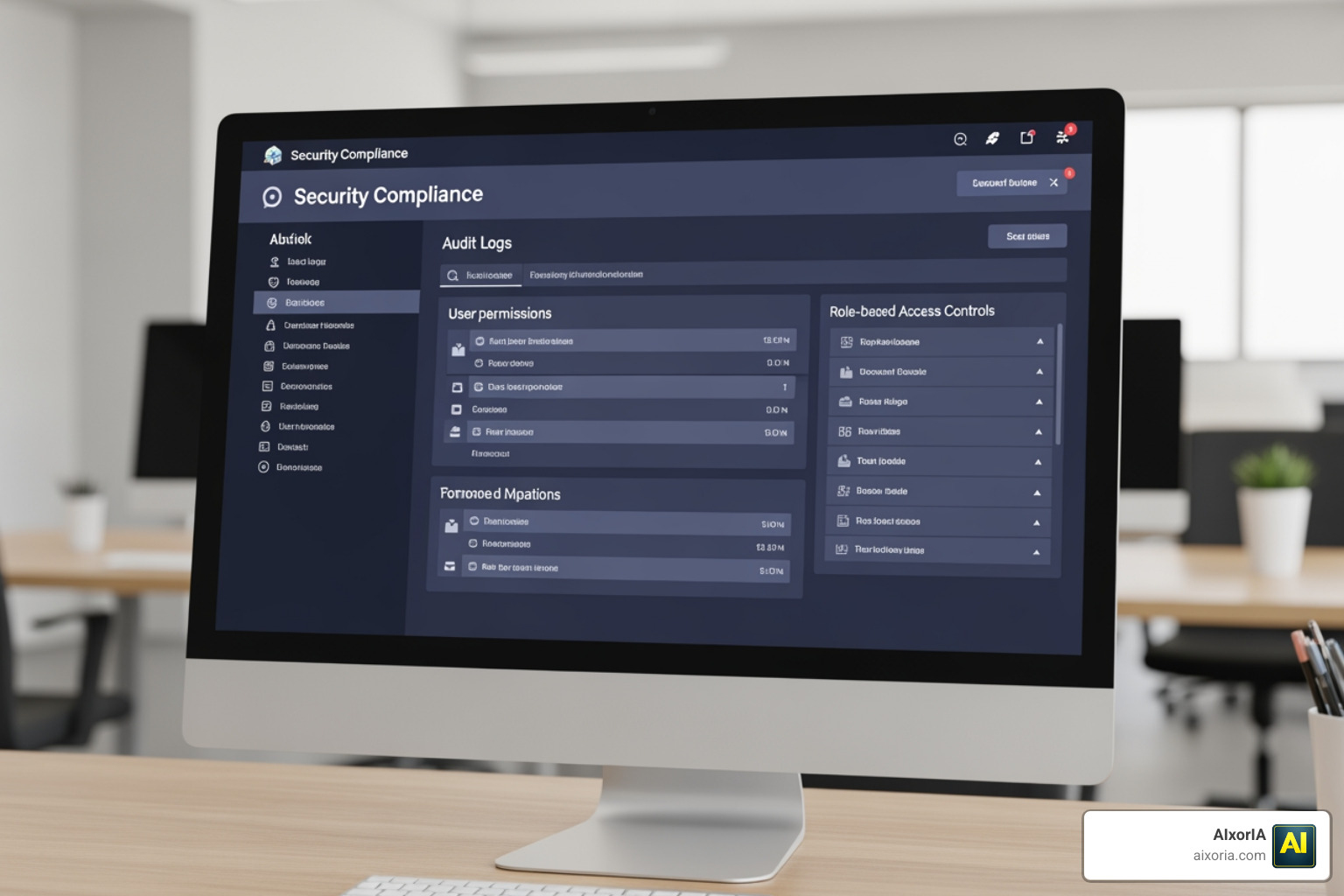
- Role-Based Access Control (RBAC): Ensuring only authorized personnel can edit sensitive workflows.
- Audit Logs: A complete history of every action taken by an automation or AI agent.
- SOC 2 Type II Compliance: Ensuring the platform meets the highest standards for data security.
- Centralized Admin Consoles: Tools like The 7 Best AI Agent Orchestration Tools in 2026 allow IT teams to set guardrails while letting business users build their own solutions.
Frequently Asked Questions about Workflow Automation
How does AI-powered automation differ from traditional RPA?
Traditional Robotic Process Automation (RPA) typically works at the user interface (UI) layer—it mimics a human clicking buttons. It is great for repetitive tasks but “breaks” if the UI changes. AI-powered automation works at the data layer. It uses LLMs to reason, interpret unstructured data (like a PDF or a voice note), and make decisions based on context.
What are the most common pricing models for automation tools in 2026?
Most platforms have moved away from simple monthly fees toward usage-based models:
- Task/Execution-based: You pay for every time a workflow runs (e.g., Zapier, n8n).
- Credit-based: Different actions “cost” different amounts of credits (e.g., Make).
- Seat-based: Common in enterprise tools like Microsoft Power Automate or Kissflow.
How can organizations ensure data security when using external AI agents?
The key is “grounding” and “guardrails.” Ensure your chosen best workflow automation software keeps your data within a secure environment. Use platforms that offer SOC 2 compliance and allow you to require human approval before any sensitive action (like sending a payment or deleting a record) is executed.
Conclusion
The future of work is hyper-automated. By 2026, the question isn’t whether you should automate, but which platform will serve as the “brain” of your operations. Whether you need the simplicity of a no-code connector or the raw power of a developer-first orchestrator, the tools available today are more capable than ever.
At AIxorIA, we specialize in helping businesses navigate this complex landscape. From custom AI solution audits to hands-on tool training, our goal is to make digital transformation simple and affordable. If you’re ready to stop fighting with your tools and start scaling your impact, we’re here to help.
9 thoughts on “Best Workflow Automation Software in 2026: Top Tools Compared”