The Best AI for Solving Coding Problems in 2026

Finding the best AI for solving coding problems doesn’t have to be complicated — here’s a quick answer:
| AI Tool | Best For | Starting Price |
|---|---|---|
| GitHub Copilot | All-around coding help | Free / $10/month |
| Cursor | AI-first editor experience | Free / $20/month |
| Gemini Code Assist | Google Cloud & enterprise | Free / $22.80/user/month |
| Tabnine | Beginners & privacy-focused teams | Free tier available |
| Sourcegraph Cody | Large, complex codebases | Free tier available |
| OpenAI Codex | Agentic & multi-task workflows | Via ChatGPT/API |
The way developers write code has changed dramatically. Not long ago, you’d spend hours hunting through documentation or Stack Overflow to fix a single bug. Today, AI coding assistants can suggest fixes, generate entire functions, and even review pull requests — all inside your editor.
The numbers back this up. By 2024, 62% of developers were already using AI coding tools. By 2025, that figure had climbed toward 90% in some surveys. Over 1,000 AI coding extensions now exist for VS Code alone, with more than 90% of them released in just the past two years.
For small business owners and time-pressed teams, this matters. You don’t need to be a senior engineer to benefit. The right tool can close the gap between what you know and what you need to build.
But with so many options, choosing is genuinely hard. This guide cuts through the noise and compares the top tools head-to-head — so you can pick the one that fits your workflow, budget, and skill level.
Defining the Best AI for Solving Coding Problems
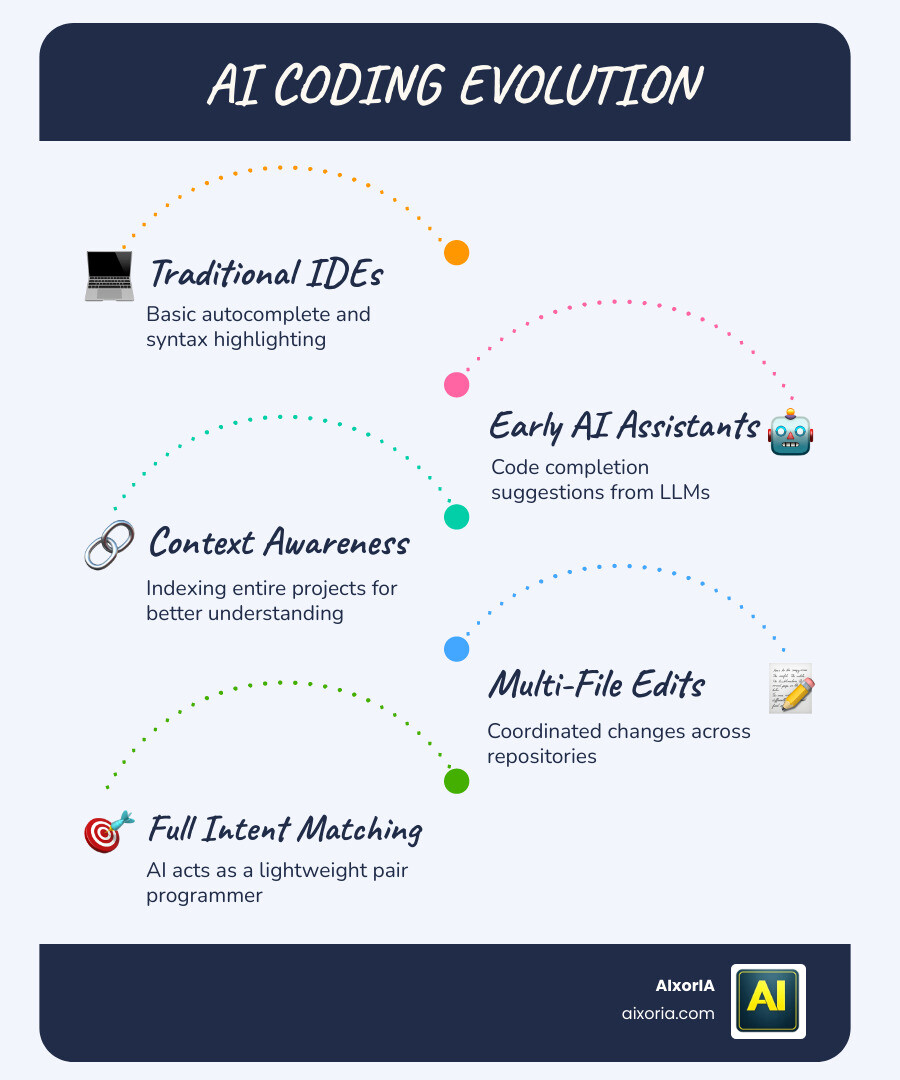
When we talk about an AI coding assistant, we aren’t just talking about a fancy spellchecker. Traditional Integrated Development Environments (IDEs) have had “intellisense” for years, but modern AI tools use Large Language Models (LLMs) to understand the intent behind your code.
The best AI for solving coding problems acts like a lightweight pair programmer. It doesn’t just look at the line you are typing; it indexes your entire project to understand how different files interact. In 2026, the gold standard for these tools is “context awareness”—the ability to remember that a variable defined in your database schema is needed in your frontend API call.
For those working on specialized data science tasks, you might want to check out our guide on the Best AI Tools for ML Projects 2026 Tested Ranked by Workflow to see how these assistants handle heavy mathematical modeling.
Best AI for solving coding problems for Beginners
If you are just starting out, you need a tool that explains why a piece of code works, not just what to type. We have found that tools like Tabnine and Replit Ghostwriter are fantastic for beginners because they offer ease of use and clear feedback.
- Predictive autocomplete engines: These tools suggest the next several lines of code, helping you learn syntax patterns on the fly.
- Cloud-based coding environments: Platforms like Replit allow you to code in your browser without worrying about complex local setups.
- Learning integration: Some assistants now include “Explain Code” buttons that break down complex logic into plain English.

Best AI for solving coding problems in Enterprise Environments
For large businesses, the challenges are different. You aren’t just writing one file; you are managing half a million source files across dozens of repositories. This is where enterprise-grade assistants like Gemini Code Assist and Augment Code shine.
These tools offer multi-repo indexing, meaning the AI understands the dependencies between your payment service, your authentication gateway, and your shared security libraries. They also prioritize private codebase integration, ensuring your proprietary logic stays within your company’s firewall while still providing tailored suggestions.
Productivity vs. Code Quality: 2026 Performance Benchmarks
In 2026, the debate isn’t about whether AI helps, but how much it helps. Research shows that developers using GitHub Copilot Enterprise completed certain tasks up to 55% faster. However, speed isn’t everything. We must also look at “DORA metrics”—like how often the AI-generated code introduces bugs that need fixing later.
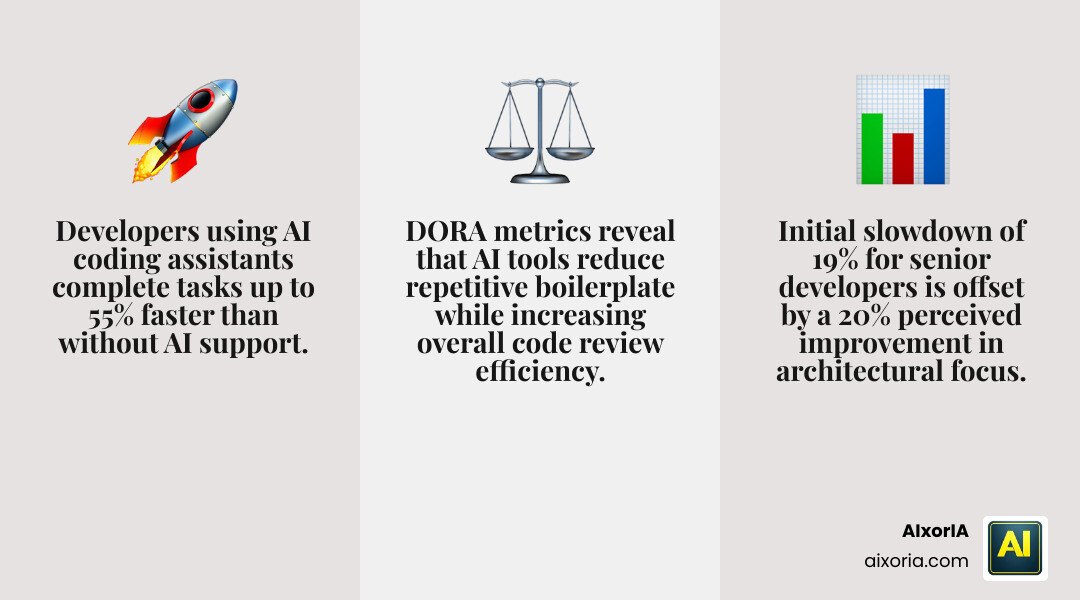
| Developer Type | Speed Impact | Perception | Key Benefit |
|---|---|---|---|
| Junior | +40% Speed | High Satisfaction | Syntax & Boilerplate |
| Senior | -19% Speed (Initially) | +20% perceived improvement | Architectural focus |
To see how these efficiency gains translate to other parts of your workday, explore our research on the Best AI Tools for Productivity and Time Management.
Impact on Senior Developers
Interestingly, experienced developers can sometimes be 19% slower when they first start using AI tools because they spend more time reviewing the AI’s suggestions. However, these same developers report a 20% improvement in perceived speed. Why? Because the AI handles the “boring” parts—like writing unit tests or documentation—allowing the senior dev to focus on high-level system architecture and complex problem-solving.
Impact on Junior Developers
For juniors, the impact is more immediate. AI tools act as a 24/7 mentor, providing instant syntax help and generating boilerplate code (like setting up a basic React component) in seconds. The learning curve is flattened, but there is a risk: juniors must be careful not to “blindly trust” the AI, as it can occasionally suggest outdated patterns or inconsistent naming conventions.
Essential Features for Choosing an AI Coding Assistant
Choosing the best AI for solving coding problems requires looking past the marketing hype. Here are the features we recommend prioritizing in 2026:
- Context Window Size: This is the AI’s “short-term memory.” Tools like Gemini Code Assist for teams and businesses now offer up to a 1M token context window, allowing the AI to “read” your entire project at once.
- Semantic Analysis: The AI should understand the meaning of your code, not just the text. This helps it find security vulnerabilities or suggest better refactoring options.
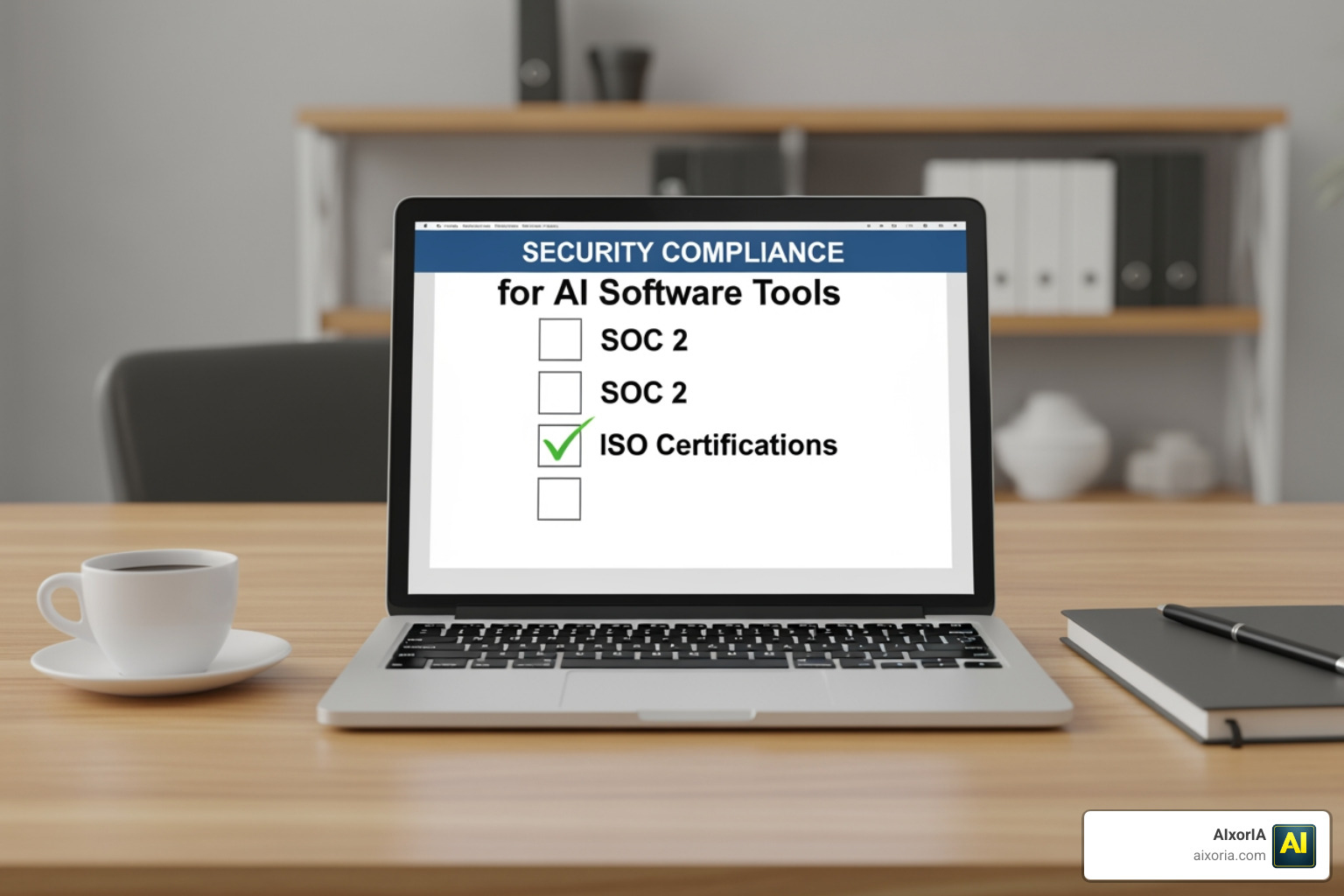
- Security Certifications: Especially for businesses, look for SOC 2 Type 2 and ISO 42001 certifications.
For a broader look at the landscape, see our list of the 20 Best AI Software Development Tools in 2026 or check out general Best AI Tools for Business Productivity.
Security and Compliance Standards
In the enterprise world, privacy is paramount. Many top-tier tools now offer “air-gapped” or on-premise deployment options. This ensures that your code is never used to train the public model. We always suggest checking if the tool allows you to opt-out of data collection.
Integration and Workflow Compatibility
The best tool is the one you actually use. Whether you prefer VS Code, JetBrains, or the terminal, your AI assistant should live where you work. In 2026, we are seeing the rise of agentic workflows, where the AI doesn’t just suggest code but can actually run tests, fix bugs, and submit pull requests autonomously.
Frequently Asked Questions
What is the difference between AI coding and low-code?
Low-code platforms provide a visual, production-ready foundation that is often more reliable for building standard business workflows. AI coding, on the other hand, generates raw source code. While AI is more flexible, it can introduce “technical debt” if the generated code is inconsistent. For many businesses, a mix of both is the best strategy.
Are AI coding tools safe for proprietary code?
Yes, provided you choose the right plan. Most “Pro” or “Enterprise” tiers of tools like GitHub Copilot or Gemini Code Assist include strict data retention policies and guarantee that your code will not be used to train their underlying models. Always verify the enterprise governance settings before onboarding your team.
Which AI tool has the largest context window?
As of mid-2026, Gemini Code Assist is a leader with its 1M token context window. This allows for massive multi-file edits and deep repository mapping that was impossible just two years ago. However, competitors are catching up fast with next-generation LLM architectures.
Conclusion
The journey to find the best AI for solving coding problems is personal. For some, it’s about the raw speed of GitHub Copilot. For others, it’s the deep architectural understanding of Sourcegraph Cody or the seamless AI-first experience of Cursor.
At AIxorIA, we specialize in helping businesses navigate this rapidly shifting landscape. Whether you need a performance audit of your current stack, tool training workshops for your team, or custom AI solutions built from the ground up, we are here to provide simple, affordable help. We believe that AI shouldn’t be a mystery—it should be a superpower that helps you build faster and smarter.
Ready to transform your development workflow? More info about AI tools for business in 2026 can help you calculate your ROI and start your journey today. To see our top picks for the year, don’t miss our breakdown of The 8 Best AI Coding Tools for Developers in 2026.
5 thoughts on “8 Best AI Coding Tools for Developers in 2026 (Compared)”