The Real Cost of Cursor — and What to Use Instead

If you’re exploring cursor alternatives, here’s a quick answer before we dive in:
Best Cursor Alternatives at a Glance
| Tool | Best For | Starting Price |
|---|---|---|
| Cline | Free, high-performance (80.8% SWE-bench) | $0 (BYOK) |
| GitHub Copilot | Multi-editor, budget-friendly | $10/mo |
| Windsurf | Closest Cursor replacement | $15/mo |
| Claude Code | Large codebases, agent workflows | $17/mo |
| Aider | Terminal-native, open-source | $0 |
| Zed | Speed, privacy, collaboration | $0 |
| Augment Code | Enterprise, monorepos 500K+ files | Free tier available |
Cursor is genuinely impressive. It’s no wonder it reached $2 billion in annual revenue by early 2026, with roughly 25% of the AI coding tool market.
But impressive doesn’t always mean right for you.
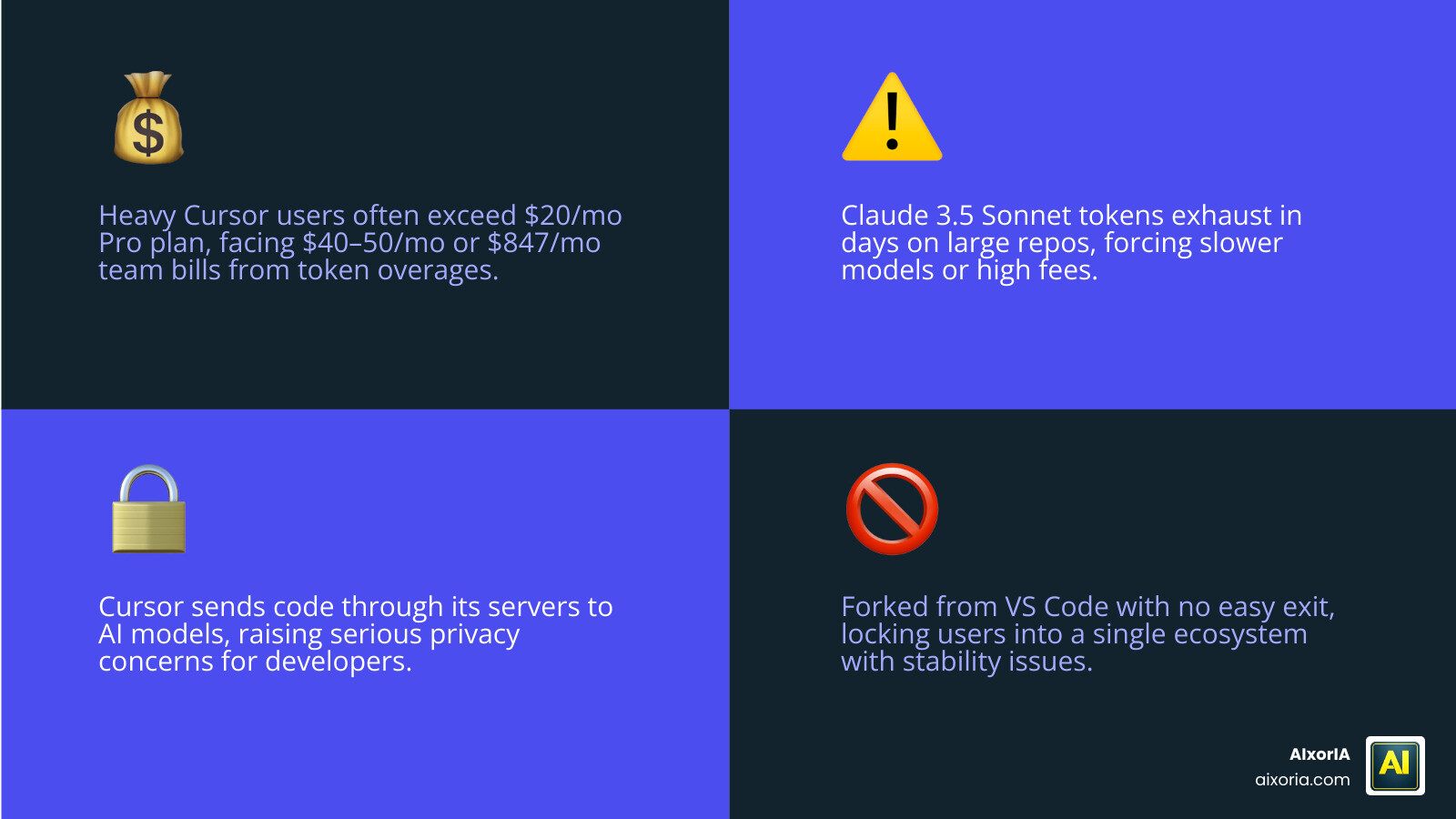
Heavy Cursor users regularly report spending $40–50 per month after overages — well above the advertised $20 Pro plan. One small team of five developers found themselves facing an $847 monthly bill. And those are just the pricing surprises.
There are also real concerns about stability, privacy (your code passes through Cursor’s servers before reaching any AI model), and being locked into a VS Code fork with no easy exit.
The good news? In 2026, the alternatives have genuinely caught up — and in some cases, pulled ahead.
Why Developers are Switching to Cursor Alternatives
While Cursor changed the game for many, the “honeymoon phase” for many developers has ended. We’ve seen a massive surge in users looking for cursor alternatives for a few very specific reasons.
First, let’s talk about the “token burn.” On large repositories, developers on platforms like Hacker News have noted that Claude 3.5 Sonnet tokens can be exhausted in just a few days. Once you hit those limits, you’re either stuck with a slower model or paying high overage fees. For a small team, these costs can spiral out of control faster than a recursive function without a base case!

Beyond the wallet, there is the issue of editor lock-in. Cursor is a fork of VS Code. While that makes it easy to switch to, it means you are tied to their specific version of the editor. If you prefer JetBrains, Neovim, or even the standard VS Code with your own curated extensions, Cursor can feel restrictive.
Privacy is the third major pillar. Many enterprise teams are wary because Cursor’s architecture often requires code to pass through their proprietary infrastructure. For those working in highly regulated industries, this is a non-starter. If you want to dive deeper into how these tools impact your day-to-day, check out our review of the Best Ai Productivity Tools For Coders In 2026 Tested.
Finally, stability has become a talking point. Users have reported occasional crashes, incorrect file modifications, and failures in saving files during heavy agentic workflows. When your AI editor starts “vibe-coding” things into a mess, it’s time to look at other options mentioned in The 6 best Cursor alternatives in 2026 | Zapier.
Top-Rated Open-Source and Free Options
If you are looking for transparency and cost control, the open-source world has delivered some heavy hitters in 2026. These tools often use a “Bring Your Own Key” (BYOK) model, where you pay the AI provider (like Anthropic or OpenAI) directly for exactly what you use, with no middleman markup.
| Feature | Cline | Aider | Zed | Continue |
|---|---|---|---|---|
| License | Apache-2.0 | MIT | Apache-2.0 | Apache-2.0 |
| SWE-bench Score | 80.8% | High | N/A | N/A |
| Primary UI | VS Code Ext. | Terminal | Native App | Extension |
| Self-Hosting | Yes | Yes | Partial | Yes |
Switching to an open-source stack can save a 20-person team upwards of $4,800 a year. But it’s not just about the money; it’s about sovereignty. Tools like Continue.dev allow you to index your entire codebase locally and use any LLM you want, including local models via Ollama for 100% offline coding. For those interested in documentation specifically, we have a guide on 9 Free Ai Tools To Understand Code And Generate Documentation.
You can find more detailed breakdowns in the Best Open Source Cursor Alternatives in 2026 — OSSAlt Guides | OSSAlt.
Cline: A Leading Choice Among Cursor Alternatives
If there is one tool that has shocked the industry in 2026, it’s Cline. Formerly known as Claude Dev, this VS Code extension has achieved a staggering 80.8% on the SWE-bench Verified benchmark. To put that in perspective, that matches the top-tier paid performance of tools like Claude Code.
Cline excels at “agentic” tasks. It doesn’t just suggest code; it can create files, run terminal commands, and fix its own bugs through a loop of autonomous debugging. Because it’s an extension, you don’t have to leave your standard VS Code environment. It provides excellent task isolation, meaning it won’t accidentally rewrite your entire project while trying to fix one CSS margin. It’s easily one of The 7 Best Ai Coding Tools For Developers In 2026.
Zed and Aider: High-Performance Cursor Alternatives
For the speed demons among us, Zed is the editor of choice. Built in Rust and utilizing GPU acceleration, Zed’s startup time is roughly 0.12 seconds—about 10 times faster than VS Code. It uses significantly less memory and offers a native AI experience that feels like it’s running at the speed of a video game.
On the other hand, Aider is the king of the terminal. It is a CLI-based tool that allows you to pair-program with an AI directly in your command line. It’s remarkably powerful for multi-file edits. You just tell Aider what you want, and it handles the “git” commits for you, creating an auditable trail of every change the AI makes. Aider currently processes over 15 billion tokens per week, proving that many developers still prefer the efficiency of the terminal. These are consistently ranked among What Are The 8 Best Ai Coding Assistant Tools.
Enterprise-Grade Solutions for Security and Scale
When we talk about “Enterprise,” the requirements shift from “cool features” to “security and compliance.” Large organizations can’t just use any tool; they need SOC 2 Type II and ISO 42001 certifications.

Augment Code has emerged as a leader here. Their Context Engine is designed to index over 500,000 files while maintaining a 200,000-token context window. This is a massive leap over Cursor’s roughly 20,000-token limit, which often causes “context overflow” in large monorepos.
Teams using Augment report a 30-50% increase in coordination efficiency when working on multi-service features. This is because the AI actually understands the relationships between different microservices, rather than just looking at one file at a time. For companies looking to refactor old systems, these are the Top Rated Ai Driven Code Refactoring Tools For Enterprise Teams In 2026.
Decision Framework: Choosing Your AI Coding Tool
Choosing between cursor alternatives doesn’t have to be a headache. We recommend using a simple four-axis framework to evaluate your needs:
- Workflow Fit: Do you want a standalone editor (Windsurf, Zed), a VS Code extension (Cline, Copilot, Continue), or a terminal tool (Aider, Claude Code)?
- Cost vs. Usage: Are you a “heavy” user? If so, BYOK models like Cline or Aider will likely be cheaper than Cursor’s $20/mo + overages.
- Codebase Size: If you’re working in a massive monorepo, look for tools with high context windows like Augment Code or Claude Code (which supports up to 1M tokens).
- Privacy Requirements: Does your code need to stay local? If yes, prioritize Tabby or Void.
If you’re still unsure, our comprehensive guide on The 20 Best Ai Software Development Tools In 2026 provides an even broader look at the ecosystem.
Frequently Asked Questions about Cursor Alternatives
Is there a completely free alternative to Cursor?
Yes! Cline and Aider are open-source and free to install. However, you still have to pay for the AI “brain” (the API tokens). If you want a 100% free experience with no token costs, you can use Continue or Tabby paired with a local model like Llama 3 or StarCoder running on your own hardware.
Which alternative has the best SWE-bench score?
As of May 2026, Claude Code and Cline (when paired with Claude 3.5 Sonnet) both hold a top-tier score of 80.8% on SWE-bench Verified. This is significantly higher than the standard GitHub Copilot, which sits around 55%.
Can I use these tools without switching from VS Code?
Absolutely. This is one of the main reasons people leave Cursor. Tools like GitHub Copilot, Cline, and Continue work as standard extensions. You get to keep your themes, your keybindings, and all your favorite plugins without moving to a fork.
Conclusion
The landscape of AI coding has shifted. While Cursor was the pioneer that showed us what was possible, the market in 2026 is full of specialized cursor alternatives that offer better pricing, superior performance on large codebases, and more respect for developer privacy.
At AIxorIA, we specialize in helping teams navigate these rapidly changing waters. Whether you need a performance audit of your current dev stack, custom AI solutions tailored to your proprietary codebase, or workshops to train your engineers on the latest agentic tools, we are here to help. We pride ourselves on simple language and affordable support to ensure your business stays at the cutting edge without the “enterprise” price tag.
Ready to optimize your workflow? Explore more in our AI tools category or reach out to us for a consultation today!
1 thought on “Best Cursor Alternatives in 2026: Free, Fast & Powerful AI Coding Tools”