Why Finding Easy Accounting Software Can Make or Break Your Small Business

If you’re looking to recommend accounting software for small businesses focusing on ease of use, here are the top options to consider right now:
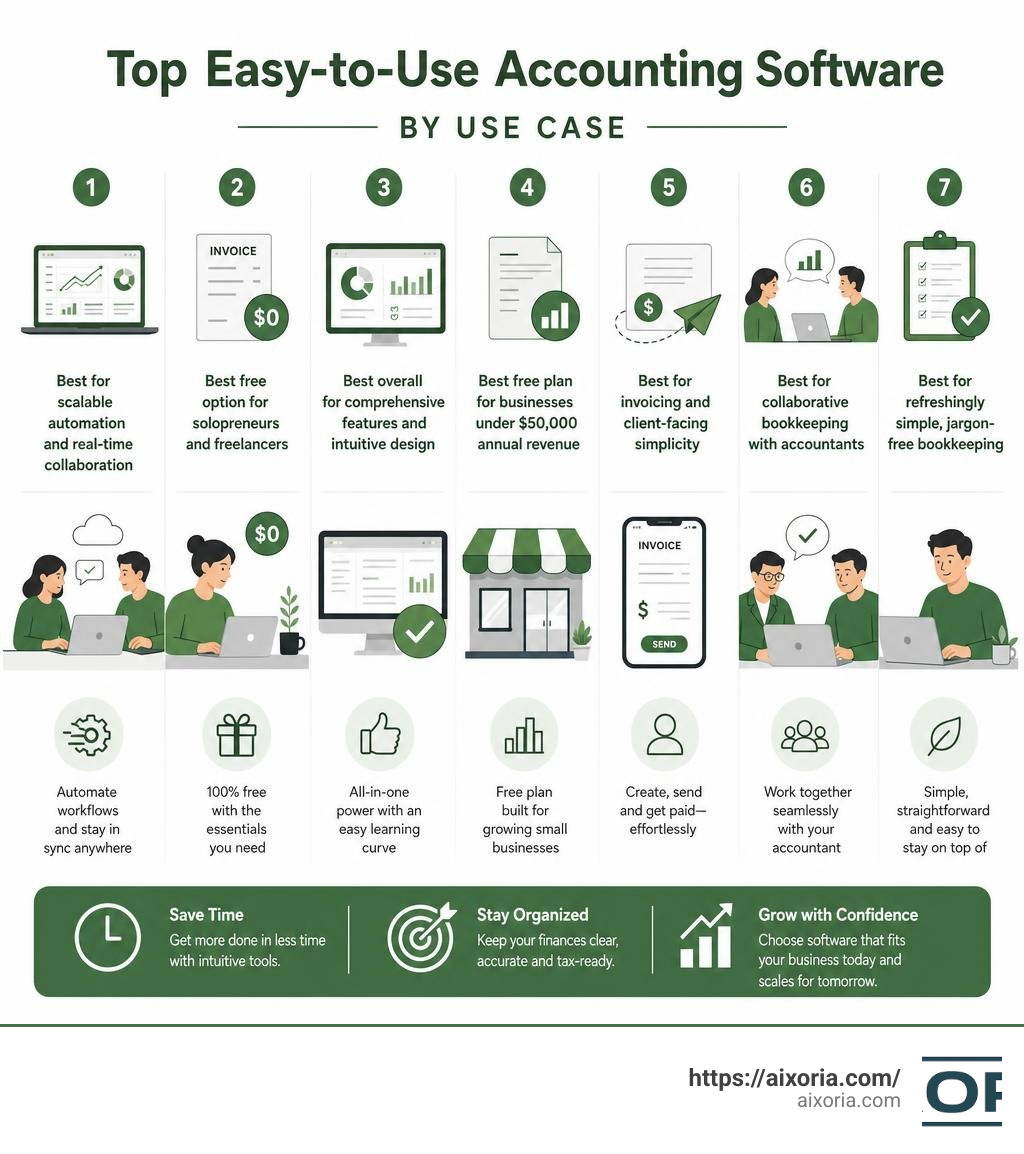
- Xero – Best for scalable automation and real-time collaboration
- Wave – Best free option for solopreneurs and freelancers
- QuickBooks Online – Best overall for comprehensive features and intuitive design
- Zoho Books – Best free plan for businesses under $50,000 annual revenue
- FreshBooks – Best for invoicing and client-facing simplicity
- Note.now – Best for collaborative bookkeeping with accountants
- Pandle – Best for refreshingly simple, jargon-free bookkeeping
Running a small business is hard enough without wrestling with complicated software. Yet the numbers tell a clear story: according to a 2025 U.S. Chamber of Commerce report, accounting software was the third most widely adopted technology among small businesses — right after social media and payment platforms.
That adoption rate makes sense. The right accounting tool saves hours every week, reduces errors, and keeps you tax-ready year-round. The wrong one? It collects digital dust while you fall back on spreadsheets.
The good news is that most modern accounting platforms are built for business owners, not accountants. You don’t need to know what a double-entry ledger is to send an invoice or reconcile a bank account in 2026.
But “easy to use” means different things depending on your situation. A freelance photographer has different needs than a small retail shop owner. A bootstrapped startup needs different tools than a growing service business with a team.
This guide cuts through the noise and helps you find the platform that fits your workflow — not someone else’s.
Recommend Accounting Software for Small Businesses Focusing on Ease of Use

When we set out to recommend accounting software for small businesses focusing on ease of use, we look beyond marketing promises. True user-friendliness means you can log in, see exactly where your cash flow stands, send a polished invoice, and categorize a dozen bank transactions in under ten minutes.
The best modern solutions achieve this through automated administrative tasks, cloud-based accessibility, and intuitive interfaces. Instead of requiring you to manually enter every single transaction, these systems connect directly to your business bank accounts and credit cards. They pull in data automatically, using intelligent rules to guess the correct category so all you have to do is click “approve.”
Furthermore, cloud accessibility means you are no longer chained to a single office desktop. You can capture a receipt on your phone while grabbing lunch, check your profit margins from a tablet at home, or collaborate in real time with your bookkeeper from opposite sides of the country.
To help you visualize how the leading user-friendly platforms stack up, we have compiled a comparison table based on pricing, key strengths, and target audiences:
| Platform | Starting Price (June 2026) | Standout Feature | Best For |
|---|---|---|---|
| Xero | $25/month (Early plan) | 1,000+ app integrations | Growing businesses looking to scale |
| Wave | Free (Starter plan) | Zero-cost invoicing and tracking | Freelancers, solopreneurs, and contractors |
| Note.now | Free (Starter from $15/mo) | Under 30-minute onboarding | Collaborative teams and their accountants |
| Pandle | Free (Pro for £5/month) | Plain-English setup and error checks | Tech-phobic owners wanting simple bookkeeping |
Xero: Best for Scalable Automation
For businesses that want a balance of simplicity today and room to grow tomorrow, we highly recommend Xero. It is designed to take the friction out of daily administration. With Xero, your bank transactions flow automatically into the system, allowing you to reconcile your accounts with a single click.
One of Xero’s greatest strengths is real-time collaboration. Because it is entirely cloud-based, you and your accountant can view the exact same financial dashboard simultaneously. This eliminates the outdated, frustrating process of exporting desktop files or emailing spreadsheets back and forth.
For payroll, Xero integrates seamlessly with Gusto, one of the most popular and user-friendly payroll platforms for small businesses. This partnership allows you to calculate employee pay, manage deductions, and automate tax filings without jumping between different systems.
If you are worried about the learning curve, Xero offers dedicated support through a “Xero Coach” to guide you through the initial setup process. Additionally, 88% of customers in a recent US small business survey agreed that Xero is exceptionally easy to use. To learn more about how this platform simplifies daily financial tasks, explore the Easy Accounting Software for Your Small Businesses | Xero US page.
Wave: Best Free Option for Solopreneurs
If you are a freelancer, consultant, or sole proprietor, you might not need a complex, expensive accounting suite. This is where Wave shines. Wave’s Starter plan is completely free and allows you to send unlimited professional invoices, track expenses, and manage cash flow without inputting a credit card.
For businesses looking for more automated bookkeeping, the Pro plan offers advanced features like automatic bank transaction imports and unlimited receipt scanning. Wave utilizes Optical Character Recognition (OCR) technology, meaning you can snap a photo of a receipt with your phone, and the software will automatically read the merchant, date, and total, then match it to a bank transaction.
Wave is built specifically for non-accountants. The interface is clean, bright, and free of confusing financial jargon. In fact, 9 out of 10 Wave small business owners report that the platform is noticeably easier to use than traditional accounting giants like QuickBooks. If you want a stress-free bookkeeping experience that keeps your records tax-ready, check out Bookkeeping Software for Small Businesses – Wave to see how it can simplify your daily routines.
Note.now: Best for Collaborative Bookkeeping
A common challenge for small business owners is finding a platform that is simple enough for them to manage daily, yet powerful enough to satisfy their accountant. Note.now solves this dilemma perfectly. It is built around the philosophy of “simple for you, powerful for your accountant.”
Note.now features a guided setup wizard that gets most businesses up and running in under 30 minutes. It completely bypasses the need for formal training by using a highly visual, drag-and-drop style interface. Despite its simplicity, it runs on standard double-entry accounting principles in the background, ensuring your books are perfectly organized when tax season arrives.
The platform allows you to invite your accountant to a free, secure seat, putting you both on the same page. Trusted by over 10,000 businesses across 40 countries, Note.now has earned a stellar 4.9-star rating from thousands of reviews. Users who switch to this platform frequently report cutting their software bills by up to 60% while saving hours of manual admin work. Learn more about their collaborative features at Note.now — Cloud Accounting Software for Small Business.
Pandle: Best for Refreshingly Simple Bookkeeping
If you find yourself overwhelmed by financial technology, Pandle is an outstanding option. Primarily tailored for straightforward bookkeeping, Pandle focuses on doing the basics exceptionally well without cluttering your screen with features you will never use.
Pandle’s setup wizard automatically configures your tax and business settings based on a few simple questions, preventing common mistakes before you even enter your first transaction. The platform uses plain-English explanations instead of dense accounting terms, and includes built-in data validation prompts to alert you if you are entering an expense incorrectly.
Unlike many competitors that charge extra for additional team members, Pandle offers unlimited users and transactions even on its free tier. The Pro version, costing only £5 per month with no contract, adds automated bank feeds and customized quick-link menus. For an in-depth look at how this platform stacks up, read the Pandle Accounting Software Review | Accounting Reviews to determine if its minimalist design fits your business.
Key Features to Look For in User-Friendly Platforms

When shopping for the perfect accounting platform, it is easy to get distracted by flashy features. However, for a small business owner, the best software is the one that gets out of your way. To ensure a platform is truly user-friendly, focus on these core features:
- Automated Bank Feeds: The software should securely connect to your financial institutions to pull in transactions daily, eliminating manual data entry.
- Intuitive Invoice Creation: You should be able to create, customize, and email professional invoices in under two minutes, with built-in “click-to-pay” options for your clients.
- Mobile Functionality: A robust mobile app is essential. It should allow you to send invoices, check your cash flow, and snap pictures of receipts while on the go.
- Plain-English Reporting: Look for dashboards that translate complex financial statements (like Balance Sheets and P&Ls) into clear, visual charts.
- Accessible Customer Support: When you run into a roadblock, you need fast access to help resources, interactive tutorials, or live chat support.
How to Recommend Accounting Software for Small Businesses Focusing on Ease of Use Based on Features
To truly maximize ease of use, look for platforms that leverage modern automation like OCR receipt scanning and AI-driven categorization. For example, some advanced business tools utilize AI-powered invoice coding to achieve up to 99% accuracy, saving business owners hours of manual typing.
Role-based access is another crucial feature. It allows you to grant your team members access to track their hours or submit expenses without letting them see your overall business bank balances or sensitive financial reports.
If you are managing specific business types, such as real estate, your feature requirements might differ slightly. For example, landlords need platforms that handle tenant payments and property-specific expense tracking effortlessly. To see how different platforms cater to these specific needs, check out our guide on Which accounting software should a landlord use in 2026 best options compared? for a detailed comparison.
Balancing Simplicity and Advanced Features
The ultimate challenge in selecting accounting software is balancing simplicity with advanced functionality. A system that is too simple might save you time today but hold you back as your business grows. Conversely, an enterprise-grade ERP system will offer infinite customization but will likely require a full-time professional just to operate.
When evaluating free versus paid platforms, consider the trade-offs. Free plans (like Wave’s Starter tier) are fantastic for basic invoicing and tracking, but they often lack advanced features like inventory management, multi-currency support, or automatic bank reconciliation. Paid platforms (like Xero’s established plans) offer these advanced tools but come with a monthly subscription fee.
Security is another area where you cannot afford to compromise for the sake of simplicity. Ensure any platform you choose utilizes bank-grade 256-bit SSL encryption, multi-factor authentication, and automatic cloud backups. If you want to learn more about how modern companies use smart automation to balance power and simplicity, read our overview of the More on AI tools for business.
Choosing the Right Path to Recommend Accounting Software for Small Businesses Focusing on Ease of Use
The right software choice depends heavily on your specific business model:
- Freelancers & Solopreneurs: Prioritize zero-cost or low-cost tools with excellent mobile receipt capture and simple invoicing.
- Retail & E-commerce: You must look for platforms that offer inventory tracking, purchase order creation, and seamless integrations with payment gateways like Stripe or Shopify.
- Service-Based Businesses: Focus on automated recurring billing, client portals, and robust time-tracking features.
By matching your software to your business type, you ensure that you don’t pay for bloated features you don’t need, while still keeping your workflows smooth and efficient. For more tips on selecting tools that keep your business productive, check out our guide on More info on AI productivity tools.
Frequently Asked Questions about Easy Accounting Software
Do I need prior accounting knowledge to use these platforms?
Not at all. Modern accounting software is designed specifically for everyday business owners. Most platforms feature guided interactive tours, setup wizards, and plain-English explanations that bypass traditional accounting jargon entirely. While they run double-entry bookkeeping in the background to keep your accountant happy, your daily experience will feel as simple as managing an online bank account.
How secure is cloud-based accounting software for small businesses?
Cloud-based accounting platforms are highly secure, often employing the same encryption standards as major commercial banks. They secure your data with 256-bit SSL encryption, enforce multi-factor authentication (MFA), and perform automatic, redundant backups on remote servers. This means your financial records are safe even if your physical computer is lost, damaged, or stolen.
Can free accounting software handle tax preparation and reporting?
Yes, many free options provide robust tax preparation features. They allow you to categorize your expenses throughout the year, generate instant Profit & Loss statements, and export clean ledger data for your CPA. Some platforms even compile automatic sales tax reports to help you file state and local returns with minimal manual calculation.
Conclusion
Choosing to recommend accounting software for small businesses focusing on ease of use is one of the smartest operational decisions you can make in 2026. By automating repetitive administrative tasks, utilizing intelligent bank feeds, and embracing cloud collaboration, you free up valuable hours to focus on what you do best: growing your business.
The “best” software is the one that matches your current workflow while leaving room for future expansion. Whether you choose the comprehensive scaling power of Xero, the cost-effective simplicity of Wave, or the collaborative ease of Note.now, taking control of your financial data will lead to smarter, more confident business decisions.
Ready to further optimize your business workflows and leverage modern digital tools? Explore our AI Tutorials for step-by-step guides on boosting efficiency, automating tasks, and scaling your operations.
Hello! I’m at work surfing around your blog from my new iphone!
Just wanted to say I love reading your blog and look
forward to all your posts! Keep up the fantastic work!
you are truly a just right webmaster. The website loading pace is incredible.
It sort of feels that you’re doing any distinctive trick.
In addition, The contents are masterpiece. you’ve
done a excellent job in this subject!
Way cool! Some extremely valid points! I appreciate you penning this post and also the rest of
the website is extremely good.
Heya! I know this is sort of off-topic but I needed to ask.
Does managing a well-established website like yours take a
large amount of work? I am brand new to blogging but I do write in my diary
every day. I’d like to start a blog so I will
be able to share my personal experience and thoughts online.
Please let me know if you have any ideas or tips for brand new aspiring blog owners.
Thankyou!
Spot on with this write-up, I seriously feel this web site needs
a great deal more attention. I’ll probably be returning to see more, thanks for the advice!