Why Scheduling Software Features Make or Break Small Business Operations
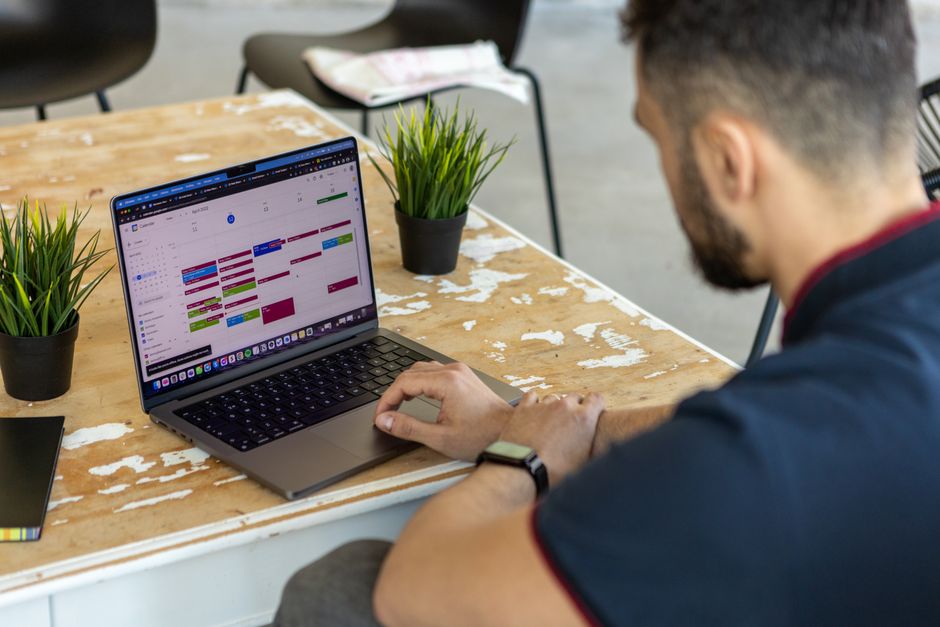
If you’re trying to recommend essential employee scheduling software features for small businesses, here’s a quick answer before we dive deeper:
The most essential features are:
- Drag-and-drop schedule builder – create weekly schedules visually in minutes
- Shift swapping with manager approval – employees handle coverage without phone calls
- Mobile clock-in with GPS/geofencing – accurate time tracking for any location
- Availability and time-off management – all requests in one place, auto-blocked on schedule
- Automated overtime and compliance alerts – catch issues before they cost you money
- Payroll integration – export timesheets directly, no manual data entry
- Real-time team notifications – schedule changes reach everyone instantly
- Open shifts – post uncovered shifts for qualified employees to claim
Managing employee schedules sounds simple. Until it isn’t.
Most small businesses start with a spreadsheet. Then comes a group text. Then a whiteboard. Before long, one missed shift or last-minute swap sends the whole week into chaos — and someone (usually the owner) spends their Sunday afternoon rebuilding everything from scratch.
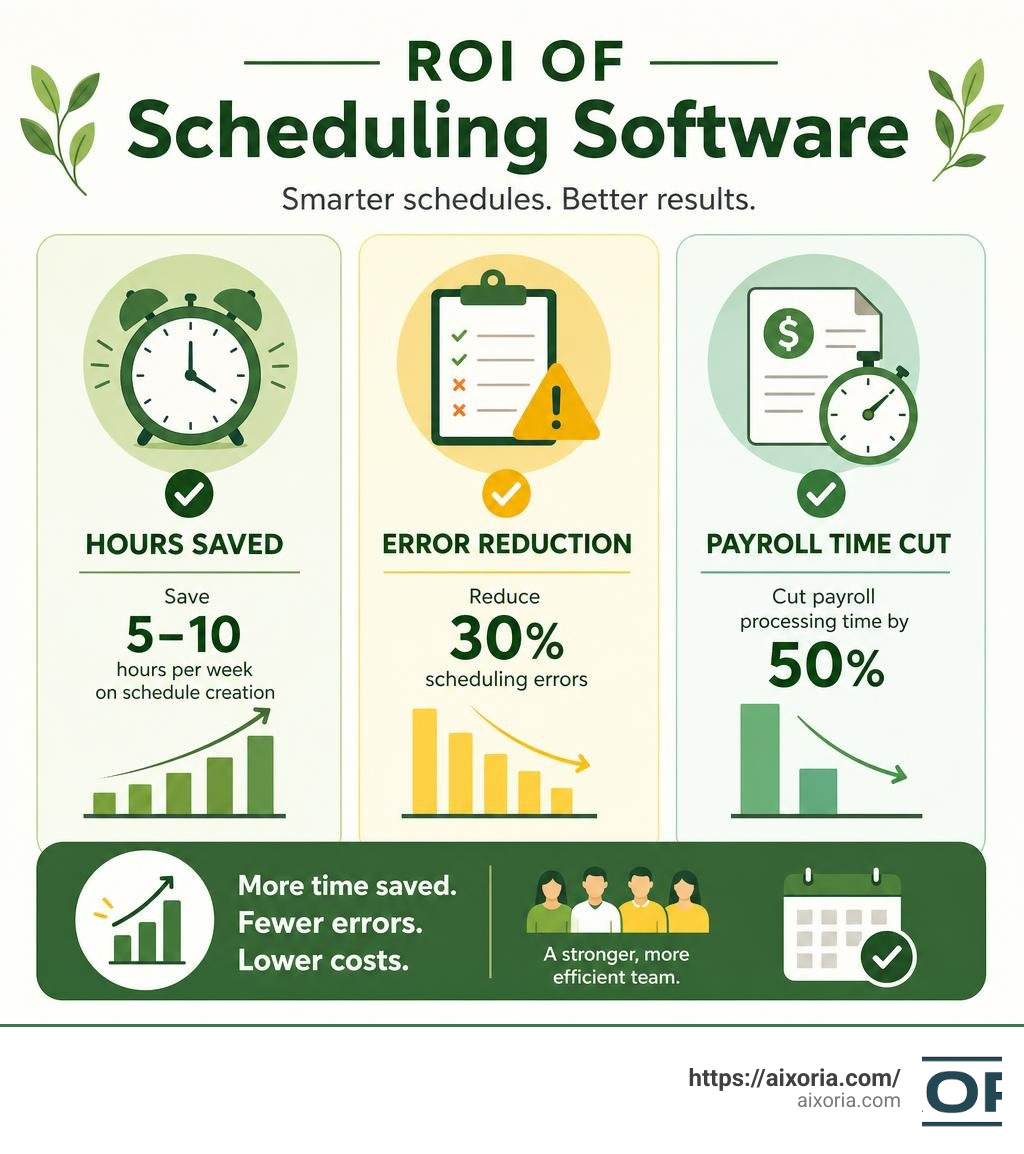
The numbers tell the story clearly. Businesses using scheduling software save 5–10 hours per week on schedule creation. Automated tools reduce scheduling errors by up to 30%. And integrating scheduling with time tracking cuts payroll processing time by roughly 50%.
That’s not a nice-to-have. For a lean team with no dedicated HR department, that’s the difference between running your business and being buried by it.
The challenge isn’t finding scheduling software — there are dozens of options. The challenge is knowing which features actually matter for a small team, and which ones are enterprise fluff you’ll never use.
This guide cuts straight to that answer.
Why We Recommend Essential Employee Scheduling Software Features for Small Businesses

When we evaluate tools for smaller teams, we have to look through a different lens than enterprise consultants. A small business rarely has a dedicated HR manager, let alone an entire department to handle onboarding and complex workforce configurations. In most cases, the business owner or a lead manager is wearisome of wearing multiple hats—handling inventory, customer service, and marketing all in the same afternoon.
Because of this, we strongly recommend essential employee scheduling software features for small businesses that prioritize ease of use, swift implementation, and immediate ROI.
As teams grow past 10 to 15 employees, manual scheduling processes naturally begin to fracture. The operational friction of managing rotating shifts, tracking availability on sticky notes, and answering late-night text messages about shift coverages becomes a silent killer of business profitability. Replacing an hourly employee in shift-based industries like retail, hospitality, or field services is incredibly costly, averaging between $2,500 and $4,500 in recruitment, training, and lost productivity. Giving your team clear, predictable schedules is one of the easiest ways to boost retention.
Furthermore, the legal landscape in June 2026 has evolved. Predictive scheduling laws and “Fair Workweek” regulations are no longer exclusive to massive metropolitan brands. Cities across the United States and provinces throughout Canada enforce strict notice rules, requiring businesses to publish schedules 10 to 14 days in advance or face costly penalties for last-minute modifications.
To navigate these hurdles without drowning in paperwork, small teams must transition to digital scheduling platforms. According to the comprehensive Employee Scheduling Systems: How to Choose, Set Up & Actually Use One | CrewHR Resources, a modern system moves the burden of availability tracking from a manager’s memory to a centralized, cloud-based source of truth.
Core Scheduling: Drag-and-Drop, Shift Swaps, and Open Shifts
At the absolute foundation of any scheduling platform is the roster builder. If a software requires you to manually type in timesheets or navigate clunky, spreadsheet-like grids, it is failing its primary purpose.
Here is how core visual scheduling features transform daily operations:
- Drag-and-Drop Visual Builders: This feature allows you to visually map out your week. You can see your shifts, color-code them by role or location, and easily slide a shift from one employee to another. If a conflict arises, the system immediately flags it.
- Shift Swapping with Guardrails: Rather than acting as a middleman in every single schedule change, managers can let employees initiate swaps directly inside a mobile app. The system ensures the person claiming the shift is qualified for the role, doesn’t violate overtime rules, and then routes the swap to the manager for a simple one-click approval.
- Open Shifts: Have an extra shift that needs coverage? Instead of calling list after list of employees, you can publish an “open shift.” Qualified employees are notified and can claim it on a first-come, first-served basis.
- Schedule Templates: Why build a schedule from scratch every week? Visual templates let you save a perfect baseline schedule and apply it to future weeks in a single click, instantly adjusting for updated employee availability.
By putting these features in place, small businesses transition from top-down scheduling to a collaborative, bottom-up model that gives employees autonomy while keeping managers in control.
Time and Attendance: GPS, Geofencing, and Mobile Clock-In
Building a beautiful schedule is only half the battle; you also need to know if your team is actually working those scheduled hours. This is why we recommend checking the Best Small Business Employee Scheduling Software (2026) to find tools that seamlessly link scheduling with robust time tracking.
For deskless teams, field service workers, or retail staff, mobile clock-in features are game-changers:
- Geofencing: This technology allows you to draw a virtual boundary around your store, restaurant, or job site. Employees can only clock in or out when their mobile device’s GPS places them physically within that boundary. This completely eliminates “buddy punching” (where one employee clocks in for another who is running late).
- GPS Breadcrumbs: For field service businesses—like landscaping, cleaning services, or home health care—GPS tracking provides real-time visibility into where crews are throughout the workday, ensuring accurate billing and payroll.
- Breakroom Kiosk Mode: If you operate a single-location retail shop or restaurant, you can turn a simple tablet into a central clock-in station. Employees can clock in using a unique PIN, and some systems even capture a photo during clock-in to verify identity.
These features ensure that the gap between scheduled hours and worked hours is perfectly reconciled, preventing costly time-theft and administrative headaches.
How We Recommend Essential Employee Scheduling Software Features for Small Businesses to Reduce Costs
Labor is typically a small business’s largest controllable expense. Over-scheduling leads to wasted payroll dollars, while under-scheduling damages customer service and burns out your staff. Modern scheduling tools solve this by integrating smart, data-driven automation.
When evaluating automated scheduling, small business owners often worry that complex algorithms will override human nuance. However, when paired with the Best AI productivity software in 2026 agentic AI tested, these tools serve as highly intelligent assistants rather than replacements for human managers.
Advanced scheduling platforms utilize machine learning to analyze historical sales data from your Point of Sale (POS) system alongside local weather forecasts and seasonal trends. The software then generates a highly accurate demand forecast, recommending exactly how many servers, cashiers, or technicians you need for any given hour.
Additionally, “Budget Mode” features allow managers to see the real-time cost projection of a schedule as they build it. If a specific shift layout pushes your weekly labor cost over your target percentage, the software flags it instantly, allowing you to make adjustments before publishing.
Availability, Time-Off, and Leave Management Tools
One of the most tedious aspects of manual scheduling is tracking who can work when. Employees have changing personal commitments, school schedules, and vacation plans. Trying to cross-reference text messages, emails, and verbal requests while building a schedule is a recipe for double-bookings and missed shifts.
To streamline this, look for tools that centralize leave management as outlined in the Small Business Scheduling Tools: A 2026 Buyer’s Guide That Actually Helps | CrewHR Resources.
An effective platform requires employees to submit their availability updates and formal time-off requests directly through the app. Once a manager approves a request, that employee’s availability is automatically updated in the scheduling system. If a manager accidentally tries to schedule an employee during their approved time off, the software triggers an immediate conflict warning.
This simple automation completely removes the “human memory” vulnerability from your operational workflow, ensuring schedules are accurate on the first draft.
Advanced Automation, Compliance, and Communication Features

As your small business scales, scheduling challenges shift from simple shift organization to complex coordination, legal compliance, and real-time communication. To keep your team aligned, it is incredibly beneficial to look into how top-tier scheduling platforms integrate with the The 7 best team collaboration tools in 2026 to create a unified work environment.
Compliance and Labor Law Tools for Small Teams
Staying compliant with labor regulations is a massive challenge for small business owners who do not have a dedicated legal or HR team. Labor laws dictate mandatory rest periods, maximum working hours, overtime thresholds, and break enforcement. Failing to adhere to these rules can result in severe financial penalties.
According to research from the 6 Best Employee Scheduling Software for Small Business 2026, modern scheduling platforms include built-in compliance engines that act as an automated legal guardrail.
These compliance tools help your business by:
- Overtime Alerts: The software monitors cumulative weekly hours in real time. If assigning a shift to an employee will push them into overtime, the system flags a warning to the manager, allowing them to assign a different, non-overtime employee instead.
- Break Enforcement: You can set rules that prevent employees from clocking back in from a lunch break too early, ensuring you meet state or provincial rest requirements.
- Minor Restrictions: For businesses employing high school students or minors, the system can enforce strict limitations on how late they can work on school nights, automatically blocking illegal shifts.
- Audit Trails: In the event of a labor audit, the software maintains a secure, timestamped record of all scheduled shifts, actual hours worked, and approved break times.
Investing in a platform with robust compliance flags is essentially buying insurance against costly labor disputes and regulatory fines.
Mobile Apps and Real-Time Team Communication
The vast majority of hourly and shift-based employees do not sit at a desk. They are on their feet, working on retail floors, in restaurant kitchens, or out in the field. For these deskless workers, a mobile-first design is not optional—it is the entire software experience.
When choosing a platform, ensure it features high-quality, native iOS and Android apps. This mobile accessibility supports real-time communication, which is crucial for dynamic operations. If a schedule is updated, employees receive instant push notifications on their phones.
Furthermore, having built-in team messaging features keeps professional communication out of personal SMS threads or chaotic social media group chats. Managers can send announcements to the entire team, target specific locations, or message only the employees working a particular shift. To explore how to optimize these workflows further, check out our guide on the Best team communication tools in 2026.
Key Integrations We Recommend Essential Employee Scheduling Software Features for Small Businesses to Support
A scheduling tool should never exist on an isolated digital island. To extract the maximum ROI, your scheduling platform must seamlessly connect with the other software systems running your business.
As highlighted in the Best Employee Scheduling Software in 2026 for Shift-Based Teams, the most critical integration is with your payroll provider (such as Gusto, QuickBooks, or ADP).
Without this integration, a manager has to manually copy hours from the scheduling tool’s timesheets and type them into the payroll system—a tedious process prone to human data-entry errors. A direct integration allows you to sync approved hours to your payroll system with a single click, cutting payroll processing time by up to 50%.
Additionally, integrating with your Point of Sale (POS) system allows the scheduling tool to pull real-time sales data, enabling precise labor-to-sales forecasting and ensuring your staffing levels perfectly match customer demand.
How to Evaluate and Choose the Right Scheduling Software
Selecting the right platform requires balancing your operational needs against your budget. Software pricing models generally fall into two categories: per-user pricing or per-location pricing.
To help you decide which model fits your business structure, we have put together a comparison table:
| Pricing Model | Best Suited For | Key Advantage | Potential Downside |
|---|---|---|---|
| Per-User Pricing (e.g., $2 to $5/user/month) | Small teams (under 20 employees) or businesses with single locations. | You only pay for the exact number of active employees on your roster. | Costs scale up quickly as your team grows or during seasonal hiring surges. |
| Per-Location Pricing (e.g., $25 to $99/location/month) | Multi-location businesses or larger teams with high employee turnover. | Unlimited users per location, making onboarding new staff highly cost-effective. | Can be expensive for very small teams operating out of a single physical site. |
Beyond pricing, we recommend prioritizing platforms that offer a 14 to 30-day free trial. This allows you to test the interface with your actual team. During this trial, pay close attention to user adoption—if your employees find the mobile app clunky or difficult to navigate, they will resist using it, rendering the software useless. A great small business tool should be intuitive enough to set up and run in under a single day without requiring external implementation consultants.
Frequently Asked Questions about Small Business Scheduling
What is the best way to transition from spreadsheets to scheduling software?
The transition from spreadsheets to software doesn’t have to be painful. We recommend a simple four-step rollout:
- The Soft Announcement (3 weeks out): Inform your staff that you are moving to a digital system to make their lives easier.
- The Parallel Run (1 week): Create schedules in both your old spreadsheet and the new software to test for any configuration errors.
- Designate a Champion: Pick a tech-savvy employee to learn the system first. They can act as peer support for other team members during onboarding.
- The Hard Cutover: Set a firm date where the spreadsheet is retired, and all schedule communication, time tracking, and swap requests must go through the new app.
Can scheduling software help prevent compliance penalties?
Yes, absolutely. By configuring the software with your local labor laws, the system will automatically block or flag shifts that violate overtime thresholds, rest period requirements, or minor working hour limits. This creates a digital audit trail, protecting your business from costly compliance penalties and legal disputes.
How do mobile self-service features benefit hourly workers?
Hourly workers value schedule predictability and flexibility. Mobile self-service features allow them to submit availability changes, request time off, and swap shifts instantly from their phones. This autonomy increases job satisfaction, reduces absenteeism, and directly improves employee retention rates.
Conclusion
Transitioning away from manual spreadsheets and chaotic text threads is one of the most impactful operational upgrades a small business can make. By focusing on essential features like visual drag-and-drop builders, geofenced time tracking, and automated compliance alerts, you can protect your bottom line while building a more empowered, satisfied workforce.
At aixoria.com, we believe that leveraging modern technology is key to small business growth and operational freedom. If you are ready to take your business productivity to the next level, Explore our AI Tutorials to optimize your business workflows and discover how modern automation can work for you.