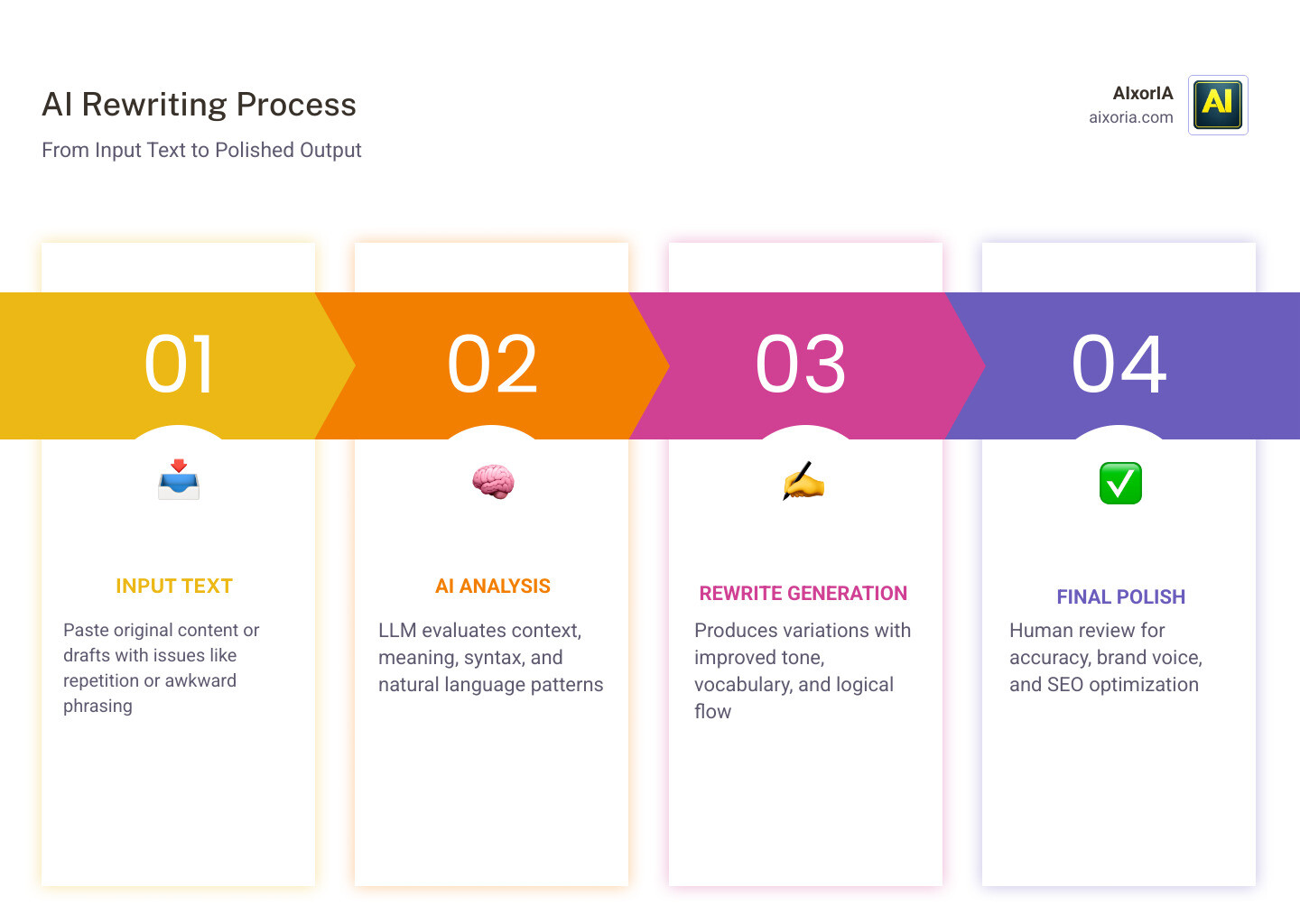
AI rewriting tools have become a core part of modern writing workflows. What used to be a simple paraphrasing task is now a much bigger process: improving clarity, tightening structure, adjusting tone, preserving meaning, and making content easier to publish at scale. For writers, marketers, students, SEO teams, and businesses in the US, the right AI rewriting tool can save hours of editing while still keeping the final draft clean, natural, and readable.
That is exactly why this guide exists.
Most articles on this topic are too shallow. They list a few tools, repeat the same features, and never explain what the tool is actually good for. A reader clicks expecting help, but leaves with vague information and no real decision-making value. That is a bad experience for users and a weak signal for search engines.
This guide is built differently.
It is designed to help you choose the best AI rewriting tool based on how you actually work. Some tools are better for full article rewrites. Some are better for sentence-level polishing. Some are made for marketing teams. Some are better for SEO. Some are ideal for simple paraphrasing, while others are built for enterprise writing systems. There is no single best tool for everyone, so the right approach is to match the tool to the job.
Table of Contents
What We Mean by “AI Rewriting Tool”
An AI rewriting tool is software that helps transform existing text into a new version while keeping the original meaning intact. The best tools do more than change a few words. They can improve sentence flow, adjust tone, simplify complex ideas, shorten long content, expand short content, and help content feel more polished and publication-ready.
In 2026, the best AI rewriting tool is not just about paraphrasing. It is about quality control, speed, and content usefulness.
That matters because bad rewriting can create weak content, distort meaning, or make a page sound robotic. Good rewriting, on the other hand, can turn a rough draft into something much more readable and much more effective for users.
How We Evaluated These Tools
To keep this guide practical and trustworthy, each tool is judged using the same core standards.
Meaning retention
A rewrite should keep the original idea intact. If the tool changes the meaning, it is creating a problem, not solving one.
Natural readability
The rewritten text should sound smooth, clear, and human. It should not feel like a string of synonyms forced together.
Tone control
A useful tool should let you adjust the writing style based on the audience, whether that means formal, simple, persuasive, concise, or brand-safe.
SEO usefulness
For content creators and publishers, rewriting should support better content structure, clearer language, and stronger topical coverage.
Workflow fit
Some tools are better for fast edits. Some are better for long-form content. Some work best inside a larger writing system. The right choice depends on where the tool fits in your process.
Value for money
A tool can be excellent and still not be the right choice if it is too expensive for the value it provides.
READ MORE – Most Accurate Dictation Software
Quick Comparison Matrix
Here is the full comparison at a glance. This makes it easier to scan before diving into the detailed sections.
| Tool | Best For | Starting Price | Main Strength |
|---|---|---|---|
| ChatGPT | Full-control rewriting | Free / $20 per month | Flexible prompt-based rewriting |
| Claude | Natural long-form rewriting | Free / $20 per month | Smooth, human-like output |
| Google Gemini | Google Workspace users | Free / $19.99 per month | Easy rewriting inside Google tools |
| QuillBot | Sentence and academic paraphrasing | Free / about $8.33 per month | Controlled paraphrasing modes |
| Grammarly | Clarity and polish | Free / $12 per month | Clean editing and tone improvement |
| Wordtune | Quick sentence rewriting | Free / $9.99 per month | Fast micro-edits |
| ProWritingAid | Long-form editing | Free / paid plans vary | Deep style and readability checks |
| Undetectable AI | Humanized rewriting | Paid plans vary | Naturalized AI content |
| StealthWriter | AI-humanizing workflows | Paid plans vary | Rewrites rough drafts smoothly |
| HIX Bypass | Formatting-preserving rewrites | Paid plans vary | Better structure retention |
| Jasper | Brand voice writing | From $39 per month | Marketing consistency |
| Surfer AI | SEO content optimization | Paid plans vary | Search-focused rewriting |
| Writesonic | Fast SEO rewriting | From $16 per month | Affordable content production |
| Copy.ai | Sales and marketing copy | From $49 per month | Copy variation and testing |
| Frase | Content gap rewriting | Paid plans vary | Competitor-driven optimization |
| Rytr | Budget rewriting | From $9 per month | Simple and affordable |
| Notion AI | Workspace editing | Included in Notion plans | Convenient in-doc rewriting |
| Sudowrite | Creative writing | Paid plans vary | Rich narrative support |
| Writer.com | Enterprise writing | Custom pricing | Compliance and consistency |
| Anyword | Data-driven marketing copy | Paid plans vary | Predictive copy performance |
| Hemingway Editor Plus | Simplified writing | Paid plans vary | Clear, direct readability |
20+ Best AI Rewriting Tools
ChatGPT
What is ChatGPT?

ChatGPT is a general-purpose AI writing system that has become one of the most powerful and flexible AI rewriting tools in 2026. Unlike traditional paraphrasing tools that rely on fixed modes, ChatGPT works through instructions. You tell it exactly how you want the text rewritten, and it follows that direction with a high level of control.
This makes it suitable for a wide range of rewriting tasks, from simple sentence improvements to full-length article restructuring. It is not limited to one style of writing, which is why it is widely used by bloggers, marketers, editors, and businesses.
Best For
- Full article rewriting
- SEO content restructuring
- Tone and style transformation
- Multi-format content rewriting (blog to email, blog to ad copy)
- Writers who want complete control over output
Why It Stands Out
The biggest advantage of ChatGPT is flexibility. Most rewriting tools give you predefined options like “formal” or “creative.” ChatGPT allows you to define your own rules.
For example, you can ask it to:
- Rewrite in a more conversational tone
- Simplify complex paragraphs
- Make content more engaging for US readers
- Improve readability while keeping keywords intact
- Turn long content into short, scannable sections
This level of control makes it one of the most powerful AI rewriting tools available today.
Key Features
- Prompt-based rewriting system
- Long-form content handling
- Tone and style customization
- Ability to restructure entire articles
- Multi-purpose writing support (blogs, emails, ads, scripts)
Pricing
- Free plan available
- Paid plan starts at $20 per month
Pros
- Extremely flexible and customizable
- Handles long content effectively
- Suitable for multiple use cases
- High-quality output when guided properly
Cons
- Requires good prompts for best results
- Output can vary depending on instructions
- Not a one-click solution like simple paraphrasers
Real-World Use Case
A content marketer rewriting old blog posts for SEO can use ChatGPT to improve structure, update tone, and make the content more engaging without changing the core message. It is especially useful when refreshing outdated content for better rankings.
Editorial Experience Insight
In practical workflows, ChatGPT performs best when used as the first rewriting layer. It helps reshape the content, improve flow, and align tone. After that, many writers still pass the content through a polishing tool like Grammarly or Hemingway for final refinement.
Claude
What is Claude?

Claude is an advanced AI writing and rewriting system designed to produce highly natural, human-like text. In 2026, it has become one of the most trusted tools for long-form rewriting because of its ability to understand context deeply and maintain consistency across large documents.
Unlike many rewriting tools that focus on sentence-level changes, Claude works at a structural level. It can take an entire article, report, or document and rewrite it in a way that improves flow, clarity, and readability without losing the original meaning. This makes it especially valuable for professionals who care about how the content feels when read from start to finish.
Best For
- Long-form article rewriting
- Professional and editorial content
- Reports, documentation, and research content
- Writers who want natural, human-like tone
- Content that needs consistency across multiple sections
Why It Stands Out
Claude stands out because of its ability to preserve meaning while improving readability in a very natural way. Many AI rewriting tools create text that feels slightly mechanical or repetitive. Claude reduces that problem by focusing on flow, sentence variation, and logical structure.
It is particularly strong at:
- Keeping tone consistent across long content
- Improving transitions between paragraphs
- Making complex ideas easier to understand
- Rewriting without making the content sound artificial
This makes it one of the best choices for writers who want content that feels genuinely human, not just technically correct.
Key Features
- Large context window for handling long documents
- Context-aware rewriting (understands full document, not just sentences)
- Natural tone generation
- Ability to simplify or expand content
- Strong paragraph restructuring capabilities
Pricing
- Free plan available
- Pro plan starts at $20 per month
Pros
- Very natural and readable output
- Excellent for long-form rewriting
- Strong context understanding
- Maintains original meaning effectively
Cons
- Fewer built-in templates compared to marketing tools
- Requires clear instructions for best results
- Not focused on SEO-specific features
Real-World Use Case
A blog writer updating a 2,000-word article can use Claude to rewrite the entire piece in a smoother and more engaging tone while keeping all key information intact. This is especially useful for improving older content that feels outdated or difficult to read.
Editorial Experience Insight
In real workflows, Claude is often used when the priority is quality over speed. It is particularly useful when the first draft already exists but needs to sound more polished, professional, and human.
Google Gemini
What is Google Gemini?

Google Gemini is an AI-powered writing and rewriting tool deeply integrated into the Google ecosystem. In 2026, it has become one of the most convenient AI rewriting tools for users who already work inside Google Docs, Gmail, and other Google Workspace apps.
Instead of switching between multiple tools, Gemini allows you to rewrite content directly where you are writing. This makes the entire process faster and more seamless, especially for teams and professionals who rely on Google products daily.
Gemini focuses on real-time rewriting, clarity improvement, and workflow efficiency rather than complex customization. It is designed to make everyday writing tasks smoother without adding friction.
Best For
- Google Docs and Gmail users
- Quick rewriting inside existing workflows
- Business communication (emails, reports, docs)
- Teams working in Google Workspace
- Fast editing without switching tools
Why It Stands Out
The biggest advantage of Gemini is its native integration with Google Workspace. Most rewriting tools require copying and pasting content. Gemini removes that step completely.
You can:
- Rewrite paragraphs directly inside Google Docs
- Improve email tone inside Gmail
- Simplify or expand content without leaving your document
- Adjust writing style in real time
This saves time and keeps the workflow clean, which is especially important for professionals who handle a high volume of content daily.
Key Features
- Direct integration with Google Docs and Gmail
- Real-time rewriting and editing
- Tone adjustment (formal, casual, concise)
- Content expansion and summarization
- AI suggestions while writing
Pricing

- Free version available
- Advanced plan starts at $19.99 per month
Pros
- Seamless integration with Google tools
- No need to switch platforms
- Fast and efficient rewriting
- Easy to use for beginners
Cons
- Best experience only inside Google ecosystem
- Limited customization compared to advanced tools
- Not built specifically for SEO workflows
Real-World Use Case
A marketing manager writing emails or reports in Google Docs can use Gemini to quickly rewrite sections for better clarity and tone. Instead of rewriting manually, they can adjust the message in seconds without breaking their workflow.
Editorial Experience Insight
In practical use, Gemini works best as a productivity tool rather than a deep rewriting engine. It is ideal for quick improvements, small edits, and daily writing tasks.
QuillBot
What is QuillBot?

QuillBot is one of the most widely used AI rewriting tools, especially known for its precision in sentence-level paraphrasing. In 2026, it continues to be a go-to solution for students, editors, bloggers, and professionals who need controlled rewriting without changing the original meaning.
Unlike large AI systems that rely heavily on prompts, QuillBot is built specifically for rewriting. It gives users structured modes and controls that make the rewriting process predictable, fast, and easy to manage. This makes it particularly useful when accuracy matters more than creativity.
Best For
- Academic writing and assignments
- Sentence-level paraphrasing
- Rewriting while preserving exact meaning
- Editing short to medium-length content
- Users who want simple, controlled output
Why It Stands Out
QuillBot stands out because of its “Synonym Slider” and rewriting modes. Instead of guessing how much the text will change, you can control the level of rewriting.
You can choose between modes like:
- Standard (balanced rewrite)
- Fluency (improves readability)
- Formal (professional tone)
- Creative (more variation)
- Shorten or Expand (adjust length)
This level of control makes QuillBot extremely reliable. It does not try to completely rewrite your content unless you want it to. Instead, it improves what is already there.
Key Features
- Multiple rewriting modes
- Synonym slider for control over changes
- Grammar checker integration
- Summarizer tool
- Citation generator for academic use
QuillBot Pricing

- Free plan available (limited usage)
- Premium plan starts at approximately $8.33 per month
Pros
- Very accurate paraphrasing
- Easy to use for beginners
- Strong control over rewriting level
- Ideal for academic and professional writing
Cons
- Limited for long-form rewriting
- Not designed for full article restructuring
- Lacks advanced SEO optimization features
Real-World Use Case
A student rewriting a research paragraph can use QuillBot to improve clarity while keeping the original meaning intact. It is especially useful when avoiding repetition or simplifying complex sentences without losing accuracy.
Editorial Experience Insight
In real workflows, QuillBot is often used as a second-layer tool. Writers first generate or rewrite content using a more powerful AI tool, then use QuillBot to fine-tune sentences and remove awkward phrasing.
Grammarly
What is Grammarly?

Grammarly has evolved from a basic grammar checker into a full AI-powered writing and rewriting assistant. In 2026, it is no longer just about fixing punctuation or spelling errors. It actively rewrites sentences, improves clarity, adjusts tone, and helps content sound more professional and polished.
What makes Grammarly different from many AI rewriting tools is its focus on refinement rather than generation. It does not try to completely recreate your content. Instead, it improves what you have already written, making it cleaner, clearer, and more effective for the reader.
Best For
- Professional writing and communication
- Tone adjustment and clarity improvement
- Business emails, reports, and documents
- Final-stage editing and polishing
- Writers who want clean and error-free content
Why It Stands Out
Grammarly stands out because of its precision and reliability. It does not overcomplicate rewriting. Instead, it focuses on making content better in a practical way.
Its AI rewriting capabilities allow you to:
- Rewrite sentences to sound more confident
- Make content more concise
- Adjust tone (formal, friendly, persuasive)
- Improve readability without changing meaning
It is especially useful for people who already have a draft and want to make it publication-ready.
Key Features
- AI-powered sentence rewriting
- Tone detection and adjustment
- Grammar and spelling correction
- Clarity and conciseness suggestions
- Real-time editing across apps and browsers
Grammarly Pricing

- Free plan available
- Premium plan starts at $12 per month
Pros
- Very accurate and reliable corrections
- Easy to use in daily writing
- Works across multiple platforms (browser, apps)
- Strong focus on clarity and professionalism
Cons
- Limited for full content rewriting
- Not designed for SEO-focused rewriting
- Less flexibility compared to prompt-based tools
Real-World Use Case
A professional writing an important email or report can use Grammarly to rewrite sentences for better clarity and tone. Instead of sounding unclear or too casual, the final version becomes more confident and structured.
Editorial Experience Insight
In real-world workflows, Grammarly is almost always used as the final polishing tool. After content is generated or rewritten using other AI tools, Grammarly helps clean up the output and remove small errors that affect readability.
Wordtune
What is Wordtune?
Wordtune is an AI-powered rewriting tool designed for fast, sentence-level improvements. In 2026, it has positioned itself as one of the most practical tools for everyday writing, especially when you want multiple ways to express the same idea without rewriting everything from scratch.
Instead of generating long content or restructuring full articles, Wordtune focuses on micro-level rewriting. You select a sentence, and it instantly provides multiple alternative versions with different tones and structures. This makes it extremely useful for refining clarity, improving flow, and removing awkward phrasing.
Best For
- Sentence-level rewriting
- Quick clarity improvements
- Rewriting emails, captions, and short content
- Writers who want multiple phrasing options
- Daily writing tasks
Why It Stands Out
Wordtune stands out because of its speed and simplicity. It does not require complex prompts or settings. You simply highlight a sentence, and it gives you several high-quality rewrite options instantly.
It is especially strong at:
- Offering multiple variations for one sentence
- Improving sentence flow
- Making writing more natural and readable
- Helping users choose the best phrasing instead of guessing
This makes it ideal for people who want control but do not want to spend time writing detailed instructions like they would in larger AI tools.
Key Features
- Instant sentence rewrites
- Multiple rewrite suggestions per sentence
- Tone options (casual, formal, shortened, expanded)
- Integration with browsers and writing platforms
- Real-time editing while writing
Pricing
- Free plan available (limited rewrites)
- Paid plan starts at $9.99 per month
Pros
- Extremely fast and easy to use
- Great for improving sentence clarity
- Multiple rewrite options increase flexibility
- Works well for short-form content
Cons
- Not suitable for long-form rewriting
- Limited control compared to advanced AI tools
- Requires manual selection for each sentence
Real-World Use Case
A content writer editing a blog post can use Wordtune to refine awkward sentences without rewriting the entire paragraph. It helps improve flow and readability quickly, especially when the draft is already written.
Editorial Experience Insight
In real workflows, Wordtune is often used during the editing phase. After writing a draft, writers use it to polish individual sentences and make the content smoother.
READ MORE – Best AI Detection Tools
ProWritingAid
What is ProWritingAid?
ProWritingAid is a deep editing and rewriting platform built for writers who care about structure, style, and readability at a granular level. In 2026, it stands out as one of the most detailed AI-assisted writing tools, especially for long-form content like blog posts, books, reports, and professional documents.
Unlike simple AI rewriting tools that focus on quick paraphrasing, ProWritingAid works like a full writing analysis system. It does not just rewrite sentences—it evaluates your writing across multiple dimensions such as readability, pacing, sentence variety, overused words, and stylistic consistency.
Best For
- Long-form content editing (blogs, books, reports)
- Fiction and creative writing
- Writers who want detailed feedback and improvements
- Style and readability optimization
- Authors and serious content creators
Why It Stands Out
ProWritingAid stands out because of its depth. Instead of giving one-click rewrites, it provides detailed reports and suggestions that help you understand why a sentence needs improvement.
It focuses on:
- Improving readability scores
- Fixing repetitive sentence structures
- Removing filler words and clichés
- Enhancing writing flow and pacing
- Offering context-aware rewrite suggestions
This makes it a powerful tool for writers who want to improve their writing quality over time, not just fix it quickly.
Key Features
- In-depth writing reports (style, grammar, readability)
- AI-powered sentence rewriting suggestions
- Overused word detection
- Sentence structure and variation analysis
- Integration with Word, Google Docs, and Scrivener
Pricing
- Free version available (limited features)
- Premium plans start around $20 per month (varies by plan)
Pros
- Extremely detailed analysis
- Great for improving writing skills
- Strong for long-form and creative content
- Helps refine style and tone deeply
Cons
- Can feel overwhelming for beginners
- Slower compared to quick rewrite tools
- Not focused on SEO or marketing content
Real-World Use Case
An author working on a long blog post or manuscript can use ProWritingAid to identify weak sentences, repetitive phrasing, and readability issues, then apply rewriting suggestions to improve overall quality.
Editorial Experience Insight
In real-world usage, ProWritingAid is often used after the main writing or rewriting is done. It acts as a deep refinement layer, helping writers polish content at a professional level.
Undetectable AI
What is Undetectable AI?

Undetectable AI is a specialized AI rewriting tool designed to transform AI-generated text into more natural, human-like writing. In 2026, it has become one of the most talked-about tools for users who want their content to feel less mechanical and more authentic.
Unlike traditional rewriting tools that focus on clarity or grammar, Undetectable AI focuses on rewriting patterns. It adjusts sentence structure, variation, and flow to reduce the predictable patterns often found in AI-generated content.
This makes it particularly useful for content creators who work with AI-generated drafts and want to refine them into something more readable and natural.
Best For
- Humanizing AI-generated content
- Improving natural flow and variation
- Content creators working with AI drafts
- Bloggers and marketers refining bulk content
- Making writing less repetitive and more dynamic
Why It Stands Out
Undetectable AI stands out because of its focus on writing patterns rather than just words. Many AI tools create content that is grammatically correct but feels repetitive or slightly robotic.
This tool improves:
- Sentence variation
- Rhythm and flow
- Word choice diversity
- Overall readability
The result is content that feels less uniform and more like it was written by a human writer with natural variation.
Key Features
- AI text humanization engine
- Sentence restructuring for natural flow
- Readability improvement
- Multiple rewriting levels
- Quick processing for large text blocks
Undetectable AI Pricing

- Paid plans (pricing varies depending on usage)
Pros
- Improves natural tone effectively
- Reduces repetitive AI patterns
- Easy to use for quick rewriting
- Useful for refining AI-generated drafts
Cons
- Limited control compared to prompt-based tools
- Not focused on SEO optimization
- Output still requires human review
Real-World Use Case
A blogger using AI to generate a first draft can pass the content through Undetectable AI to make it smoother and less repetitive before publishing. This helps improve readability and user experience.
Editorial Experience Insight
In real workflows, Undetectable AI is often used as a middle layer. Writers first generate or rewrite content using a primary tool like ChatGPT or Claude, then use this tool to improve flow and remove mechanical patterns.
StealthWriter
What is StealthWriter?

StealthWriter is an AI rewriting tool built specifically to transform structured or AI-generated content into more natural, human-style writing. In 2026, it is widely used by content creators who produce high volumes of content and need a tool that can quickly rewrite drafts without making them feel robotic or repetitive.
Unlike traditional paraphrasers, StealthWriter focuses on restructuring sentences, varying patterns, and improving readability at scale. It is designed for speed and volume, making it a strong choice for users who regularly handle bulk content workflows.
Best For
- Bulk content rewriting
- Bloggers and affiliate marketers
- Content teams handling large volumes
- Improving flow in AI-generated drafts
- Fast rewriting without complex setup
Why It Stands Out
StealthWriter stands out because of its aggressive rewriting style. It does not just tweak sentences—it actively restructures them to reduce repetition and improve variation.
It is particularly effective at:
- Breaking predictable sentence patterns
- Creating more varied sentence structures
- Improving readability across long content
- Handling multiple pieces of content quickly
This makes it useful for users who need speed without sacrificing too much readability.
Key Features
- Bulk rewriting capability
- Sentence restructuring engine
- Multiple rewriting modes
- Fast processing speed
- Simple user interface
StealthWriter Pricing

Pricing
- Paid plans (pricing varies based on usage and plan tier)
Pros
- Fast and efficient for large content volumes
- Improves variation and flow
- Easy to use without technical knowledge
- Suitable for repetitive rewriting tasks
Cons
- Less precise control over tone
- Output may require manual refinement
- Not ideal for highly technical or sensitive content
Real-World Use Case
An affiliate marketer managing multiple blog posts can use StealthWriter to rewrite product descriptions or articles quickly. This helps refresh content and improve readability without spending hours editing manually.
Editorial Experience Insight
In practical workflows, StealthWriter is often used when speed is more important than perfection. It works well as a first or second layer in bulk content production.
HIX Bypass
What is HIX Bypass?

HIX Bypass is a specialized AI rewriting tool designed to rewrite content while preserving its original structure and formatting. In 2026, it has become a practical choice for content creators, bloggers, and marketers who need to rewrite articles without breaking layouts such as headings, bullet points, or HTML structure.
Unlike many rewriting tools that disrupt formatting, HIX Bypass focuses on maintaining the integrity of the original content while improving readability and flow. This makes it especially useful for website content, blog posts, and structured documents where layout matters.
Best For
- Rewriting structured blog content
- Preserving headings and formatting
- Content creators working with HTML or CMS systems
- SEO writers updating existing articles
- Users who want minimal formatting disruption
Why It Stands Out
HIX Bypass stands out because of its ability to rewrite content without damaging structure. Most rewriting tools require you to fix formatting manually after processing, which adds extra time.
This tool improves:
- Sentence clarity
- Flow and readability
- Word variation
While keeping:
- Headings intact
- Bullet points unchanged
- Overall structure preserved
This balance between rewriting and structure retention makes it very practical for real-world publishing workflows.
Key Features
- Structure-preserving rewriting
- Content humanization engine
- Support for formatted text (headings, lists)
- Fast processing
- Simple interface for quick edits
HIX Bypass Pricing

- Paid plans (pricing varies depending on usage and plan level)
Pros
- Maintains formatting and layout
- Saves time on post-editing
- Easy to use for blog updates
- Good for structured content
Cons
- Limited advanced customization
- Not focused on deep SEO optimization
- Output may need final polishing
Real-World Use Case
A blogger updating an existing article can use HIX Bypass to rewrite sections without breaking headings or formatting. This makes it easier to refresh content while keeping the page structure intact.
Editorial Experience Insight
In real workflows, HIX Bypass is often used during content updates rather than initial creation. It is particularly helpful when working inside CMS platforms where formatting consistency is important.
Jasper
What is Jasper?

Jasper is a premium AI writing and rewriting platform built specifically for marketing teams, brands, and businesses that need consistent, high-quality content at scale. In 2026, it has positioned itself as one of the most advanced tools for brand-focused rewriting, where tone, messaging, and consistency matter just as much as clarity.
Unlike basic rewriting tools, Jasper is designed to align content with a defined brand voice. It does not just rewrite text—it ensures that every output matches your company’s style, tone, and communication standards. This makes it especially valuable for businesses that publish content across multiple channels.
Best For
- Marketing teams and agencies
- Brand voice consistency
- Sales and conversion-focused content
- Campaign rewriting and optimization
- Businesses scaling content production
Why It Stands Out
Jasper stands out because of its Brand Voice system. You can train the AI using your existing content, guidelines, and tone preferences. Once trained, it rewrites content in a way that stays consistent with your brand identity.
It is particularly strong at:
- Maintaining consistent tone across all content
- Rewriting marketing copy for better engagement
- Adapting content for different platforms (blogs, ads, emails)
- Supporting team collaboration at scale
This level of control is difficult to achieve with general-purpose AI tools.
Key Features
- Brand Voice training and customization
- AI rewriting for marketing content
- Campaign and ad copy generation
- Templates for different use cases
- Team collaboration tools
Jasper Pricing

- Starts at $39 per month
- Higher-tier plans available for teams and enterprises
Pros
- Excellent for brand consistency
- Strong marketing-focused rewriting
- Scalable for teams and businesses
- High-quality output for campaigns
Cons
- More expensive than basic tools
- Learning curve for setup
- Not ideal for simple or casual rewriting tasks
Real-World Use Case
A digital marketing agency can use Jasper to rewrite blog posts, email campaigns, and ad copy while maintaining a consistent brand tone across all client projects. This ensures that messaging stays aligned even when multiple team members are involved.
Editorial Experience Insight
In real workflows, Jasper is often used as a primary rewriting tool for marketing content. It is especially effective when content needs to convert, not just inform.
Surfer AI
What is Surfer AI?

Surfer AI is an SEO-focused AI rewriting and content optimization tool designed to improve how content performs in search results. In 2026, it has become one of the most important tools for bloggers, niche site owners, and SEO professionals who want their content not just to read well, but to rank well.
Unlike traditional rewriting tools that focus only on language, Surfer AI combines rewriting with data-driven SEO analysis. It evaluates what is already ranking on Google and helps you rewrite your content to match or outperform those pages.
Best For
- SEO content rewriting
- Updating and optimizing blog posts
- Content creators focused on rankings
- Affiliate marketers and niche websites
- Data-driven content improvement
Why It Stands Out
Surfer AI stands out because it rewrites content based on real search data. Instead of guessing what makes content better, it analyzes top-ranking pages and gives you clear guidance on what to include.
It helps with:
- Keyword placement and density
- Content structure improvement
- Topic coverage expansion
- Readability aligned with ranking pages
This makes it more than just a rewriting tool. It becomes a content optimization system.
Key Features
- AI-powered content rewriting with SEO guidance
- Keyword and NLP term suggestions
- Content score and optimization tracking
- Competitor analysis integration
- Real-time content editing
Pricing

- Paid plans (pricing varies based on usage and features)
Pros
- Strong SEO-focused rewriting
- Data-backed content improvements
- Helps improve ranking potential
- Useful for updating old content
Cons
- Requires understanding of SEO basics
- Can feel complex for beginners
- Focused more on optimization than creativity
Real-World Use Case
A blogger with an underperforming article can use Surfer AI to rewrite the content based on competitor analysis. By improving keyword usage and structure, the article has a better chance of ranking higher in search results.
Editorial Experience Insight
In real workflows, Surfer AI is often used after the initial draft is ready. Writers use it to refine and optimize content for search engines while keeping it readable for users.
Writesonic
What is Writesonic?

Writesonic is an AI writing and rewriting platform built for speed, scalability, and practical content production. In 2026, it has become a popular choice among bloggers, affiliate marketers, and small businesses who need to rewrite and publish content quickly without sacrificing too much quality.
Unlike deep editing tools, Writesonic focuses on fast output. It allows users to rewrite blog posts, landing pages, product descriptions, and marketing content in a matter of minutes. This makes it especially useful for users who handle multiple pieces of content regularly.
Best For
- Fast blog rewriting
- Affiliate and niche site content
- Product descriptions and landing pages
- Budget-friendly content production
- Users who need quick turnaround
Why It Stands Out
Writesonic stands out because of its balance between speed and usability. It is not as complex as enterprise tools and not as limited as simple paraphrasers. It sits in the middle, offering enough features to be useful without overwhelming the user.
It is particularly strong at:
- Generating and rewriting content quickly
- Providing ready-to-use templates
- Supporting multiple content formats
- Helping users scale content production
This makes it a practical choice for creators who prioritize efficiency.
Key Features
- AI article rewriting and generation
- Templates for blogs, ads, and product content
- Multi-language support
- Built-in tools for quick editing
- Fast processing and output
Pricing
- Starts around $16 per month
- Free trial available (limited usage)
Pros
- Fast and easy to use
- Affordable compared to premium tools
- Good for scaling content
- Useful for multiple content types
Cons
- Output may require manual editing
- Not as strong in deep rewriting
- Limited advanced customization
Real-World Use Case
An affiliate marketer managing multiple product pages can use Writesonic to rewrite descriptions and blog sections quickly. This helps maintain fresh content without spending too much time on manual editing.
Editorial Experience Insight
In real workflows, Writesonic is often used when speed is the main priority. It works well for generating and rewriting drafts quickly, especially in high-volume content environments.
Copy.ai
What is Copy.ai?

Copy.ai is an AI-powered writing and rewriting platform built primarily for marketing, sales, and business communication. In 2026, it has become one of the most widely used tools for rewriting high-conversion copy, including ads, emails, landing pages, and product messaging.
Unlike traditional rewriting tools that focus on clarity or grammar, Copy.ai is designed to improve performance. Its goal is not just to rewrite content—but to make it more engaging, persuasive, and conversion-focused.
Best For
- Marketing and sales copy rewriting
- Ad copy and campaign variations
- Email sequences and outreach messages
- Landing page optimization
- Businesses focused on conversions
Why It Stands Out
Copy.ai stands out because of its ability to generate multiple variations of the same content quickly. Instead of giving you one rewritten version, it provides several options that you can test and refine.
It is especially strong at:
- Creating high-converting copy variations
- Adapting messaging for different audiences
- Rewriting content with a persuasive tone
- Helping marketers test different angles
This makes it extremely useful for campaigns where performance matters more than just readability.
Key Features
- AI-powered rewriting for marketing content
- Multiple copy variations generation
- Templates for ads, emails, and landing pages
- Workflow automation tools
- Team collaboration features
Copy.ai Pricing
- Starts at $49 per month
- Free plan available with limited features
Pros
- Strong focus on conversion-driven rewriting
- Generates multiple variations quickly
- Easy to use for marketing teams
- Good for campaign testing
Cons
- More expensive than basic tools
- Not ideal for long-form blog rewriting
- Limited deep editing features
Real-World Use Case
A digital marketer running ad campaigns can use Copy.ai to rewrite a single ad into multiple variations. This allows testing different messaging angles to see which one performs best.
Editorial Experience Insight
In real workflows, Copy.ai is often used in the marketing phase rather than the writing phase. It is especially valuable when content needs to persuade, sell, or capture attention quickly.
Frase
What is Frase?

Frase is an AI-powered content research and rewriting tool built specifically for SEO-driven content creation. In 2026, it is widely used by bloggers and SEO professionals who want to rewrite and optimize content based on what is already ranking on search engines.
Unlike standard rewriting tools, Frase combines content rewriting with competitor analysis. It helps you understand what topics, questions, and keywords are missing from your content and then assists in rewriting it to fill those gaps.
Best For
- SEO content rewriting
- Blog optimization
- Content gap analysis
- Improving search rankings
- Research-driven rewriting
Why It Stands Out
Frase stands out because it connects rewriting with search intent. It does not just improve your content—it helps you align it with what users are actually searching for.
It helps with:
- Identifying missing topics
- Rewriting content to cover more depth
- Improving structure based on competitors
- Answering common user questions
This makes it a powerful tool for anyone serious about ranking content on Google.
Key Features
- AI rewriting with SEO insights
- Content brief generation
- Competitor analysis
- Question-based content suggestions
- Optimization scoring
Pricing

- Paid plans vary based on features and usage
- Free trial available
Pros
- Strong SEO-focused rewriting
- Helps improve content depth
- Useful for research and optimization
- Good for long-form blog content
Cons
- Requires basic SEO understanding
- Interface can feel complex initially
- Not focused on creative writing
Real-World Use Case
A blogger rewriting an article can use Frase to identify missing topics and rewrite sections to improve coverage. This increases the chances of ranking higher on search results.
Editorial Experience Insight
In real workflows, Frase is used during the optimization phase. Writers first create content, then use Frase to refine it based on search data.
It is not just a rewriting tool—it is a strategy tool that helps align content with search intent, which is critical for long-term SEO success.
Rytr
What is Rytr?

Rytr is a budget-friendly AI writing and rewriting tool designed for simplicity and ease of use. In 2026, it remains a popular choice for beginners, freelancers, and small businesses who need a quick and affordable solution for rewriting content.
Unlike advanced platforms, Rytr focuses on straightforward functionality. It provides simple templates and rewriting options that allow users to generate or improve content without needing technical knowledge or complex prompts.
Best For
- Beginners and new content creators
- Budget-conscious users
- Short-form content rewriting
- Simple blog edits and descriptions
- Freelancers and small businesses
Why It Stands Out
Rytr stands out because of its simplicity and affordability. It does not overwhelm users with advanced features. Instead, it focuses on making rewriting accessible and easy.
It is particularly useful for:
- Quick rewriting tasks
- Generating simple content
- Improving basic readability
- Getting started with AI writing
This makes it ideal for users who want results without a learning curve.
Key Features
- Simple AI rewriting templates
- Multiple tone options
- Fast content generation
- Lightweight interface
- Multi-language support
Pricing
- Starts at $9 per month
- Free plan available with limited usage
Pros
- Very affordable
- Easy to use
- Fast output
- Good for beginners
Cons
- Limited advanced features
- Not suitable for complex rewriting
- Output may require editing
Real-World Use Case
A freelancer writing product descriptions can use Rytr to quickly rewrite content and improve readability without spending too much time or money.
Editorial Experience Insight
In real workflows, Rytr is often used as a starting tool. It helps users generate or rewrite content quickly, especially when resources are limited.
READ MORE – What are the Best AI Tools for Students
Notion AI
What is Notion AI?

Notion AI is an integrated AI writing and rewriting assistant built directly into the Notion workspace. In 2026, it has become one of the most practical tools for teams and individuals who manage content, notes, documentation, and workflows in one place.
Unlike standalone rewriting tools, Notion AI works inside your existing documents. You do not need to copy and paste content into another platform. You can select any block of text and instantly rewrite, expand, summarize, or simplify it within your workflow.
Best For
- Teams working inside Notion
- Documentation and internal content rewriting
- Project notes and knowledge bases
- Quick editing without switching tools
- Productivity-focused users
Why It Stands Out
Notion AI stands out because of its seamless workflow integration. Most rewriting tools interrupt your process by requiring external input. Notion AI removes that friction completely.
It is especially effective for:
- Rewriting notes into structured content
- Simplifying complex internal documents
- Expanding rough ideas into clear explanations
- Maintaining productivity without context switching
This makes it highly valuable for teams that prioritize efficiency and organization.
Key Features
- In-document AI rewriting
- Summarization and expansion tools
- Tone adjustment and simplification
- Integration with Notion databases and pages
- Real-time editing
Pricing

- Included in Notion AI plans (pricing varies by workspace plan)
Pros
- Fully integrated into workflow
- Easy to use with no setup required
- Saves time by avoiding tool switching
- Great for internal and team content
Cons
- Limited advanced rewriting control
- Not designed for SEO content
- Best experience only within Notion
Real-World Use Case
A team managing internal documentation can use Notion AI to rewrite messy notes into structured and readable content. This helps improve clarity and consistency across team knowledge bases.
Editorial Experience Insight
In real workflows, Notion AI is used for speed and convenience rather than deep rewriting. It works best when you need quick improvements inside your workspace.
Sudowrite
What is Sudowrite?

Sudowrite is an AI writing and rewriting tool designed specifically for creative writing. In 2026, it is widely used by novelists, storytellers, and scriptwriters who want to enhance their writing with more emotion, detail, and imagination.
Unlike traditional rewriting tools that focus on clarity and structure, Sudowrite focuses on creativity. It helps rewrite content in a more expressive and engaging way, making it ideal for storytelling and narrative-driven content.
Best For
- Fiction writing and storytelling
- Creative rewriting
- Expanding scenes and descriptions
- Writers working on novels or scripts
- Enhancing emotional depth in content
Why It Stands Out
Sudowrite stands out because of its ability to enhance creativity rather than just improve clarity. It can take a basic sentence and rewrite it into something more vivid, descriptive, and engaging.
It is particularly strong at:
- Adding sensory details to writing
- Rewriting scenes with more depth
- Improving emotional tone
- Generating creative variations
This makes it very different from typical rewriting tools focused on business or SEO content.
Key Features
- Creative rewriting engine
- Scene expansion tools
- Descriptive enhancement features
- Story-focused AI suggestions
- Idea generation for writers
Pricing
- Paid plans available (pricing varies by usage)
Pros
- Excellent for creative writing
- Enhances storytelling quality
- Adds depth and emotion
- Helps overcome writer’s block
Cons
- Not suitable for SEO or business content
- Can over-enhance simple text
- Requires manual control for best results
Real-World Use Case
A fiction writer can use Sudowrite to rewrite a basic scene into a more detailed and emotionally engaging version, improving the overall reading experience.
Editorial Experience Insight
In real workflows, Sudowrite is used as a creative assistant rather than a standard rewriting tool. Writers use it to improve storytelling and add depth to their content.
Writer.com
What is Writer.com?

Writer.com is an enterprise-grade AI writing and rewriting platform built for organizations that require strict control over tone, compliance, and brand consistency. In 2026, it has become a preferred solution for large companies, legal teams, financial institutions, and content operations that cannot afford inconsistency or risk in their communication.
Unlike typical AI rewriting tools, Writer.com is not designed for casual use. It focuses on enforcing rules. Every rewrite is aligned with company guidelines, legal requirements, and approved brand voice. This makes it a critical tool for organizations that publish sensitive or regulated content.
Best For
- Enterprise teams and large organizations
- Compliance-driven industries (legal, finance, healthcare)
- Brand voice enforcement at scale
- Internal and external corporate communication
- Teams managing multiple writers
Why It Stands Out
Writer.com stands out because of its governance and control features. While most tools focus on flexibility, this platform focuses on consistency and safety.
It is especially strong at:
- Enforcing brand guidelines automatically
- Rewriting content to meet compliance standards
- Maintaining consistent tone across large teams
- Reducing risk in published content
This makes it highly valuable for companies where content quality is directly tied to reputation and legal responsibility.
Key Features
- Brand voice and style guide enforcement
- AI rewriting aligned with company policies
- Collaboration and workflow management
- Custom language models for enterprises
- Integration with enterprise tools
Pricing
- Custom pricing based on organization size and needs
Pros
- Strong control over tone and messaging
- Ideal for large teams and enterprises
- Reduces compliance risks
- Scalable for high-volume content
Cons
- Not suitable for individuals or small users
- Expensive compared to standard tools
- Requires setup and onboarding
Real-World Use Case
A financial company can use Writer.com to rewrite reports and customer communication while ensuring all content follows legal and brand guidelines. This reduces the risk of errors and maintains consistency across all outputs.
Editorial Experience Insight
In real workflows, Writer.com is used as a controlled rewriting environment rather than a creative tool. It ensures that every piece of content aligns with predefined standards.
Anyword
What is Anyword?

Anyword is a data-driven AI writing and rewriting tool designed specifically for performance marketing. In 2026, it has become a powerful platform for marketers who want to rewrite content based on predicted performance rather than guesswork.
Unlike traditional rewriting tools, Anyword uses predictive analytics to estimate how well a piece of content will perform. It helps users choose the best version of their content before publishing, making it highly valuable for conversion-focused writing.
Best For
- Marketing and advertising content
- Data-driven copywriting
- High-conversion campaigns
- Performance optimization
- Businesses focused on ROI
Why It Stands Out
Anyword stands out because of its predictive performance scoring. Instead of rewriting content blindly, it gives you insights into which version is likely to perform better.
It is particularly effective at:
- Rewriting content for higher engagement
- Providing performance scores for different versions
- Optimizing messaging for target audiences
- Supporting A/B testing strategies
This makes it a strategic tool rather than just a rewriting tool.
Key Features
- Predictive performance scoring
- AI rewriting for marketing copy
- Audience targeting insights
- Multiple content variations
- Campaign optimization tools
Pricing
- Paid plans available (pricing varies by features and usage)
Pros
- Data-driven rewriting approach
- Useful for marketing performance
- Helps improve conversions
- Provides actionable insights
Cons
- Not suitable for long-form content
- Requires understanding of marketing metrics
- More focused on ads than blogs
Real-World Use Case
A marketer running ad campaigns can use Anyword to rewrite headlines and ad copy, then select the version with the highest predicted performance score to maximize results.
Editorial Experience Insight
In real workflows, Anyword is used during campaign optimization stages. It helps refine messaging based on expected outcomes rather than assumptions.
Hemingway Editor Plus
What is Hemingway Editor Plus?

Hemingway Editor Plus is an AI-enhanced version of the classic Hemingway Editor, designed to simplify complex writing and improve readability. In 2026, it has evolved from a basic readability checker into a smart rewriting assistant that helps transform difficult, dense text into clear, easy-to-understand content.
Unlike most AI rewriting tools that focus on creativity or variation, Hemingway Editor Plus focuses on clarity. Its main goal is to make writing more readable for a broader audience, which is especially important for blogs, web content, and user-focused writing.
Best For
- Simplifying complex sentences
- Improving readability scores
- Beginner-friendly content optimization
- Blog and web content clarity
- Writers targeting general audiences
Why It Stands Out
Hemingway Editor Plus stands out because of its strict focus on readability. It highlights hard-to-read sentences, passive voice, and unnecessary complexity, then offers AI-powered suggestions to rewrite them in a simpler way.
It is particularly strong at:
- Reducing sentence complexity
- Converting passive voice to active voice
- Improving reading level (e.g., Grade 10 → Grade 6–8)
- Making content more accessible
This makes it extremely valuable for SEO-focused content, where readability directly impacts user engagement.
Key Features
- AI-powered sentence simplification
- Readability grading system
- Passive voice detection
- Complex sentence highlighting
- Clean and distraction-free interface
Pricing
- Free version available (basic features)
- Paid version available for advanced AI rewriting features
Pros
- Excellent for improving readability
- Very easy to use
- Helps make content user-friendly
- Ideal for blog and website content
Cons
- Limited advanced rewriting capabilities
- Not suitable for creative or marketing content
- Focused mainly on simplification
Real-World Use Case
A blogger can use Hemingway Editor Plus to rewrite complex paragraphs into simpler, clearer sentences. This helps improve user experience and increases the chances that readers stay on the page longer.
Editorial Experience Insight
In real workflows, Hemingway Editor Plus is often used as the final polishing step. After content is written and optimized, writers use it to simplify language and improve readability.
READ MORE – Best AI Tools for Essay Writing Free
Which AI Rewriting Tool Is Best Overall?
There is no single AI rewriting tool that is perfect for every type of writer, but there are clear winners depending on the job. If you want the most flexible all-purpose rewriting system, ChatGPT is still one of the strongest options because it gives you the most control over tone, structure, and output style. If you want the most natural long-form rewriting, Claude is an excellent choice because it tends to produce smoother, more human-sounding results. If you need simple sentence-level paraphrasing, QuillBot remains one of the most reliable tools. For SEO-focused rewriting, Surfer AI and Frase are especially useful because they connect rewriting with search performance. For polished final editing, Grammarly and Hemingway Editor Plus are the strongest finishing tools.
That is the real lesson from this guide: the best AI rewriting tool depends on the stage of writing you are in, the kind of content you are creating, and the level of control you need.
Best Tool by Use Case
If you are a blogger, the most practical stack is usually a combination rather than a single app. ChatGPT or Claude can help with the main rewrite, Surfer AI or Frase can help with search optimization, and Grammarly or Hemingway Editor Plus can clean up the final draft. That layered workflow often produces better content than depending on one tool alone.
If you are a marketer, Jasper, Copy.ai, and Anyword are the strongest choices because they are built for brand voice, campaign variation, and conversion-focused rewriting. If you are working inside a company with strict style rules or compliance needs, Writer.com is the better enterprise solution.
If you are a student or editor, QuillBot and Wordtune are often the most practical because they make paraphrasing, clarity, and sentence improvement simple without adding too much complexity. If you are working on creative writing, Sudowrite stands out because it is built to support storytelling, scene expansion, and more expressive language.
How to Choose Without Wasting Time
A lot of people make the mistake of choosing the most popular tool instead of the most useful one. That usually leads to frustration. A better approach is to ask a few simple questions before choosing.
Do you need full article rewriting or just sentence-level editing? Do you want natural tone or strict brand consistency? Do you care more about readability, SEO, or marketing performance? Do you need something simple, or do you need a tool that can support a full content workflow?
Once you answer those questions, the choice becomes much easier.
For broad flexibility, ChatGPT is hard to ignore. For the most human-sounding long-form rewrite, Claude is a strong option. For controlled paraphrasing, QuillBot works very well. For business editing, Grammarly is excellent. For search-driven publishing, Surfer AI and Frase give you a major advantage. For budget users, Rytr is the easiest entry point. For enterprise writing, Writer.com is the most structured solution.
Final Recommendation
If you only want one recommendation for a general audience in the US, ChatGPT is the most versatile starting point because it adapts to many types of rewriting tasks. If your main goal is to make content sound naturally written and polished, Claude is often the better choice. If your work is SEO-heavy, pair a rewriting tool with an optimization tool so the final article is both readable and strategically structured.
The best AI rewriting tool is not the one that does everything automatically. It is the one that helps you produce better content faster while still keeping your voice, your message, and your quality standards intact.
FAQ
What is the best AI rewriting tool in 2026?
The best AI rewriting tool depends on your use case. ChatGPT is best for flexibility, Claude is best for natural long-form rewriting, QuillBot is best for paraphrasing, and Surfer AI is best for SEO-focused rewriting.
Which AI rewriting tool is best for bloggers?
For bloggers, ChatGPT, Claude, Surfer AI, Frase, Grammarly, and Hemingway Editor Plus are among the most useful tools because they support drafting, rewriting, optimizing, and polishing.
Which AI rewriting tool is best for students?
QuillBot is one of the strongest choices for students because it is easy to use, good for paraphrasing, and helpful for making writing clearer without changing the meaning too much.
Which AI rewriting tool is best for marketing teams?
Jasper, Copy.ai, and Anyword are the strongest marketing-focused tools because they help with brand voice, copy variation, and performance-driven rewriting.
Is one tool enough for everything?
Usually not. Most serious writers and content teams use more than one tool. A common setup is one rewriting tool for the first draft and one editing tool for the final polish.
Closing Note
AI rewriting tools are now a real part of modern writing workflows, but the best results still come from human judgment. Tools can speed up the process, improve clarity, and reduce manual effort, but the final content should still feel purposeful, accurate, and useful to the reader.