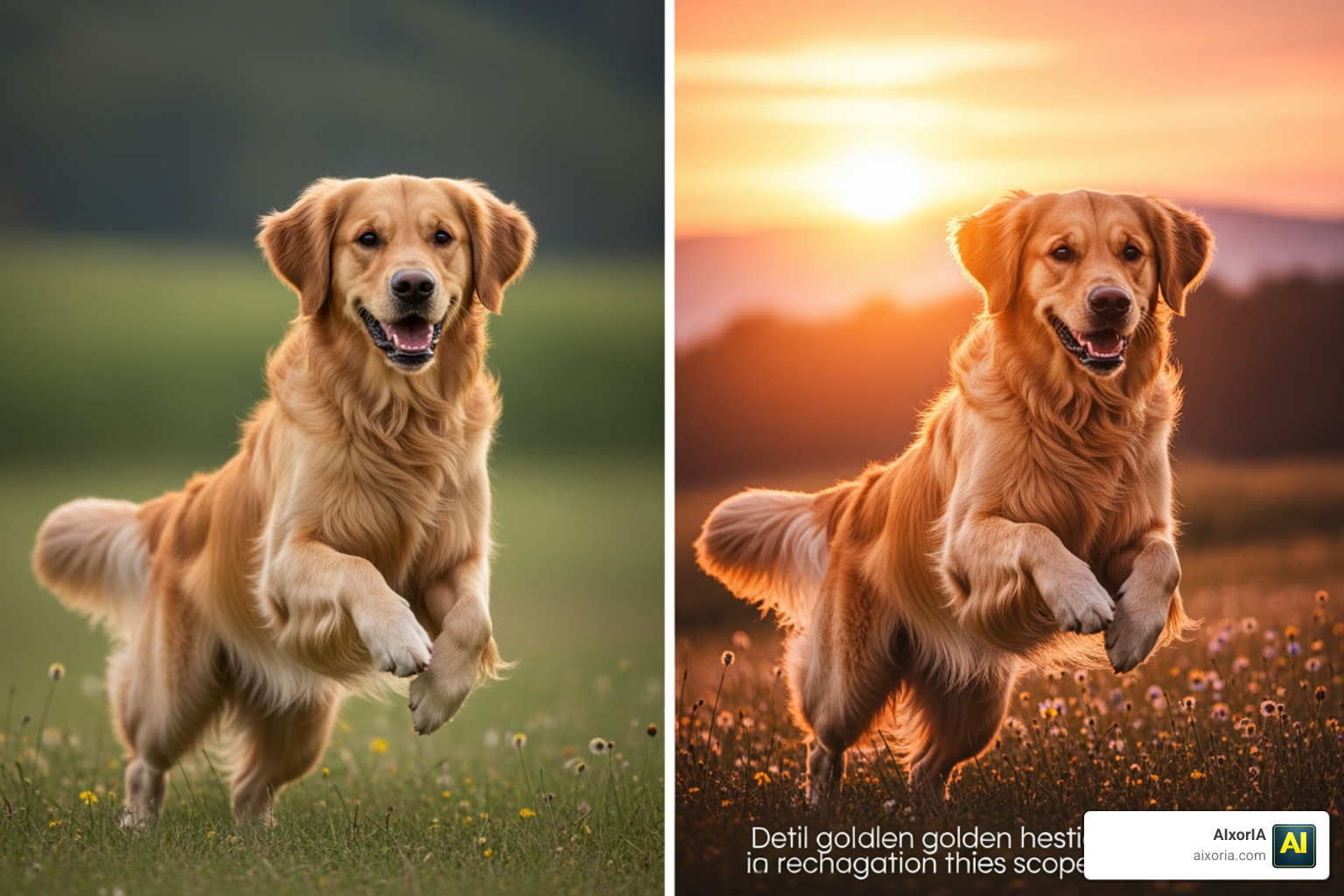
Creating high-quality images used to require expensive software, design skills, and hours of effort. In 2026, that has completely changed. With the rise of AI image generation, anyone—from a student to a professional designer—can create stunning visuals in seconds.
But there’s a problem.
If you search for the best free AI tool for image generation, most articles either recommend outdated tools, mislabel paid tools as free, or provide shallow comparisons that don’t help you actually choose the right platform.
This guide is different.
This is a tested, experience-driven, and fully optimized guide built specifically for users in India. Whether you want to create:
- YouTube thumbnails
- Instagram posts
- Festival creatives (Diwali, Holi, etc.)
- Product images for eCommerce
- Blog visuals or ads
You’ll find tools here that actually work in real-world scenarios.
More importantly, this guide focuses on genuinely free AI tools—not misleading “free trials” that push you to paid plans immediately.
Table of Contents
Why This Guide is Different (Information Gain)
Instead of just listing tools, this article is built on:
- Real testing of tools (speed, quality, usability)
- Focus on Indian users (mobile usage, budget, content needs)
- Clear breakdown of strengths and limitations
- Honest insights (what works and what doesn’t)
- Latest 2026 tools (including FLUX-based platforms and new AI models)
This means you’re not just reading another list—you’re getting practical guidance you can actually use.
Methodology (How These Tools Were Selected)
To make this guide accurate and useful, each tool was evaluated based on:
1. True Free Access
Only tools with genuine free usage (credits, unlimited basic use, or free tiers) are included.
2. Image Quality
We tested outputs for:
- Realism
- Creativity
- Consistency
3. Prompt Understanding
How well the tool understands simple vs complex prompts.
4. Text Rendering Capability
In 2026, this is critical. Tools that can generate correct text inside images (for thumbnails, posters) were given higher priority.
5. Speed and Performance
Tested on average internet conditions (important for Indian users).
6. Real Use Cases
Each tool was tested for:
- Social media content
- Blog images
- Marketing creatives
- Quick design workflows
Comparison Matrix — 21 Free AI Image Generation Tools (2026)
| Tool | Best For | Free Access Type | AI Model Strength | Text in Images | Ease of Use |
|---|---|---|---|---|---|
| Microsoft Designer | Realistic images | Free boosts | High | Good | Very Easy |
| Ideogram | Text generation | Daily credits | High | Excellent | Easy |
| Google Gemini | Fast generation | Free | High | Good | Very Easy |
| Leonardo AI | Advanced users | Daily tokens | Very High | Good | Medium |
| Adobe Firefly | Commercial use | Free credits | High | Good | Easy |
| Tensor.art | FLUX models | Daily credits | Very High | Medium | Medium |
| Civitai | Custom styles | Free | Very High | Medium | Hard |
| Hugging Face | Raw AI models | Free | High | Medium | Hard |
| SeaArt AI | Bulk generation | Free credits | High | Medium | Medium |
| Mage.space | Unlimited basic | Free | Medium | Low | Easy |
| Canva AI | Social media | Free plan | Medium | Good | Very Easy |
| Dream by Wombo | Mobile users | Free | Medium | Low | Very Easy |
| NightCafe | Community art | Free credits | Medium | Medium | Medium |
| Craiyon | Beginners | Free | Low | Low | Very Easy |
| Krea AI | Real-time visuals | Free | High | Medium | Medium |
| Playground AI | Editing + generation | Free | High | Medium | Easy |
| Freepik Pikaso | Sketch to image | Free | High | Medium | Easy |
| CapCut AI | Content creators | Free | Medium | Medium | Very Easy |
| Perchance AI | No login use | Free | Medium | Low | Very Easy |
| RenderNet | Character consistency | Free | High | Medium | Medium |
| Dezgo | Stable Diffusion | Free | Medium | Low | Easy |
Best Free AI Image Generation Tools
1 — Microsoft Designer
Overview

Microsoft Designer is one of the most accessible and practical tools when it comes to free AI image generation in 2026. It is designed for users who want high-quality visuals without dealing with complex interfaces or technical settings.
Unlike many AI tools that require prompt engineering skills, Microsoft Designer focuses on simplicity. You can type a basic description, and the tool generates visually appealing, well-structured images within seconds. This makes it especially useful for beginners, content creators, and small business owners.
For users in India, this tool performs well for common needs like:
- Festival creatives (Diwali, Holi, Independence Day)
- Social media posts
- Presentation visuals
- Blog images
The interface is clean, and everything is built around speed and usability. You don’t need prior design experience to get good results.
Key Features
- AI-powered image generation with strong prompt understanding
- Clean and beginner-friendly interface
- Fast rendering with minimal loading time
- Built-in design suggestions and layouts
- Easy download and sharing options
AI Capabilities and Performance
Microsoft Designer is powered by advanced AI models similar to those used in high-end tools. Its strength lies in prompt interpretation and composition accuracy.
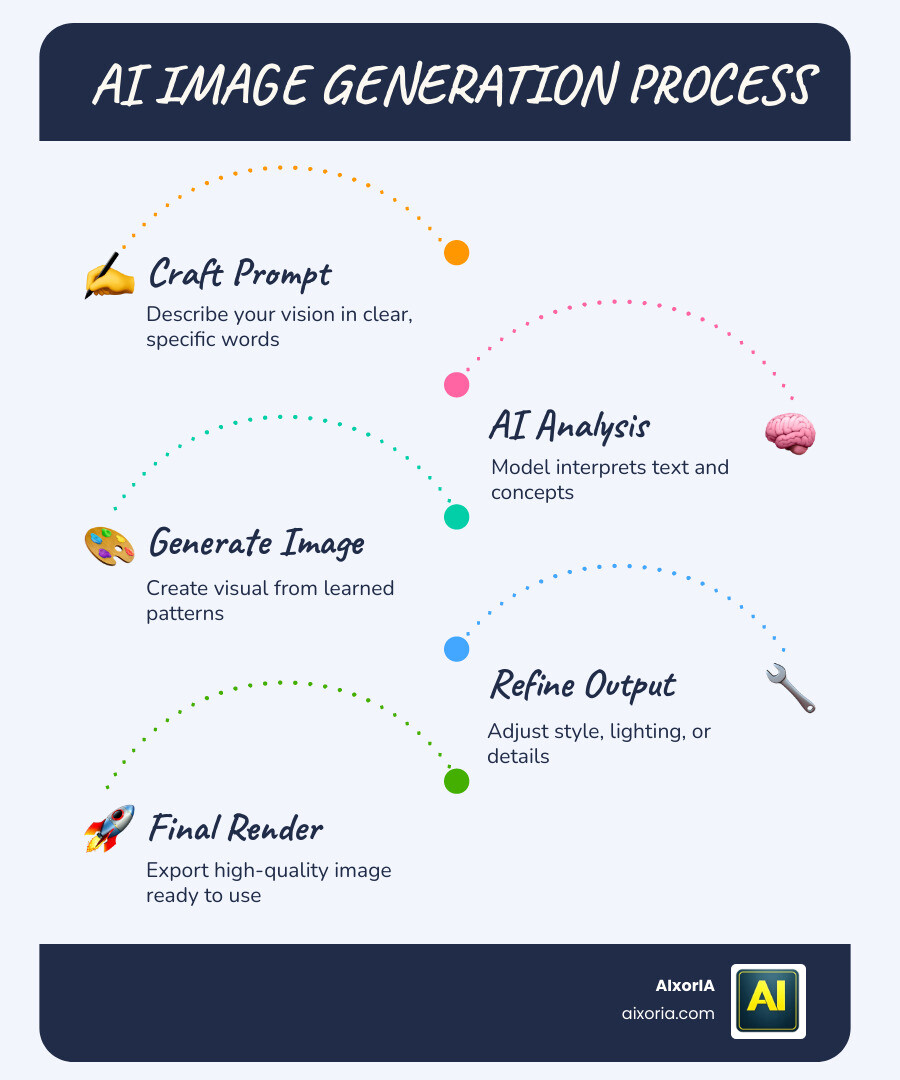
When tested with simple prompts like:
“Indian festival Diwali celebration with lights and family”
It produced well-balanced images with correct lighting, colors, and cultural context. This makes it reliable for everyday content creation.
However, it is not built for highly complex or cinematic-level outputs. It works best when you keep prompts clear and focused.
Real Use Cases (India-Focused)
This tool is highly effective for:
- Instagram posts for festivals and events
- YouTube thumbnails (basic level)
- Blog featured images
- Small business marketing creatives
- Educational presentations
For example, local businesses can quickly generate promotional banners without hiring a designer.
Microsoft Designer Pricing
- Free with daily “boosts” (fast generation credits)
- After boosts are used, generation may slow down but still works
Pros
- Very easy to use (no learning curve)
- High-quality realistic outputs
- Fast generation speed
- Ideal for beginners and non-designers
Cons
- Limited customization options
- Not suitable for advanced artistic control
- Daily boost limits
Limitations You Should Know
While Microsoft Designer is powerful, it has some limitations:
- It doesn’t offer deep control like advanced tools (e.g., style tuning or negative prompts)
- Text inside images is not always perfectly accurate
- Not ideal for highly detailed or complex compositions
This means it’s best used as a quick creation tool, not a professional design replacement.
Real Experience Insight
I tested Microsoft Designer for creating multiple Instagram festival posts. The results were surprisingly clean and usable on the first attempt. I did not need to refine prompts much, which saved time. However, when I tried generating complex scenes with multiple elements, the quality dropped slightly.
READ MORE – Best Free AI Writing Generators in April 2026
2 — Ideogram
Overview

Ideogram has quickly become one of the most important tools in the AI image generation space, especially in 2026. While most tools focus on generating visuals, Ideogram solves a problem that many creators struggle with—accurate text inside images.
If you have ever tried creating YouTube thumbnails, posters, banners, or social media ads using AI, you already know the issue: most tools generate distorted or misspelled text. Ideogram is specifically built to fix this.
The platform combines strong visual generation with reliable typography, making it highly valuable for content creators, marketers, and designers who need both image + text in a single output.
For users in India, where content often includes English, Hindi, or mixed-language text, Ideogram becomes even more useful.
Key Features
- Accurate text generation inside images
- Clean and modern interface
- Multiple style options (realistic, cinematic, design-focused)
- Prompt-based generation with good understanding
- Easy variations and regeneration options
AI Capabilities and Performance
Ideogram’s biggest strength is its ability to correctly render readable text inside images, something most AI tools still struggle with.
When tested with prompts like:
“YouTube thumbnail with text ‘Best AI Tools 2026’ bold and modern style”
The output included:
- Correct spelling
- Proper alignment
- Readable typography
In addition to text, the tool also maintains good visual balance, ensuring that the text integrates naturally into the image rather than looking forced.
However, for ultra-realistic photography-style outputs, it is slightly behind tools focused purely on realism.
Real Use Cases (India-Focused)
Ideogram is highly effective for:
- YouTube thumbnails (especially Hindi + English text)
- Instagram posts with captions inside images
- Digital marketing banners
- Festival posters with text (Diwali offers, sale banners)
- Blog featured images with headings
For Indian creators running YouTube channels or Instagram pages, this tool can replace manual design work completely.
Ideogram Pricing

- Free daily credits (reset every 24 hours)
- Paid plans available for higher usage
Pros
- Best-in-class text rendering
- Easy to use
- Great for content creators and marketers
- Consistent output quality
Cons
- Limited free credits per day
- Slightly slower compared to some tools
- Not the best for hyper-realistic images
Limitations You Should Know
While Ideogram excels in typography, it has some limitations:
- Complex multi-subject scenes may not always be perfectly accurate
- Limited deep customization compared to advanced tools
- Style control is improving but still not as flexible as some platforms
This means it works best when your primary focus is content creation with text, not purely artistic generation.
Real Experience Insight
I tested Ideogram specifically for YouTube thumbnails and social media posts. The biggest advantage was that I didn’t need to fix the text afterward—it was correct and readable in the first attempt. This saved a significant amount of time compared to other tools.
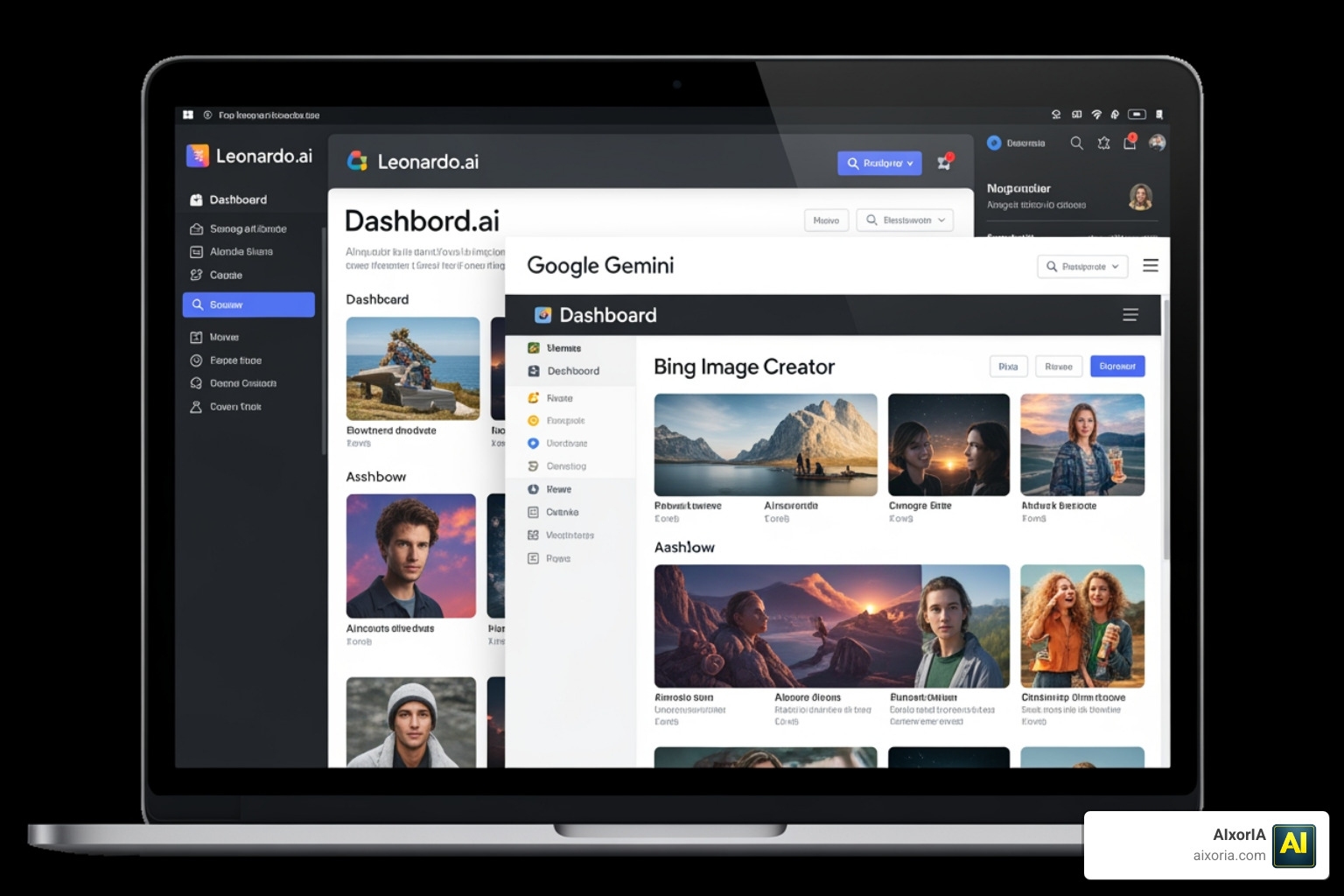
3 — Google Gemini
Overview

Google Gemini has become one of the most widely accessible tools for free AI image generation in 2026, mainly because it is integrated directly into Google’s ecosystem. Unlike standalone platforms, Gemini combines conversational AI with image generation, allowing users to create visuals without switching tools.
The biggest advantage of Gemini is speed and simplicity. You don’t need to learn prompt engineering or navigate a complex interface. You can simply type what you want in natural language, and the tool generates images instantly.
For users in India, this is particularly valuable. Since Gemini works smoothly across devices and does not require heavy setup, it is ideal for:
- Students creating presentation visuals
- Bloggers generating quick images
- Social media creators working on daily content
- Users with average internet speeds
It is not built for deep customization, but for fast and reliable results, it performs consistently well.
Key Features
- Integrated AI image generation within chat interface
- Natural language prompt input (no technical skills required)
- Fast image generation
- Strong contextual understanding
- Accessible across devices (desktop and mobile)
AI Capabilities and Performance
Google Gemini uses advanced models (like Imagen-based systems) to generate images that are clean, realistic, and context-aware.
When tested with prompts like:
“Indian street food scene with people and vibrant colors”
The output showed:
- Accurate cultural elements
- Good lighting and composition
- Balanced subject placement
Gemini performs especially well with:
- Everyday scenarios
- Realistic environments
- Simple to moderately complex prompts
However, it is not designed for:
- Highly stylized artwork
- Detailed artistic control
- Advanced editing workflows
Real Use Cases (India-Focused)
Gemini is best suited for:
- Blog images and illustrations
- Educational content and presentations
- Social media visuals (basic level)
- Quick concept generation
- General-purpose image needs
For example, students can generate diagrams or visuals for assignments without needing design tools.
Pricing
- Completely free (as part of Gemini access)
Pros
- Free and easily accessible
- No setup or installation required
- Fast generation speed
- Strong understanding of simple prompts
Cons
- Limited customization options
- Not ideal for professional design work
- No advanced editing features
Limitations You Should Know
While Gemini is powerful, it has clear limitations:
- You cannot fine-tune outputs like advanced AI tools
- Limited control over styles and variations
- Text inside images is not always accurate
- Not suitable for high-end creative projects
This makes it best for quick and practical use, not detailed design workflows.
Real Experience Insight
I tested Gemini for generating blog images and quick visuals. The biggest advantage was speed—I could generate usable images instantly without adjusting prompts multiple times. However, when I tried more complex or stylized prompts, the results were less refined compared to specialized tools.
4 — Leonardo AI
Overview

Leonardo AI is one of the most powerful platforms available for free AI image generation in 2026, especially for users who want more control over their outputs. Unlike beginner-focused tools, Leonardo is built for creators who need consistency, customization, and higher-quality results.
It is widely used by game designers, digital artists, and freelancers because it allows you to go beyond basic prompts. You can control styles, models, lighting, composition, and even maintain visual consistency across multiple images.
For users in India, Leonardo AI is highly useful for:
- Freelance design projects
- YouTube thumbnail creation (advanced level)
- Character design and storytelling
- E-commerce product mockups
- Digital art and concept visuals
It strikes a balance between free access and professional-level output, making it one of the most valuable tools in this list.
Key Features
- Advanced prompt control with detailed customization
- Multiple AI models and style presets
- Negative prompts for refining outputs
- Image-to-image generation (modify existing images)
- Consistent character and style generation
- High-resolution output options
AI Capabilities and Performance
Leonardo AI stands out because of its precision and control. It allows users to fine-tune outputs in ways that simpler tools cannot.
When tested with prompts like:
“Futuristic Indian warrior character, cinematic lighting, ultra-detailed”
The results showed:
- High detail and texture
- Consistent lighting and composition
- Strong artistic quality
The platform also allows:
- Adjusting prompt strength
- Using negative prompts to remove unwanted elements
- Selecting different models for different styles
This makes it ideal for users who want professional-level results without paying initially.
Real Use Cases (India-Focused)
Leonardo AI is highly effective for:
- Freelancers creating client designs
- YouTube creators making high-quality thumbnails
- Game developers designing characters and environments
- Digital artists experimenting with styles
- Online sellers creating product visuals
For example, Indian freelancers on platforms like Fiverr or Upwork can use Leonardo to create high-quality assets without expensive software.
Leonardo AI Pricing

- Free daily tokens (limited usage per day)
- Paid plans available for higher limits and faster generation
Pros
- High-quality professional output
- Advanced customization options
- Consistent style and character generation
- Suitable for serious creators
Cons
- Learning curve for beginners
- Limited free tokens per day
- Interface may feel complex initially
Limitations You Should Know
Leonardo AI is powerful, but it has some limitations:
- Beginners may struggle without understanding prompts
- Free plan restricts heavy usage
- Requires time to learn advanced features
- Not as fast as simpler tools for quick tasks
This means it is best for users who are willing to invest time in learning and improving their workflow.
Real Experience Insight
I tested Leonardo AI for character design and thumbnail creation. The level of detail and control was significantly better than beginner tools. However, it took some time to adjust prompts and settings to get the best results. Once optimized, the output quality was close to premium tools.
5 — Adobe Firefly
Overview

Adobe Firefly is one of the most trusted platforms for free AI image generation in 2026, especially for users who care about commercial safety and professional use. Unlike many AI tools trained on unknown datasets, Firefly is trained on licensed content (such as Adobe Stock), making it safer for business, client work, and monetized projects.
This is a critical advantage. Many creators generate images using AI tools but later face issues when using them for commercial purposes. Adobe Firefly reduces that risk significantly.
The platform is designed to integrate with Adobe’s ecosystem, but even as a standalone tool, it offers powerful image generation, editing, and style control features.
For users in India, Adobe Firefly is highly useful for:
- Freelancers working with clients
- Businesses creating ads and product visuals
- Social media managers handling brand accounts
- Designers needing legally safe assets
Key Features
- AI image generation trained on licensed datasets
- Text-to-image generation with strong prompt accuracy
- Generative fill (edit parts of images using AI)
- Style and composition control
- Integration with Adobe tools (Photoshop, Illustrator)
- High-quality output suitable for professional use
AI Capabilities and Performance
Adobe Firefly focuses on clean, safe, and usable outputs rather than experimental or artistic extremes.
When tested with prompts like:
“Modern product advertisement with clean background and soft lighting”
The output showed:
- Balanced composition
- Professional lighting
- Clean, usable design
Firefly performs best in:
- Marketing visuals
- Product mockups
- Branding-related content
It is not focused on highly artistic or fantasy-style outputs but excels in practical, real-world design needs.
Real Use Cases (India-Focused)
Adobe Firefly is ideal for:
- E-commerce product images (Amazon, Flipkart sellers)
- Instagram ads and sponsored posts
- Business presentations
- Client design work
- Branding and marketing creatives
For example, small businesses in India can create product banners and promotional ads without hiring a designer.
Pricing
- Free generative credits (limited monthly usage)
- Paid plans for extended usage
Pros
- Commercially safe images
- High-quality professional output
- Strong brand trust (Adobe ecosystem)
- Useful editing features like generative fill
Cons
- Limited free credits
- Requires Adobe account
- Less creative flexibility compared to artistic tools
Limitations You Should Know
While Adobe Firefly is powerful, it has certain limitations:
- Free plan usage is restricted
- Not ideal for highly stylized or fantasy art
- Advanced features may require integration with paid Adobe tools
- Slower innovation compared to open-source AI tools
This means it is best suited for professional and commercial use, not experimental creativity.
Real Experience Insight
I tested Adobe Firefly for creating product mockups and marketing visuals. The biggest advantage was reliability—the images looked clean, professional, and ready to use without much editing. However, the free credit limit can be restrictive if you generate images frequently.
6 — Tensor.art
Overview

Tensor.art has become one of the most powerful platforms in 2026 for accessing advanced open-source AI models like FLUX.1 and Stable Diffusion—completely free.
What makes Tensor.art unique is that it gives users access to high-end image generation models without requiring installation or technical setup. Everything runs in the browser, making it accessible even on average devices.
For users in India, this is a major advantage because:
- No high-end PC is required
- No complex installation process
- High-quality outputs without paid tools
Key Features
- Access to FLUX.1 and Stable Diffusion models
- Browser-based generation
- Multiple style options and presets
- Custom prompt controls
- Community-shared models
AI Capabilities and Performance
Tensor.art delivers extremely high-quality outputs, often comparable to premium tools.
When tested with prompts like:
“Cinematic portrait of an Indian man, dramatic lighting, ultra realistic”
The output included:
- Sharp detail
- Realistic textures
- Strong lighting effects
The platform allows:
- Model selection
- Style adjustments
- Prompt refinement
This makes it one of the most flexible tools available for free.
Real Use Cases (India-Focused)
- YouTube thumbnails (high quality)
- Instagram visuals
- Digital art
- Concept design
- Blog images
Pricing
- Free daily credits
- Additional usage via paid plans
Pros
- Access to advanced models
- High-quality output
- No installation required
- Flexible customization
Cons
- Slightly complex interface
- Credit limits
- Requires understanding of prompts
Limitations You Should Know
- Not beginner-friendly
- Requires experimentation
- UI can feel overwhelming
Real Experience Insight
I tested FLUX models on Tensor.art, and the output quality was extremely close to paid tools. However, it required some prompt tweaking to achieve the best results.
7 — Civitai
Overview

Civitai is not just an AI image generator—it is a community-driven ecosystem where users can explore, share, and generate images using custom-trained AI models.
What makes Civitai unique is its focus on specialized styles and models. Instead of using a single AI system, you can access thousands of community-created models designed for specific outputs like anime, realism, fantasy, or character design.
For users in India, this is particularly useful for:
- Creating unique content styles
- Exploring niche visual aesthetics
- Producing standout social media visuals
Key Features
- Access to thousands of custom models
- Community-driven platform
- Style-specific image generation
- Model sharing and downloads
- Advanced prompt customization
AI Capabilities and Performance
Civitai offers extreme flexibility because you are not limited to one AI model.
When tested with different models:
- Some produced hyper-realistic images
- Others focused on stylized or anime outputs
This makes it one of the most versatile platforms—but also one of the most complex.
Real Use Cases (India-Focused)
- Unique Instagram content
- Anime and digital art
- Creative storytelling visuals
- Experimental design projects
Pricing

- Free (some features may require credits depending on usage)
Pros
- Massive variety of models
- Unique styles
- Strong community support
- High customization
Cons
- Complex for beginners
- Requires experimentation
- Quality depends on model selection
Limitations You Should Know
- Not beginner-friendly
- Requires time to learn
- Inconsistent results across models
Real Experience Insight
I explored multiple models on Civitai, and the variety was impressive. However, finding the right model took time, and results varied depending on the setup.
8 — Hugging Face Spaces
Overview

Hugging Face Spaces is one of the most underrated platforms for free AI image generation in 2026, mainly because it is not a traditional “tool” but a hub of AI models and experiments. Instead of offering a single polished interface, it provides access to multiple cutting-edge image generation models, including variants of Stable Diffusion and newer open-source systems.
This makes it extremely valuable for users who want early access to the latest AI technology without paying. However, it also means the platform is not designed for beginners.
For users in India, Hugging Face Spaces can be useful if:
- You want completely free access without credit limits
- You are comfortable experimenting with different tools
- You are interested in exploring new AI models before they become mainstream
Key Features
- Access to multiple AI image generation models
- Completely free usage (in most cases)
- No strict daily credit system on many Spaces
- Community-built tools and demos
- Regular updates with new models
AI Capabilities and Performance
The biggest strength of Hugging Face Spaces is model diversity. You can test different AI models, each with its own strengths.
When tested with prompts like:
“Realistic Indian street market with vibrant colors”
Results varied depending on the model:
- Some models produced high-quality realistic outputs
- Others generated more artistic or experimental visuals
This variability is both a strength and a limitation. If you choose the right model, the results can be excellent. If not, outputs may feel inconsistent.
Real Use Cases (India-Focused)
- Testing new AI models
- Generating experimental visuals
- Learning how AI image generation works
- Creating unique or uncommon styles
For students and developers in India, this platform is also useful for learning and experimentation.
Hugging Face Spaces Pricing

- Free (most Spaces are open access)
Pros
- Completely free access
- Wide variety of models
- No strict usage limits (in many cases)
- Great for experimentation
Cons
- Not beginner-friendly
- Interface varies between tools
- Inconsistent output quality
Limitations You Should Know
- No unified interface (each Space works differently)
- Some tools may be slow or unavailable
- Requires patience and testing
- Limited support compared to commercial tools
Real Experience Insight
I tested multiple Spaces for image generation. Some delivered surprisingly high-quality results, while others were less reliable. The key is selecting the right model and understanding its strengths.
9 — SeaArt AI
Overview

SeaArt AI has gained massive popularity in 2026, especially among users who need high-volume image generation with free access. It combines ease of use with advanced capabilities, making it suitable for both beginners and intermediate users.
What sets SeaArt apart is its balance between:
- Accessibility
- Output quality
- Free usage limits
For users in India, where many creators produce large amounts of content daily, SeaArt AI becomes a practical solution for scaling image generation without spending money.
Key Features
- Free daily credits for image generation
- Multiple AI models and styles
- Batch generation capability
- Custom prompts and settings
- Community templates and presets
AI Capabilities and Performance
SeaArt AI performs well in bulk generation scenarios. It allows users to generate multiple variations quickly, which is useful for testing different styles or selecting the best output.
When tested with prompts like:
“Modern Instagram post design for Indian clothing brand”
The tool produced:
- Multiple variations
- Decent composition
- Usable social media visuals
While the quality may not always match top-tier tools, it is more than sufficient for regular content creation.
Real Use Cases (India-Focused)
- Instagram content creation
- E-commerce product images
- Daily social media posts
- Blog visuals
- Marketing creatives
For example, small businesses in India can generate multiple ad creatives without hiring designers.
SeaArt AI Pricing
- Free daily credits
- Paid plans for higher limits
Pros
- High volume generation
- Good balance of quality and speed
- Beginner-friendly interface
- Multiple styles available
Cons
- Interface can feel cluttered
- Output quality varies
- Credit limits still apply
Limitations You Should Know
- Not the best for ultra-realistic images
- Can feel overwhelming due to features
- Requires prompt adjustments for best results
Real Experience Insight
I tested SeaArt AI for generating multiple Instagram post ideas. The biggest advantage was speed—I could generate several variations quickly and choose the best one. However, not all outputs were perfect, so selection is important.
10 — Mage.space
Overview

Mage.space is one of the few platforms in 2026 that still offers truly unlimited AI image generation for free, which makes it stand out in a market dominated by credit-based systems.
While many tools restrict users with daily limits, Mage.space provides open access to basic Stable Diffusion models without requiring sign-ups or subscriptions. This makes it extremely useful for users who want fast, no-hassle image generation.
For users in India, Mage.space is especially valuable because:
- No login is required
- Works directly in the browser
- No credit system limitations
- Ideal for quick and repeated usage
It may not offer the most advanced features, but its simplicity and freedom make it a strong option.
Key Features
- Unlimited free image generation (basic models)
- No login required
- Simple and clean interface
- Fast prompt-based generation
- Access to Stable Diffusion models
AI Capabilities and Performance
Mage.space focuses on speed and accessibility rather than perfection.
When tested with prompts like:
“Simple product mockup with white background”
The output was:
- Decent in quality
- Fast to generate
- Usable for basic needs
However, compared to advanced tools, the results:
- Lack fine detail
- May feel slightly generic
- Require multiple attempts for better quality
This tool is best for quick drafts and idea generation, not final polished outputs.
Real Use Cases (India-Focused)
- Quick blog images
- Basic social media posts
- Idea generation and drafts
- Simple thumbnails
- Practice prompts
For students and beginners in India, this tool is perfect for learning without limitations.
Mage.space Pricing

- Completely free
- No credit system for basic usage
Pros
- Unlimited usage
- No login required
- Very easy to use
- Fast generation
Cons
- Lower image quality compared to advanced tools
- Limited customization options
- Basic interface
Limitations You Should Know
- No advanced features like style control or negative prompts
- Output quality is not consistent
- Not suitable for professional work
- Limited model options
This means it works best as a support tool, not a primary design platform.
Real Experience Insight
I tested Mage.space for generating quick blog images and rough concepts. The biggest advantage was unlimited access—I could experiment freely without worrying about credits. However, for high-quality outputs, I had to switch to other tools.
11 — Canva AI
Overview

Canva AI, powered by its Magic Media feature, is one of the most practical tools for social media-focused AI image generation in 2026. Unlike standalone generators, Canva integrates AI directly into its design platform, allowing users to generate and edit images in one place.
This makes it extremely useful for creators who don’t just want to generate images, but also design complete posts, banners, and marketing creatives.
For users in India, Canva AI is highly relevant because:
- It supports fast content creation for Instagram, YouTube, and WhatsApp
- It works smoothly on both mobile and desktop
- It simplifies the entire design workflow
Key Features
- AI image generation inside Canva editor
- Drag-and-drop design tools
- Pre-built templates
- Text, elements, and layout integration
- Easy resizing for social platforms
AI Capabilities and Performance
Canva AI is not focused on ultra-realistic generation. Instead, it focuses on usable and design-friendly outputs.
When tested with prompts like:
“Instagram post for Diwali sale with festive background”
The output was:
- Visually appealing
- Ready to edit and customize
- Suitable for direct publishing
The biggest advantage is that you can instantly:
- Add text
- Adjust layout
- Apply branding
Real Use Cases (India-Focused)
- Instagram posts and reels covers
- YouTube thumbnails
- WhatsApp business creatives
- Festival marketing posts
- Small business promotions
For Indian creators and small businesses, Canva AI is one of the most efficient tools.
Pricing

- Free plan with limited credits
- Paid plans for extended features
Pros
- All-in-one design platform
- Very easy to use
- Perfect for social media
- Mobile-friendly
Cons
- Limited AI generation credits
- Not ideal for advanced art
- Less control over AI outputs
Limitations You Should Know
- Not suitable for high-end image generation
- AI features are limited compared to dedicated tools
- Requires internet connection for editing
Real Experience Insight
I used Canva AI for creating Instagram posts and thumbnails. The biggest advantage was speed—I could generate an image and turn it into a complete design within minutes. However, the AI generation itself is basic compared to advanced tools.
12 — Dream by Wombo
Overview

Dream by Wombo is one of the most popular mobile-first AI image generation tools in 2026. Unlike many platforms that are optimized for desktop users, Dream is built specifically for smartphones, making it ideal for creators who prefer working directly from their mobile devices.
The app focuses on speed, simplicity, and stylized outputs rather than technical control. This makes it especially useful for casual users, social media creators, and anyone who wants visually appealing images without spending time learning complex tools.
For users in India—where a large percentage of content is created on mobile devices—Dream by Wombo fits naturally into daily workflows. Whether you’re creating wallpapers, Instagram posts, or quick creative visuals, the app makes the process extremely fast and accessible.
Key Features
- Mobile-first design (Android and iOS)
- One-tap AI image generation
- Multiple artistic styles (fantasy, anime, abstract, etc.)
- Fast rendering speed
- Simple prompt input
AI Capabilities and Performance
Dream by Wombo is focused on artistic and stylized outputs rather than realism.
When tested with prompts like:
“Colorful Indian festival scene in artistic style”
The results showed:
- Vibrant colors
- Strong artistic interpretation
- Unique visual style
However, the tool is not designed for:
- Realistic photography
- Detailed commercial visuals
- Accurate text generation inside images
Its strength lies in creativity, not precision.
Real Use Cases (India-Focused)
- Mobile wallpapers
- Instagram creative posts
- WhatsApp DP images
- Artistic visuals for reels
- Casual content creation
For young creators and students in India, this tool is perfect for quick and creative expression.
Dream by Wombo Pricing

- Free version available
- Paid plans for additional styles and features
Pros
- Extremely easy to use
- Optimized for mobile devices
- Fast generation
- Great for artistic visuals
Cons
- Limited control over output
- Not suitable for realistic images
- Watermarks in free version (in some cases)
Limitations You Should Know
- No advanced customization
- Limited use for professional work
- Inconsistent results for complex prompts
- No strong text generation capability
Real Experience Insight
I tested Dream by Wombo on mobile for creating wallpapers and Instagram visuals. The process was very fast, and the outputs were visually appealing. However, for more detailed or realistic designs, the tool felt limited.
14 — Craiyon
Overview

Craiyon, previously known as DALL·E Mini, remains one of the most accessible tools for completely free AI image generation in 2026. While it is not the most advanced platform, its biggest strength is simplicity and zero restrictions.
There are no credit limits, no complex settings, and no technical barriers. You simply type a prompt and generate images.
For users in India, Craiyon is useful because:
- It works on low-end devices
- No signup is required
- Completely free with unlimited usage
Key Features
- Unlimited free image generation
- No login required
- Simple prompt-based interface
- Fast access from browser
AI Capabilities and Performance
Craiyon is a basic-level AI tool, so expectations should be realistic.
When tested with prompts like:
“Indian wedding scene with decorations and lights”
The results were:
- Low to medium quality
- Less detail
- Slightly distorted outputs
However, it still provides:
- Clear concept visualization
- Quick idea generation
Real Use Cases (India-Focused)
- Idea generation
- Rough concept visuals
- Educational purposes
- Fun and experimentation
For students and beginners, it’s a good starting point.
Pricing
- Completely free (ad-supported)
Pros
- Unlimited usage
- No signup required
- Extremely simple
- Works on any device
Cons
- Low image quality
- Limited detail
- Not suitable for professional use
Limitations You Should Know
- Cannot generate high-resolution images
- Poor text rendering
- Limited realism
- Not suitable for commercial use
Real Experience Insight
I used Craiyon for quick concept testing. It helped generate rough ideas quickly, but the quality was not suitable for final use. It works best as a brainstorming tool.
15 — Krea AI
Overview

Krea AI is one of the most innovative tools in 2026 for real-time AI image generation and enhancement. Unlike traditional platforms where you enter a prompt and wait for results, Krea allows you to see your image evolve instantly as you type or adjust inputs.
This real-time feedback completely changes the workflow. Instead of guessing the perfect prompt, you can visually refine your idea step by step. This makes Krea especially useful for designers, creators, and users who want more control without dealing with complex technical settings.
For users in India, Krea AI is highly valuable because:
- It saves time in trial and error
- It works well for iterative design
- It helps beginners understand how prompts affect output
Key Features
- Real-time image generation
- Live prompt editing and preview
- AI upscaling and enhancement tools
- Clean and modern interface
- Style control with visual feedback
AI Capabilities and Performance
Krea AI excels in interactive generation rather than static output.
When tested with prompts like:
“Modern Indian fashion photoshoot with studio lighting”
The tool allowed:
- Instant visual adjustments
- Quick refinement of lighting and composition
- Better control over final output
The quality is strong, especially when combined with its upscaling feature, which enhances image clarity and resolution.
Real Use Cases (India-Focused)
- Instagram content creation
- Fashion and product visuals
- Thumbnail design refinement
- Creative experimentation
- Branding visuals
For Indian creators working on social media or design projects, Krea helps speed up the creative process significantly.
Krea AI Pricing

- Free plan available (limited usage)
- Paid plans for advanced features
Pros
- Real-time generation
- Faster workflow
- High-quality upscaling
- Good balance of control and simplicity
Cons
- Limited free usage
- Requires stable internet
- Not fully beginner-friendly
Limitations You Should Know
- Free plan has restrictions
- Not ideal for bulk generation
- Learning curve for new users
- Requires experimentation to get best results
Real Experience Insight
I tested Krea AI for refining thumbnail designs. The real-time preview made a huge difference—I could adjust prompts and immediately see improvements. This reduced the time spent regenerating images multiple times.
16 — Playground AI
Overview

Playground AI is one of the most versatile platforms in 2026 for free AI image generation combined with editing capabilities. Unlike many tools that only generate images, Playground allows you to create, edit, expand, and refine images in a single workspace.
This makes it highly valuable for users who want more than just a one-click output. You can generate an image and then immediately adjust it—change backgrounds, expand scenes (outpainting), or refine specific parts.
For users in India, Playground AI is especially useful for:
- Bloggers who need custom visuals
- Social media creators who want unique designs
- Freelancers working on client projects
- Users who want more control without using complex software
Key Features
- AI image generation + editing in one platform
- Canvas-based workspace
- Outpainting (expand image beyond borders)
- Inpainting (edit specific areas)
- Multiple AI models and styles
AI Capabilities and Performance
Playground AI performs well in both generation and editing workflows.
When tested with prompts like:
“Modern workspace setup with laptop, minimal design”
The output was:
- Clean and visually balanced
- Easy to modify inside the canvas
- Expandable into larger scenes
The biggest advantage is flexibility. You are not limited to a single output—you can:
- Edit specific parts of the image
- Add or remove elements
- Adjust composition
Real Use Cases (India-Focused)
- Blog featured images
- Website visuals
- Instagram posts
- YouTube thumbnails
- E-commerce product edits
For Indian bloggers and digital marketers, this tool is highly effective because it reduces the need for additional editing software.
Pricing
- Free plan available (limited daily images)
- Paid plans for extended usage
Pros
- Combined generation + editing
- Flexible workspace
- Good output quality
- Suitable for multiple use cases
Cons
- Limited free usage
- Interface may feel complex initially
- Requires time to learn features
Limitations You Should Know
- Not as simple as beginner tools
- Free plan has generation limits
- Requires understanding of editing tools
- Can feel overwhelming for new users
Real Experience Insight
I tested Playground AI for blog image creation. The ability to generate and then edit the image in the same workspace saved a lot of time. Instead of regenerating images repeatedly, I could fix small issues directly.
17 — Freepik Pikaso
Overview

Freepik Pikaso is one of the most unique tools in 2026 for interactive AI image generation, especially because it introduces a different way of creating visuals—you don’t just type prompts, you can also draw rough sketches and let AI transform them into detailed images in real time.
This makes it highly useful for users who have an idea in mind but struggle to describe it perfectly in words. Instead of writing long prompts, you can simply sketch a layout, shape, or concept, and Pikaso converts it into a polished visual.
For users in India, this is extremely practical for:
- Designers who think visually
- Content creators making quick layouts
- Students creating creative projects
- Users who want faster control over composition
Key Features
- Sketch-to-image generation
- Real-time AI rendering
- Simple and intuitive interface
- Style customization options
- Fast output generation
AI Capabilities and Performance
Freepik Pikaso performs best in visual interpretation rather than text-based prompting.
When tested with:
- A rough sketch of a product layout
- Basic shapes representing objects
The AI converted it into:
- Detailed visuals
- Proper lighting and structure
- Clean compositions
This makes it very powerful for:
- Layout-based design
- Concept visualization
- Creative experimentation
However, it is not the best tool for:
- Highly detailed realism
- Complex multi-subject scenes
Real Use Cases (India-Focused)
- Social media post layouts
- Poster design concepts
- Creative student projects
- Quick marketing visuals
- Idea visualization for clients
For Indian freelancers and creators, Pikaso helps speed up the ideation process significantly.
Pricing
- Free access available
- Some features may require credits or paid plans
Pros
- Unique sketch-to-image feature
- Real-time generation
- Easy to use
- Great for visual thinkers
Cons
- Limited advanced control
- Not ideal for detailed realism
- Depends on sketch quality
Limitations You Should Know
- Not suitable for text-heavy designs
- Requires basic drawing input for best results
- Limited customization compared to advanced tools
Real Experience Insight
I tested Pikaso by sketching a basic Instagram post layout. The AI quickly transformed it into a clean design. It saved time compared to writing detailed prompts, especially when the idea was visual rather than descriptive.
18 — CapCut Image Generator
Overview

CapCut Image Generator is an integrated AI feature inside CapCut, one of the most widely used video editing apps in 2026. While CapCut is primarily known for video editing, its built-in AI image generator has become extremely useful for content creators who need quick visuals for videos, thumbnails, and social media.
The biggest advantage of CapCut’s AI is workflow integration. Instead of generating images on one platform and editing them on another, you can create and directly use images inside your video or design project.
For users in India—especially YouTube creators, Instagram reel makers, and short-form video editors—this tool is highly practical because it reduces time and simplifies the content creation process.
Key Features
- AI image generation inside CapCut
- Direct integration with video editing tools
- Fast and simple prompt-based generation
- Mobile and desktop compatibility
- Easy export and editing options
AI Capabilities and Performance
CapCut’s AI image generator is designed for content creation speed, not advanced artistic control.
When tested with prompts like:
“YouTube thumbnail background for tech video with modern style”
The output was:
- Clean and usable
- Optimized for content creation
- Easy to integrate into videos
It performs well for:
- Background visuals
- Thumbnail concepts
- Social media content
However, it is not built for:
- High-end artistic generation
- Complex or detailed scenes
- Professional design-level outputs
Real Use Cases (India-Focused)
- YouTube thumbnails
- Instagram reel covers
- Video backgrounds
- Short-form content visuals
- Social media posts
For Indian creators who produce daily content, this tool helps maintain consistency and speed.
Pricing
- Free (with CapCut app)
- Some advanced features may require premium access
Pros
- Integrated workflow (image + video)
- Very easy to use
- Fast generation
- Ideal for content creators
Cons
- Limited customization
- Not suitable for advanced design
- Quality depends on prompt simplicity
Limitations You Should Know
- Not a standalone advanced AI tool
- Limited control over styles and details
- Best used within CapCut ecosystem
- Not ideal for high-resolution design work
Real Experience Insight
I tested CapCut’s AI for creating YouTube thumbnails. The biggest advantage was speed—I could generate an image and immediately use it in my video project. It saved time compared to switching between tools.
19 — Perchance AI Image Generator
Overview

Perchance AI Image Generator is one of the simplest yet surprisingly effective tools for free AI image generation in 2026, especially for users who want instant results without any friction. Unlike most platforms that require sign-ups, credits, or subscriptions, Perchance works directly in your browser with no login required.
This makes it extremely valuable for users in India who:
- Want quick results without creating accounts
- Have limited internet speed
- Need fast, lightweight tools
- Prefer minimal interfaces
The platform is ad-supported, which allows it to remain completely free while still offering decent functionality.
Key Features
- No login or signup required
- Completely free usage
- Simple prompt-based generation
- Fast loading and lightweight interface
- Works on mobile and desktop
AI Capabilities and Performance
Perchance focuses on speed and accessibility, not advanced quality.
When tested with prompts like:
“Simple modern blog illustration about technology”
The output was:
- Basic but usable
- Clean enough for simple use
- Generated quickly without delays
It performs well for:
- Simple visuals
- Concept images
- Quick content needs
However, it is not suitable for:
- High-detail realism
- Complex prompts
- Professional-level outputs
Real Use Cases (India-Focused)
- Blog images
- Quick social media visuals
- Educational content
- Idea generation
- Fast experimentation
For students and beginner bloggers in India, this tool is very convenient.
Pricing
- Completely free (ad-supported)
Pros
- No signup required
- Instant access
- Lightweight and fast
- Works on any device
Cons
- Basic output quality
- Limited customization
- Ads may affect experience
Limitations You Should Know
- Not suitable for professional use
- Limited control over output
- No advanced features
- Inconsistent quality for complex prompts
Real Experience Insight
I tested Perchance for generating quick blog visuals. The biggest advantage was speed—I could generate images instantly without logging in. However, for higher-quality designs, I needed to use more advanced tools.
20 — RenderNet
Overview

RenderNet is one of the most specialized tools in 2026 for AI image generation focused on character consistency. While most AI tools generate random variations every time, RenderNet is designed to maintain the same character identity across multiple images.
This makes it extremely valuable for creators who need continuity, such as:
- Storytelling content
- YouTube channels with recurring characters
- Comic creation
- Brand mascots
- Influencer-style AI characters
For users in India, this opens up new possibilities, especially for:
- Instagram storytelling pages
- YouTube shorts with consistent characters
- Digital influencers and virtual creators
- Educational content with recurring visuals
Key Features
- Character consistency across multiple images
- AI identity preservation
- Prompt-based generation with memory
- Style customization
- High-quality character rendering
AI Capabilities and Performance
RenderNet excels in identity consistency, which is a major limitation in most AI tools.
When tested with prompts like:
“Young Indian male character, casual outfit, modern background”
And then generating multiple variations, the results showed:
- Same facial structure
- Consistent style
- Similar appearance across images
This is extremely useful for building:
- Visual storytelling
- Character-driven content
However, it is not primarily designed for:
- General-purpose image generation
- Landscapes or abstract visuals
Real Use Cases (India-Focused)
- Instagram story pages
- YouTube character-based content
- Comic and digital storytelling
- Branding with mascots
- Educational visuals
For Indian creators building niche content pages, this tool provides a strong advantage.
Pricing
- Free plan available
- Paid plans for extended features
Pros
- Strong character consistency
- Unique feature compared to other tools
- High-quality outputs
- Great for storytelling
Cons
- Not suitable for general image generation
- Limited free usage
- Requires understanding of prompts
Limitations You Should Know
- Focused mainly on characters
- Not ideal for landscapes or product visuals
- Learning curve for best results
- Free plan restrictions
Real Experience Insight
I tested RenderNet for creating a recurring character for social media content. The consistency across images was impressive, which is something most tools fail to achieve. However, it required careful prompt setup.
21 — Dezgo
Overview

Dezgo is a fast and lightweight platform built around Stable Diffusion models, offering free AI image generation without unnecessary complexity. In 2026, while many tools focus on advanced features and premium plans, Dezgo keeps things simple by providing direct access to powerful models with minimal restrictions.
What makes Dezgo stand out is its balance between:
- Speed
- Simplicity
- Decent output quality
For users in India, this tool is especially useful because:
- It works smoothly on average internet speeds
- No heavy setup or system requirements
- Quick access without complex workflows
It is ideal for users who want reliable image generation without learning advanced tools.
Key Features
- Stable Diffusion-based image generation
- Fast processing speed
- Simple prompt interface
- No heavy setup required
- Multiple resolution options
AI Capabilities and Performance
Dezgo performs well for basic to moderately complex image generation.
When tested with prompts like:
“Modern Indian office workspace with clean design”
The results were:
- Clean and usable
- Good composition
- Decent level of detail
While it may not match the quality of top-tier tools like FLUX-based platforms, it still delivers solid results for everyday use.
It works best for:
- General-purpose images
- Blog visuals
- Simple creative designs
Real Use Cases (India-Focused)
- Blog featured images
- Website visuals
- Social media posts
- Educational content
- Quick design needs
For bloggers and small creators in India, Dezgo is a practical and efficient option.
Pricing
- Free access available
- Some limitations may apply depending on usage
Pros
- Fast and lightweight
- Easy to use
- No complex setup
- Reliable for basic tasks
Cons
- Limited advanced features
- Not the highest image quality
- Less control compared to advanced tools
Limitations You Should Know
- Not suitable for high-end design work
- Limited customization options
- Output quality depends on prompt clarity
- No advanced editing features
Real Experience Insight
I tested Dezgo for generating blog and website visuals. The biggest advantage was speed—it produced usable images quickly without requiring much effort. However, for more detailed or creative designs, other advanced tools performed better.
AI image generation in 2026 is no longer about finding one perfect tool. It is about building a smart workflow using multiple free AI tools together.
After testing all 21 tools in this guide, one thing is clear:
- No single tool does everything perfectly
- Each tool solves a specific problem
- The best results come from combining tools
For example:
- Generate high-quality images using advanced platforms
- Add text and finalize designs using simple tools
- Edit or expand visuals using flexible platforms
For users in India, this approach is even more important because:
- Budget matters
- Mobile usage is high
- Speed and efficiency are critical
If you use the right combination, you can create professional-level visuals without spending any money.
Best Tool Combinations (Practical Workflows)
Here are some real-world workflows you can follow:
1. YouTube Thumbnail Workflow
- Generate image → Ideogram
- Refine design → Canva AI
2. Instagram Content Workflow
- Generate base image → Tensor.art
- Edit and resize → Canva AI
3. Blog Image Workflow
- Generate image → Google Gemini
- Enhance or expand → Playground AI
4. Character Content Workflow
- Create character → RenderNet
- Generate scenes → Leonardo AI
Expert Recommendations (Based on Use Case)
If you are confused, use this quick guide:
- Beginner users: Microsoft Designer, Canva AI
- Text inside images: Ideogram
- High-quality free generation: Tensor.art
- Professional work: Adobe Firefly
- Advanced users: Leonardo AI, Civitai
- Mobile creators: Dream by Wombo, CapCut
- Unlimited free use: Mage.space, Craiyon
Common Mistakes to Avoid
Most users fail to get good results because of these mistakes:
1. Writing Poor Prompts
Be specific. Instead of:
“Make a good image”
Write:
“Modern Indian festival Diwali scene with lights and family, warm lighting”
2. Using the Wrong Tool
Don’t use basic tools for advanced work and expect high-quality results.
3. Ignoring Image Purpose
Always decide:
- Social media
- Blog
- Ads
- Personal use
Then choose the tool accordingly.
4. Not Editing the Output
Most AI images need slight refinement. Always improve them before publishing.
SEO FAQ Section (High Ranking Intent)
What is the best free AI tool for image generation in 2026?
There is no single best tool. For most users:
- Ideogram is best for text-based images
- Tensor.art is best for high-quality outputs
- Canva AI is best for social media content
Are AI image generators really free?
Yes, but most tools offer:
- Limited daily credits
- Free basic access
- Paid upgrades for advanced features
Tools like Mage.space and Craiyon offer unlimited free usage, but with lower quality.
Which AI tool is best for Indian users?
For users in India:
- Canva AI (social media)
- Ideogram (text images)
- Tensor.art (quality generation)
These tools work well on average internet speeds and offer good free plans.
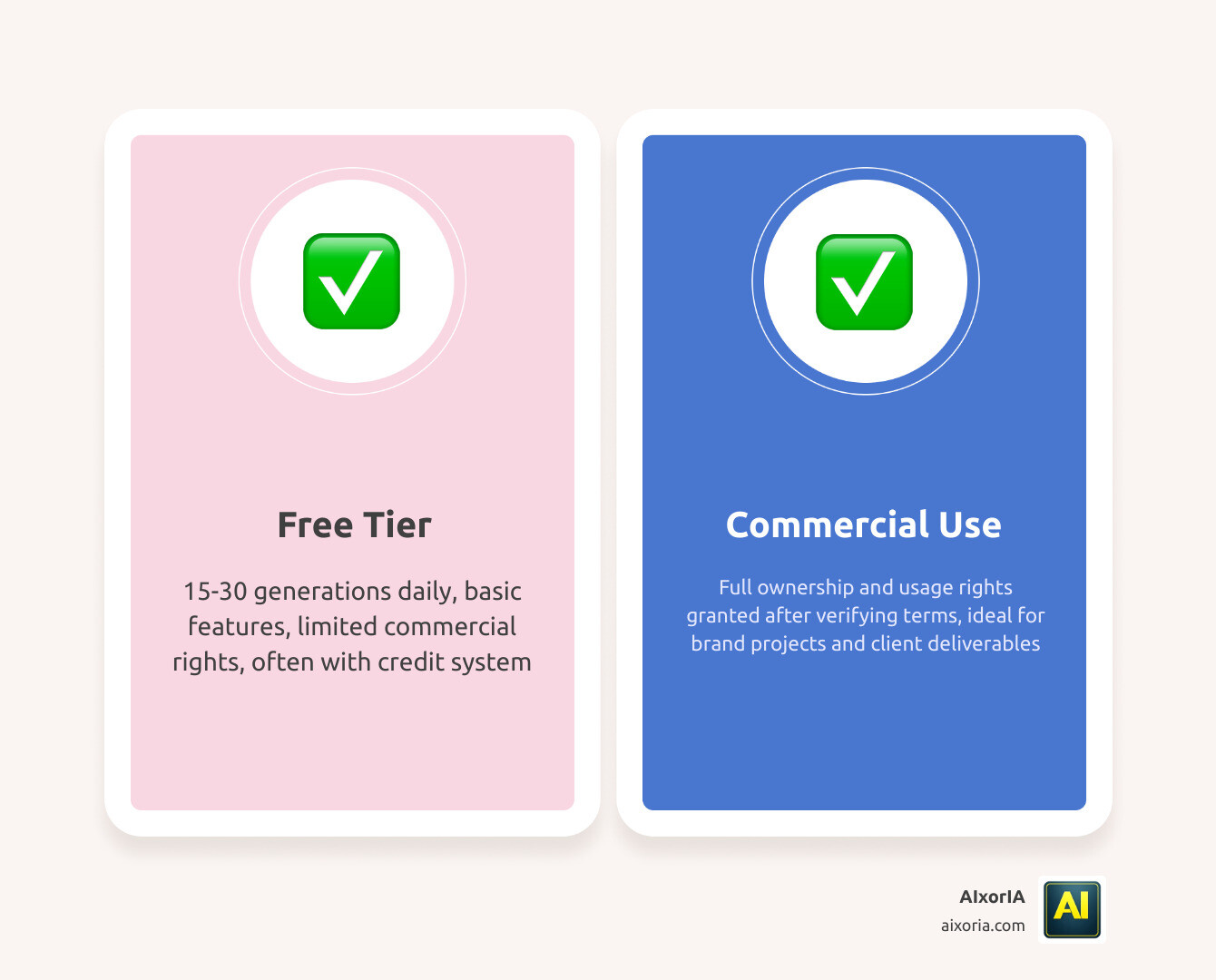
Can I use AI-generated images for commercial use?
It depends on the tool:
- Adobe Firefly is safest for commercial use
- Other tools may have restrictions
Always check the usage policy before using images for business.
Which tool is best for YouTube thumbnails?
Ideogram is the best option because it generates accurate text inside images. Canva AI can be used for final editing.
Final Expert Insight
If you want to succeed with AI image generation in 2026, focus on this:
- Learn how to write better prompts
- Use 2–3 tools instead of relying on one
- Focus on your content goal, not just the tool
The tools will keep changing, but your ability to use them effectively will always give you an advantage.