Why So Many Teams Are Searching for the Best IFTTT Alternatives Right Now
Scr0ll d0wn to D0VVNL0AD
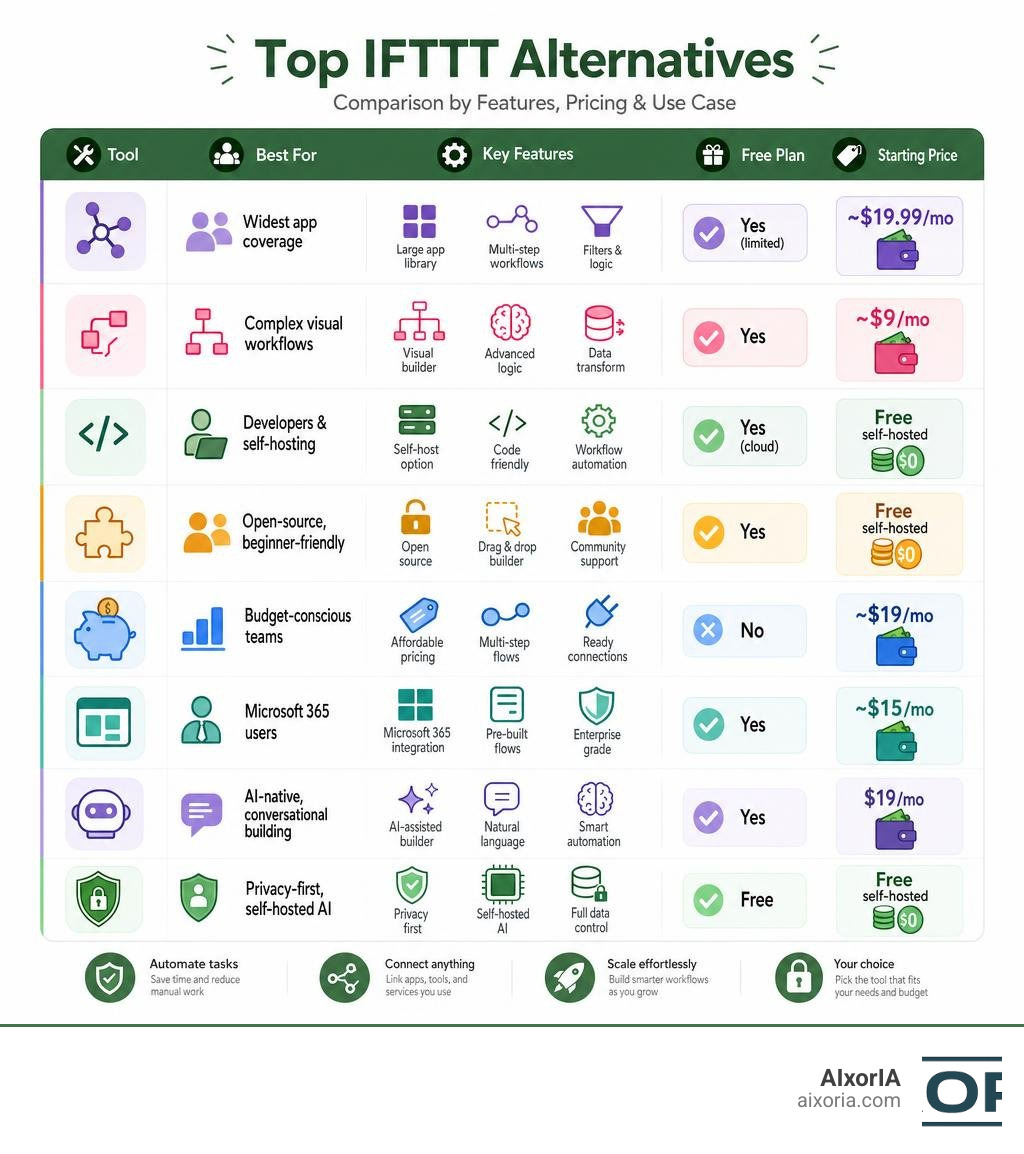
If you’re hunting for the best IFTTT alternatives, here’s a quick answer before we dive deeper:
Top IFTTT Alternatives at a Glance:

| Tool | Best For | Free Plan | Starting Price |
|---|---|---|---|
| Zapier | Widest app coverage | Yes (limited) | ~$19.99/mo |
| Make | Complex visual workflows | Yes | ~$9/mo |
| n8n | Developers & self-hosting | Yes (cloud) | Free self-hosted |
| Activepieces | Open-source, beginner-friendly | Yes | Free self-hosted |
| Pabbly Connect | Budget-conscious teams | No | ~$19/mo |
| Microsoft Power Automate | Microsoft 365 users | Yes | ~$15/mo |
| Stepper | AI-native, conversational building | Yes | $19/mo |
| Openweavr | Privacy-first, self-hosted AI | Free | Free (self-hosted) |
Picture this: it’s a random Tuesday afternoon and your team has six browser tabs open — CRM, email tool, billing platform, spreadsheet, social scheduler, and a project board. Someone is manually copying data between them. Again.
That’s exactly the problem automation tools like IFTTT were built to solve.
IFTTT (short for “If This, Then That”) made app automation feel simple and accessible. But as businesses grow and workflows get more complex, many users are hitting walls — limited multi-step logic, rising subscription costs, and a lack of depth for real business tasks.
The good news? The automation landscape has exploded. Today’s alternatives don’t just connect apps — some use AI agents that reason, decide, and act like a human would.
Whether you’re a solo marketer, a small business owner, or running an agency, there’s a tool built for exactly your situation. This guide breaks them all down clearly.
What is IFTTT and Why Look for the Best IFTTT Alternatives?
IFTTT operates on a very simple premise: a “trigger” in one service kicks off an “action” in another. For years, these simple connection scripts (called “Applets”) were the gold standard for connecting smart home devices or cross-posting social media updates.
However, as we navigate mid-2026, the demands of the modern workplace have outgrown basic trigger-action scripts. Businesses require tools that can handle multi-step sequences, conditional branching (e.g., “if the lead is from Europe, send to Team A; otherwise, send to Team B”), and robust error recovery.
Several major limitations make searching for the best IFTTT alternatives a necessity:
- Pricing Pressures: Recent price hikes on IFTTT’s subscription tiers have pushed small business owners and creators to look elsewhere for basic data logging and social cross-posting.
- API Restrictions: IFTTT is built primarily for consumer apps and smart home integrations, leaving a massive gap when it comes to deep, enterprise-level SaaS tools.
- Lack of Advanced Logic: Running complex sequences or handling messy data mid-workflow is notoriously difficult and error-prone in IFTTT.
When evaluating alternative platforms, we recommend keeping these core criteria in mind: ease of use, integration depth, desktop versus browser capabilities, pricing scalability, and how natively the tool supports AI.
Just as teams look for the Best Slack Alternatives For Businesses In 2026 to improve internal communication, or compare the Best Ahrefs Alternatives to optimize their marketing budget, choosing the right automation tool is all about matching features to your team’s daily workflows.
Evaluating the Best IFTTT Alternatives for Marketers and Agencies
For marketing teams and agencies, automation is the secret to scaling operations without burning out. Teams easily spend over 1,500 hours a year clicking around screens, performing repetitive tasks like lead routing, content repurposing, and client reporting.
If you’re managing multi-channel ad campaigns, you need a tool that can instantly route incoming leads from Facebook or Google Ads directly into your CRM. You also need systems that can take a single blog post and automatically format and queue it for LinkedIn, X, and Instagram.
For highly targeted sales and marketing outreach, utilizing the right data enrichment tools is key—and exploring specialized data platforms like Clay Alternatives can help you pair clean data pipelines with your automated workflows.
Choosing the Best IFTTT Alternatives for Technical Users and Developers
If you have coding skills on your team, your requirements are entirely different. You likely want complete API control, the ability to self-host your automation server to protect customer data, and the flexibility to write custom code blocks when pre-built integrations fall short.
Technical users should look for platforms that offer self-hosted, open-source architectures. These tools let you build custom integrations using languages like TypeScript or Python, ensuring you are never held hostage by a third-party platform’s API limitations. If you are coding custom logic or building your own integrations, pairing your automation stack with advanced AI coding assistants—like those found in our guide to Cursor Alternatives—can dramatically speed up your development process.
Top Traditional iPaaS and No-Code Solutions
For businesses that want reliable, cloud-hosted, drag-and-drop workflow builders, traditional Integration Platforms as a Service (iPaaS) are the safest bet. These platforms have massive app ecosystems and can handle complex business logic without requiring you to write a single line of code.
Zapier: The Industry Standard for App Integration
Zapier: Automate AI Workflows, Agents, and Apps is widely considered the undisputed heavyweight of the automation world. With over 7,000 integrations and an ecosystem supporting more than 5,000 apps natively, it is highly unlikely you will find a business tool Zapier cannot connect.
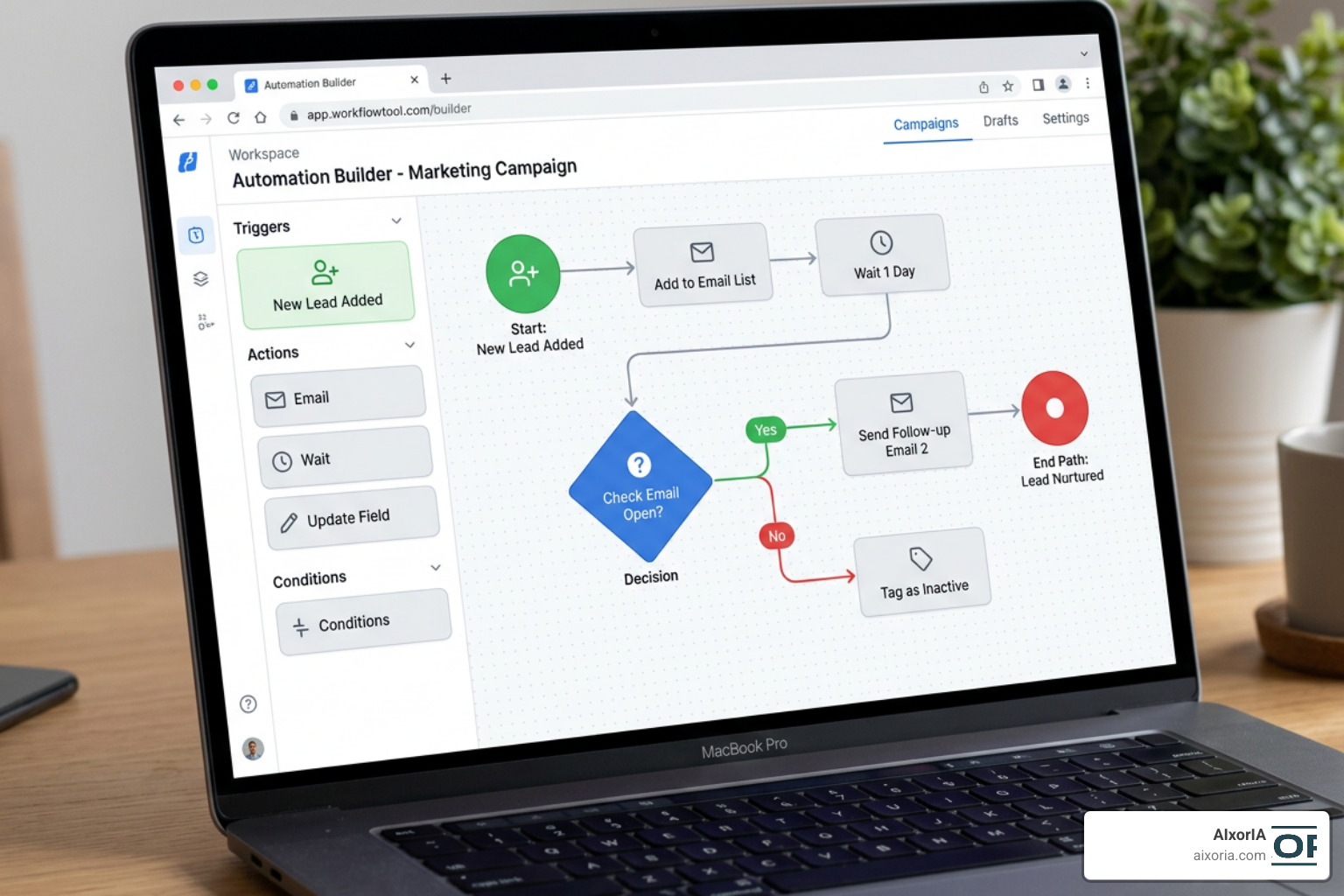
Zapier allows you to build multi-step “Zaps” that use conditional paths, filters, and formatting tools to clean data as it moves between apps. While it has recently introduced AI agents and custom table structures to keep pace with modern trends, its primary strength remains its massive, highly reliable library of standard SaaS connectors. The main drawback? Zapier’s task-based pricing can scale rapidly, making it expensive for high-volume data syncing.
Make: Best for Complex Visual Scenarios
If Zapier feels a bit too rigid, Make (formerly Integromat) is your playground. Make integrates with over 3,000 apps and is famous for its highly visual, drag-and-drop canvas.
Instead of building linear, top-to-bottom steps, Make lets you build multi-directional, parallel workflows that look like mind maps. You can route, filter, and transform data visually, making it the perfect choice for complex operations like cross-platform e-commerce syncing or automated content distribution. It is also significantly more affordable than Zapier for high-volume tasks. If you’re using Make to automate your content pipelines, you might also want to check out the Best Writesonic Alternatives to supercharge your automated text generation.
Activepieces: The Friendliest Open-Source Option
For teams that love the ease of Zapier but want the flexibility and cost-effectiveness of open source, Activepieces is a breath of fresh air.
Available on GitHub – artemgorokhov/activepieces: Your friendliest open source all-in-one automation tool ✨ Workflow automation tool 200+ integration / Enterprise automation tool / Zapier Alternative · GitHub , Activepieces offers a beautiful, user-friendly visual builder alongside a developer-friendly TypeScript framework. It features native AI steps, human-in-the-loop approvals, and can be self-hosted on your own servers for complete data security. It is the perfect middle ground for growing agencies that need to build custom, secure integrations without enterprise price tags.
Next-Generation AI-Native and Self-Hosted Automation Tools
While traditional tools rely on strict, rule-based “if/then” triggers, the latest generation of automation software utilizes artificial intelligence. These tools don’t just pass data from App A to App B; they can read, reason, summarize, and make decisions along the way.

Stepper: Conversational AI Workflow Creation
Stepper | Free AI Workflow Automation Software is designed to turn your ideas into functional automations through simple, everyday conversation. Instead of manually mapping out triggers and actions, you can build workflows by explaining what you want to achieve in plain English.
Stepper supports over 300 apps and offers a unique “bring-your-own-API-keys” model, allowing you to use your own LLM accounts (like OpenAI or Anthropic) to run AI steps at-cost. It also features modular, reusable components, meaning you can build a custom logic step once—like a specialized lead-scoring filter—and easily drop it into multiple workflows later.
Openweavr: Self-Hosted AI Automation Engine
For organizations that prioritize absolute data sovereignty and privacy, Openweavr – Self-Hosted AI Workflow Automation is a powerful, self-hosted option.
Openweavr is an AI-first engine that runs entirely on your local machine, home server, or private cloud. It supports local, offline LLMs via Ollama and includes over 20 built-in Model Context Protocol (MCP) tool servers. This allows local AI agents to safely read files, run custom code, and interact with your databases without ever sending sensitive company data to external cloud servers.
Frequently Asked Questions about Workflow Automation
When should I choose a full computer-use agent over traditional iPaaS tools?
You should choose a full computer-use agent when your workflows involve legacy desktop applications, local files, or complex OS-level tasks that do not have clean, public APIs. Traditional iPaaS tools (like Zapier or Make) are perfect for connecting modern web-based SaaS platforms via APIs. However, if your workflow requires a system to literally log into a desktop app, click buttons, drag files, and read screens like a human operator, an autonomous computer-use agent is the correct tool.
Do I need coding skills to use modern IFTTT alternatives?
No. Most modern IFTTT alternatives are built with intuitive, no-code visual interfaces or conversational AI editors that allow you to build workflows using natural language. However, having basic technical knowledge (like understanding how webhooks work or writing simple JSON) can help you unlock advanced customization features in developer-focused platforms.
Which alternative is best for self-hosting and data privacy?
Activepieces, n8n, and Openweavr are outstanding choices for self-hosting. By running these platforms on your own hardware or private cloud, you maintain 100% control over your data pipelines. This is especially critical for businesses operating in highly regulated fields like healthcare, finance, or legal services, where sharing customer data with third-party cloud tools is restricted.
Conclusion
Finding the best IFTTT alternatives is all about understanding what your business actually needs. If you require massive app coverage and simple setup, Zapier remains a fantastic default. If you want complex, visual logic on a budget, Make is tough to beat. And if you are ready to embrace the power of local, privacy-first AI, tools like Activepieces and Openweavr represent the future of intelligent workflow automation.
At AIxorIA, we specialize in helping businesses navigate this rapidly evolving landscape. We provide custom AI solutions, hands-on tool training workshops, step-by-step tutorials, and detailed performance audits designed to streamline your operations and eliminate repetitive work. We believe in delivering clear, simple guidance and fast customer support to help your team succeed.
Ready to take your business productivity to the next level? Explore More info about AI productivity services and let us help you design a smarter, faster, and more automated workflow today.
1 thought on “11 Best IFTTT Alternatives in 2026 (Better, Cheaper & More Powerful)”