Video Creation Has Changed Forever — Here’s What You Need to Know
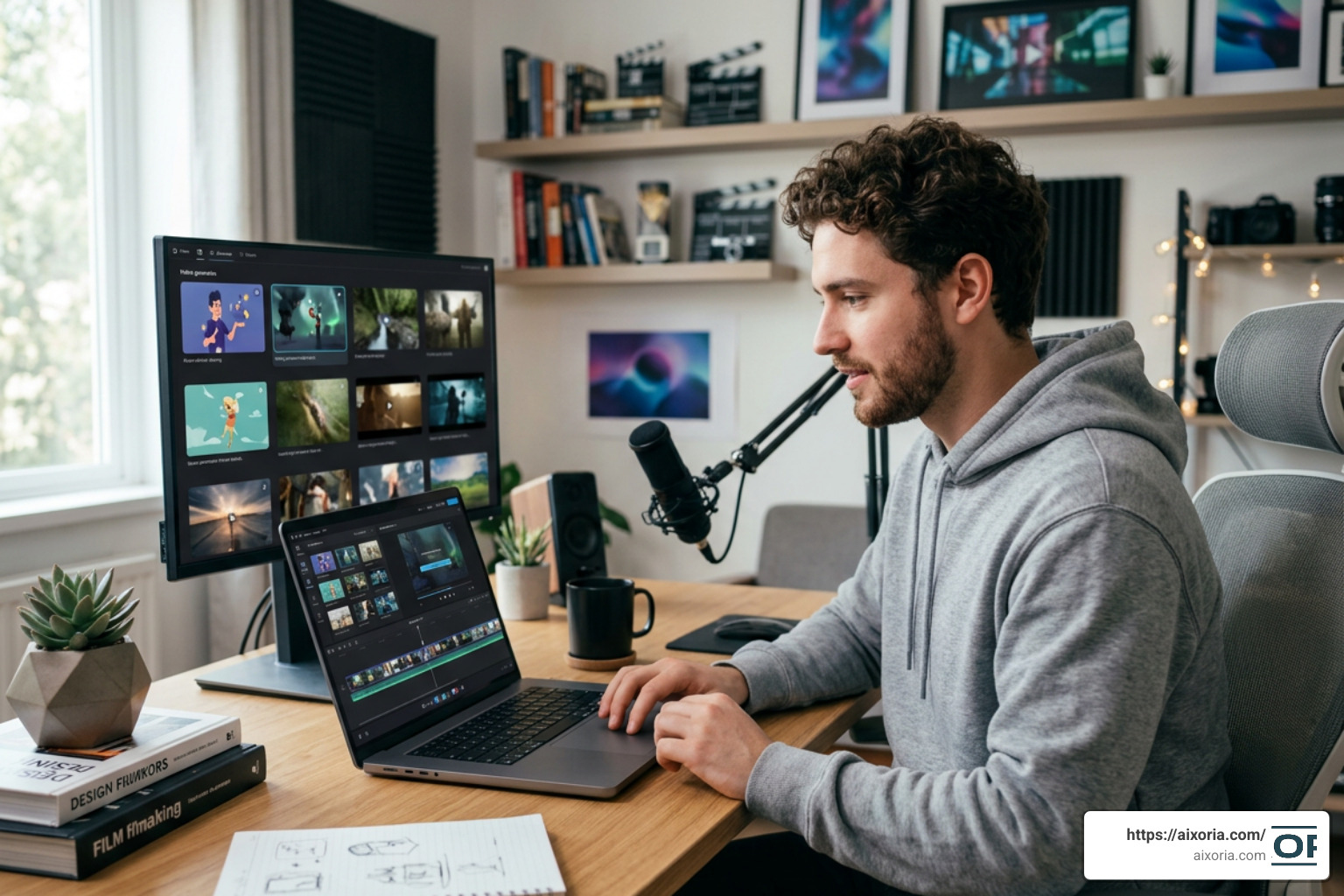
What is an unlimited AI video generator? It’s a tool that lets you create AI-powered videos without hitting hard caps on how many you can make, with no watermarks, no daily quotas, and no need for a camera, crew, or editing software.
Quick answer:
| Feature | Unlimited AI Video Generator |
|---|---|
| Input methods | Text prompt, image upload, or existing video |
| Key capabilities | Text-to-video, image-to-video, face swap, effects |
| Generation speed | Typically 60 seconds or less per clip |
| Usage limits | No per-video cap; credit-based or fully open plans |
| Watermarks | None on most paid and some free tiers |
| Skill required | None — plain language prompts are enough |
Video now makes up 82% of all internet traffic. Yet most small creators and marketers still can’t afford traditional video production, which can cost anywhere from $1,000 to $10,000+ per video.
That gap is exactly what unlimited AI video generators are built to close.
A marketing director who used to wait two weeks to get a campaign video produced can now go from script to finished video in under two hours. A solo content creator who posted once a week can now publish daily. These aren’t edge cases — they’re the new normal for the 500,000+ creators already using AI video tools every day.
But not all AI video tools are created equal. Many free tools slap watermarks on your exports, cut you off after a handful of clips, or lock key features behind expensive upgrades. Unlimited generators are specifically designed to remove those barriers.
This guide walks you through everything — what these tools actually are, how they work under the hood, what they cost, and where they fall short.
What is an unlimited AI video generator?
At its core, an unlimited AI video generator is a software system that leverages deep learning models to synthesize entirely new video footage from text descriptions, static images, or reference videos. Unlike traditional video editors that require you to slice, splice, and color-correct pre-existing physical footage, these systems generate the pixels of the video from scratch.
To truly understand what makes these tools special, we have to look at the artificial boundaries set by traditional AI platforms. When AI video first emerged, creators were severely bottlenecked by restrictive credit systems, slow rendering queues, and prominent watermarks. You might have been allowed to generate three or four 3-second clips a day before being met with a paywall or a grueling 20-minute render delay.
An unlimited generator changes this paradigm by removing per-video limits, daily caps, or rendering queues. It allows for continuous iteration. This is crucial because AI video generation is inherently experimental; you often need to run a prompt five or six times with slight variations to get the exact motion, lighting, or character consistency you want.

In the current landscape of 2026, these tools have evolved from simple novelty toy apps into professional-grade workspaces. They allow creators to build high-volume content pipelines without worrying about running out of “gas” mid-project. If you are looking to build a comprehensive content engine, understanding the landscape of the best AI tools for content creation in 2026 is your first step toward true creative freedom.
Core Features and Technical Architecture
To the end-user, generating a video feels like magic: you type in a phrase, wait a minute, and watch a cinematic clip unfold. But beneath the hood, a highly sophisticated multi-layered architecture is working at lightning speed to translate your human intent into mathematical coordinates, and finally, into moving pixels.
Core Capabilities: What is an unlimited AI video generator?
The modern unlimited AI video generator is not a one-trick pony. It generally packages several distinct generation modes into a single, cohesive dashboard:
- Text-to-Video (T2V): You write a descriptive prompt (e.g., “A close-up shot of a golden retriever wearing aviator sunglasses riding a surfboard on a neon pink wave, 35mm film style”), and the AI renders a completely original scene.
- Image-to-Video (I2V): You upload a static photo, sketch, or digital design, and the AI animates it. This is widely considered the most reliable mode for professional workflows because the starting image constrains the AI, ensuring the characters, setting, and branding remain highly consistent.
- Video-to-Video (V2V): You upload an existing video and apply a completely new visual style, such as turning a live-action video of a person walking down the street into a claymation style or an anime sequence. You can explore how to use this feature for free with our guide on the best video to video generator AI tool for free.
- Face Swap and Lip Sync: These features allow you to seamlessly swap faces in video clips or synchronize a character’s lip movements to an uploaded audio track in over 50+ languages, opening up massive opportunities for global localization.
Technical Architecture: What is an unlimited AI video generator?
How do these systems actually synthesize motion? The standard technical pipeline in 2026 relies on a combination of Diffusion Models and Transformer Architectures working within a compressed mathematical space.
- 3D Variational Autoencoders (VAE) & Latent Space: Generating high-definition video frame-by-frame in raw pixel space requires an astronomical amount of computing power. To solve this, the AI uses a VAE to compress the visual data into a highly efficient mathematical representation called “latent space.” The heavy lifting of generation happens in this compressed space, which is later decoded back into viewable pixels.
- Spacetime Patching: Think of a traditional text transformer (like those powering large language models) slicing a sentence into individual words or “tokens.” A video transformer does something similar, but in three dimensions. It cuts the compressed video data into tiny “spacetime patches”—essentially little cubes of visual data that span across both width, height, and time.
- Diffusion Denoising: The generation process starts with a field of pure mathematical noise (static). Guided by your text prompt or input image, the model uses a diffusion process to gradually subtract this noise over a series of steps (usually 20 to 50 steps), slowly revealing sharp, coherent shapes, textures, and movements that align with your prompt.
- Transformers for Temporal Consistency: This is where older models used to fail. Without a transformer architecture, the AI doesn’t remember what happened in frame 1 by the time it reaches frame 24, resulting in warped faces, shifting backgrounds, and flickering textures. Transformers track the relationships between spacetime patches across the entire duration of the clip, ensuring that a character’s shirt doesn’t randomly change color mid-scene.
Benefits, Pricing, and Practical Applications
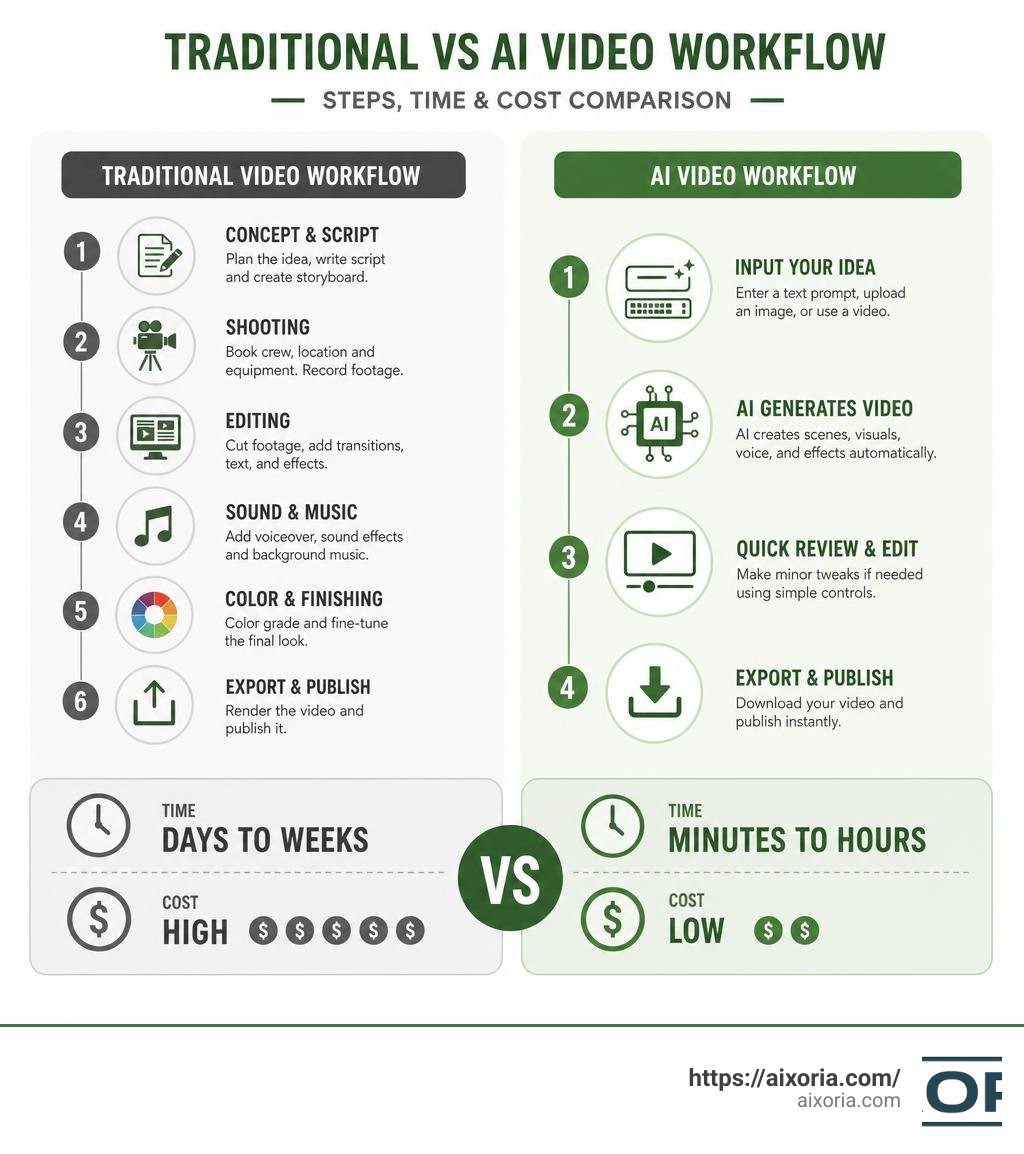
The practical implications of unlimited AI video generation span across almost every digital industry. By lowering production costs by up to 90% and accelerating the workflow to be 100x faster than traditional filming and rendering, these tools have democratized high-quality visual storytelling.
- Social Media Creators: Instead of spending days editing a single video, creators can batch-produce dozens of TikToks, Instagram Reels, or YouTube Shorts in an afternoon. For example, the viral “explosion” trend on TikTok or ASMR videos can be generated for roughly $3 in computing power versus $2,000+ in traditional VFX studio costs. If you are looking to scale your social media presence, check out our curated list of the top AI tools for generating UGC video content in 2026.
- Marketing Agencies: Agencies can instantly generate multiple ad variations to A/B test different visual hooks, color schemes, and calls-to-action on platforms like Meta and TikTok.
- E-Commerce Brands: Brands can turn flat, static product photos into dynamic, high-converting video ads, showcasing the product from multiple angles or in stylized environments without booking a physical studio.
- Multilingual Localization: With advanced lip-syncing capabilities, a single corporate training or marketing video can be localized into dozens of languages while maintaining perfect mouth movements. Read more in our guide on the top AI avatar tools for multilingual voiceovers in 2026.
Pricing Models and Credit Systems
While some platforms advertise themselves as “completely free,” running massive AI models requires expensive GPU infrastructure. Therefore, “unlimited” usually manifests in a few different pricing structures:
| Pricing Model | How It Works | Best For |
|---|---|---|
| True Unlimited Tiers | A flat monthly subscription (typically $20 to $100+) that gives you unmetered generation access, though sometimes with “relaxed” rendering speeds during peak hours. | High-volume creators, agencies, and daily publishers. |
| Transparent Credit Systems | You are given a generous monthly pool of credits (e.g., 2,000 to 8,000 credits). Unused credits reset monthly, and you can purchase top-up packs if you run out. | Mid-tier creators who want predictable monthly expenses. |
| Ad-Supported / Free Tiers | Completely free to use, but with trade-offs like lower resolution (480p or 720p), slower generation priority, or mandatory watermarks on exports. | Beginners, hobbyists, and those testing the waters. |
Limitations and Ethical Best Practices
Despite the rapid technological leaps in 2026, unlimited AI video generators are not without their hurdles.
- Physical Law Violations: AI models do not actually understand gravity, momentum, or structural integrity. They predict what the next frame should look like based on patterns in their training data. This can lead to amusing or frustrating physics glitches, like a coffee cup melting into a table or a person walking backward with three legs.
- Temporal Consistency Limits: While transformers have vastly improved frame-to-frame consistency, videos longer than 10 to 15 seconds still tend to drift or morph visually. Professional creators typically generate short, high-quality 3-to-5-second clips and stitch them together using traditional editing tools.
- Ethical Concerns and Deepfakes: The ability to generate realistic human movement and swap faces brings significant responsibility. Unrestricted platforms must balance creative freedom with safety, ensuring their tools are not used to generate non-consensual synthetic media or spread misinformation.
As a best practice, always clearly label highly realistic AI-generated videos as synthetic media, particularly when publishing educational or informational content. For external guidance on media provenance and disclosure standards, review the work of the Coalition for Content Provenance and Authenticity. For those interested in expanding their creative toolkit responsibly, we have compiled detailed analyses on specialized tools, including:
- Our hands-on testing of the 9 best AI animation tools in 2026
- A guide on using the top AI avatar tools for nonprofit fundraising videos
- How to utilize the top AI avatar tools for real estate video walkthroughs
- Using the top AI avatar tools for virtual event hosting in 2026
- Our review of the 20 best AI tools to create PowerPoint presentations
Frequently Asked Questions
Is there a free AI video generator with no restrictions?
While several platforms offer free tiers to let you test their systems, truly “unrestricted” free tools are rare due to the high cost of GPU computing. Free tiers usually come with specific trade-offs, such as standard-definition output, slower rendering speeds during busy hours, watermarks on your exported files, or basic content filters that block certain keywords. To get the most out of free options, look for platforms that offer daily login credit bonuses or allow you to earn generation credits by participating in community events.
Can I create unlimited AI video without watermarks?
Yes, but this feature is typically reserved for premium or paid tiers. Upgrading to a paid subscription removes watermarks, unlocks high-definition (1080p or 4K) exports, grants you commercial licensing rights for your creations, and gives you priority rendering speeds so you don’t have to wait in line.
What is the difference between unrestricted and uncensored AI video?
These terms are often confused but refer to different aspects of creative freedom:
- Uncensored generally refers to the complete absence of output content filtering. These tools bypass the safety guardrails found in mainstream applications, allowing for adult themes, intense violence, or highly controversial topics.
- Unrestricted is a broader term that encompasses structural freedom—meaning no limits on video length, no caps on daily generation volume, no quality downgrades, and full commercial usage rights.
Conclusion
The rise of the unlimited AI video generator has fundamentally rewritten the rules of digital media production. What once required a camera package, a dedicated studio space, complex lighting rigs, and hours of post-production rendering can now be achieved in under a minute with a single text prompt.
While these tools are not a complete replacement for traditional cinema or high-end commercial production, they serve as an incredibly powerful force multiplier for solo creators, independent filmmakers, and marketing teams who need to scale their visual output without scaling their budgets.
As the underlying models continue to refine their understanding of physical laws and temporal consistency, the gap between imagination and screen will only continue to shrink. We encourage you to start experimenting with these tools today to find your unique workflow.
Ready to master the art of AI-assisted creation? Explore our step-by-step guides, workflow deep-dives, and video prompt templates in our comprehensive AI Tutorials hub.