Why Millions of Social Media Managers Are Turning to Metricool

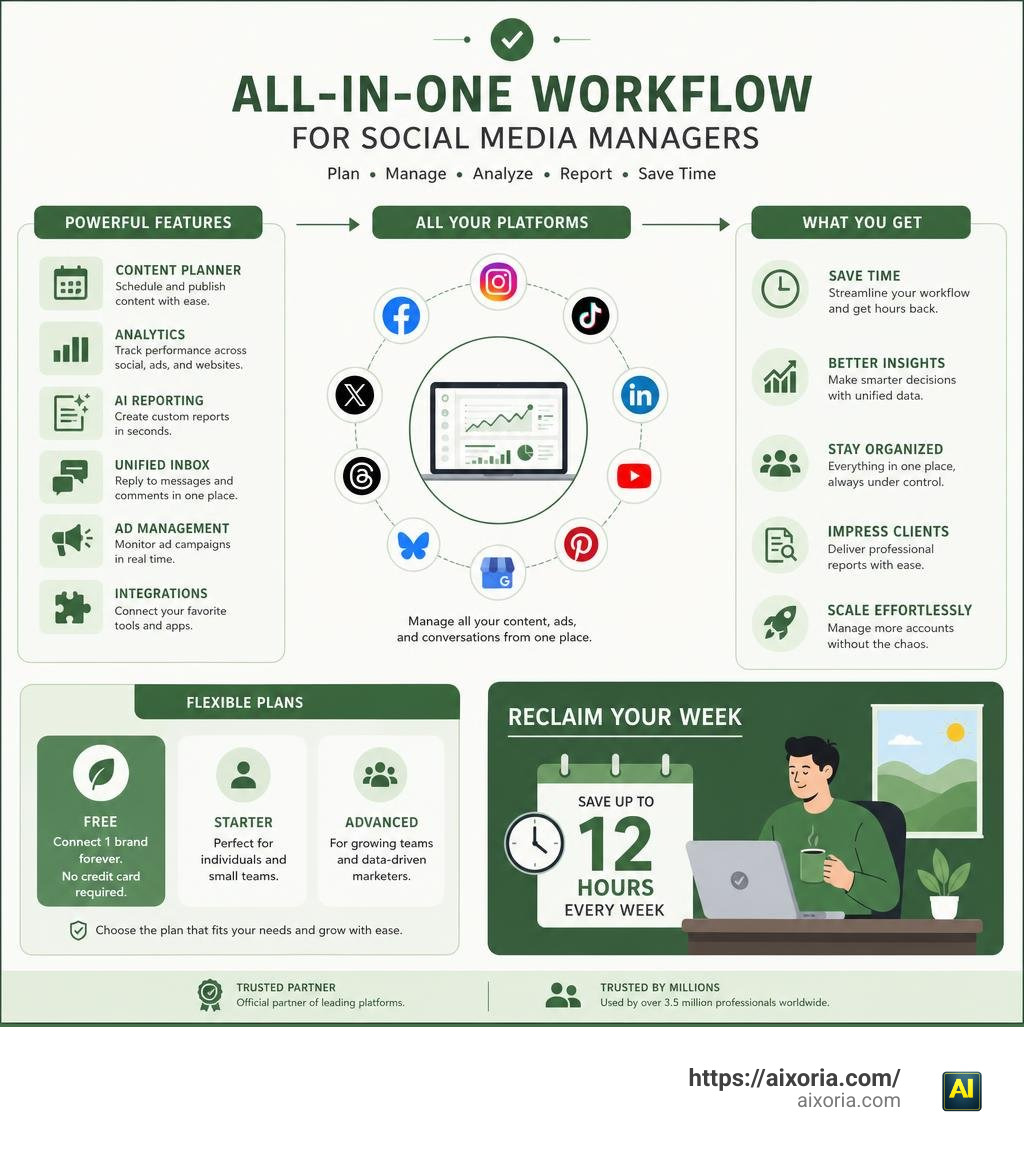
Social media management software Metricool is an all-in-one platform that lets you schedule posts, track analytics, manage ads, and report to clients — all from a single dashboard. Over 3.5 million professionals use it to replace the chaos of juggling multiple tools and browser tabs.
Here’s a quick overview of what Metricool does:
| Feature | What It Does |
|---|---|
| Content Planner | Schedule posts across all major platforms from one visual calendar |
| Analytics | Track performance metrics for social, ads, and websites in one place |
| AI Reporting | Generate custom reports using natural language prompts |
| Unified Inbox | Reply to messages and comments from all networks in one inbox |
| Ad Management | Monitor Facebook, Google, and TikTok ad campaigns in real time |
| Integrations | Connect Canva, Google Drive, Adobe Express, Zapier, and more |
| Free Plan | Connect 1 brand, forever, with no credit card required |
Metricool positions itself as a time-saver first. The platform claims that thousands of social media managers reclaim 12 hours every week simply by consolidating their workflow into one place instead of bouncing between endless tabs.
It supports all the major networks — Instagram, Facebook, TikTok, LinkedIn, YouTube, Pinterest, X (Twitter), Threads, Bluesky, and Google Business Profile — plus paid ad platforms. It’s also an official partner of Google, Meta, Pinterest, LinkedIn, and X.
That said, it’s not without trade-offs. Recent changes to the free plan, the extra cost for X integration, and a mobile app that lags behind the desktop version are real friction points worth knowing about before you commit.
This guide covers everything: features, pricing, limitations, and how Metricool stacks up against alternatives like Buffer and Hootsuite.
What is the Social Media Management Software Metricool?
At its core, METRICOOL – Social Media Management Tool is designed to be a centralized hub for your digital marketing efforts. Instead of checking your Instagram metrics in one app, scheduling your LinkedIn posts in another, and checking your Google Ads ROI in a third, you handle all of these tasks inside a single tab.
Metricool works by grouping your digital assets into “brands.” In Metricool’s ecosystem, a brand represents a single business, client, or project. Under each brand, you can connect one profile for every supported social network or ad platform. This structure keeps your data organized and prevents the nightmare of accidentally publishing a client’s post to your own company’s feed.
Supported Platforms and Ad Networks in the Metricool Dashboard
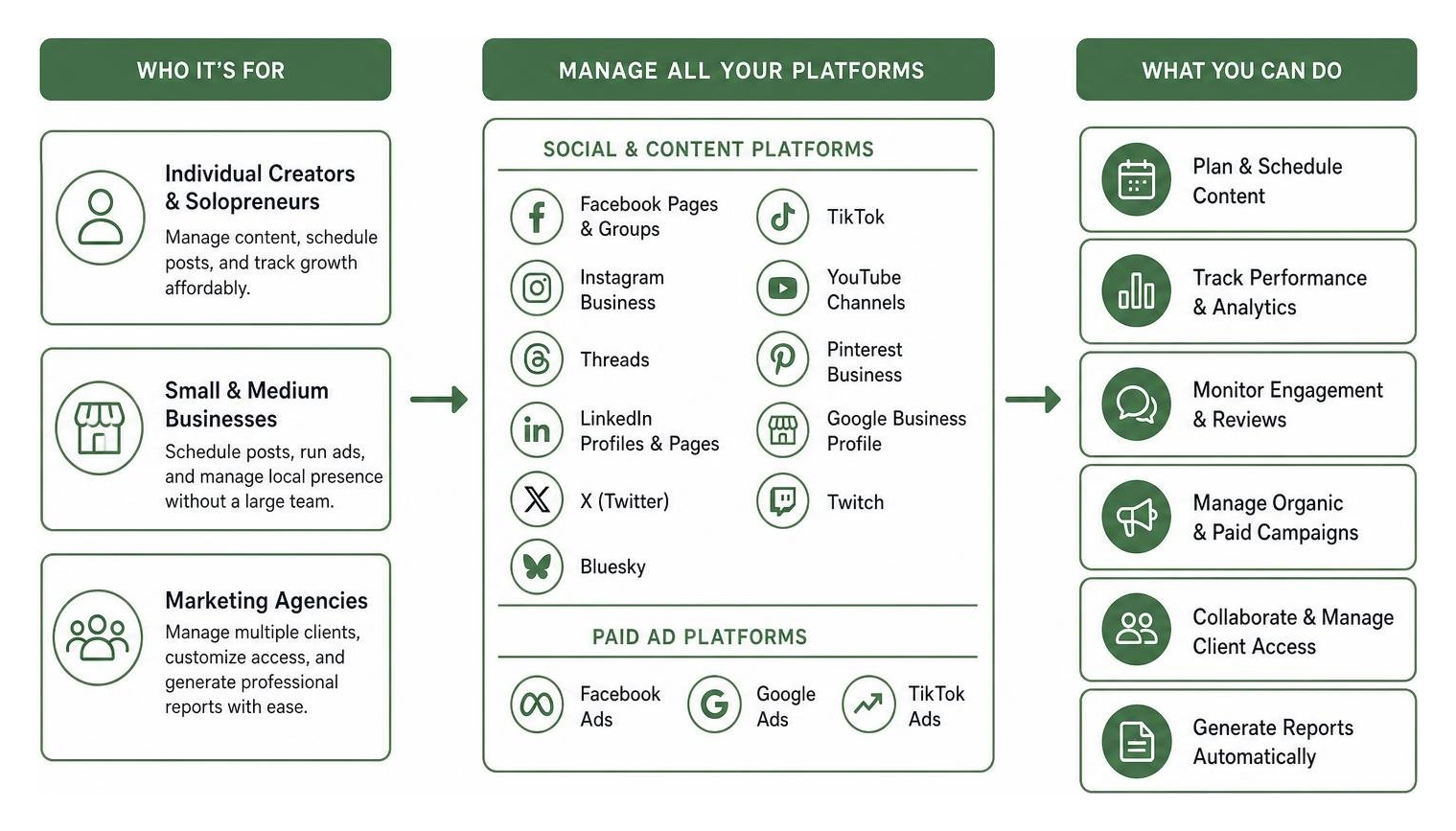
Metricool has built-in support for a massive list of platforms. Whether you are building an organic presence or running paid campaigns, you can manage the following networks directly from your dashboard:
- Meta Platforms: Facebook pages and groups, Instagram Business accounts, and Threads profiles.
- Professional & B2B Networks: LinkedIn personal profiles and company pages.
- Video & Entertainment: TikTok and YouTube channels.
- Visual Discovery: Pinterest business accounts.
- Microblogging: X (formerly Twitter) and Bluesky.
- Local SEO: Google Business Profile to monitor local search visibility, schedule updates, and respond to reviews.
- Live Streaming: Twitch channels to track stream performance.
- Paid Ad Networks: Facebook Ads, Google Ads, and TikTok Ads.
By bringing paid ad tracking alongside organic metrics, Metricool gives you a complete look at your digital return on investment (ROI) without requiring you to build custom tracking models from scratch.
Who is This Social Media Management Software Metricool Best Suited For?
Because of its scalable structure, Metricool fits several different user profiles:
- Individual Creators and Solopreneurs: The free tier and affordable starter plans make it easy to manage a personal brand, schedule content, and track growth without breaking the bank.
- Small and Medium Businesses: Local businesses can use Metricool to schedule posts, run Google Ads, and keep an eye on their Google Business Profile reviews without needing a dedicated marketing team.
- Marketing Agencies: With the Advanced plan, agencies can manage dozens of clients, grant custom dashboard access to client stakeholders, and generate professional performance reports with a single click.
To see how Metricool’s analytics capabilities stack up for different business sizes, read our full breakdown on Is Metricool a Good Social Media Analytics Tool?.
Core Features: Scheduling, Planning, and Integrations
If you ask any social media manager where they spend most of their time, they will likely tell you it’s in the planning stage. Metricool’s scheduling tools are designed to take the friction out of this daily process.
The centerpiece of the platform is Metricool’s Social Media Planner for Automatic Publishing . This visual, interactive calendar lets you drag and drop drafts, preview how your posts will look on different screens, and schedule content across multiple networks simultaneously.
One of the most useful features in the planner is the “Best Times to Post” overlay. Rather than relying on generic industry advice, Metricool analyzes your specific audience’s historical activity. It highlights the exact hours when your followers are most active on Instagram, Facebook, TikTok, and X, making it easy to schedule posts for maximum reach.

Streamlining Workflows with Canva, Google Drive, and Adobe Express
You don’t have to design your assets in a vacuum and manually upload them to your scheduler. Metricool offers deep integrations with the tools you already use daily.
According to the official Metricool Integrations | Metricool documentation, the platform connects directly with:
- Canva: You can search, edit, and export your designs in formats like JPG, PNG, PDF, PPT, GIF, or MP4 directly inside the Metricool planner.
- Adobe Express: Pull designs from your brand libraries and templates straight into your social drafts.
- Google Drive: Link your Drive folders to search and schedule media assets without downloading them to your local device first. Metricool even filters your files automatically to show only social-compatible formats (images, videos, and PDFs).
- Chrome Extension: Clip articles, videos, or inspiration from around the web and send them straight to your planner with a single click while browsing.
Automated Publishing and Time-Saving Benefits
To help put your content distribution on autopilot, Metricool includes several automation features:
- Autolists: Set up recurring queues of evergreen content that publish automatically based on a schedule you define, keeping your feeds active even when you are busy.
- Bulk CSV Uploads: Plan out an entire month’s worth of content in a spreadsheet and upload it all at once to populate your queue in seconds.
- Direct LinkedIn PDF Scheduling: Share carousel-style documents directly to LinkedIn without having to manually post them through the native platform.
To explore how these features fit into the broader landscape of automated marketing, check out our guide on 9 AI Tools for Social Media Management Automation in 2026.
Analytics, AI Reporting, and Team Collaboration
Understanding what works is just as important as publishing consistently. Metricool treats data as a strategic tool rather than a chore, offering visual analytics that make it easy to spot trends.
Using 📊 Social media analytics tools: Centralized and automated data , you can track reach, engagement, click-through rates, and video retention rates across all of your connected profiles. The dashboard also tracks your website or blog traffic, meaning you can monitor basic referral sources without opening complex analytics platforms.
You can also run competitor analysis directly within the dashboard. By tracking your competitors’ growth, posting frequencies, and top-performing content, you can benchmark your own performance and adjust your strategy on the fly.
Leveraging AI-Powered Reporting in Social Media Management Software Metricool
Reporting can be one of the most tedious parts of a marketer’s week. Metricool solves this with Metricool Studio, an AI-driven reporting assistant.
As detailed in the guide on Advanced Social Media Reports with AI | Metricool , this feature allows you to query your marketing data using natural language. Instead of building complex filters, you can ask a question like: “Show me which Instagram Reels had the highest engagement last month and summarize why they performed well.”
The AI then builds a custom, visual report complete with an automated executive summary and actionable recommendations. You can share these reports with clients via a live, auto-updating URL. Your clients can open the link at any time to see real-time data without needing their own Metricool accounts, saving you from exporting static PDFs every week.
Team Collaboration and Client Reporting Features
For teams and agencies, keeping everyone aligned is critical. Metricool includes robust collaboration features:
- Role Assignment: Assign specific roles (such as Admin, Manager, or Client) to team members and stakeholders to control who can edit, approve, or merely view content.
- Approval System: Create drafts and submit them for client review directly within the planner, keeping comments and revision notes in one place.
- Looker Studio Connector: For advanced reporting, users on the Advanced plan can use the Looker Studio connector to aggregate data from multiple brands into highly customized, multi-location dashboards.
For a deeper look at managing campaigns and client workflows, read our analysis of the 9 Best Social Media Campaign Management Software in 2026.
Metricool Pricing: Free vs. Paid Plans in 2026
Metricool offers a freemium pricing structure designed to grow with your business. Here is how the main plans compare:
| Feature/Limit | Free Plan | Starter Plan | Advanced Plan |
|---|---|---|---|
| Monthly Price (approx.) | $0 (Free Forever) | ~$22/mo (billed annually) | ~$54/mo (billed annually) |
| Connected Brands | 1 Brand | 1 to 10 Brands | 15 to 50+ Brands |
| Monthly Post Limit | 20 posts | 2,000 posts per brand | Unlimited posts |
| Analytics History | 30 days | Unlimited | Unlimited |
| Team Access | Owner only | Owner + 1 Collaborator | Unlimited Collaborators |
| X (Twitter) Scheduling | No | Yes | Yes |
| Looker Studio & API | No | No | Yes |
| Zapier Integration | No | No | Yes |
Limitations of the Free Tier and Mobile App
While the Free plan is an excellent starting point, recent updates have introduced some limitations that users should keep in mind:
- Reduced Post Limits: The free tier monthly post limit was recently reduced from 50 posts to 20 posts.
- Shorter Analytics Window: Free historical data retention was cut from 90 days down to 30 days.
- X (Twitter) Scheduling Restrictions: Due to high API costs, scheduling to X is restricted to paid plans.
- Mobile App Limitations: The mobile app (available with over 500k downloads on Metricool for Social Media – Apps on Google Play ) is designed as a companion app. It is perfect for quick on-the-go scheduling and inbox management, but lacks advanced desktop features like image editing. Some users have also noted that recent UI changes make reading multi-platform analytics graphs on mobile more difficult.
How Metricool Compares to Other Social Media Management Tools
When compared to alternatives like Buffer, Hootsuite, or Later, Metricool stands out for its pricing model. While many competitors charge per social channel connected, Metricool charges per brand. This means you can connect an Instagram, Facebook, LinkedIn, TikTok, and Google Ads account all under a single brand on the free plan, whereas other tools might require a paid upgrade for that many profiles.
However, if your strategy relies heavily on social listening or deep community sentiment analysis, you might want to compare your options. You can explore our guides on Which is the Best Social Media Management Tool in 2026?, 9 Best Social Media Management Tools Like Recurpost in 2026, and 9 Social Media Management Tools with Listening in 2026 to find the perfect match for your workflow.
Frequently Asked Questions about Metricool
What are the main limitations of Metricool’s free plan?
The free plan is limited to 1 brand, 20 scheduled posts per month, and 30 days of historical analytics. It also excludes automated scheduling to X (Twitter), custom report templates, team collaborator access, and advanced integrations like Zapier or Looker Studio.
Can I manage multiple Google Business Profiles under one brand?
No. In Metricool, each brand corresponds to a single physical location for Google Business Profile. If you manage a franchise with multiple locations, you will need a separate brand for each location. However, you can combine their analytics into a single report using the Looker Studio connector on the Advanced plan.
Is the Metricool mobile app a complete replacement for the desktop version?
No, the mobile app is designed as a companion tool. It is excellent for checking notifications, replying to messages in the unified inbox, and making quick calendar adjustments on the go. For complex tasks like advanced image editing, setting up detailed ad campaigns, or building deep AI reports, you should use the desktop web dashboard.
Conclusion
Social media management software Metricool is a powerful, user-friendly tool that can help you streamline your digital marketing workflow. By combining content scheduling, unified messaging, paid ad tracking, and AI-driven reporting into one dashboard, it eliminates the need to bounce between endless browser tabs.
While the free plan has some limitations, its unique brand-based pricing makes it one of the most cost-effective options on the market for creators, small businesses, and agencies alike.
If you are looking to save time, work smarter, and take your productivity to the next level, check out our insights on what is the best AI for productivity in 2026? to discover more tools that can help automate your daily business tasks.