Why Choosing the Best Social Media Management Tool Matters in 2026

Finding the best social media management tool for your business doesn’t have to be overwhelming. Here’s a quick answer:
| Use Case | Best Fit | Starting Price |
|---|---|---|
| Small teams and creators | Easy-to-use scheduling and planning tools | Free |
| Text-based networks (X, Threads) | Writing-first publishing tools | Free |
| Agencies and multi-client workflows | Collaboration-focused planning tools | ~$33/month |
| Enterprise and deep analytics | Advanced social suite platforms | ~$99/month |
| High-volume visual brands | Premium analytics and publishing suites | ~$199/seat/month |
Social media used to be simple. Post a photo. Write a caption. Hit publish.
Not anymore.
In 2026, businesses are juggling content across a dozen platforms – Instagram, TikTok, LinkedIn, Threads, Bluesky, YouTube Shorts, and more. Each platform has its own format, its own algorithm, and its own rules about what third-party tools can even do.
And if you’re doing it manually? That’s easily 1 to 1.5 hours every single day – just formatting and posting.
The social media landscape has also become more fragmented than ever. X (formerly Twitter) changed its API pricing dramatically, pushing many advanced features into expensive enterprise tiers. New “Twitter replacements” like Threads, Mastodon, and Bluesky are growing fast. And AI is now baked into almost every major tool – for better or worse.
The right tool can save you serious time and money. The wrong one can slow your whole team down.
This guide cuts through the noise. We tested and researched the top platform categories so you know exactly which type of tool fits your budget, your team size, and your goals.
Key Features of the Best Social Media Management Tool in 2026
The best social media management tool is no longer just a scheduler. In 2026, the strongest platforms combine publishing, collaboration, engagement, analytics, and AI in one place.
Here is what we recommend looking for first:
- Unified inbox for comments, DMs, and mentions
- AI-powered drafting and caption rewrites
- Approval workflows for teams and clients
- Bulk scheduling for high-volume publishing
- Reporting that goes beyond vanity metrics
- Sentiment tracking and social listening
- Predictive or best-time-to-post insights
- Role-based collaboration and audit trails
A unified inbox matters because social media is now part marketing, part customer support, and part reputation management. If your team is switching between six native apps all day, productivity disappears fast.
AI also has a real role now, but mostly as an assistant, not a replacement. Good tools use AI for drafting posts, rephrasing copy, summarizing data, or suggesting variations by platform. We still recommend human review before anything goes live. AI is helpful. AI unsupervised at 4:57 p.m. on a Friday? Less helpful.
If AI support is high on your list, our guide to 9 AI tools for social media management automation in 2026 is a useful next read.
Analytics depth is another separator. Some tools only show surface-level engagement, while others track hundreds of data points. One platform in the research highlights 250+ reporting metrics, which shows how wide the gap can be between basic and advanced reporting. For a neutral overview of how social media management platforms are generally defined, see Social media management.
For larger organizations, employee advocacy is also becoming a bigger feature. Research shows advocacy programs can generate major earned value when teams share approved content at scale.
For example, enterprise-focused social media suites often position themselves around productivity, inbox management, and ROI reporting rather than simple scheduling.
Top-Ranked Platforms for Every Business Size
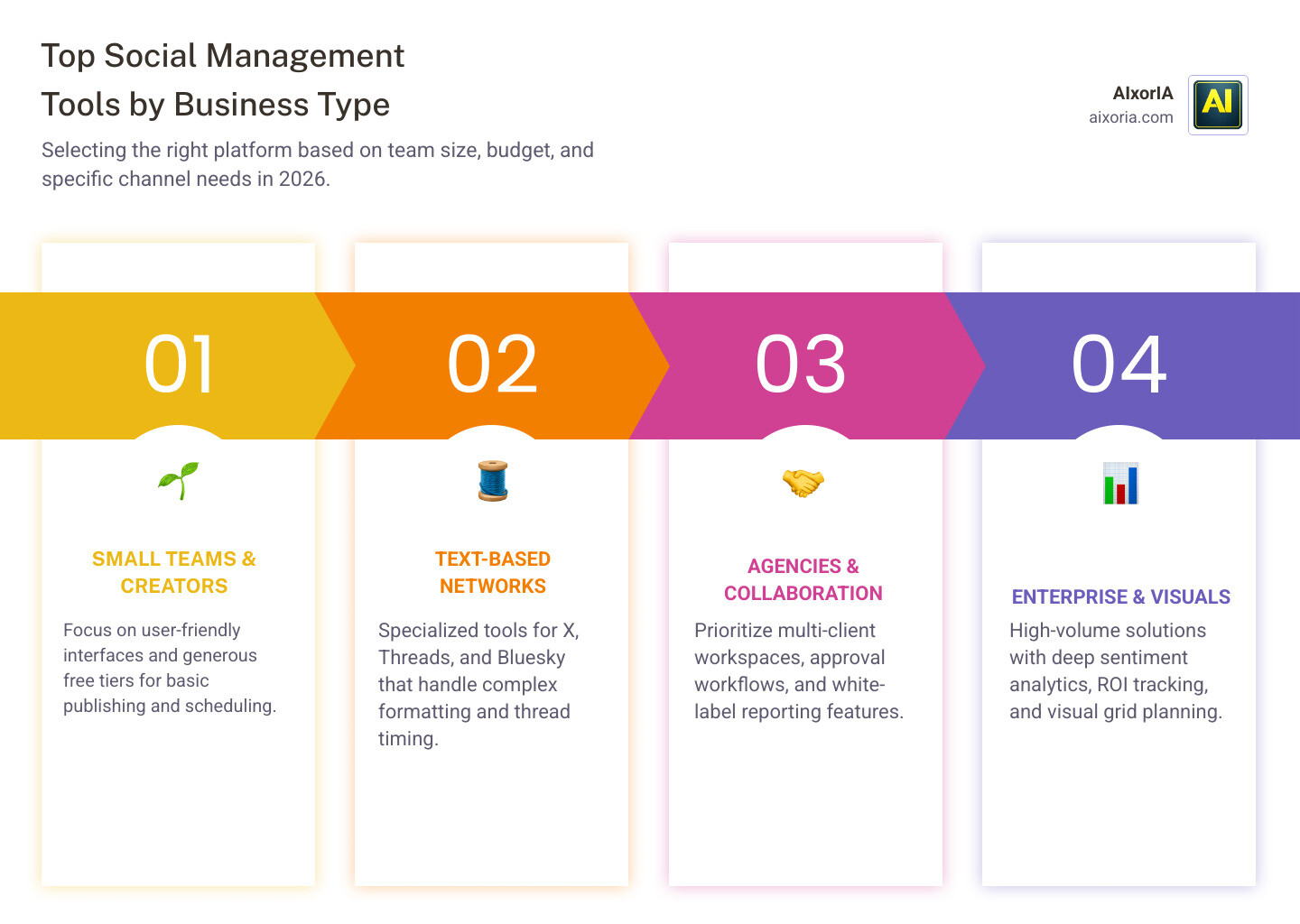
There is no single perfect platform for everyone. The right choice depends on whether you are a solo creator, a five-person marketing team, an agency, or an enterprise brand with approvals and compliance needs.
Our simple ranking based on the research looks like this:
- User-friendly platforms for small teams and creators
- Text-first publishing tools for X, Threads, LinkedIn, Bluesky, and Mastodon
- Collaboration-focused platforms for agencies needing approvals and client workflows
- Enterprise suites for reporting, listening, and scale
- Premium platforms for high-volume brands that need polished analytics and support
- Value-focused tools for bulk scheduling
- Reporting-heavy platforms with team-friendly pricing
If you want a broader overview first, see Which is the best social media management tool in 2026?

Best Social Media Management Tool for Small Teams and Creators
For most small teams, the easiest recommendation is a platform that balances usability, platform support, and affordability.
Why? The best options support major networks plus newer text-based channels, and free tiers in this category are often generous enough for a few connected accounts and a limited number of scheduled posts.
They are especially strong for:
- Instagram scheduling
- Simple approvals
- Easy-to-learn publishing workflows
- Cross-platform post adaptation
- Teams that want clean UX instead of a control panel from 2014
For text-based networks, writing-first tools can be a better fit than general-purpose platforms. If your strategy revolves around X, Threads, LinkedIn, Bluesky, or Mastodon, a cleaner writing flow often matters more than many teams expect.
That matters because manual formatting alone can eat up 1 to 1.5 hours a day. A good text-first tool reduces that drag significantly.
For more alternatives in this budget-friendly category, check 9 best social media management tools like Recurpost in 2026.
Best Social Media Management Tool for Agencies and Enterprise
Agencies need more than posting. They need separation between clients, approval chains, collaboration logs, exportable reports, and ideally white-label reporting.
The biggest things to evaluate are:
- Multi-client workspaces
- Internal vs client approvals
- Reporting exports clients can actually read
- Shared inbox and comment triage
- Pricing that still works when your team grows
For agencies, collaboration-focused platforms stand out for approvals and teamwork. For enterprises, larger social media suites are stronger when deep analytics, social care, and large-scale governance matter more than budget.
Enterprise-grade platforms remain notable for scale. Research points to long-established vendors with millions of users, advanced social intelligence, custom reports, and broad integrations. Enterprise case studies in the source material mention major ROI outcomes, including one organization attributing $42.7 million in revenue to customers acquired through social and substantial operational savings.
Value-oriented tools are worth considering when bulk publishing matters. The research notes that one option can bulk schedule up to 500 posts at once, which is useful for agencies handling content calendars across many accounts.
Another strong contender in the research focuses on reporting depth, with tracking across 250+ metrics and a pricing approach that can work better than seat-based plans for larger teams.
Navigating API Limitations and Platform Challenges
This is the part many reviews gloss over: every social media management platform is limited by the APIs the networks allow.
That means no tool can fully replace native apps.
Common limitations include:
- No direct publishing to certain personal profiles
- Missing support for some comment or DM actions
- Restricted access to trending or listening data
- Delays or feature gaps for new post formats
- Expensive listening access on X due to API pricing
This is why hybrid workflows are now normal. You might schedule most Instagram posts in a tool, write Threads content in a text-first app, and still publish YouTube Shorts or TikTok manually in native apps for full feature access.
This is also why social listening has become pricier. X API pay-per-use pricing pushed advanced listening and competitor monitoring into expensive plans. If listening matters, our guide to 9 social media management tools with listening in 2026 goes deeper.
A practical rule we use: schedule what is reliable, publish manually when platform-native features clearly outperform third-party tools.

Evaluating Pricing Models and ROI
Pricing looks simple until your team grows.
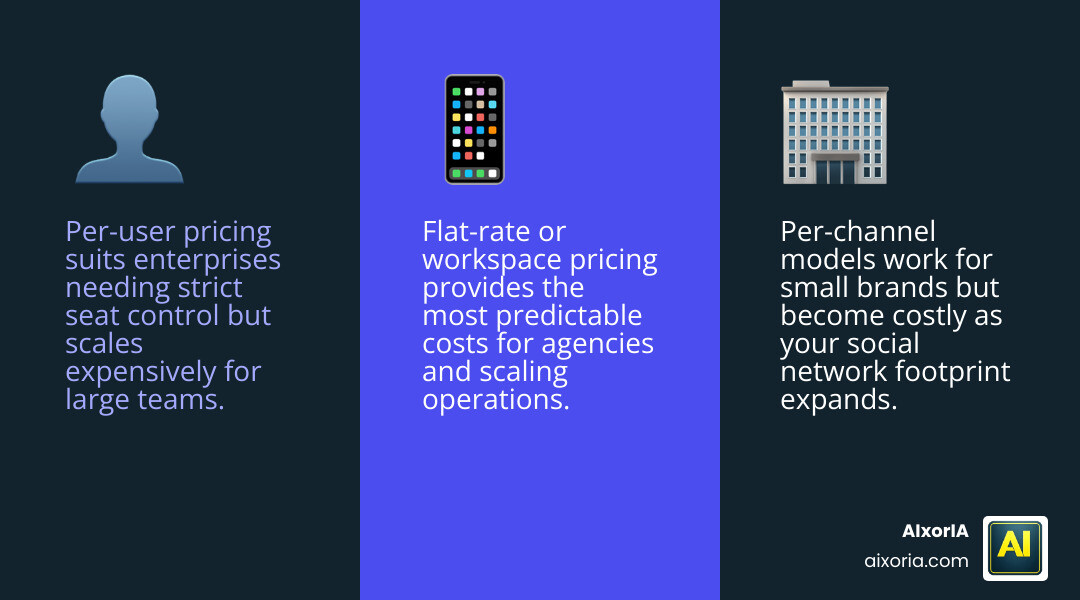
There are three common models:
| Pricing model | Best for | Main drawback |
|---|---|---|
| Per-user | Enterprises with clear seat control | Gets expensive fast |
| Per-channel/account | Small brands with few profiles | Costs climb as channels expand |
| Flat-rate/workspace | Agencies and bigger teams | May cap features or profiles |
Per-user pricing often hurts agencies the most. A tool may look affordable for 3 users, then become painful at 12. Flat-rate or workspace pricing is often easier to forecast.
Per-channel pricing can be smart for small businesses with limited accounts. But if your brand is on Instagram, TikTok, LinkedIn, X, Threads, YouTube, Pinterest, and Google Business, that model can snowball too.
The ROI side is easier to justify than many teams think:
- Manual posting can cost 1 to 1.5 hours daily
- Centralized reporting can reduce reporting time by 30%
- Advocacy features can create significant earned media value
- Better workflows reduce errors, approval delays, and duplicated effort
In other words, the cheapest tool is not always the best-value tool. The best-value tool is the one that saves enough time, improves enough output, and scales without drama.
Frequently Asked Questions about Social Media Tools
Which tool is best for Instagram-focused brands?
For Instagram-heavy brands, an easy-to-use scheduler is usually the safest pick for small and mid-sized teams. It helps with reliable publishing, visual planning, and a smoother workflow for recurring content.
That said, Instagram still rewards native behavior. Reels, trending audio, collabs, and some last-minute edits often work better in the app itself. Use a scheduler for consistency, but keep some native publishing in the mix.
For visually organized brands, grid preview and approval features are also helpful. As a benchmark, one onboarding case from the research cited engagement rates above 7%, roughly double industry averages, showing how much process improvements can matter.
How do tools handle social listening in 2026?
Social listening tools now focus on:
- Real-time brand mention alerts
- Sentiment analysis
- Competitor tracking
- Crisis monitoring
- Review monitoring across large networks of sites
Enterprise suites position this as “social intelligence” rather than just listening. Some platforms monitor mentions across social channels, review sites, and millions of web pages. The challenge is cost: the more advanced the listening, the more likely it sits behind higher-tier plans because data access is expensive.
What role does AI play in modern management?
AI is now built into most major platforms.
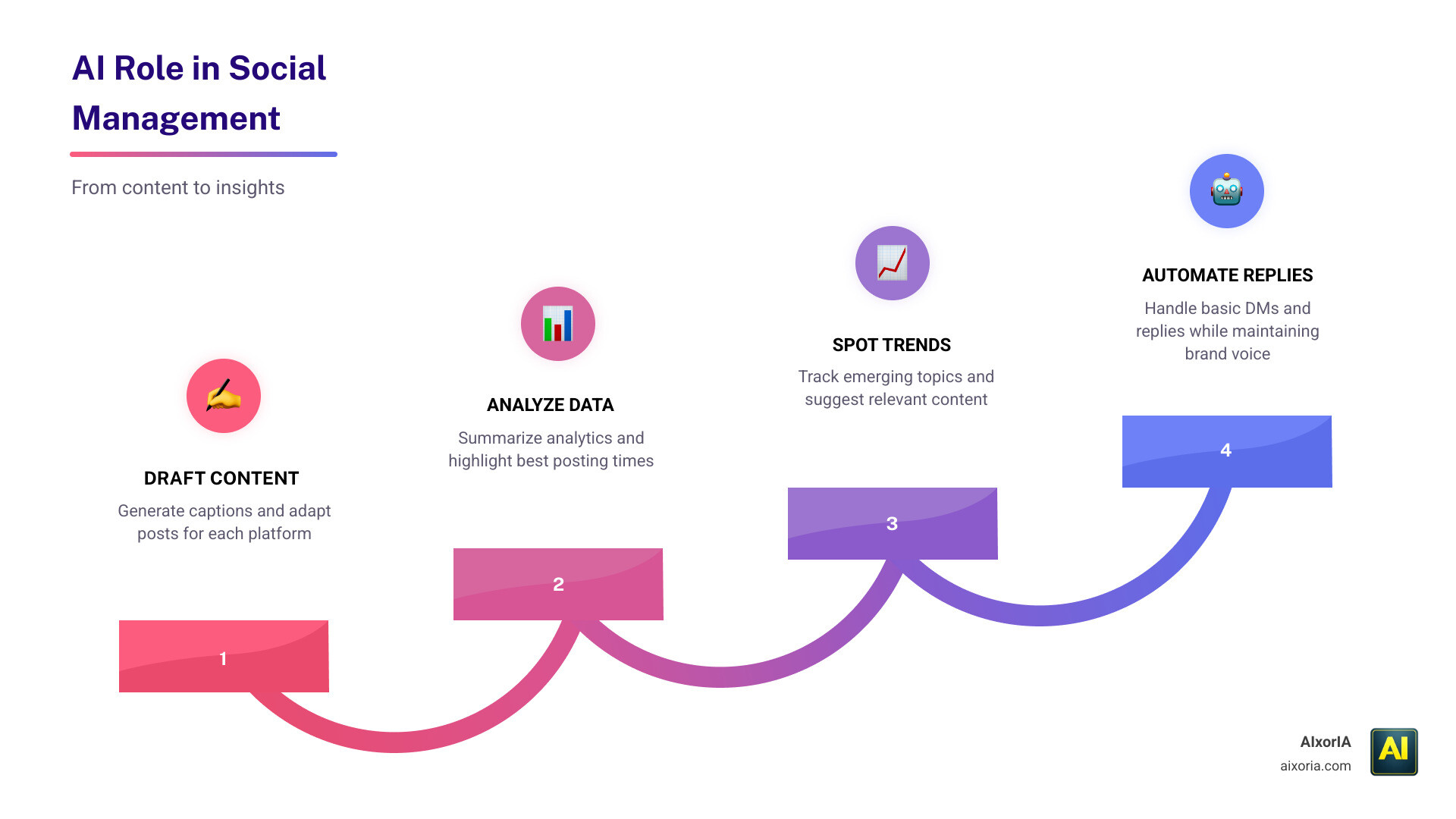
Typical AI use cases include:
- Drafting captions
- Rewriting posts for each channel
- Summarizing analytics
- Suggesting best posting times
- Finding trends
- Repurposing long content into shorter posts
- Automating basic replies or DM flows
Some tools even brand their AI assistants. Useful? Yes. Magical? Not quite.
We recommend using AI for first drafts and analysis support, not final voice or sensitive customer replies. AI is great at speed, but your brand still needs judgment, context, and occasionally the ability to know when a joke should stay in the drafts folder forever.
Conclusion
The best social media management tool in 2026 depends on your workflow more than the feature checklist.
- Choose a simple platform for small-team usability
- Choose a text-first tool for text-based network performance
- Choose a collaboration-focused platform for agency approvals and client workflows
- Choose an enterprise suite for analytics, inboxes, and governance
- Choose a value-focused option when scale and pricing efficiency matter
Most importantly, expect a hybrid workflow. Because of API limits, no tool does everything perfectly across every network.
If you want help choosing, implementing, or training your team on the right stack, we can help. At AIxorIA, we provide custom AI solutions, tool training workshops, tutorials, and performance audits in simple language without the usual tech fog.
For more practical guides, visit More info about AI productivity.
2 thoughts on “Best Social Media Management Tool in 2026 for Teams”