Why Finding the Best AI Tool to Create a Document Matters in 2026

The best AI tool to create a document depends on what you’re making — but here’s a quick answer to help you decide fast:
| Use Case | Best AI Tool |
|---|---|
| Visual docs & presentations | Gamma |
| Business proposals & contracts | PandaDoc |
| Branded marketing documents | Venngage |
| General writing & drafts | Claude or ChatGPT |
| Google Workspace users | Gemini in Google Docs |
| High-volume data extraction | Google Document AI |
| SOPs & internal workflows | Docupilot or Notion AI |
| Team wikis & knowledge bases | Bit.ai |
Think about how much time you spend writing, formatting, and fixing documents every week. For most small business owners, it’s hours — hours that could go toward actually running the business.
AI document tools promise to change that. You type a prompt, and within seconds you get a structured, formatted, professional document. No design skills needed. No blank page panic.
But here’s the catch: not every tool fits every need. One colleague spent two full days rewriting a client proposal — updating names, fixing numbers — only to miss a typo that cost the deal. The right AI tool would have handled that in minutes.
In 2026, there are dozens of AI document generators to choose from. Some are built for beautiful visuals. Others automate contract workflows. Some plug into your CRM. And some are just smarter text boxes.
This guide cuts through the noise. We’ll show you exactly which tools work best for which jobs — and what to watch out for before you commit.
How Generative AI Powers Document Creation in 2026
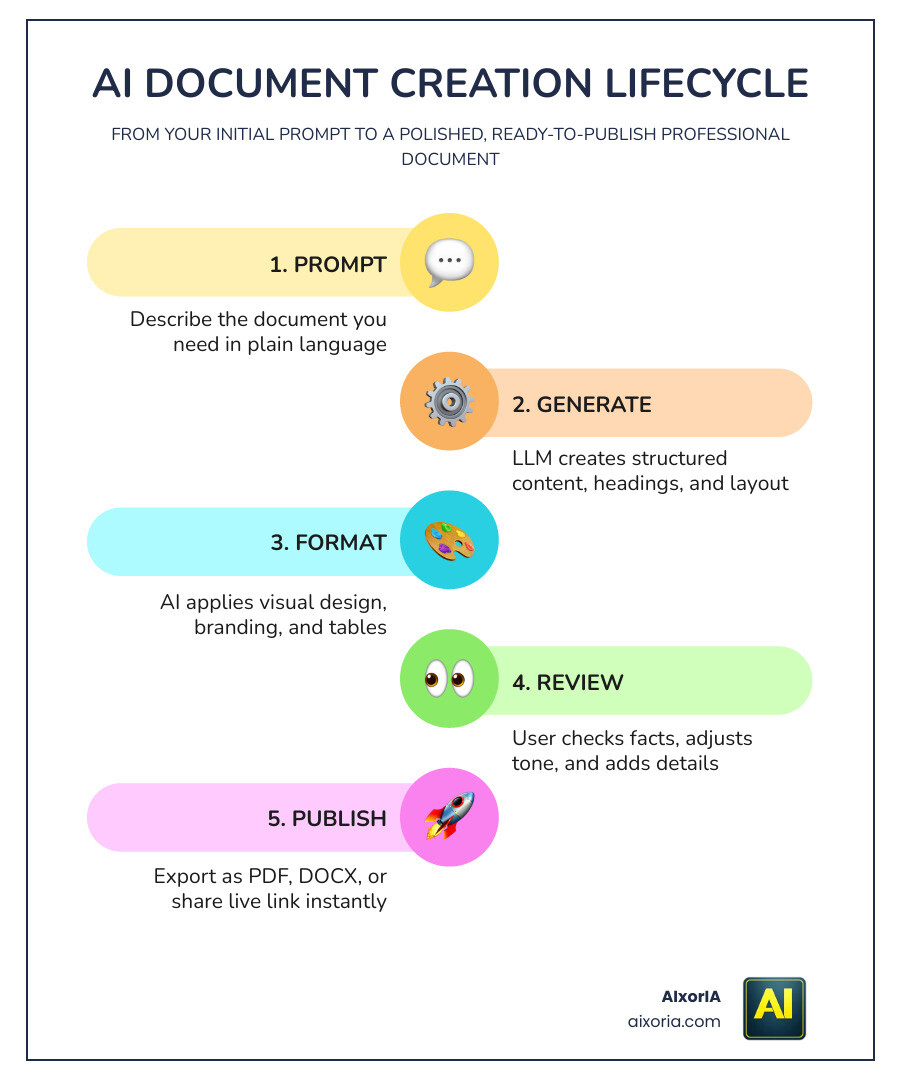
By 2026, we’ve moved past simple chatbots that just spit out paragraphs. Today’s best AI tool to create a document uses a sophisticated blend of Natural Language Processing (NLP) and Machine Learning (ML) to understand not just what you want to say, but how it should look.
These tools are powered by Large Language Models (LLMs) that have been fine-tuned for structured data. Unlike a standard text generator, a document AI understands the “anatomy” of a business report or a legal contract. It knows that a proposal needs an executive summary, a pricing table, and a signature line.
One of the most seamless examples of this is Gemini in Google Docs | Google Workspace. It lives right inside your editor, helping you brainstorm ideas, adjust your tone from “casual” to “executive,” and even pull data from your other Google Drive files to build a first draft. This integration is a hallmark of Best Ai Tools For Content Creation In 2026, where the AI acts as a collaborative partner rather than a separate app you have to copy-paste from.
Key Criteria for Selecting the Best AI Tool to Create a Document
Choosing a tool isn’t just about the “cool factor.” In our experience at AIxorIA, we’ve seen that the most expensive tool isn’t always the best fit. You need to evaluate tools based on how they handle:
- Visual Design: Does it automatically apply themes, or do you have to fight with margins and font sizes?
- Business Automation: Can it trigger an email once a document is signed?
- Collaboration: Can your team edit in real-time, or are you passing “v2finalFINAL” files back and forth?
- Data Integration: Can it pull client names and totals directly from your CRM?
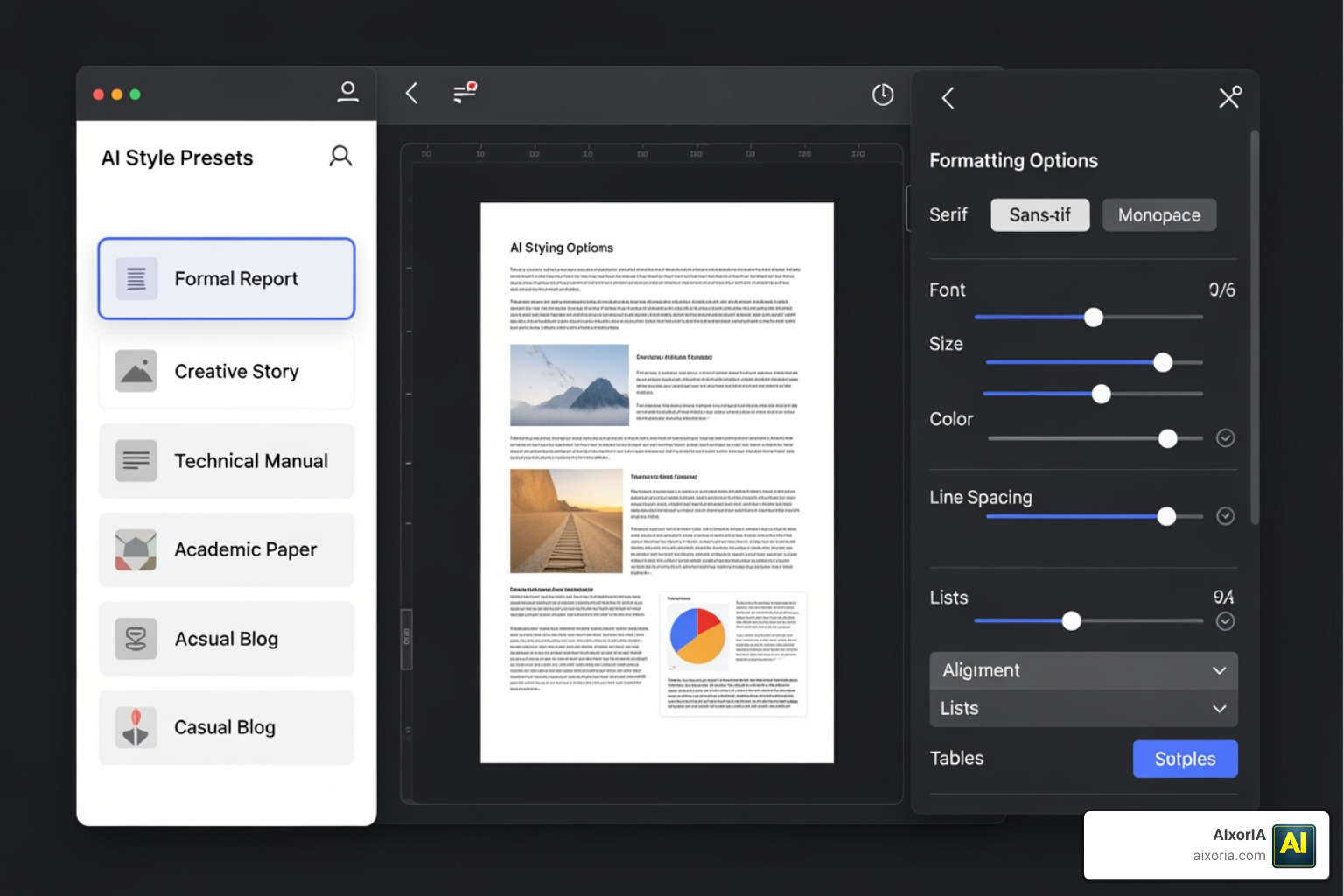
If your primary struggle is keeping your team’s output looking professional, you might want to look at the Best Ai Tools For Formatting Word Documents In 2026. Proper formatting is the difference between a document that gets read and one that gets ignored.
Best AI tool to create a document for Visual Presentations
Sometimes a standard white page doesn’t cut it. When you need to wow a client or present to a board, visual-first AI tools are the way to go.
Gamma has become a powerhouse in this space, having generated over 250 million pieces of content. It uses “smart layouts” that adjust automatically as you add content. You don’t “slide” things around; you just tell the AI what you need, and it refines the design. Similarly, Venngage offers thousands of customizable templates that are perfect for infographics and branded reports. These tools allow you to apply custom themes and brand kits with one click, ensuring mobile responsiveness across all devices. For more details on this, check out our Best Ai Tools For Creating Presentations A Practical Guide For Fast Polished Decks.
Best AI tool to create a document for Automated Business Workflows
For businesses handling high volumes of paperwork—like real estate agencies or law firms—automation is the holy grail. Tools like Docupilot and PandaDoc are designed for this specific “repeatable” workflow.
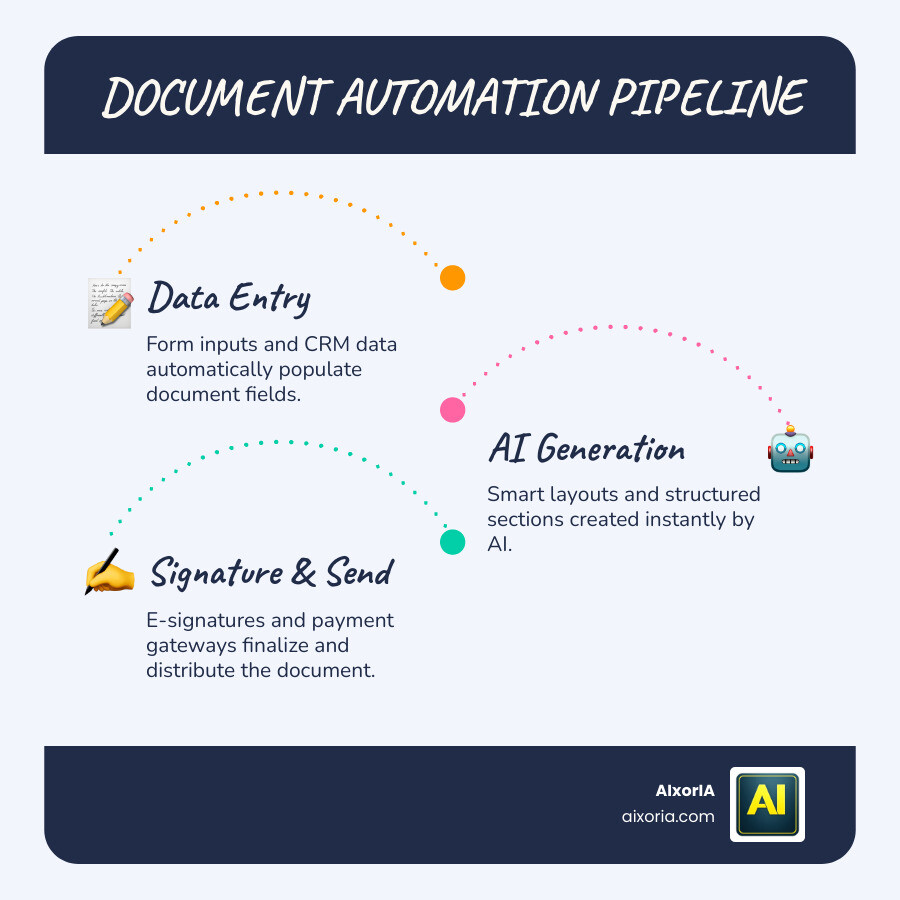
Docupilot supports over 70 integrations, meaning it can take data from a form or a CRM and automatically populate a contract. PandaDoc takes it a step further by integrating e-signatures and payment gateways. This reduces human error significantly. Statistic? 42% of companies abandoned AI initiatives in 2025 because the tools didn’t integrate into daily operations. To avoid being part of that stat, choose a tool that talks to the software you already use.
Navigating Risks: Security, Compliance, and the EU AI Act
As we move through 2026, we can’t ignore the “boring” but vital stuff: security. With the EU AI Act now in full effect, businesses must be careful about how AI handles sensitive data.
Accuracy remains a hurdle. AI can still “hallucinate” facts, so human oversight is non-negotiable. Furthermore, brand consistency can suffer if the AI isn’t trained on your specific voice. At AIxorIA, we always recommend choosing tools that are SOC 2 or ISO 27001 compliant.
Security is especially critical if you are using AI for sensitive work, such as Best Ai Tools For Academic Research In 2026. You want to ensure your data isn’t being used to train public models without your permission.
Frequently Asked Questions about AI Document Generators
Navigating the pricing and features of these tools can feel like a full-time job. Here is a quick breakdown of how the market looks in 2026.
| Feature | Free Plans | Paid Plans (Starting $10-$30/mo) |
|---|---|---|
| Volume | Limited (e.g., 5-10 docs) | Unlimited or high-quota |
| Branding | Tool logo often included | Full custom brand kits |
| Export | Usually PDF only | Word, PPT, Google Docs, HTML |
| Support | Community/Email | Priority/Dedicated |
Is there a free AI for writing documents?
Yes, but there’s usually a “credit” limit. Gamma gives you 400 credits to start, which is great for a few projects. ChatGPT and Claude offer free tiers that are excellent for drafting text, though you’ll have to handle the formatting yourself. If you’re a student or a blogger, you might find the Best Ai Tools For Essay Writing Free In 2026 helpful for getting those initial thoughts onto the page without spending a dime.
How do AI tools handle branding and formatting?
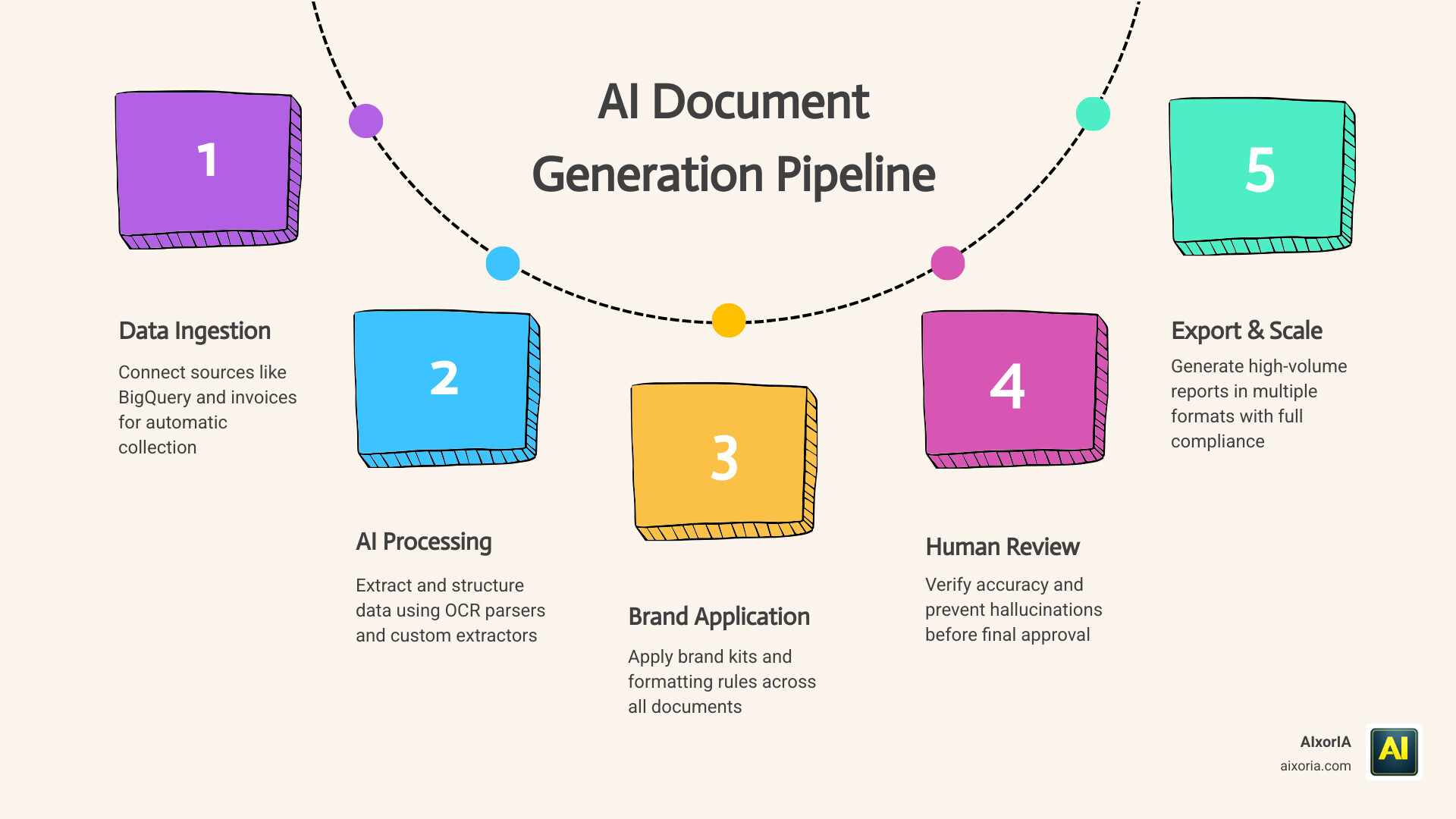
Modern tools use “Brand Kits” where you upload your logo, fonts, and colors once, and the AI applies them to every document it generates. For more technical needs, Google Document AI uses custom extractors and OCR (Optical Character Recognition) parsers. This allows the AI to “read” an old scanned PDF and convert it into a perfectly formatted, editable digital document that matches your current branding.
Can AI generate high-volume data-driven documents?
Absolutely. This is where Google Document AI shines. It can process up to 5 million pages per month. By integrating with BigQuery, companies can extract data from thousands of invoices or applications and turn them into structured reports instantly. This level of scalability is what separates a “writing assistant” from a true “enterprise document solution.”
Conclusion
The best AI tool to create a document isn’t a myth—it’s just a matter of matching the tool to your specific workflow. Whether you need the visual flair of Gamma, the automation of Docupilot, or the deep integration of Gemini, the goal is the same: spending less time on the “how” and more time on the “what.”
At AIxorIA, we know that adopting new technology can feel overwhelming. That’s why we provide custom AI solutions, tool training workshops, and performance audits designed to empower your business without the jargon. We pride ourselves on simple language help, affordable services, and fast support to make sure your AI transition is as smooth as possible.
Ready to stop wrestling with margins and start creating? Start your AI transformation with AIxorIA today, and let’s build a smarter workflow together.C
1 thought on “Best AI Tool to Create a Document in 2026: Top Picks & Guide”