The Real Answer to “Which Is Better, QuickBooks or Wave?” (2026 Guide)

Which is better, QuickBooks or Wave? It depends entirely on your business size and budget. Here’s the short answer:
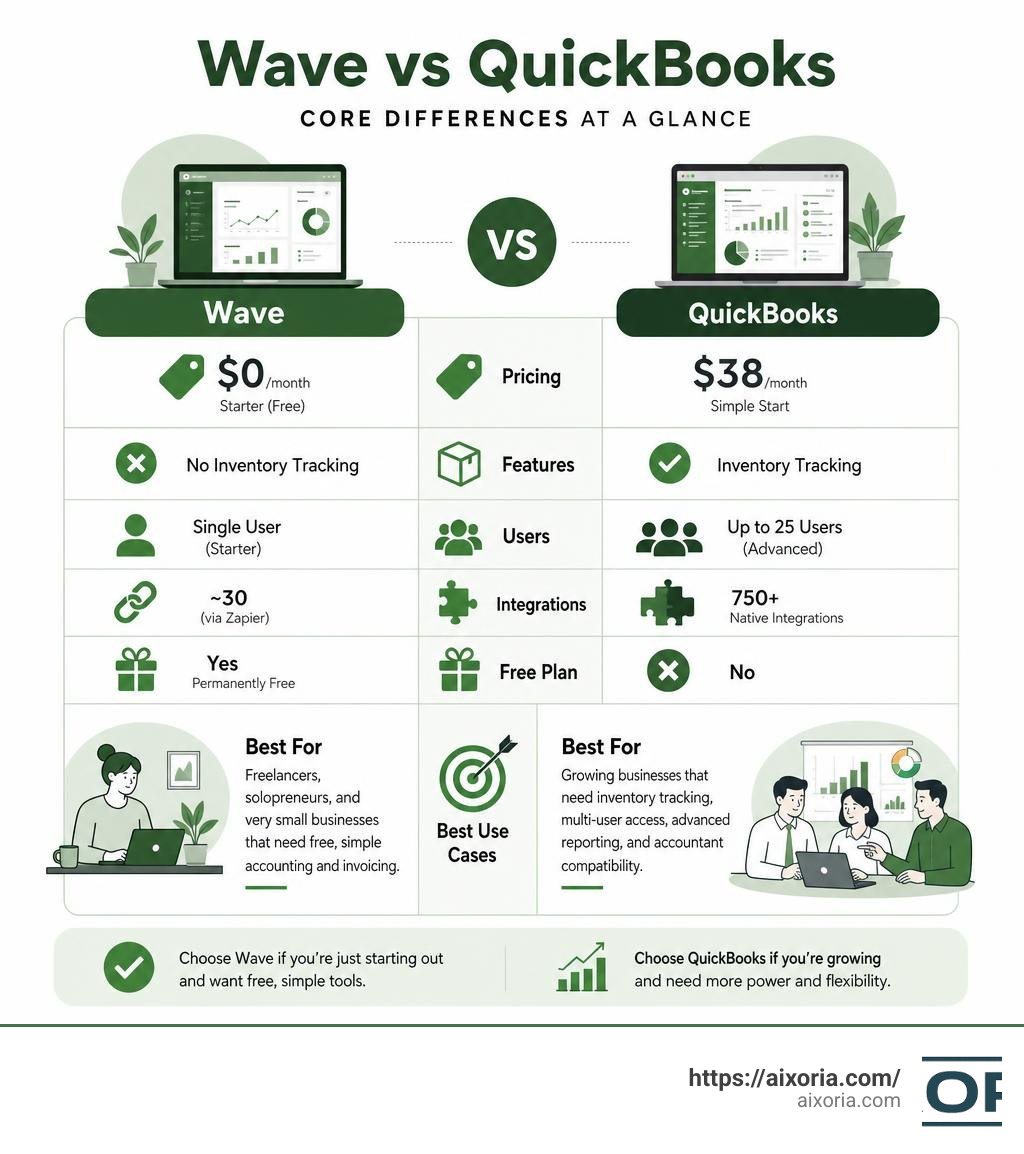
- Wave is better for freelancers, solopreneurs, and very small businesses that need free, simple accounting and invoicing with no monthly fee.
- QuickBooks is better for growing businesses that need inventory tracking, multi-user access, advanced reporting, and accountant compatibility.
| Factor | Wave | QuickBooks |
|---|---|---|
| Starting price | $0/month (Starter) | $38/month (Simple Start) |
| Best for | Freelancers, solopreneurs | Small to mid-size businesses |
| Inventory tracking | No | Yes |
| Multi-user access | Single user (Starter) | Up to 25 users (Advanced) |
| Integrations | ~30 (via Zapier) | 750+ native |
| Free plan | Yes, permanently free | No |
| Accountant support | Limited | Industry standard |
When you’re just starting out, paying $38/month or more for accounting software can feel like a lot. Wave solves that with a genuinely free plan — no trial, no expiration. But as your business grows, QuickBooks’ deeper features start to justify the cost.
The two tools serve very different stages of business growth. Understanding which stage you’re at makes the choice pretty straightforward.
Which is better, QuickBooks or Wave?
To truly determine Which is better, QuickBooks or Wave?, we have to look past the surface-level marketing and examine how these platforms perform in the real world. Both software options are highly respected in the industry, but they target completely different types of business owners.
Wave, which is used by over 300,000 small businesses and boasts a 4.6/5 rating from its users, is built with the non-accountant in mind. It strips away the complex jargon and presents a clean, “you-friendly” interface that makes managing books feel like less of a chore. QuickBooks, on the other hand, is trusted by millions of customers globally and holds a 4.3/5 rating from over 6,400 customer reviews on Capterra. It is the undisputed industry heavyweight, built to handle complex financial operations with absolute precision.
The core philosophical difference comes down to this: Wave is designed to help you run your business without needing to understand double-entry bookkeeping, whereas QuickBooks is designed to give you (and your accountant) a fully compliant, highly detailed ledger that can scale from your first sale all the way to an enterprise level. For a deeper look at how these philosophies translate into daily workflows, you can read the Wave vs. QuickBooks: Which is best? | Zapier analysis.
Deciding between them requires evaluating where your business stands today and where you expect it to be in the next 12 to 18 months. Let’s break down how they compare for different business structures.
Which is better, QuickBooks or Wave for scaling teams?
If you are managing a growing team, QuickBooks is almost always the superior choice. As your operations expand, your accounting needs naturally become more complex. You will likely need to track physical inventory, manage accounts payable with custom approval workflows, and grant role-based access to multiple employees.
QuickBooks excels in these areas:
- Multi-user access: While Wave’s free Starter plan is strictly single-user, QuickBooks allows you to scale up your team. Its plans support multiple users, ranging from 3 users on the Essentials plan to 5 users on Plus, and up to 25 users on the Advanced tier. This allows your team to collaborate, log hours, and handle billing without sharing passwords.
- Inventory management: If you sell physical products, Wave is highly impractical because it does not offer built-in inventory tracking at any tier. QuickBooks Plus and Advanced allow you to track stock levels, calculate Cost of Goods Sold (COGS) automatically, and set reorder points so you never run out of inventory.
- Advanced reporting: QuickBooks offers up to 107 pre-built reports compared to Wave’s modest selection of 13. This gives scaling teams deep analytical insights into project profitability, class-based tracking, and departmental expenses.
For businesses that are stepping out of the solo phase and building a structured team, investing in robust tools is essential. You can explore other user-friendly options in our guide on the 7 easiest accounting software for small business 2026.
Which is better, QuickBooks or Wave for solo operators?
For freelancers, contractors, consultants, and side-hustlers, the decision-making framework shifts entirely. When you are a solo operator, your primary goals are simplicity, speed, and keeping overhead costs as low as possible. You do not need complex cost-center reporting or multi-user permissions; you just need to send professional invoices, track your business expenses, and get ready for tax season without getting a headache.
In this scenario, Wave wins by a landslide. Wave’s Starter plan is completely free and offers:
- Unlimited invoicing: You can create and send professionally designed invoices and estimates to unlimited clients without paying a dime.
- Manual expense tracking: You can log your expenses, upload receipt photos, and organize your tax deductions without any monthly subscription fees.
- Simplified interface: Wave does not overwhelm you with features you will never use. It gives you a clean dashboard showing your cash flow, outstanding invoices, and net income.
Paying $38/month for QuickBooks Simple Start is often overkill for a freelancer who only sends five invoices a month. To see how Wave stacks up against other solo-operator tools, check out our list of the 7 best invoicing software for sole traders in 2026 as well as our editorial on What is the best invoicing software for small business.
Pricing and Total Cost of Ownership in 2026
When evaluating the financial impact of these two platforms, you have to look beyond the initial subscription sticker price. The true cost of ownership includes monthly fees, payment processing percentages, payroll add-ons, and potential integration costs.

In early 2026, Wave Pro adjusted its pricing to $19/month (or $190/year when billed annually, which lowers the effective rate to $15.83/month). Even with this slight increase, Wave Pro remains highly competitive, positioning itself as roughly 50% less expensive than QuickBooks’ comparable Simple Start plan, which sits at $38/month.
Let’s look at the side-by-side pricing tiers for both platforms in 2026:
- Wave Starter: $0/month. Includes unlimited invoicing, manual expense tracking, and basic reporting.
- Wave Pro: $19/month. Adds automatic bank feeds, receipt capture auto-merging, and basic live chat/email support.
- QuickBooks Solopreneur: $20/month. Designed for solo freelancers; includes mileage tracking and basic tax categorization.
- QuickBooks Simple Start: $38/month. 1 user limit. Includes basic income/expense tracking and invoice creation.
- QuickBooks Essentials: $75/month. Up to 3 users. Adds time tracking and bill management.
- QuickBooks Plus: $115/month. Up to 5 users. Adds inventory management and project profitability tracking.
- QuickBooks Advanced: $275/month. Up to 25 users. Includes custom user permissions, batch invoicing, and premium support.
Beyond the base subscription, payment processing fees represent a major part of your total cost. If your clients pay you online, both platforms charge transaction fees:
- Wave Payments: 2.9% + $0.60 per transaction for standard credit cards, 3.4% + $0.60 for American Express, and 1% for bank payments (ACH) with a $1 minimum. Wave Pro waives the $0.60 transaction fee on your first 10 card payments each month.
- QuickBooks Payments: Charges 2.99% for online invoices, 2.5% for card readers, 3.5% for keyed cards, and 1% for bank transfers (ACH).
If you plan to run payroll, both platforms charge extra. Wave Payroll is priced at $40/month plus $6/employee (though in states where Wave handles tax filings automatically, it is highly efficient). QuickBooks Payroll ranges from $50 to $130/month plus per-employee fees, depending on the level of automation and support you require. For landlords comparing their options, pricing structures can look a bit different; we recommend checking out Which accounting software should a landlord use in 2026 best options compared to see how these tools fit real estate portfolios.
To understand how pricing affects your overall business efficiency, read the comprehensive QuickBooks vs Wave 2026: Paid vs Free Decision | LedgerLab analysis. Many businesses find that integrating these platforms with broader automated workflows saves more money than the software costs. Learn more in our Benefits of finance automation software 2026 guide and our roundup of the 9 best finance automation software tools in 2026.
Feature-by-Feature Comparison: Invoicing, Reporting, and Integrations
To make an informed decision, we must analyze how these platforms handle daily bookkeeping tasks.
Invoicing and Payment Processing
Both QuickBooks and Wave make it incredibly easy to send professional invoices, but QuickBooks offers much deeper customization and automation. With QuickBooks, you can automatically convert estimates to invoices, set up complex recurring billing schedules, track billable hours directly on an invoice, and automatically apply late fees.
Wave is simpler but highly effective for standard invoicing. It allows you to customize templates with your logo and brand colors, send automated payment reminders, and accept online credit card and ACH payments. For service-based businesses that do not need to track hours or complex project milestones, Wave’s invoicing is more than sufficient. If you are looking to fully automate your billing cycle, check out our guide on the 7 best automated invoicing software in 2026 complete guide for businesses.
Reporting and Financial Statements
QuickBooks is the clear winner when it comes to reporting. With over 100 templates in its higher tiers, you can generate highly specific reports like balance sheets by class, cash flow projections, and detailed project profitability.
Wave offers 13 core reports, including your Profit & Loss statement, Balance Sheet, and Cash Flow statement. While this is plenty for tax preparation and basic business health checks, it will feel restrictive if you have investors, complex loans, or multiple departments to track.
Integrations and Ecosystem
QuickBooks features a massive ecosystem with over 750 native integrations. It connects directly with Shopify, Amazon, PayPal, inventory tools, and CRMs.
Wave has a much smaller native integration list (around 30). For most third-party connections, Wave relies on Zapier. While Zapier is incredibly powerful, setting up custom workflows can add to your monthly software costs and requires a bit of technical setup.
For those interested in cutting-edge financial management, artificial intelligence is transforming how these platforms operate. To see what is possible, read our reviews of the 9 best AI powered finance automation software in 2026 and explore the Best finance automation software tools 2026 list.
Usability, Support, and Migration Challenges
Even the most powerful software is useless if you and your team cannot figure out how to use it.
Usability and Learning Curve
Wave is famous for its clean, intuitive dashboard. Because it was built specifically for non-accountants, the learning curve is virtually non-existent. You can sign up and send your first invoice within five minutes.
QuickBooks Online has made massive strides in user experience, but it still feels complex. Because it contains so many features, the menus can feel overwhelming to beginners. Simple tasks, like retroactively categorizing a business expense paid with a personal card, require complex journal entries in QuickBooks, whereas Wave handles this with a simple dropdown menu.
Customer Support
Customer support is a common pain point for users of both platforms.
- Wave: Free Starter users do not have access to live chat or phone support; they must rely on self-service help articles and an AI chatbot. Wave Pro users get access to live chat and email support, but support hours can sometimes be restricted.
- QuickBooks: Offers phone and live chat support across its paid tiers. However, user reviews frequently complain about long wait times. If you sign up for QuickBooks Live Full Service Bookkeeping ($200/month), be aware that there is an unadvertised mandatory cleanup fee of $500 to $800 before the recurring service begins.
Migration Challenges
Switching between these platforms is highly doable, but it requires careful planning. If you are migrating from QuickBooks to Wave, the process typically takes 2 to 4 hours. You must delete outstanding invoices and bills in QuickBooks first, export your chart of accounts as a CSV, and upload it to Wave.
Migrating from Wave to QuickBooks is more complex, often taking 4 to 8 hours. Historical bank reconciliations often do not transfer perfectly, which means you may need to manually adjust your opening balances. For a detailed guide on making this transition without losing your historical data, refer to the QuickBooks vs Wave 2026, Honest Pick for Founders and Freelancers review and the QuickBooks vs Wave Accounting · SideGuy Solutions guide.
Frequently Asked Questions about QuickBooks and Wave
Is Wave really free forever?
Yes, Wave’s Starter plan is genuinely free forever. There are no trial limits, no credit card requirements to sign up, and no caps on the number of invoices you can send. Wave monetizes this free plan by keeping a percentage of online payment processing fees and charging subscription fees for its optional Payroll and Pro plans.
Can I migrate from QuickBooks to Wave or vice versa?
Yes. You can export your customer lists, vendor lists, and transaction histories as CSV files and import them into either platform. However, because their database structures differ, historical bank reconciliations and specific accounting history may not transfer perfectly. It is highly recommended to perform migrations at the end of a fiscal year after closing your books. For a deeper look at the migration process, check out the QuickBooks vs Wave vs Zoho Books 2026: SMB Compared analysis.
Does Wave support inventory tracking?
No. Wave does not offer built-in inventory tracking or Cost of Goods Sold (COGS) calculations at any pricing tier. If you sell physical products and need to track stock levels, you will need to use a third-party inventory app and connect it to Wave via Zapier, or choose QuickBooks instead.
Conclusion
At the end of the day, the battle between QuickBooks and Wave isn’t about which software has more features—it’s about which software matches your business’s current scale and growth trajectory. Wave is a fantastic, cost-effective, and user-friendly haven for freelancers and solopreneurs who want to keep bookkeeping simple. QuickBooks is a powerful, highly scalable financial engine built to carry growing businesses through complex operational expansions.
At Aixoria, we help businesses navigate these exact choices. Selecting the right foundation is just the first step; the real magic happens when you automate your financial workflows to save hours of manual labor every week. To learn how to leverage cutting-edge technology and streamline your business operations, explore our expert-led AI Tutorials.
2 thoughts on “QuickBooks vs Wave: Which Is Better in 2026?”