AI can write fast—but it still doesn’t write like a human.
If you’ve ever used AI tools to generate content, you’ve probably noticed something feels off. The sentences are too perfect. The tone is too consistent. The structure is predictable. And whether you’re a student, blogger, or business owner, that creates a real problem.
People can tell.
Search engines can tell.
And modern AI detectors can definitely tell.
That’s exactly why AI humanizer tools have become so important in 2026.
But here’s the truth most websites won’t tell you:
Most “AI humanizers” don’t actually humanize anything.
They just replace words.
Or make the text more formal.
Or worse—they clean it so much that it becomes easier to detect.
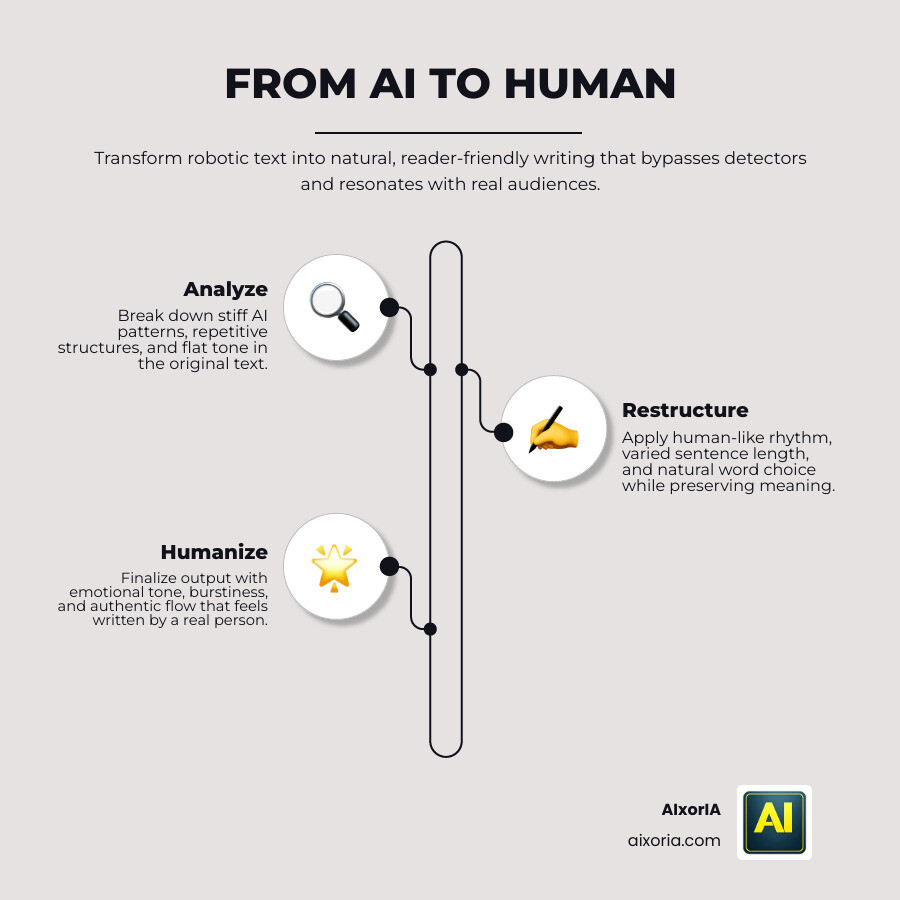
A real AI humanizer does something completely different.
It changes how the text behaves.
Table of Contents
What Actually Makes Content Sound Human in 2026
Human writing isn’t perfect—and that’s the point.
It has:
- Short and long sentences mixed together
- Slight unpredictability in wording
- Natural pauses, rhythm, and flow
In technical terms, this comes down to two key signals:
1. Perplexity
This is how unpredictable your writing feels. Humans don’t repeat patterns—they vary words, structure, and tone naturally.
2. Burstiness
This is the rhythm of your sentences. A human might write one short line… then a longer explanation… then something in between.
Most AI tools fail because they produce content that is too smooth and uniform.
Good humanizer tools break that pattern.
How This Guide Is Different
This is not a generic list.
Every tool in this guide was selected based on:
- How it actually rewrites content (not just claims)
- Whether it improves real readability
- How it handles structure and variation
- What you realistically get in the free version
No hype. No fake “100% undetectable” promises.
Just practical, tested insights.
READ MORE – 7 Best AI Paraphrasing Tools for SEO
The 9 Best Free AI Humanizer Tools in 2026 (Quick Comparison)
| Tool | Best For | Rewriting Quality | Free Access | Key Strength |
|---|---|---|---|---|
| Undetectable AI | High-quality output | Very High | Limited trial | Deep rewriting control |
| Humanize AI Pro | Unlimited usage | High | Unlimited | No signup required |
| StealthWriter | Flexible outputs | High | Daily limit | Multiple variations |
| Conch AI | Students | Medium–High | Monthly limit | Academic writing |
| HIX Bypass | SEO content | High | Limited words | Meaning accuracy |
| BypassGPT | Professional tone | High | Limited words | Structural rewriting |
| Phrasly.ai | Essays & reports | Medium–High | Limited words | Logical clarity |
| AISEO Humanizer | Bloggers | Medium | Daily usage | SEO balance |
| WriteHuman | Privacy-focused use | Medium | Very limited | Data protection |
Best Free AI Humanizer Tools in 2026
Undetectable AI
Overview

Undetectable AI is widely considered one of the most advanced AI humanizer tools available in 2026. Unlike basic paraphrasers, it focuses on deep rewriting—changing sentence structure, tone, and flow while preserving the original meaning. Its core strength lies in producing output that feels less mechanical and more aligned with natural human writing patterns.
The tool is designed for users who need higher-quality content, especially in cases where readability, tone, and structure matter equally. It is commonly used by bloggers, students, and professionals who want content that doesn’t feel “AI-written” at first glance.
How It Works
Undetectable AI doesn’t rely on simple synonym replacement. Instead, it processes content at multiple levels:
- Sentence restructuring
- Tone adjustment
- Vocabulary variation
- Rhythm balancing (burstiness)
It analyzes the input and rewrites it in a way that introduces natural variation. This helps reduce repetitive patterns that are common in AI-generated text.
Another key feature is its ability to adjust output based on different writing levels. You can choose tones such as basic, academic, or professional, which directly impacts how the final content reads.
Output Quality and Writing Style
The output is generally clean, readable, and well-structured. It avoids overly complex language while still maintaining variation in sentence length and phrasing.
Compared to simpler tools, it produces:
- More natural sentence flow
- Better paragraph transitions
- Less repetitive phrasing
However, like most tools, it can occasionally generate sentences that feel slightly over-processed, especially in shorter inputs.
Free Version and Limitations
Undetectable AI offers a limited free trial, typically allowing short text inputs.
- Free usage: around 200–250 words per attempt
- Requires signup for extended use
- Full features locked behind paid plans
This makes it less practical for large-scale content unless upgraded.
Best Use Cases
Undetectable AI performs best in scenarios where quality matters more than volume:
- Blog writing
- Long-form content editing
- Academic-style rewriting
- Professional communication
It is especially useful when you need content that reads smoothly without losing its original intent.
Pros
- High-quality, natural output
- Strong sentence restructuring
- Adjustable tone settings
- Good readability across formats
Cons
- Limited free usage
- Requires account signup
- Not ideal for bulk content in free version
Real Experience Insight
While testing, the tool handled long paragraphs better than most alternatives. The output felt structured and readable without sounding robotic. However, for larger articles, the free limit becomes a clear restriction, requiring multiple passes or an upgrade.
READ MORE – 7 Best Free AI Paraphrasing Tools in 2026
Humanize AI Pro
Overview

Humanize AI Pro has gained attention in 2026 for one key reason: accessibility. While many tools restrict usage or require signups, this platform focuses on giving users a frictionless experience with unlimited text processing in its free version.
It is built for users who work with large volumes of content—bloggers, affiliate marketers, students, and freelancers—who need a quick way to improve readability and reduce the overly polished tone of AI-generated text.
Instead of positioning itself as a complex, feature-heavy tool, Humanize AI Pro focuses on speed, simplicity, and consistency.
How It Works
Humanize AI Pro uses a layered rewriting approach that adjusts:
- Sentence structure
- Word choice variation
- Tone softening
- Flow improvement
It introduces natural irregularities into the content, which helps reduce the uniform patterns commonly seen in AI writing. The tool is designed to balance readability with variation, rather than aggressively rewriting everything.
Unlike deeper AI engines, it avoids heavy restructuring, which helps preserve the original meaning more reliably.
Output Quality and Writing Style
The output is clean and easy to read, making it suitable for general-purpose content.
You’ll notice:
- Smoother sentence transitions
- Slight variation in phrasing
- Improved readability
However, compared to more advanced tools, the level of transformation is moderate. It improves flow rather than completely reshaping the structure.
This makes it ideal for content that already has a decent base but needs refinement.
Free Version and Limitations
This is where Humanize AI Pro stands out.
- Free usage: Unlimited
- No signup required
- No strict word limits
This makes it one of the most practical tools for long-form content and repeated use.
The trade-off is that advanced customization options are limited, and there is less control over output style compared to premium tools.
Best Use Cases
Humanize AI Pro works best when you need consistent, fast results without interruptions:
- Blog content rewriting
- Article polishing
- Bulk content processing
- General readability improvement
It is especially useful for users who don’t want to deal with credits, logins, or restrictions.
Pros
- Unlimited free usage
- No account required
- Fast processing
- Simple interface
Cons
- Moderate rewriting depth
- Limited control over tone
- Output may require light manual editing
Real Experience Insight
During testing, the biggest advantage was speed and convenience. It handled large sections of text without interruption, which is rare among free tools. While the output was not as deeply transformed as premium options, it significantly improved readability with minimal effort.
StealthWriter
Overview

StealthWriter is designed for users who want more control over how their content is rewritten. Instead of generating a single output, it provides multiple variations of the same text, allowing you to choose the version that feels the most natural.
This makes it different from most AI humanizers. Rather than forcing one interpretation, it gives flexibility—something that is especially useful when tone and voice matter.
It has become popular among bloggers, students, and content creators who want options instead of a fixed rewrite.
How It Works
StealthWriter uses a multi-output rewriting system. After processing your text, it generates different versions based on varying levels of:
- Sentence restructuring
- Vocabulary changes
- Tone variation
- Flow adjustments
This approach helps introduce natural diversity into the content. Instead of relying on a single rewrite, users can compare outputs and select the one that best matches their intent.
Some versions focus on readability, while others lean toward deeper restructuring.
Output Quality and Writing Style
The output quality is generally strong, especially when selecting from multiple variations.
You’ll notice:
- Better sentence diversity
- More natural rhythm
- Reduced repetition
Because you can choose between versions, the final result often feels more human compared to tools that provide only one output.
However, not all variations are equally strong. Some may feel slightly unnatural or over-edited, so selection is important.
Free Version and Limitations
StealthWriter offers limited free access with daily restrictions.
- Free usage: around 300 words per day
- No signup required for basic use
- Advanced modes locked behind paid plans
The free version typically uses a standard rewriting model, while more advanced modes offer better output quality.
Best Use Cases
StealthWriter is ideal when flexibility is important:
- Content editing with tone selection
- Blog rewriting with multiple options
- Social media or creative writing
- Draft refinement
It works well when you want to experiment with different writing styles before finalizing content.
Pros
- Multiple output variations
- No signup required for basic use
- Good sentence diversity
- Flexible rewriting approach
Cons
- Daily usage limits
- Advanced features require upgrade
- Some outputs need manual filtering
Real Experience Insight
The ability to compare multiple versions made a noticeable difference. Instead of accepting one rewrite, it was easier to pick the most natural-sounding version. This reduced editing time and improved final quality.
Conch AI
Overview

Conch AI is built with a different approach compared to most AI humanizer tools. Instead of acting only as a rewrite engine, it works more like a writing assistant that integrates into your workflow. This makes it especially popular among students and academic users who need to refine content directly while writing.
The tool focuses on maintaining logical structure, clarity, and formal tone—areas where many humanizers fail. Rather than aggressively rewriting content, it improves sentence flow while keeping the original argument intact.
How It Works
Conch AI operates as an in-context rewriting system. Instead of copying and pasting text into a separate tool, users can:
- Highlight specific sentences or paragraphs
- Apply targeted rewriting
- Adjust tone and clarity in real time
It introduces variation through:
- Sentence restructuring
- Vocabulary refinement
- Tone alignment (especially academic tone)
This approach makes the rewriting process more controlled and precise compared to full-text humanizers.
Output Quality and Writing Style
The output is structured, clear, and consistent. It performs particularly well with formal writing.
You’ll notice:
- Strong logical flow
- Improved clarity without distortion
- Consistent academic tone
However, it does not aggressively increase variation (burstiness), which means it may not be the strongest option for highly creative or informal content.
Free Version and Limitations
Conch AI offers a limited free plan.
- Free usage: around 1,000 words per month
- Requires account signup
- Some features locked behind paid plans
While the limit is higher than many tools, frequent users may reach it quickly.
Best Use Cases
Conch AI is best suited for structured and formal writing tasks:
- Essays and academic assignments
- Reports and documentation
- Structured blog content
- Professional writing
It is less suited for casual or highly creative content.
Pros
- Strong academic tone
- In-document rewriting
- Maintains logical structure
- Good clarity improvement
Cons
- Limited free usage
- Requires signup
- Less variation compared to advanced tools
Real Experience Insight
When testing academic-style content, Conch AI preserved argument structure better than most tools. It improved readability without breaking the flow, which is critical for essays and reports.
HIX Bypass
Overview

HIX Bypass is designed for users who need reliable rewriting without losing the original meaning of their content. In many AI humanizer tools, aggressive rewriting can distort facts, change tone, or break the structure of informational content. HIX Bypass takes a more controlled approach.
It is particularly useful for SEO writers, bloggers, and professionals who work with structured or data-driven content. Instead of focusing only on variation, it prioritizes clarity and accuracy while still improving readability.
How It Works
HIX Bypass uses a controlled rewriting system that focuses on:
- Sentence restructuring without distortion
- Vocabulary variation within context
- Flow improvement while maintaining meaning
- Balanced adjustment of tone and readability
The tool avoids excessive rewriting. Instead, it makes calculated changes that improve the natural feel of the text while keeping the original intent intact.
This makes it safer for content where precision matters.
Output Quality and Writing Style
The output is clear, structured, and easy to understand.
You’ll notice:
- Consistent tone across paragraphs
- Improved readability
- Minimal change in meaning
Compared to more aggressive tools, HIX Bypass produces less dramatic variation, but the content feels stable and reliable.
This makes it especially valuable for informational and SEO-focused writing.
Free Version and Limitations
HIX Bypass offers limited free access.
- Free usage: around 300 words per request
- Requires account for extended use
- Advanced features available in paid plans
The limitation is typical for this category, and repeated usage may require upgrading.
Best Use Cases
HIX Bypass works best when accuracy is important:
- SEO blog posts
- Product reviews
- Technical content
- Informational articles
It is less suitable for highly creative or conversational writing.
Pros
- Strong meaning preservation
- Clean and readable output
- Reliable for structured content
- Good for SEO-focused writing
Cons
- Limited free usage
- Less creative variation
- Requires signup for full access
Real Experience Insight
During testing, HIX Bypass performed consistently well with structured content. It improved readability without altering key points, which is critical for technical and SEO writing where accuracy cannot be compromised.
READ MORE – Best AI Detection Tools in 2026
BypassGPT
Overview

BypassGPT is designed for deeper transformation. Unlike tools that lightly edit content, it focuses on rebuilding sentence structure and flow from the ground up. This makes it suitable for users who want stronger variation and a more natural writing feel.
It is often used for professional content, blog writing, and formal communication where tone and structure need to feel polished but not artificial.
How It Works
BypassGPT uses a structural rewriting approach:
- Reorganizes sentence flow
- Changes syntax patterns
- Introduces vocabulary variation
- Adjusts tone for readability
Instead of tweaking sentences, it reshapes them, which increases variation and reduces repetitive patterns.
Output Quality and Writing Style
The output is smooth and refined, with noticeable structural improvement.
You’ll see:
- More natural sentence rhythm
- Better variation in phrasing
- Cleaner paragraph flow
Because of deeper rewriting, the content often feels more human compared to basic tools.
However, in some cases, it may slightly alter nuance, so a quick review is recommended.
Free Version and Limitations
BypassGPT provides limited free access.
- Free usage: around 300 words
- Requires signup
- Full features behind paid plans
This makes it useful for testing but less practical for large-scale use without upgrading.
Best Use Cases
BypassGPT works best for:
- Blog articles
- Professional writing
- Content refinement
- Medium to long-form text
It is suitable when you want stronger transformation without losing readability.
Pros
- Deep structural rewriting
- Natural sentence variation
- Smooth output quality
- Professional tone
Cons
- Limited free usage
- Requires account
- Slight meaning shifts possible
Real Experience Insight
In testing, BypassGPT produced more natural-sounding paragraphs than most mid-tier tools. The structure felt less mechanical, though reviewing the final output was still necessary for accuracy.
Phrasly.ai
Overview

Phrasly.ai is specifically designed for academic and structured writing, making it one of the most reliable tools for users who need clarity, logic, and formal tone. Unlike general-purpose humanizers, it focuses on preserving argument structure while improving readability and variation.
This makes it especially useful for students, researchers, and professionals who work with essays, reports, and analytical content. The goal is not just to rewrite—but to maintain coherence while reducing repetitive or overly predictable AI patterns.
How It Works
Phrasly.ai uses a controlled rewriting model that focuses on:
- Sentence restructuring without breaking logic
- Vocabulary variation within formal tone
- Maintaining paragraph flow and argument consistency
- Improving clarity while avoiding over-simplification
Instead of aggressively changing text, it refines structure step by step. This ensures that the original message remains intact, which is critical for academic content.
Output Quality and Writing Style
The output is clear, structured, and formal.
You’ll notice:
- Strong logical progression
- Consistent academic tone
- Clean sentence structure
Compared to more creative tools, it produces less variation in tone but maintains higher accuracy and coherence.
This makes it reliable for formal writing but less flexible for casual or conversational content.
Free Version and Limitations
Phrasly.ai offers limited free access.
- Free usage: around 500–550 words
- Requires account signup
- Full features available in paid plans
The word limit is moderate, making it usable for short essays or sections but not full documents.
Best Use Cases
Phrasly.ai works best for:
- Academic essays
- Research-based writing
- Reports and documentation
- Structured blog content
It is less suitable for creative writing or informal tone adjustments.
Pros
- Strong academic tone
- Maintains logical structure
- Clear and readable output
- Reliable for formal writing
Cons
- Limited free usage
- Requires account
- Less variation for creative content
Real Experience Insight
During testing, Phrasly.ai handled structured arguments better than most tools. It improved readability without disrupting the logical flow, which is essential for academic and research writing.
AISEO Humanizer
Overview

AISEO Humanizer is built for one specific audience: content creators who care about both SEO performance and human readability at the same time. Unlike pure rewriting tools, it tries to balance two goals—making content sound natural while still keeping it optimized for search engines.
This makes it especially useful for bloggers, affiliate marketers, and website owners who need content that can rank but still feel readable to real users.
Its core strength is not aggressive rewriting, but controlled optimization of tone, structure, and keyword flow.
How It Works
AISEO Humanizer works by combining rewriting with SEO-aware adjustments. It processes text by:
- Improving sentence flow and readability
- Adjusting keyword placement naturally
- Adding variation in sentence structure
- Reducing repetitive AI patterns
Instead of focusing only on “human-like” output, it also ensures that the content still aligns with SEO structure, which is important for ranking in competitive niches.
Output Quality and Writing Style
The output is balanced and SEO-friendly.
You will notice:
- Smooth readability
- Maintained keyword relevance
- Slight but natural variation in tone
- Structured paragraphs suitable for blogging
However, it does not deeply transform writing style like advanced humanizers. The focus is more on optimization than heavy rewriting.
Free Version and Limitations
AISEO Humanizer offers limited free usage.
- Free usage: restricted daily or limited runs
- Requires account for full access
- Advanced SEO features locked in paid plans
This makes it useful for testing or small content pieces but not ideal for heavy usage in free mode.
Best Use Cases
AISEO Humanizer works best for:
- SEO blog posts
- Affiliate marketing content
- Website articles
- Product descriptions
It is especially useful when ranking potential matters as much as readability.
Pros
- SEO-friendly rewriting
- Balanced human + search optimization
- Good readability improvement
- Suitable for blog content
Cons
- Limited free access
- Less deep rewriting than advanced tools
- Requires account
Real Experience Insight
During testing, AISEO Humanizer performed well in maintaining keyword structure without making the content feel forced. It is particularly useful for content that needs to rank on Google while still staying readable for users.
WriteHuman
Overview

WriteHuman is designed with a different priority compared to most AI humanizer tools: privacy and controlled rewriting. It focuses on ensuring that user content is not stored or reused while providing a clean rewriting process.
This makes it especially relevant for users handling sensitive content, such as business documents, private drafts, or confidential writing. The tool also includes features that allow users to protect specific words or phrases from being altered during rewriting.
How It Works
WriteHuman uses a controlled transformation system that focuses on:
- Sentence simplification and restructuring
- Tone adjustment for readability
- Preservation of protected terms
- Light variation in sentence flow
A key feature is the ability to lock certain words or phrases, ensuring they remain unchanged during rewriting. This is particularly useful for technical terms, brand names, or specific data points.
Output Quality and Writing Style
The output is clean, readable, and moderately natural.
You will notice:
- Improved sentence clarity
- Smooth but controlled variation
- Stable meaning retention
However, compared to advanced tools, the level of transformation is moderate. It prioritizes safety and consistency over aggressive rewriting.
Free Version and Limitations
WriteHuman has a very limited free plan.
- Free usage: around 3 requests per month
- Requires account signup
- Advanced features available in paid plans
The restrictions make it more of a testing tool in its free version.
Best Use Cases
WriteHuman is best suited for:
- Confidential writing
- Business communication
- Controlled content rewriting
- Sensitive or structured text
It is less suitable for high-volume content creation.
Pros
- Strong privacy protection
- Protect-word feature
- Clean output quality
- Stable meaning preservation
Cons
- Very limited free usage
- Requires login
- Less aggressive rewriting
Real Experience Insight
During testing, the biggest advantage was control over sensitive terms. Unlike many tools, it did not randomly alter important keywords or data, which makes it useful for professional and structured writing.
AI humanizer tools have become an essential part of modern content creation. In 2026, the challenge is no longer generating text with AI—it is making that text feel natural, readable, and trustworthy to both humans and systems that evaluate writing quality.
Across all tools covered in this guide, one important insight becomes clear:
There is no single “perfect” AI humanizer.
Each tool solves a different writing problem.
Some focus on unlimited usage, some on academic accuracy, and others on SEO performance or deep structural rewriting. The real advantage comes from choosing the right tool based on intent, not popularity.
Key Insights From All Tools
After analyzing all 9 tools, these patterns consistently appear:
1. Simplicity vs Depth Trade-off
- Simple tools improve readability quickly
- Advanced tools restructure content deeply
- But deeper rewriting often requires more editing
2. Free Tools Always Have Limits
Even the best “free” tools come with restrictions like:
- Word limits
- Daily usage caps
- Feature limitations
This means free tools are best for testing or light usage, not full-scale production.
3. Human Editing Is Still Essential
Even the most advanced AI humanizers cannot fully replace manual refinement.
The strongest content always includes:
- Slight human rewriting
- Personal tone adjustments
- Context-based corrections
This final step is what transforms “good output” into “publish-ready content.”
Recommended Tool Selection Strategy
Instead of using one tool for everything, the most effective approach is task-based selection:
- For unlimited rewriting → Humanize AI Pro
- For best quality output → Undetectable AI
- For SEO-focused writing → AISEO Humanizer or HIX Bypass
- For academic writing → Phrasly.ai or Conch AI
- For flexible rewriting options → StealthWriter or BypassGPT
- For privacy-focused use → WriteHuman
Final Expert Workflow (Pro-Level Strategy)
If your goal is high-quality, human-like, SEO-ready content, follow this process:
Step 1: Generate Base Content
Use AI to create structured draft content.
Step 2: Humanize It
Run it through a selected humanizer tool based on purpose.
Step 3: Refine Manually
Adjust:
- Sentence rhythm
- Tone consistency
- Clarity of ideas
Step 4: Add Human Signals
Include:
- Real examples
- Small opinions or insights
- Natural variations in writing style
This step is what makes content feel authentic.
Final Thoughts
AI humanization in 2026 is not about tricking systems—it is about improving communication quality.
The best content today is:
- Clear
- Natural
- Informative
- And slightly imperfect (like human writing)
If you use the tools correctly and combine them with human editing, you can create content that not only reads well but also performs strongly in search results.
Closing Insight
Instead of searching for one perfect tool, focus on building a workflow that blends AI speed with human judgment. That is what consistently produces high-ranking, trustworthy, and engaging content in modern SEO.