
Search for “best uncensored AI tool” in 2026, and you’ll notice something important: the intent behind this keyword has changed.
A few years ago, most people used the term “uncensored AI” in a vague or even misleading way. Today, it has a much more practical meaning. Users are no longer just looking for fewer restrictions—they are looking for control, privacy, and reliability.
Modern AI systems are powerful, but they are also heavily filtered. In many cases, they:
- Refuse legitimate technical queries
- Limit creative exploration
- Restrict outputs based on broad policies
- Log and process user data in the background
For developers, researchers, writers, and advanced users, this creates friction.
That’s where the new generation of uncensored AI tools comes in.
These tools are not about removing all safeguards. They are about:
- Running AI locally on your own device
- Choosing which models you use
- Controlling how outputs are generated
- Reducing dependency on corporate filters and logging systems
In simple terms, uncensored AI in 2026 is about freedom with responsibility.
This guide is built for users who want more than basic AI chat. Whether you are:
- Building software
- Writing long-form content
- Running private workflows
- Testing advanced prompts
You need tools that give you flexibility without breaking your workflow.
Table of Contents
Methodology: How These Tools Were Selected
This is not a random list.
Each tool in this guide was evaluated based on what actually matters in 2026—not outdated “feature lists,” but real-world usability and control.
1. Privacy and Data Control
Does the tool store your data? Can you run it offline? Can you avoid unnecessary tracking?
2. Model Freedom and Flexibility
Can you choose different models? Can you adjust how the AI behaves? Or are you locked into one system?
3. Local vs Cloud Deployment
- Local tools = maximum privacy, more setup
- Cloud tools = faster, easier, but less control
The best tools give you options.
4. Real-World Use Cases
We prioritized tools that are actually useful for:
- Coding
- Research
- Writing
- Automation
- Creative workflows
5. Stability and Ecosystem
A powerful tool is useless if it’s unreliable. We focused on tools with:
- Active development
- Strong communities
- Real adoption
Security vs Freedom: The Core Tradeoff
Every uncensored AI tool sits somewhere on this spectrum:
| Factor | Local AI | Cloud AI |
|---|---|---|
| Privacy | Very High | Medium |
| Speed | Depends on hardware | High |
| Control | Full | Limited |
| Setup | Moderate to High | Very Easy |
| Flexibility | Maximum | Moderate |
This is the most important concept to understand.
- If you want full control and privacy, you will need local tools.
- If you want speed and convenience, cloud tools may work better.
- Most power users use a combination of both.
What You’ll Learn in This Guide
This is not just a list.
By the end of this article, you will understand:
- Which tools give you real control over AI
- Which ones are best for local use vs cloud workflows
- Which tools are actually worth using in 2026
- How to choose the right setup based on your needs
READ MORE – Best NSFW AI Art Generator in 2026
The 9 Best Uncensored AI Tools (Comparison Matrix)
| Tool | Category | Best For | Privacy Level | Deployment | Key Strength |
|---|---|---|---|---|---|
| Venice AI | Web AI Platform | Private browsing AI | High | Cloud | Zero-logging approach |
| LM Studio | Local AI Software | Running models locally | Very High | Local | Full control over models |
| Jan | Desktop AI Assistant | Private daily use | Very High | Local/Hybrid | Simple local interface |
| OpenRouter | API Gateway | Multi-model access | Medium | Cloud | 300+ model access |
| FreedomGPT | AI Suite | All-in-one usage | Medium | Cloud | Multiple tools in one |
| Hugging Face | AI Platform | Developers & researchers | High | Hybrid | Massive model ecosystem |
| Mistral AI | Model Provider | Advanced AI models | Medium | Cloud/Deployable | Strong performance models |
| KoboldAI Lite | Creative Tool | Writers & roleplay | Medium | Cloud/API | Flexible storytelling |
| Pygmalion AI | Chat AI | Conversational AI | Medium | Cloud/Local | Character-based interaction |
Best Uncensored AI Tools
Venice AI

What is Venice AI and why it stands out in 2026
Venice AI has quickly become one of the most talked-about platforms in the “uncensored AI” space, especially among users who want privacy without the complexity of local setup. Unlike traditional AI tools that rely heavily on centralized data processing, Venice positions itself as a privacy-first, browser-based AI interface designed for flexibility and minimal tracking.
In 2026, this matters more than ever.
Most mainstream AI tools operate on cloud infrastructure where prompts may be logged, analyzed, or used for model improvement. Venice takes a different approach by focusing on reduced data retention and a more private interaction layer, making it appealing to users who are concerned about how their data is handled.
For users searching for the best uncensored AI tool, Venice is often one of the first platforms they encounter—not because it removes all safeguards, but because it reduces unnecessary friction in how AI responds and interacts.
Core features and capabilities
Venice AI is built for simplicity, but it doesn’t sacrifice capability. It allows users to interact with powerful AI models directly from a browser interface without needing technical setup.
Key capabilities include:
- Clean, distraction-free chat interface
- Access to advanced language models
- Fast response generation
- Minimal onboarding (no complex configuration)
- Focus on private interaction experience
The platform is particularly useful for users who want to move quickly—whether that’s writing, researching, or testing ideas—without dealing with API keys, installations, or hardware limitations.
The “uncensored” factor explained
Venice AI is not “uncensored” in a reckless or unsafe sense. Instead, it reduces overly aggressive filtering that often interrupts legitimate workflows.
In practical terms, this means:
- Fewer unnecessary refusals for technical or research queries
- More direct and context-aware responses
- Better continuity in long conversations
For example, if you’re working on a complex topic—like system architecture, cybersecurity theory, or deep research—Venice is less likely to interrupt the flow with irrelevant restrictions.
This makes it especially valuable for power users who need consistency and depth in outputs.
Real-world use cases
Venice AI works best in scenarios where speed and privacy both matter.
Common use cases include:
- Drafting long-form content
- Brainstorming ideas and workflows
- Running research queries without interruption
- Testing prompts across different topics
- Quick problem-solving without setup
It is not designed to replace local AI systems, but it serves as an efficient middle ground between fully controlled local tools and heavily restricted cloud platforms.
Pros and cons
Pros:
- Easy to use (no setup required)
- Strong focus on privacy
- Faster than most local tools
- Clean and minimal interface
- Suitable for daily workflows
Cons:
- Still cloud-based (not full local control)
- Limited compared to custom model setups
- Depends on platform infrastructure
Venice AI Pricing
Venice AI typically offers:
- Free access for basic usage
- Paid plans for higher limits and advanced access
- API options for developers (in some cases)
Pricing may vary based on usage and features, but the entry barrier is low compared to enterprise AI platforms.
Real experience insight
In practical use, Venice feels fast and straightforward. It works well for writing, research, and idea generation, especially when you don’t want to deal with setup or technical configuration.
READ MORE – Best NSFW AI Art Generator in 2026
LM Studio
What is LM Studio and why it matters for uncensored AI
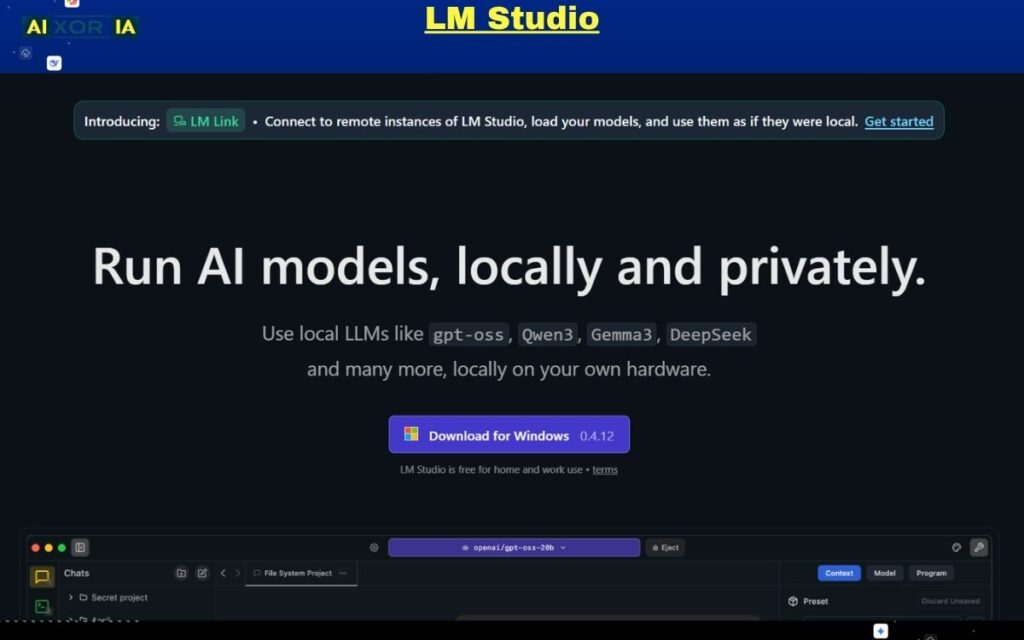
LM Studio is one of the most important tools in the modern “uncensored AI” ecosystem because it gives you something most cloud platforms cannot: full local control over AI models.
In simple terms, LM Studio lets you download and run large language models directly on your own computer. That means:
- Your prompts stay on your machine
- No external logging or tracking layers
- No dependency on a single provider’s rules
This is what “uncensored AI” really means in 2026 for serious users—not removing safety entirely, but removing unnecessary external control.
For developers, researchers, and advanced users, LM Studio acts like a personal AI lab where you decide how models behave.
Core features and capabilities
LM Studio is designed to make local AI more accessible without removing advanced control.
Key capabilities include:
- One-click model downloads (GGUF, quantized models, etc.)
- Local chat interface for interacting with models
- Support for multiple open-source LLMs
- Adjustable parameters (temperature, context length, etc.)
- Offline usage (no internet required after setup)
- Local API server (so you can connect apps to your local AI)
One of its biggest advantages is that it removes the need for complex command-line setups. You can install, load, and run models through a clean interface.
The “uncensored” factor explained
LM Studio doesn’t “uncensor” AI in the traditional sense—it simply removes external filters.
Because you are running the model locally:
- There is no cloud moderation layer
- No forced refusal system from a provider
- No hidden filtering beyond the model itself
This means your output depends on:
- The model you choose
- The settings you configure
- The prompts you write
If you load an open-weight or less-aligned model, you get more direct and flexible outputs compared to heavily filtered platforms.
This level of control is exactly why LM Studio is considered one of the best uncensored AI tools for power users.
Hardware requirements (very important in 2026)
This is where most beginners make mistakes.
Local AI is powerful—but it depends heavily on your system.
Minimum setup:
- 16GB RAM (basic models)
- Integrated GPU or CPU inference
Recommended setup (smooth performance):
- 32GB+ RAM
- Dedicated GPU (RTX 40/50 series or Apple Silicon M-series)
High-end setup (advanced models):
- 64GB RAM or higher
- RTX 4090 / 5090 or Apple M3/M4 Max
The better your hardware, the faster and more capable your AI becomes.
Real-world use cases
LM Studio is best suited for users who need privacy, flexibility, and experimentation.
Common use cases:
- Running private AI workflows (no data leakage)
- Testing different open-source models
- Building AI-powered applications locally
- Coding assistance without restrictions
- Research and technical exploration
It is especially valuable for developers who want to integrate AI into tools without relying on external APIs.
Pros and cons
Pros:
- Full local control (maximum privacy)
- No external censorship layer
- Works offline
- Supports multiple models
- Built-in API for developers
Cons:
- Requires good hardware for best performance
- Initial setup can take time
- Not as fast as cloud AI (depending on system)
Pricing
LM Studio itself is:
- Free to use
- No subscription required
However, the real “cost” comes from:
- Hardware requirements
- Time spent setting up and testing models
Real experience insight
Using LM Studio feels like having your own private AI engine. It is slower than cloud tools on basic systems, but the control and privacy it provides make it extremely powerful for serious work.
Jan
What is Jan and why it matters in 2026
Jan is one of the cleanest examples of a privacy-first, local AI assistant built for everyday use. While tools like LM Studio focus on technical control, Jan focuses on making local AI simple, usable, and accessible.
In 2026, this is a major shift.
Most users want:
- Privacy
- Control
- But also simplicity
Jan bridges that gap. It gives you a ChatGPT-like experience, but instead of sending your data to a cloud server, everything runs on your own device.
That’s why Jan is often recommended as one of the best uncensored AI tools for beginners moving into local AI.
Core features and capabilities
Jan is designed to feel familiar while still offering deep control under the hood.
Key features include:
- Clean desktop interface (similar to modern chat tools)
- Local model support (run AI offline)
- Option to connect cloud models (if needed)
- Multi-platform support (Windows, macOS, Linux)
- Built-in model management system
- Conversation history stored locally
Unlike more technical tools, Jan focuses on user experience first, which makes it easier to adopt for non-developers.
The “uncensored” factor explained
Jan’s strength comes from its local-first architecture.
Because conversations run locally:
- No centralized moderation layer
- No automatic filtering from external providers
- No hidden data logging
This means you get:
- More consistent responses
- Fewer unnecessary refusals
- Better continuity in complex discussions
However, it’s important to understand that:
- The output still depends on the model you load
- Some models are more “aligned” than others
So the real power of Jan is not just that it’s uncensored—it’s that it gives you the freedom to choose how uncensored your AI should be.
Hardware considerations
Jan is more lightweight compared to tools like LM Studio, but hardware still matters.
Minimum:
- 8–16GB RAM
- Basic CPU inference
Recommended:
- 16–32GB RAM
- Apple Silicon (M1/M2/M3) or mid-range GPU
Because Jan is optimized for usability, it can run on relatively modest systems—but performance improves significantly with better hardware.
Real-world use cases
Jan is best for users who want a daily-use AI assistant without privacy concerns.
Common use cases:
- Writing and content creation
- Personal research and note-taking
- Running private conversations
- Brainstorming ideas
- Learning and experimentation
It is especially useful for freelancers, writers, and students who want AI help without sending data to external servers.
Pros and cons
Pros:
- Fully private (local-first design)
- Simple and clean interface
- Works offline
- Supports both local and cloud models
- Beginner-friendly compared to other local tools
Cons:
- Performance depends on hardware
- Fewer advanced controls than developer-focused tools
- Limited compared to enterprise AI platforms
Pricing
Jan is:
- Free and open-source
- No subscription required
Your only cost is:
- Hardware (if upgrading for better performance)
Real experience insight
Jan feels like a private version of ChatGPT on your own computer. It’s simple, smooth, and ideal for daily use, especially if you care about keeping your data local.
OpenRouter
What is OpenRouter and why it matters in 2026
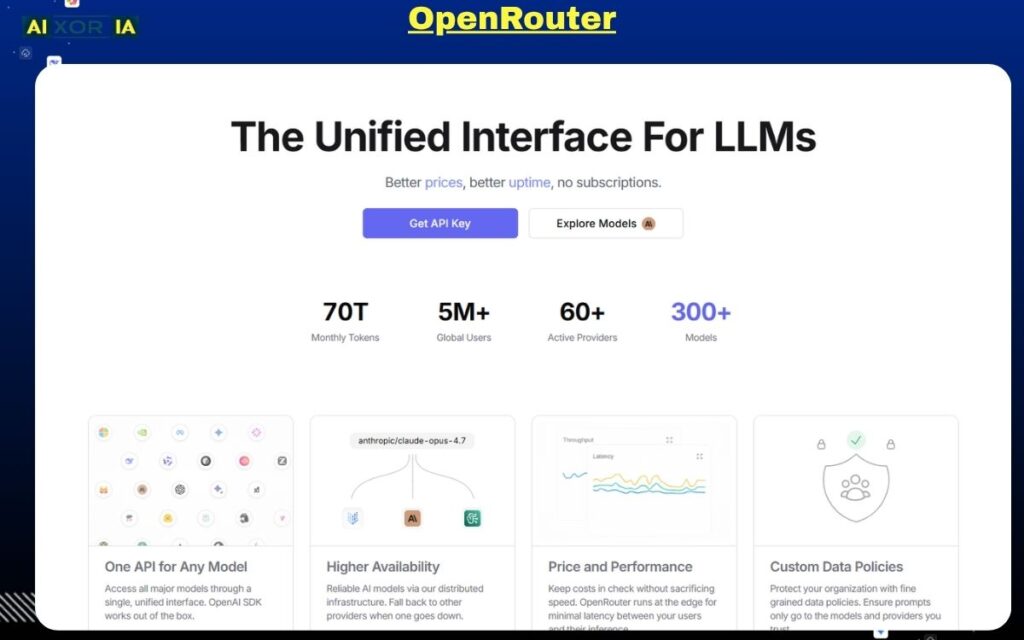
OpenRouter is not a traditional AI tool—it is a multi-model gateway that gives you access to a wide range of AI models through a single interface and API.
In 2026, this matters more than ever.
Instead of being locked into one AI provider, OpenRouter allows you to:
- Switch between different models instantly
- Compare outputs across systems
- Choose models based on performance, cost, or flexibility
This is why OpenRouter is considered one of the most powerful “uncensored AI” tools for developers and advanced users. It doesn’t remove filters directly—it gives you the ability to choose models that match your needs, including those with fewer restrictions.
Core features and capabilities
OpenRouter is built for flexibility and scale.
Key capabilities include:
- Access to hundreds of AI models in one place
- Unified API for all supported models
- Model comparison and switching
- Transparent pricing per model
- Free-tier access for selected models
- Routing system to optimize performance and cost
Instead of building separate integrations for each AI provider, OpenRouter simplifies everything into one system.
The “uncensored” factor explained
OpenRouter’s approach to “uncensored AI” is different from local tools.
It does not remove restrictions directly. Instead, it gives you:
- Access to models with different alignment levels
- The ability to select less restrictive models
- More control over how outputs are generated
This means:
- You are not dependent on one provider’s rules
- You can experiment with different behaviors
- You can optimize for flexibility instead of safety limits
For power users, this is often more useful than a single “uncensored” tool.
Technical flexibility and API power
One of OpenRouter’s biggest strengths is its developer-friendly architecture.
You can:
- Integrate multiple models into your app
- Route requests dynamically
- Optimize cost vs performance
- Build custom workflows using different models
For example:
- Use one model for coding
- Another for writing
- Another for reasoning
All within the same system.
This level of control is why OpenRouter is widely used in advanced AI workflows.
Real-world use cases
OpenRouter is ideal for users who need flexibility and scalability.
Common use cases:
- Building AI-powered applications
- Testing multiple models for best output
- Running large-scale automation workflows
- Comparing model performance
- Reducing dependency on a single provider
It is especially useful for startups, developers, and AI engineers.
Pros and cons
Pros:
- Access to a large number of models
- Flexible and scalable API
- Transparent pricing
- Ability to choose less restrictive models
- Ideal for advanced workflows
Cons:
- Requires technical knowledge
- Not beginner-friendly
- Still cloud-based (not fully private)
OpenRouter Pricing
OpenRouter typically offers:
- Free access to selected models
- Pay-as-you-go pricing for premium models
- Costs vary depending on model usage
This makes it flexible, but pricing can increase with heavy usage.
Real experience insight
Using OpenRouter feels like having a control panel for multiple AI systems. It’s powerful and flexible, but works best if you understand how different models behave.
FreedomGPT
What is FreedomGPT and why it matters in 2026
FreedomGPT is one of the few AI tools built around a clear idea: give users broad access to AI models with minimal friction and strong privacy positioning.
In 2026, many AI platforms are either:
- Highly restricted but easy to use
- Or fully flexible but technically complex
FreedomGPT sits in the middle.
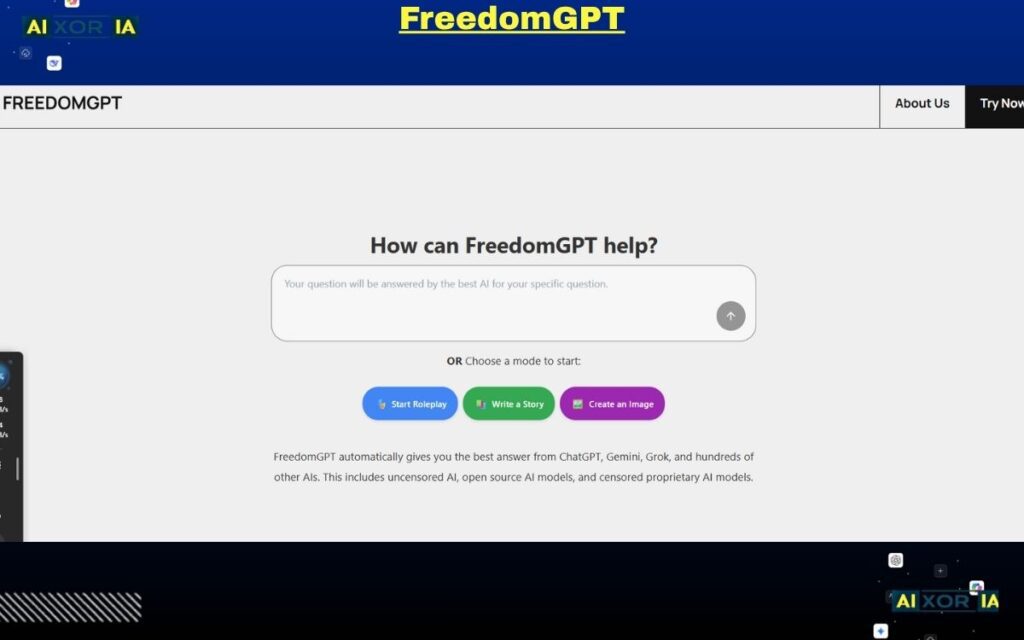
It offers an all-in-one AI environment where users can access multiple models, generate content, and run different types of workflows—without needing to set up local infrastructure or manage APIs manually.
For users searching for the best uncensored AI tool, FreedomGPT is often appealing because it combines:
- Accessibility
- Variety
- Reduced restrictions (compared to mainstream tools)
Core features and capabilities
FreedomGPT is designed as a multi-purpose AI suite rather than a single-function tool.
Key capabilities include:
- Access to hundreds of AI models
- Chat-based interface for text generation
- Image and media generation tools
- Roleplay and conversational AI features
- No complex setup required
- Cross-platform accessibility
Instead of building your own AI stack, FreedomGPT provides a ready-to-use ecosystem.
The “uncensored” factor explained
FreedomGPT’s positioning is built around reduced filtering and broader output flexibility.
In practice, this means:
- Fewer interruptions in creative workflows
- More direct responses for complex queries
- Better continuity in conversations
However, it’s important to understand:
- It is still a hosted platform
- It does not provide full local control
- Outputs still depend on underlying models
So while it offers more flexibility than many mainstream tools, it is not the same as running a fully local AI system.
Its real advantage is ease of access to flexible AI behavior, not total removal of constraints.
Platform architecture and usability
One of FreedomGPT’s strongest points is simplicity.
You don’t need:
- High-end hardware
- Model downloads
- API configuration
Everything runs through a unified interface, making it suitable for users who want to start quickly.
This makes it especially attractive for:
- Content creators
- Marketers
- Freelancers
- Beginners exploring uncensored AI tools
Real-world use cases
FreedomGPT is best suited for users who want breadth of functionality without technical complexity.
Common use cases:
- Writing blogs, scripts, and marketing content
- Generating images and creative assets
- Running conversational AI workflows
- Experimenting with different AI outputs
- General-purpose productivity tasks
It is not a developer-first tool, but it works well for users who need practical, everyday AI capabilities.
Pros and cons
Pros:
- Easy to use (no setup required)
- Access to multiple AI tools in one platform
- Lower learning curve
- Suitable for non-technical users
- Broad functionality (text, chat, creative use)
Cons:
- Not fully private (cloud-based)
- Less control compared to local AI tools
- Performance depends on platform infrastructure
- Limited customization for advanced users
Pricing
FreedomGPT typically offers:
- Entry-level paid plans (low monthly cost)
- Access to multiple tools within one subscription
- Pricing may vary based on usage and features
Compared to enterprise AI platforms, it is relatively affordable.
Real experience insight
FreedomGPT feels like a bundled AI workspace. It’s simple, fast to start, and useful for everyday tasks, especially if you don’t want to deal with technical setup or local models.
Hugging Face
What is Hugging Face and why it matters in 2026
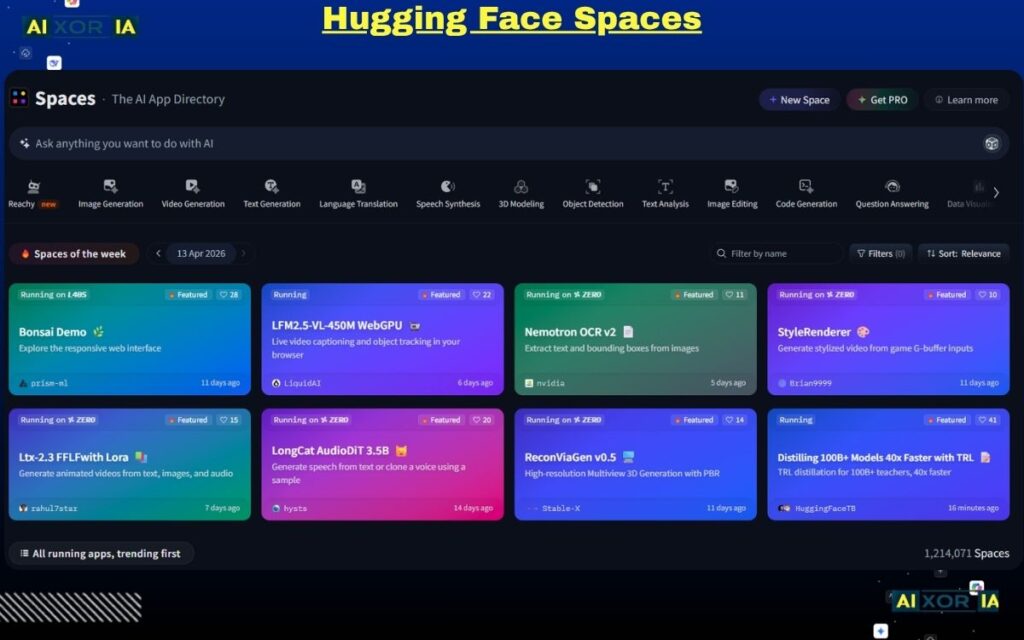
Hugging Face is not just an AI tool—it is the largest open AI ecosystem in the world. In 2026, it has become the backbone of open-source AI development, hosting thousands of models, datasets, and tools used by developers, researchers, and enterprises.
If you are serious about understanding or using “uncensored AI,” you cannot ignore Hugging Face.
Why? Because most “uncensored” or less-aligned models:
- Are hosted there
- Are shared by independent researchers
- Can be downloaded and run locally
Unlike closed platforms, Hugging Face gives you direct access to the building blocks of AI, not just a chat interface.
Core features and capabilities
Hugging Face offers a complete AI ecosystem.
Key capabilities include:
- Access to 100,000+ open-source AI models
- Model hosting and sharing
- Datasets for training and fine-tuning
- Spaces (apps and demos built on models)
- Transformers library for developers
- API endpoints for deployment
You can either:
- Use models directly in the browser
- Deploy them via API
- Or download and run them locally
This flexibility is what makes it one of the most powerful platforms in the AI space.
The “uncensored” factor explained
Hugging Face does not market itself as an “uncensored AI tool,” but in practice, it is one of the main sources of uncensored and semi-aligned models.
Here’s why:
- Anyone can publish models
- Many models are lightly aligned or experimental
- You can choose exactly what you run
This means:
- No single authority controls all outputs
- You can explore different model behaviors
- You can find models optimized for specific use cases
However, this also requires responsibility:
- Not all models are safe or reliable
- Quality varies significantly
The power comes from freedom of choice, not built-in filtering.
Technical depth and developer control
Hugging Face is especially valuable for developers.
You can:
- Fine-tune models on your own data
- Build custom AI pipelines
- Deploy models into production
- Integrate AI into applications
It supports multiple frameworks and tools, making it suitable for:
- Machine learning engineers
- AI researchers
- Advanced developers
For non-technical users, it can feel overwhelming—but for power users, it is unmatched.
Real-world use cases
Hugging Face is best suited for users who want maximum flexibility and deep customization.
Common use cases:
- Discovering and testing new AI models
- Fine-tuning models for specific tasks
- Building AI-powered products
- Running research experiments
- Accessing niche or experimental models
It is often used alongside tools like LM Studio or APIs like OpenRouter.
Pros and cons
Pros:
- Massive model library
- Open ecosystem (no lock-in)
- Supports local and cloud workflows
- Ideal for research and development
- Strong community and continuous updates
Cons:
- Not beginner-friendly
- Quality of models varies
- Requires technical knowledge for advanced use
- No single “plug-and-play” experience
Hugging Face Pricing
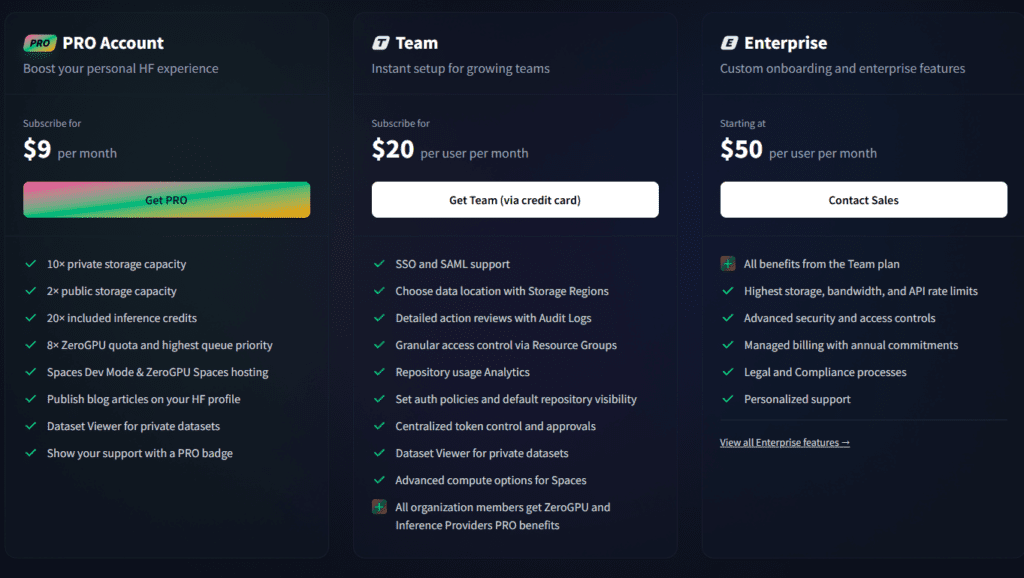
Hugging Face offers:
- Free access to many models
- Paid API and hosting services
- Enterprise plans for large-scale deployment
Costs depend on:
- Usage
- Hosting requirements
- Compute resources
Real experience insight
Hugging Face feels like an AI marketplace rather than a single tool. It’s powerful and flexible, but you need to know what you’re looking for to use it effectively.
Mistral AI
What is Mistral AI and why it matters in 2026
Mistral AI has quickly established itself as one of the most important open-weight AI model providers in the industry. Unlike traditional closed AI companies, Mistral focuses on delivering high-performance models with more flexibility and deployment options.
In 2026, this makes it highly relevant for users searching for the best uncensored AI tool, especially those who care about:
- Running models independently
- Avoiding strict platform-level restrictions
- Balancing performance with control
Mistral doesn’t provide a typical “chat app.” Instead, it provides the models that power many uncensored or semi-aligned AI tools.
Core features and capabilities
Mistral AI is built around delivering strong, efficient models that can be used in multiple environments.
Key capabilities include:
- High-performance language models (competitive with top-tier AI)
- Open-weight availability for selected models
- Cloud API access for easy integration
- Efficient architecture (better performance per compute)
- Compatibility with local AI tools (like LM Studio)
Their models are often used as a base for:
- Fine-tuned uncensored models
- Local AI deployments
- Developer-focused applications
The “uncensored” factor explained
Mistral AI itself does not position its models as “uncensored,” but it plays a critical role in the ecosystem.
Here’s how:
- Some Mistral models are released with fewer restrictions compared to closed models
- Developers can fine-tune them to reduce alignment layers
- They can be run locally, removing external moderation
This means:
- You are not locked into a single behavior
- You can modify how the model responds
- You gain more control compared to fully closed systems
In many cases, “uncensored AI tools” are actually built on top of Mistral models.
Performance and efficiency advantage
One of Mistral’s biggest strengths is efficiency.
Compared to many large models:
- It delivers strong reasoning capabilities
- Uses fewer resources
- Runs faster on local hardware
This makes it a practical choice for:
- Developers
- Startups
- Users with limited hardware
It is especially valuable in local AI setups where performance matters.
Real-world use cases
Mistral AI is best for users who need high-quality models with flexibility.
Common use cases:
- Building AI applications
- Running models locally for private workflows
- Fine-tuning models for specific industries
- Integrating AI into products and services
- Supporting uncensored AI pipelines
It is rarely used alone—it is usually part of a larger AI stack.
Pros and cons
Pros:
- High-performance models
- Efficient and optimized architecture
- Flexible deployment (local + cloud)
- Strong developer adoption
- Often used in advanced AI workflows
Cons:
- Not a beginner-friendly tool
- No direct chat interface for casual users
- Requires integration or setup
- Some models still have alignment layers
Pricing
Mistral AI offers:
- API-based pricing for cloud usage
- Free access to some open-weight models
- Enterprise pricing for large deployments
Costs depend on:
- Model usage
- API calls
- Infrastructure requirements
Real experience insight
Mistral AI feels more like an engine than a finished product. It delivers strong performance, but you need the right tools and setup to fully take advantage of it.
KoboldAI Lite
What is KoboldAI Lite and why it matters in 2026
KoboldAI Lite is a browser-based AI storytelling tool designed primarily for creative writers, roleplay users, and narrative-focused workflows. Unlike general-purpose AI platforms, it is built specifically for long-form storytelling and interactive text generation.
In 2026, while most AI tools focus on productivity and automation, KoboldAI Lite continues to serve a niche that remains highly active: creative freedom in writing.
For users searching for the best uncensored AI tool, KoboldAI Lite stands out because:
- It prioritizes narrative flow over strict response control
- It allows more flexible character and story generation
- It integrates with multiple back-end models, including less restrictive ones
Core features and capabilities
KoboldAI Lite is designed to give writers control over how stories evolve.
Key capabilities include:
- Browser-based interface (no installation required)
- Support for multiple AI backends (local and cloud)
- Adjustable generation settings (temperature, repetition penalty, etc.)
- Memory and context tools for long stories
- Scenario and character-based prompting
- Save/load story sessions
The interface may feel simple, but it offers deep customization for those who understand storytelling workflows.
The “uncensored” factor explained
KoboldAI Lite’s “uncensored” nature comes from its flexible backend integration.
Instead of enforcing strict output rules, it allows:
- Use of different models with varying alignment levels
- More control over how the AI continues narratives
- Fewer interruptions in creative storytelling
This makes it particularly effective for:
- Fiction writing
- Roleplay scenarios
- Experimental narrative structures
However, like many tools in this category:
- Output quality depends heavily on the model used
- There is no universal “uncensored mode”
The real advantage is creative continuity without constant filtering interruptions.
Technical flexibility and customization
KoboldAI Lite is more customizable than it appears.
You can:
- Connect it to local models for full privacy
- Use API-based models for faster responses
- Adjust generation parameters for tone and style
- Control how memory and context are handled
This flexibility allows advanced users to fine-tune storytelling behavior in ways that most standard AI tools do not allow.
Real-world use cases
KoboldAI Lite is best suited for users focused on creative writing and narrative generation.
Common use cases include:
- Writing novels and short stories
- Interactive roleplay sessions
- Character-driven storytelling
- World-building and lore creation
- Experimenting with different writing styles
It is not ideal for technical or business workflows—but it excels in creative domains.
Pros and cons
Pros:
- Strong focus on storytelling
- Flexible model integration
- Browser-based (easy access)
- Good control over narrative flow
- Suitable for creative experimentation
Cons:
- Not designed for general productivity tasks
- Interface can feel outdated
- Output quality varies by model
- Requires some learning for best results
Pricing
KoboldAI Lite itself is:
- Free to use (browser interface)
Costs may come from:
- API usage (if using cloud models)
- Hardware (if running local models)
Real experience insight
KoboldAI Lite feels like a dedicated writing companion. It’s not the fastest or most modern tool, but for storytelling, it provides a level of flexibility that most AI platforms don’t offer.
Pygmalion AI
What is Pygmalion AI and why it matters in 2026
Pygmalion AI is a community-driven conversational AI platform built specifically for character-based interaction and realistic dialogue generation. Unlike general-purpose AI tools, it focuses on one core strength: creating natural, human-like conversations without heavy interruption or over-filtering.
In 2026, this makes it highly relevant in the uncensored AI space.
Most mainstream AI chat systems are designed for safety, productivity, or business use. Pygmalion, on the other hand, is designed for:
- Deep conversations
- Character immersion
- Emotional and contextual dialogue
For users searching for the best uncensored AI tool, Pygmalion AI stands out because it offers more flexible conversational behavior, especially in long, evolving interactions.
Core features and capabilities
Pygmalion AI is built around dialogue quality and interaction depth.
Key capabilities include:
- Character-based chat system
- Support for custom personalities and prompts
- Long-context conversation handling
- Integration with local and cloud models
- Community-created datasets and models
- Flexible prompt structuring for dialogue control
It allows users to define how a character behaves, responds, and evolves over time.
The “uncensored” factor explained
Pygmalion AI’s “uncensored” nature comes from its community-driven design and flexible model usage.
Instead of enforcing strict conversational limits, it allows:
- More natural and less interrupted dialogue
- Fewer generic refusal responses
- Greater freedom in character behavior
However, like other tools in this category:
- The level of restriction depends on the model being used
- It is not completely unrestricted by default
- Responsibility still lies with the user
Its strength is not “no rules,” but more realistic and uninterrupted interaction flow.
Community and model ecosystem
One of Pygmalion AI’s biggest advantages is its community.
Because it is community-driven:
- New models and datasets are constantly being developed
- Users share character templates and improvements
- The platform evolves quickly based on real usage
This creates a dynamic ecosystem where:
- Dialogue quality continues to improve
- New use cases emerge regularly
It also means that Pygmalion often stays ahead in conversational realism compared to many closed platforms.
Real-world use cases
Pygmalion AI is best suited for users who want deep conversational experiences.
Common use cases include:
- Character-based roleplay
- Dialogue writing for stories or scripts
- Testing conversational AI behavior
- Building interactive chat experiences
- Emotional and narrative-driven interactions
It is not designed for coding, automation, or business workflows—but it excels in conversational depth.
Pros and cons
Pros:
- Strong conversational realism
- Flexible character creation
- Active community support
- Works with multiple models
- Less interruption in dialogue flow
Cons:
- Not suitable for technical or business tasks
- Setup can vary depending on usage
- Output quality depends on model choice
- Less structured than productivity tools
Pricing
Pygmalion AI is generally:
- Free to access (community-driven ecosystem)
Possible costs include:
- Hosting or API usage (if using external models)
- Hardware (for local setups)
Real experience insight
Pygmalion AI feels more like interacting with a personality than a tool. It handles long conversations well and maintains context better than many standard AI chat systems.
READ MORE – Best NSFW AI Art Generator in 2026
There Is No “One Best Uncensored AI Tool”
If you’ve read this far, one thing should be clear:
There is no single “best uncensored AI tool” for everyone.
In 2026, the real advantage comes from understanding your workflow and choosing the right combination of tools, not just installing one platform and expecting everything to work perfectly.
Each tool we covered solves a different problem:
- Some give you full privacy
- Some give you speed and scalability
- Some are built for developers
- Others are designed for creative users
The mistake most people make is choosing based on hype instead of use-case fit.
Quick Comparison: Which Tool Is Best for What?
Here is a simplified breakdown based on real-world usage:
For Maximum Privacy (Local AI Setup)
- LM Studio
- Jan
These tools are best if:
- You don’t want your data leaving your device
- You want full control over models
- You are okay with hardware limitations
For Flexibility and Model Variety
- OpenRouter
- Hugging Face
Best for:
- Developers
- AI experimentation
- Multi-model workflows
For Simplicity and Everyday Use
- Venice AI
- FreedomGPT
Best for:
- Beginners
- Content creators
- Fast, no-setup workflows
For Performance and Model Power
- Mistral AI
Best for:
- Developers building products
- High-performance AI tasks
- Custom deployments
For Creative and Conversational Workflows
- KoboldAI Lite
- Pygmalion AI
Best for:
- Storytelling
- Roleplay
- Character-based interaction
Privacy vs Performance: The Real Decision You Need to Make
Before choosing any tool, answer this honestly:
Do you care more about privacy or performance?
If Privacy Is Your Priority
Go with:
- Local tools like LM Studio or Jan
- Run models offline
- Accept slower speeds for full control
If Performance Is Your Priority
Go with:
- Cloud tools like OpenRouter or Venice
- Faster responses
- Less setup
- But reduced control over data
If You Want the Best of Both
Use a hybrid approach:
- Local AI for sensitive tasks
- Cloud AI for speed and scalability
This is what most advanced users are doing in 2026.
A Smarter Setup (What Power Users Actually Do)
Instead of relying on one tool, experienced users combine multiple tools:
Example setup:
- LM Studio → for private local workflows
- OpenRouter → for high-speed API access
- Hugging Face → for discovering new models
- Venice → for quick daily tasks
This approach gives you:
- Control
- Speed
- Flexibility
Common Mistakes to Avoid
If you want to get real value from uncensored AI tools, avoid these:
- Choosing tools based only on “uncensored” claims
- Ignoring hardware requirements for local AI
- Expecting one tool to do everything
- Not understanding model behavior
- Sacrificing privacy without realizing it
The biggest mistake is not learning how these tools actually work.
Final Recommendation (Simple and Clear)
If you are just starting:
- Begin with Venice AI or FreedomGPT
- Easy, fast, and beginner-friendly
If you are serious about AI:
- Move to LM Studio or Jan
- Learn how local models work
If you are a developer:
- Use OpenRouter + Hugging Face
- Build real AI workflows
Closing: What This Means for the Future of AI
The shift toward uncensored AI tools is not about removing all rules.
It’s about giving users:
- More transparency
- More control
- More choice
In 2026, the future of AI is not centralized—it is modular, flexible, and user-driven.
And the users who understand this early will have a major advantage.