Is ADP or QuickBooks Better for Payroll for Small vs. Growing Businesses?
Scr0ll d0wn to D0VVNL0AD

When evaluating is ADP or QuickBooks better for payroll?, company size and growth trajectory serve as the primary foundational filters. A business with five local employees operating out of a single office faces vastly different operational friction than a firm with 45 workers distributed across eight states with ambitions to expand overseas.
QuickBooks Payroll functions primarily as an extension of the broader Intuit ecosystem. For small teams already running QuickBooks Online for bookkeeping, adding payroll creates a zero-friction environment where general ledger mapping happens automatically in the background. It allows micro-businesses and small teams (typically under 20 employees) to process wage payments, distribute direct deposits, and generate pay stubs without leaving their central accounting software environment.
ADP, backed by over 75 years of industry experience and serving over 900,000 small business clients, approaches workforce management from an enterprise-first perspective down to small business tiers like RUN Powered by ADP®. ADP treats payroll not just as a financial calculation, but as an entry point into talent acquisition, employee benefits administration, multi-state labor compliance, and human resources (HR) infrastructure. As companies scale toward 50 employees and beyond, they often encounter structural limits in standard accounting add-ons, making ADP’s dedicated HR framework more attractive.
| Operational Feature | QuickBooks Payroll | ADP (RUN / Workforce Now) |
|---|---|---|
| Primary Focus | Accounting & Payroll Integration | Full HR, Payroll & Workforce Management |
| Pricing Model | Transparent published monthly tiers | Custom quote-based pricing |
| Pay Run Charges | Unlimited payroll runs included | Charged per payroll run (plus off-cycle fees) |
| Multi-State Payroll | Included on higher tiers (Elite) | Advanced multi-state registration & filing built-in |
| Direct Deposit Speed | Next-day or Same-day (Premium/Elite) | Standard 2–4 days (Next-day on higher packages) |
| Global Payroll | No native international payroll | Supported in 140+ countries (ADP GlobalView) |
| HR & Compliance Support | Basic digital onboarding & templates | Dedicated HR experts, handbook wizards, background checks |
| Time Tracking | Native QuickBooks Time integration | ADP Time & Attendance add-on (~$6/employee/mo) |
Key Questions Answered: Is ADP or QuickBooks Better for Payroll Across Core Operations?
To fully understand whether is ADP or QuickBooks better for payroll, we must examine how both software engines handle complex compliance tasks, multi-state tax jurisdictions, and employee benefits administration.
When managing workers across state lines, regulatory complexity multiplies rapidly. QuickBooks Payroll allows multi-state tax withholding and quarterly filing, but accessing automated multi-state tax account setup requires upgrading to its highest tier (Elite, starting at $125/month base plus $10 per employee). In contrast, ADP excels at handling complex multi-state edge cases, offering automated 50-state tax agency registration tools directly inside its platform to eliminate manual portal submissions.
In terms of benefits administration and HR tools, ADP pulls significantly ahead. While QuickBooks relies heavily on external partnerships (such as Guideline for 401(k) plans and SimplyInsured for health coverage) to deliver benefits, ADP acts as a centralized brokerage hub. ADP RUN includes pre-populated state employee handbook wizards, sexual harassment training tracking, mandatory labor law poster compliance updates, and direct integration with ZipRecruiter for job postings—tools completely absent from basic accounting payroll tools.
Customer support structures also diverge sharply:
- ADP provides 24/7 live payroll and tax support across all bundles, ensuring experienced specialists are available whether you are finalizing payroll at midnight before a bank holiday or auditing tax withholdings. ADP customers save an average of 23 minutes per payroll run and save roughly 2.5 work days per year on administrative compliance tasks.
- QuickBooks Payroll provides standard business-hour phone and chat support, though Elite tier users receive priority call routing and expert setup guidance. However, QuickBooks lacks 24/7 live phone assistance for emergency payroll runs.
Ease of Use: Is ADP or QuickBooks Better for Payroll Setup and Daily Workflows?
From an ease-of-use standpoint, QuickBooks Payroll takes top honors for simplicity among small business owners who manage their own bookkeeping. TechRepublic has consistently rated QuickBooks Payroll as offering superior user experience due to its clean, familiar dashboard. Onboarding taking roughly 3 to 5 weeks for initial configuration, employee setup, and historical record entry. Self-service portals inside QuickBooks Workforce allow employees to independently view digital pay stubs, access annual W-2 forms, and modify tax withholdings without contacting HR.
Implementation for ADP ranges from 3 to 5 weeks for RUN Powered by ADP® up to 3 months for advanced enterprise solutions like ADP Workforce Now or TotalSource due to deep custom workflows, custom general ledger mapping, and tailored benefits enrollment setup. Once configured, ADP’s mobile self-service portal provides employees with rich controls over pay cards, direct deposit splitting, and benefit selections. However, administrators must navigate a denser interface designed around multi-tiered permission roles, which can present a steeper learning curve compared to QuickBooks.
Accounting Integration, Time Tracking, and Job Costing Comparison
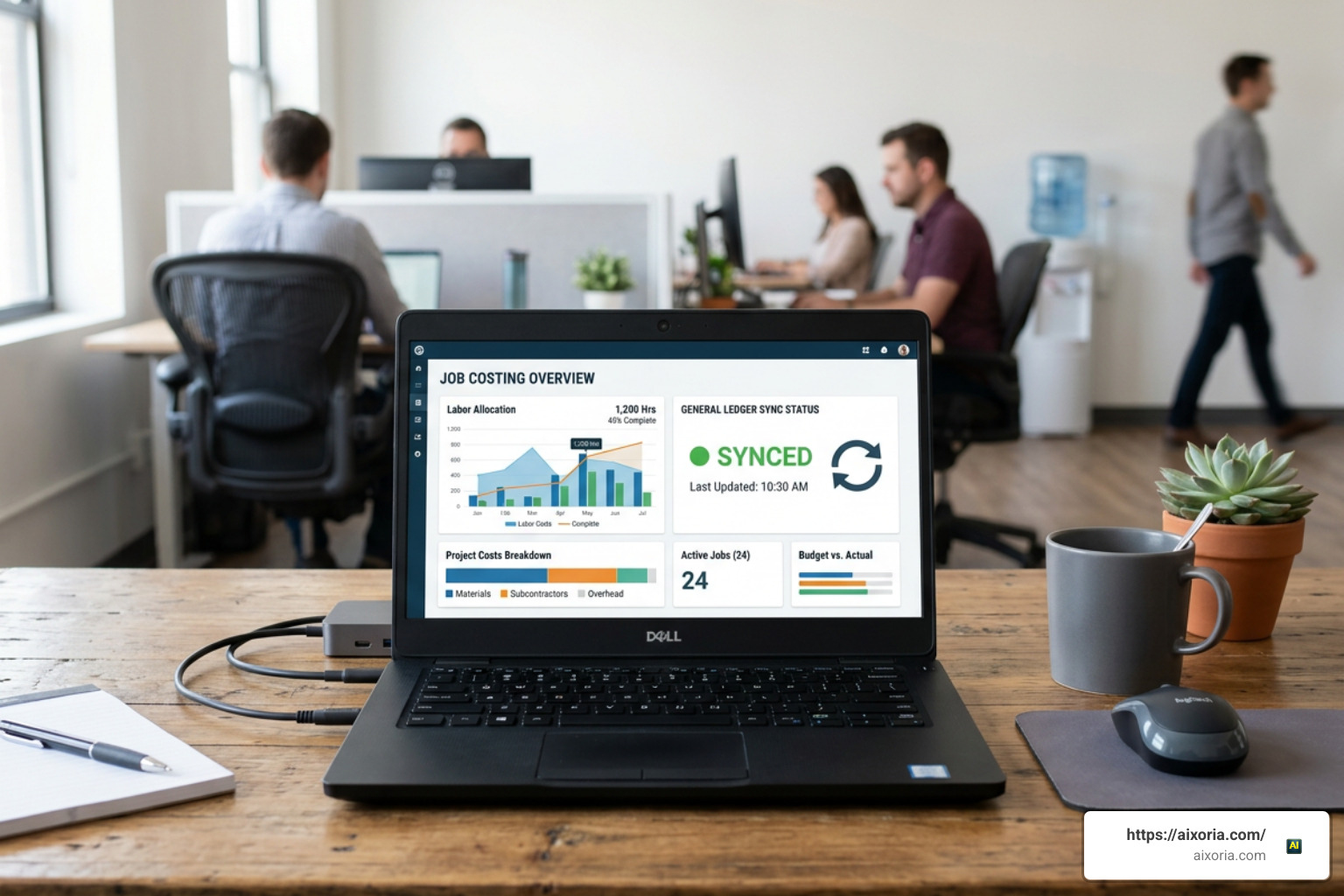
A critical factor when deciding is ADP or QuickBooks better for payroll? centers on how payroll data flows into financial reporting and project accounting frameworks.
QuickBooks Payroll enjoys a distinct structural advantage here because it lives natively inside QuickBooks Online. Payroll disbursements, employer payroll tax liabilities, and worker pay stub details post automatically to your general ledger without requiring sync scripts or manual journal entries. For businesses seeking native accounting alignment and unified project tracking, reviewing the official ADP vs QuickBooks: 2026 Comparison provides detailed insights into Intuit’s native general ledger capabilities.
ADP connects to QuickBooks Online, Xero, Sage, and other major financial platforms via dedicated connectors available through the ADP Marketplace. While ADP’s general ledger integration is reliable and automated, it operates on a scheduled or trigger-based sync rather than living natively inside the accounting core. This means bookkeepers must occasionally review mapping rules to ensure dynamic additions—such as new wage types or newly added state tax items—map cleanly to the correct general ledger accounts without sync errors.
When evaluating time tracking and scheduling integrations, QuickBooks leverages QuickBooks Time (formerly TSheets) directly within its interface. Employees clock in via GPS geofencing on mobile apps, with hours flowing instantly into pay runs, customer invoicing, and job costing modules. ADP offers robust proprietary time tracking add-ons (typically costing around $6 per employee per month or roughly $100 per month for a 10-person team), which automatically apply complex overtime rules, meal-break penalties, and shift differentials.
Project Profitability and Detailed Costing Mechanics
For project-based companies like general contractors, commercial trade services, architecture firms, and professional service agencies, raw payroll math is only half the battle. You must also assign precise labor dollars to specific client projects to track profit margins.
QuickBooks Payroll links hourly pay rates, worker hours, and payroll tax overhead directly to specific job cost codes inside QuickBooks Plus and Advanced plans. However, QuickBooks relies heavily on fixed pay items tied to rigid accounting rules. If an employee works a 10-hour shift across four distinct job sites with variable pay rates, Fair Labor Standards Act (FLSA) blended overtime calculations or prevailing wage adjustments often require manual calculation workarounds in spreadsheets before inputting pay items.
ADP Workforce Now and RUN allow payroll managers to break hourly pay into dynamic line-item chunks across unlimited cost centers, department codes, and project tasks within a single pay period. This flexibility enables automated FLSA overtime adjustments, dynamic state tax rate shifts, and certified payroll reporting required for government construction contracts without external spreadsheet dependencies.
Pricing Models, Hidden Fees, and Tax Penalty Protection

Understanding total cost of ownership requires looking past basic marketing headlines. QuickBooks Payroll maintains transparent published tier rates:
- Core Plan: $45/month base fee plus $6 per employee per month (designed for basic single-state payroll).
- Premium Plan: $75/month base fee plus $8 per employee per month (includes same-day direct deposit, QuickBooks Time integration, and expert review).
- Elite Plan: $125/month base fee plus $10 per employee per month (adds dedicated personal onboarding, custom project tracking, and tax penalty coverage).
A key value proposition of QuickBooks Payroll is its offer of unlimited payroll runs at no extra charge across all tiers. This makes issuing off-cycle commission payouts, correction checks, or weekly payroll runs extremely cost-effective.
ADP operates on a customized quote-based pricing structure where costs scale based on service tier, pay frequency, and bundled add-on features. While RUN Essential estimated base pricing starts around $79/month plus $4 to $6 per employee per month, ADP charges on a per-payroll-run basis. For a business running weekly payrolls or frequent off-cycle bonus runs, per-run processing fees can rapidly compound total costs.
To evaluate overall plan values, consult the detailed breakdown in QuickBooks Workforce vs ADP Run: Which One Is Right for You? to compare feature-by-feature costs across both software suites.
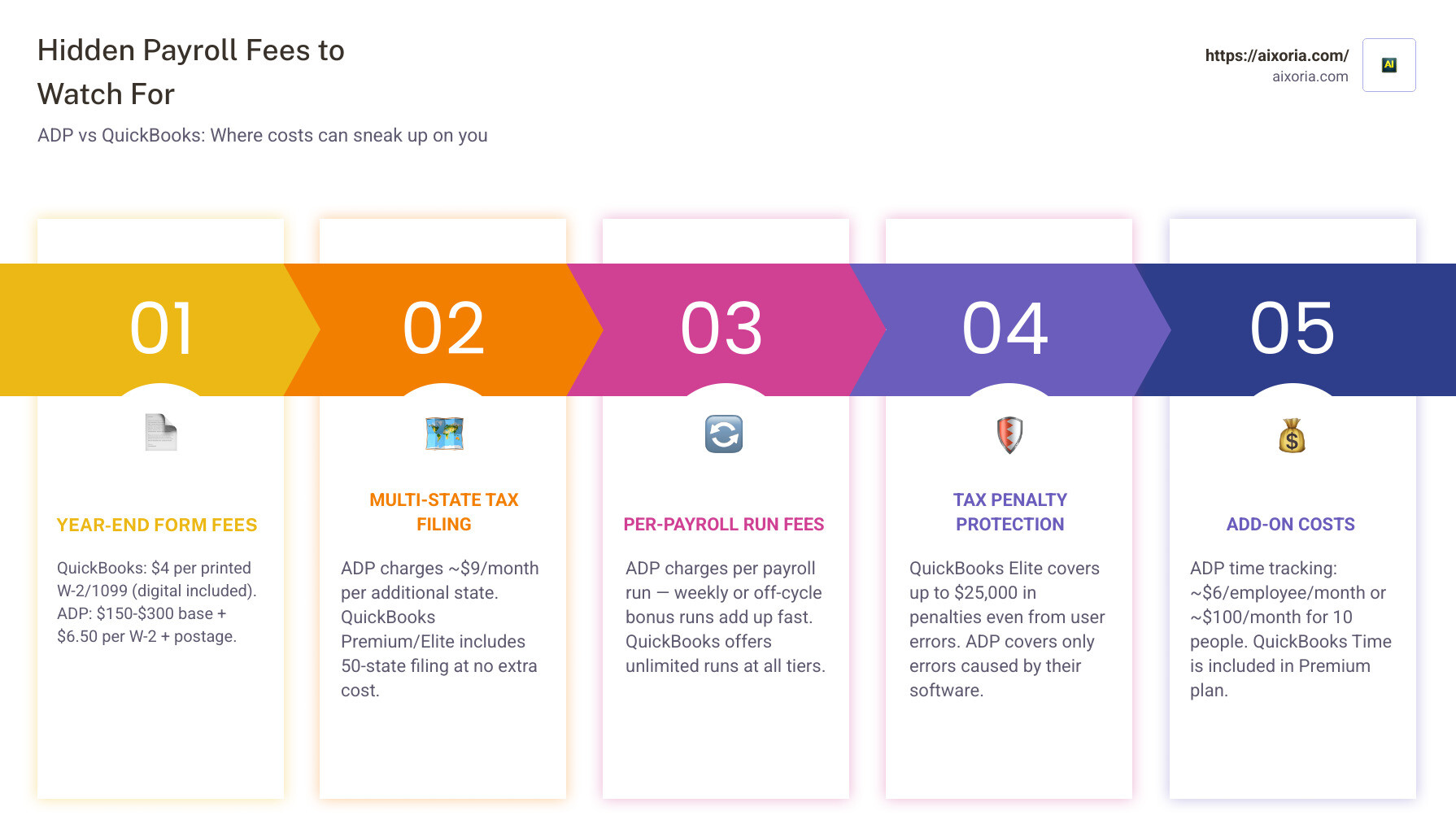
Potential hidden fees and secondary operational costs to monitor include:
- Year-End Form Processing: QuickBooks charges a flat $4 per printed and mailed W-2 or 1099 form (with digital filings included free in standard subscription fees). ADP year-end tax form creation, processing, and delivery fees frequently range from $150 to $300 base plus roughly $55 base + $6.50 per W-2 plus postage charges.
- Multi-State Tax Filings: ADP charges approximately $8.95 to $9.00 per additional state per month for multi-state tax handling, whereas QuickBooks includes 50-state tax filing in its Premium and Elite plans (though Core charges extra for additional states).
- Tax Penalty Protection: QuickBooks Elite provides a tax penalty guarantee covering up to $25,000 in penalties and interest if a tax filing error occurs—covering fines even if the underlying error originated from user input. ADP provides full tax error coverage, but indemnification is strictly limited to tax filing errors caused directly by ADP software or representative miscalculations.
Mid-Year Migration: Pros and Cons of Switching Payroll Providers
Switching payroll platforms in the middle of a fiscal year introduces technical friction that every business owner must carefully navigate.
The primary advantage of a mid-year transition is immediate relief from an underperforming system—such as gaining automated multi-state tax filings or accessing 24/7 expert HR support when expanding your team rapidly. However, mid-year transitions carry distinct operational risks:
- Quarterly Tax Discrepancies: Transferring year-to-date (YTD) wage balances mid-quarter requires meticulous reconciliation of historical state unemployment, Social Security, and federal income tax withholdings to avoid double-taxation or under-reporting during Q4 filings.
- Duplicate Tax Filings: If the outgoing provider files Q2 taxes while the incoming provider attempts to report YTD figures during Q3, state tax authorities may issue automated penalty notices due to mismatched quarter-end records.
- Administrative Workload: Transferring employee W-4 forms, direct deposit bank details, and active garnishment orders requires manual data auditing during active work cycles.
Best Practice: Whenever possible, schedule your payroll platform migration to align precisely with the start of a new calendar year (January 1) or, at minimum, the start of a clean calendar quarter (April 1, July 1, or October 1) to preserve tax continuity.
User Satisfaction, Support, and Global Scalability

User satisfaction scores across independent review platforms paint a nuanced picture depending on who is using the platform and for what purpose:
- G2 Ratings: ADP scores an impressive 4.4 out of 5 stars based on 8,557+ user reviews, earning recognition as a G2 Leader and being rated the #1 small business payroll software for consecutive years. QuickBooks Payroll holds a 3.7 out of 5 stars rating across 71 reviews, with users praising ease of use but criticizing general customer support routing.
- Capterra Scores: QuickBooks Payroll scores a strong 4.5 out of 5 stars (950+ reviews), while ADP maintains a matching 4.4 out of 5 stars (7,000+ reviews).
- Trustpilot Reviews: QuickBooks Payroll achieves 4.1 out of 5 stars across 16,100+ reviews, whereas ADP holds a low 1.8 out of 5 stars (2,845+ reviews)—with negative feedback largely driven by unpredictable quote-based pricing shifts and per-run fee surprises.
- TrustRadius: ADP leads with 7.6 out of 10 across 2,200+ reviews compared to QuickBooks Payroll’s 6.8 out of 10.
When business growth crosses international borders, is ADP or QuickBooks better for payroll? The answer is clear-cut:
QuickBooks Payroll offers no native international payroll support. It cannot pay international workers in local foreign currencies, generate localized tax compliance documentation, or manage global Employer of Record (EOR) workflows. Businesses using QuickBooks must rely on external third-party software integrations to manage non-US teams.
ADP is a global market leader in cross-border human capital management. Through platforms like ADP GlobalView and ADP Celergo, ADP supports fully compliant payroll processing across 140+ countries. Whether managing international contractors or managing overseas foreign subsidiaries, ADP unifies domestic and international workforce reporting under a single enterprise umbrella.
Frequently Asked Questions
Which platform offers better tax penalty protection?
QuickBooks Payroll offers stronger financial penalty coverage through its Elite subscription plan, which includes up to $25,000 in tax penalty protection. Crucially, QuickBooks covers tax penalties and interest fees up to this limit regardless of whether the error was caused by Intuit software or user data entry mistakes.
ADP provides complete automated tax filing, payment, and accuracy guarantees across its plans, but its penalty reimbursement guarantee applies strictly to calculation or submission errors caused directly by ADP’s system or customer service representatives.
Can ADP integrate directly with QuickBooks accounting software?
Yes. ADP integrates with QuickBooks Online and QuickBooks Desktop through the ADP Marketplace. The dedicated connector automatically maps payroll expenses, employer tax liabilities, and line-item wages directly into your QuickBooks general ledger on a scheduled basis.
While it is an external sync rather than a native feature built into the accounting core, it effectively eliminates manual double data entry for bookkeepers and accountants.
Is global payroll supported natively by QuickBooks Payroll?
No, QuickBooks Payroll does not support native global payroll or foreign direct deposits outside the United States. To pay international workers or manage global compliance, QuickBooks users must integrate third-party global payroll or Employer of Record (EOR) platforms. ADP supports global payroll natively across 140+ countries.
Conclusion
Choosing between ADP and QuickBooks for payroll comes down to a clear operational trade-off: accounting integration versus full-spectrum workforce management.”https://www.mediafire.com/file/uvuoyqmc1lwaav2/Pirate_Era_BY_MCMPDL.mcaddon/file“;
QuickBooks Payroll is the clear champion for small, single-state businesses with straightforward payroll needs that want to streamline bookkeeping, eliminate sync setup, and maintain predictable monthly costs with unlimited pay runs.
ADP is the superior choice for growing, multi-state, or complex businesses that need dedicated HR tools, 24/7 live support, benefits administration, and an enterprise compliance infrastructure that scales seamlessly from five employees to thousands worldwide.
To streamline your broader operational workflows, leverage modern automation solutions across your technology stack. Discover AI productivity tools for operations to transform how your team manages data, finance, and daily administration alongside your chosen payroll system.