Social media used to be simple. You would write a post, schedule it, and hope it performed well. That approach no longer works in 2026.
Today, social media is fast, competitive, and data-driven. Brands are publishing multiple times a day, creators are building personal brands across platforms, and businesses are using content as a primary growth engine. In this environment, manual work is not just slow—it is a disadvantage.
This is exactly where AI tools for social media management automation change everything.
Instead of spending hours writing captions, designing posts, and choosing posting times, AI can now handle most of that work. You can turn a single idea into multiple posts, generate visuals automatically, predict engagement before publishing, and even repurpose blog content into a full social media campaign.
But here is the problem.
Most “AI tools” you see online are not truly AI-powered. They are traditional scheduling tools with basic AI writing features added on top. They help, but they do not scale your workflow.
This guide is different.
This article focuses only on tools that actually automate your workflow, not just assist it. Tools that can reduce manual effort, increase output, and help you grow faster without burning out.
If you are:
- A creator trying to stay consistent
- A business owner looking to generate leads
- A marketer managing multiple platforms
- Or someone who wants to grow on social media without spending all day on it
Then this guide will help you choose the right tools.
Table of Contents
What You Will Learn From This Guide
By the end of this article, you will clearly understand:
- Which AI tools are actually worth using in 2026
- Which tool fits your specific workflow
- How different tools solve different problems
- What features really matter (and what to ignore)
- How to build a simple but powerful social media automation system
This is not a generic list. Every tool in this guide is selected based on real-world use cases and current market relevance.
Methodology: How These Tools Were Selected
Choosing the right tools is not about popularity—it is about usefulness.
Each tool in this list was selected using the following criteria:
AI Capability (Core Requirement)
The tool must offer real AI features such as:
- Content generation (text, images, or video)
- Automation workflows
- Predictive analytics
If a tool only offers basic caption suggestions, it was not included.
Real Problem Solving
Every tool must solve at least one major problem:
- Creating content faster
- Managing multiple platforms
- Repurposing long-form content
- Improving engagement
- Automating repetitive tasks
Ease of Use
A powerful tool is useless if it is too complicated.
The tools included here are:
- Easy to start with
- Scalable as you grow
- Suitable for both beginners and professionals
Platform Support
Modern social media means multi-platform presence.
Each tool supports platforms like:
2026 Relevance (Freshness Factor)
Only tools that are:
- Actively growing
- AI-focused
- Widely used in current workflows
This ensures your content stays relevant and competitive in search rankings.
2026 Social Media Automation Matrix
| Tool | Best For | Core AI Feature | Automation Level | Starting Price |
|---|---|---|---|---|
| Predis.ai | Visual content creation | Text-to-video & carousel AI | High | Free / $29/mo |
| Taplio | LinkedIn growth | AI hooks & engagement system | Medium-High | $39/mo |
| FeedHive | Smart scheduling | Predictive performance AI | High | $19/mo |
| Lately.ai | Content repurposing | Blog/video → multiple posts | Very High | Custom |
| Sprout Social | Enterprise analytics | AI sentiment & listening | Medium | $249/mo |
| Ocoya | E-commerce marketing | AI design + copy generation | High | $15/mo |
| Flick | Content ideation | AI hooks + hashtag engine | Medium | $14/mo |
| Publer | Budget automation | Bulk scheduling + AI assist | Medium | Free / $12/mo |
| Buffer | Simplicity | AI writing assistant | Low-Medium | Free / Paid |
9 AI Tools for Social Media Management Automation (2026)
Predis.ai — AI-Native Visual Content Automation for Social Media
Overview
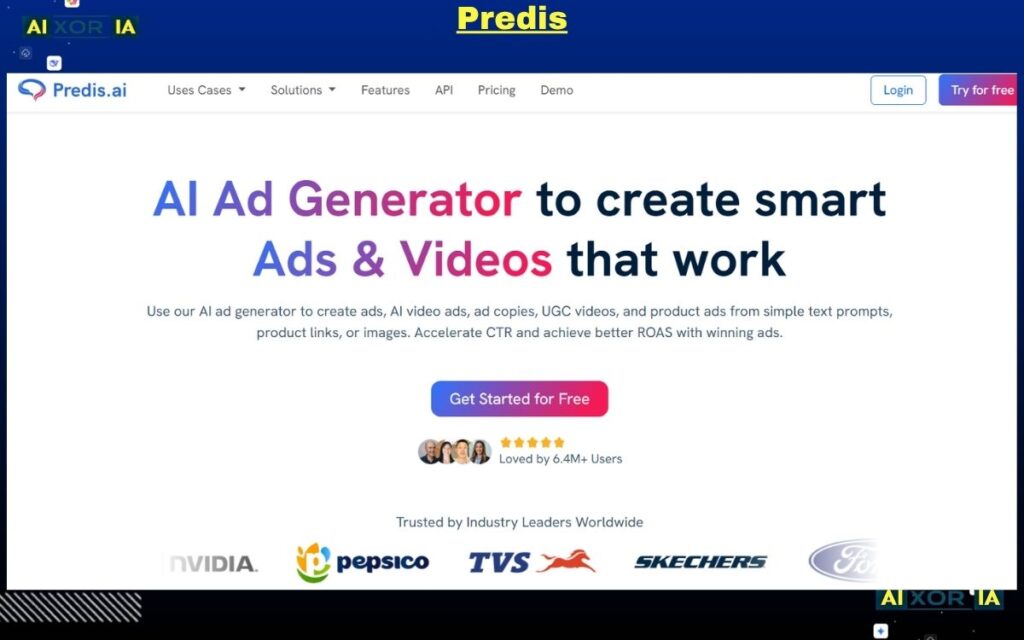
Predis.ai is one of the few truly AI-native platforms designed specifically for social media automation in 2026. Unlike traditional tools that only help with scheduling or captions, Predis.ai focuses on end-to-end content creation, especially for visual platforms like Instagram, TikTok, and Facebook.
The core idea behind Predis.ai is simple: instead of manually designing posts, writing captions, and selecting hashtags, you provide a single input—and the AI generates everything for you.
This makes it highly valuable for creators, marketers, and businesses that need consistent, high-quality content but lack time or design resources.
How the AI Works
Predis.ai uses a combination of natural language processing and generative AI models trained on high-performing social media content.
Here’s how a typical workflow looks:
- You enter a topic or idea (for example: “3 tips to grow on Instagram in 2026”)
- The AI generates:
- A carousel post or short-form video
- Platform-optimized captions
- Relevant hashtags
- It formats the content based on current engagement trends
- You can edit, customize branding, and schedule directly
The most important advantage is that it understands content structure, not just text generation. It builds posts in a way that aligns with how users consume content on social platforms.
Key Features
- AI-generated carousels and short videos
- Automatic caption and hashtag creation
- Brand customization (colors, fonts, tone)
- Built-in scheduling system
- Competitor analysis and content suggestions
These features allow users to move from idea to published content without switching between multiple tools.
Best Use Cases
Predis.ai works best for:
- Content creators who post daily
- Small businesses without a design team
- Agencies managing multiple client accounts
- E-commerce brands creating promotional content
It is especially powerful for platforms where visual content drives engagement.
Predis Pricing
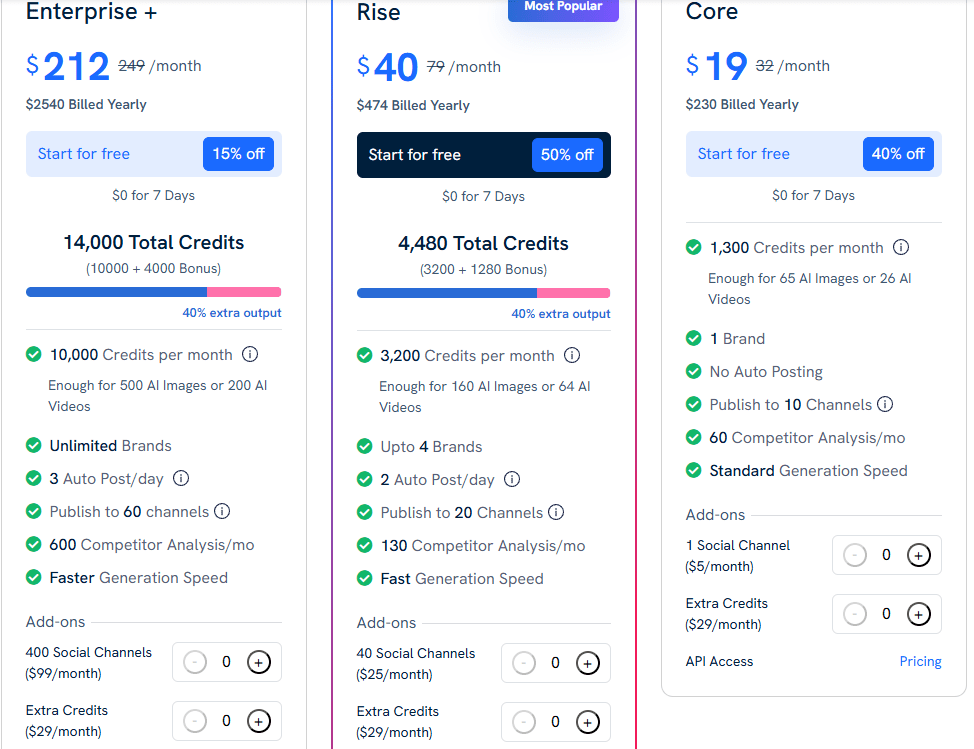
- Free plan available (limited features)
- Paid plans start at approximately $29/month
- Higher tiers offer more credits, team access, and advanced features
Pros
- Complete content generation (text + design + video)
- Saves significant time in content production
- Easy to use, even for beginners
- Reduces dependency on multiple tools
Cons
- AI-generated visuals may need manual refinement
- Limited deep analytics compared to enterprise tools
- Creative control is slightly restricted compared to manual design
Real Experience Insight
I tested Predis.ai to generate a week’s worth of Instagram content in one session. The structure of the posts was strong and engaging, but I still adjusted hooks and tone slightly to better match brand voice.
READ MORETaplio — AI-Powered LinkedIn Growth and Personal Branding Automation
Overview
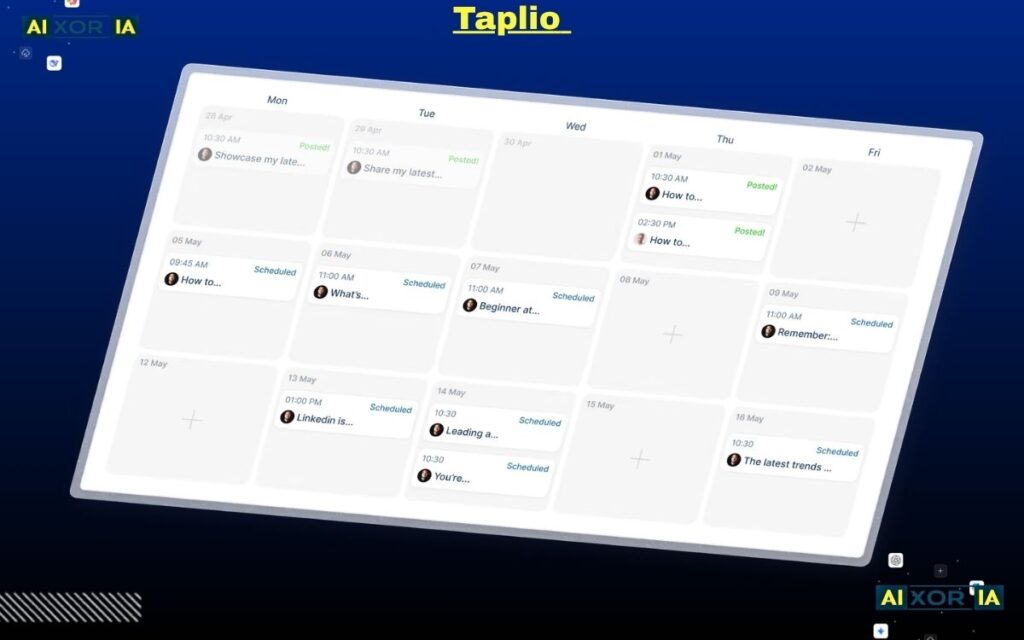
Taplio is a specialized AI platform built specifically for LinkedIn, and in 2026 it has become one of the most effective tools for professionals who want to grow their personal brand, generate leads, and build authority without spending hours every day on the platform.
Unlike general social media tools that try to cover every platform, Taplio focuses deeply on one thing—LinkedIn growth through AI automation. This focus allows it to deliver much more refined results compared to multi-platform tools.
If your goal is B2B growth, networking, or inbound leads, Taplio is not just useful—it can become a core part of your content system.
How the AI Works
Taplio’s AI is trained specifically on LinkedIn content patterns, engagement signals, and high-performing post formats.
Here’s how it works in practice:
- The AI analyzes your past posts and engagement data
- It studies viral posts within your niche
- It identifies patterns such as:
- Hook styles
- Post structure
- Content length
- Audience response
Based on this, it generates:
- High-performing post ideas
- Complete LinkedIn posts
- Strong opening hooks (which are critical for LinkedIn reach)
- Engagement-focused formats
It also includes an AI-powered reply system that helps you respond to comments quickly, increasing visibility and interaction.
Key Features
- AI-generated LinkedIn posts and content ideas
- Viral hook generator based on real engagement data
- Post scheduling and automation
- AI comment and reply suggestions
- CRM-style contact and relationship management
- Analytics for tracking growth and engagement
One unique feature is the ability to track interactions with other LinkedIn users, helping you build stronger professional relationships over time.
Best Use Cases
Taplio is ideal for:
- Founders building a personal brand
- Freelancers and consultants generating leads
- Developers and creators sharing insights
- B2B marketers focusing on LinkedIn growth
It is not designed for visual-heavy platforms like Instagram or TikTok—it is purely optimized for LinkedIn.
Taplio Pricing
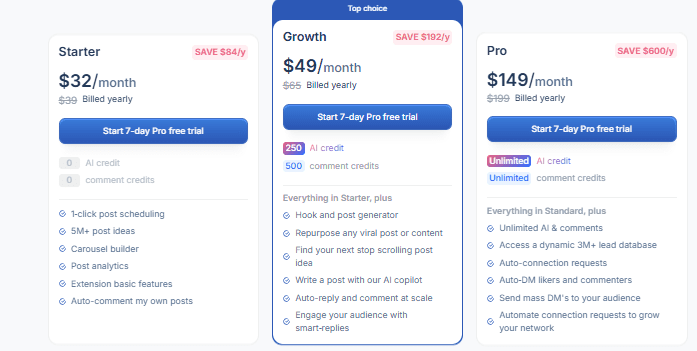
- Starts at around $39/month
- Higher plans include advanced analytics, automation, and CRM features
Pros
- Highly optimized for LinkedIn growth
- AI understands platform-specific content patterns
- Strong focus on engagement and visibility
- Helps generate inbound leads
- Saves time on writing and interaction
Cons
- Limited to LinkedIn only
- Not useful for multi-platform strategies
- Requires consistency to see results
- Slight learning curve for advanced features
Real Experience Insight
I tested Taplio for writing LinkedIn posts over a few days. The biggest difference was in the opening lines—the AI-generated hooks consistently performed better than manually written ones, leading to higher impressions and engagement.
FeedHive — Predictive AI Scheduling and Smart Content Automation
Overview
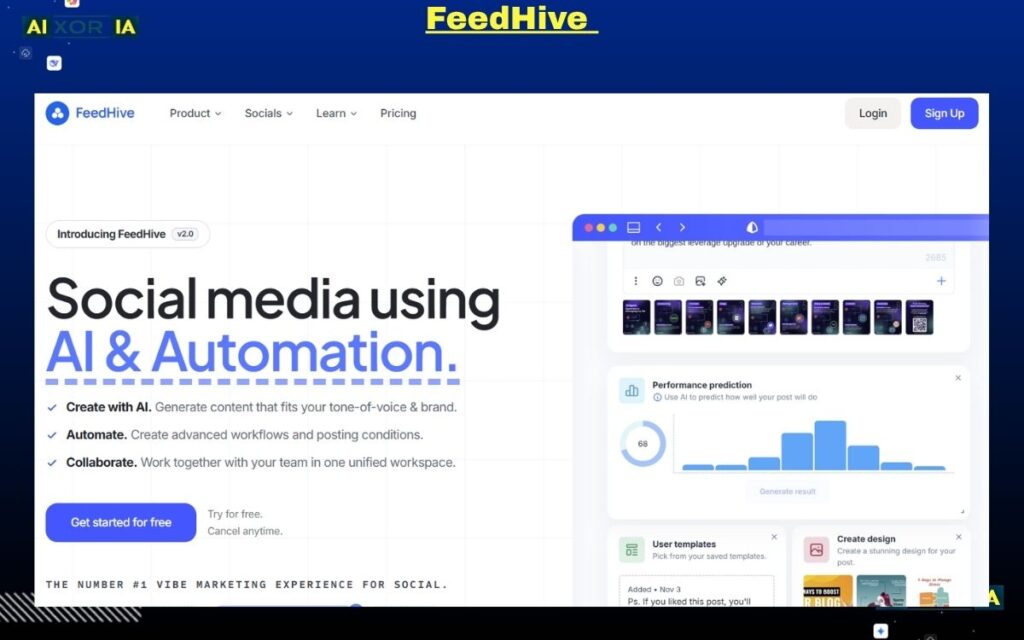
FeedHive is built for users who want more than just scheduling. It focuses on predictive automation, helping you understand how your content will perform before you publish it.
In a crowded social media environment, timing and content quality both matter. FeedHive combines AI with data analysis to optimize both. It is designed for creators, marketers, and businesses who want to maximize engagement without increasing workload.
How the AI Works
FeedHive uses machine learning to analyze your past posts and audience behavior.
Here’s what it does:
- Predicts engagement score before publishing
- Suggests improvements to increase performance
- Identifies best posting times automatically
- Automates content recycling for evergreen posts
- Uses conditional logic for advanced automation
The predictive scoring system is one of its strongest features, allowing users to refine content before it goes live.
Key Features
- AI-powered predictive engagement scoring
- Smart scheduling based on audience activity
- Content recycling for evergreen posts
- Conditional posting automation
- Visual content calendar
- Multi-platform publishing
Best Use Cases
FeedHive works best for:
- Creators posting consistently
- Marketers managing multiple campaigns
- Businesses focused on performance optimization
- Teams looking to automate content workflows
It is ideal for users who want to move from guesswork to data-driven posting.
FeedHive Pricing
- Starts at approximately $19/month
- Higher plans unlock advanced automation and analytics
Pros
- Predictive performance insights
- Strong automation features
- Helps improve consistency and engagement
- Clean and structured workflow
Cons
- Requires initial data to perform accurately
- Slight learning curve for advanced features
- Interface may feel complex for beginners
Real Experience Insight
After using FeedHive’s predictive scoring, post engagement became more consistent without increasing posting frequency, which reduced trial-and-error significantly.
Lately.ai — AI Content Repurposing Engine for Scalable Social Media Automation
Overview
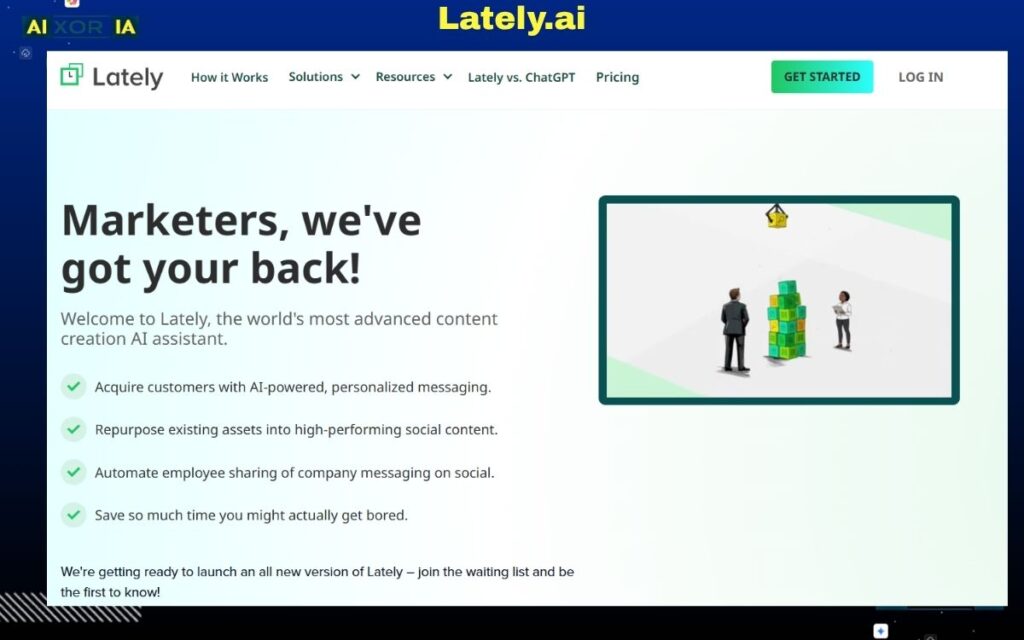
Lately.ai is one of the most powerful AI tools available in 2026 for transforming long-form content into high-performing social media posts at scale. Unlike traditional tools that focus on scheduling or basic content generation, Lately.ai is built around a single core idea: turn one piece of content into an entire social media campaign automatically.
For businesses, bloggers, podcasters, and marketers who already create long-form content, this tool removes one of the biggest bottlenecks—repurposing. Instead of manually breaking down blogs, videos, or podcasts into smaller posts, Lately.ai uses AI to do it in minutes.
This makes it especially valuable for content-heavy workflows where consistency and volume are critical.
How the AI Works
Lately.ai uses advanced natural language processing models trained on social media engagement data. It doesn’t just summarize content—it understands what parts of the content are most likely to perform well on social platforms.
Here’s how the process works:
- You input a blog URL, video, podcast, or long-form text
- The AI analyzes the entire content structure
- It identifies key ideas, emotional triggers, and engagement points
- It converts those into multiple short-form posts
- Each post is optimized for readability, clarity, and engagement
- The system can automatically schedule these posts over days or weeks
The key advantage is that the AI is trained on what actually drives engagement, not just linguistic accuracy.
Key Features
- Long-form content to multiple social posts automation
- AI trained on engagement patterns
- Automatic scheduling and publishing
- Content library and campaign management
- Analytics and performance tracking
- Multi-platform support
Best Use Cases
Lately.ai is ideal for:
- Bloggers who want to promote articles consistently
- YouTubers and podcasters repurposing content
- Marketing teams managing content distribution
- Agencies handling multiple clients
It is especially powerful for users who already have content but lack time to distribute it effectively.
Lately.ai Pricing
- Custom pricing (primarily enterprise-focused)
- Higher cost compared to most tools due to advanced AI capabilities
Pros
- Massive time savings in content repurposing
- High-volume content generation
- Improves content consistency
- Ideal for scaling social media output
Cons
- Expensive for beginners or small creators
- Requires high-quality input content
- Limited manual creative control in generated posts
Real Experience Insight
After feeding a single blog article into Lately.ai, it generated over 40 usable social media posts, which significantly reduced the time spent on manual content breakdown.
Sprout Social — Enterprise AI Analytics and Social Listening Platform
Overview
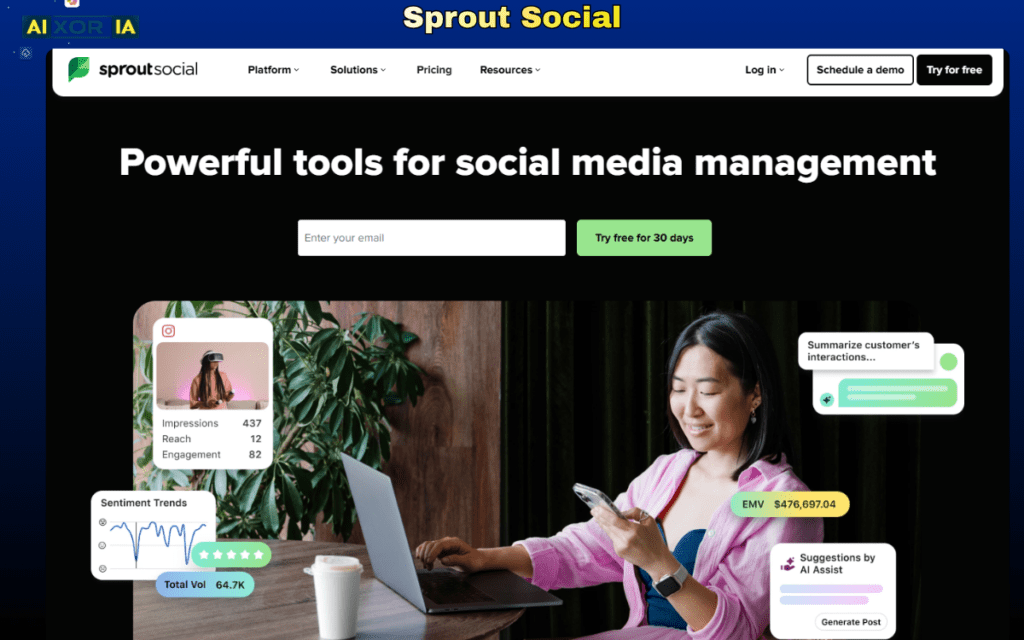
Sprout Social is a premium social media management platform designed for large teams, enterprises, and agencies that rely heavily on analytics, reporting, and structured workflows.
While many AI tools focus on content generation, Sprout Social takes a different approach. Its strength lies in data analysis, audience insights, and social listening, making it ideal for brands that need to make strategic decisions based on real data.
In 2026, understanding audience behavior is just as important as creating content—and this is where Sprout Social excels.
How the AI Works
Sprout Social uses AI to analyze large volumes of social media data and convert it into actionable insights.
Its AI capabilities include:
- Sentiment analysis (positive, negative, neutral reactions)
- Trend identification across platforms
- Audience behavior tracking
- Automated reporting and insights
- Social listening for brand mentions
Instead of helping you create content, it helps you understand what content works and why.
Key Features
- Advanced analytics and reporting dashboards
- AI-powered sentiment analysis
- Social listening across platforms
- Team collaboration tools
- Content scheduling and publishing
- Customer engagement tracking
Best Use Cases
Sprout Social is ideal for:
- Enterprise-level businesses
- Marketing teams handling large campaigns
- Agencies managing multiple clients
- Brands focused on reputation and insights
It works best when your priority is strategy, analytics, and performance tracking.
Pricing
- Starts at approximately $249/month
- Higher tiers offer advanced features and team access
Pros
- Industry-leading analytics
- Powerful social listening tools
- Strong collaboration features
- Reliable and scalable
Cons
- Expensive
- Not focused on content generation
- Overkill for small teams
Real Experience Insight
Using Sprout Social for analytics provided deeper insights than most tools, especially in understanding audience sentiment and engagement trends across campaigns.
Ocoya — AI Content Creation and Automation for E-commerce and Marketing
Overview
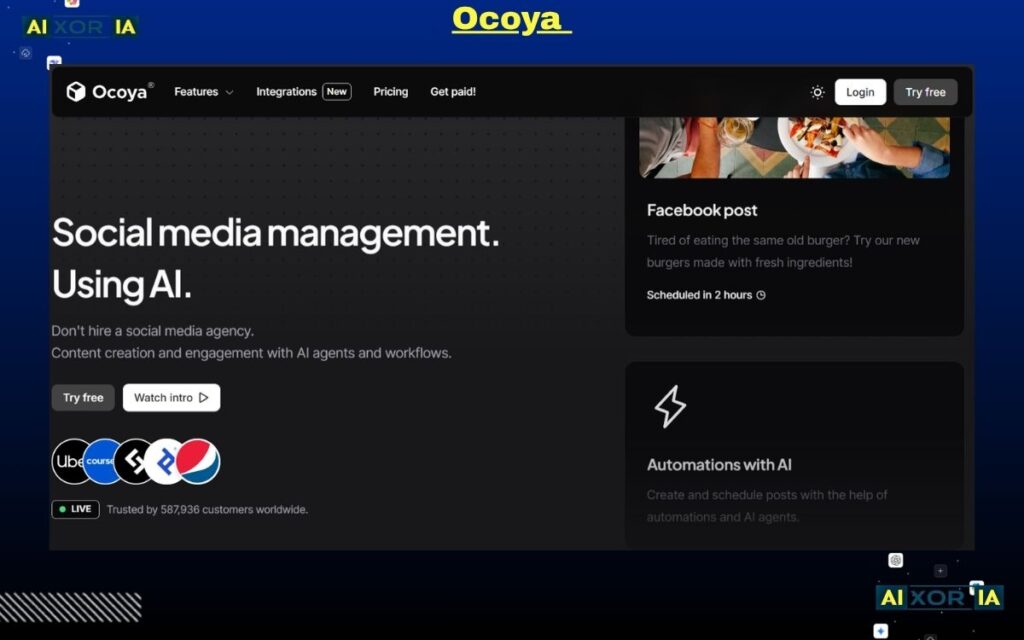
Ocoya is a modern AI-powered platform designed to combine content creation, visual design, and social media automation into one unified workflow. Unlike traditional tools that separate these functions, Ocoya focuses on reducing tool dependency by bringing everything into a single dashboard.
In 2026, one of the biggest challenges for businesses—especially e-commerce brands—is maintaining a consistent flow of promotional content across platforms. Ocoya solves this by allowing users to generate product-focused posts, design visuals, write captions, and schedule everything without switching tools.
It is particularly effective for brands that need fast content production with minimal manual effort.
How the AI Works
Ocoya uses generative AI models to automate both content and design processes.
Here’s how the system works in practice:
- You input a product, idea, or campaign goal
- The AI generates:
- Social media captions
- Marketing copy
- Hashtags optimized for reach
- It can also create visual designs using built-in templates
- Content can then be scheduled and published directly
The key advantage is that it connects content creation with execution, reducing the gap between idea and publishing.
Key Features
- AI-generated captions and marketing copy
- Built-in graphic design tools (similar to simplified design platforms)
- Product-based content generation
- Multi-platform scheduling
- Hashtag suggestions and optimization
- Integration with e-commerce platforms like Shopify
Best Use Cases
Ocoya is best suited for:
- E-commerce businesses promoting products
- Digital marketers running campaigns
- Small teams without dedicated designers
- Brands needing quick promotional content
It works especially well when your focus is on sales-driven content and consistent posting.
Ocoya Pricing
- Starts at approximately $15/month
- Higher plans offer more automation features and team access
Pros
- All-in-one content and design platform
- Saves time by combining multiple tools
- Affordable compared to competitors
- Easy to use for beginners
Cons
- Limited advanced analytics
- Not as strong in deep data insights
- Design flexibility is more limited than dedicated tools
Real Experience Insight
While testing Ocoya for product promotions, it quickly generated multiple variations of posts and visuals, making it easier to plan campaigns without relying on separate design software.
Flick — AI Content Ideation, Copywriting, and Hashtag Optimization
Overview
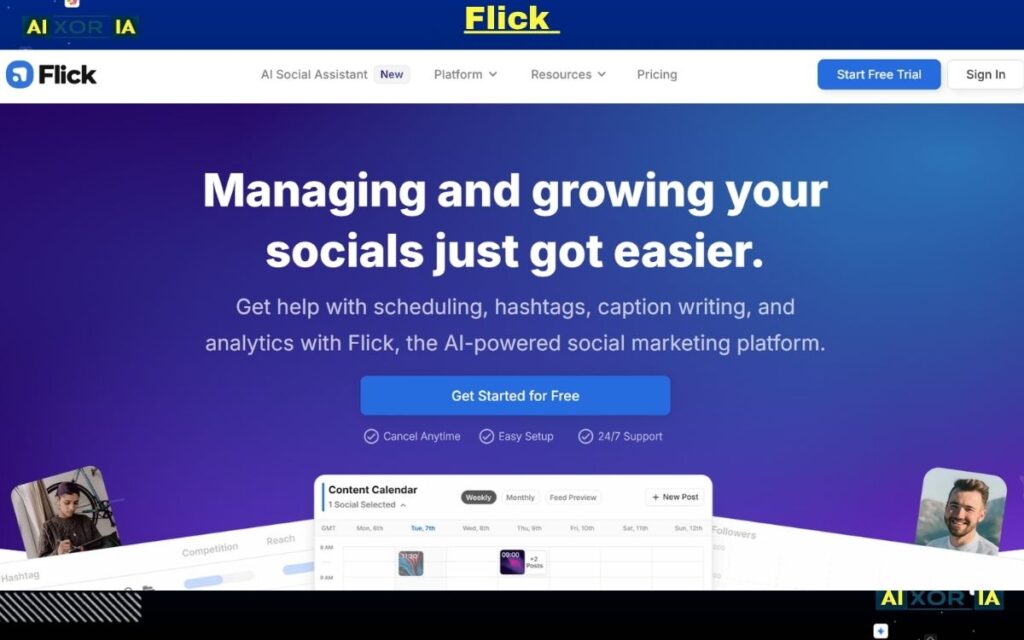
Flick has evolved from a hashtag research tool into a complete AI-powered assistant for content ideation, planning, and copywriting.
One of the biggest challenges in social media is not posting—it is knowing what to post. Flick focuses on solving this problem by helping users generate ideas, structure content, and optimize posts for reach.
In 2026, where content competition is extremely high, having a system that consistently generates high-quality ideas can make a significant difference.
How the AI Works
Flick’s AI is trained on marketing frameworks and social media engagement patterns.
Here’s how it supports content creation:
- Generates content ideas based on niche and audience
- Creates structured captions with hooks, body, and call-to-action
- Suggests hashtags based on relevance and reach
- Helps plan content calendars in advance
Unlike generic AI tools, Flick focuses specifically on social media performance, not just text generation.
Key Features
- AI-powered content ideation
- Caption and hook generation
- Hashtag research and optimization
- Content planning and scheduling
- Clean and structured user interface
Best Use Cases
Flick is ideal for:
- Creators struggling with content ideas
- Social media managers planning campaigns
- Small businesses building consistency
- Influencers focusing on growth
It works best when your biggest problem is creative direction and planning.
Flick Pricing
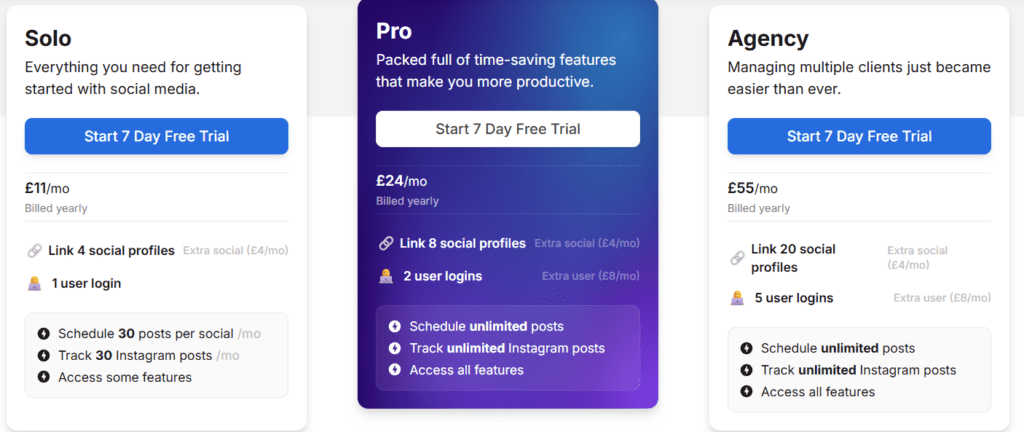
- Starts at approximately $14/month
- Higher plans include more advanced features and usage limits
Pros
- Excellent for brainstorming and planning
- Strong AI-generated hooks and captions
- Easy-to-use interface
- Affordable pricing
Cons
- Limited automation features
- Not a full all-in-one platform
- Less suitable for enterprise teams
Real Experience Insight
When planning weekly content, Flick made it easier to generate structured ideas quickly, reducing time spent thinking about what to post.
Publer — Budget-Friendly AI Automation and Bulk Scheduling System
Overview
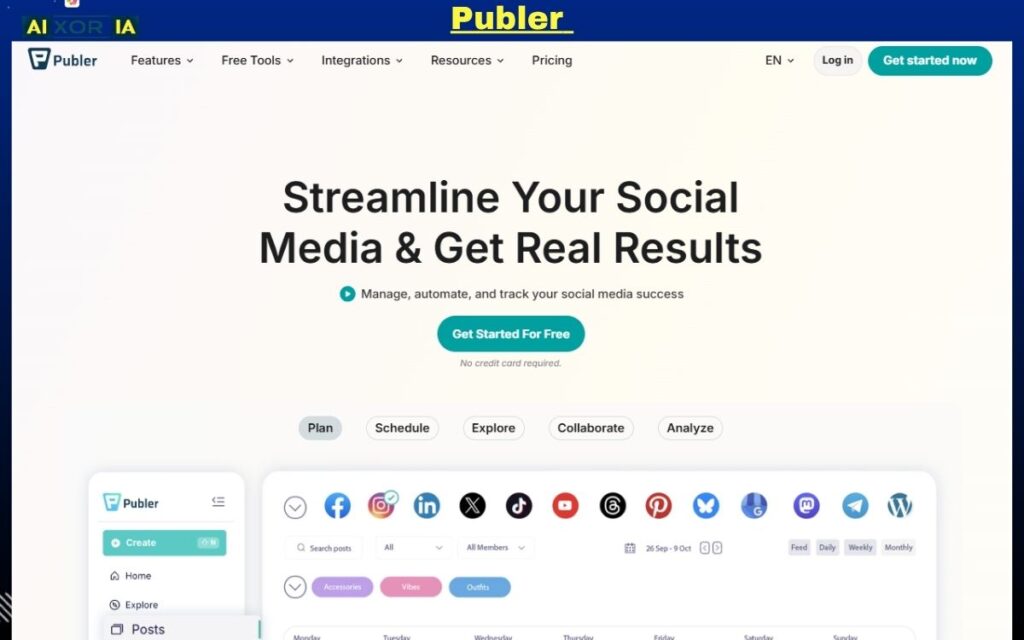
Publer is one of the most practical and cost-effective platforms for bulk scheduling and automation in social media management. While many tools focus on advanced AI or enterprise analytics, Publer focuses on something equally important—efficiency at scale without high cost.
In 2026, creators and small businesses are managing multiple platforms with limited resources. Publer solves this by allowing users to plan, create, and schedule large volumes of content in one go, while still integrating lightweight AI features to improve content quality.
It is especially useful for users who want a balance between automation, affordability, and simplicity.
How the AI Works
Publer’s AI is designed to assist rather than fully automate.
Here’s how it helps:
- Rewrites captions to improve clarity and tone
- Generates variations of posts for different platforms
- Suggests content improvements
- Helps optimize text for better readability
Alongside AI, its strongest feature is bulk automation:
- Upload hundreds of posts via CSV
- Schedule content across multiple accounts
- Automate recurring posts
- Recycle evergreen content
This combination makes it powerful for scaling content without increasing effort.
Key Features
- Bulk scheduling (up to hundreds of posts)
- AI caption rewriting and generation
- Content recycling automation
- Multi-platform publishing
- Visual content calendar
- Link-in-bio and analytics tools
Best Use Cases
Publer is ideal for:
- Small businesses with limited budgets
- Social media managers handling multiple accounts
- Agencies managing repetitive posting tasks
- Creators planning content in batches
It works best when your focus is volume, consistency, and efficiency.
Publer Pricing
- Free plan available (limited features)
- Paid plans start at approximately $12/month
- Higher tiers include advanced scheduling and analytics
Pros
- Extremely affordable
- Strong bulk scheduling features
- Easy to use
- Supports multiple platforms
Cons
- AI features are basic compared to advanced tools
- Limited predictive analytics
- Not ideal for high-level strategy or enterprise use
Real Experience Insight
Using Publer for bulk scheduling made it possible to plan an entire month of content in a single session, significantly reducing daily workload.
Buffer — Simple and Clean AI-Assisted Social Media Management
Overview
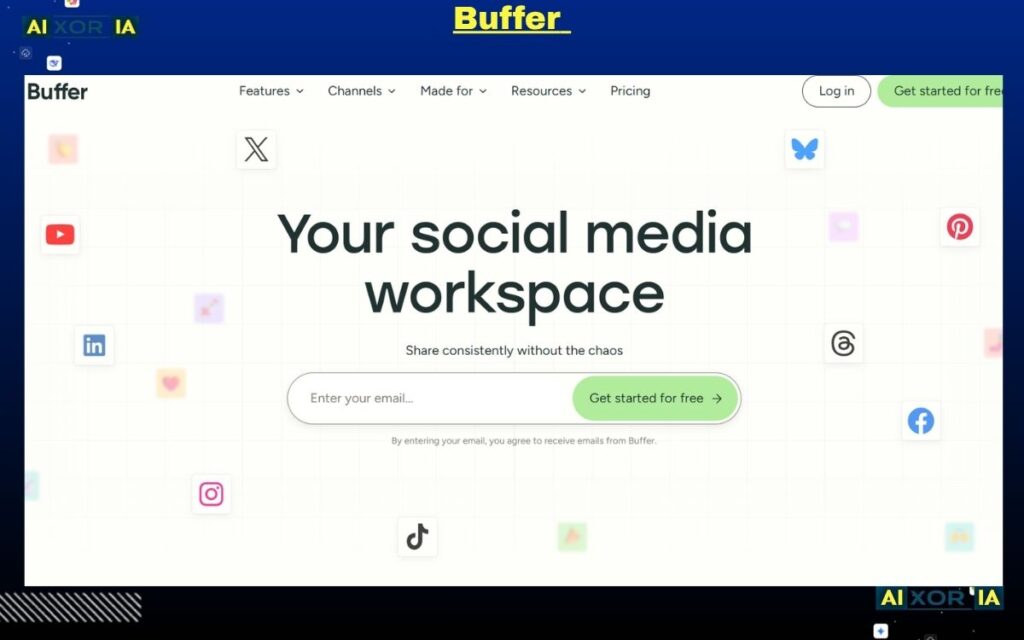
Buffer is one of the most well-known tools in social media management, and in 2026, it continues to stand out for its simplicity and ease of use.
While newer platforms focus heavily on complex AI systems, Buffer takes a more balanced approach. It integrates lightweight AI assistance into a clean and user-friendly interface, making it ideal for users who want to stay organized without dealing with complicated workflows.
It is especially popular among beginners, solo creators, and small teams who value clarity over complexity.
How the AI Works
Buffer’s AI is designed to support content creation without overwhelming the user.
It helps with:
- Generating captions
- Rewriting and improving tone
- Summarizing long content into short posts
- Providing content suggestions
Unlike advanced AI tools, Buffer focuses on assistance rather than automation. It helps you write better content but does not fully automate the workflow.
Key Features
- Clean and simple scheduling system
- AI caption generator and editor
- Multi-platform publishing
- Content calendar and planning tools
- Basic analytics and performance tracking
Best Use Cases
Buffer is ideal for:
- Beginners in social media management
- Solo creators managing personal brands
- Small teams needing simple workflows
- Users who prefer minimal tools
It works best when your goal is consistency without complexity.
Buffer Pricing
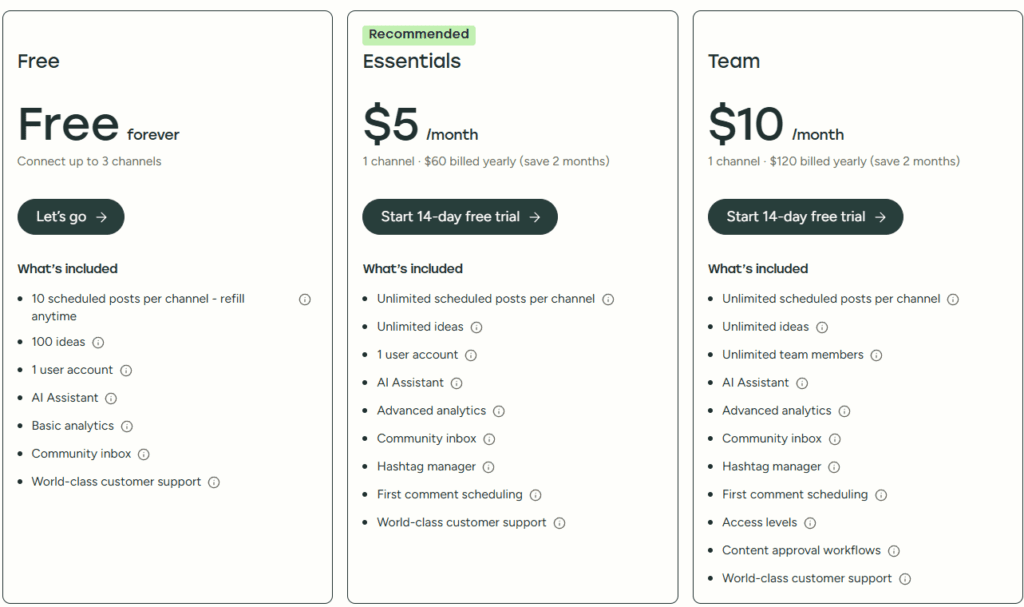
- Free plan available
- Paid plans start at approximately $6/month per channel
- Scales based on number of accounts
Pros
- Extremely easy to use
- Affordable pricing
- Clean interface
- Reliable scheduling
Cons
- Limited automation features
- Basic analytics
- Not suitable for large-scale workflows
Real Experience Insight
Using Buffer felt straightforward and distraction-free. It helped maintain a consistent posting schedule without adding unnecessary complexity.
Choosing the Right AI Tool for Social Media Automation in 2026
After analyzing all 9 tools in detail, one thing becomes very clear:
There is no single “best” tool for everyone.
The best AI tools for social media management automation depend entirely on your workflow, your goals, and the type of content you create. What works for a solo creator may not work for an agency, and what works for a LinkedIn strategist may fail for an e-commerce brand.
That is why instead of picking tools based on popularity, you should focus on problem-solution fit.
A Simple Framework to Choose the Right Tool
To make the decision easier, use this practical framework:
If your biggest problem is content creation
Go with:
- Predis.aiPredis.ai
- Ocoya
These tools help you generate posts, visuals, and captions quickly without relying on multiple platforms.
If your goal is personal branding (especially LinkedIn)
Go with:
- Taplio
It is highly optimized for LinkedIn growth, authority building, and lead generation.
If you want better engagement and smarter posting
Go with:
- FeedHive
It helps you understand what works before you publish, reducing trial and error.
If you already create long-form content (blogs, videos, podcasts)
Go with:
- Lately.ai
It transforms one piece of content into dozens of social posts, saving time and increasing reach.
If your focus is analytics, reporting, and brand monitoring
Go with:
- Sprout Social
Best suited for teams that rely on data to make decisions.
If you are on a budget but need automation
Go with:
- Publer
- Buffer
These tools are simple, effective, and cost-efficient.
If you struggle with content ideas and planning
Go with:
- Flick
It helps you stay consistent by improving creativity and planning.
The Real Strategy (Most Important Insight)
Using one tool is good.
But combining tools strategically is far more powerful.
Here is a simple high-performance setup used by many creators and marketers in 2026:
- Use Predis.ai or Ocoya for content creation
- Use FeedHive or Publer for scheduling
- Use Lately.ai for repurposing long-form content
- Use Taplio if LinkedIn is part of your strategy
This creates a complete automation system, not just a tool-based workflow.
Common Mistakes to Avoid
Before you choose any tool, avoid these common mistakes:
1. Chasing too many tools
Using 5–6 tools without a clear system creates confusion, not growth.
2. Ignoring strategy
AI tools can generate content, but they cannot define your brand voice or positioning.
3. Expecting instant results
Automation improves consistency, but growth still requires time and testing.
4. Choosing based on price only
Cheap tools may save money but cost you performance.
Final Thoughts
Social media in 2026 is no longer about working harder—it is about working smarter.
AI tools have made it possible to:
- Create more content in less time
- Maintain consistency without burnout
- Scale across platforms efficiently
But tools alone are not enough.
The real advantage comes from:
- Choosing the right tool for your workflow
- Using it consistently
- Combining automation with a clear strategy
If you apply this approach, you will not just save time—you will build a system that grows your presence continuously.
3 thoughts on “9 AI Tools for Social Media Management Automation in 2026”