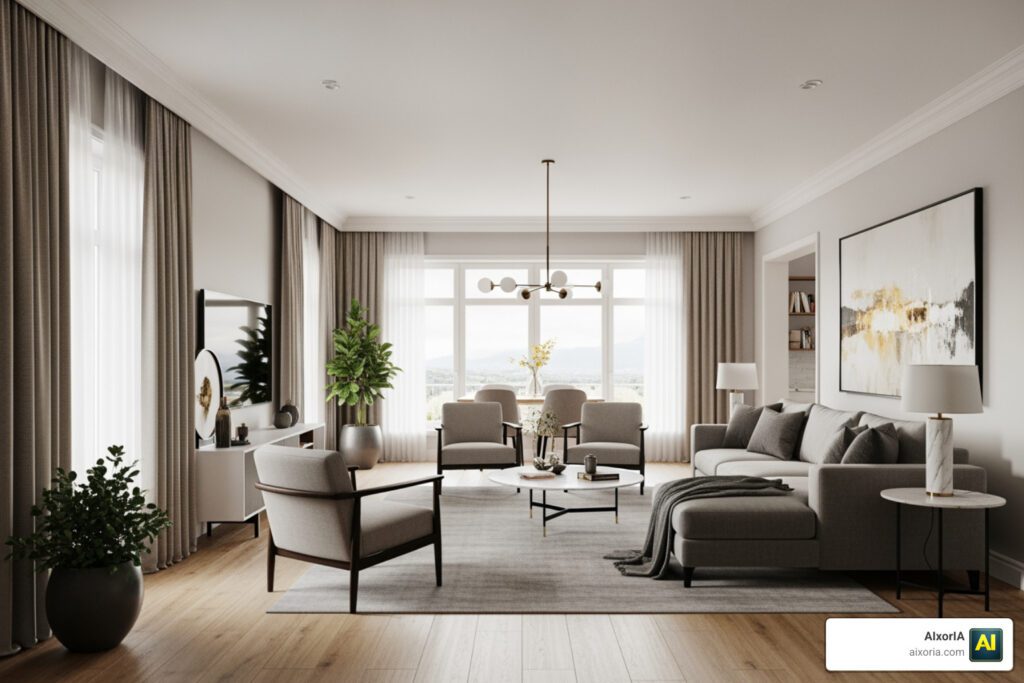
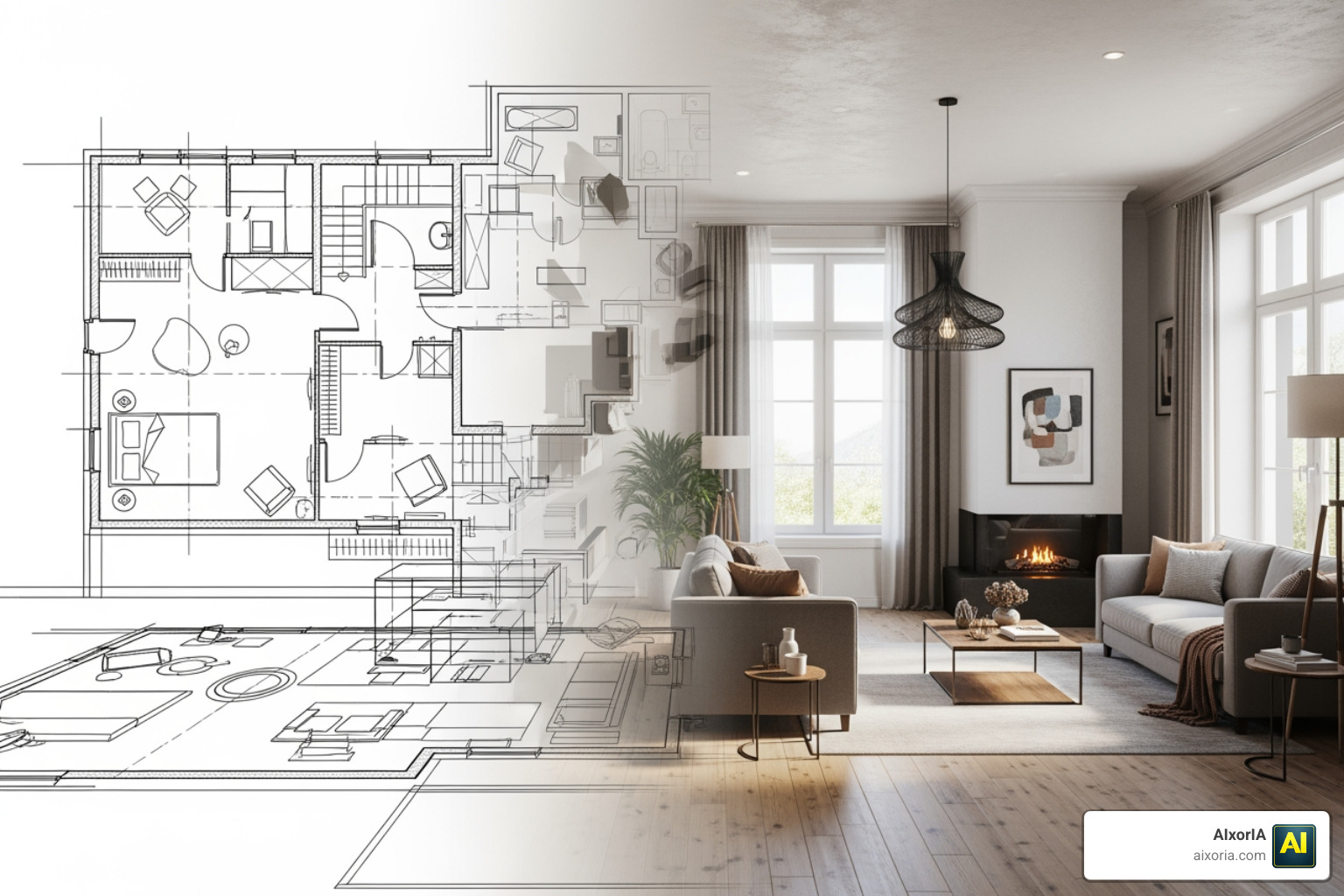
Designing a beautiful space used to take days—sometimes weeks. You needed sketches, references, software skills, and a lot of back-and-forth revisions.
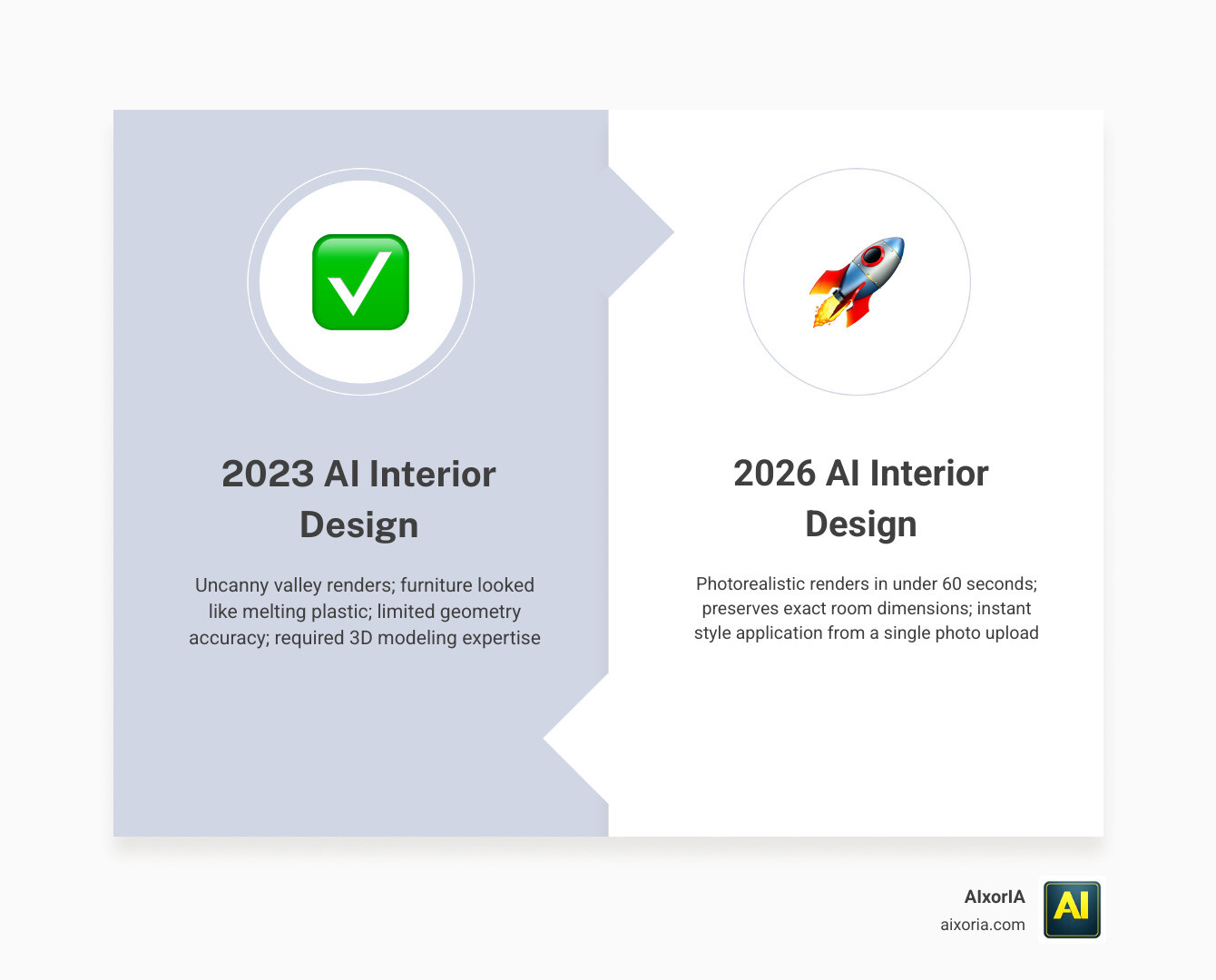
Now, in 2026, AI can generate a fully styled room in seconds.
But here’s the truth most articles won’t tell you:
not every AI design tool is actually useful.
Many tools create images that look impressive at first glance—but when you look closely, things feel off:
- furniture doesn’t fit the room
- layouts don’t make sense
- lighting looks unrealistic
- small changes require starting over
So the real question is not:
“Which AI tool looks the best?”
The real question is:
“Which AI tool actually helps you design better, faster, and with control?”
That’s exactly what this guide is built for.
Table of Contents
Why This Guide Is Different
Most “best AI tools” articles repeat the same features.
They list tools—but don’t explain when or why to use them.
This guide takes a different approach.
Instead of just listing tools, you’ll learn:
- which tool is best for your specific use
- where each tool works well
- where it fails (this is important)
- how real users actually use these tools in workflows
The goal is simple:
help you make the right decision, not just give you options.
How These Interior Design AI Tools Were Evaluated
To make this guide useful and trustworthy, each tool was evaluated based on real-world usability—not just features.
1. Spatial Accuracy
Does the AI respect the actual room layout?
This is the biggest issue in AI design.
Some tools create rooms that look good—but are impossible in real life.
2. Ease of Use
How fast can you go from idea → result?
A good tool should not require hours of setup.
It should help you move quickly without confusion.
3. Editing & Control
Can you change one thing without breaking everything?
Real design is about adjustments.
If a tool forces you to regenerate the entire room every time, it becomes frustrating.
4. Output Quality
Is the result usable beyond inspiration?
We looked at whether outputs can be used for:
- client presentations
- home planning
- real estate listings
Not just “nice-looking images.”
The Biggest Problem in AI Interior Design (2026 Reality)
Before you choose any tool, you need to understand one important limitation:
AI “Design Mistakes” (Most People Ignore This)
Even the best tools can:
- place oversized furniture
- block doors or windows
- ignore real measurements
- create unrealistic layouts
This happens because AI focuses on visuals—not real-world physics.
What Smart Users Do Instead
Experienced users don’t rely on one tool.
They use a simple workflow:
- Use one tool for layout (structure)
- Use another for styling (AI visuals)
- Use advanced tools for final output
This approach saves time and improves results.
READ MORE – AI Tools for Interior Design From Floor Plans
The 9 Best Interior Design AI Tools at a Glance
| Tool | Best For | Key Strength | Pricing |
|---|---|---|---|
| HomeDesigns AI | All-in-one design | Style variety | From $14/mo |
| Interior AI | Virtual staging | Fast generation | From $29 |
| Planner 5D | Layout planning | Structure control | Free / Paid |
| Foyr Neo | Professionals | High-end rendering | $39/mo+ |
| Collov AI | Editing & staging | Object control | From $49 |
| REimagine Home | Budget users | Simple workflow | From $14 |
| RoomGPT | Quick ideas | Instant results | Free / credits |
| Homestyler | Free design tool | Large asset library | Free |
| ArchiVinci | Architecture | Advanced visuals | From $49 |
Best Interior Design AI Tools
HomeDesigns AI
Overview

HomeDesigns AI is one of the most complete interior design AI tools available in 2026. It is built for users who want more than just quick image generation. Instead of focusing on a single feature, it works as an all-in-one platform for redesigning interiors, exteriors, and even outdoor spaces.
What makes this tool stand out is its ability to generate multiple design variations from a single input. You can upload a room photo and instantly explore different styles like modern, minimalist, luxury, or Scandinavian without manually redesigning each version.
This is especially useful for users who need options—whether you’re a designer presenting ideas to a client or a homeowner trying to decide on a style.
Key Features
- AI-powered room redesign from images
- 80+ interior design styles
- Fast rendering (usually within seconds)
- Supports multiple space types (rooms, exteriors, gardens)
- Iterative design (refine instead of starting over)
How It Actually Works
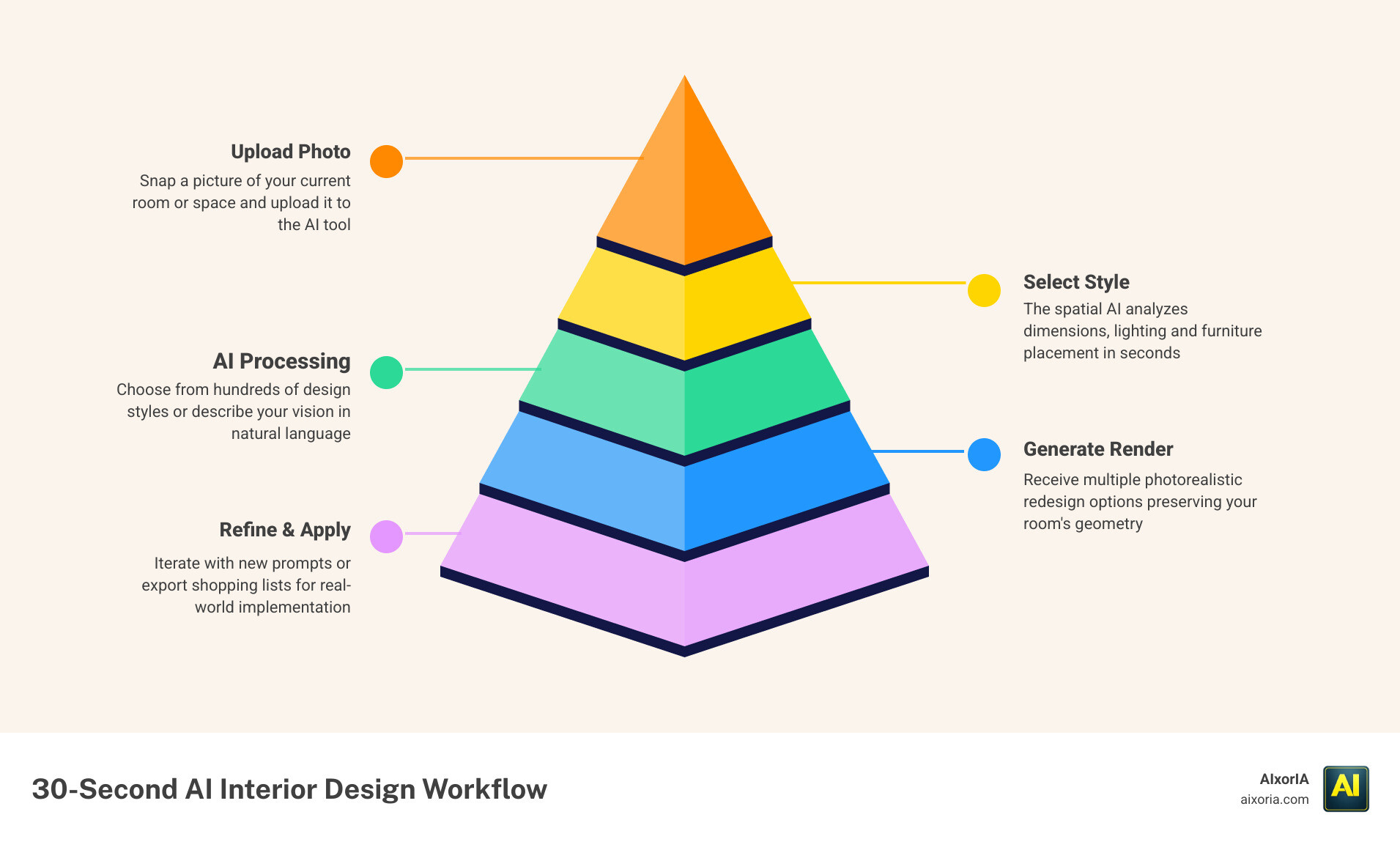
The workflow is simple:
- Upload a room photo
- Select a design style
- Generate results
- Refine or regenerate
Unlike many tools, it doesn’t force you to restart every time. You can tweak outputs, which saves time and makes the tool more practical.
Where It Works Best
HomeDesigns AI is best for:
- Full room redesigns
- Exploring multiple style options
- Quick visual presentations
- Early-stage design concepts
It works especially well when you need to compare different looks quickly.
Where It Struggles
Like most AI tools, it has limitations:
- It may not perfectly follow exact room measurements
- Fine control over individual elements is limited
- Complex layouts can sometimes look unrealistic
This means it’s better for concept generation than final technical planning.
HomeDesigns AI Pricing
- Starts from approximately $14/month
- Higher plans offer more generations and features
Pros
- Very easy to use
- Wide range of styles
- Fast output
- Good for both beginners and professionals
Cons
- Limited precision editing
- Not ideal for technical design work
- Output depends on image quality
Real Experience Insight
In practical use, tools like this perform best when the input image is clean, well-lit, and clutter-free. Poor images usually lead to less accurate or inconsistent results.
Interior AI
Overview

Interior AI is one of the fastest and most practical tools for transforming empty or outdated spaces into fully styled interiors. It is especially popular in 2026 for virtual staging and quick redesign workflows, where speed and simplicity matter more than deep technical control.
What makes Interior AI different from many other tools is its multi-mode system. Instead of offering just one type of AI generation, it allows you to work in different modes depending on your goal—whether you want to redesign a furnished room, stage an empty property, or experiment with different design styles.
This flexibility makes it useful not just for designers, but also for real estate agents, homeowners, and content creators.
Key Features
- AI-powered room redesign from photos
- Virtual staging for empty spaces
- Multiple design modes (interior, exterior, sketch, etc.)
- Wide range of design styles
- Fast generation speed (often under a minute)
How It Actually Works
The workflow is designed to be simple and fast:
- Upload a photo of your space
- Choose a design mode (e.g., staging, redesign)
- Select a style
- Generate the result
You don’t need any design experience. The tool handles everything automatically, which is why it’s widely used for quick results.
Where It Works Best
Interior AI performs best in:
- Virtual staging for real estate listings
- Quick room transformations
- Social media content creation
- Idea generation for homeowners
If your goal is to turn an empty room into something visually appealing in seconds, this tool does that very well.
Where It Struggles
Despite its speed, there are limitations:
- Limited control over individual elements
- Hard to adjust specific furniture pieces
- Results can vary depending on image quality
- Not ideal for precise design planning
It focuses more on speed and simplicity than detailed customization.
Interior AI Pricing

- Free version available (limited usage)
- Paid plans start around $29/month
Pros
- Extremely fast results
- Very easy to use
- Great for beginners
- Strong virtual staging capability
Cons
- Limited editing control
- Not suitable for detailed workflows
- Less accurate in complex layouts
Real Experience Insight
In real-world use, Interior AI works best with empty or minimally furnished rooms. Fully cluttered spaces often confuse the AI and reduce output quality.
READ MORE – Free 6 AI Tools for Interior Design Ideas in 2026
Planner 5D
Overview

Planner 5D is one of the few interior design tools that focuses on structure first, visuals second—and that makes it extremely important in the AI design workflow of 2026.
While most AI tools jump straight into generating images, Planner 5D starts with something more reliable: accurate layouts and floor planning. You can build a room from scratch, define exact dimensions, and then apply AI to visualize the final design.
This approach solves one of the biggest problems in AI interior design—unrealistic layouts. Instead of guessing proportions, Planner 5D lets you control them from the beginning.
Key Features
- 2D floor plan creation
- Automatic 3D conversion
- AI-powered room design and rendering
- Furniture and decor library
- AR (Augmented Reality) walkthrough support
How It Actually Works
Planner 5D follows a slightly different workflow compared to pure AI tools:
- Create or upload a floor plan
- Define room dimensions and structure
- Add furniture and layout elements
- Apply AI styling and rendering
This process takes more time—but gives significantly better control and accuracy.
Where It Works Best
Planner 5D is best for:
- Designing accurate room layouts
- Planning renovations
- Creating structured interior designs
- Users who want control over dimensions
It is especially useful for users who need designs that are actually usable in real life—not just visually appealing.
Where It Struggles
Because it focuses on structure, there are some trade-offs:
- Slower than instant AI tools
- Requires some learning at the beginning
- Not ideal for quick inspiration
- AI styling is less flexible compared to pure generators
It’s not built for speed—it’s built for accuracy and control.
Planner 5D Pricing

- Free plan available
- Paid plans start around $5/month
- Premium features include advanced rendering and assets
Pros
- High spatial accuracy
- Strong layout control
- Beginner-friendly interface
- Works well for real-world planning
Cons
- Takes time to learn
- Slower workflow
- Less “instant” compared to AI-only tools
Real Experience Insight
In practical workflows, tools like Planner 5D are often used before AI generators. Locking the layout first helps avoid unrealistic designs later.
Foyr Neo
Overview

Foyr Neo is not just another AI interior design tool—it is a professional-grade design platform built for designers who need speed, precision, and client-ready output in one place. While many AI tools focus on quick inspiration, Foyr Neo is designed for actual project execution, where accuracy and presentation quality matter.
What sets Foyr Neo apart in 2026 is its ability to combine 3D modeling, smart automation, and AI-powered rendering into a single workflow. Instead of jumping between multiple tools, designers can build layouts, furnish spaces, and generate photorealistic renders within the same platform.
This makes it especially valuable for freelancers, agencies, and interior professionals who need to deliver polished results to clients without long rendering times.
Key Features
- Drag-and-drop 3D design interface
- 60,000+ pre-built furniture and decor models
- AI-assisted rendering with realistic lighting
- Auto lighting and shadow generation
- High-resolution, client-ready outputs
- Fast rendering compared to traditional tools
How It Actually Works
Foyr Neo follows a more structured and professional workflow:
- Create or import a floor plan
- Build the room in 3D
- Add furniture from the library
- Adjust layout and materials
- Generate AI-powered renders
Unlike basic AI tools, it gives you full control over every element before rendering.
The AI component mainly improves:
- lighting accuracy
- rendering speed
- material realism
This means you’re not just generating images—you’re building designs that make sense.
Where It Works Best
Foyr Neo performs best in:
- Client presentations
- Professional interior design projects
- High-quality visualizations
- Agency-level workflows
- Detailed room planning
It is ideal when you need output that looks realistic enough to be presented or approved by clients.
Where It Struggles
Because it’s a professional tool, it has some limitations:
- Steeper learning curve compared to simple AI tools
- Not ideal for quick inspiration or instant results
- Requires time to build layouts before rendering
- Higher cost compared to beginner tools
It prioritizes quality over speed, which may not suit casual users.
Foyr Neo Pricing
- Starts around $39/month
- Higher plans unlock advanced rendering and features
Pros
- Professional-level output
- Highly realistic lighting and materials
- Full control over design elements
- Faster rendering than traditional 3D tools
Cons
- Learning curve for beginners
- Not built for instant results
- Requires time investment
- Higher pricing
Real Experience Insight
In real workflows, tools like Foyr Neo significantly reduce revision cycles because clients can see near-final visuals early, which minimizes back-and-forth changes later.
Collov AI
Overview

Collov AI is a specialized interior design AI tool focused on one powerful idea: precision editing inside real spaces. While most AI tools try to redesign an entire room at once, Collov AI takes a more practical approach—it allows you to modify specific elements without destroying the rest of the design.
This is a major advantage in 2026.
In real design workflows, you rarely want to change everything. You might only want to:
- replace a sofa
- change wall color
- update decor
- restage a room for listing
Collov AI is built exactly for this type of work. Instead of full regeneration, it uses advanced AI editing (often referred to as inpainting) to swap or upgrade objects while maintaining lighting, shadows, and proportions.
This makes it especially valuable for real estate professionals, e-commerce furniture brands, and designers working on revisions.
Key Features
- Object-level editing and replacement
- AI virtual staging
- Photorealistic rendering
- Style transformation without full redesign
- Batch processing for multiple images
- API support for business workflows
How It Actually Works
Collov AI follows a targeted editing workflow:
- Upload a room image
- Select or highlight the area/object you want to change
- Choose a style or enter a prompt
- Generate the updated design
Instead of rebuilding the entire room, the AI focuses only on selected areas. This keeps the rest of the design intact and realistic.
Where It Works Best
Collov AI performs best in:
- Real estate staging
- Furniture replacement previews
- Design revisions
- E-commerce product visualization
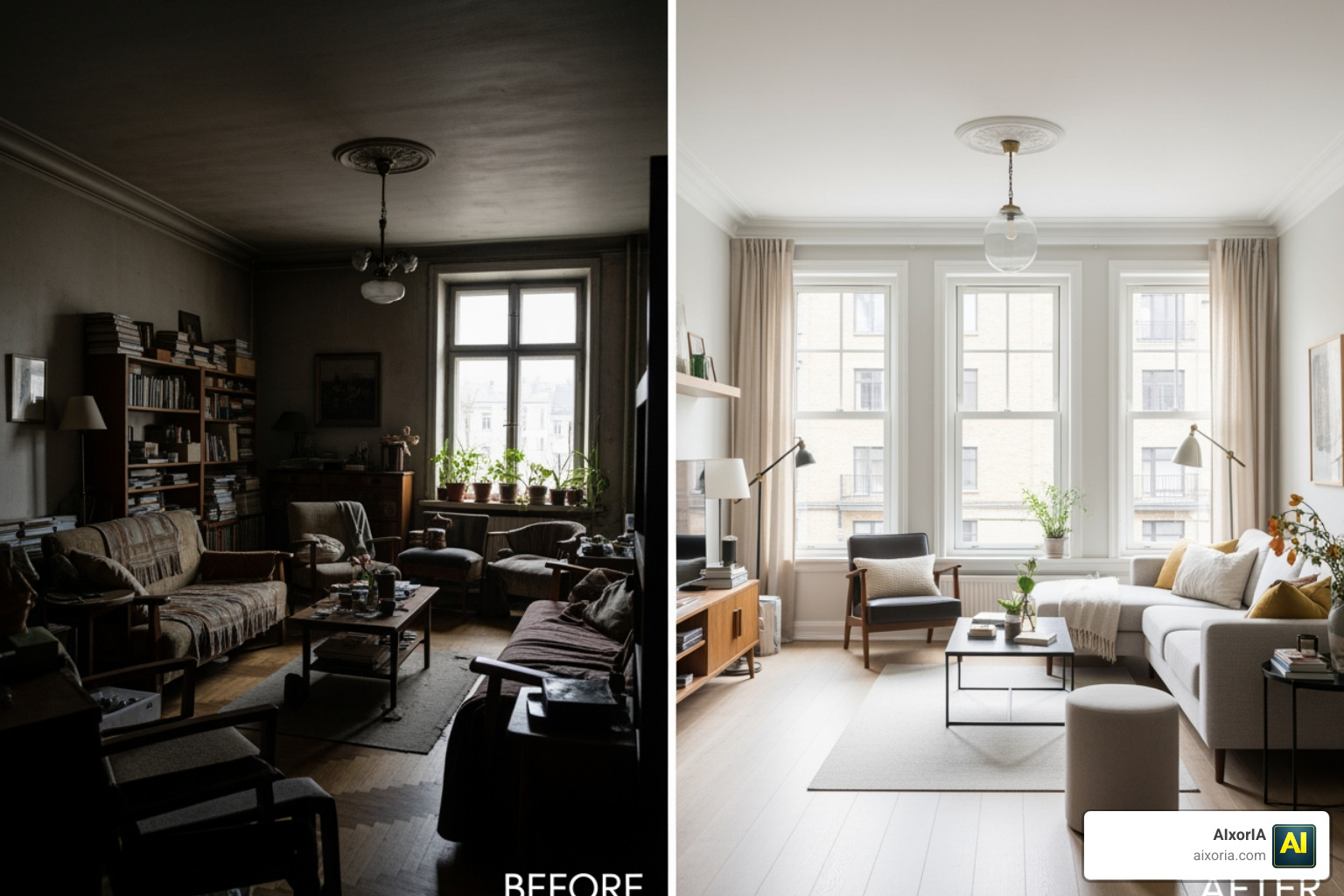
- Before-and-after transformations
It is extremely effective when you need small but impactful changes.
Where It Struggles
Despite its strengths, there are some limitations:
- Not ideal for full room creation from scratch
- Limited structural editing (walls, layout changes)
- Requires good image quality for best results
- Advanced features may require higher-tier plans
It’s built for editing, not full design creation.
Collov AI Pricing

- Starts around $49/month
- Some features may use credit-based pricing
Pros
- Precise object-level control
- Maintains lighting consistency
- Great for real estate workflows
- Saves time on revisions
- High-quality visual outputs
Cons
- Not suitable for complete room design
- Less useful for layout planning
- Requires clear input images
- Pricing can increase with usage
Real Experience Insight
In real use cases, tools like Collov AI are extremely helpful during revision stages, where clients request small changes instead of full redesigns.
READ MORE – Best AI Room Design Free
REimagine Home
Overview

REimagine Home is one of the most user-friendly interior design AI tools available in 2026, built specifically for people who want fast results without technical complexity. While many platforms focus on advanced controls or professional workflows, this tool focuses on something different: simplicity and accessibility.
It is designed for homeowners, beginners, and budget-conscious users who want to redesign spaces using simple instructions instead of learning complex software. The core idea is straightforward—upload an image and tell the AI what you want to change.
What makes REimagine Home stand out is its natural language-based workflow. Instead of clicking through dozens of settings, you can simply type what you want, such as:
- “Make this living room modern with neutral colors”
- “Change the cabinets to white and add wooden flooring”
The AI interprets your request and generates a redesigned version of the space.
Key Features
- AI-powered room redesign from images
- Natural language prompt-based editing
- Style transformation (modern, luxury, minimalist, etc.)
- Virtual staging support
- Fast rendering speed
- Beginner-friendly interface
How It Actually Works
The workflow is extremely simple:
- Upload a photo of your room
- Enter a text prompt describing changes
- Select a design style (optional)
- Generate the new design
There is no need for manual layout building or technical adjustments. The tool handles everything automatically.
Where It Works Best
REimagine Home works best for:
- Quick home redesign ideas
- Budget-friendly design exploration
- Beginners with no design experience
- Simple room transformations
- Testing color and style combinations
It’s ideal when you want fast inspiration without investing too much time.
Where It Struggles
Because of its simplicity, it has some limitations:
- Limited control over specific elements
- Less precise compared to professional tools
- Output quality can vary based on prompts
- Not suitable for technical design planning
It focuses more on ease of use than deep customization.
REimagine Home Pricing

- Free plan available (limited usage)
- Paid plans start around $14/month
Pros
- Very easy to use
- Affordable pricing
- Fast results
- No design skills required
- Good for quick ideas
Cons
- Limited editing control
- Not ideal for professional workflows
- Depends heavily on prompt quality
- Less consistent outputs
Real Experience Insight
In real usage, prompt clarity makes a big difference. Simple, specific instructions usually produce better and more consistent results than vague descriptions.
RoomGPT
Overview

RoomGPT is one of the simplest and fastest interior design AI tools available in 2026. It was one of the early tools that popularized the idea of generating room designs instantly from a single image, and it still holds a strong position for quick inspiration workflows.
Unlike advanced platforms, RoomGPT is not trying to be a full design system. It focuses on one thing:
giving you fast visual ideas with almost zero effort.
You upload a photo, choose a room type and style, and the AI generates a redesigned version within seconds. There are no complex settings, no learning curve, and no setup required.
This makes it especially useful for users who feel stuck creatively and just need a starting point.
Key Features
- Instant AI room generation
- Style-based redesign (modern, minimalist, etc.)
- Very simple interface
- Fast processing time
- No technical setup required
How It Actually Works
RoomGPT follows one of the simplest workflows among all tools:
- Upload a room image
- Select room type and design style
- Generate results instantly
There are no advanced controls or editing layers. The tool is designed for speed, not customization.
Where It Works Best
RoomGPT performs best in:
- Quick design inspiration
- Early idea generation
- Social media content creation
- Casual home design exploration
- Users with no design experience
If your goal is to quickly see “what this room could look like,” RoomGPT does that very well.
Where It Struggles
Because of its simplicity, there are clear limitations:
- No control over individual elements
- Cannot edit specific parts of the room
- Often produces unrealistic layouts
- Limited professional usability
- Not suitable for detailed planning
This is not a tool for final design—it’s a tool for ideas only.
RoomGPT Pricing
- Free version available
- Paid credits or premium options may apply
Pros
- Extremely fast
- Very easy to use
- No learning curve
- Good for brainstorming ideas
Cons
- Limited control
- Inconsistent realism
- No editing flexibility
- Not suitable for professional work
Real Experience Insight
In real-world use, tools like RoomGPT are most helpful at the beginning of a project when you need ideas quickly, not when making final decisions.
READ MORE – What Is the Best Free AI Room Design Generator
Homestyler
Overview

Homestyler is one of the most established and widely used interior design platforms, especially for users looking for a free yet capable solution. In 2026, it continues to stand out because it combines traditional design tools with AI-powered rendering, making it accessible to both beginners and intermediate users.
Unlike many AI-only tools, Homestyler provides a more complete design environment. You can build layouts, place furniture, and then use AI to enhance visuals. This makes it a strong bridge between simple AI generators and professional software.
One of its biggest strengths is its massive asset library, which includes thousands of furniture models and decor items that you can use in your designs.
Key Features
- 2D and 3D interior design tools
- Large library of furniture and decor items
- AI-powered rendering
- Drag-and-drop interface
- Community design templates and inspiration
How It Actually Works
Homestyler offers a more hands-on workflow:
- Create a room layout or choose a template
- Add furniture and design elements
- Adjust positioning and structure
- Use AI rendering to generate realistic visuals
This gives you more control compared to one-click AI tools.
Where It Works Best
Homestyler works best for:
- Beginners learning interior design
- Students and hobby users
- Creating detailed room layouts
- Experimenting with furniture placement
- Users looking for a free solution
It’s a great starting point for anyone who wants both control and creativity.
Where It Struggles
There are some limitations:
- Advanced features may require paid credits
- Rendering quality is not as high as professional tools
- Can feel slower compared to instant AI generators
- Interface may take time to learn for new users
It sits between beginner tools and professional software—not fully optimized for either extreme.
HomestylerPricing

- Free plan available
- Paid credits for premium renders and assets
Pros
- Strong free version
- Large asset library
- Good balance of control and simplicity
- Suitable for beginners and learners
Cons
- Limited high-end rendering
- Requires time to learn
- Some features locked behind credits
- Not ideal for advanced professionals
Real Experience Insight
In practical use, tools like Homestyler are excellent for learning and experimenting, but professionals usually switch to more advanced platforms for final outputs.
ArchiVinci
Overview

ArchiVinci is one of the most advanced interior design AI tools in 2026, built for users who need architectural-level accuracy combined with high-end visual rendering. Unlike beginner-friendly tools that focus only on quick ideas, ArchiVinci is designed for serious design workflows, where both structure and aesthetics matter.
What makes ArchiVinci unique is its ability to handle both interior and exterior design together. This is important in real-world projects because interior design decisions are often connected to architectural elements like windows, lighting direction, wall structures, and overall building style.
Instead of generating random designs, ArchiVinci works best when you provide structured input such as:
- sketches
- CAD files
- floor plans
- reference images
This allows the AI to produce outputs that are not only visually impressive but also aligned with real architectural logic.
Key Features
- AI-powered interior and exterior rendering
- Supports sketches, CAD, and reference inputs
- High-quality photorealistic outputs
- Advanced lighting and material simulation
- Style consistency across entire projects
- Flexible workflow for professionals
How It Actually Works
ArchiVinci follows a more advanced workflow compared to simple AI tools:
- Upload a sketch, floor plan, or reference image
- Define design intent or style
- Generate AI-enhanced render
- Refine outputs based on requirements
Because it works with structured inputs, the results are more controlled and realistic.
Where It Works Best
ArchiVinci is best suited for:
- Architectural visualization
- High-end interior projects
- Combining interior and exterior design
- Professional design presentations
- Complex design environments
It is especially useful when you need outputs that reflect real-world design constraints.
Where It Struggles
Due to its advanced nature, it has some limitations:
- Not beginner-friendly
- Requires structured input for best results
- Learning curve for new users
- Slower compared to instant AI tools
It prioritizes accuracy and depth over speed and simplicity.
ArchiVinci Pricing

- Starts around $49/month
- Pricing may vary based on features and usage
Pros
- High-quality, realistic rendering
- Works with architectural inputs
- Supports complex design workflows
- Strong consistency across designs
Cons
- Not suitable for beginners
- Requires experience or learning
- Slower workflow
- Higher cost compared to basic tools
Real Experience Insight
In real-world usage, tools like ArchiVinci perform best when combined with structured design inputs—random photos alone usually don’t unlock their full potential.
READ MORE – Top Tools for Effortless Luxury Interior Design in Modern Homes
After analyzing and breaking down all 9 tools, one thing becomes very clear:
There is no single “best interior design AI tool” for everyone.
Each tool solves a different problem.
Some are built for speed.
Some are built for control.
Some are built for professional output.
And if you try to use one tool for everything, you will eventually face limitations.
That’s why the smartest approach in 2026 is not choosing one tool—it’s choosing the right combination based on your workflow.
Simple Decision Framework (Most Important Section)
If you’re confused, use this quick guide:
If you want quick ideas (fast & simple)
- RoomGPT
- REimagine Home
These tools are best for inspiration and early-stage thinking.
If you want full room redesign (balanced tools)
- HomeDesigns AI
- Interior AI
These are ideal for generating complete room concepts quickly.
If you want accurate layouts (real-world planning)
- Planner 5D
This is critical if you care about dimensions and structure.
If you want professional results (client-ready output)
- Foyr Neo
- ArchiVinci
These tools are built for serious design work and presentations.
If you want editing & staging (small changes)
- Collov AI
Perfect for replacing furniture or improving existing spaces.
If you want a free tool (learning & experimenting)
- Homestyler
Best starting point for beginners.
The Smart Workflow (What Professionals Actually Do)
Instead of relying on one tool, professionals follow this process:
- Start with layout
Use Planner 5D to define structure - Generate ideas
Use RoomGPT or REimagine Home - Create refined designs
Use HomeDesigns AI or Interior AI - Finalize visuals
Use Foyr Neo or ArchiVinci - Make revisions
Use Collov AI
This workflow gives better results than any single tool alone.
Biggest Mistake to Avoid
The biggest mistake beginners make is trusting AI output blindly.
Even the best tools can:
- distort room dimensions
- place unrealistic furniture
- ignore practical design rules
So always treat AI as:
a design assistant, not a final decision-maker
Final Recommendation
If you are just starting:
- Begin with simple tools
- Focus on understanding styles
- Don’t worry about perfection
If you are serious about design:
- Combine multiple tools
- Focus on workflow, not just features
- Invest in tools that save time and improve output
Conclusion
Interior design AI tools in 2026 are powerful—but only if used correctly.
The difference between average results and professional results is not the tool itself—it’s how you use it.
If you choose the right tools AI Toolsand follow a structured workflow, you can:
- save hours of work
- improve design quality
- present ideas more effectively
And most importantly,
you can turn ideas into real, usable designs faster than ever before.
1 thought on “9 Best AI Interior Design Tools in 2026 (Tested)”