Gemini vs ChatGPT for Interior Design: The Quick Answer
Scr0ll d0wn to D0VVNL0AD
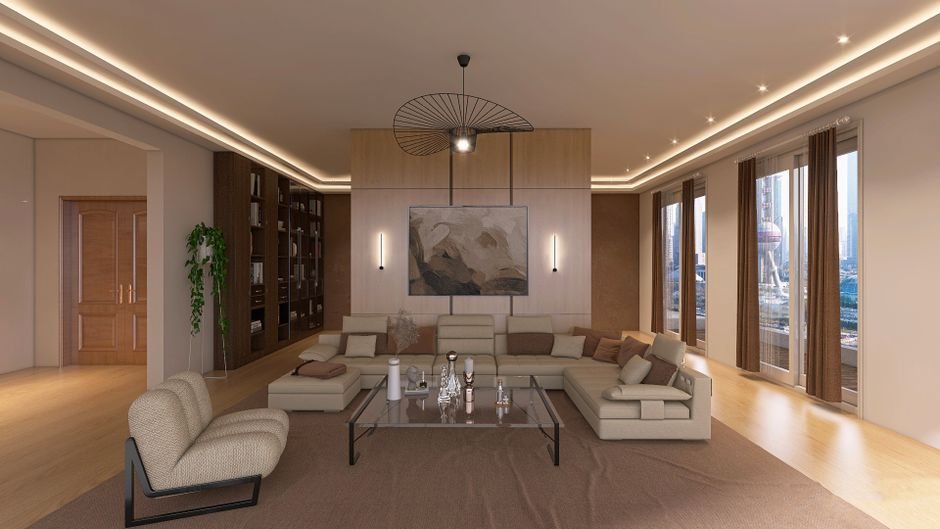
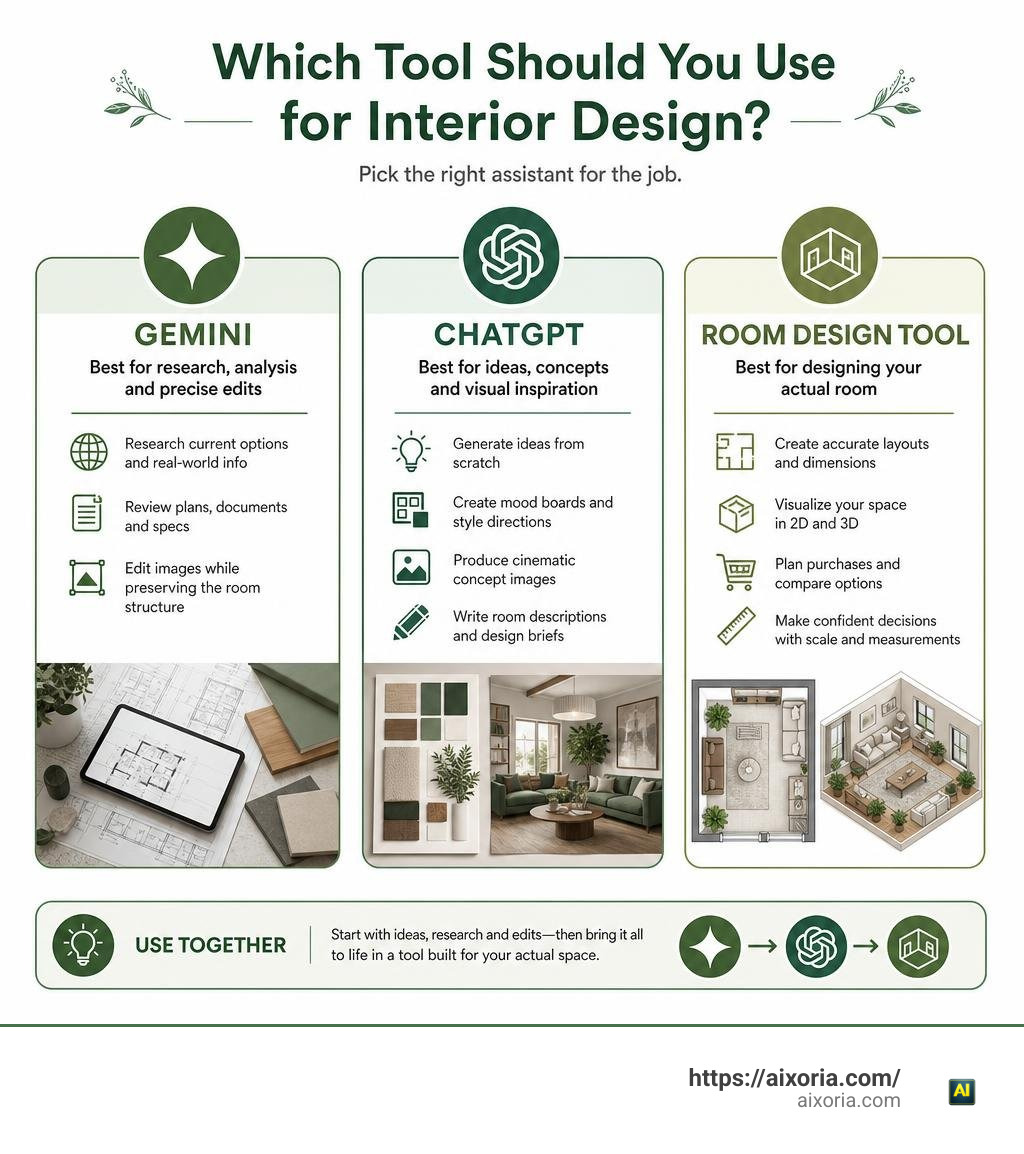
ChatGPT is usually better for creative interior concepts, mood boards, detailed design briefs, and polished visual inspiration. Gemini is often the better choice when you need to analyze lots of reference material, research current options, or preserve the architecture of an existing render while changing details such as lighting.
So, is Gemini or ChatGPT better for interior design? For most homeowners, the answer depends on the job:
- Choose ChatGPT for ideas from scratch, style exploration, room descriptions, and cinematic concept images.
- Choose Gemini for research-heavy planning, reviewing documents, and image edits where keeping the original room structure matters.
- Choose a dedicated room-design tool when you need a redesign of your actual room with clear layouts, dimensions, and shopping decisions.
Neither chatbot should be treated as a final floor plan, paint matcher, or construction document. Both can invent products, shift windows or doors, and miss real-world measurements. They work best as fast assistants for early decisions, not replacements for a designer, contractor, or physical sample.
Core Capabilities: Is Gemini or ChatGPT Better for Interior Design?
When evaluating whether Gemini or ChatGPT holds the crown for home styling and architectural tasks, we have to look past the surface hype. Both platforms have evolved into powerhouse multimodal assistants capable of interpreting reference imagery, generating concept art, and outlining renovation schedules. However, their underlying strengths create two very distinct design personalities.
To discover what is the best way to use AI for interior design in 2026, we must compare how both engines handle real-world creative workflows. ChatGPT relies on robust creative writing and nuanced prompt comprehension, generating warm, artistic, and highly cinematic interior renders. Gemini leverages its massive context window and direct connection to live web data, acting as a research-driven strategist that excels at breaking down complex design documents and analyzing specific spatial preferences.
In an empirical 3D ArchViz benchmark testing across 10 distinct architectural visualization challenges, ChatGPT edged out Gemini with an overall score of 12 points compared to Gemini’s 9.5 points, winning in 7 out of 10 direct head-to-head categories. While ChatGPT took the lead in visual artistry, asset generation, and luxury composition, Gemini demonstrated unmatched capability in architectural preservation and environmental lighting shifts.
| Design Task / Capability | ChatGPT (GPT-5 / DALL-E) | Google Gemini (Gemini 3.1 Pro / Imagen) | Category Winner |
|---|---|---|---|
| Aesthetic Concept Art | Cinematic, rich textures, luxurious atmosphere | Clean, modern, slightly commercial finish | ChatGPT |
| Architectural Preservation | Prone to moving openings and altering walls | Strictly retains core structural lines and geometry | Gemini |
| Lighting Transformation | Alters scene composition during re-lighting | Seamless daylight-to-twilight (blue hour) shifts | Gemini |
| Seamless 3D Textures | Flawless edge alignment, production-ready | High surface detail but exhibits seam mismatches | ChatGPT |
| 360° Panoramas | Balanced horizon, minor polar distortion | Functional equirectangular format, polar stretching | ChatGPT |
| Document & PDF Analysis | Standard extraction up to 1M tokens | Massive 2M token context, superior chart breakdown | Gemini |
| Floor Plan Interpretation | Struggling with 2D blueprint spatial reasoning | Stronger element isolation, weak metric scaling | Gemini (Vision) |
| Material & Palette Ideation | Poetic, emotionally resonant styling palettes | Structured, product-linked market summaries | ChatGPT |
Visual Rendering and Aesthetics: Is Gemini or ChatGPT Better for Interior Design?

When prompting an AI to generate a living room concept from thin air, visual fidelity and mood setting are paramount. This is where ChatGPT shines. When given an open-ended prompt—such as creating an organic modern lounge with travertine tables, limewash walls, and bouclé seating—ChatGPT consistently produces cohesive, magazine-worthy imagery with believable shadows, warm natural lighting, and tactile material depth.
In multimodal AI performance comparisons, ChatGPT proves adept at translating stylistic keywords like “Japandi serenity” or “mid-century warmth” into nuanced visual assets. It understands visual hierarchy, ensuring that focal points like pendant lighting or statement sofas naturally anchor the composition. Furthermore, 3D visualization artists frequently rely on ChatGPT for asset creation because it scores a perfect 1.5 out of 1.5 in turning raw 3D viewport model screenshots into realistic hospitality interiors. It also creates functional, seamlessly tileable textures for wood grain, concrete, and fabric maps.
Gemini approaches visual generation with a crisp, commercial finish. While its image generation renders clean surfaces and bright spaces, it can sometimes feel slightly sterile or corporate compared to ChatGPT’s inviting, handcrafted aesthetic. However, Gemini’s image analysis engine is exceptionally perceptive: when reviewing an existing room photograph, Gemini provides granular, line-by-line breakdowns of individual decor items, materials, and potential clutter points rather than offering generic conversational feedback.
Space Planning and Architecture: Is Gemini or ChatGPT Better for Interior Design?
If you are planning to knock down a wall, rearrange your floor layout, or change the lighting on an existing architectural photograph, Gemini takes the lead.
The biggest flaw in generative AI image engines is what designers call “structural drift.” When you ask an AI model to modify a room, it usually generates an entirely new image from scratch rather than altering the specific layer you requested. In benchmark tests, asking ChatGPT to transform a daytime room photo into an evening “blue hour” scene often results in altered furniture placement, rearranged windows, and relocated ceiling beams.
Gemini, by contrast, outperforms ChatGPT in lighting modification tests (scoring 1.5 vs. ChatGPT’s 0.5). It demonstrates superior geometric discipline, preserving the precise window mullions, door positions, and floor boundaries of the original render while realistically simulating exterior twilight and artificial interior accent lamps. For architects and homeowners trying to visualize how their actual home looks under different lighting conditions, Gemini’s ability to maintain spatial boundaries is a distinct advantage.
Practical Room Redesign: Space Planning, Floor Plans, and Real Constraints
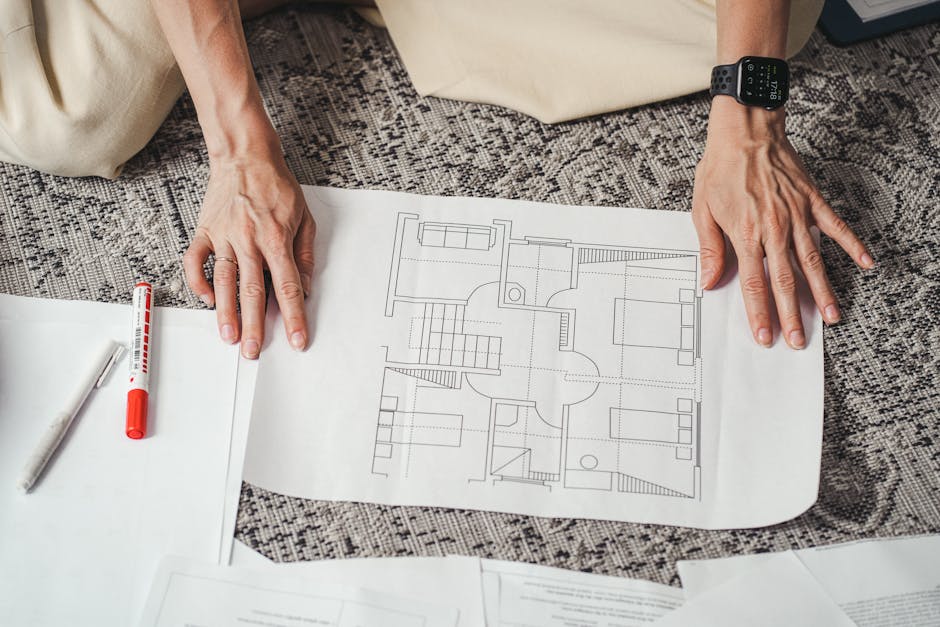
Can you hand a hand-drawn sketch or architectural blueprint to an AI and receive an accurate 3D layout? The short answer is: not reliably with general chatbots.
In hands-on testing with compact bachelor condos and multi-zone family rooms, conversational LLMs show serious limitations with 2D-to-3D spatial reasoning. When fed a floor plan diagram, ChatGPT has repeatedly failed to maintain structural bounds, generating renders with completely different room shapes, missing perimeter walls, and phantom doorways. It struggles to calculate necessary physical clearances-such as maintaining standard 32-inch walkways around beds or ensuring that an opened refrigerator door does not collide with a kitchen island. For accessibility-oriented projects, compare AI suggestions against the ADA Standards for Accessible Design and any applicable local code before making layout decisions.
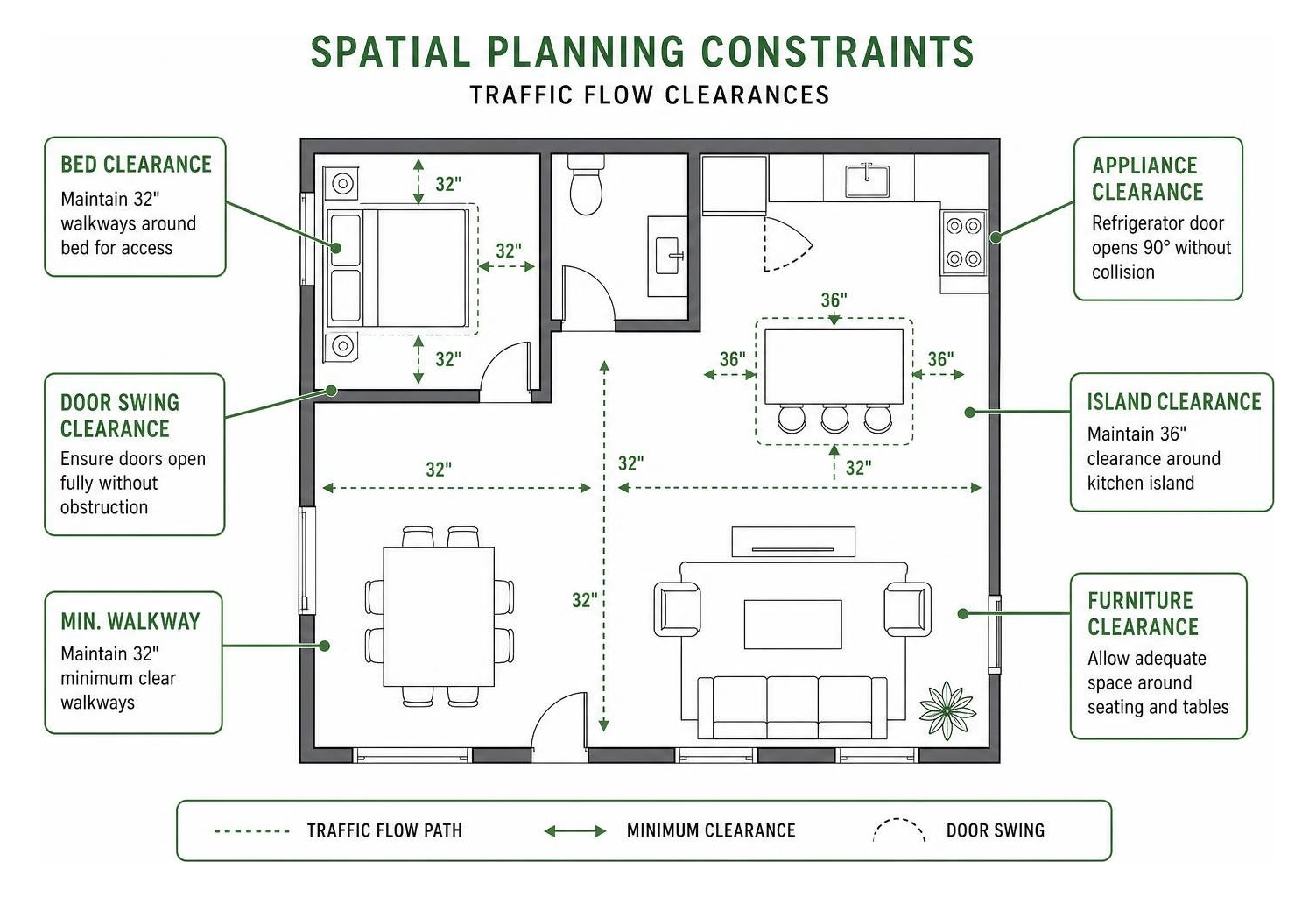
Translating blueprints requires dedicated dimensional mapping rather than simple text prediction. If you want to transform physical drawings into volumetric space without spatial hallucinations, you should explore a dedicated 2D blueprint to 3D room workflow designed specifically to honor load-bearing boundaries and real clearance envelopes.
Budgeting, Material Sourcing, and Color Matching
Beyond spatial visualization, a successful home renovation hinges on practical logistics: paint matching, material selection, and budget allocation.
- The Paint Matching Pitfall: One of the most common user errors is asking chatbots to accurately preview brand-specific paint colors (like Benjamin Moore or Farrow & Ball) on their walls. Because AI image tools interpret text through rewritten internal prompts rather than true pigment/hex physics, they often hallucinate inaccurate shades. In real-world tests, asking ChatGPT to compare specific blues on a wall resulted in unrequested colors applied to completely fabricated hallway settings. Even when corrected, the model politely apologized and repeated the same visual mismatch.
- Material Research: Here, Gemini’s search integration and massive context window make it the superior tool. You can upload extensive PDF product spec sheets, compare engineered hardwood against luxury vinyl tile (LVT), and extract maintenance requirements across different climates.
- Budgeting & Contractor Checklists: ChatGPT excels at structuring renovation workflows. It can take an unstructured list of goals and format a phased budgeting table, organizing tasks into demolition, rough-in electrical, cabinetry, fixtures, and soft furnishings, while drafting precise technical questions to ask prospective contractors.
Beginner Friendliness and Prompting Workflows
Using general AI chatbots for home design often introduces what industry experts call an “iteration tax.” Because models like ChatGPT and Gemini do not have built-in dials for “keep my windows” or “change only the rug,” non-designer homeowners must act as creative directors and prompt engineers.
When a homeowner writes a vague prompt like “Make this living room cozy and modern,” the AI plays a prompt lottery-randomly altering wall colors, swapping flooring, and shifting furniture scales. To get actionable results without frustration, apply this standardized prompting structure:
- Define Fixed Architecture: Explicitly state what must not change (“Keep the floor-to-ceiling windows on the left wall and the brick fireplace centered on the back wall exactly as they appear.”).
- State the Design Discipline: Specify the design movement rather than emotional buzzwords (“Scandinavian minimalism with Japandi influence, using light white oak, matte black hardware, and textured oatmeal bouclé.”).
- Specify Lighting Layers: Describe the ambient and accent sources (“Diffuse natural daylight from the left, complemented by warm 2700K recessed ceiling lights and a sculptural floor lamp.”).
- Set Compositional Constraints: Tell the AI how to frame the render (“Eye-level wide-angle perspective, emphasizing clear 36-inch walkway flow between the sectional sofa and coffee table.”).
Workflow Comparison: General Chatbots vs Purpose-Built Design Tools
While general chatbots are excellent for freeform creative brainstorming, they were never purpose-built for spatial engineering. This is why many homeowners and real estate professionals combine general LLMs with specialized staging software.
When we reviewed the 9 best AI interior design tools in 2026 tested, the fundamental difference came down to task design. Dedicated tools lock the architectural envelope of your uploaded photograph using segmentation masking, allowing you to swap furniture, test wall colors, and adjust layouts with point-and-click UI controls rather than complex prompt engineering.
To explore zero-cost options that specialize strictly in automated furniture placement, check out our guide on the best free AI room design generator in 2026.
Recent 2026 AI model evaluations emphasize that the best results come from using the right tool for each phase of your project.
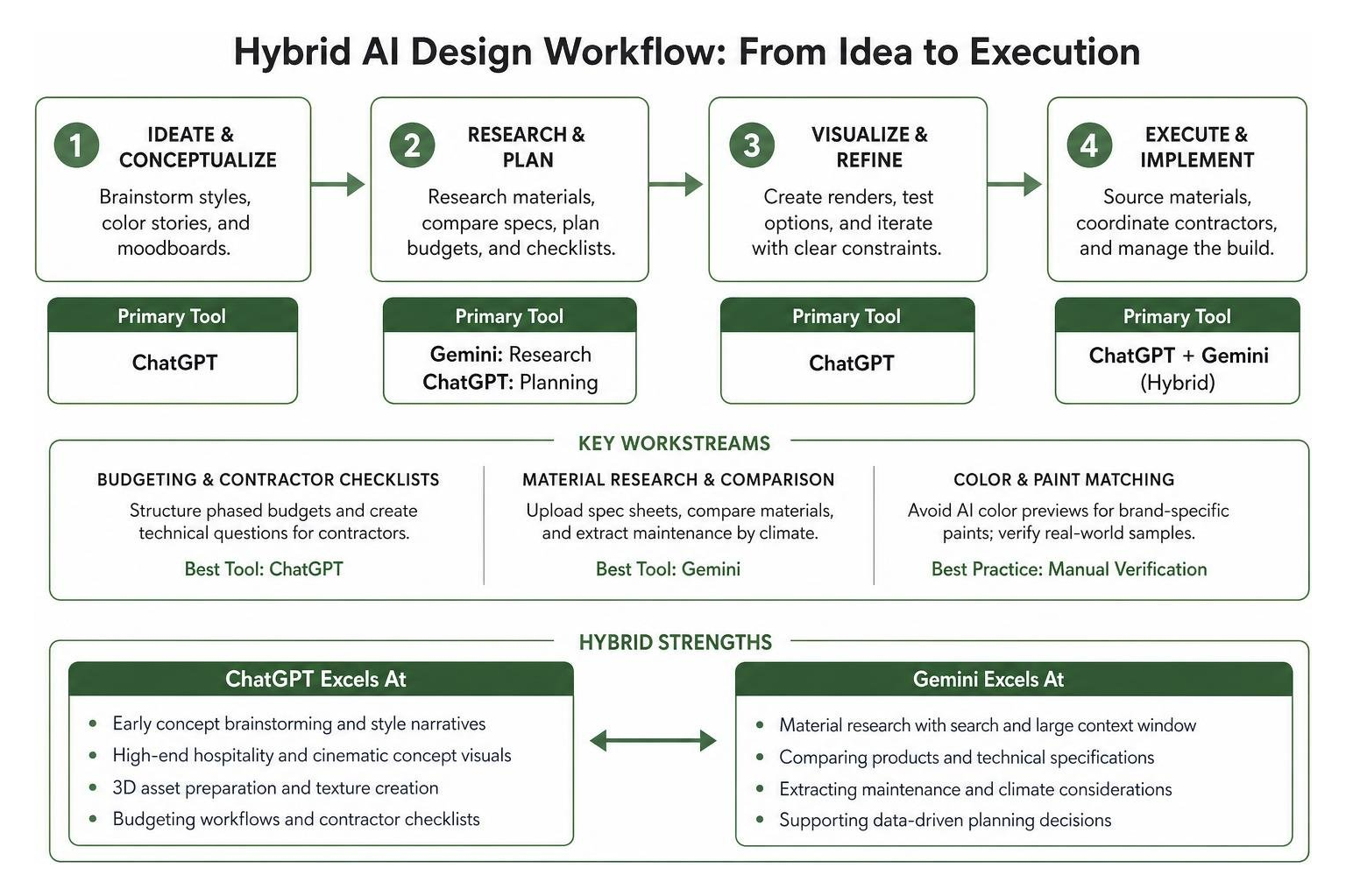
When to Choose ChatGPT
- Early Concept Brainstorming: Generating distinct aesthetic narratives, color stories, and personalized style profiles from scratch.
- High-End Hospitality Visuals: Creating luxurious, cinematic 3D concept renders for moodboards where strict spatial accuracy is secondary to emotional ambiance.
- 3D Asset Preparation: Generating seamless textures, material normal references, and balanced 360-degree environment panoramas for ArchViz workflows.
- Renovation Planning & Copy: Writing structured contractor briefs, phased project schedules, and clear design rationales to communicate concepts with family members.
When to Choose Gemini
- Lighting and Scene Modifications: Transforming finished daytime architectural renders into realistic twilight or blue-hour scenes while preserving building geometry.
- Large-Scale Document Analysis: Uploading and summarizing massive multi-page architectural PDFs, contractor estimates, and structural engineering reports.
- Deep Market & Product Research: Gathering up-to-date trend summaries, material durability comparisons, and local appliance specifications using Google Search grounding.
- Structural Image Deconstruction: Identifying individual furniture styles, architectural defects, and layout bottlenecks from existing room photographs.
Frequently Asked Questions About AI Interior Design
Can Gemini or ChatGPT accurately read my uploaded floor plan?
No. While both systems can identify that an uploaded image is a floor plan, neither possesses true dimensional spatial reasoning. They cannot accurately measure scale, calculate minimum passageway clearances, or translate 2D blueprint lines into 1:1 scale 3D volumes without hallucinating structural boundaries. For real space planning, always verify physical room dimensions manually with a tape measure or utilize specialized CAD and spatial AI tools.
Which AI is more beginner-friendly for non-designer homeowners?
ChatGPT is generally more beginner-friendly for conversational brainstorming, drafting project briefs, and producing visually inspiring concept art from simple prompts. However, if your goal is to redesign an existing room from a smartphone photo without writing complex prompt formulas, both chatbots require trial and error. Dedicated room-staging tools with visual UI controls offer a smoother, zero-prompting learning curve for basic room makeovers.
How do I avoid hallucinated paint colors and furniture recommendations?
Never purchase paint or furniture based solely on an AI-generated render. AI image generators create approximations of colors based on lighting prompts rather than true commercial paint formulas. Always request physical peel-and-stick swatches or sample pots from official paint retailers to test under your room’s natural lighting. For furniture, treat AI outputs as stylistic archetypes—focus on finding real-world pieces that match the general proportions, silhouette, and finish rather than searching for an exact fabricated item.
Conclusion
The debate between Gemini and ChatGPT for interior design is not about declaring a single universal winner; it is about recognizing their specialized strengths within a complete project workflow.
ChatGPT serves as the ultimate creative collaborator—sparking inspiration, generating rich, cinematic mood boards, and crafting detailed design briefs. Gemini functions as the analytical researcher—rigorously preserving architectural lines during lighting adjustments, deconstructing uploaded room imagery, and synthesizing complex technical documents.
By adopting a hybrid workflow—using ChatGPT for creative ideation, Gemini for research and structural lighting analysis, and verifying all physical dimensions on-site—you can design functional, beautiful living spaces while avoiding costly renovation mistakes.
For the latest insights on how generative intelligence is reshaping creative workflows, explore our latest AI updates and discover new ways to elevate your home projects.
1 thought on “Gemini vs ChatGPT for Interior Design: Which Is Better in 2026?”