Your Brand’s First Impression Deserves the Right Tool
AI tools for logo design have changed how small businesses build their brand identity — no design degree, no expensive agency, and no weeks of waiting required. A logo is more than just a pretty picture; it is the silent ambassador of your brand. It communicates your values, your industry, and your professionalism in a single glance. In the digital economy of 2026, having a high-quality visual identity is no longer a luxury—it is a requirement for survival.
Here are the top AI logo tools worth knowing about in 2026:
| Tool | Best For | Free Option | Vector Export |
|---|---|---|---|
| Canva AI | Beginners & templates | Yes (20 prompts/month) | Yes |
| Adobe Express | Quick edits & customization | Yes | PNG only |
| Logo Diffusion | Style variety & iteration | Yes (20 credits/month) | Yes (SVG) |
| LogoAI | Full brand identity | Yes | Yes |
| Brandmark | One-time purchase & simplicity | Generate free, pay to download | Yes |
| Design.com | Brand ecosystem | Yes | Yes (SVG, EPS, PDF) |
Not long ago, getting a professional logo meant hiring a designer for hundreds — sometimes thousands — of dollars, then waiting weeks for revisions. Today, you can describe your brand in a sentence and have a polished logo concept in under a minute. This democratization of design allows entrepreneurs to focus their capital on product development and customer service rather than high agency fees.
But not all AI logo tools are equal. Some are great for quick ideation. Others handle full brand kits, vector files, and commercial licensing. And a few still struggle with things like text rendering or producing truly original results. This guide covers everything — how these tools work, what to look for, which ones perform best, and what the real limitations are — so you can pick the right one for your business without wasting time or money.
How AI Tools for Logo Design Work
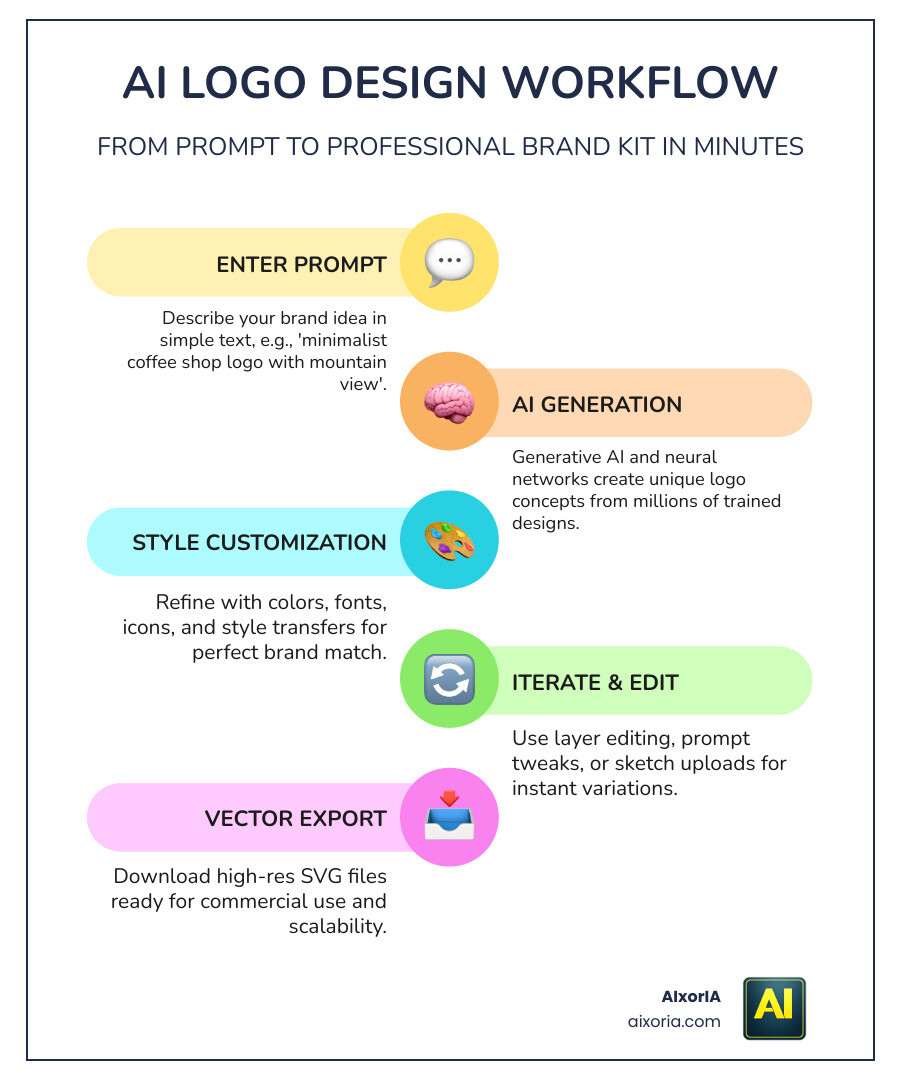
At their core, modern AI Tools for Logo Design use generative AI and deep neural networks. Instead of pulling from a library of pre-made clip art, these systems have been trained on millions of design examples to understand the relationship between words, colors, and shapes. Most of these tools now utilize “Latent Diffusion Models.” This process involves the AI starting with a field of random noise and gradually refining it into a coherent image based on your instructions. This iterative “denoising” allows for incredible detail and the ability to generate multiple variations of the same concept in seconds.
When you enter a “prompt” (a description of what you want), the AI uses text-to-image technology to build a visual from scratch. Advanced tools even allow for “sketch-to-logo” workflows, where you can upload a rough doodle on a napkin and let the AI refine it into a professional graphic. This bridge between human intent and machine execution is what makes 2026-era tools so much more powerful than the basic generators of the past.
One of the most important technical steps is vectorization. While most AI generates “raster” images (made of pixels that get blurry when resized), professional-grade tools convert these into mathematical paths. This ensures your logo looks as crisp on a giant billboard as it does on a tiny business card. For a deeper look at how these tools perform in the real world, check out our 9 Best Ai Tools For Logo Design 2026 Real Brand Test Results/.
Key Features of Professional AI Logo Makers
If you are looking for a tool that goes beyond a simple “profile picture” logo, you need to look for professional-grade features. A logo is the foundation of your visual communication, and it needs to be versatile enough to work across print, web, and social media platforms.
- Vector Export (SVG/EPS/PDF): This is non-negotiable for print. You need files that can be scaled infinitely without losing quality.
- Commercial Rights: Ensure the platform grants you full ownership for business use. Without this, you could face legal hurdles when trying to trademark your brand.
- Brand Kits: Top-tier tools don’t just give you a logo; they generate matching business cards, social media templates, and letterheads automatically. This ensures that the hex codes used in your logo are the same ones applied to your email signature and website headers, creating a seamless experience for your customers.
- High-Resolution Files: Look for tools that support exports up to 2048px or higher for digital clarity.
Customization and Editing in AI Tools for Logo Design
The “first draft” from an AI is rarely perfect. The best AI Tools for Logo Design offer robust editors that allow you to fine-tune the output. We look for features like:
- Layer Editing: The ability to move the icon independently of the text to find the perfect balance.
- Font Pairing: Smart suggestions for typography that complements your icon style, ensuring the text doesn’t feel like an afterthought.
- Color Palettes: Industry-specific color schemes (like “eco-friendly greens” or “trustworthy blues”) that leverage the psychology of color to influence consumer perception.
- Iterative Design: The ability to say “make this more minimalist” or “change the icon to a geometric shape” without starting over from scratch.
Top-Rated AI Logo Generators in 2026
The market is crowded, but a few names consistently rise to the top based on speed, quality, and style variety. These platforms have moved beyond simple templates to offer truly intelligent design assistance.
| Tool | Speed | Pricing Model | Style Variety |
|---|---|---|---|
| Brandmark | Instant | One-time fee ($25+) | High (AI + Human fonts) |
| LogoMaker AI | <10 seconds | Credit-based | 8+ Unique Styles |
| LogoAI | Fast | Package-based | Professional/Corporate |
| LogoGen | <3 minutes | Bundle-based ($8+) | Modern/Retro/Mascot |
| AILogoCreator | Instant | Free to try | Trend-aware/Psychology-based |
Detailed Reviews:
- Brandmark Logo Maker – the most advanced AI logo design tool : Known for its “human-inspired” AI, it uses hand-crafted fonts and templates to ensure the results don’t look “too AI.” It’s a great choice if you hate monthly subscriptions, as they offer a one-time payment for lifetime access. Their “Color Balance” feature is particularly impressive for creating harmonious palettes.
- LogoMaker AI — Create Stunning Logos in Seconds : This tool is powered by the latest Recraft v3 engine. It’s incredibly fast (under 10 seconds) and offers high-resolution downloads up to 2048px. It excels at specific artistic styles like “Flat 2.0” and “3D Claymorphism.”
- Design A New Logo & Brand Identity You Love! – LogoAI.com : With over 8 million businesses helped, LogoAI is a powerhouse. It understands design best practices, ensuring your logo isn’t just pretty, but functional. It provides a comprehensive brand center where you can manage all your assets in one place.
- LogoGen | The #1 AI Logo Generator for Professional Logos and Graphics, generated instantly. : LogoGen is the “budget king,” claiming to be 40x cheaper than an agency. It automatically filters out low-quality AI results so you only see the best options, saving you from scrolling through hundreds of unusable drafts.
- Free AI Logo Generator | AILogoCreator for Brands : This tool focuses on the psychology of branding. It generates 50+ unique concepts instantly and provides full brand kits including animations, which are essential for modern social media marketing.
Best AI Tools for Logo Design for Beginners
If you aren’t a “techie,” don’t worry. Tools like Canva and Adobe Express are built specifically for non-designers. They use “guided prompts” where you simply select your industry and your favorite colors, and the AI does the heavy lifting. These platforms often have the most user-friendly interfaces, relying on “no-code” drag-and-drop editors to refine the final product. They also offer extensive tutorials to help you understand the basics of layout and spacing.
Pros and Cons: AI vs. Professional Designers
We often get asked if AI is “replacing” human designers. The truth is more nuanced. AI is a tool that enhances productivity, but it doesn’t replace the strategic thinking of a human expert.
The Pros of AI:
- Cost: You can get a logo for $0 to $50, compared to $750+ for an agency. This makes professional branding accessible to everyone.
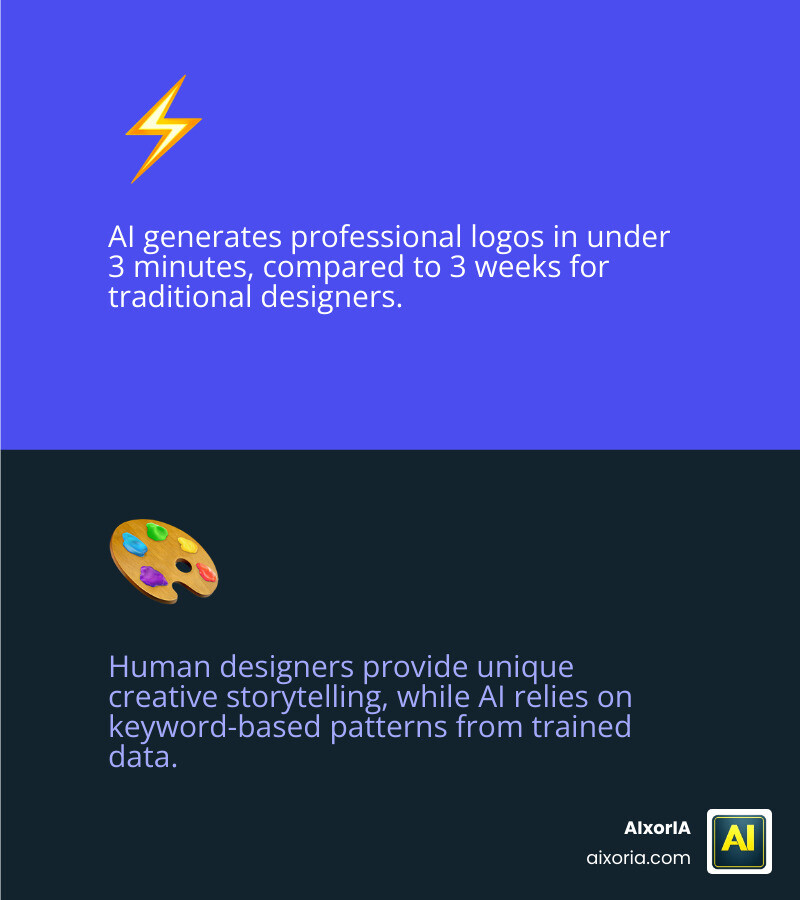
- Speed: You have a logo in 3 minutes, not 3 weeks. This is vital for testing new business ideas quickly.
- Ideation: It’s a fantastic way to “see” your ideas before committing to a final direction. You can generate 100 concepts in an afternoon.
- Accessibility: For non-profits or student startups with zero budget, AI provides a path to professionalization that simply didn’t exist five years ago.
The Cons of AI:
- Originality: AI can sometimes produce “generic” results because it’s trained on existing data. It may struggle to create something truly groundbreaking.
- Trademarking: It can be harder to trademark an AI logo if the icon used is part of a public library or too similar to existing works.
- The “Human Touch”: A designer understands your story and the emotional nuances of your target audience; an AI understands your keywords.
Frequently Asked Questions about AI Branding
Can I use AI-generated logos for commercial purposes?
Yes, most premium AI Tools for Logo Design (like LogoMaker AI and LogoGen) grant you full commercial rights. However, always check the terms of service. On free plans, like Canva’s free tier, there may be limitations on trademarking. If you plan to build a global brand, investing in a paid license is always the safer route.
What are the limitations of AI logo generators?
The biggest hurdle is often text rendering. While improving in 2026, some AI models still struggle with spelling or complex typography. Another limitation is “originality” — if you use a very simple prompt, you might end up with a logo that looks similar to another business. AI also lacks the ability to conduct deep market research or competitor analysis on its own.
How do I write effective prompts for logo design?
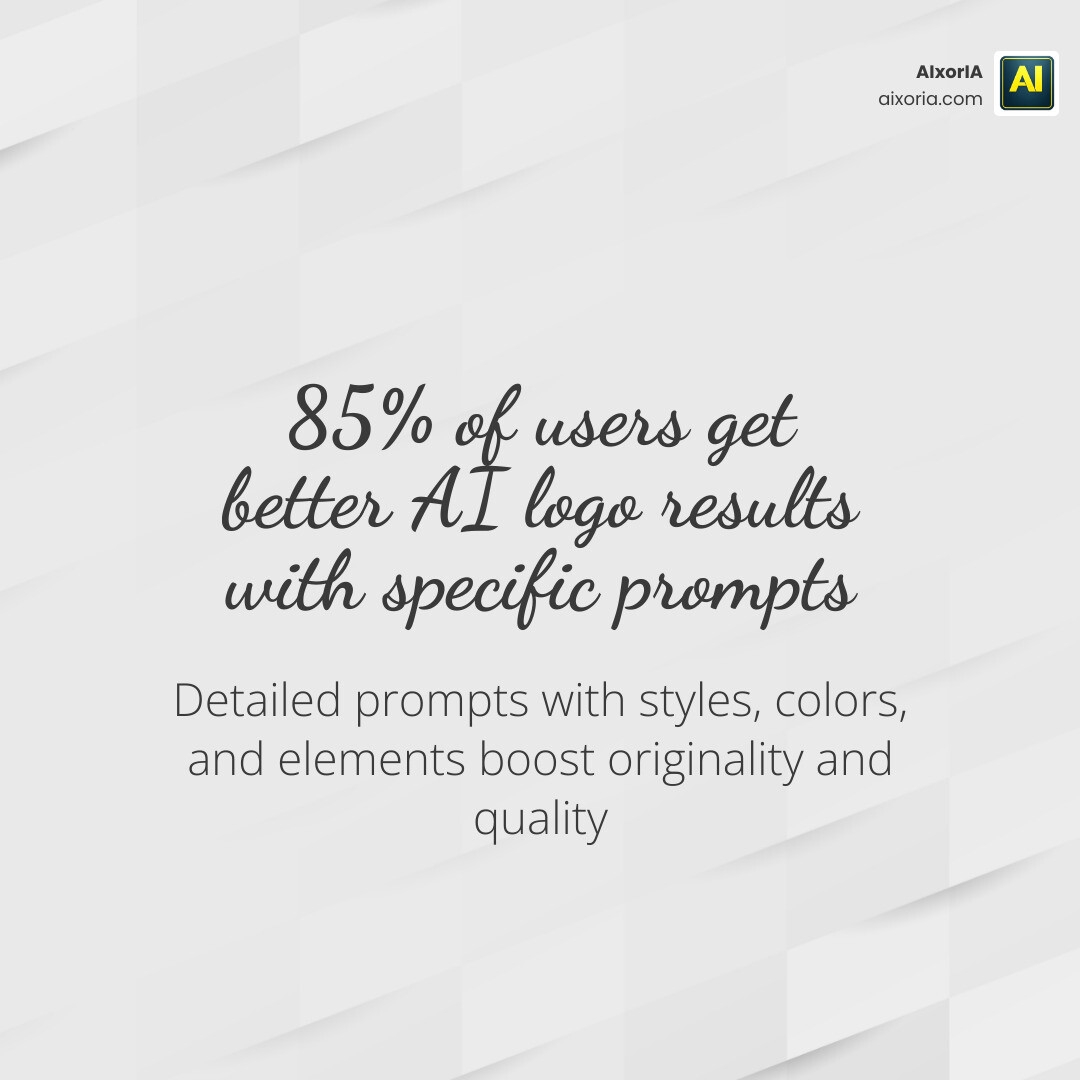
Be specific! Instead of “coffee shop logo,” try: “Minimalist line-art logo for a cozy Parisian cafe, featuring a steaming cup and a lavender sprig, pastel purple and cream colors, elegant serif font.” Using 5+ words and mentioning specific styles (like “3D render,” “geometric,” or “vintage”) will yield much better results. You can also use “negative prompts” to tell the AI what to avoid, such as “no gradients” or “no complex details.”
How do I ensure my AI logo is unique?
By combining multiple styles and using highly descriptive prompts, you can steer the generator away from common tropes. Avoid using single-word prompts like “tech” or “fitness.” Instead, describe the specific mood or unique elements of your business to force the AI to generate a more tailored result.
Conclusion
The world of branding has been democratized. Whether you’re a sole trader launching a side hustle or a growing business rebranding for a new market, AI Tools for Logo Design offer a fast, affordable, and high-quality starting point. These tools are not just about saving money; they are about empowering creativity and allowing you to take control of your brand’s visual narrative.
At AIxorIA, we know that technology can feel overwhelming. That’s why we’re here to help you navigate these tools with ease. From performance audits of your current brand assets to custom workshops on how to integrate AI into your daily workflow, our mission is to provide simple language help that empowers your business to grow. We believe that every business, regardless of size, deserves access to world-class design tools.
Ready to take your productivity to the next level? Explore More info about AI productivity services and see how we can help you master the tools of the future. Let’s build something great together and ensure your brand stands out in the digital landscape!
3 thoughts on “Best AI Logo Design Tools in 2026: Top Picks & Reviews”