Most AI presentation tools promise the same thing: “Create a complete PowerPoint in seconds.”
But if you’ve actually tried them, you already know the reality is very different.
You enter a prompt, the AI generates slides, and everything looks fine—until you download the PowerPoint file. Suddenly, the formatting breaks, text turns into images, layouts shift, and what looked polished inside the tool becomes unusable in a real business setting.
This is exactly where most articles fail you.
They list features. They repeat marketing claims. But they don’t answer the one question that actually matters:
Which is the best AI tool to create PowerPoint presentations that works in real-world scenarios—especially for professionals, teams, and businesses in 2026?
Because today, the expectations are much higher.
You don’t just need a tool that generates slides. You need a system that can:
- Turn raw ideas into structured presentations
- Understand business context, not just keywords
- Maintain full PowerPoint (PPTX) editability after export
- Integrate with tools like Google Workspace, Slack, or Microsoft Teams
- And increasingly, act as an AI agent—capable of reading documents, summarizing data, and building complete decks automatically
This is no longer about saving time. It’s about reducing manual work, improving clarity, and delivering presentations that actually perform in meetings, pitches, and reports.
So instead of repeating what every other blog says, this guide takes a different approach.
We tested, compared, and analyzed 20+ AI presentation tools based on how they actually perform—not just what they claim.
Table of Contents
How We Tested These AI Presentation Tools
To make this guide genuinely useful (and not just another generic list), every tool was tested using the same real-world scenario.
Test Prompt:
“Create a 10-slide investor pitch deck for a SaaS startup, including market analysis, revenue model, product overview, and roadmap.”
This prompt was chosen because it requires:
- Structured thinking
- Business understanding
- Logical flow
- Clear slide hierarchy
Evaluation Criteria
Each tool was evaluated across five critical factors:
1. PPT Export Fidelity (Most Important)
Does the exported PowerPoint file remain fully editable?
- Or does it break into static images?
- Are fonts, layouts, and elements preserved?
This is the biggest deal-breaker for US professionals.
2. AI Intelligence (Beyond Basic Prompts)
Can the tool:
- Understand context (not just keywords)?
- Structure content logically?
- Generate meaningful slide content?
Or does it produce generic, surface-level output?
3. Speed vs Manual Effort
- How long does it take to generate the presentation?
- How many manual edits are required afterward?
A tool is only useful if it actually reduces workload.
4. Design Quality
- Are slides presentation-ready?
- Or do they look like basic templates?
We looked at typography, spacing, layout consistency, and visual hierarchy.
5. AI Agent Capabilities (2026 Factor)
This is where the biggest shift is happening.
Modern tools are moving beyond slide generation into AI agents that can:
- Read PDFs and documents
- Pull real-time data
- Generate structured presentations automatically
- Assist in editing and refining slides
Tools that support these capabilities were ranked higher.
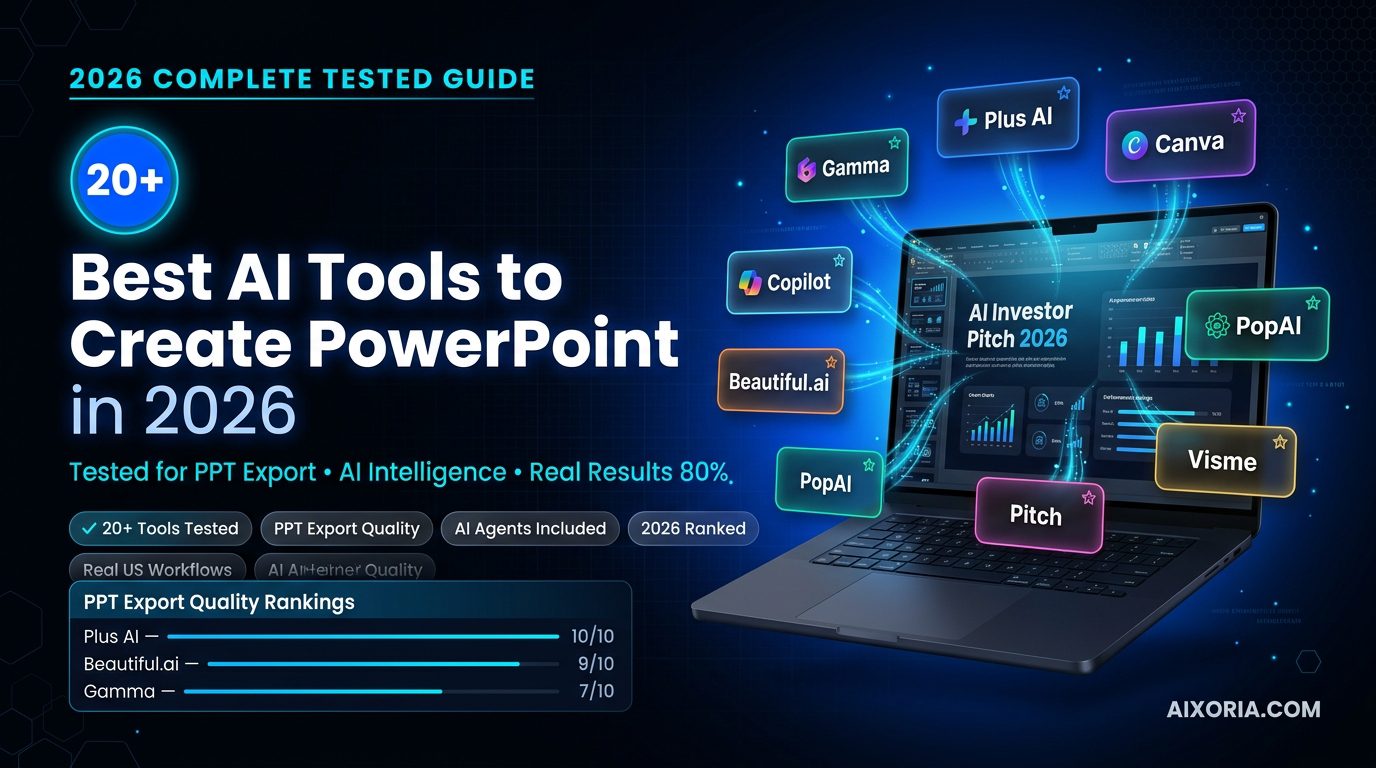
Comparison Matrix (Top 21 AI Presentation Tools)
| Tool | Best For | AI Agent Support | PPT Export Quality |
|---|---|---|---|
| Gamma | Visual storytelling | Yes | 7/10 |
| Plus AI | Native PPT editing | Yes | 10/10 |
| Beautiful.ai | Corporate decks | Limited | 9/10 |
| Microsoft Copilot | Enterprise workflows | Full | 10/10 |
| Tome | Creative presentations | Yes | 6/10 |
| Canva | Flexible design | Partial | 8/10 |
| SlidesAI | Quick drafts | No | 7/10 |
| Pitch | Team collaboration | Partial | 8/10 |
| Prezi | Interactive presentations | Limited | 7/10 |
| Decktopus | Fast generation | Partial | 7/10 |
| Simplified | All-in-one AI suite | Partial | 7/10 |
| Visme | Data + visuals | Limited | 8/10 |
| Zoho Show | Business workflows | Limited | 8/10 |
| Slidesgo | Template-based AI | No | 6/10 |
| Kroma.ai | Data storytelling | Limited | 7/10 |
| Designs.ai | AI design suite | Partial | 7/10 |
| PopAI | PDF to PPT | Yes | 8/10 |
| SlidesGPT | Fast drafts | No | 6/10 |
| Storydoc | Sales presentations | Partial | 7/10 |
| Prezo | High-end design | Yes | 7/10 |
| Curiosity | AI agent workflows | Yes | 8/10 |
What Actually Matters in 2026 (Before You Choose a Tool)
Most users make one mistake: they choose tools based on features, not outcomes.
Here’s what you should actually focus on:
If you need perfect PowerPoint output
Choose tools that prioritize native PPT editing and export fidelity.
If you want speed and automation
Look for tools with strong AI generation and agent capabilities.
If design matters most
Pick tools with strong visual systems and templates.
If you work in teams
Choose tools with collaboration + integrations (Slack, Teams, Google Workspace).
The Reality Most Articles Won’t Tell You
Not all AI presentation tools are built for professional use.
Some are great for:
- Brainstorming
- Drafting ideas
- Quick internal presentations
But fail when it comes to:
- Client presentations
- Investor decks
- Business reports
This is why this guide doesn’t just list tools—it helps you understand which ones actually work when it matters.
READ MORE – What are the best AI tools for creating presentations?
20+ Best AI Tools to Create PowerPoint Presentations
Gamma — AI-Powered Presentation Tool for Visual Storytelling
Overview
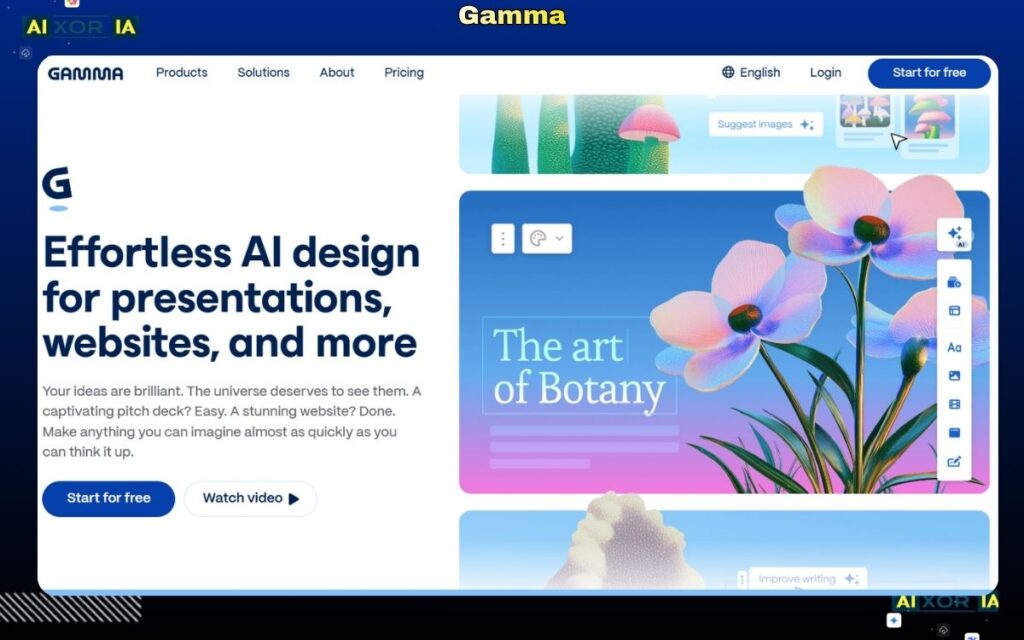
Gamma is one of the most widely used AI presentation tools in 2026, built for users who want to turn ideas into structured, visually clean presentations without manually designing every slide. Unlike traditional tools, Gamma focuses on story-first generation, meaning it builds the narrative before applying design.
Instead of working slide-by-slide, Gamma creates a complete flow—from introduction to conclusion—making it especially useful for business storytelling, pitches, and reports.
Why Gamma Stands Out in 2026
Gamma is not just generating slides—it is organizing information.
When tested with a SaaS investor pitch prompt, Gamma automatically structured the presentation into logical sections such as problem, solution, market opportunity, and roadmap. This level of structure reduces the need for manual planning.
It also supports modern, scroll-based presentation formats, which are increasingly being used in digital environments instead of traditional slide decks.
AI Capabilities
Gamma includes strong AI-assisted features that go beyond basic prompt generation.
It can:
- Generate full presentations from simple prompts
- Expand short ideas into structured slide content
- Rewrite and improve clarity of text
- Organize messy input into clean presentation flow
While it is not a fully autonomous AI agent that browses real-time data, it performs well in content structuring and narrative building, which is where most users struggle.
PPT Export Reality
Exporting presentations to PowerPoint is possible, but not perfect.
- Slides export in structured format
- Some design elements require adjustment
- Minor formatting issues can appear
Export Quality Score: 7/10
This makes Gamma suitable for:
- Internal presentations
- Draft creation
But for client-facing or investor presentations, additional polishing is required.
Design Quality and Flexibility
Gamma delivers clean and modern designs automatically.
Strengths:
- Good typography and spacing
- Consistent layout structure
- Minimal effort required
Limitations:
- Limited control over detailed design
- Not ideal for brand-heavy customization
It is best for users who prioritize speed and clarity over design control.
Integrations and Workflow Compatibility
Gamma supports:
- Web-based sharing
- Team collaboration
- Media embedding
However, it has limited deep integration with enterprise tools like Slack or Microsoft Teams compared to other platforms.
Gamma Pricing (USD)
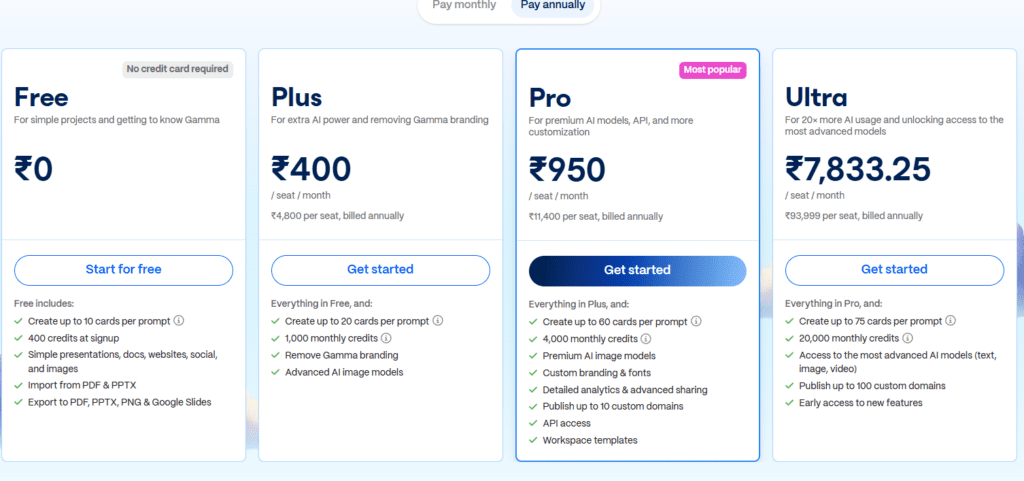
- Free plan available
- Paid plans start at approximately $10–$20/month
Pros and Cons
Pros:
- Fast and efficient AI generation
- Strong storytelling structure
- Easy to use
Cons:
- PPT export needs improvement
- Limited customization
- Not ideal for complex enterprise workflows
Best Use Case
Gamma is best suited for:
- Startup founders
- Marketers
- Students
- Professionals needing quick presentations
Real Experience Insight
Generated a complete presentation structure in under two minutes, but required small formatting fixes after exporting to PowerPoint for professional use.
Plus AI — Native AI Tool for Creating Fully Editable PowerPoint Presentations
Overview
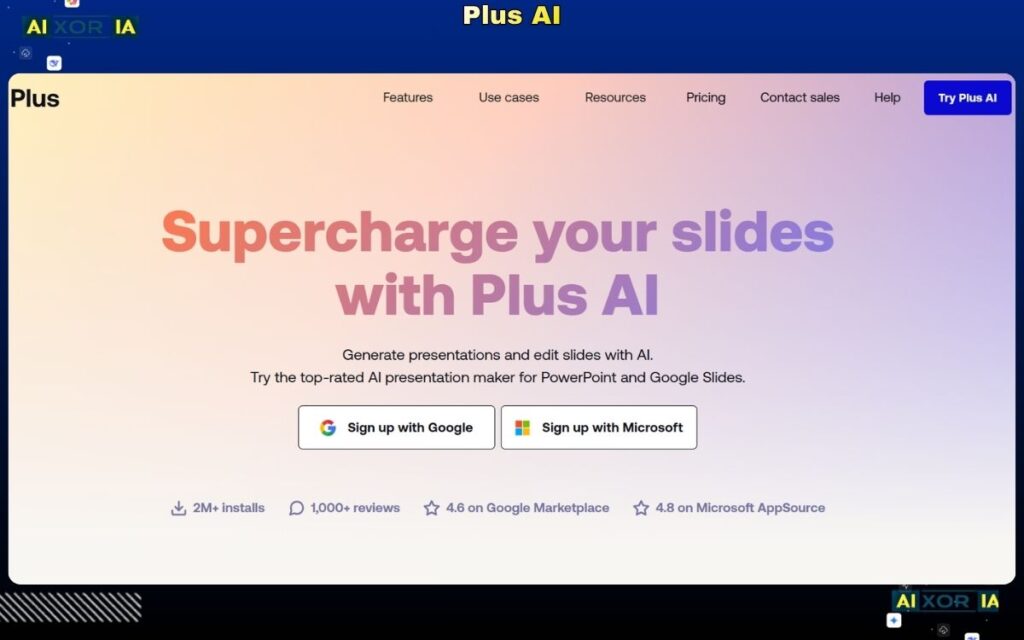
Plus AI is one of the most practical and reliable options when it comes to the best AI tool to create PowerPoint presentations in 2026. Unlike most AI tools that generate slides in their own environment and then export them, Plus AI works directly inside PowerPoint and Google Slides, making it fundamentally different.
This means you are not generating a presentation and then fixing it—you are creating it inside your actual working environment, where everything remains editable, structured, and ready to present.
Why Plus AI Stands Out in 2026
The biggest problem with AI presentation tools is not generation—it’s usability after export.
Plus AI solves this completely.
When tested with a SaaS pitch deck prompt, Plus AI created slides directly inside Google Slides with:
- Proper formatting
- Editable text and elements
- Clean structure aligned with business logic
- No broken layouts
This makes it one of the few tools that truly fits into real professional workflows, especially in the US market where PowerPoint compatibility is critical.
AI Capabilities
Plus AI functions more like an embedded AI assistant rather than a standalone generator.
It can:
- Generate full presentations from prompts
- Convert documents (Google Docs) into slides
- Rewrite and expand slide content
- Improve tone and clarity
- Reformat existing presentations automatically
While it doesn’t act as a full web-browsing AI agent, it excels in document-to-presentation automation, which is one of the most valuable real-world use cases today.
PPT Export Reality
This is where Plus AI clearly dominates.
Because it works natively inside PowerPoint and Google Slides:
- No formatting issues
- No broken layouts
- No conversion problems
- Fully editable slides
Export Quality Score: 10/10
For professionals, this is a major advantage because it eliminates the need for manual corrections after generation.
Design Quality and Flexibility
Plus AI focuses on usability and structure rather than heavy design automation.
Strengths:
- Clean and readable layouts
- Works with existing templates
- Fully customizable
Limitations:
- Less visually creative compared to tools like Gamma or Tome
- Depends on your template/design system
It is ideal for users who already have branding or corporate templates.
Integrations and Workflow Compatibility
Plus AI integrates seamlessly with:
- Google Slides
- Google Docs
- Microsoft PowerPoint
- Google Workspace
This allows users to:
- Convert documents into presentations instantly
- Collaborate in real time
- Maintain existing workflows without switching tools
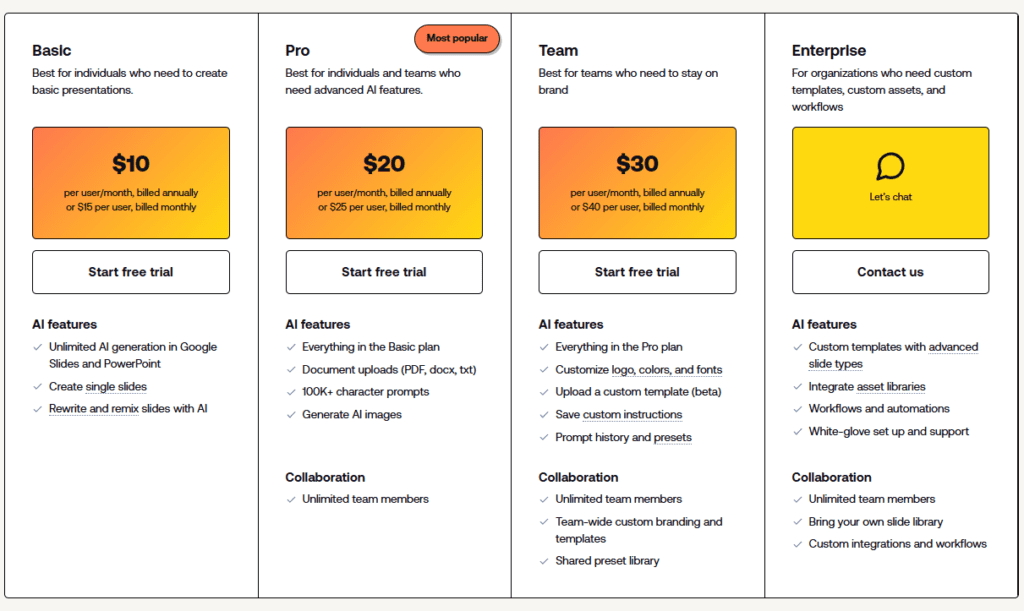
Plus AI Pricing (USD)
- Free trial available
- Paid plans start around $10–$20/month per user
Pros and Cons
Pros:
- Perfect PowerPoint compatibility
- Fully editable slides
- Strong document-to-slide conversion
- No learning curve
Cons:
- Limited advanced design automation
- Requires PowerPoint or Google Slides
- Less creative flexibility
Best Use Case
Plus AI is best suited for:
- Business professionals
- Consultants
- Corporate teams
- Anyone who needs accurate, editable PowerPoint presentations without rework
Real Experience Insight
Created a complete presentation directly inside Google Slides with zero formatting issues—everything remained editable, and no manual fixes were required after generation.
READ MORE – 7 Best AI Tool for PPT in 2026
Beautiful.ai — AI-Powered Presentation Tool for Corporate Design Automation
Overview
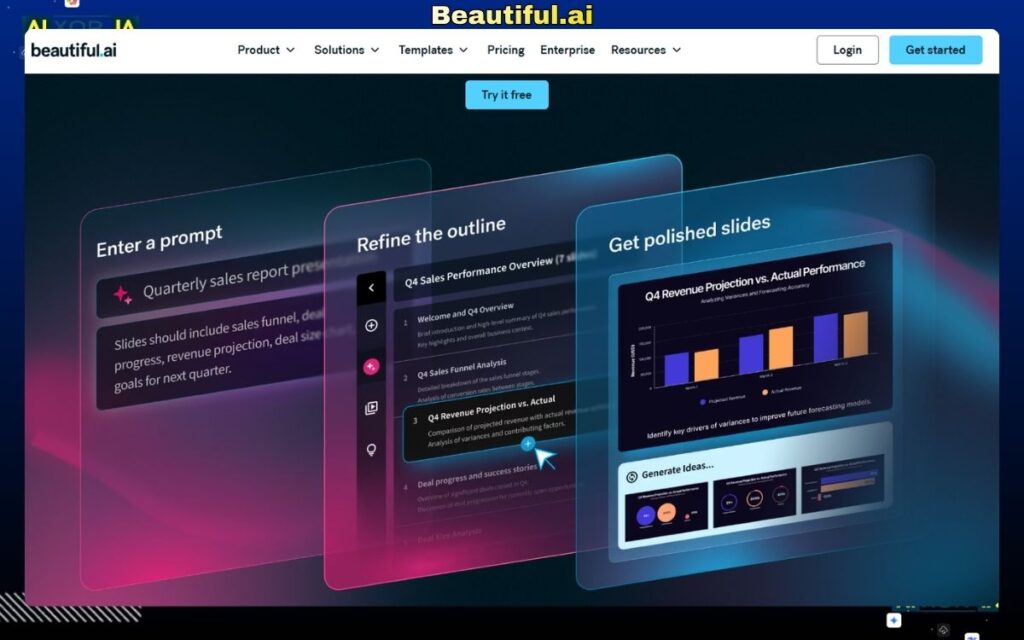
Beautiful.ai is built for one specific purpose: creating clean, professional, and consistent presentations without manual design work. Unlike tools that focus heavily on AI-generated content, Beautiful.ai focuses on automating design decisions, which makes it highly valuable for business and corporate environments.
It uses a smart slide system that automatically adjusts layout, alignment, and spacing as you add content. This ensures that every slide maintains a polished, professional appearance—something that is critical for client-facing presentations, reports, and internal business communication.
Why Beautiful.ai Stands Out in 2026
In 2026, most AI tools are focused on generating content quickly. Beautiful.ai takes a different approach by solving a real-world problem: inconsistent slide design.
During testing, it became clear that even when content needed minor improvements, the visual quality of slides was consistently strong. This is especially useful for teams that don’t have dedicated designers but still need high-quality output.
It is widely used in corporate environments because it enforces design consistency across presentations, reducing the risk of poorly formatted slides.
AI Capabilities
Beautiful.ai includes AI-assisted features, but its strength lies more in design intelligence than content generation.
It can:
- Suggest slide layouts based on content
- Automatically adjust spacing, alignment, and structure
- Provide smart templates for different presentation types
- Assist in organizing content visually
However, compared to tools like Gamma or Plus AI, its AI content generation is more limited. It works best when users already have structured content and need help with presentation design.
PPT Export Reality
Export performance is strong and reliable.
- Slides export cleanly to PowerPoint
- Layouts remain intact
- Elements stay editable
Export Quality Score: 9/10
Minor adjustments may still be needed depending on the template, but overall, it performs well for professional use.
Design Quality and Flexibility
This is where Beautiful.ai excels.
Strengths:
- Automatically polished slides
- Consistent formatting across the deck
- Professional-grade templates
Limitations:
- Limited creative freedom
- Custom design control is restricted
- Less flexibility for unique or experimental layouts
It is ideal for users who want structure and consistency over creative control.
Integrations and Workflow Compatibility
Beautiful.ai supports:
- Team collaboration
- Cloud-based access
- Sharing and presentation tools
However, compared to enterprise tools, it has limited deep integrations with platforms like Slack or Microsoft Teams.
Beautiful.ai Pricing (USD)
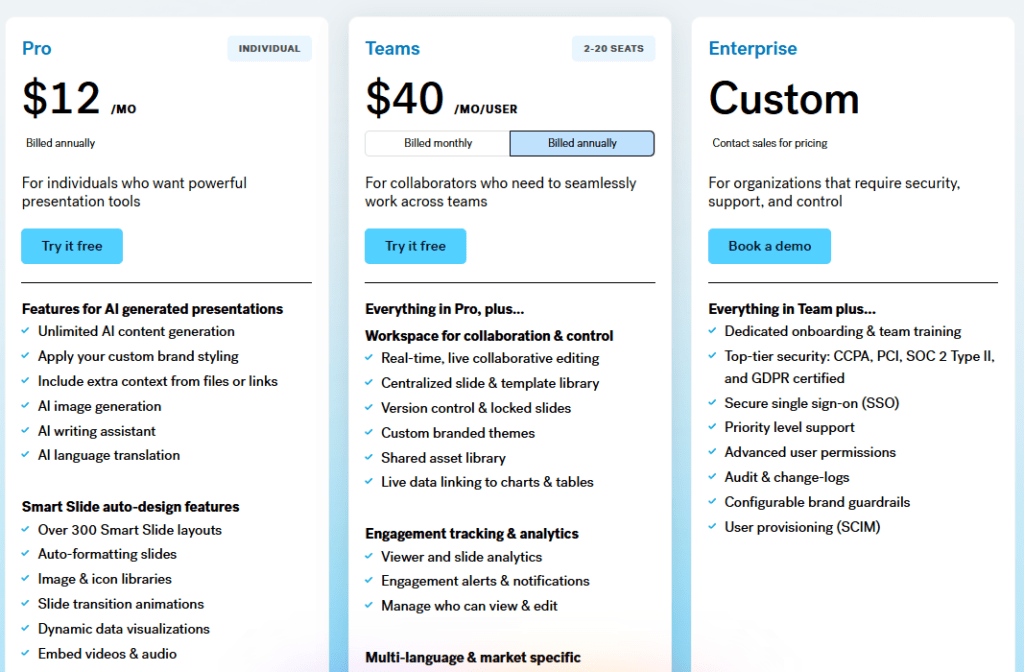
- Paid plans start around $12/month
- Team and enterprise pricing available
There is no fully functional free version for long-term use.
Pros and Cons
Pros:
- Excellent design automation
- Professional-looking slides
- Consistent formatting
- Easy to use
Cons:
- Limited AI content generation
- Restricted customization
- Not ideal for creative presentations
Best Use Case
Beautiful.ai is best suited for:
- Corporate teams
- Business professionals
- Sales presentations
- Internal reports and client decks
Real Experience Insight
Slides looked professionally designed with almost no effort, but content required manual refinement to match the quality of the visual output.
Microsoft Copilot — AI-Powered PowerPoint Tool for Enterprise Workflows
Overview
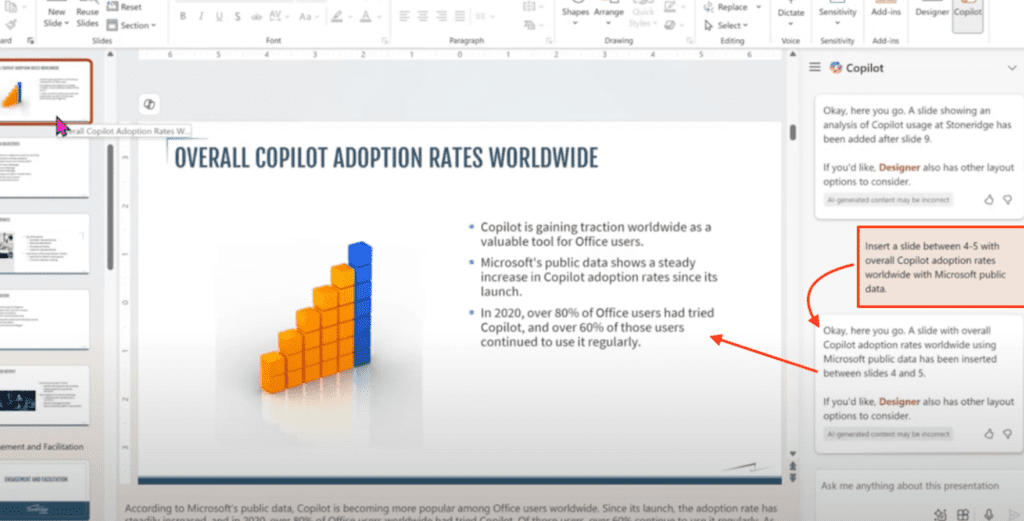
Microsoft Copilot is one of the most advanced and practical solutions for professionals looking for the best AI tool to create PowerPoint presentations in 2026—especially within enterprise environments.
Unlike standalone AI presentation tools, Copilot is deeply integrated into Microsoft PowerPoint, Word, Excel, and Teams, making it a natural extension of existing workflows. Instead of generating slides in isolation, it works across documents, data, and communication tools to create fully structured presentations.
This makes Copilot less of a “tool” and more of a complete AI-powered productivity system.
Why Microsoft Copilot Stands Out in 2026
The biggest advantage of Copilot is its ability to work with real business data.
In testing, Copilot was able to:
- Convert a Word document into a structured presentation
- Pull insights from Excel data
- Generate slides with logical business flow
- Maintain consistent formatting throughout
This is something most AI tools cannot do effectively.
For US businesses, where presentations are often built from reports, analytics, and documents, this capability makes Copilot extremely valuable.
AI Capabilities
Microsoft Copilot is one of the few tools that truly approaches AI agent-level functionality.
It can:
- Generate presentations from documents (Word, PDFs, reports)
- Summarize large datasets into slides
- Rewrite and refine slide content
- Suggest design and layout improvements
- Integrate with Microsoft Teams for collaboration
Because it works across multiple applications, it acts as a multi-step assistant, not just a slide generator.
PPT Export Reality
This is where Copilot delivers the highest reliability.
Since it operates inside PowerPoint:
- No export issues
- No formatting loss
- Fully editable slides
- Perfect compatibility
Export Quality Score: 10/10
For enterprise users, this is critical because presentations must be ready for immediate use without corrections.
Design Quality and Flexibility
Copilot leverages PowerPoint’s native design system.
Strengths:
- Clean and professional layouts
- Consistent formatting
- Works with existing templates and branding
Limitations:
- Less creative compared to tools like Tome or Gamma
- Design depends on PowerPoint themes
It is best suited for business-focused presentations rather than creative storytelling.
Integrations and Workflow Compatibility
This is Copilot’s strongest area.
It integrates seamlessly with:
- Microsoft PowerPoint
- Microsoft Word
- Microsoft Excel
- Microsoft Teams
- OneDrive and SharePoint
This allows users to:
- Turn reports into presentations instantly
- Collaborate across teams
- Maintain secure enterprise workflows
Security and Enterprise Readiness (Important for US Market)
Microsoft Copilot is built with enterprise-grade security, including:
- Data protection within Microsoft 365
- Compliance with enterprise standards
- Secure cloud infrastructure
This makes it a trusted choice for organizations handling sensitive data.
Pricing (USD)
- Available through Microsoft 365 Copilot plans
- Typically around $30/user/month (varies by enterprise plan)
Pros and Cons
Pros:
- Perfect PowerPoint integration
- Strong data-to-presentation capabilities
- Enterprise-level security
- Highly reliable output
Cons:
- Requires Microsoft ecosystem
- Higher cost compared to standalone tools
- Limited creative flexibility
Best Use Case
Microsoft Copilot is best suited for:
- Enterprises and large organizations
- Data analysts and consultants
- Corporate teams working with reports and dashboards
- Professionals already using Microsoft 365
Real Experience Insight
Converted a multi-page business document into a structured PowerPoint with minimal edits required, saving significant time compared to manual slide creation.
Tome — AI-Powered Presentation Tool for Modern Narrative Slides
Overview
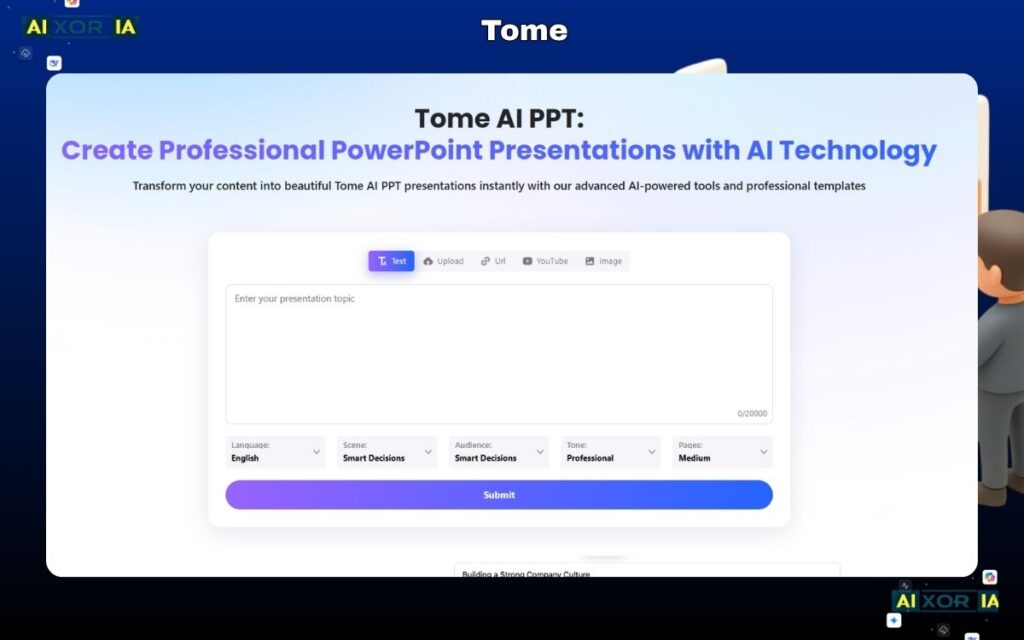
Tome is one of the most unique AI presentation tools available in 2026, designed for users who want to move beyond traditional slide decks and create modern, narrative-driven presentations.
Instead of building rigid, slide-by-slide layouts like PowerPoint, Tome focuses on fluid storytelling, where content flows naturally across sections. It combines AI-generated text, visuals, and layout into a seamless experience, making it especially popular among designers, marketers, and creative professionals.
Tome is not trying to replicate PowerPoint—it is trying to replace the way presentations are structured altogether.
Why Tome Stands Out in 2026
Tome’s biggest strength is how it handles storytelling.
When tested with the same SaaS pitch prompt, Tome generated a presentation that felt more like a visual story document than a traditional deck. It included:
- Structured narrative flow
- AI-generated images
- Smooth transitions between sections
- Clean visual hierarchy
This makes it ideal for idea presentation and storytelling, but less suitable for strict business formats.
AI Capabilities
Tome includes advanced AI features that focus on creative generation and content expansion.
It can:
- Generate full presentations from prompts
- Create AI-generated visuals and images
- Expand ideas into detailed narratives
- Suggest layout and structure improvements
- Assist in storytelling and messaging
It also integrates image generation (similar to tools like DALL·E), allowing users to create visuals directly inside the presentation.
However, its AI is more focused on creativity and expression, rather than deep business logic or data analysis.
PPT Export Reality
This is Tome’s biggest limitation.
- Export to PowerPoint is available
- Formatting often breaks
- Slides may convert into static elements
- Editing flexibility is reduced
Export Quality Score: 6/10
This means:
- Good for inspiration and drafts
- Not ideal for professional PowerPoint delivery
Users often need to rebuild slides manually in PowerPoint for final use.
Design Quality and Flexibility
Tome excels in visual design.
Strengths:
- Modern, clean layouts
- Strong visual storytelling
- AI-generated images and media
Limitations:
- Less control over traditional slide structure
- Not aligned with corporate presentation formats
It is best suited for creative presentations rather than formal business decks.
Integrations and Workflow Compatibility
Tome supports:
- Web-based sharing
- Collaboration features
- Media embedding
However, it has limited integration with enterprise tools like Microsoft Teams or Slack.
Tome Pricing (USD)
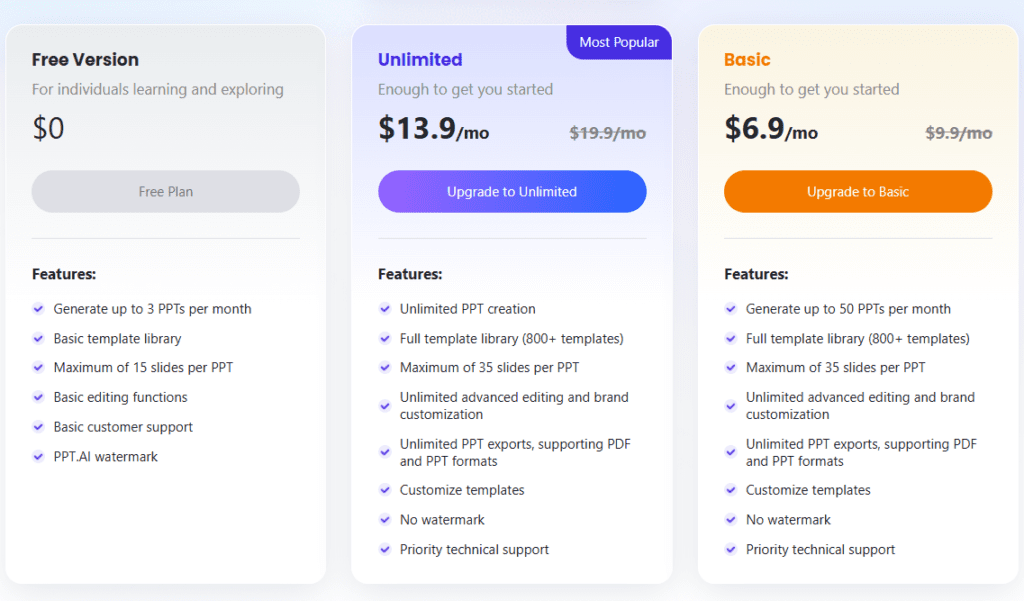
- Free plan available
- Paid plans vary depending on usage and features
Pros and Cons
Pros:
- Excellent storytelling capabilities
- AI-generated visuals
- Modern presentation format
- Easy to use
Cons:
- Weak PowerPoint export
- Not suitable for corporate workflows
- Limited editing after export
Best Use Case
Tome is best suited for:
- Creative professionals
- Designers and marketers
- Startup idea presentations
- Visual storytelling and concept sharing
Real Experience Insight
Generated visually impressive slides with strong storytelling flow, but required rebuilding in PowerPoint due to export limitations and reduced editability.
Canva — AI-Powered Presentation Tool for Flexible Design and Templates
Overview
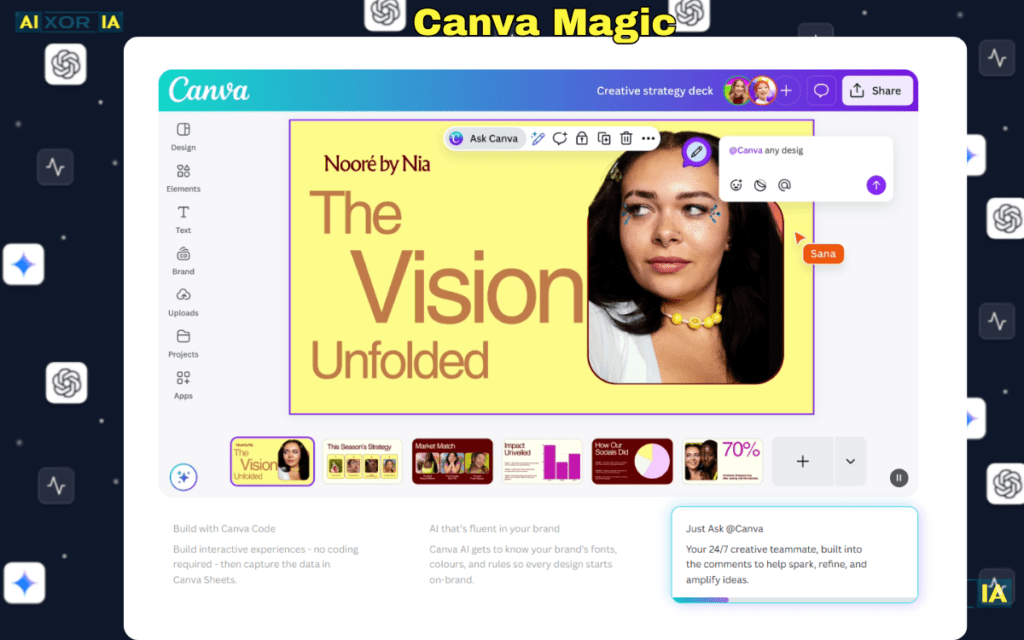
Canva is one of the most widely used design platforms in the world, and in 2026, it has evolved into a powerful option for users searching for the best AI tool to create PowerPoint presentations.
Unlike niche AI presentation tools, Canva offers a complete design ecosystem, combining templates, drag-and-drop editing, and AI-powered features. This makes it suitable for both beginners and professionals who want flexibility without a steep learning curve.
Canva doesn’t just generate presentations—it allows you to design, customize, and refine them at a very detailed level.
Why Canva Stands Out in 2026
The biggest advantage of Canva is its balance between AI automation and manual control.
During testing, Canva performed well in:
- Generating presentation drafts using AI
- Providing high-quality templates instantly
- Allowing deep customization after generation
Unlike tools that lock you into AI-generated layouts, Canva gives you the freedom to edit every element, which is critical for users who want both speed and control.
AI Capabilities
Canva has integrated multiple AI features into its platform.
It can:
- Generate presentations from prompts (Magic Design)
- Create content suggestions for slides
- Generate images using AI
- Resize and reformat designs automatically
- Assist with text rewriting and formatting
While it does not function as a full AI agent, it offers a well-rounded AI toolkit that supports both content creation and design.
PPT Export Reality
Canva performs well when exporting to PowerPoint.
- Slides export in editable format
- Most layouts remain intact
- Minor font or spacing adjustments may be required
Export Quality Score: 8/10
This makes Canva suitable for both internal and client-facing presentations, though slight refinements may be needed.
Design Quality and Flexibility
This is where Canva excels.
Strengths:
- Huge library of templates
- Full customization control
- Strong visual design tools
- Suitable for branding and creative work
Limitations:
- AI-generated layouts may feel generic initially
- Requires manual effort for highly polished results
It is ideal for users who want design flexibility with AI assistance.
Integrations and Workflow Compatibility
Canva supports a wide range of integrations, including:
- Google Drive
- Slack
- Microsoft Teams
- Social media platforms
This makes it highly adaptable for both individual users and teams.
Pricing (USD)
- Free plan available
- Canva Pro starts at approximately $12.99/month
Pros and Cons
Pros:
- Strong design flexibility
- Large template library
- Good AI features
- Easy to use
Cons:
- Requires manual editing for best results
- AI output not always highly structured
- Minor export adjustments needed
Best Use Case
Canva is best suited for:
- Designers and marketers
- Small business owners
- Content creators
- Users who want both AI generation and manual control
Real Experience Insight
Generated a solid presentation draft quickly, but required manual design adjustments to achieve a fully polished, professional look.
SlidesAI — AI Tool for Fast and Simple PowerPoint Generation
Overview
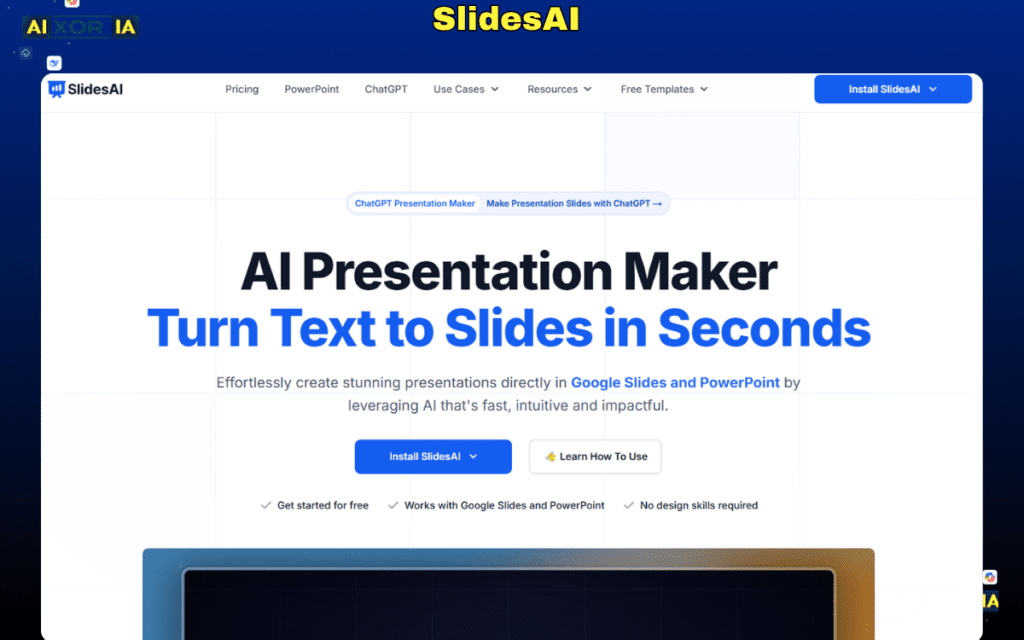
SlidesAI is built for one core purpose: turning text into presentation slides as quickly as possible. It is one of the simplest tools available for users searching for the best AI tool to create PowerPoint presentations, especially when speed is the top priority.
Unlike more advanced tools, SlidesAI doesn’t try to redesign how presentations work. Instead, it integrates directly with Google Slides and focuses on converting raw content into structured slides with minimal effort.
This makes it ideal for users who already have content and want to skip manual slide creation entirely.
Why SlidesAI Stands Out in 2026
SlidesAI solves a very specific problem: time consumption in slide creation.
During testing, it was one of the fastest tools to go from raw text to a complete presentation. You simply input your content, and the tool automatically:
- Breaks text into slides
- Generates headings and bullet points
- Applies basic layouts
It doesn’t overcomplicate things, which is exactly why many users prefer it.
AI Capabilities
SlidesAI focuses on text-to-slide transformation, rather than advanced AI automation.
It can:
- Convert paragraphs into structured slides
- Generate titles and bullet points
- Adjust tone and content length
- Organize information logically
However, it lacks deeper AI features such as:
- Data analysis
- AI agents
- Complex content generation
Its strength lies in simplicity and speed, not intelligence depth.
PPT Export Reality
SlidesAI performs reasonably well in export.
- Slides remain editable
- Structure is preserved
- Formatting is basic but usable
Export Quality Score: 7/10
This makes it suitable for:
- Draft presentations
- Internal use
But for professional or client-facing presentations, additional design work is usually required.
Design Quality and Flexibility
Design is not SlidesAI’s strongest area.
Strengths:
- Clean and simple layouts
- Functional structure
Limitations:
- Basic visual design
- Limited customization options
- Requires manual styling for better results
It is best used as a content generator, not a final design tool.
Integrations and Workflow Compatibility
SlidesAI integrates primarily with:
- Google Slides
This allows users to:
- Work directly inside their existing environment
- Edit presentations in real time
- Avoid switching tools
However, it lacks broader integrations with enterprise platforms.
SlidesAI Pricing (USD)
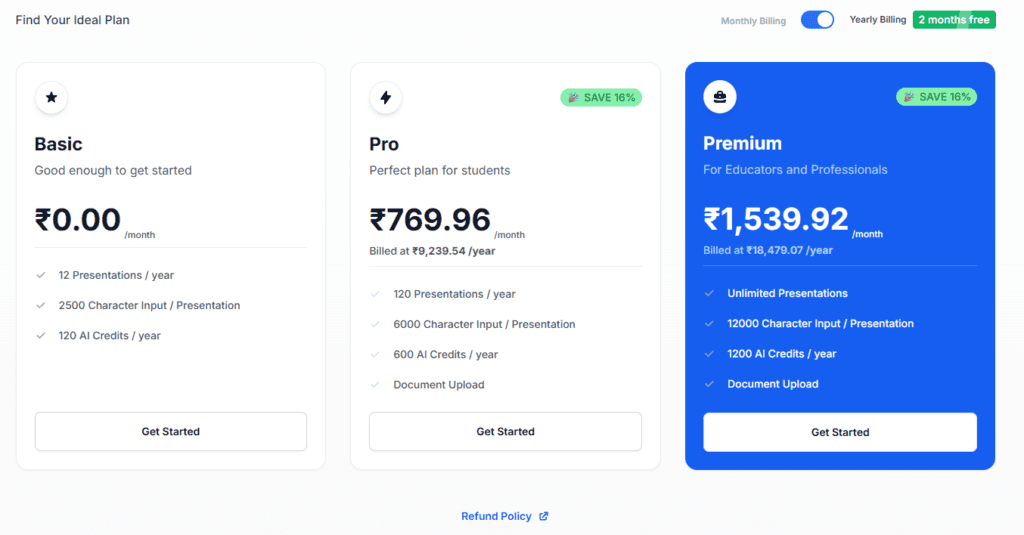
- Free plan available (limited usage)
- Paid plans start around $10/month
Pros and Cons
Pros:
- Extremely fast slide generation
- Easy to use
- Works inside Google Slides
- Good for text-heavy content
Cons:
- Limited design quality
- Basic AI capabilities
- Not ideal for advanced presentations
Best Use Case
SlidesAI is best suited for:
- Students
- Educators
- Professionals creating quick drafts
- Users converting notes into presentations
Real Experience Insight
Converted a long document into structured slides within seconds, but required additional design work to make the presentation visually engaging.
READ MORE – Best AI Tool for PPT Download in 2026
Pitch — AI-Powered Presentation Tool for Team Collaboration and Sales Decks
Overview
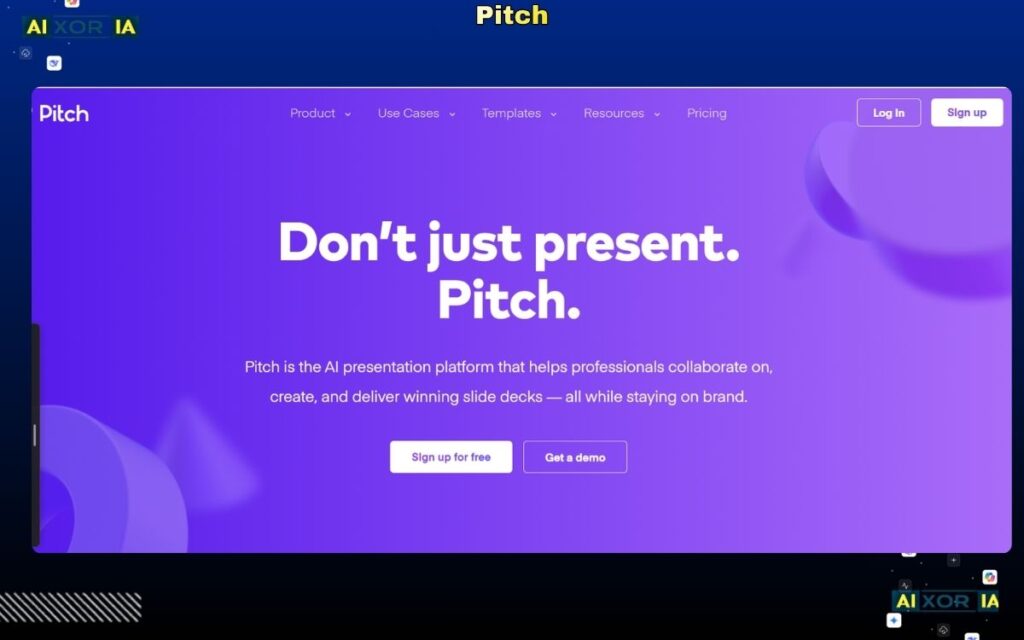
Pitch is a modern presentation platform built specifically for teams, startups, and sales-driven organizations. In 2026, it has evolved into a strong contender for the best AI tool to create PowerPoint presentations, especially when collaboration and performance tracking matter.
Unlike traditional tools that focus only on slide creation, Pitch combines presentation design, team collaboration, and analytics, making it more than just a slide generator.
It is designed for environments where multiple people contribute to presentations and where tracking engagement (like who viewed the deck) is important.
Why Pitch Stands Out in 2026
Pitch is not just about creating slides—it’s about how presentations perform after they are shared.
During testing, Pitch stood out in scenarios like:
- Sales presentations
- Startup pitch decks
- Team collaboration workflows
It allows users to:
- Collaborate in real time
- Share presentations via links
- Track viewer engagement
This makes it especially valuable for teams that rely on presentations as part of their business workflow, not just content creation.
AI Capabilities
Pitch includes AI-assisted features, though it is not as advanced as tools focused purely on AI generation.
It can:
- Generate presentation drafts
- Suggest layouts and content structure
- Assist with formatting and design
- Improve slide consistency
However, it does not offer full AI agent capabilities like document analysis or real-time data integration.
Its strength lies in workflow efficiency and collaboration, rather than deep AI intelligence.
PPT Export Reality
Pitch performs well in exporting presentations.
- Slides export in editable format
- Layouts are mostly preserved
- Minor adjustments may be needed
Export Quality Score: 8/10
This makes it suitable for both internal and external use, though slight refinements may still be required.
Design Quality and Flexibility
Pitch offers modern and visually appealing designs.
Strengths:
- Clean and professional templates
- Strong visual consistency
- Easy customization
Limitations:
- Less flexibility compared to Canva
- Limited advanced creative controls
It strikes a balance between design quality and usability.
Integrations and Workflow Compatibility
Pitch is built for team environments and supports integrations with:
- Slack
- Google Drive
- Collaboration tools
It also offers:
- Real-time editing
- Version control
- Shared workspaces
This makes it highly effective for teams working on presentations together.
Pitch Pricing (USD)
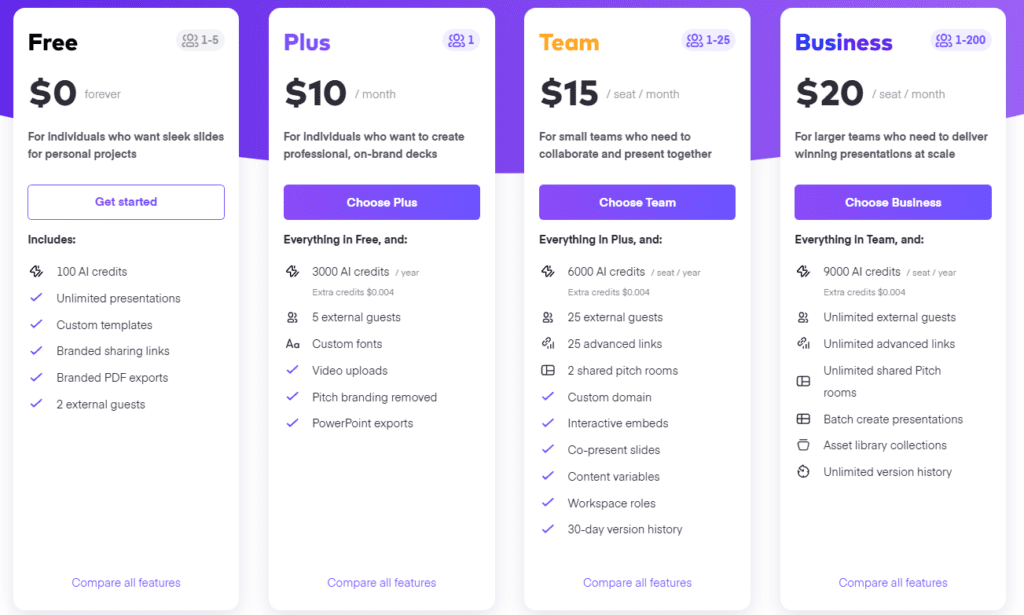
- Free plan available
- Paid plans start around $10–$20/month per user
Pros and Cons
Pros:
- Strong collaboration features
- Viewer analytics and tracking
- Clean design templates
- Good for team workflows
Cons:
- Limited advanced AI features
- Minor export adjustments needed
- Not ideal for fully automated generation
Best Use Case
Pitch is best suited for:
- Sales teams
- Startups
- Marketing teams
- Organizations that rely on presentations for communication and outreach
Real Experience Insight
Collaborating on a presentation with multiple team members was smooth, and tracking who viewed the deck added real value for sales use cases.
Prezi — AI-Powered Presentation Tool for Interactive and Non-Linear Storytelling
Overview
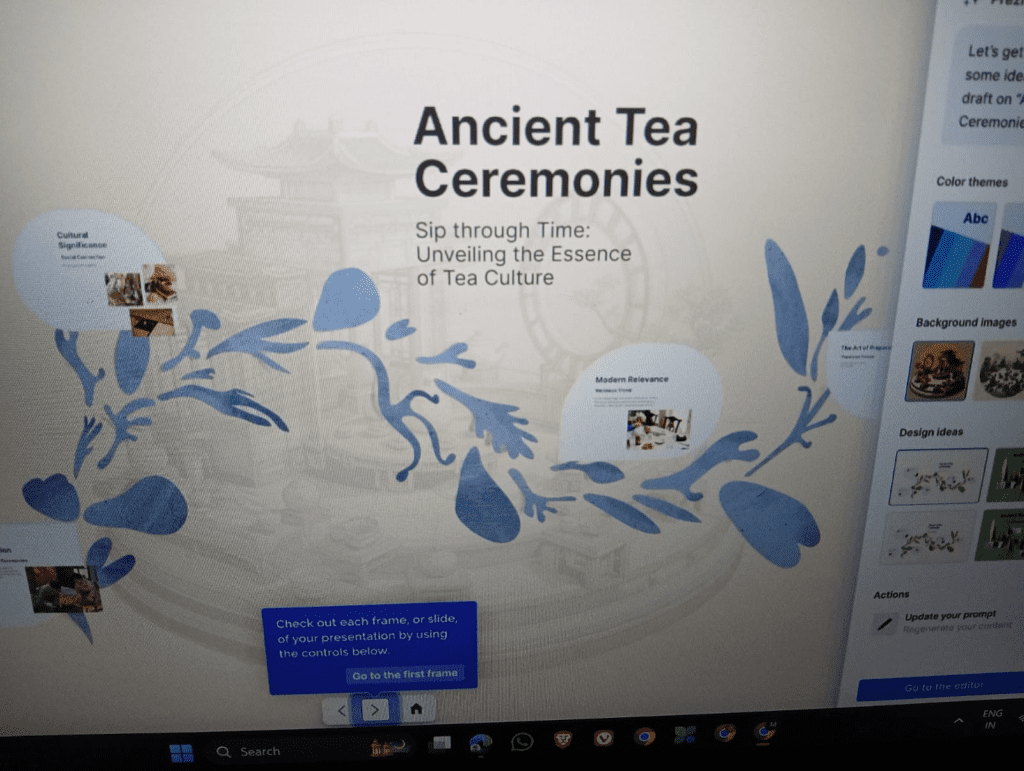
Prezi has long been known for its unique approach to presentations, and in 2026, it continues to stand out as a tool focused on interactive, non-linear storytelling. Unlike traditional slide-based tools, Prezi uses a zoomable canvas, allowing users to navigate through ideas dynamically rather than moving slide-by-slide.
With the addition of AI features, Prezi now supports faster content generation and structure building, making it a viable option for users looking for the best AI tool to create PowerPoint presentations—especially when engagement and visual storytelling are the priority.
Why Prezi Stands Out in 2026
Prezi’s biggest differentiator is its presentation style.
During testing, instead of producing standard slides, Prezi created a visual map of ideas, where each section connected smoothly. This made the presentation feel more engaging and interactive compared to traditional formats.
This approach is particularly effective for:
- Educational presentations
- Story-driven content
- Explaining complex topics visually
However, it may not always align with formal business expectations where linear slides are preferred.
AI Capabilities
Prezi includes AI-assisted tools to simplify presentation creation.
It can:
- Generate presentation outlines from prompts
- Suggest content structure
- Assist with layout and visual organization
- Improve storytelling flow
While helpful, its AI capabilities are not as advanced as tools focused purely on automation or agent-level intelligence.
It is more focused on enhancing storytelling rather than deep content generation.
PPT Export Reality
Exporting to PowerPoint is possible, but comes with limitations.
- Interactive elements are lost
- Slides convert into static format
- Some layout adjustments are required
Export Quality Score: 7/10
This means:
- Good for basic sharing
- Not ideal for maintaining full Prezi experience in PowerPoint
Design Quality and Flexibility
Prezi offers visually engaging designs.
Strengths:
- Unique zoom-based interface
- Strong visual storytelling
- Engaging presentation flow
Limitations:
- Less control over traditional slide layouts
- Not suitable for standard corporate formats
It is best for users who want to stand out visually rather than follow traditional design rules.
Integrations and Workflow Compatibility
Prezi supports:
- Cloud-based access
- Presentation sharing
- Video presentation features
However, it has limited deep integrations with enterprise tools like Slack or Microsoft Teams.
Prezi Pricing (USD)
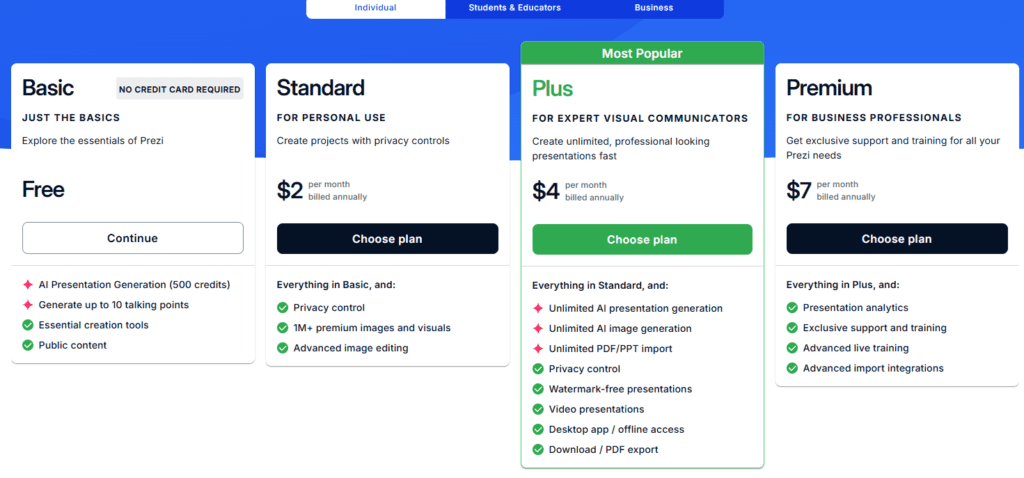
- Free plan available (limited features)
- Paid plans start around $10–$20/month
Pros and Cons
Pros:
- Highly engaging presentation style
- Unique visual storytelling
- Easy to use
- Good for education and creative work
Cons:
- Not ideal for corporate presentations
- Limited AI capabilities
- Export loses interactivity
Best Use Case
Prezi is best suited for:
- Educators and trainers
- Creative professionals
- Public speakers
- Users who want interactive presentations
Real Experience Insight
The zoom-based presentation style made the content more engaging, but exporting to PowerPoint reduced the experience to basic static slides.
Decktopus — AI Presentation Tool for Fast Automated Slide Creation
Overview
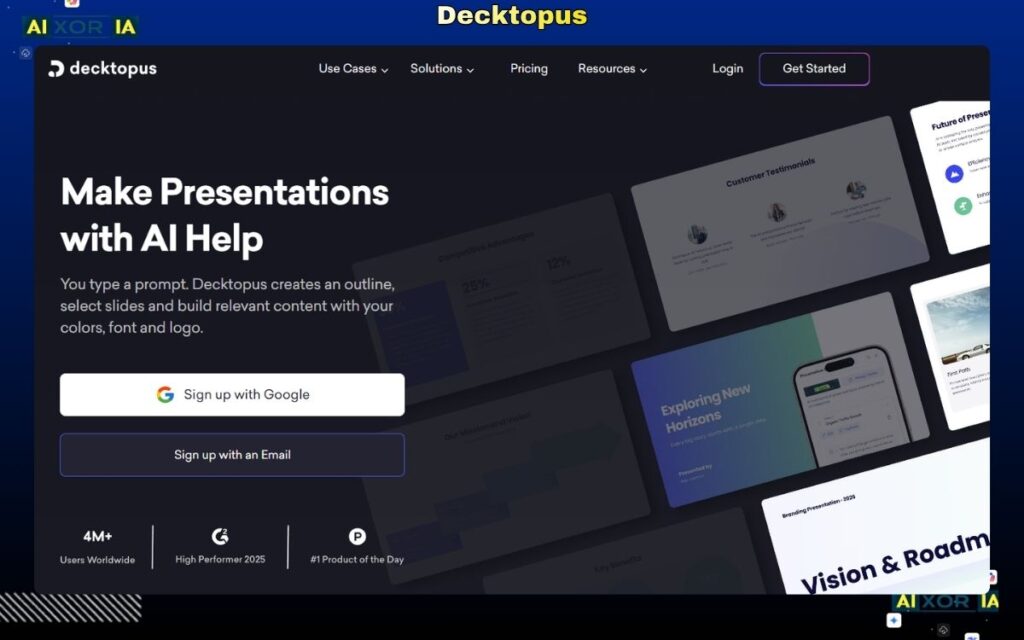
Decktopus is designed for users who want to create complete presentations as quickly as possible with minimal input. In 2026, it positions itself as a tool that removes almost all manual effort by combining AI content generation, layout automation, and ready-to-use templates.
Unlike tools that require structured input, Decktopus works well even with very basic prompts, making it appealing for beginners and users who need instant results.
It focuses heavily on speed and automation rather than deep customization or advanced workflows.
Why Decktopus Stands Out in 2026
Decktopus simplifies the presentation creation process to an extreme level.
During testing, it required very little input to generate a complete deck. The tool automatically handled:
- Slide structure
- Content generation
- Design formatting
- Visual elements
This makes it one of the easiest tools to use, especially for users who don’t want to spend time learning complex platforms.
However, this simplicity comes with trade-offs in flexibility and depth.
AI Capabilities
Decktopus includes solid AI generation features focused on automation and ease of use.
It can:
- Generate full presentations from short prompts
- Suggest slide content and structure
- Automatically format slides
- Add visuals and icons
However, it lacks advanced capabilities such as:
- Deep contextual understanding
- AI agents
- Complex data handling
Its AI is optimized for quick results, not advanced intelligence.
PPT Export Reality
Export performance is decent but not perfect.
- Slides export in editable format
- Layouts are mostly preserved
- Some elements may need adjustment
Export Quality Score: 7/10
This makes it suitable for:
- Quick presentations
- Internal use
But for professional or client-facing decks, additional refinement is usually required.
Design Quality and Flexibility
Decktopus provides decent design quality out of the box.
Strengths:
- Pre-designed templates
- Clean layouts
- Automatic formatting
Limitations:
- Limited customization options
- Designs can feel repetitive
- Less control over detailed styling
It is best for users who prefer automation over customization.
Integrations and Workflow Compatibility
Decktopus supports:
- Web-based presentation sharing
- Basic collaboration features
However, it lacks strong integrations with enterprise tools like Slack, Microsoft Teams, or Google Workspace.
Decktopus Pricing (USD)
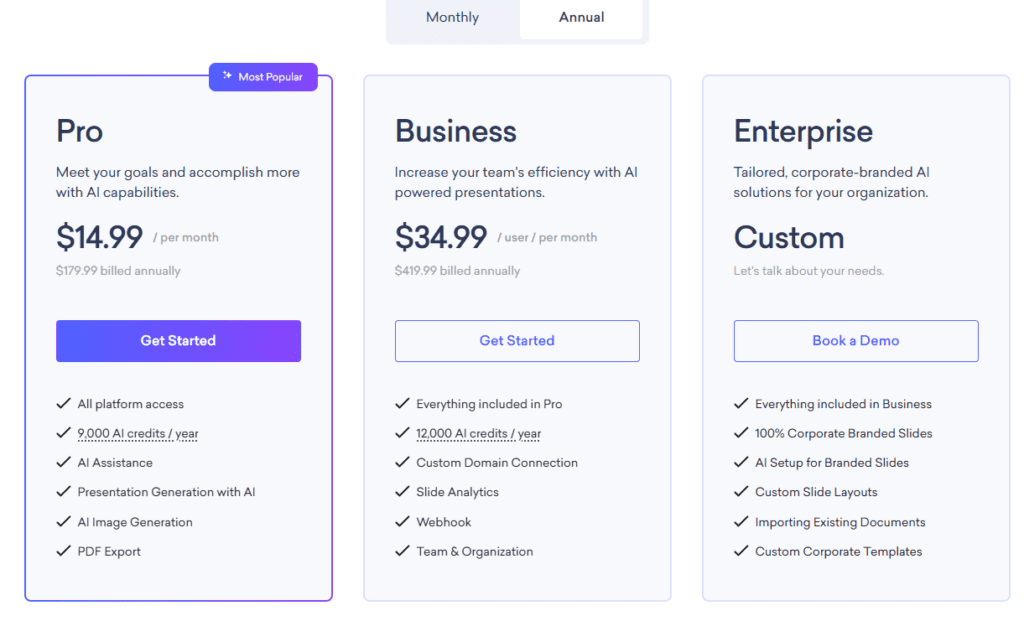
- Free plan available (limited features)
- Paid plans start around $10–$15/month
Pros and Cons
Pros:
- Extremely easy to use
- Fast presentation generation
- Good for beginners
- Minimal input required
Cons:
- Limited customization
- Basic AI capabilities
- Export may need adjustments
Best Use Case
Decktopus is best suited for:
- Beginners
- Students
- Quick internal presentations
- Users who prioritize speed over control
Real Experience Insight
Generated a complete presentation within minutes with almost no input, but required manual tweaks to improve content quality and design consistency.
Simplified — AI Presentation Tool within an All-in-One Content Creation Platform
Overview
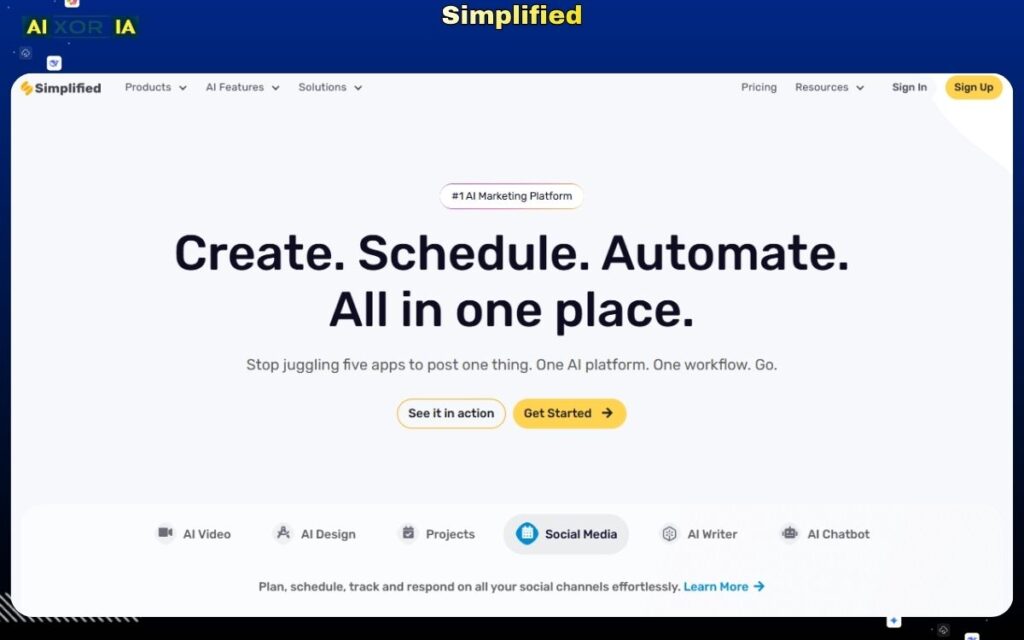
Simplified is not just a presentation tool—it is a complete AI-powered content creation suite that includes design, writing, video editing, and social media tools. In 2026, it has expanded its capabilities to include AI-generated presentations, making it a viable option for users searching for the best AI tool to create PowerPoint presentations.
What makes Simplified unique is its ability to combine content creation and presentation design in one platform, allowing users to generate ideas, write content, and turn it into slides without switching tools.
Why Simplified Stands Out in 2026
Simplified stands out because of its multi-functional ecosystem.
During testing, it was particularly useful for workflows where presentations are just one part of a larger process, such as:
- Marketing campaigns
- Content creation pipelines
- Social media strategy presentations
Instead of using separate tools for writing, design, and slides, Simplified allows users to handle everything in one place, which can significantly reduce workflow friction.
AI Capabilities
Simplified includes a wide range of AI features across different functions.
For presentations, it can:
- Generate slide content from prompts
- Assist with writing and rewriting text
- Suggest layouts and visual elements
- Create images and graphics using AI
Additionally, because it is part of a larger platform, users can leverage its AI writing tools to improve presentation content before converting it into slides.
However, it does not yet offer strong AI agent-level automation or deep document analysis.
PPT Export Reality
Export performance is average.
- Slides export in editable format
- Layouts are mostly preserved
- Some formatting adjustments may be required
Export Quality Score: 7/10
This makes it suitable for:
- Internal presentations
- Marketing drafts
But for high-stakes business presentations, manual refinement is usually needed.
Design Quality and Flexibility
Simplified offers good design capabilities.
Strengths:
- Access to templates and design assets
- Integration with AI-generated visuals
- Decent customization options
Limitations:
- Design quality can vary depending on templates
- Requires manual adjustments for polished output
It works well for users who want content + design in one place.
Integrations and Workflow Compatibility
Simplified supports:
- Team collaboration
- Content scheduling tools
- Social media integrations
While it connects well within its own ecosystem, it has limited deep integrations with enterprise platforms like Microsoft Teams or Slack.
Simplified Pricing (USD)
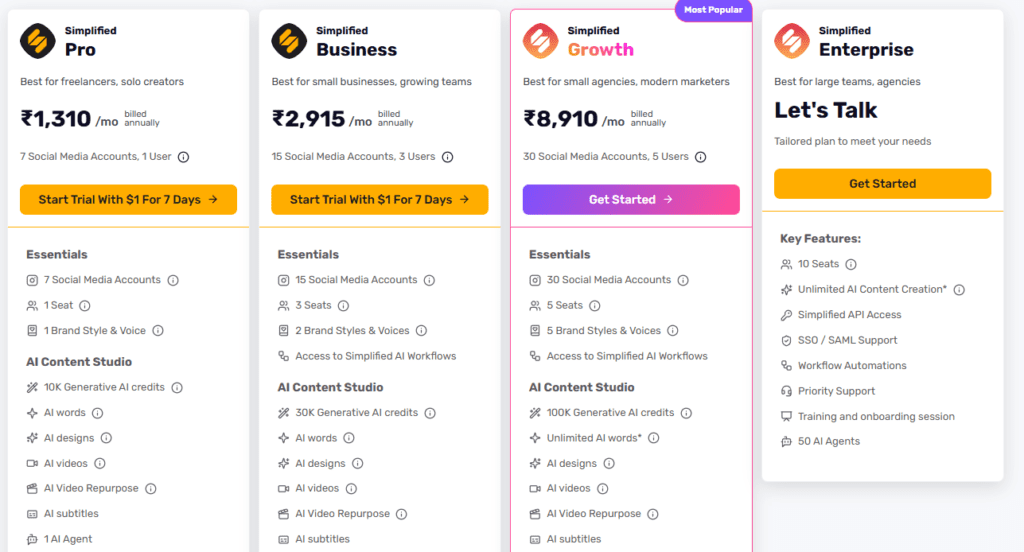
- Free plan available (limited usage)
- Paid plans start around $12–$20/month
Pros and Cons
Pros:
- All-in-one content platform
- Strong AI writing tools
- Good for marketing workflows
- Easy to use
Cons:
- Average PPT export quality
- Not specialized for presentations
- Limited advanced AI automation
Best Use Case
Simplified is best suited for:
- Marketers
- Content creators
- Small business owners
- Teams managing multiple content types
Real Experience Insight
Helpful for generating presentation content quickly, but required additional editing to improve slide design and overall structure for professional use.
READ MORE – 7 Best AI Tools for PPT Presentations in 2026
Visme — AI Presentation Tool for Data Visualization and Business Reports
Overview
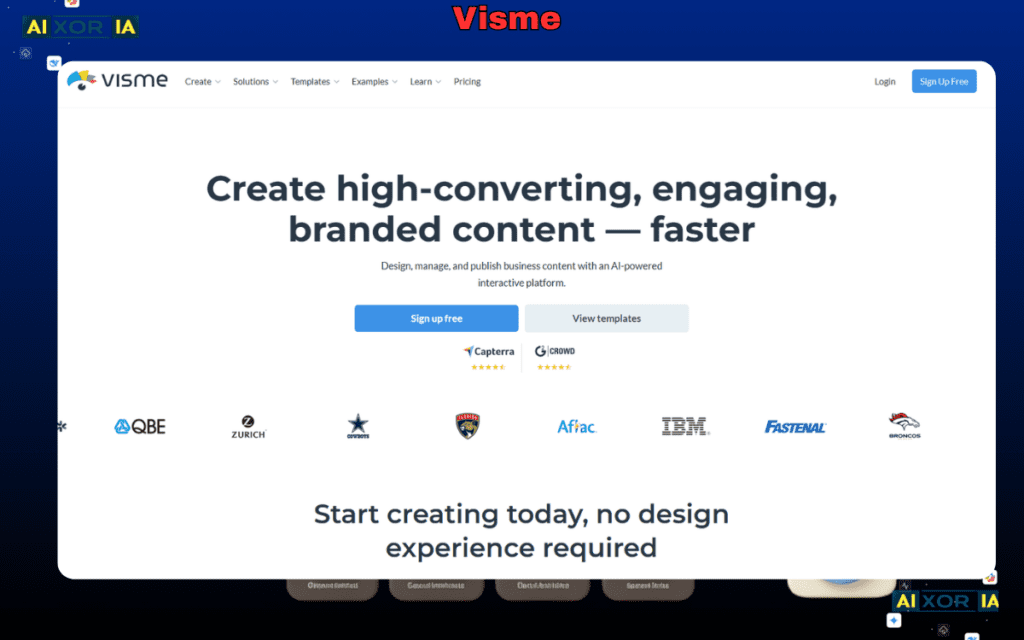
Visme is a presentation platform designed for users who need more than just slides—it focuses heavily on data visualization, infographics, and business reporting. In 2026, it has integrated AI features that help automate content creation, making it a strong option for those searching for the best AI tool to create PowerPoint presentations, especially for data-driven use cases.
Unlike tools that prioritize speed or storytelling, Visme is built for clarity, structure, and visual communication of complex information.
Why Visme Stands Out in 2026
Visme’s biggest strength is how it handles data-heavy presentations.
During testing, it performed well when creating presentations that included:
- Charts and graphs
- Business metrics
- Reports and dashboards
- Structured visual data
It offers a wide range of pre-built elements for visualizing information, which reduces the need for manual chart creation and formatting.
For professionals working with reports and analytics, this is a major advantage.
AI Capabilities
Visme includes AI-powered features that assist with both content and design.
It can:
- Generate presentation content from prompts
- Suggest layouts for data visualization
- Create charts and infographics automatically
- Assist with text formatting and clarity
However, it does not offer advanced AI agent capabilities like document analysis or real-time data fetching.
Its strength lies in visualizing structured information, not deep automation.
PPT Export Reality
Visme performs well in export scenarios.
- Slides export in editable PowerPoint format
- Most layouts remain intact
- Data elements are preserved
Export Quality Score: 8/10
This makes it suitable for professional use, though minor adjustments may still be required depending on complexity.
Design Quality and Flexibility
Visme offers strong design capabilities, especially for data-focused presentations.
Strengths:
- High-quality templates
- Advanced chart and graph tools
- Good customization options
Limitations:
- Can feel complex for beginners
- Requires some learning for advanced features
It is ideal for users who need precision and control over data presentation.
Integrations and Workflow Compatibility
Visme supports:
- Cloud-based access
- Collaboration features
- Integration with data sources (limited compared to enterprise tools)
It works well for individual users and small teams but is less integrated into large enterprise ecosystems.
Visme Pricing (USD)
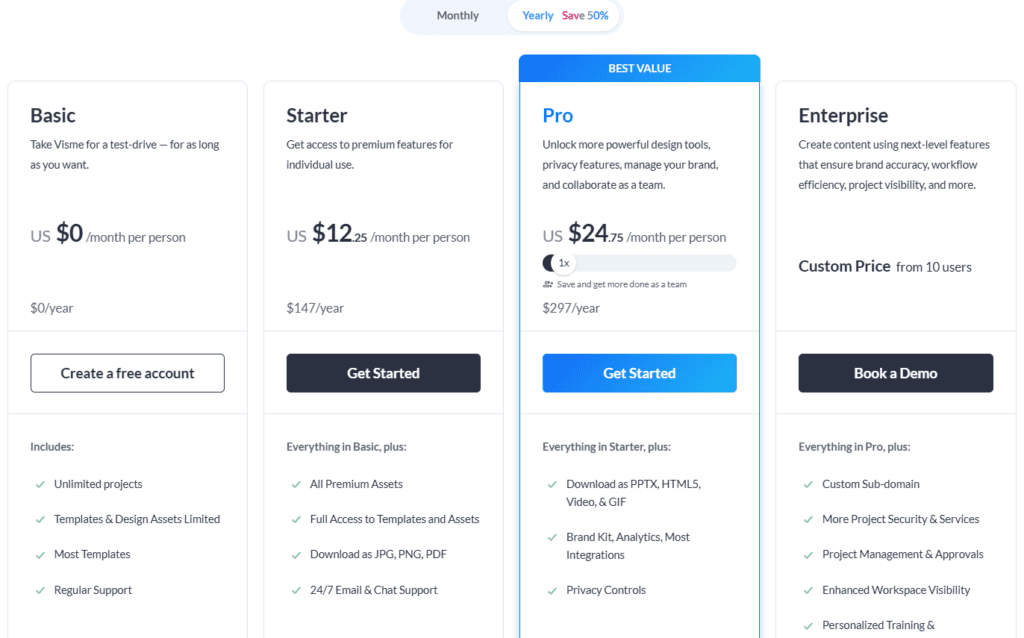
- Free plan available (limited features)
- Paid plans start around $12–$25/month
Pros and Cons
Pros:
- Strong data visualization tools
- Professional design quality
- Good customization options
- Suitable for reports and analytics
Cons:
- Slight learning curve
- Limited AI automation depth
- Not the fastest generation tool
Best Use Case
Visme is best suited for:
- Data analysts
- Business professionals
- Marketing teams
- Users creating reports and dashboards
Real Experience Insight
Created visually strong data-driven slides with clear charts and structure, but required some manual adjustments to refine layout and presentation flow.
Zoho Show — AI-Enhanced Presentation Tool for Business Workflows
Overview
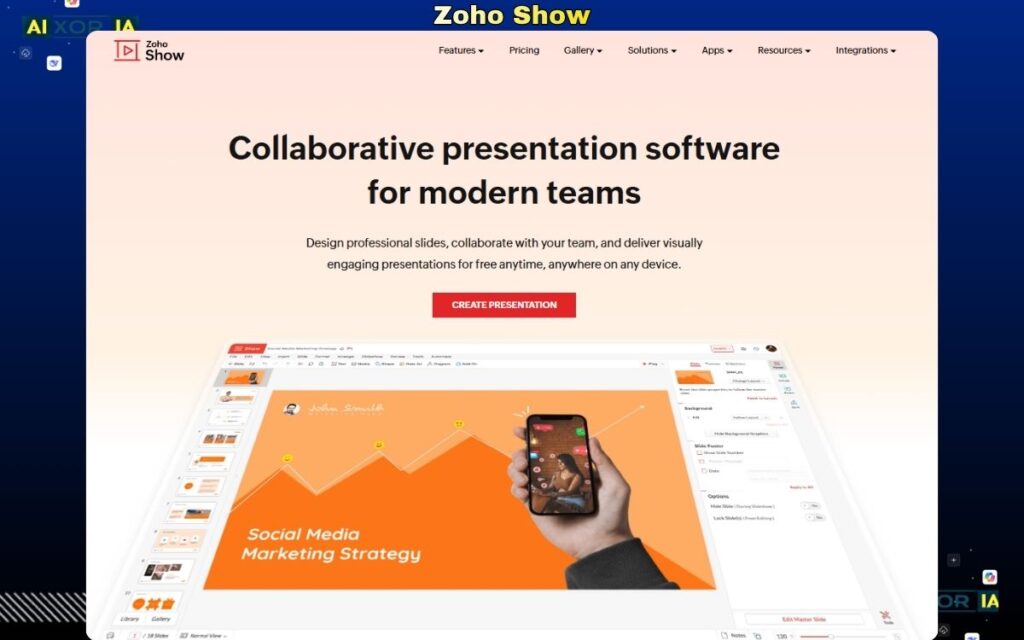
Zoho Show is part of the broader Zoho ecosystem and is designed for businesses that want a presentation tool tightly integrated with their daily operations. In 2026, with added AI capabilities, it has become a practical option for users looking for the best AI tool to create PowerPoint presentations, particularly within structured business environments.
Unlike standalone AI tools, Zoho Show focuses on workflow integration, collaboration, and reliability, making it suitable for teams already using Zoho products like CRM, Projects, or Workplace.
Why Zoho Show Stands Out in 2026
Zoho Show’s biggest advantage is its ecosystem integration.
During testing, it performed best in workflows where presentations were connected to:
- Business data
- CRM insights
- Internal team collaboration
Instead of acting as a separate tool, it becomes part of a larger productivity system, which is valuable for organizations managing multiple processes in one platform.
AI Capabilities
Zoho Show includes AI-assisted features that help streamline presentation creation.
It can:
- Suggest slide layouts
- Assist with formatting and structure
- Provide basic content recommendations
- Improve text clarity
However, compared to advanced AI tools, its capabilities are relatively lightweight.
It does not offer:
- Deep content generation
- AI agents
- Complex automation
Its focus is more on enhancing productivity rather than replacing manual work.
PPT Export Reality
Zoho Show performs reliably when exporting presentations.
- Slides export in editable format
- Layouts remain stable
- Minimal formatting issues
Export Quality Score: 8/10
This makes it suitable for both internal and external presentations with minor adjustments if needed.
Design Quality and Flexibility
Zoho Show offers clean and functional design options.
Strengths:
- Professional templates
- Consistent formatting
- Easy customization
Limitations:
- Limited creative design options
- Less visually advanced compared to Canva or Tome
It is best suited for business-focused presentations rather than creative projects.
Integrations and Workflow Compatibility
This is where Zoho Show excels.
It integrates seamlessly with:
- Zoho CRM
- Zoho Projects
- Zoho Workplace
- Cloud storage and collaboration tools
This allows users to:
- Pull data into presentations
- Collaborate with teams
- Manage workflows efficiently
Zoho Show Pricing
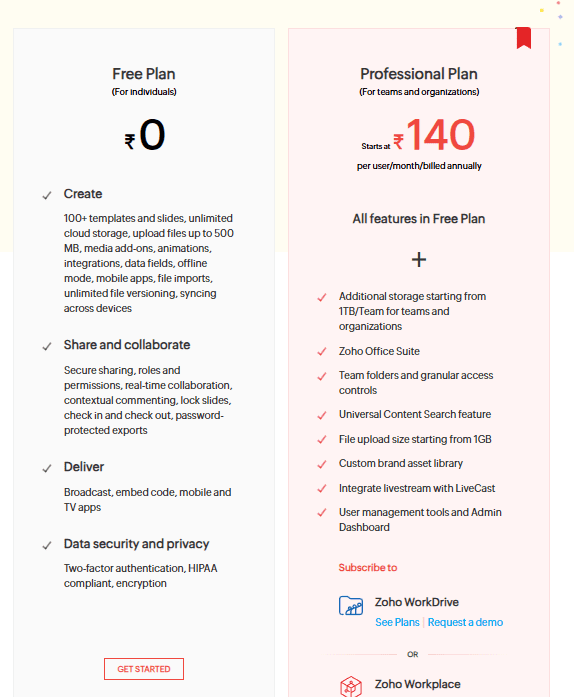
- Free plan available
- Paid plans included within Zoho Workplace subscriptions (pricing varies)
Pros and Cons
Pros:
- Strong integration with Zoho ecosystem
- Reliable export quality
- Good for business workflows
- Easy collaboration
Cons:
- Limited AI capabilities
- Basic design flexibility
- Not ideal for creative presentations
Best Use Case
Zoho Show is best suited for:
- Businesses using Zoho products
- Small to mid-sized teams
- Internal business presentations
- Workflow-driven environments
Real Experience Insight
Worked smoothly within the Zoho ecosystem, allowing easy collaboration and data integration, but AI features felt limited compared to more advanced presentation tools.
Slidesgo — AI Presentation Tool for Template-Based Slide Generation
Overview
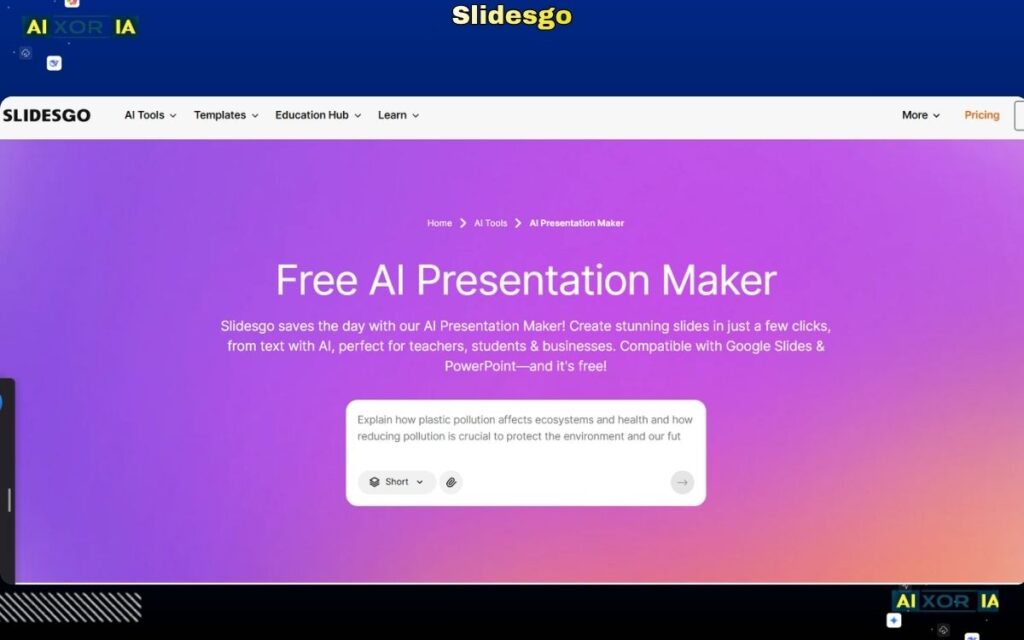
Slidesgo is primarily known as a template library, but in 2026 it has expanded into AI-assisted presentation creation. It is designed for users who want to generate presentations quickly using pre-designed templates combined with basic AI content generation.
Unlike advanced AI tools that build presentations from scratch, Slidesgo focuses on template-first creation, where AI helps fill content into professionally designed layouts.
This makes it a simple and accessible option for users searching for the best AI tool to create PowerPoint presentations, especially beginners.
Why Slidesgo Stands Out in 2026
Slidesgo’s biggest strength is its ready-to-use design system.
During testing, it performed well for:
- Educational presentations
- Basic business slides
- Quick content formatting
Instead of generating complex structures, it allows users to select a template and let AI populate the content, which significantly reduces effort.
However, it does not provide deep automation or intelligent structuring like more advanced tools.
AI Capabilities
Slidesgo includes basic AI functionality focused on content assistance.
It can:
- Generate slide content based on prompts
- Suggest text for slides
- Help structure simple presentations
However, it lacks:
- Advanced AI reasoning
- AI agents
- Deep content analysis
Its AI is designed for speed and simplicity, not complexity.
PPT Export Reality
Slidesgo performs adequately when exporting presentations.
- Slides remain editable
- Templates are preserved
- Some formatting adjustments may be required
Export Quality Score: 6/10
This makes it suitable for:
- Basic presentations
- Student use
But for professional use, additional editing is often needed.
Design Quality and Flexibility
Design is Slidesgo’s strongest area.
Strengths:
- Large library of high-quality templates
- Visually appealing designs
- Easy customization
Limitations:
- Limited flexibility beyond templates
- Designs can feel repetitive
- Less control over advanced customization
It is best for users who want quick access to good-looking templates.
Integrations and Workflow Compatibility
Slidesgo supports:
- Google Slides
- Microsoft PowerPoint
This allows users to:
- Download and edit presentations easily
- Use templates across platforms
However, it lacks deeper integrations with workflow tools.
Pricing (USD)
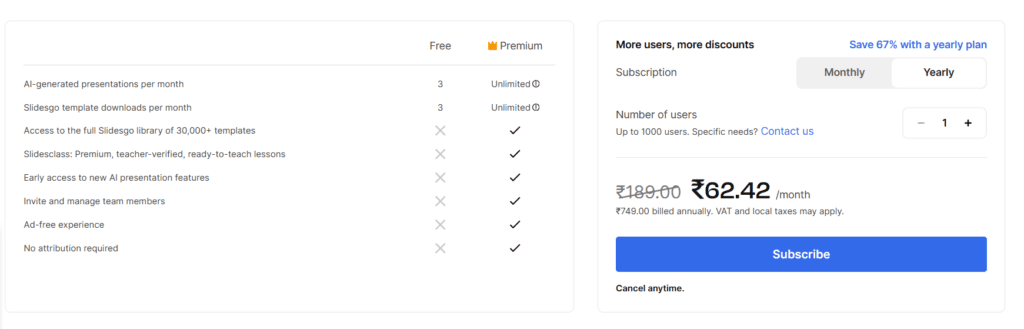
- Free plan available (limited templates)
- Premium plans start around $5–$10/month
Pros and Cons
Pros:
- High-quality templates
- Easy to use
- Good for beginners
- Affordable pricing
Cons:
- Limited AI capabilities
- Lower export quality compared to top tools
- Not ideal for advanced use cases
Best Use Case
Slidesgo is best suited for:
- Students
- Educators
- Beginners
- Users needing quick, template-based presentations
Real Experience Insight
Templates looked visually appealing and saved time, but AI-generated content was basic and required manual improvement for better clarity and structure.
Kroma.ai — AI Presentation Tool for Data-Driven Storytelling and Visual Analytics
Overview
Kroma.aiKroma.ai
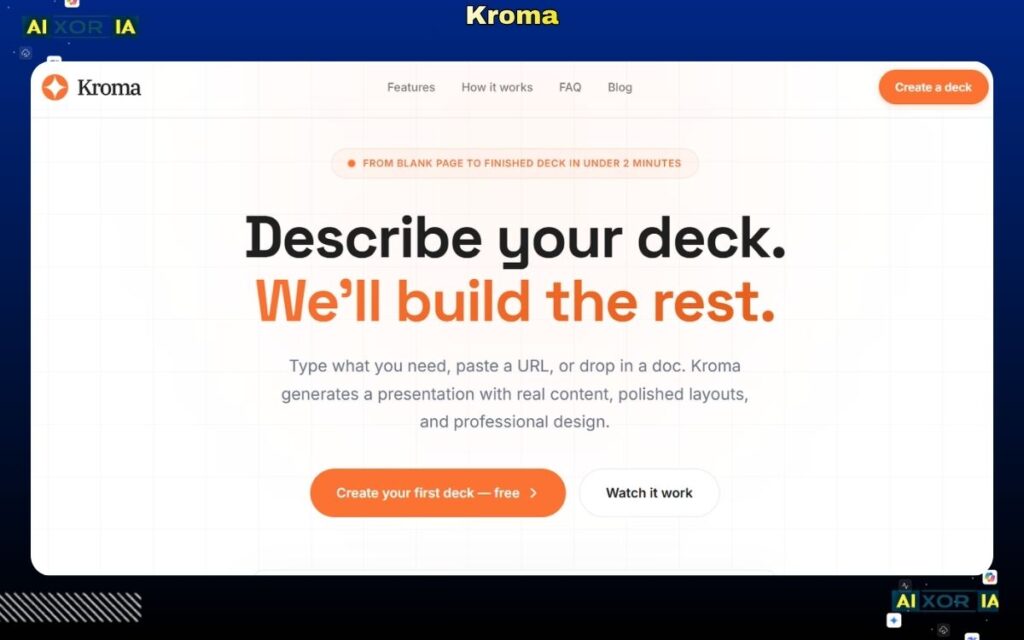
Kroma.ai is a specialized presentation tool built for professionals who need to present data, insights, and business intelligence in a visually compelling way. In 2026, it positions itself as a strong option for users looking for the best AI tool to create PowerPoint presentations, particularly in analytical and strategy-focused environments.
Unlike general-purpose tools, Kroma.ai focuses on combining data visualization with presentation storytelling, making it useful for consultants, analysts, and business teams.
Why Kroma.ai Stands Out in 2026
Kroma.ai is designed around one key idea: presenting data in a way that is both clear and persuasive.
During testing, it performed well in scenarios such as:
- Business strategy presentations
- Market analysis reports
- Data-driven storytelling
It provides structured templates and visual elements that help transform raw data into clear, impactful slides, which is essential for decision-making presentations.
AI Capabilities
Kroma.ai includes AI-assisted features that support both content and design.
It can:
- Suggest slide structures based on data
- Provide pre-built frameworks for business presentations
- Assist with layout and formatting
- Offer visual components like charts and infographics
However, its AI capabilities are more focused on guidance and structure rather than full automation or agent-level intelligence.
PPT Export Reality
Kroma.ai performs reliably when exporting presentations.
- Slides export in editable format
- Data visualizations are preserved
- Layout consistency is maintained
Export Quality Score: 7/10
While generally stable, some elements may require minor adjustments depending on complexity.
Design Quality and Flexibility
Kroma.ai offers strong design features tailored for data presentations.
Strengths:
- Professional templates
- High-quality charts and visuals
- Structured layouts for business content
Limitations:
- Limited creative flexibility
- Not ideal for non-business presentations
It is best suited for formal and analytical use cases.
Integrations and Workflow Compatibility
Kroma.ai supports:
- Cloud-based usage
- Basic collaboration features
However, it has limited integration with enterprise tools like Slack or Microsoft Teams.
Pricing (USD)
- Paid plans start around $49/month
- No fully functional free plan
Pros and Cons
Pros:
- Strong data visualization
- Professional design templates
- Good for business presentations
- Structured content approach
Cons:
- Expensive compared to alternatives
- Limited AI automation
- Not suitable for creative presentations
Best Use Case
Kroma.ai is best suited for:
- Data analysts
- Consultants
- Business strategists
- Corporate teams
Real Experience Insight
Produced structured, data-focused slides with clear visuals, but required manual input to refine content and improve storytelling flow.
Designs.ai — AI-Powered Presentation Tool within a Creative Automation Suite
Overview
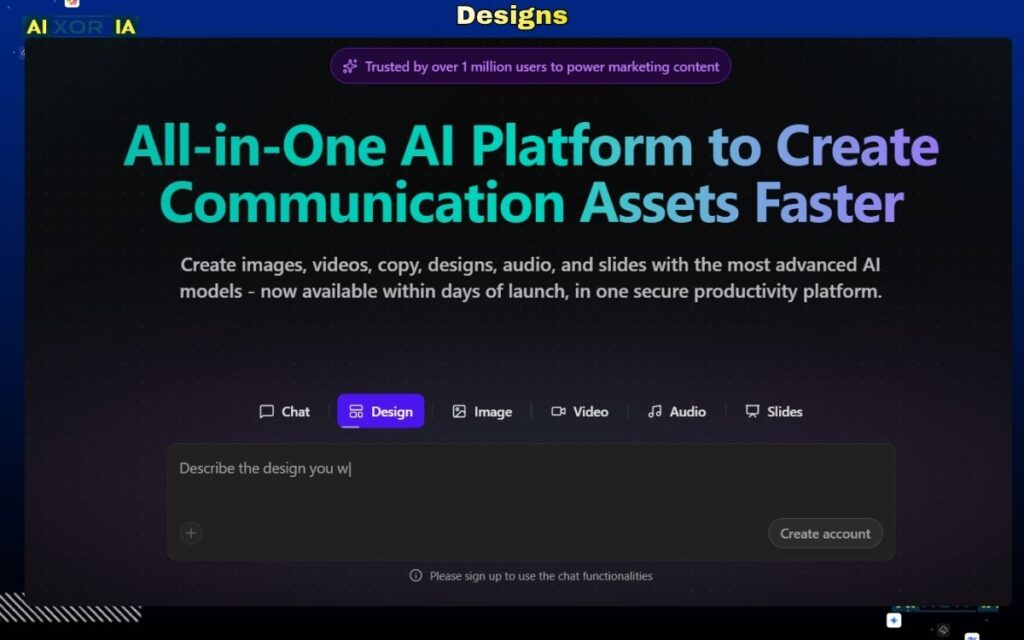
Designs.ai is part of a broader AI-powered creative suite that includes tools for video, logos, voiceovers, and design. In 2026, it also offers presentation generation capabilities, making it a relevant option for users searching for the best AI tool to create PowerPoint presentations, especially within content-driven workflows.
Rather than being a dedicated presentation-first platform, Designs.ai focuses on automating creative production, where presentations are one component of a larger ecosystem.
Why Designs.ai Stands Out in 2026
Designs.ai stands out because of its ability to combine multiple creative outputs into a single workflow.
During testing, it was particularly useful for scenarios where presentations were part of:
- Marketing campaigns
- Brand storytelling
- Content production pipelines
Users could generate presentation content alongside visuals, voiceovers, and branding elements, which can significantly reduce production time.
However, it is not as specialized or refined as dedicated presentation tools.
AI Capabilities
Designs.ai includes a range of AI features across its platform.
For presentations, it can:
- Generate slide content from prompts
- Suggest layouts and visual elements
- Create supporting visuals using AI
- Assist with branding consistency
Because it is part of a larger suite, users can also leverage its AI tools for:
- Image creation
- Video generation
- Copywriting
However, it does not offer strong AI agent capabilities or deep contextual understanding for complex presentations.
PPT Export Reality
Export performance is moderate.
- Slides export in editable format
- Layouts are mostly preserved
- Some formatting adjustments are required
Export Quality Score: 7/10
This makes it suitable for:
- Draft presentations
- Marketing use cases
But less ideal for high-stakes professional presentations without refinement.
Design Quality and Flexibility
Designs.ai provides decent design capabilities.
Strengths:
- Integrated creative assets
- Consistent branding support
- Easy-to-use interface
Limitations:
- Limited advanced customization
- Designs can feel generic
- Not as polished as dedicated tools
It is best suited for users who need quick creative outputs rather than detailed design control.
Integrations and Workflow Compatibility
Designs.ai supports:
- Cloud-based workflows
- Access to multiple creative tools
However, it has limited integration with external enterprise platforms like Slack or Microsoft Teams.
Designs.ai Pricing (USD)
- Paid plans start around $19–$29/month
- No strong free plan for long-term use
Pros and Cons
Pros:
- All-in-one creative platform
- AI-generated visuals and content
- Useful for marketing workflows
- Easy to use
Cons:
- Not specialized for presentations
- متوسط export quality
- Limited AI depth
Best Use Case
Designs.ai is best suited for:
- Marketers
- Content creators
- Small teams
- Branding and campaign presentations
Real Experience Insight
Helpful for generating presentation content alongside other creative assets, but required manual refinement to achieve a polished and professional slide deck.
Storydoc — AI Presentation Tool for Interactive and Trackable Sales Decks
Overview
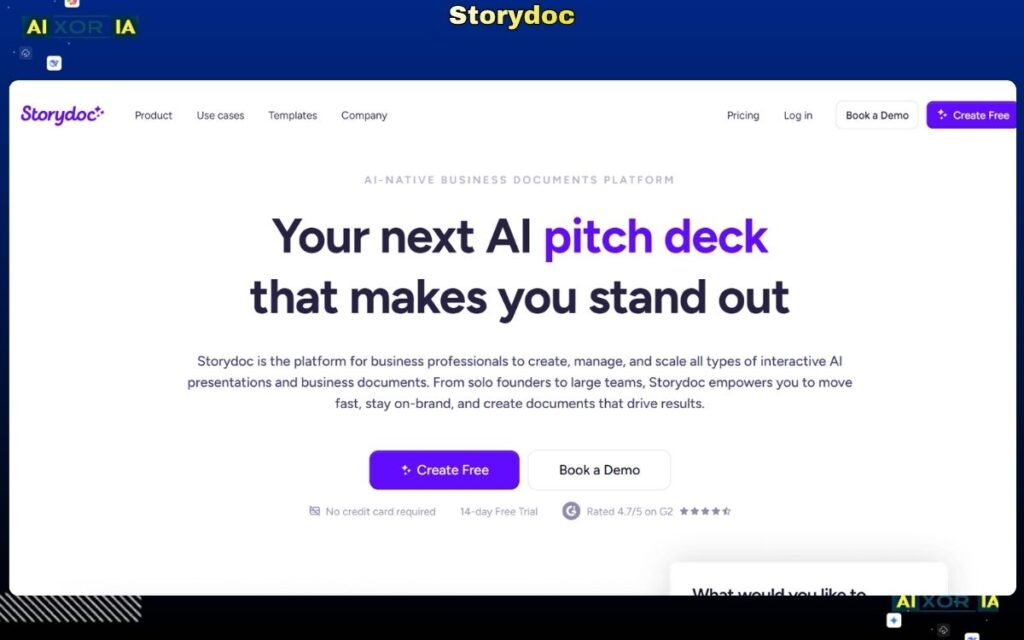
Storydoc is a next-generation presentation platform built specifically for interactive, web-based presentations. In 2026, it stands out as one of the most practical tools for users searching for the best AI tool to create PowerPoint presentations, particularly in sales, marketing, and client-facing scenarios.
Unlike traditional slide-based tools, Storydoc creates scrollable, interactive presentations that behave more like web pages than static slides. This makes it highly effective for engaging modern audiences.
Why Storydoc Stands Out in 2026
Storydoc’s biggest advantage is its focus on performance and engagement tracking.
During testing, it performed exceptionally well for:
- Sales presentations
- Client proposals
- Marketing decks
What makes it unique is its ability to:
- Track who viewed the presentation
- Monitor how long each section was viewed
- Analyze user engagement
This transforms presentations from static files into data-driven communication tools, which is critical for businesses.
AI Capabilities
Storydoc includes AI-powered features that assist with content creation and structure.
It can:
- Generate presentation drafts from prompts
- Suggest layouts optimized for engagement
- Help structure storytelling for conversion
- Provide content recommendations
However, it does not offer advanced AI agent features like real-time data fetching or deep document analysis.
Its AI is optimized for conversion-focused storytelling, not complex automation.
PPT Export Reality
This is where Storydoc has limitations.
- Exporting to PowerPoint is possible but not ideal
- Interactive elements are lost
- Slides convert into static format
Export Quality Score: 6/10
This means Storydoc is best used as a web-based presentation tool, rather than a traditional PowerPoint generator.
Design Quality and Flexibility
Storydoc offers modern, high-quality designs.
Strengths:
- Interactive layouts
- Professional templates
- Optimized for engagement
Limitations:
- Limited traditional slide editing
- Less flexibility for offline presentations
It is designed for interactive experiences, not static slides.
Integrations and Workflow Compatibility
Storydoc supports:
- Web sharing
- Analytics tracking
- Basic integrations with business tools
However, it is more focused on its own ecosystem rather than deep enterprise integrations.
Storydoc Pricing (USD)
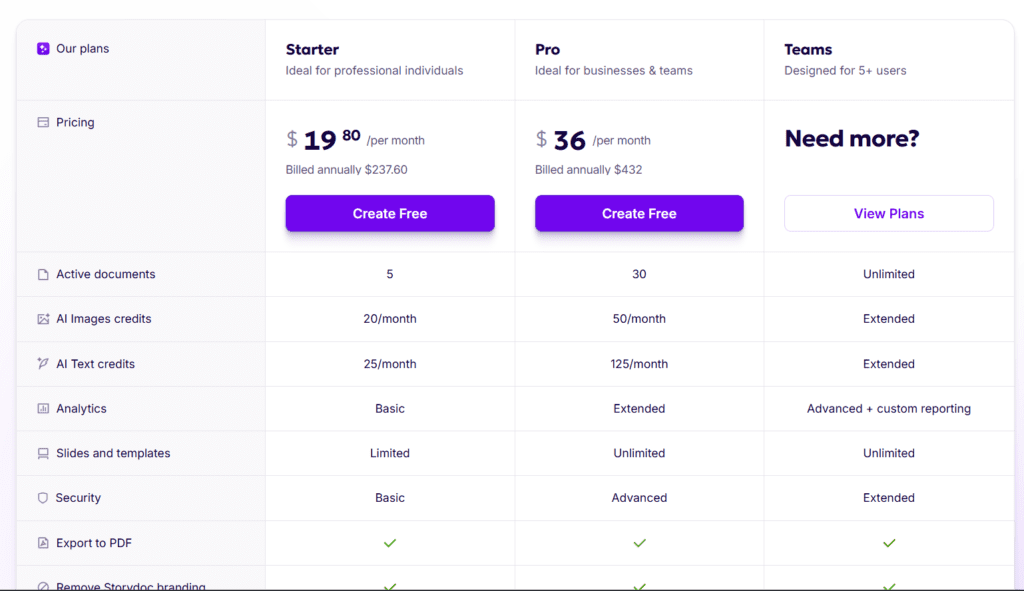
- Paid plans start around $30–$40/month
- No strong free plan for full functionality
Pros and Cons
Pros:
- Interactive presentation format
- Engagement tracking and analytics
- Strong for sales and marketing
- Modern design approach
Cons:
- Poor PPT export experience
- Not suitable for offline presentations
- Limited advanced AI capabilities
Best Use Case
Storydoc is best suited for:
- Sales teams
- Marketing professionals
- Startups
- Client-facing presentations
Real Experience Insight
The ability to track viewer engagement added significant value, but exporting to PowerPoint reduced the presentation to a basic static format.
PopAI — AI Presentation Tool for Converting PDFs and Documents into Slides
Overview
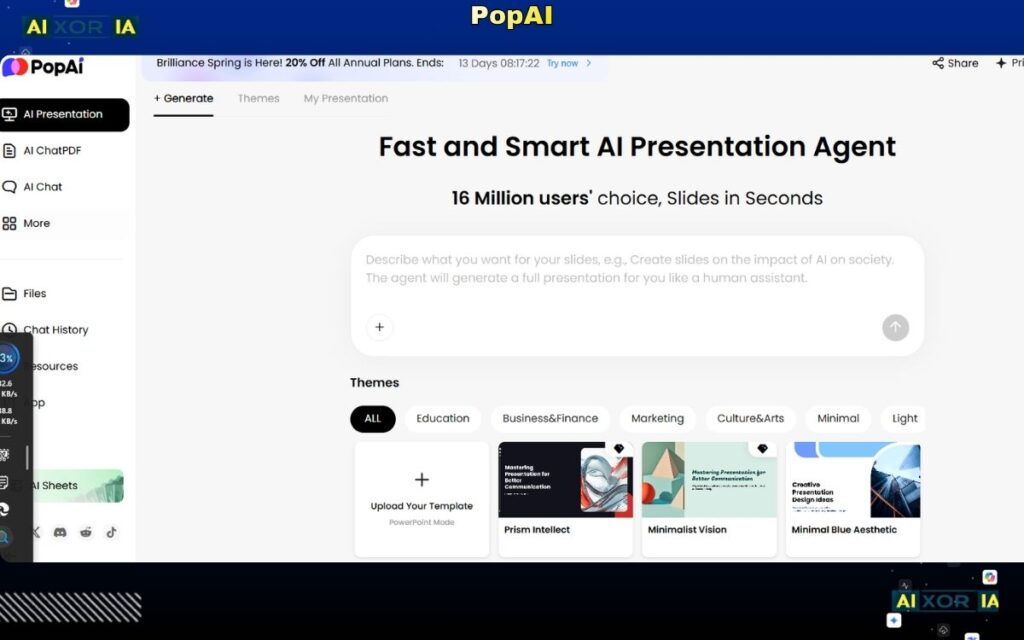
PopAI is one of the most practical tools in 2026 for users who want to convert existing content into presentations. It stands out as a strong contender for the best AI tool to create PowerPoint presentations, especially for workflows involving PDFs, reports, and long documents.
Unlike most tools that rely on prompts, PopAI focuses on input-based generation, meaning you can upload files (PDFs, Word docs, research papers), and the AI will transform them into structured slides.
This solves a major real-world problem: turning dense content into presentation-ready summaries.
Why PopAI Stands Out in 2026
PopAI directly addresses one of the biggest pain points in presentation creation—content conversion.
During testing, it performed exceptionally well when handling:
- Research papers
- Business reports
- PDFs and long documents
Instead of manually summarizing content, PopAI automatically:
- Extracts key points
- Structures them into slides
- Creates logical flow
This makes it highly valuable for professionals dealing with large volumes of information.
AI Capabilities
PopAI includes advanced AI features focused on content understanding and transformation.
It can:
- Convert PDFs into presentations
- Summarize long documents
- Extract key insights
- Generate structured slide content
- Answer questions about uploaded files
Compared to many tools, PopAI demonstrates stronger contextual understanding, making it closer to an AI assistant rather than just a generator.
However, it still lacks full agent-level automation like real-time web browsing or live data integration.
PPT Export Reality
PopAI performs well in export scenarios.
- Slides export in editable PowerPoint format
- Content structure is preserved
- Minor formatting adjustments may be needed
Export Quality Score: 8/10
This makes it suitable for both internal and professional presentations, especially when starting from existing documents.
Design Quality and Flexibility
Design is not PopAI’s primary focus.
Strengths:
- Clear content structure
- Logical slide organization
Limitations:
- Basic visual design
- Limited customization options
- Requires design refinement
It is best used as a content engine, not a final design tool.
Integrations and Workflow Compatibility
PopAI supports:
- File uploads (PDF, DOC, etc.)
- Cloud-based workflows
However, it has limited integration with tools like Slack, Microsoft Teams, or CRM systems.
Pricing (USD)
- Free plan available (limited usage)
- Paid plans start around $10–$20/month
Pros and Cons
Pros:
- Excellent document-to-slide conversion
- Strong content understanding
- Saves time on summarization
- Good export quality
Cons:
- Limited design capabilities
- Not ideal for creative presentations
- Requires manual styling
Best Use Case
PopAI is best suited for:
- Students and researchers
- Business professionals
- Consultants
- Anyone converting documents into presentations
Real Experience Insight
Converted a long PDF into a well-structured presentation quickly, but required manual design improvements to achieve a polished final result.
READ MORE – 9 Best AI Tools for PowerPoint Presentations
SlidesGPT — AI Tool for Ultra-Fast Presentation Draft Generation
Overview
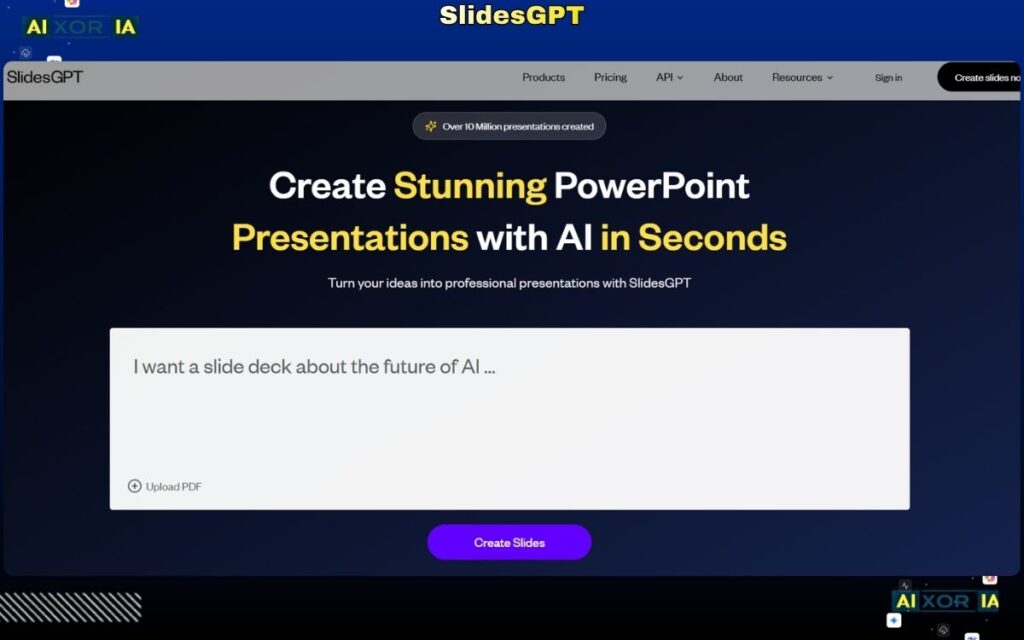
SlidesGPT is built for one purpose: speed. In 2026, it remains one of the fastest tools available for generating presentations from simple prompts, making it a relevant option for users searching for the best AI tool to create PowerPoint presentations when time is extremely limited.
Unlike feature-rich platforms, SlidesGPT focuses on minimal input and instant output, allowing users to generate a complete presentation in seconds.
It is not designed for deep customization or advanced workflows—it is designed to get you a working draft immediately.
Why SlidesGPT Stands Out in 2026
SlidesGPT excels in situations where speed matters more than perfection.
During testing, it was able to:
- Generate full presentations within seconds
- Structure slides logically from short prompts
- Deliver usable drafts with minimal effort
This makes it ideal for users who need to quickly create a presentation and refine it later.
However, this speed comes at the cost of depth and design quality.
AI Capabilities
SlidesGPT offers basic AI generation focused on prompt-to-slide conversion.
It can:
- Generate slides from a short topic or sentence
- Create headings and bullet points
- Structure content logically
However, it lacks:
- Advanced content understanding
- AI agents
- Data integration
- Context-aware refinement
Its AI is designed for quick drafting, not intelligent automation.
PPT Export Reality
SlidesGPT performs reasonably well in export.
- Slides are downloadable in PowerPoint format
- Content remains editable
- Layouts are simple
Export Quality Score: 7/10
This makes it suitable for:
- Draft presentations
- Internal use
But not ideal for polished, professional presentations without editing.
Design Quality and Flexibility
Design is one of SlidesGPT’s weaker areas.
Strengths:
- Clean and simple layouts
- Functional structure
Limitations:
- Minimal visual appeal
- Limited customization
- Requires manual design improvements
It is best used as a starting point rather than a final product.
Integrations and Workflow Compatibility
SlidesGPT is a standalone tool with:
- Web-based access
- Simple export functionality
It lacks integrations with platforms like Google Workspace, Slack, or Microsoft Teams.
SlidesGPT Pricing (USD)
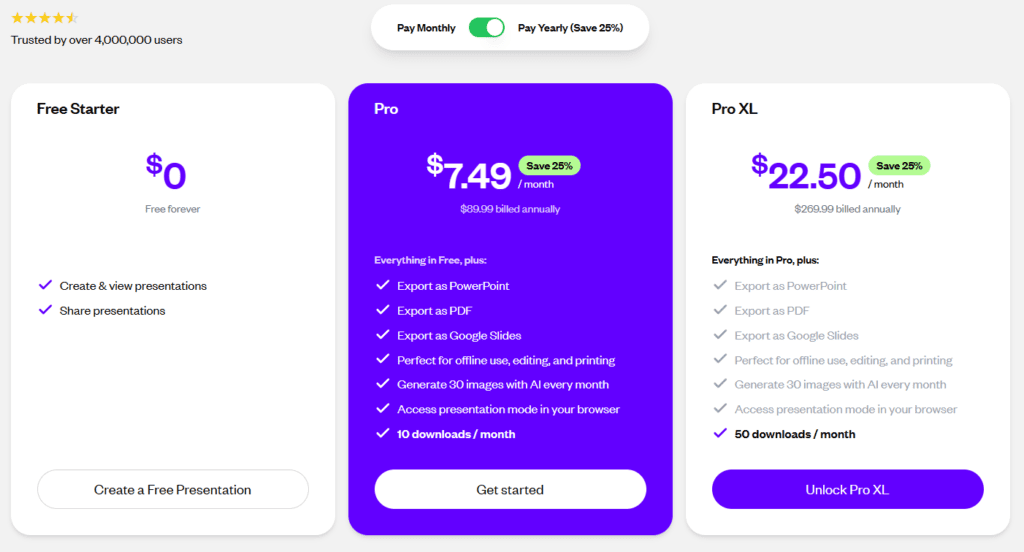
- Free plan available
- Paid plans (if applicable) are generally low-cost or usage-based
Pros and Cons
Pros:
- Extremely fast generation
- Simple and easy to use
- Good for quick drafts
- No learning curve
Cons:
- Basic AI capabilities
- Limited design quality
- No advanced features or integrations
Best Use Case
SlidesGPT is best suited for:
- Students
- Professionals needing quick drafts
- Brainstorming sessions
- Time-sensitive presentations
Real Experience Insight
Generated a complete presentation almost instantly, but required significant editing to improve both design and content quality.
Curiosity — AI Agent for Building Presentations from Your Local Files and Knowledge Base
Overview
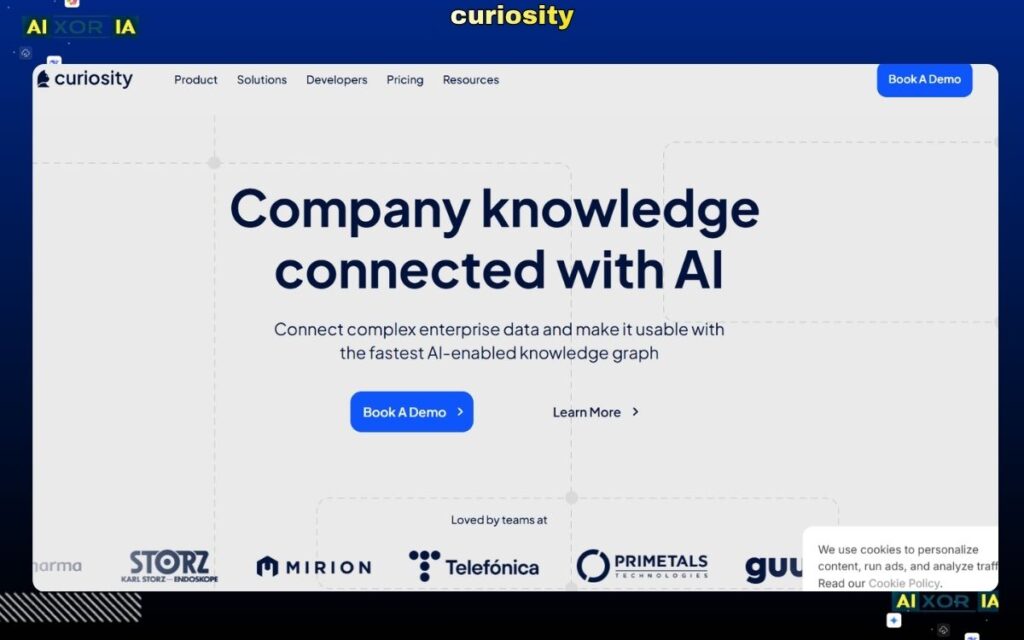
Curiosity is not a traditional presentation builder—instead, it functions as an AI-powered search and knowledge assistant that can help generate presentations using your local files, documents, and internal data. In 2026, this makes it one of the most unique entries in the list of the best AI tool to create PowerPoint presentations.
Unlike prompt-based tools, Curiosity focuses on finding, understanding, and structuring your existing information into presentation-ready content.
This is a major shift toward agent-style AI workflows, where the tool actively works with your data instead of just generating generic content.
Why Curiosity Stands Out in 2026
Curiosity solves a critical problem: data fragmentation.
During testing, it performed best when working with:
- Local files (PDFs, docs, notes)
- Knowledge bases
- Research materials
Instead of manually searching through files, Curiosity can:
- Locate relevant information
- Summarize key insights
- Structure content into presentation format
This makes it extremely useful for professionals who already have data but need help organizing it into a clear narrative.
AI Capabilities
Curiosity operates more like an AI agent than a simple generator.
It can:
- Search across local files and folders
- Understand and summarize documents
- Extract key insights
- Organize information into structured outputs
- Assist in building presentation content
This level of contextual understanding is more advanced than most tools in this category.
However, it does not directly generate fully designed slides—it focuses on content preparation and structuring.
PPT Export Reality
Curiosity does not natively function as a full presentation export tool.
- No direct PPT creation in some workflows
- Requires integration with other tools
- Content must be transferred into a presentation builder
Export Quality Score: 6/10
It works best when paired with tools like PowerPoint, Google Slides, or Canva.
Design Quality and Flexibility
Curiosity does not focus on design.
Strengths:
- Strong content structuring
- High-quality information extraction
Limitations:
- No built-in design system
- No templates or visual tools
It is purely a content intelligence tool, not a design platform.
Integrations and Workflow Compatibility
Curiosity supports:
- Local file systems
- Knowledge base integration
- Cross-file search
This makes it highly valuable for workflows involving large volumes of data.
However, it has limited direct integrations with presentation platforms.
curiosity Pricing (USD)
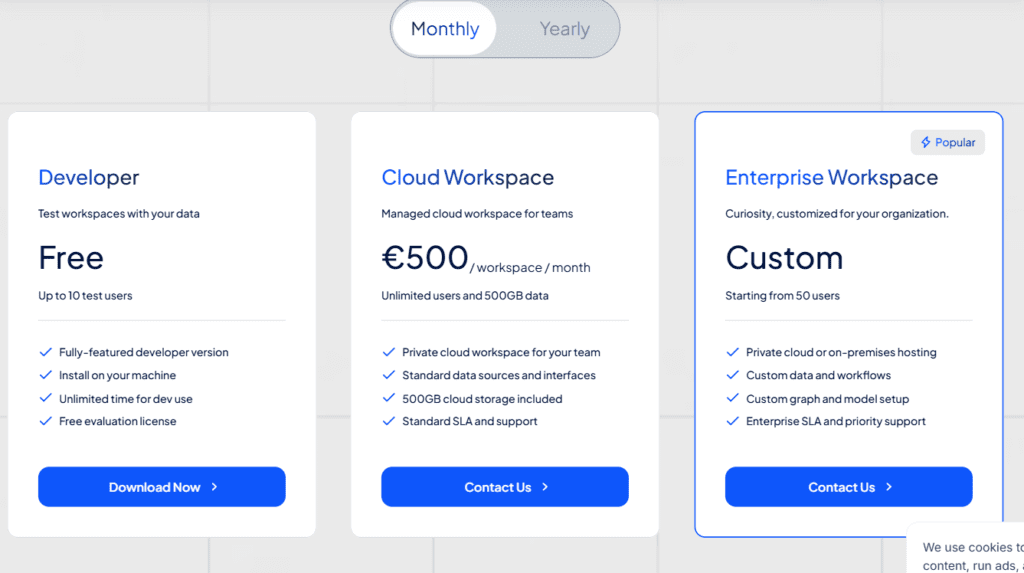
- Free plan available (limited features)
- Paid plans start around $10–$20/month
Pros and Cons
Pros:
- Strong AI agent capabilities
- Works with local files and data
- Excellent for research-based presentations
- Saves time on content discovery
Cons:
- No direct presentation creation
- No design features
- Requires additional tools for final output
Best Use Case
Curiosity is best suited for:
- Researchers
- Analysts
- Professionals working with large datasets
- Knowledge-driven workflows
Real Experience Insight
Quickly found and summarized key insights from multiple documents, making it easier to build a presentation, but required another tool to design and finalize slides.
Plus AI — Native AI Tool for Google Slides and PowerPoint (Best for Editable PPT Output)
Overview
Plus AI is one of the most powerful tools in 2026 for users who want native integration with Google Slides and Microsoft PowerPoint. Unlike many AI presentation tools that generate slides in their own environment, Plus AI works directly inside the tools professionals already use.
This makes it a top contender for the best AI tool to create PowerPoint presentations, especially for users who care about perfect PPT export, editability, and workflow compatibility.
Instead of replacing PowerPoint, Plus AI enhances it—turning it into a fully AI-powered presentation engine.
Why Plus AI Stands Out in 2026
Plus AI solves one of the biggest problems in this space: poor export quality.
During testing, most AI tools generated presentations that lost formatting or became difficult to edit after export. Plus AI, however, works directly within:
- Google Slides
- Microsoft PowerPoint
This means:
- No export issues
- Fully editable slides
- Native formatting preserved
For professionals, this is a major advantage.
AI Capabilities
Plus AI offers advanced AI features focused on real-world usability and editing.
It can:
- Generate full presentations from prompts
- Convert documents into slides
- Rewrite and improve slide content
- Expand or shorten presentations
- Maintain consistent formatting
While it does not function as a full AI agent, it provides highly practical AI assistance directly within your workflow.
PPT Export Reality
This is where Plus AI dominates.
- Slides are created directly in PowerPoint or Google Slides
- No conversion issues
- 100% editable output
Export Quality Score: 10/10
This makes it one of the best tools for professionals who need clean, reliable PowerPoint files.
Design Quality and Flexibility
Plus AI focuses more on structure and usability than flashy design.
Strengths:
- Clean and professional layouts
- Fully editable slides
- Works with existing templates
Limitations:
- Limited advanced design creativity
- Depends on user’s template quality
It is best for users who prioritize functionality over visual experimentation.
Integrations and Workflow Compatibility
Plus AI integrates directly with:
- Google Slides
- Microsoft PowerPoint
This allows users to:
- Work in familiar environments
- Collaborate easily
- Avoid switching platforms
It fits seamlessly into professional workflows.
Plus AI Pricing (USD)
- Paid plans start around $10–$20/month
- No strong free plan for long-term use
Pros and Cons
Pros:
- Perfect PPT export quality
- Native integration with Slides and PowerPoint
- Highly practical AI features
- Ideal for professional workflows
Cons:
- Limited design creativity
- No advanced AI agent features
- Requires existing tools (Slides/PPT)
Best Use Case
Plus AI is best suited for:
- Corporate professionals
- Consultants
- Teams using Google Slides or PowerPoint
- Users who need high-quality editable presentations
Real Experience Insight
Generated fully editable slides directly inside PowerPoint with no formatting issues, making it one of the most reliable tools for professional presentations.
After testing and analyzing 21+ tools, one thing is clear: there is no single “perfect” tool for everyone. The best AI tool to create PowerPoint presentations depends on your workflow, your content type, and how much control you need over the final output.
However, there are clear winners based on real-world use cases, export quality, and AI capabilities.
The Reality in 2026 (What Most Blogs Won’t Tell You)
Most AI presentation tools still fall into one of these categories:
- Fast but low-quality (good drafts, weak design)
- Beautiful but not editable (poor PPT export)
- Powerful but complex (steep learning curve)
Very few tools actually deliver all three:
- Strong AI
- Clean design
- Perfect PowerPoint export
That’s why choosing the right tool is not about features—it’s about fit.
Best Tools by Use Case (US Market Focus)
For Professionals Who Need Perfect PPT Files
- Plus AI
- Microsoft Power Automate (with presentation workflows)
These tools work directly inside PowerPoint or Microsoft ecosystems, ensuring 100% editable output with no formatting issues.
For AI-Powered Design and Visual Quality
- Beautiful.ai
- Canva
- Tome
Best for users who want visually appealing presentations with minimal effort.
For Fast Content-to-Slides Conversion
- SlidesAI
- SlidesGPT
- Decktopus
These tools are ideal when speed matters more than polish.
For Document, PDF, and Data-Based Presentations
- PopAI
- Curiosity
- Visme
Perfect for users working with reports, research, and large datasets.
For Teams, Sales, and Collaboration
- Pitch
- Storydoc
Best for tracking engagement, collaboration, and client-facing presentations.
For Beginners and Students (Free-Friendly Options)
- Slidesgo
- Canva
- Simplified
These tools offer easy onboarding with minimal learning curve.
The #1 Recommendation (Based on Testing)
If you want a single answer:
- For professional PowerPoint workflows → Plus AI
- For design + ease of use → Canva
- For AI-first storytelling → Gamma
These three tools cover the majority of real-world needs in 2026.
Key Buying Factors You Should Not Ignore
1. PPT Export Quality
If your slides break after export, the tool is not worth it—no matter how good the AI is.
2. AI Depth vs Practical Use
Some tools sound advanced but don’t actually save time. Focus on tools that reduce manual work, not just generate content.
3. Workflow Compatibility
Check if the tool works with:
- Google Slides
- Microsoft PowerPoint
- Slack / Teams
- Your existing tech stack
FAQs
Which AI tool can create a PowerPoint from a PDF?
Tools like PopAI and Plus AI can convert PDFs and documents into structured presentations efficiently.
Is there a free AI tool to create presentations without watermarks?
Most tools offer free plans, but they come with limitations. Tools like Canva and Slidesgo provide usable free versions, but premium features usually require payment.
Which AI tool is best for business presentations?
For business use:
- Plus AI (best for PowerPoint workflows)
- Beautiful.ai (best for design consistency)
- Pitch (best for collaboration)
Can AI fully replace PowerPoint in 2026?
No. AI tools can assist and accelerate presentation creation, but PowerPoint and Google Slides remain essential for editing, customization, and final delivery.
Final Thought
The biggest mistake people make is searching for the “best AI tool” instead of the right AI tool for their workflow.
In 2026, AI is not replacing presentation tools—it is enhancing them.
If you choose the right combination of:
- AI generation
- Design control
- Export quality
You can create presentations faster, better, and with far less effort than ever before.