Why Finding the Best AI Tool for PPT Can Save Your Business Hours Every Week

The best AI tools for PPT in 2026, ranked by overall value:
| Rank | Tool | Best For | Starting Price |
|---|---|---|---|
| 1 | Prezent | Enterprise brand compliance | $40/mo |
| 2 | Gamma | Visual storytelling & web-style decks | $12/mo |
| 3 | Microsoft Copilot | Native PowerPoint users | M365 subscription |
| 4 | Plus AI | Works inside Google Slides & PowerPoint | $10/mo |
| 5 | Canva AI | Visual design & branding | $15/mo |
| 6 | Beautiful.ai | Design automation for teams | $12/mo |
| 7 | SlidesAI | Google Slides add-in simplicity | $8.33/mo |
Remember when building a presentation meant losing an entire afternoon to font choices, slide alignment, and image hunting? For most small business owners, that’s still Tuesday.
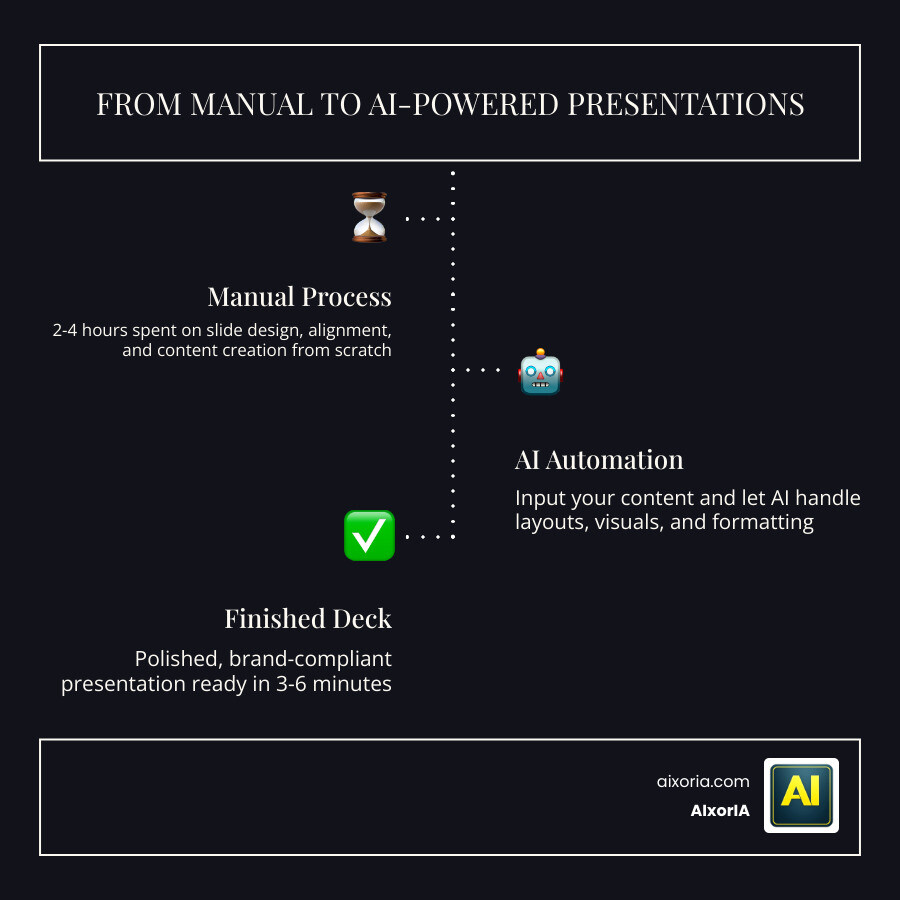
Here’s the reality: enterprise teams lose more than 20 hours every week building presentations manually. And moving the same content from a rough outline to a polished first draft — something that takes 2 to 4 hours in PowerPoint — now takes 3 to 6 minutes with the right AI tool.
That’s not a small improvement. That’s a full workday handed back to you every week.
But with dozens of AI presentation tools now on the market, picking the right one is genuinely confusing. Some work inside PowerPoint. Some replace it entirely. Some are built for big enterprises with strict brand rules. Others are perfect for a founder who just needs a clean pitch deck by tomorrow morning.
This guide cuts through the noise so you can find the tool that fits your workflow — without needing a tech background or a big budget.
Top-Rated Solutions: Finding the Best AI Tool for PPT in 2026
As we navigate through May 2026, the landscape for presentation software has shifted from “manual design” to “AI orchestration.” We no longer start with a blank white slide; we start with a prompt. But not all tools are created equal. To find the Best AI Tool for PPT, we first need to understand the three main categories dominating the market today.
Leading AI Presentation Categories
- Native PPT Add-ins: These tools, like Microsoft Copilot and SlidesAI, live directly inside your existing software. They are perfect for users who don’t want to learn a new interface and need high-quality Best AI Tool for PPT Download in 2026 Tested capabilities.
- Web-based Design Platforms: Tools like Gamma and Canva AI provide a browser-first experience. They excel at “visual narratives” and often feel more like building a sleek website than a traditional deck.
- Enterprise-grade Generators: Platforms such as Prezent are designed for large-scale operations where brand consistency is non-negotiable.

When evaluating these tools, we looked at generation speed, how much they cost, and—most importantly—how well they play with Microsoft PowerPoint. After all, if the AI generates a beautiful deck but the export to .pptx breaks all the formatting, it hasn’t actually saved you any time. For a deeper dive into generation performance, check out our report on the Best AI Tool for PPT Generation in 2026 Tested.
Enterprise Standards for the Best AI Tool for PPT
For business owners and corporate teams, “pretty” isn’t enough. You need brand compliance. This means the AI must use your specific hex codes, your approved fonts, and your official logo without being told every single time.
In our testing, Prezent stood out for its 100% brand synchronization, allowing teams to upload a brand kit once and apply it to every generated slide. This is critical for maintaining a professional image across hundreds of presentations. Furthermore, the Best AI Tool for PPT must integrate seamlessly with Microsoft 365 or Google Workspace. If your team lives in Excel, you need a tool that can pull data and turn it into a chart instantly. For those looking for budget-friendly enterprise options, we’ve reviewed the Top 7 AI Presentation Tools Tested to see which free versions actually hold up in a business environment. You can also explore what makes a tool the best for business presentations in 2026.
Creative Storytelling with the Best AI Tool for PPT
If you are a startup founder or a creative lead, your needs are different. You need a tool that helps with rapid ideation. Gamma has become a favorite in this space, with over 50 million users. It treats presentations as visual narratives, often using “fluid” layouts that look great on mobile devices and web browsers.
For those building startup pitch decks, the ability to generate a 10-slide deck from a simple prompt is a game-changer. Some tools even offer “Agent Mode,” where you can give plain-text instructions like “make this more professional” or “add a slide about our market size,” and the AI executes the change across the entire deck. This makes them the best tool for clickable presentations in 2026. If you’re looking for a ranked list of creative-heavy tools, see our 7 Best AI Tool for PPT Ranked guide.
Key Features and Testing Methodology for AI Presentations
To find the Best AI Tool for PPT, we didn’t just read the marketing brochures. We tested these tools with the same enterprise-style prompt: “Create a 10-slide Q4 goals presentation for a B2B SaaS company including financial projections and market risks.”
We evaluated them on four key pillars:
- Prompt Engineering: How well does the AI understand complex business instructions?
- Smart Layouts: Does the AI place images and text logically, or does it just “dump” content on a slide?
- Native PPTX Export: Does the file look the same in PowerPoint as it did in the AI tool?
- Real-time Collaboration: Can three teammates edit the deck at once without the system crashing?
According to Gartner research on Generative AI productivity, generative AI is expected to significantly boost productivity across all office roles. However, the quality of that productivity depends on whether you can use AI to create PowerPoint presentations that actually meet professional standards. For a comprehensive list of options, we’ve compiled the 20 Best AI Tools to Create PowerPoint Presentations.
Mitigating Brand Drift and Formatting Issues in AI Decks
One of the most common complaints with AI-generated decks is brand drift. This happens when the AI starts using “hallucinated” colors or fonts that aren’t in your style guide. Another issue is formatting breakage; you export a beautiful deck to PPT, and suddenly the text is overlapping the images.
To mitigate these issues, we recommend:
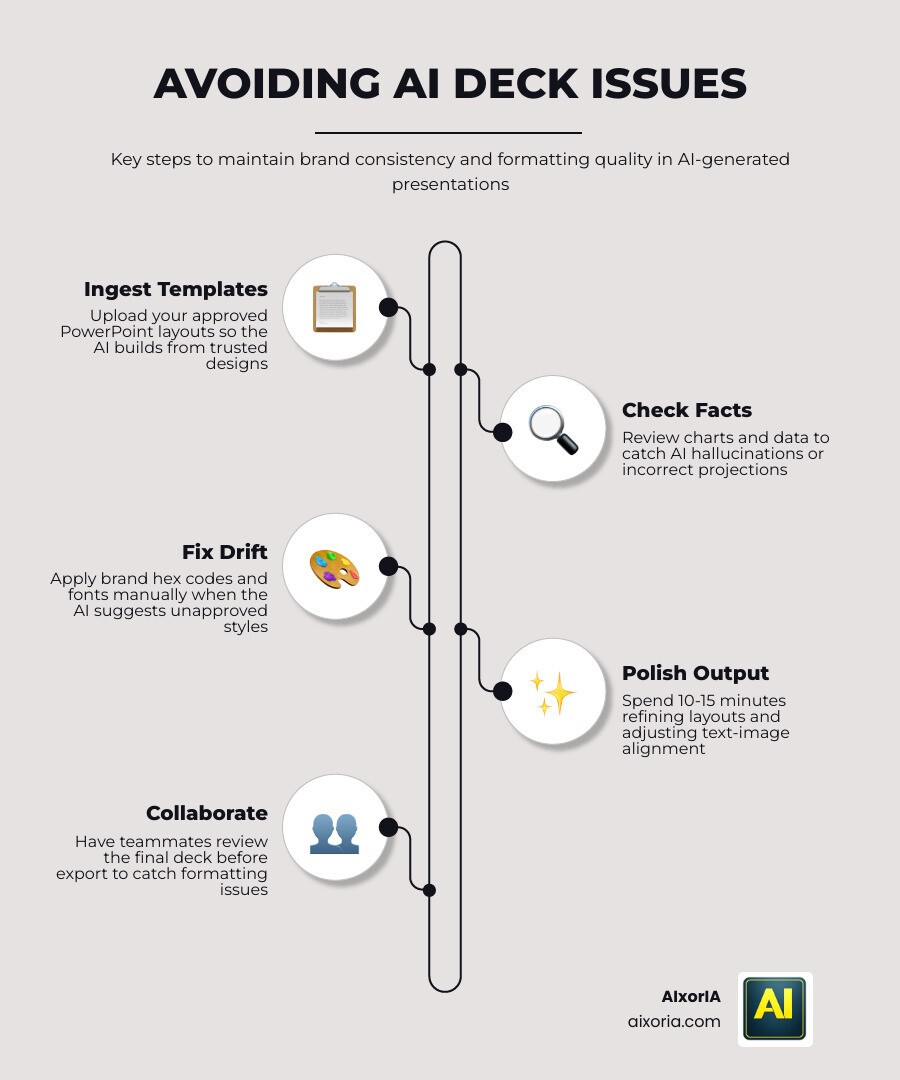
- Template Ingestion: Choose tools like Plus AI or Beautiful.ai that allow you to “feed” them your existing PowerPoint templates. This ensures the AI builds on top of your approved layouts.
- Fact-Checking: AI can sometimes hallucinate data. If it generates a chart showing 500% growth, double-check your Excel sheet.
- Human Oversight: Treat AI as a creative partner, not an autopilot. Always spend 10-15 minutes polishing the final output.
A McKinsey report on AI in the enterprise highlights that the economic potential of generative AI is massive, but only if quality control is maintained. We’ve put together a practical guide for fast, polished decks to help you avoid these common pitfalls. You can also read our specific review of the 9 Best AI Tools for PowerPoint in 2026 to see which ones handle formatting the best.
Frequently Asked Questions about AI Presentation Makers
Can AI tools export fully editable PowerPoint files?
Yes, most top-tier tools like SlidesPilot, Presentations.AI, and Prezent allow for native .pptx exports. However, the “editability” varies. Some tools export text as images (which is bad!), while the Best AI Tool for PPT will export them as standard text boxes and shapes that you can change inside PowerPoint later.
How do AI presentation makers handle data security and privacy?
This is a huge concern for enterprise teams. Tools like Presentations.AI are SOC 2 Type II certified and GDPR compliant. Always check if the tool uses your data to train its models—the best tools for business will explicitly state that your content remains private and is not used for training.
Which AI tool is best for creating presentations from existing PDFs?
SlidesPilot and Presenti are currently the leaders in “Doc-to-PPT” conversion. They use advanced OCR (Optical Character Recognition) to read your PDF or Word document, summarize the key points, and structure them into slides automatically.
Conclusion
Finding the Best AI Tool for PPT isn’t just about following the latest trend; it’s about reclaiming your time and ensuring your ideas get the professional spotlight they deserve. Whether you need the high-level brand security of Prezent, the creative flair of Gamma, or the native integration of Microsoft Copilot, there is a solution that fits your budget and workflow.
At AIxorIA, we specialize in helping businesses navigate this fast-moving world. We provide custom AI solutions, tool training workshops, and performance audits to ensure your team isn’t just using AI, but using it correctly. Our mission is to offer simple language help and affordable services that empower you to work smarter, not harder. With our fast customer support, you’ll never feel left behind in the AI revolution.
Ready to stop wasting 20 hours a week on slide design? Start your AI transformation today and let us help you build a more efficient future.
4 thoughts on “Best AI Tool for PPT in 2026 (Tested & Ranked) – Save 20+ Hours Weekly”