Affordable AI Tools for Packaging Design for Small Brands
Scr0ll d0wn to D0VVNL0AD
The best AI tools for packaging design for small brands depend on what you need to make. Start with Canva or Adobe Express to explore label ideas on a free plan. If you need to see a design wrapped around a bottle or fitted to a box, try a packaging-focused tool such as Pacdora or Packify. Check the cost of exports before you pay.
AI can help you compare ideas quickly, but a good mockup is not proof that a file is ready to print. Have a designer or printer check the final text, dieline, color, and image quality before you order packaging.
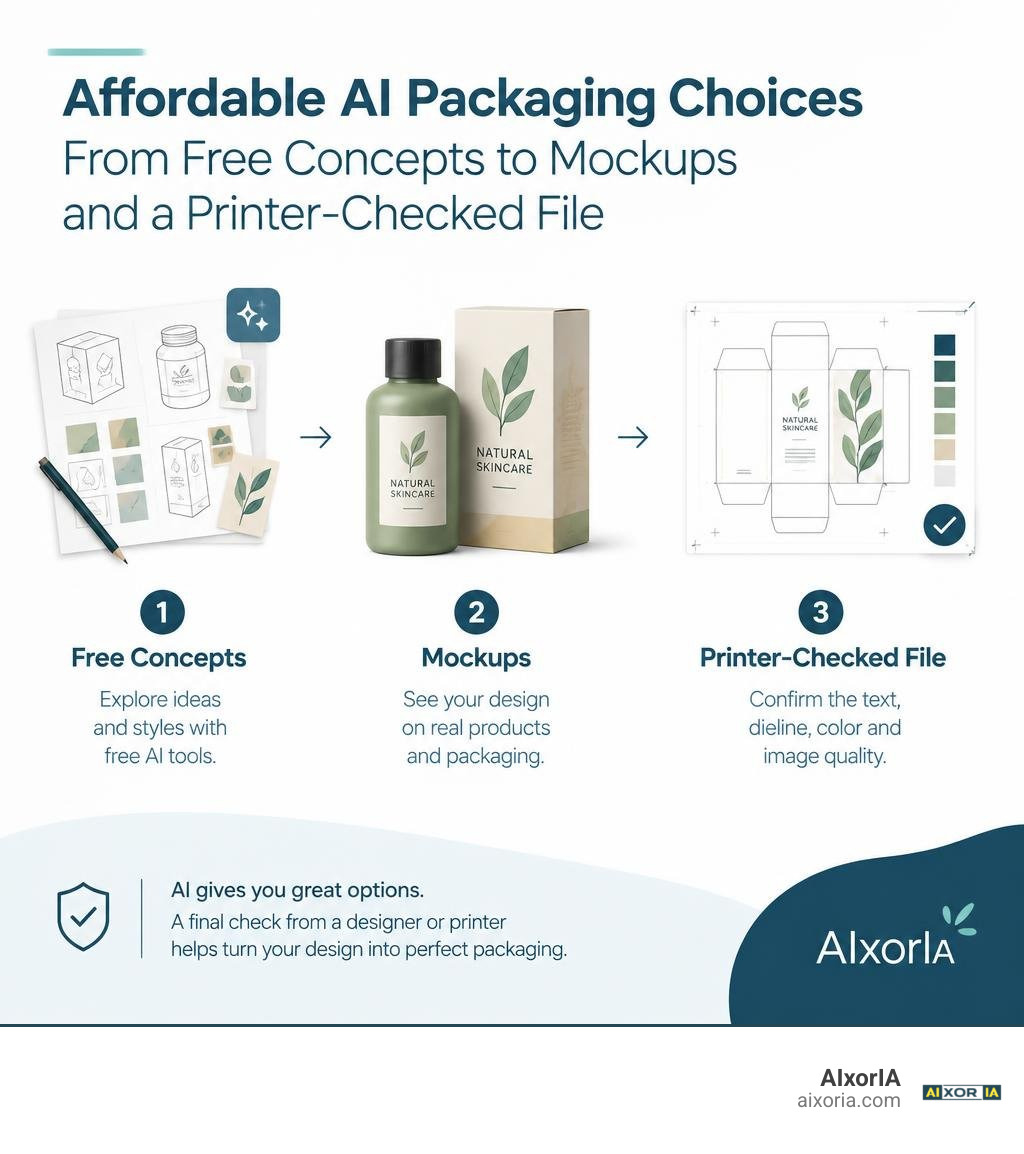
How to choose AI tools for packaging design for small brands
Start by deciding what you need from the tool. Are you looking for inspiration, a product mockup for a launch page, or editable artwork to send to a printer? These are different jobs, and one tool may not cover them all.
What can AI tools for packaging design for small brands do well?
AI is useful for exploring visual directions quickly. It can suggest color palettes, illustrations, textures, label styles, and packaging concepts based on a short brief. You can compare options for a coffee bag, candle label, carton, pouch, or bottle without commissioning a full set of designs first.
Some tools also help create product mockups, preview a label wrapped around a container, or make variations for different flavors and product sizes. Brand kits, reference images, and repeated prompts can help keep the look consistent, though they do not guarantee that every generated version will preserve your logo or design details correctly.
Treat AI as a fast idea partner. It can help you decide what direction to pursue, but it may also invent text, awkwardly place design elements, or suggest packaging that looks appealing but is difficult to manufacture or recycle.
How should you compare AI tools for packaging design for small brands?
Compare tools against your actual workflow, not just the quality of their sample images.
| Tool category | Useful for | Check before you commit |
|---|---|---|
| General design tools | Combining templates, images, and text; creating early label concepts | Whether you can edit elements and export the format your designer or printer needs |
| Image generators | Exploring visual styles, illustrations, and backgrounds | Whether text, logos, and package structures need to be rebuilt elsewhere |
| Packaging-focused platforms | Applying artwork to packages, viewing 3D mockups, or working with dielines | Supported formats, export costs, dieline accuracy, and whether a printer must still check the files |
| Professional design support | Refining a selected concept and preparing final artwork | Scope, revision limits, fees, and who owns or licenses the final files |
A useful packaging tool may offer a container or box library, reference-image support, editable layers, a 3D preview, or exports for print. But a “print-ready” claim is not a substitute for confirming file requirements with your manufacturer. Ask about bleed, dielines, color, resolution, and accepted file formats before you pay for an export.
Free and low-cost options for small brands
Free plans can be enough for early brainstorming, especially if you already use a design platform. The limits matter, though: some plans provide a set number of generations or credits, while others restrict exports or advanced features.
Based on the pricing information gathered for this guide, Adobe Express’s free plan includes 25 generative AI credits per month. Canva’s free version allows 50 AI image generations in total, while Canva Pro includes 500 per month. Fotor Pro is listed at $3.33 per month for 100 design credits. Packify Pro is listed at $9.99 per month for unlimited AI designs, with a Business plan at $29.99 per month. Prices and features can change, so check each provider’s current terms before subscribing.
Packaging-specific options include Pack AI Studio, which lists free packaging tools and free design generations, and Pacdora’s 3D packaging mockup generator. Pack AI Studio says its design generations cost 5 to 20 credits, depending on the mode and resolution. Packify lists AI Design/Edit at 10 credits per use and AI Photoshoot at 5 credits. Free credits may be one-time rather than recurring, so check how many generations and downloads your budget actually covers.
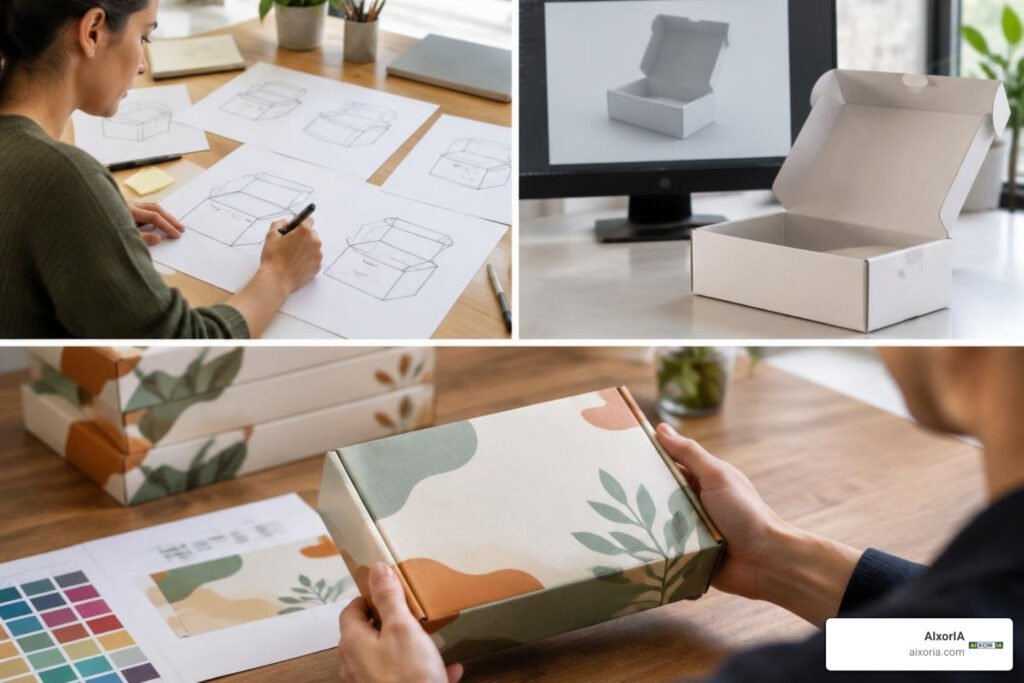
For a small launch, count the full cost: the subscription or credits, any export fees, and the human review needed to prepare the design for production. A cheap mockup can be useful, but it is not a bargain if it creates extra prepress work later.
A budget-smart workflow from concept to print
For a general introduction to the process, see Adobe Express’s guide to using AI for packaging design. We recommend keeping the stages clear: define the brief, explore concepts, test the strongest options, then prepare and approve production artwork.
Prepare the brief and brand assets
Before generating anything, write down:
- What the product is and who it is for.
- The packaging format and approximate dimensions.
- The brand name, colors, logo, and preferred typography.
- The material you expect to use, if known.
- The required copy, such as product name, net quantity, ingredients, or origin.
- The visual direction you want, such as playful, minimal, handmade, or premium.
Upload a logo or reference image if the tool supports it, and describe what the AI should take from the reference. For example, ask it to follow the color palette but not copy the layout. Keep an approved brand kit nearby so you can compare outputs with your existing identity.
Plan your prompts before using limited credits. A more specific prompt can help narrow the options, but it cannot guarantee accurate text or production-ready artwork. If your brand does not yet have a logo, our guide to AI logo design tools can help you explore that separate part of the process.
Generate, compare, and refine concepts
Ask for several distinct directions rather than tiny variations of one idea. You could compare a bold color-led design, a restrained natural look, and a typography-first option. Include the product, audience, format, and mood in the prompt. If you need a particular material or structure, state it clearly.
Review concepts for more than appearance. Does the product read clearly at a glance? Is the design suited to the shelf or online listing where customers will see it? Does the concept still look like your brand? Are there unnecessary windows, extra materials, or decorative elements that could complicate production or recycling?
For product variants, reuse the approved colors, type direction, and layout cues in each prompt. Then check every variation yourself; AI may shift a logo, color, or other detail even when you ask it to keep the same style.
Validate mockups before committing to production
A flat label preview can hide problems that appear when the design is wrapped around a bottle or pouch. Use a 3D preview, when available, to check whether the logo bends around a curve, copy lands near a seam, or important details cross a fold. For cartons, inspect every panel, flap, and crease.
Pacdora’s AI label and packaging design generator offers a way to preview designs on packaging structures. Mockups can help with retailer presentations, customer feedback, and early marketing visuals, but they are not a replacement for a printed sample or a printer’s review.
What AI can save—and where packaging design still needs human review
Time, budget, and sampling savings
AI can speed up the first stage of design by generating and comparing visual directions quickly. It can also help create digital mockups before you pay for a physical sample, giving you a clearer idea of what to refine.
Some tool providers advertise major savings. Packify, for example, claims up to 10 times faster time-to-market and 90% lower design and sampling costs. Treat these as company claims, not guaranteed results for your project. Savings depend on the product, revisions, packaging format, printer requirements, and how much professional work the final design needs.
The biggest practical benefit for many small brands is reducing time spent stuck on a blank page. AI can help you choose a direction before investing in detailed artwork, but it does not eliminate production checks.
Print readiness: dielines, resolution, and color
A convincing image is not necessarily a production file. Many AI tools create a flattened raster image rather than a layered layout with editable text, vector logos, and a separate dieline. A printer may need to rebuild parts of it before production.
Check that the final artwork meets your printer’s requirements for:
- Dielines and bleed: The cut and crease template should be correct, with artwork extending into the bleed area where required. Keep the dieline separate from the design artwork.
- Resolution: Resolution must be sufficient at the final print size. AI images are often around 72 PPI, which is suitable for screens but may not hold up in print. Belmark considers anything under 266 PPI low resolution for production; ask your printer what they require.
- Color: AI image tools generally generate in RGB, while print uses a press-specific color process. Colors can shift when converted, and the material—such as clear film, white film, or metalized stock—also affects how they look. Review a printer’s proof before approving the run.
- Editable elements: Logos and type are often best handled as vector artwork, which stays sharp when resized. Confirm that text and graphics can be edited or rebuilt if needed.
Even tools that offer dieline exports need to be checked against the manufacturer’s specification. If you want to explore other ways AI can fit into a brand workflow, our review of brand design agencies using AI workflows discusses how AI and human design work can complement one another.
Text, logos, and regulatory copy
AI may produce words that look plausible but are misspelled, altered, or simply wrong. Logos can also be distorted. Do not rely on generated images for ingredients, allergens, nutrition information, net quantity, product claims, directions, or barcode data.
Supply required text from a verified source and have a person typeset and check it. Make sure any required regulatory copy is reviewed for the markets where you plan to sell. Barcodes should be generated and tested using the correct data and final layout. A readable-looking barcode in a mockup is not proof that it will scan.
Some packaging tools offer features for keeping specified text or adding label information. These may help with layout, but they do not make the information legally accurate. Check every word, number, claim, and symbol before approving artwork.
Copyright, commercial rights, and sustainability
Before using AI artwork commercially, read the tool’s current terms. Check what rights you receive, whether commercial use is permitted on your plan, and whether there are restrictions on the way you use or modify the output. A license from a tool does not necessarily mean the design is exclusive or that it is free of third-party rights issues.
Avoid uploading confidential product details or artwork unless you understand how the service handles uploaded content. Search for similar logos and packaging in your category, and consider getting legal advice if a design is central to your brand or raises a trademark concern.
AI-generated sustainability cues also need checking. A kraft-paper appearance or a “recyclable” message does not prove that a package is recyclable. Materials and recycling systems vary, and combining materials can make separation harder. Confirm material claims with suppliers and evaluate the actual packaging structure, rather than relying on the look of the concept.
Frequently asked questions about affordable AI packaging design
Can AI create a complete package design from scratch?
AI can create a starting concept, and some packaging-focused tools can place designs on mockups or dielines. But “complete” can mean different things. A visual concept may still need a designer to prepare editable artwork, confirm the structure, and meet printer specifications. Use AI to explore and refine ideas, then have the final design checked before production.
Are AI-generated packaging designs ready to send to a printer?
Usually, not without review. A mockup may be a flattened image in screen color, without the correct bleed, dieline, resolution, or editable text. Ask your printer for its file specifications and have the final artwork checked against them. Some tools offer print-oriented exports, but the printer should still confirm that the file is suitable for the material and process.
Can AI accurately handle logos, required text, and regulatory labels?
It can help place supplied assets or draft a layout, but it may change a logo or introduce errors into text. Always use an approved logo file and verify every word and number manually. Have regulatory copy reviewed by someone qualified for the relevant product and market.
Conclusion
For a small brand, the right tool depends on the job: a free general design tool may be enough for early ideas, while packaging-focused features can help with mockups, wraps, and dielines. Compare the real costs, export options, editing controls, and usage rights before choosing.
Use AI to explore concepts and prepare mockups, then ask a designer or printer to verify the final text, color, resolution, and production files. We share more practical AI tools and business guides to help teams make informed decisions about using AI.