Choosing AI Virtual Try-On Tools for Your Fashion Store
Scr0ll d0wn to D0VVNL0AD
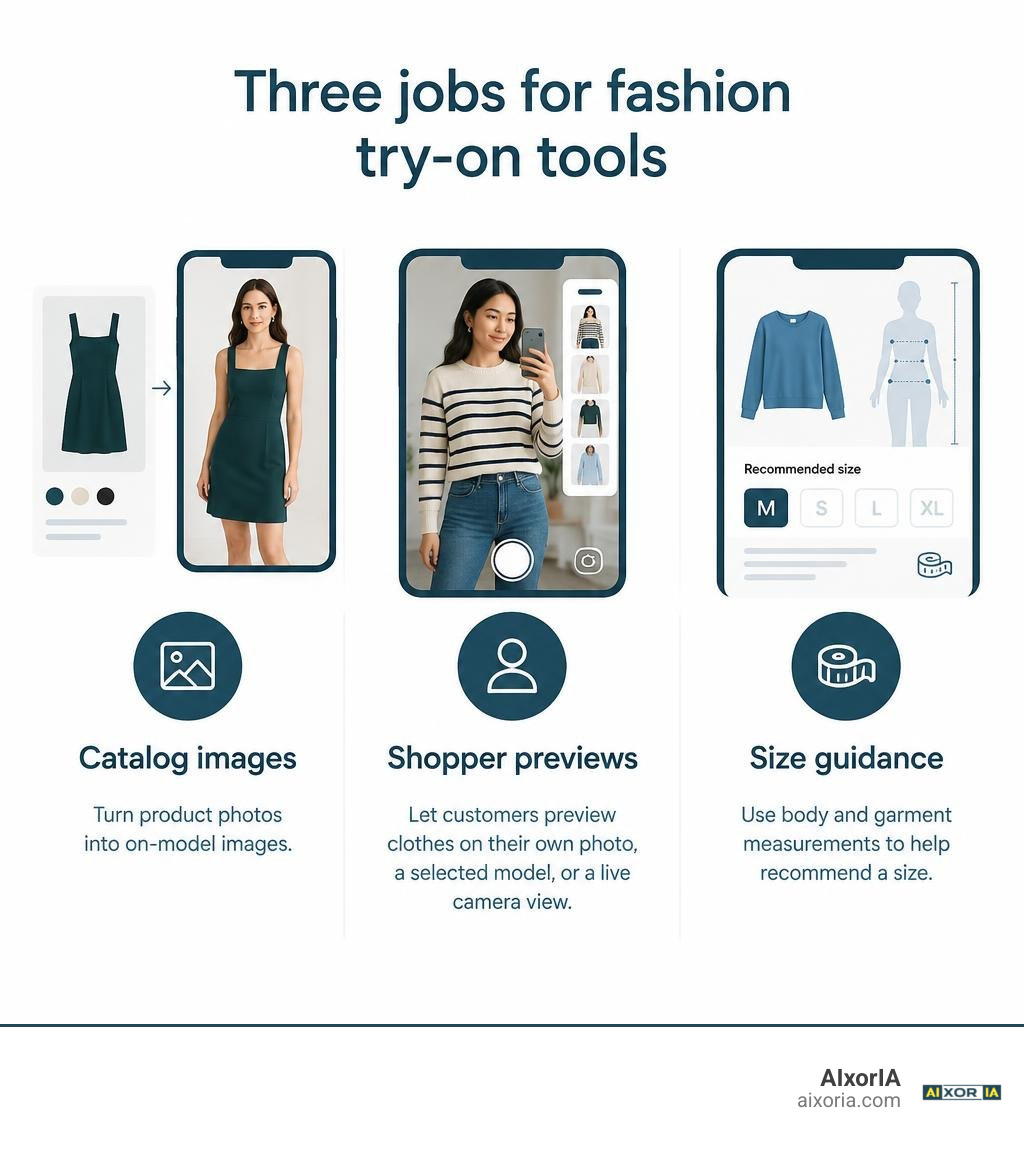
Choosing AI tools for virtual try-on for fashion stores starts with the job you need done. Catalog tools turn product photos into on-model images. Shopper-facing tools let customers preview clothes on their own photo, a selected model, or a live camera view. Fit tools use body and garment measurements to help recommend a size.
That last distinction matters: a convincing image can show how an outfit looks, but it cannot prove that it fits. If returns are your main concern, look for size guidance as well as a visual preview. If you need better product pages, start with catalog imagery. This guide compares the options by purpose, cost, setup, and what you can measure after launch.
What AI Tools for Virtual Try-On for Fashion Stores Do
Virtual try-on is not one product. It is a family of tools that all promise the same thing, which is helping a shopper picture a garment before paying for it. The stakes are real. Online fashion return rates commonly sit between 25% and 40%, and the National Retail Federation’s 2025 report estimated that retailers expected 19.3% of online sales to come back. Every returned dress means shipping, handling, and sometimes a bin.
Interest is also moving fast. Zara’s try-on tool was live in 43 markets with more than 7 million sessions as of March 2026. For a wider view of how try-on fits into your store’s AI stack, see our roundup of the best AI tools for ecommerce in 2026. For the business angle, Vogue Business asks whether virtual try-on 2.0 will change the way we shop. Its answer is a cautious maybe, with investors seeing discovery and personalization as the real prize rather than a small returns improvement.
Content-production tools for on-model fashion imagery
These tools are for your team, not your shoppers. You upload a flat-lay, ghost-mannequin image, or product photo, and the tool generates the garment on a model. The output is the product: images for product pages, marketplaces, lookbooks, ads, and social posts.
Judge them on:
- Garment preservation: do prints, logos, and stitching survive?
- Model consistency: can you keep the same brand cast across a collection?
- Batch generation: can it handle a whole drop, not just one hero shot?
- Cost per approved image: a cheap generation price means little if a third of the results need fixing.
Entry pricing is modest. Claid starts at $15 a month (50 free credits to try), FASHN AI at $19 a month (10 free credits), and The New Black at $15 a month.
Shopper-facing tools for product-page try-on
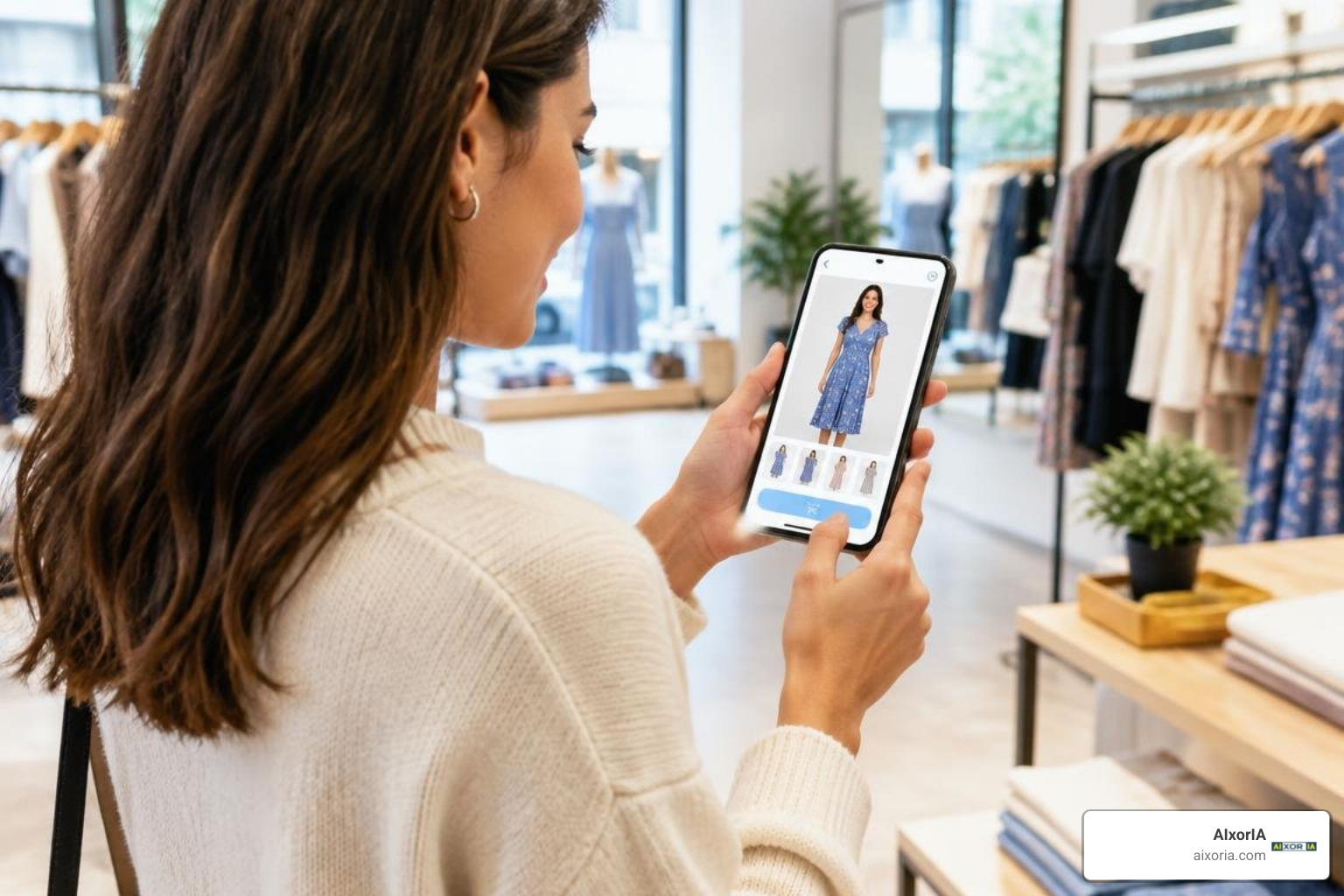
Here the customer is the user. A button on the product page lets them upload a photo, pick a representative model, or switch on a live camera. The tool generates the shopper wearing your product, and they can share it or add it to the cart.
The better apps go beyond the demo. TryPoint, a Shopify storefront try-on example, adds email capture, sharing, a review gallery in Shopify Admin, and conversion tracking. Features like these turn a novelty into something you can measure through to cart.
Fit tools and custom try-on infrastructure
Fit tools rely on body measurements, size charts, and sometimes 3D garment twins (digital copies of each product that carry fabric properties). Infrastructure options give your engineers an API to build a custom fitting room, which means more control and more work.
Some platforms combine try-on and sizing. Try Style is a fit intelligence and virtual try-on example that pairs photorealistic previews with size recommendations, pre-selects the size at checkout, and supports combo and layered outfits. It also supports custom API storefronts. Its own figures, which are vendor claims, are 8%+ fewer returns and up to 4% higher conversion. Treat that as a modest, believable range rather than a miracle.
How the main try-on technologies compare
Three approaches dominate in 2026. Generative AI creates an image from a single photo. AR overlays draw the item over a live camera feed. 3D avatars simulate fabric on a body model built from measurements.
| Approach | Visual realism | Fit accuracy | Setup cost | Catalog coverage |
|---|---|---|---|---|
| Generative AI | High for tops, dresses, outerwear | Approximate, shows look not size | Low, works from ordinary product photos | Whole catalog |
| AR overlays | Good for shoes, eyewear, accessories | Approximate on loose or long garments | Medium | Best for items on a clear body point |
| 3D avatars | Good, depends on asset quality | Closest to a true fit preview | Highest, each product needs a 3D twin | Limited to digitized products |
Generative AI is likely to be the first approach most shoppers meet, simply because it needs no 3D assets.
Comparing AI Tools for Virtual Try-On for Fashion Stores
Pricing models vary more than features do. Most storefront apps offer a free tier or trial, then charge a monthly fee that includes a set number of try-ons, plus a per-try-on overage. Shopify support is nearly universal, WooCommerce and PrestaShop are less common, and API access is the fallback for everything else. Enterprise vendors usually quote custom prices instead of publishing them.
Best tools for turning product photos into catalog content
If your bottleneck is photography, start here. Look for uploaded model references so your images keep a recognizable brand cast. Also check product-detail preservation, bulk workflows, and API or catalog integration. Credits-based plans from the vendors above are easy to trial, so run a batch of your trickiest garments first. Count how many results you would accept as-is, then divide the cost by that number. That is your real price per accepted image, and it also tells you how much manual review you are signing up for.
Best storefront tools for shopper engagement
For product-page widgets, check mobile performance, supported categories, analytics, and email integrations. Here is how the apps in our research compare, using each vendor’s published information:
| Tool | Platforms | Free access | Pricing model | Privacy | Analytics |
|---|---|---|---|---|---|
| Genlook | Shopify, WooCommerce, PrestaShop, API | 10 try-ons a month, no card | $19.99 a month for 100, $29 for 300, $79 for 1,000; overage $0.08 to $0.17 | Photos deleted after 7 days, not used for training | Try-on vs non-try-on revenue, Klaviyo export |
| TryPoint | Shopify | 20 one-time try-ons | Pay-as-you-go $0.29; $19.99 a month for 100; $99.99 for 1,000 | Auto-deleted within 24 hours, GDPR consent for reuse | Funnel tracking, satisfaction scores |
| Antla | Shopify (Plus focus) | 7-day free trial | $19.99 a month for 100; $49.99 for 500; $199.99 for 2,000 | Not detailed on its page | Try-on data feeds Klaviyo, ads, SMS |
| TryonFly | Shopify, WooCommerce, SDK, kiosks | Demo on request | Not published | Auto-deletes photos after preview | Not detailed |
Genlook stands out for its analytics. It compares conversion and revenue between shoppers who tried on and those who did not, and it generates most try-ons in under 10 seconds from existing product photos. Antla leans into marketing reuse, letting merchants put customer try-on images into emails and lookbooks, and it reports roughly 35% higher conversions among its stores. TryonFly covers seven categories, from fashion to furniture, through one SDK. All of these outcome numbers are vendor claims, so verify them in your own trial.
Best options for fit accuracy and custom experiences
For real size guidance, you need body data (from a scan, a photo-based measurement, or shopper input) and garment measurements to compare it with. 3D simulation gets closest to a fit preview, but it needs a digital twin for every product. Custom APIs give you a tailored fitting room, though your developers inherit the interface, storage, authentication, and moderation work.
At the enterprise end, Viewrobe generates studio-style on-model imagery from 2D photos with a single script tag, no 3D assets, and 24-hour photo deletion. It is aimed at bridal, made-to-measure, and lookbook teams, with plans scoped around catalog size and traffic.
How Google Shopping virtual try-on works—and where it falls short
Google’s try-on lives inside Search and Shopping. A shopper taps the try-on icon on an eligible listing, uploads a full-length photo, and sees the garment on themselves. It runs on a fashion-trained image model that accounts for how fabric folds, stretches, and drapes. It draws on the Shopping Graph, which holds more than 50 billion product listings.
Its limits matter for store owners:
- You do not control it. It is a distribution surface during product discovery, not a replacement for a fitting room on your own site.
- Eligibility varies. It launched for shirts, pants, skirts, and dresses, first in the US through Search Labs, and expanded to the UK and India in December 2025. Availability depends on country, product, and listing.
- It is a visual preview, not a fit guarantee. It cannot tell a shopper whether the waist will pinch.
Make sure your product feed and images are clean, since that is what Google works from.
How to Choose, Implement, and Measure a Virtual Try-On Tool
Before you buy anything, check catalog readiness (clear, consistent product photos), mobile usability (most shoppers will be on a phone), and accessibility, such as readable buttons and a way to shop without the feature. If you are producing catalog visuals too, our guide to the best free AI image generation tools in 2026 shows what general-purpose generators can and cannot do.
Match the tool to the store’s main goal
- Catalog production: pick a content-production tool.
- Shopper conversion and brand discovery: pick a storefront widget, or enable Google’s surface through a clean feed.
- Return reduction and fit confidence: pick a tool with size recommendations, and test it on your own products.
One goal rarely fits all. A brand can use a content tool for catalog images and a storefront app for shopper interaction.
Check accuracy, integration, and operating costs
Test with your hardest items, not your easiest. Check:
- Fabric drape on silk, denim, and knits.
- Print and logo preservation.
- Different body types and difficult poses.
- Generation speed on mobile.
- Compatibility with your Shopify theme, catalog sync, and API limits.
Then model the costs. Shopper-facing generation can create far more usage than internal production, because people try several items and regenerate. Estimate traffic before you commit, or the overage fees will surprise you.
Separate visual appearance from size and fit
A try-on image shows cut, color, and proportions. It does not prove size. True fit needs two datasets: the body (waist, hip, thigh, rise, inseam) and the garment’s own measurements. A loose T-shirt forgives a centimeter or two of error, while tailored trousers do not. Ask any vendor claiming size accuracy to validate it on your products, not a generic demo. Meanwhile, keep your size chart prominent and pair try-on images with photos on models of a similar build.
Measure ROI with a controlled rollout
Launch on one category with higher returns, such as dresses or swimwear, and keep a comparison group. Track engagement, not just widget opens, and watch downstream behavior.
| Metric | Before launch | After launch |
|---|---|---|
| Try-on adoption (share of product-page visitors who open it) | Not applicable | Record weekly |
| Completion rate (photos that produce a finished image) | Not applicable | Record weekly |
| Add-to-cart rate | Baseline | Compare try-on users vs non-users |
| Conversion rate | Baseline | Compare against the control group |
| Average order value | Baseline | Compare |
| Return rate for the category | Baseline | Compare after the return window closes |
| Sizing support contacts | Baseline | Compare |
| Cost per try-on | Not applicable | Fees divided by try-ons |
Try-on users are often more motivated buyers, so a control group keeps you honest.
Protect shopper photos and personal data
A shopper’s full-body photo is sensitive. Look for:
- Informed consent before upload, and separate permission before you reuse a shopper’s image in marketing.
- Data minimization and encryption in transit and at rest.
- Short retention and deletion controls. Published examples range from 24 hours to 7 days, and one platform keeps no media at all.
- A written rule that photos are never used to train models.
- Compliance with GDPR and CCPA, and a review by your legal team on whether body images count as biometric data in your regions.
Put these promises in the vendor contract, not just on a marketing page.
Frequently Asked Questions About AI Virtual Try-On
Can virtual try-on tell shoppers which size will fit?
Generally no. A try-on is a visual preview. Size guidance comes from body measurements compared against size charts or garment measurements, and 3D avatar tools come closest for digitized products. Fit-focused platforms recommend sizes, but validate them on your own products before trusting them across categories.
Which free or freemium tools are suitable for smaller fashion stores?
Genlook offers 10 free try-ons a month with no card, and TryPoint gives 20 one-time try-ons. Antla and the paid TryPoint plans include a 7-day trial. Content tools offer free credits, such as 50 with Claid and 10 with FASHN AI. Free tiers suit testing, not scale. Check monthly limits, per-try-on overage, and whether the free plan shows vendor branding. Genlook removes branding only on its Growth and Pro plans.
How much can virtual try-on improve conversions or reduce returns?
Reported numbers vary widely. Industry data cites conversion lifts of up to 30%, with AR and try-on products showing up to 94% higher conversion. Return reductions of 20% to 36% are cited, and one vendor reports up to 40% fewer fit and design returns. Broader industry research estimates AI personalization can lift revenue by 5% to 15%. More conservative vendor figures, like 8% fewer returns, and an investor’s view of a roughly 2% returns gain, suggest your results may land lower. Results depend on category, traffic, button placement, and test design, so run your own controlled test.
Conclusion
Pick the tool that matches your goal, not the one with the flashiest demo. Start with a pilot in one product category, measure against a control group, and treat every vendor statistic as a hypothesis. Verify fit claims on your own products, and read the privacy terms before a single customer photo is uploaded. For more practical, up-to-date reviews and tutorials, explore AIxoria’s AI guides and business productivity resources.