Choosing the Best Accounting Software for Self-Employed Individuals
Scr0ll d0wn to D0VVNL0AD
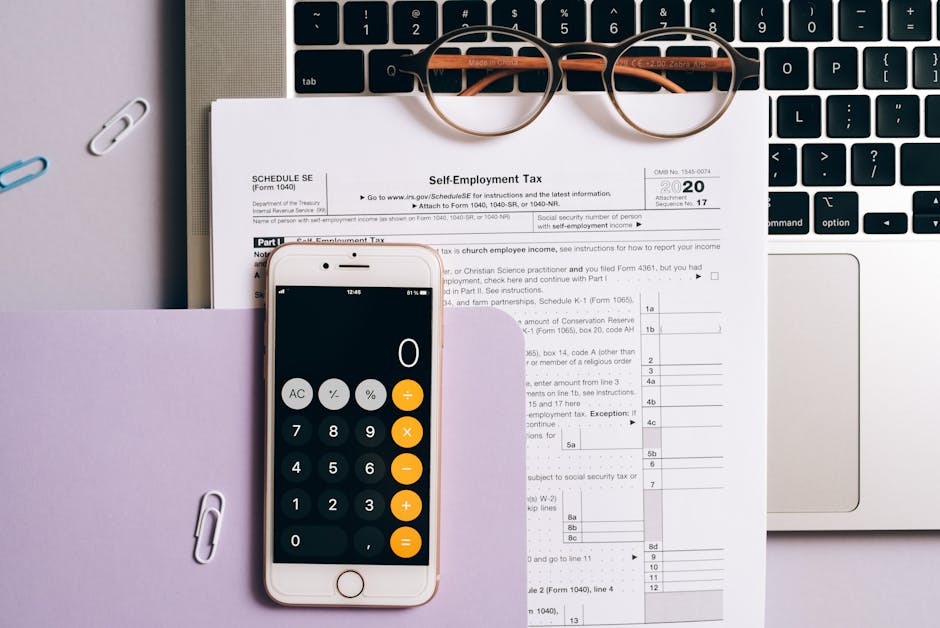
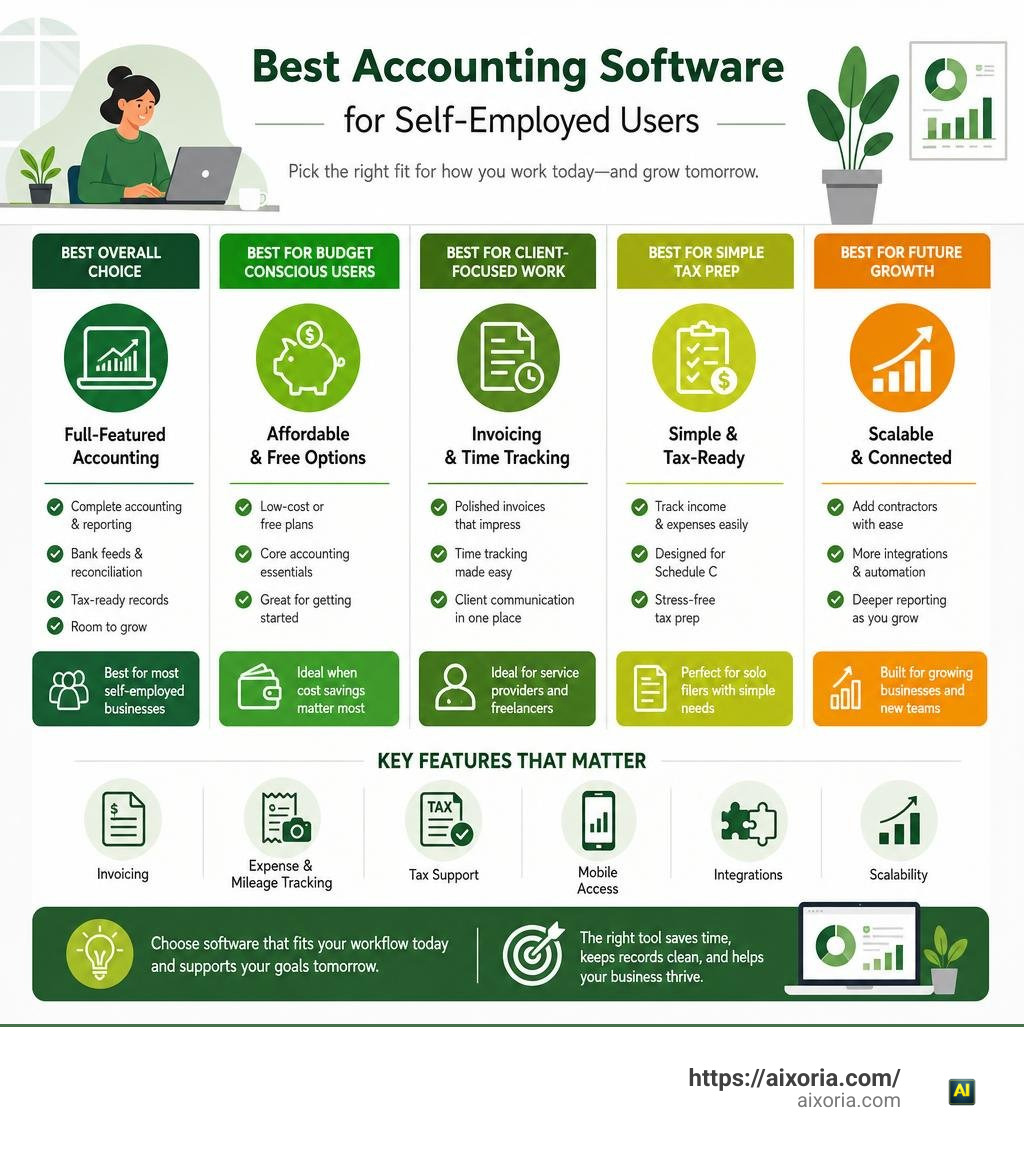
What is the best accounting software for self-employed individuals? For most solo business owners, QuickBooks Online is the strongest overall choice because it combines full accounting, bank feeds, reporting, tax-ready records, and room to grow. But the best fit depends on how you work.
- Choose Wave or Zoho Books if a low-cost or free plan matters most.
- Choose FreshBooks if polished invoices, time tracking, and client communication are central to your business.
- Choose QuickBooks Solopreneur if you need simple income and expense tracking geared toward Schedule C taxes.
- Choose Xero or Zoho Books if you expect to add contractors, use more integrations, or need deeper reporting later.
Self-employment creates a small but real finance department of one. You need to send invoices, capture receipts, sort expenses, monitor cash flow, and prepare for taxes – often while doing client work. The right software cuts down manual entry and keeps business records separate from personal spending.
This guide compares the leading options by the things that matter most: price, invoicing, expense and mileage tracking, tax support, mobile access, integrations, and scalability.
Essential Features to Evaluate in Freelance Financial Software
When we assess financial tools for a single-person business, we look beyond raw functionality. Large enterprise platforms pack in complex supply chain modules and multi-department payroll approval workflows that only create unwanted noise for a solopreneur. The goal is to spend less time on administration while maintaining clean, audit-proof books.

Here are the key features you should prioritize when picking your software:
- Automated Bank Feeds & Transaction Matching: Your application should link directly to your business checking and credit accounts. Automated synchronization pulls in cleared transactions daily, eliminating manual spreadsheet entry.
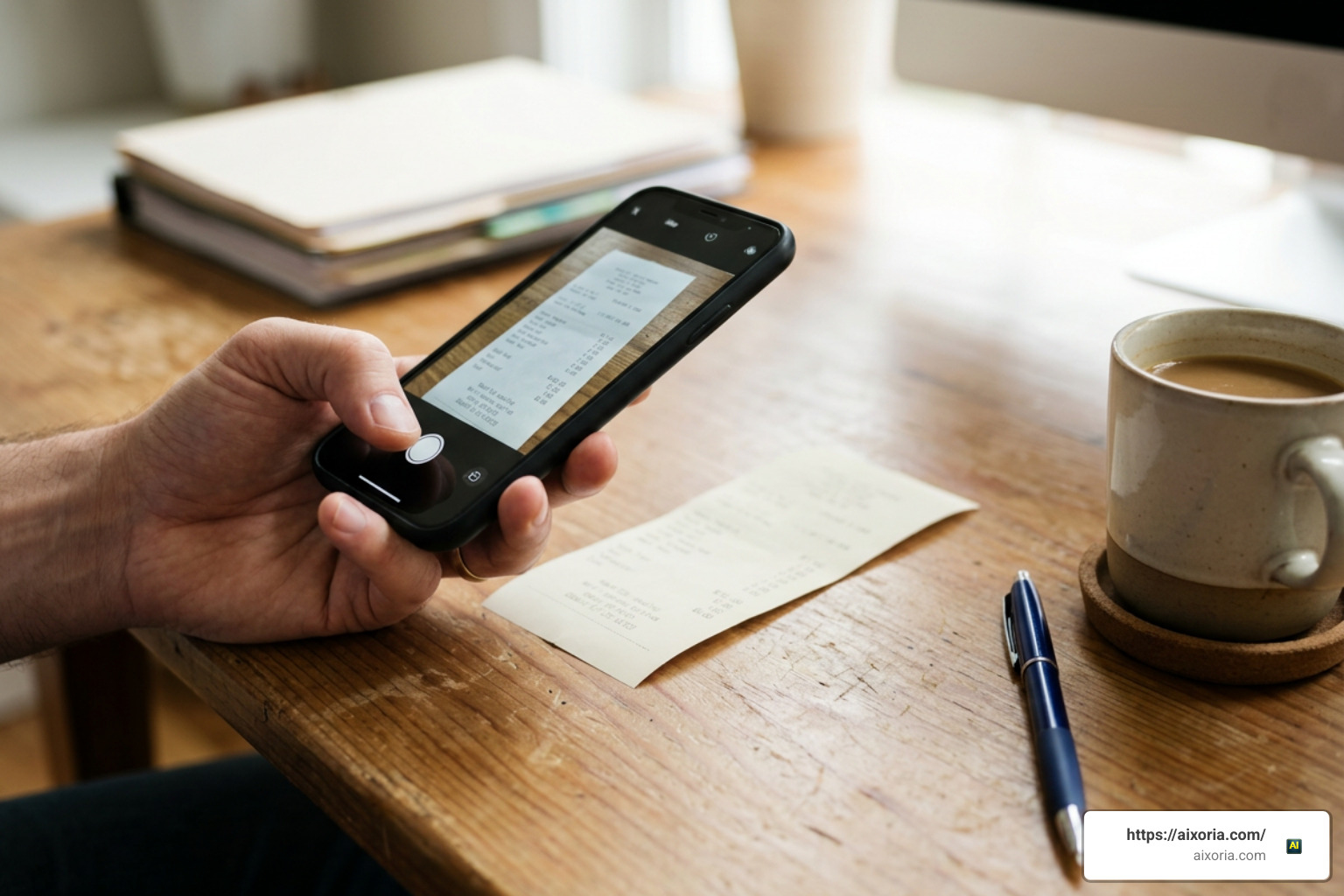
- Smart Expense Categorization & OCR Receipt Capture: Optical Character Recognition (OCR) lets you snap a photo of paper receipts on your smartphone. The system parses the vendor, date, and tax amounts, matching the receipt image to ledger line items.
- Schedule C Tax Mapping: In the US, sole proprietors and single-member LLCs file IRS Form 1040 Schedule C. Software that automatically tags expenses directly to Schedule C lines (like advertising, office supplies, or travel) saves hours during tax season.
- Invoicing & Client Portals: To maintain cash flow, you need custom-branded invoices, recurring billing, automated overdue payment reminders, and built-in credit card or ACH payment processing.
- Mileage & Billable Time Tracking: On-the-go mileage logging using your phone’s GPS converts trips into deductible business expenses. Built-in timers let freelancers pin billable hours directly to client invoices.
- Real-Time Financial Reporting: Basic income statements (Profit and Loss) and Balance Sheets are vital to understanding cash runways, managing tax obligations, and securing business credit.
What Is the Best Accounting Software for Self-Employed Individuals?
To determine what is the best accounting software for self-employed individuals, we evaluated leading platforms across core accounting features, ease of use, mobile support, tax readiness, and overall long-term value.
QuickBooks Online remains the overall benchmark with a 4.39/5 rating among industry experts due to its full double-entry accounting engine and universal accountant support. However, specialized competitors offer competitive features for specific solopreneur workflows.
| Software Platform | Starting Monthly Price | Overall Score / Rating | Best For | Key Standout Feature |
|---|---|---|---|---|
| QuickBooks Online | ~$38/month | 4.39 / 5 | Comprehensive double-entry bookkeeping | Universal accountant integration & deep app ecosystem |
| Zoho Books | $0 (if revenue <$50k) or $20/month | 4.34 / 5 | Long-term value & automation | Free plan for small businesses + deep workflow automation |
| FreshBooks | ~$23/month | 4.7 / 5 (User satisfaction) | Client-facing freelancers & consultants | Polished proposals, time tracking, and client communication |
| QuickBooks Solopreneur | $20/month | N/A | Schedule C filers | Direct Schedule C tax categorization & 5% APY savings option |
| Wave Accounting | $0 (Paid Pro at $16/month) | 2.65 / 5 | Zero-budget solo contractors | Free double-entry accounting & unlimited invoicing |
| Xero | ~$25/month | N/A | Cash flow forecasting & global growth | 30-day rolling cash flow projections across all plan tiers |
What Is the Best Accounting Software for Self-Employed Individuals Needing Strong Invoicing?
For client-facing service professionals—such as graphic designers, consultants, writers, and photographers—invoicing is your primary revenue engine. You need clear proposals, transparent time tracking, and simple payment methods.
FreshBooks stands out in this category. Starting at $23 per month, it focuses on the client relationship lifecycle. You can draft estimates or proposals, convert approved estimates into active projects with a single click, track billable hours via an integrated timer, and convert accumulated time entries directly onto an invoice. FreshBooks also features interactive client portals where your clients can review invoice histories, leave comments, and process payments.
For freelancers looking for an integrated banking and invoicing option, modern solutions like Holdings for Freelancers combine free business checking (earning up to 1.75% APY) with instant quote-to-invoice conversions, payment links, and automated income tracking. This eliminates the need to pay separately for business banking and standalone invoicing tools.
What Is the Best Accounting Software for Self-Employed Individuals Seeking Free Plans?
If you run a lean service business and want to avoid recurring monthly software fees, high-quality free tools exist.
Wave Accounting is the top option for zero-cost core accounting. Unlike lightweight invoice generators, Wave Financial provides a genuine double-entry accounting core. You get unlimited income and expense tracking, custom invoice creation, automated payment reminders, and read-only accountant access without paying a monthly subscription fee. Wave generates income from optional credit card (2.9% + $0.60) and ACH (1%) payment processing, as well as payroll add-ons.
Another option is Zoho Books, which provides a completely free tier for businesses generating under $50,000 in annual revenue. The free plan allows a single user to manage up to 1,000 invoices per year, track expenses, automate payment reminders, and run standard financial statements.
In international markets like the UK, specialized tools such as Coconut Software cater directly to UK sole traders and landlords facing upcoming digital tax mandates. They offer bank syncing, instant receipt capture, and real-time tax estimations starting at £9.95 per month.
Scalability and Power: QuickBooks Online vs. QuickBooks Solopreneur and Xero
As your business grows, your financial needs change. Understanding the distinction between introductory tracking tools and scalable accounting systems ensures you will not outgrow your setup.
Intuit offers two distinct products tailored to independent workers:
- QuickBooks Solopreneur ($20/month): Designed specifically for single-member LLCs and freelancers filing a single Schedule C. It automatically separates business from personal spending, logs mileage via mobile GPS, and matches transaction line items directly to Schedule C income and deduction rows. However, it is not a full double-entry accounting platform.
- QuickBooks Online (starting at ~$38/month): A complete double-entry platform featuring comprehensive chart of accounts management, balance sheet tracking, complex inventory, and multi-user permissions. It is ideal if you plan to hire employees, work with a professional bookkeeper, or scale into an enterprise structure.
For business owners managing complex asset structures or personal budgets alongside business finances, Quicken Business & Personal offers an all-in-one option starting at $4.99/month (billed annually). It allows you to run up to 10 distinct businesses while tracking personal investments, savings goals, and Schedule A, B, C, E, and F tax reports within a unified dashboard.
Alternatively, Xero (starting at $25/month) provides strong cash flow visibility with built-in 30-day cash forecasting tools across all tiers. Xero also supports a wide network of third-party integrations, making it a great option if you plan to build a customized business tech stack.
Tax Preparation, Mobile Workflows, and Tool Integrations
Tax season can be stressful for self-employed individuals. In 2026, automation features help convert year-round bookkeeping into automated tax filings.
Modern cloud accounting software automates several key tax preparation tasks:
- Schedule C Optimization: By assigning clear tax categories to expenses as they occur, software gives you a real-time view of your net self-employment earnings and deductible expenses.
- Estimated Quarterly Tax Calculation: The IRS requires quarterly estimated tax payments (due April 15, June 15, September 15, and January 15). Platforms like QuickBooks Solopreneur calculate quarterly tax estimates continuously based on net business earnings.
- Making Tax Digital (MTD) Compliance: International regulatory frameworks continue to transition toward mandatory digital reporting. For example, the UK’s Making Tax Digital for Income Tax requires mandatory quarterly digital reporting starting in April 2026 for sole traders with qualifying incomes over £50,000 (lowering to £30,000 in April 2027). Modern cloud software handles these digital submissions directly.
To streamline this process further, services like FlyFin AI Tax Service combine artificial intelligence expense scanning with dedicated CPA verification. The AI scans linked accounts to identify missed business tax deductions automatically, while human CPAs review the filings to ensure full compliance.
Mobile apps are also crucial for solopreneurs on the go. Apps from FreshBooks, Zoho Books, and QuickBooks allow you to snap photos of receipts, issue estimates on-site, check invoice status, and track mileage directly from your phone.
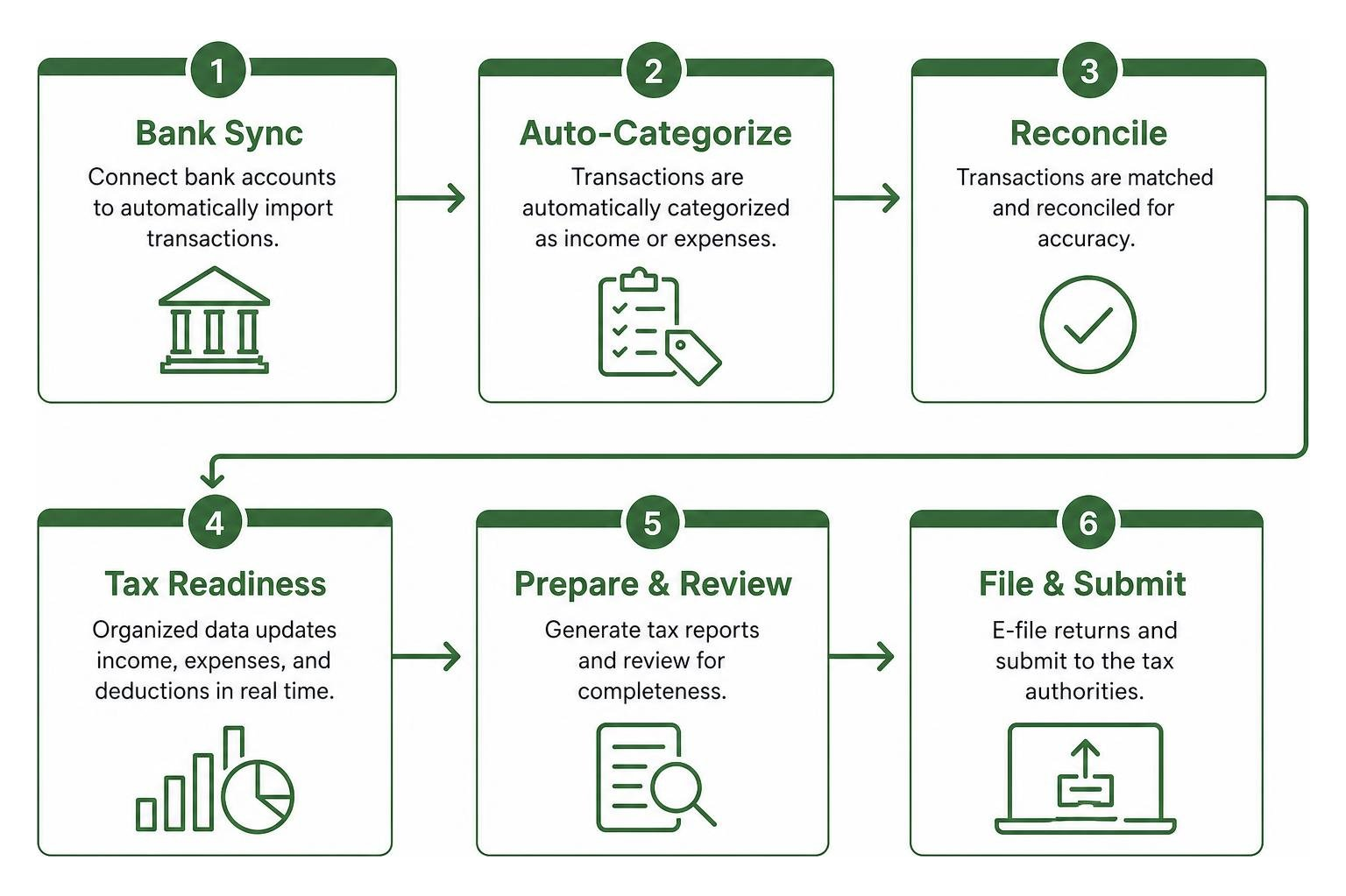
Finally, tool integrations keep your business running smoothly. Connecting your accounting platform directly to payment gateways like Stripe or PayPal, bank accounts, and time-tracking tools removes manual data transfer, ensuring every transaction reconciles automatically.
Frequently Asked Questions About Self-Employed Accounting
How do QuickBooks Online and QuickBooks Solopreneur differ for a solo business?
QuickBooks Solopreneur is a single-entry income and expense tracker built specifically for sole proprietors and single-member LLCs filing Schedule C. It focuses on mileage tracking, separating business from personal transactions, and preparing basic tax reports.
In contrast, QuickBooks Online is a complete double-entry accounting engine. It offers full balance sheets, audit trails, bill management, inventory tracking, and seamless collaboration with external CPAs. If you plan to scale, hire staff, or need formal financial statements for lenders, QuickBooks Online is the better option.
What are the main limitations of using free accounting software?
Free accounting platforms like Wave or Zoho Books’ free plan offer great core bookkeeping features, but they come with trade-offs:
- Volume caps: Zoho Books restricts its free plan to businesses making under $50,000 in annual revenue and limits invoice output to 1,000 invoices per year.
- Lack of advanced features: Free tools often exclude project profitability tracking, complex inventory management, automated approval workflows, and multi-currency billing.
- Paid add-on costs: Payment processing fees or payroll management usually require paid monthly add-ons.
How does accounting software help track quarterly estimated taxes?
Self-employed business owners must pay estimated income and self-employment taxes quarterly. Accounting software streamlines this process by monitoring your income and expenses in real time.
The software automatically subtracts tax-deductible business expenses from gross revenues to calculate net income. It then uses current self-employment and income tax rates to estimate your quarterly payment obligations. This eliminates guesswork and helps prevent year-end tax penalties.
“https://www.mediafire.com/file/dtellvl9pot9na1/200_Mobs_BY_MCMPDL.mctemplate/file“;
Conclusion
Finding what is the best accounting software for self-employed individuals comes down to matching a tool to your day-to-day workflow, business complexity, and budget:
- QuickBooks Online is the safest, most comprehensive long-term choice for businesses aiming to scale.
- FreshBooks is ideal for freelancers who rely on professional invoices, estimates, and hourly time tracking.
- Wave and Zoho Books offer exceptional value for small budgets.
- QuickBooks Solopreneur provides a simple, tax-focused workflow for Schedule C filers.
At Aixoria, our goal is to help you streamline manual business tasks through modern technology. Choosing the right cloud accounting tool automates financial management so you can focus on building your business. To discover how modern automation tools can streamline your day-to-day work, explore our guide on the best AI for productivity in 2026.