Core Vector Capabilities: Why Professional Logo Design Relies on Vectors
When creating a brand identity that will represent a company for decades, the underlying file technology matters just as much as aesthetic taste. Every experienced logo designer builds brand marks using vector graphics rather than raster images. Professional logo designers primarily use dedicated vector software such as Adobe Illustrator, CorelDRAW, and Affinity Designer.
Raster images—such as standard JPEGs, GIFs, and PNGs—are made of a fixed grid of pixels. When you enlarge a raster graphic beyond its original canvas dimensions, the software stretches those pixels, creating jagged edges, blurry curves, and visual artifacts. In contrast, vector graphics are defined by mathematical formulas consisting of points, lines, curves, and fills.
Because vectors rely on geometry rather than fixed pixel grids, a vector logo can scale from a 16-pixel favicon on a browser tab up to a multi-story billboard wrap without losing a single drop of fidelity.
Beyond infinite scalability, professional vector software provides several indispensable technical capabilities:
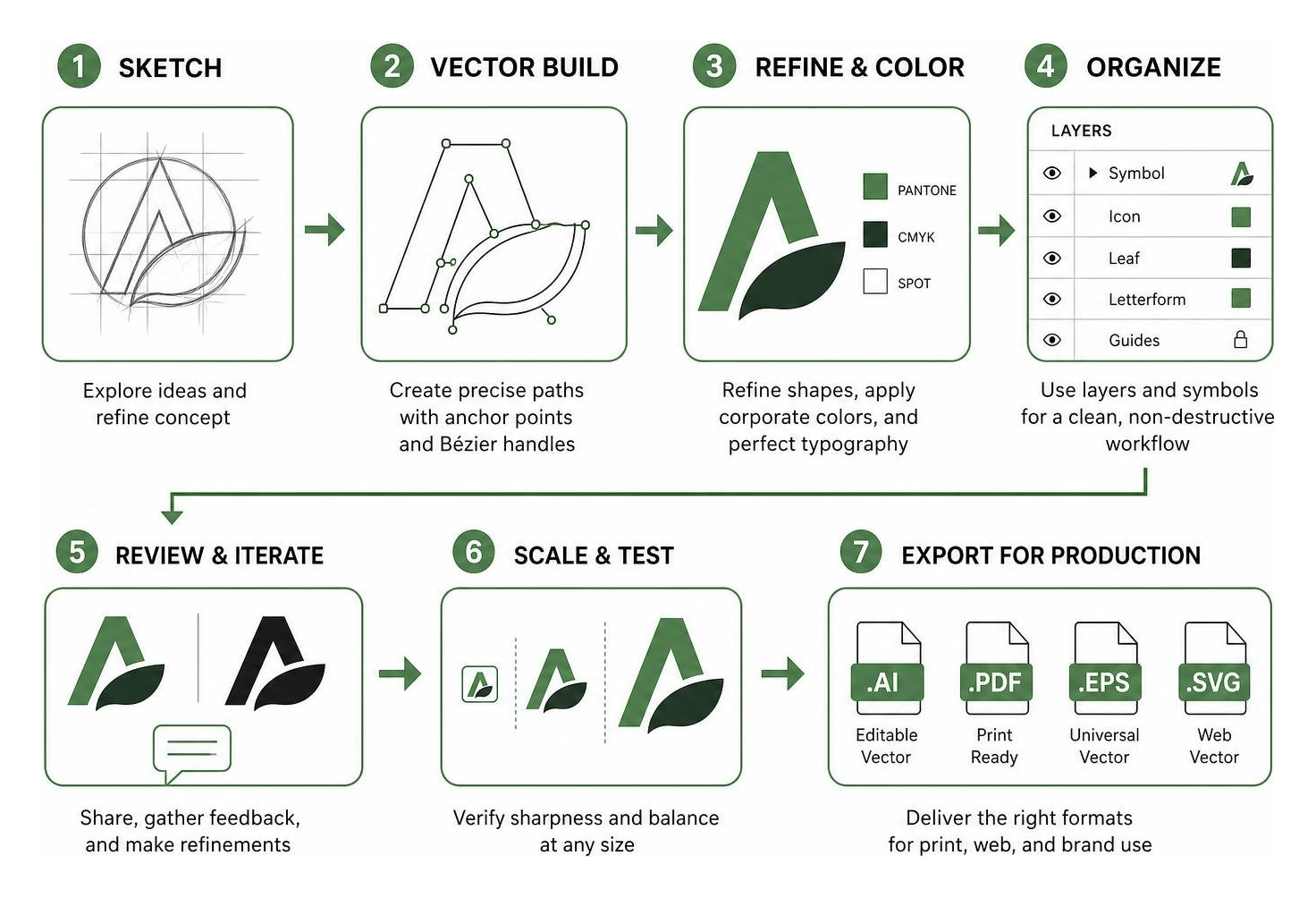
- Bézier Curve Manipulation: Designers can manipulate anchor points and control handles down to the sub-millimeter, ensuring perfect arcs, geometric symmetry, and visual balance.
- CMYK and Prepress Color Separation: Physical printing requires absolute color accuracy. Vector suites let designers define spot colors, set overprint settings, and assign exact CMYK values so colors don’t shift when moving from an RGB screen to a four-color offset press.
- Native Pantone Integration: Vector software allows users to assign standardized Pantone Matching System (PMS) swatches directly to vector shapes, guaranteeing identical corporate colors across apparel, print collateral, and packaging.
- Advanced Typography Controls: Professional logotypes require customized letterforms. Vector applications provide granular control over kerning, tracking, baseline shifts, and the ability to convert live text into editable vector paths (outlines).
- Non-Destructive Editing: Modern design workflows require rapid iterations. Vector tools use layers, symbols, object styles, and dynamic effects that can be adjusted or reversed at any stage of client review.
What Software Do Professional Logo Designers Use? The Industry Standards
When clients ask what software do professional logo designers use, the short answer is that industry pros rely on dedicated vector ecosystems equipped with precise drawing engines, professional color management, and robust typography frameworks.
Here is how the leading professional vector platforms compare across core capabilities, licensing models, and primary use cases:
| Software Suite | Primary Platform | Licensing Model | Best For | Key Strengths |
|---|---|---|---|---|
| Adobe Illustrator | Windows, macOS, iPadOS | Monthly / Annual Subscription | Global Brand Identity & Agency Design | Industry-standard pen tool, Creative Cloud asset syncing, generative vector tools |
| CorelDRAW Graphics Suite | Windows, macOS, Web | Subscription or Perpetual License | Signage, Large-Format Print & Apparel | AI-assisted PowerTRACE, integrated Pantone palettes, prepress production toolset |
| Affinity Designer | Windows, macOS, iPadOS | One-Time Purchase | Freelance Designers & Budget Workstations | Lightweight engine, dual vector/pixel personas, ultra-smooth zooming |
| Figma | Web, macOS, Windows | Free / Monthly Subscription | Digital Brands & UI/UX Iconography | Real-time cloud collaboration, components, responsive layout systems |
| Inkscape | Linux, Windows, macOS | Free & Open Source | Open-Source Workflows & Technical Vectoring | Native SVG engine, node editing, zero licensing fees |
What Software Do Professional Logo Designers Use for Vector Precision?
For agency branding teams and senior identity designers, Adobe Illustrator remains the global standard. The software has spent decades refining its precision drawing engine, anchored by the industry-defining Pen tool.
Illustrator gives creators mathematical control over Bézier curves, allowing them to draft complex geometric emblems, monograms, and custom type treatments with complete accuracy. Modern releases have streamlined the transition from analog ideation to digital execution. Designers can sketch concepts on paper or an iPad and use features like Concept to Vector to instantly transform rough raster sketches into clean, fully editable vector outlines.
In addition to precision drawing, Illustrator features built-in font management through its Font Browser, enabling designers to preview, test, and activate thousands of commercial typefaces without cluttering their local operating system. Tools like Generative Shape Fill and dynamic gradients give brand creators new ways to experiment with depth, textures, and shading while preserving core vector paths.
All-in-One Suites for Signage and Print Production
While digital agencies often default to Adobe, the physical manufacturing, sign-making, screen printing, and large-format print industries frequently standardize on CorelDRAW Graphics Suite.
CorelDRAW excels in environments where designs must transition directly from digital artboards to vinyl cutters, laser engravers, embroidery machines, and offset printing presses. One of its standout features is PowerTRACE, an AI-assisted engine that converts low-resolution bitmap graphics and scanned drawings into clean, layered vector paths with minimal cleanup.
Key technical advantages for physical production include:
- Integrated Pantone Color Libraries: Designers can access standard Pantone swatches directly within the workspace at no extra cost, ensuring color consistency across physical fabrics, plastics, and paper stocks.
- Focus Mode and Multi-Asset Export: Designers can isolate complex sub-elements without disturbing adjacent paths, then batch-export multiple logo variations (horizontal, stacked, monochrome, icon marks) simultaneously.
- Variable Font Support: CorelDRAW allows designers to fine-tune weight, width, and slant parameters along continuous axes, giving identity designers total freedom when crafting logotypes.
- Flexible Purchasing Options: CorelDRAW offers both recurring SaaS subscriptions and perpetual one-time purchase options, appealing to independent print shops and corporate studios seeking predictable software expenses.
What Software Do Professional Logo Designers Use for Generative AI Workflows?
Modern logo creation blends human creativity with artificial intelligence to accelerate research, mood boarding, and rapid concept iteration. Professional designers leverage generative AI not to replace brand craft, but to eliminate repetitive manual tasks and explore visual directions in minutes.
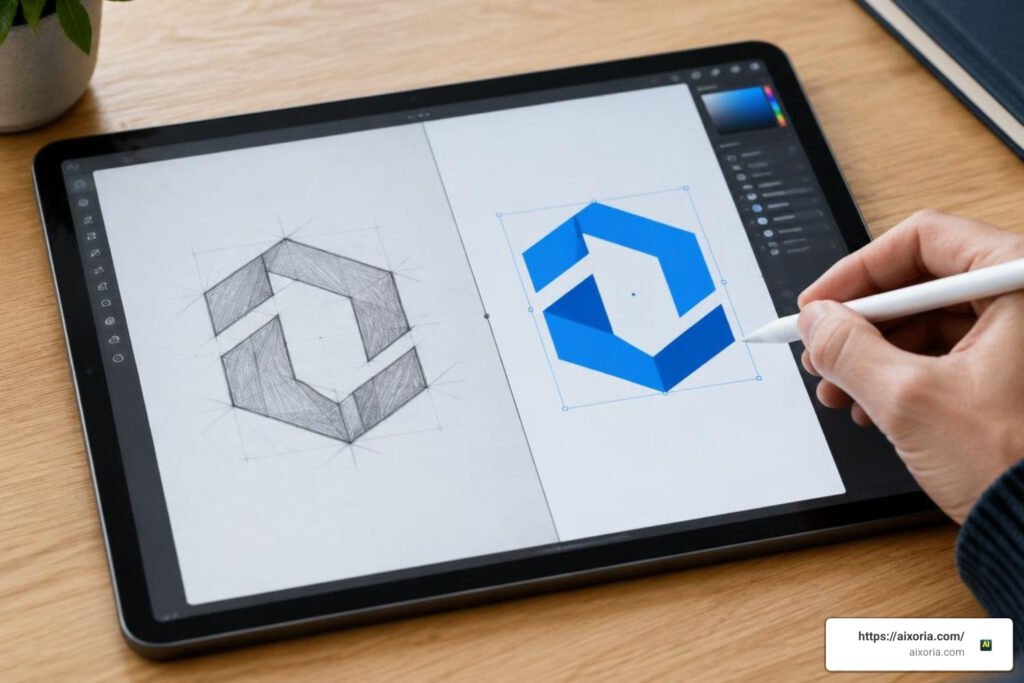
Modern vector suites now embed machine learning models directly into their toolbars, allowing designers to generate reference imagery, remix visual elements, and perform instant AI background removals directly on their canvas.
Similarly, generative vector engines convert text prompts and rough layout sketches into editable node paths. This allows branding teams to present diverse aesthetic directions to stakeholders during early discovery phases before committing hours to manual Bézier node refinement.
Key Criteria for Choosing Professional Logo Design Software
When evaluating software for professional logo and brand identity work, consider these essential technical and commercial factors:
- Licensing Model: Decide whether your business model benefits from ongoing SaaS subscriptions with continuous cloud updates (e.g., Creative Cloud) or perpetual one-time licenses that eliminate recurring monthly overhead.
- Performance and Hardware Optimization: Ensure your vector software runs natively on modern architecture (such as Apple Silicon and modern 64-bit multi-core Windows systems) to prevent lag when rendering documents with thousands of anchor points.
- Comprehensive Deliverable Support: A professional tool must export crisp master files across all industry standard formats, including vector formats (SVG, EPS, PDF) and high-resolution raster files with transparent alpha channels (PNG).
- Color Profile Management: Look for robust color engine support that allows seamless conversion between sRGB (digital screens), CMYK (standard print), and spot color catalogs (Pantone).
- Cross-Device Mobility: Many modern designers draft initial marks on touchscreens using digital styluses before finalizing anchor points on desktop workstations. Look for platforms that offer companion tablet or browser apps.
Frequently Asked Questions About Logo Design Tools
Can professional logos be designed in raster photo editors?
While raster photo editing software works well for digital painting and photo manipulation, it is unsuitable for professional logo design. Raster editors build artwork out of fixed pixel grids. If you design a logo at standard digital resolution (e.g., 1000×1000 pixels) and later need to print it on a storefront sign or vehicle wrap, scaling the artwork results in severe pixelation and blurry edges. Professional logos must always originate in vector software to ensure infinite scalability and prepress color separation.
What file formats should logo designers provide to clients?
Professional designers deliver a complete brand asset package containing multiple file formats tailored for print, web, and internal use:
- SVG (Scalable Vector Graphics): The standard vector format for modern websites, responsive web apps, and digital UI design.
- EPS (Encapsulated PostScript): A universal vector format required by commercial printers, sign fabricators, and embroidery machines.
- PDF (Portable Document Format): High-resolution, vector-embedded PDFs suitable for professional print shops and corporate brand guidelines.
- PNG (Portable Network Graphics): High-resolution raster images with transparent backgrounds for immediate use in digital presentations, email signatures, and documents.
Do professional logo designers need generative AI tools?
Generative AI tools are not strictly mandatory, but they have become standard productivity accelerators in modern design studios. Designers use AI to generate mood board assets, explore early conceptual directions, convert hand-drawn pencil sketches into editable vectors, and automate background masking. However, final identity delivery still requires human precision to refine curves, ensure cultural appropriateness, and verify legal trademark uniqueness.
Conclusion
Choosing the right logo design software comes down to your primary production environment. If you work across digital brand systems, marketing campaigns, and collaborative agency teams, industry-standard vector suites like Adobe Illustrator offer unmatched ecosystem integration. If your focus centers on sign fabrication, screen printing, and prepress manufacturing, all-in-one suites like CorelDRAW deliver specialized production and tracing tools.
By matching your toolset to your workflow, you ensure every logo mark you deliver remains technically flawless, effortlessly scalable, and ready for any medium. To learn more about modern software that streamlines creative workflows, explore our guide to the best AI tools for design productivity.