The Best Small Business CRM Software in 2026: A Quick Start Guide
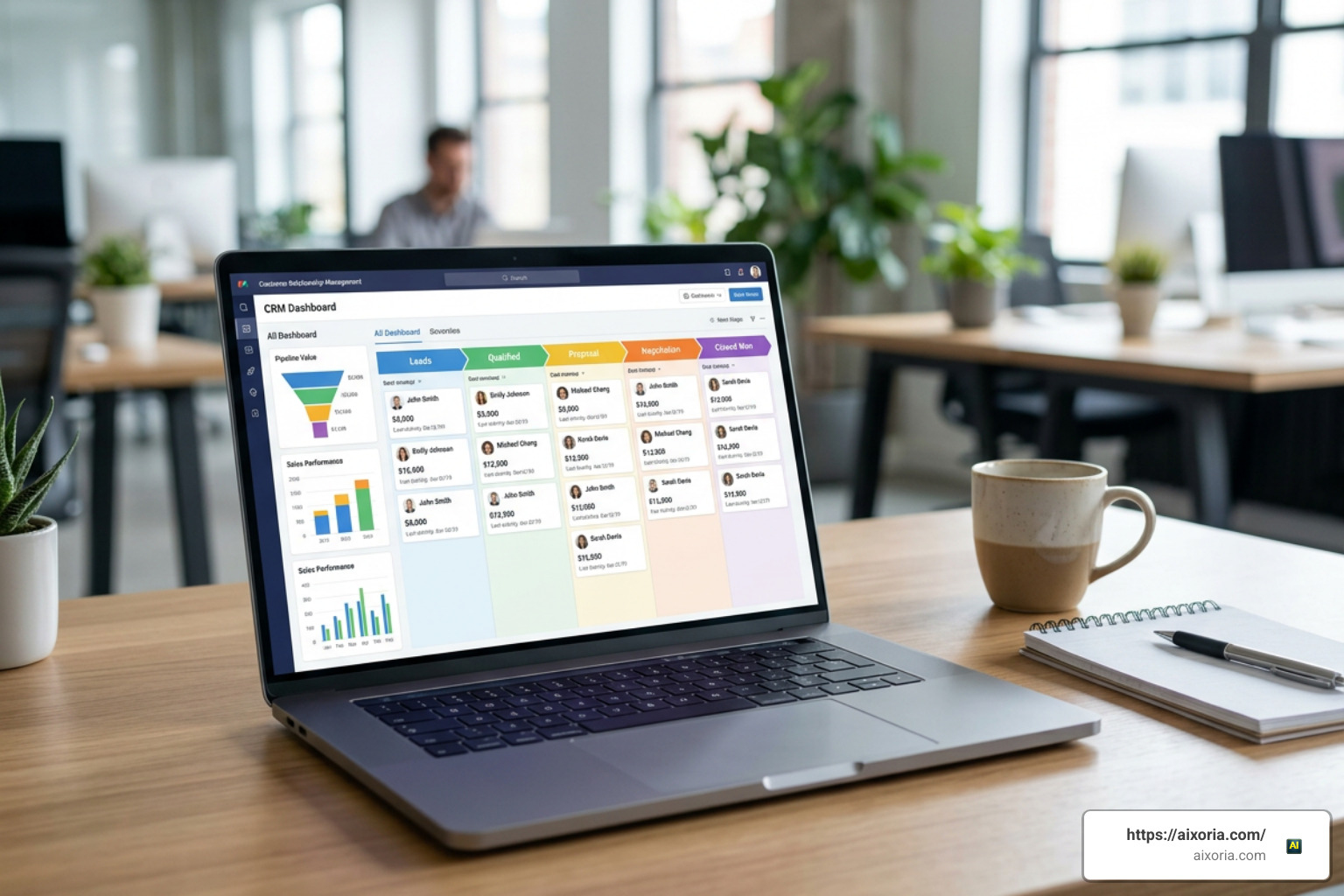
Finding the best small business CRM software doesn’t have to be complicated. Here’s a quick look at the top options available right now:
| CRM | Best For | Free Plan | Starting Price |
|---|---|---|---|
| HubSpot CRM | All-in-one growth | Yes (unlimited users) | $15/user/month |
| Zoho CRM | AI-powered sales teams | Yes (up to 3 users) | Paid tiers available |
| Bigin by Zoho | Micro-businesses (1-20 staff) | Yes (up to 500 records) | Low-cost paid tier |
| Less Annoying CRM | Simplicity-first teams | No (free trial) | $15/user/month flat |
| Salesforce Starter | Scalable enterprise features | 30-day trial | $25/user/month |
| Nimble CRM | Solopreneurs and small teams | Free trial | $24.90/user/month |
Running a small business means wearing a lot of hats. Sales, customer follow-ups, scheduling, admin — it piles up fast.
Most small businesses start tracking customers the same way: a spreadsheet, a few sticky notes, maybe an Outlook contact list. It works — until it doesn’t.
The problem isn’t effort. It’s that scattered tools create scattered results. When customer data lives in five different places, things fall through the cracks. Leads go cold. Follow-ups get missed. Revenue walks out the door.
That’s exactly why CRM software exists.
And the numbers back this up hard. Businesses that implement a CRM see a 300% increase in conversion rates, an $8.71 return for every dollar spent, and 47% higher customer retention. These aren’t enterprise-only results — small businesses are seeing them too.
The challenge in 2026 is choice. There are dozens of CRM options, ranging from completely free tools to full AI-powered platforms. Knowing which one fits your business — your team size, your budget, your workflow — is what this guide is here to solve.
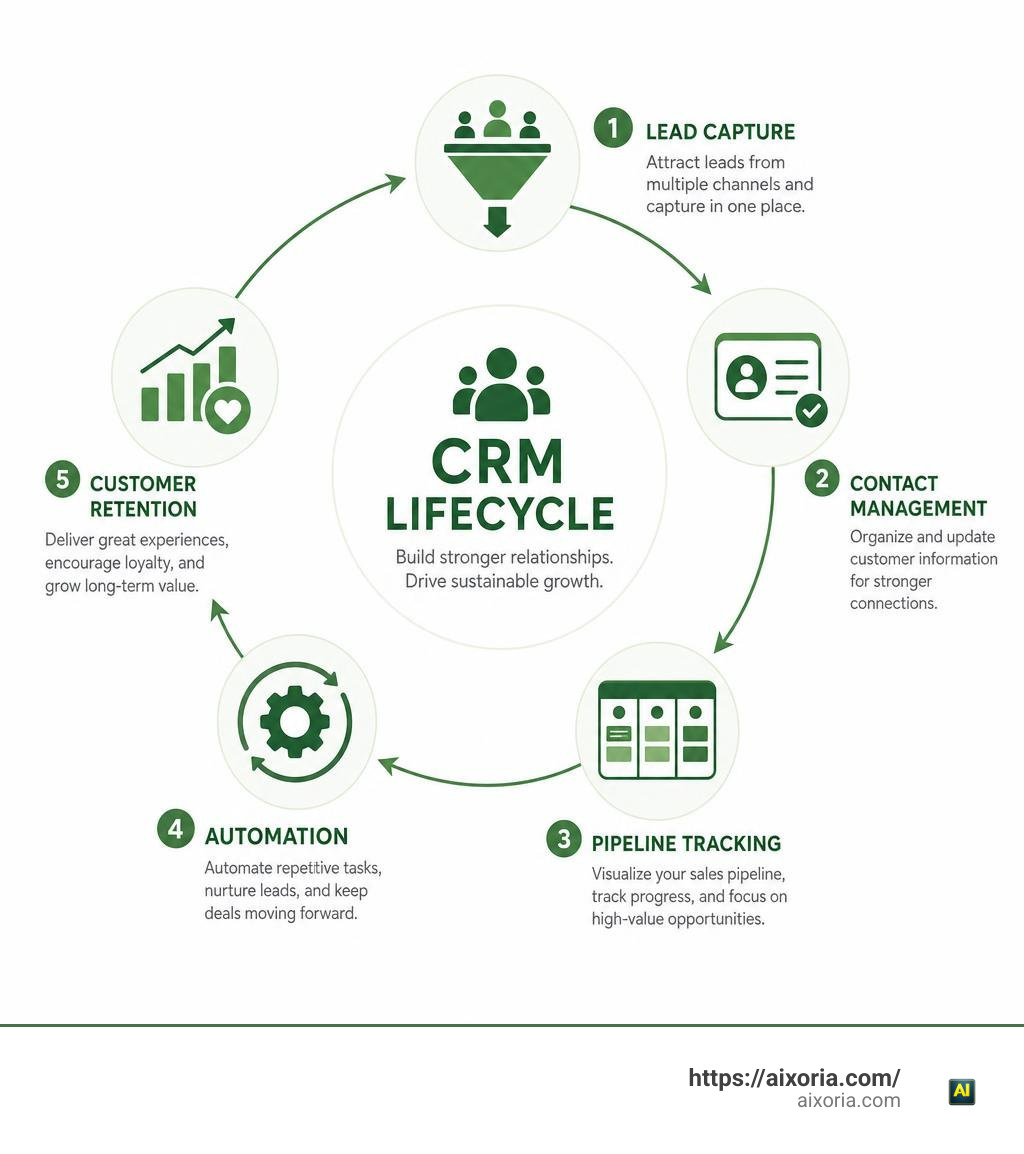
What Is a CRM and Why Small Businesses Need One
Customer Relationship Management (CRM) software is a centralized system designed to capture, organize, and streamline every interaction your company has with current and prospective clients. Instead of digging through inbox folders or hunting down phone numbers written on scrap paper, a CRM puts your entire business history with a client into one shared database.
Why do small businesses need one so urgently today? Because scaling sales growth without organization is virtually impossible. When we rely on spreadsheets, we encounter inherent bottlenecks: manual data entry errors, lack of automated activity logging, zero real-time reporting, and zero visibility when a team member goes on vacation.
Moving away from spreadsheets isn’t just about tidying up your desktop; it delivers immediate economic value:
- 300% Conversion Rate Increase: Timely follow-ups driven by automated reminders ensure qualified leads convert into paying clients.
- 8.71 to 1 ROI: Research consistently shows that for every single dollar we invest in modern CRM platforms, we generate nearly nine dollars in operational returns.
- 47% Higher Customer Retention: Centralized service interaction records allow your team to fix issues faster and keep clients happier over the long haul.
Centralizing Communications and Customer Data
Imagine having a single source of truth for your entire commercial operation. When a prospect calls, any employee on your team can instantly pull up their file to view past emails, calendar appointments, signed contracts, open quotes, and active support tickets.
By connecting your digital calendars (Google Calendar, Microsoft Outlook) and syncing team inboxes, modern CRM software automatically logs chronological interaction histories. You never have to ask a colleague, “When was the last time someone spoke to Dara in accounts?” The timeline speaks for itself.
Boosting Customer Service and Productivity
Speed and consistency define customer satisfaction in 2026. In fact, 63% of small and mid-size business leaders report that adopting a CRM helps them deliver significantly faster or better customer service.
When customer queries enter a centralized shared inbox, support tickets or follow-up tasks are automatically created and routed to the right representative. Furthermore, with 64% of SMB leaders rating automation capabilities as extremely important, setting up auto-responders, lead qualification rules, and follow-up sequences cuts administrative burden, drastically shortening the total sales cycle.
Key Features of the Best Small Business CRM Software
When evaluating solutions, it is easy to get dazzled by complex features built for enterprise giant corporations. For a lean team, usability, speed, and practical automation matter far more than corporate bloat.

Essential Contact and Pipeline Management
At its foundation, the best small business CRM software provides intuitive contact management and visual pipeline tracking. Visual Kanban deal boards allow your sales representatives to drag and drop deals across stages—such as Lead Captured, Discovery Call Scheduled, Proposal Sent, and Closed Won.
| Operational Tier | Core Contact Capabilities | Ideal Team Size | Key Platform Example |
|---|---|---|---|
| Micro / Entry | Contact lists, basic pipelines, document attachments | 1–10 employees | AI-Powered simple CRM for small businesses | Bigin by Zoho CRM |
| Simple & Direct | Unlimited pipelines, task tracking, synced calendars | 1–25 employees | Less Annoying CRM | Simple Contact Management for Small Businesses |
| Growth & All-in-One | Multi-channel communication, marketing forms, AI prospecting | 1–50+ employees | Nimble CRM for Small Business | Contact Management, Email Marketing, and Sales Automation |
| Turnkey Enterprise-Lite | Advanced lead routing, quotes, native AI call summaries | 5–100+ employees | Starter Suite CRM: Try Free Today | Salesforce AP |
Whether you choose a lightweight setup like AI-Powered simple CRM for small businesses | Bigin by Zoho CRM or a flat-rate solution such as Less Annoying CRM | Simple Contact Management for Small Businesses , your contact profiles should store phone logs, meeting notes, custom deal properties, and linked documents effortlessly.
AI Automation and Smart Workflows
Artificial Intelligence is no longer reserved for Fortune 500 corporations. Native AI features built into platforms like Zoho CRM | Top-rated Sales CRM Software by Customers and Grow your business with a CRM that’s actually easy to use • MiniCRM allow lean teams to punch well above their weight.
Modern CRM AI assistants handle routine heavy lifting:
- Call Summaries & Transcripts: Summarize lengthy client calls into bulleted action items automatically.
- Automated Lead Routing: Send incoming web form leads straight to the appropriate sales agent based on geographic territory or deal size.
- AI Email Drafting: Generate personalized follow-up templates in seconds based on deal stage context.
- Predictive Lead Scoring: Rank leads by engagement metrics so reps focus on deals most likely to close.
How to Evaluate Low-Cost and Freemium CRM Options
Cost control is critical for growing companies. Software providers structure pricing in several ways, including free-forever entry levels, low-cost per-user models, and single flat-rate plans.
For instance, HubSpot’s free CRM tier is trusted by over 299,000 customers in more than 135 countries, offering basic tools at zero initial charge. Small businesses adopting Zoho CRM | Top-rated Sales CRM Software by Customers have reported saving 71% on licensing fees while enjoying 50% faster implementation times and a 27% increase in team productivity. Similarly, small event teams like ACF Events recorded a massive revenue increase of 232% within three months of consolidating communications onto Bigin.
Choosing the Best Small Business CRM Software for Your Budget
When evaluating subscription costs, look closely at how costs evolve as you add user seats and contact records:
- User Seat Caps: Free plans often restrict access to 2, 3, or 15 users. Ensure adding seats won’t trigger an unexpected price jump.
- Contact Records: Platforms like Nimble CRM for Small Business | Contact Management, Email Marketing, and Sales Automation offer comprehensive tools including relationship tracking, email marketing, and social prospecting at a flat rate of $24.90/user/month.
- Pay-as-You-Go Contracts: Avoid multi-year commitments early on. Flexible monthly billing allows you to scale seats up or down as market conditions shift.
Identifying Essential Features vs Software Bloat
More features do not equal a better CRM. Bloat increases software complexity, inflates onboarding friction, and leads to team frustration.
To keep software lean and effective, focus on these core pillars:
- Contact & Relationship Tracking: Clear chronological timelines of communications.
- Task & Activity Management: Daily automated to-do lists and follow-up reminders.
- Zero IT Maintenance: Cloud hosting that runs straight out of web browsers without custom server infrastructure.
- User-Friendly Interface: Intuitive drag-and-drop mechanics that require zero coding or technical training.
For teams seeking complete simplicity, Less Annoying CRM | Simple Contact Management for Small Businesses provides straightforward contact tracking for $15 per user/month without enterprise add-on traps.
How to Choose and Deploy Your Customer Software
Selecting software requires an honest review of your current operations. Before signing up for a subscription, perform a quick internal assessment: evaluate your active tech stack, list primary pain points, and take advantage of free trials.

Assessing Tech Stack Compatibility
Your CRM shouldn’t operate on an island. It must integrate directly with the business software you already rely on every day.
Verify compatibility across key channels:
- Email & Calendars: Native bi-directional sync with Google Workspace and Microsoft 365.
- App Marketplaces & Webhooks: Access to app marketplaces or tools like Zapier (connecting to over 8,000 apps) to automate data transfers.
- Communication Channels: Direct WhatsApp, phone system, and social messaging integrations.
- Invoicing & Commerce: Quick connections to accounting packages like QuickBooks or automated payment gateways.
Solutions like Grow your business with a CRM that’s actually easy to use • MiniCRM even utilize website URL analysis during onboarding to auto-configure initial pipelines tailored to your industry.
Selecting the Best Small Business CRM Software Deployment Model
Modern CRMs operate almost exclusively on secure cloud-based SaaS (Software-as-a-Service) frameworks. This setup eliminates local server maintenance while granting mobile access to remote staff.
For mobile teams, field services, or real estate professionals, ensure the CRM’s mobile app supports:
- Real-time mobile notifications when leads open emails or click proposals.
- Talk-to-text logging for field updates on the go.
- Mobile geotagging to identify nearby accounts and prospects between meetings.
- Enterprise-grade security standards including multi-factor authentication (MFA), zero-trust architecture, and full GDPR compliance.
Overcoming Common CRM Implementation Challenges
Software implementations can fail if businesses skip change management. Common stumbling blocks include dirty initial data, lack of staff onboarding, and data entry fatigue.
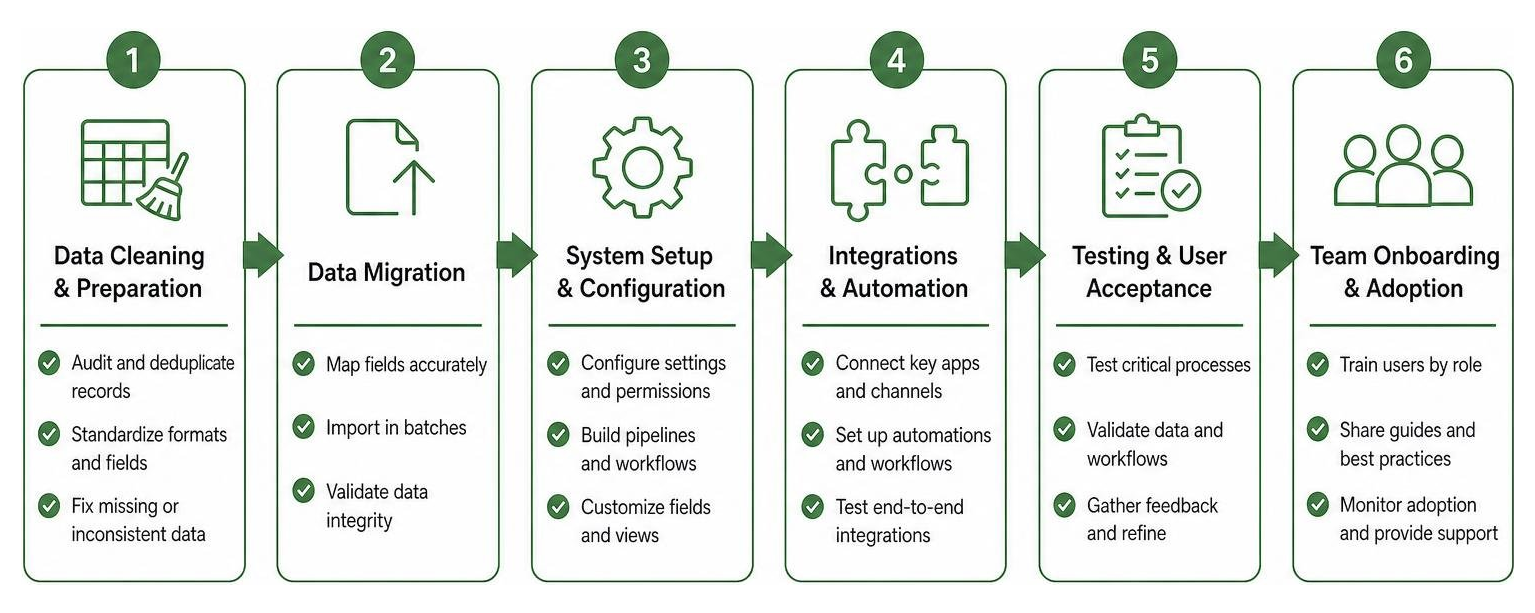
Managing Data Migration and Cleanliness
Moving messy spreadsheets directly into a brand-new platform only gives you an expensive, messy database.
Follow this migration checklist before importing records:
- Data Audit: Remove obsolete contacts, duplicate entries, and incomplete records.
- Standardize Formatting: Clean up phone numbers, email addresses, and address entries across all CSV files.
- Map Custom Fields: Align spreadsheet headers precisely with destination CRM fields (e.g., Lead Source, Total Purchases, Last Contact Date).
- Run a Test Migration: Import a sample batch of 20 contacts to verify mapping before running the full import using direct migration assistants like Zwitch.
Driving Team Adoption and Minimizing Friction
If your sales representatives feel the software is merely a tool for management oversight, adoption rates will plunge.
To build team enthusiasm and long-term habits:
- Appoint an Internal Champion: Designate a peer leader to answer daily questions and streamline setup.
- Restrict Unnecessary Fields: Keep input fields to a minimum so reps can record meeting updates in under 30 seconds.
- Automate Data Entry: Use browser extensions like Nimble Prospector or automated email tracking to handle manual profile building.
- Set Up Role-Based Permissions: Limit view access to relevant records so staff aren’t overwhelmed by clutter.
Frequently Asked Questions About Small Business CRMs
What is the average cost of a small business CRM?
Small business CRMs generally range from $10 to $100 per user per month depending on feature tiers and automation depth. Many providers offer robust free plans (such as HubSpot or Bigin) or straightforward flat-rate pricing models (like Less Annoying CRM at $15/user/month or Nimble at $24.90/user/month).
Can a small business manage leads using spreadsheets?
While solopreneurs often start with spreadsheets, they quickly create growth bottlenecks. Spreadsheets lack automated activity triggers, email calendar syncing, visual deal tracking, and mobile push notifications. As lead volume grows, manual spreadsheets lead to human error and missed follow-ups.
How long does it take to implement a small business CRM?
Modern cloud CRMs take anywhere from 10 minutes to a few days to configure. Entry-level systems like AI-Powered simple CRM for small businesses | Bigin by Zoho CRM or Grow your business with a CRM that’s actually easy to use • MiniCRM offer guided onboarding routines that allow non-technical teams to import contacts and start tracking deals the same day.
Conclusion
Finding the best small business CRM software isn’t about chasing the longest feature list or buying the most expensive software tier. It’s about giving your business a reliable, easy-to-use engine that centralizes client data, eliminates manual tasks, and builds real customer relationships.
Moving from scattered spreadsheets to a dedicated CRM transforms daily operations. With conversion rates jumping by up to 300% and a proven $8.71 return on every dollar spent, implementing customer software is one of the highest-leverage decisions a small business can make.
Assess your workflows, take advantage of free trials, and choose a solution that fits your team’s everyday needs. To learn how cutting-edge workspace tools and intelligent assistants are reshaping modern business workflows, explore our detailed guide to Discover the best AI for productivity in 2026 and equip your company for long-term growth.