Understanding Small Business CRMs: Definitions and Key Benefits
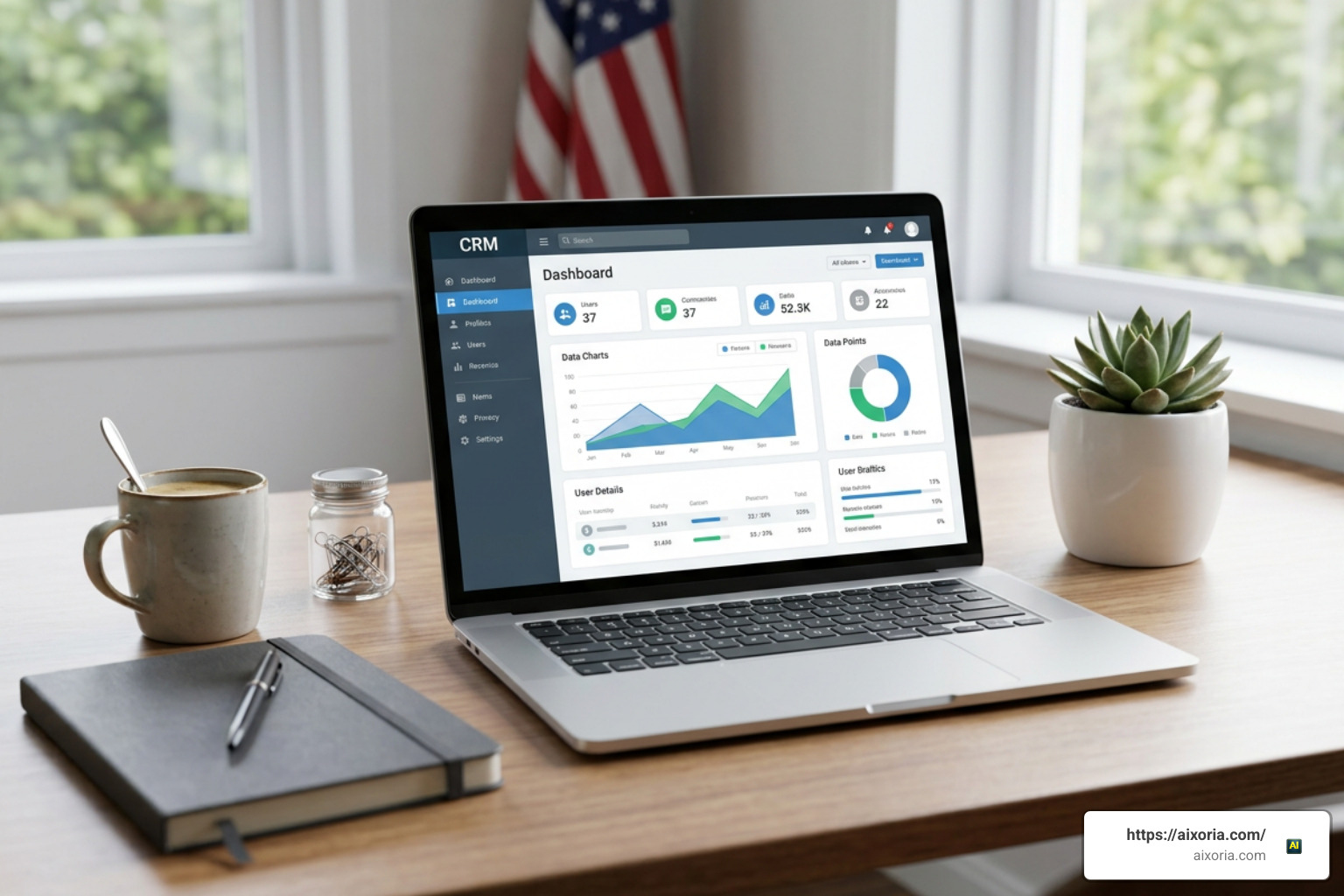
At its core, a small business Customer Relationship Management (CRM) system serves as a unified workspace for capturing, tracking, and optimizing every interaction across your sales pipeline and customer lifecycle. Instead of constantly toggling between fragmented inbox folders, manual spreadsheets, calendar tools, and physical notes, a modern CRM consolidates your entire customer history into a single structured database accessible by your operational team in real time.
For growing businesses navigating competitive markets in 2026, transitioning from manual tracking spreadsheets to dedicated software is an operational necessity. As client databases expand past initial thresholds, maintaining context solely within individual employees’ memory or isolated email threads inevitably leads to missed follow-ups, redundant inquiries, and lost revenue opportunities. Implementing a dedicated platform establishes operational consistency and safeguards organizational memory regardless of employee turnover.
Key organizational benefits of adopting a modern small business CRM include:
- Centralized Data Storage: Consolidate contact records, phone logs, project quotes, email exchanges, and transaction histories into a secure repository accessible across sales, support, and administrative departments.
- Higher Conversion Rates: Automated follow-up reminders and scheduled task sequences prevent prospective leads from stalling in the pipeline, driving conversion increases of up to 300%.
- Better Customer Retention: Documenting detailed communication preferences and service records empowers teams to deliver prompt, tailored account management, raising customer retention rates by up to 47%.
- Higher Operational Efficiency: Small business owners report that automated workflow triggers, daily activity digests, and centralized record access eliminate manual busywork, allowing smaller teams to process higher deal volume without increasing headcount.
Software specifically developed for small businesses strips away enterprise bloat, ensuring rapid staff onboarding without requiring dedicated IT administration or complex software setup:
- Contact management and searchable relational databases
- Lead capture webforms and visual sales pipelines
- Workflow and task scheduling automation
- Native mobile applications with offline logging capability
- Real-time performance dashboards and revenue forecasting
Top Platforms: Which CRM software is best for small business?
When evaluating which CRM software is best for small business, finding solutions that align with your operational model and immediate budget is paramount. Low entry pricing can be misleading if core features require costly add-on packages, or if restrictive contact limits force unexpected upgrades into enterprise pricing tiers prematurely. Evaluating total cost of ownership alongside core usability ensures long-term software viability.
| Platform | Core Strength | Pricing Range | Free Tier / Trial | Ideal Team Size |
|---|---|---|---|---|
| Salesforce Starter | All-in-one sales, marketing, and support | $25/user/month | 30-day free trial | 1–50 employees |
| Zoho CRM | Deep customization and scalable AI | Free – $52/user/month | Free (3 users) | 1–100+ employees |
| Bigin by Zoho | Visual multi-pipeline simplicity | Free tier available | 15-day free trial | 1–20 employees |
| Less Annoying CRM | Flat-rate, zero-complexity tracking | $15/user/month | 30-day free trial | 1–100 employees |
| MiniCRM | AI setup tailored to field/trade workflows | Flexible user plans | Free trial available | Solopreneurs to small teams |
Essential Features to Look For When Deciding Which CRM software is best for small business?
Selecting software requires distinguishing between superficial add-ons and essential daily utility. When assessing options, prioritize platforms that excel in these primary functional areas:
- Pipeline Tracking: Visual drag-and-drop Kanban boards that give clear visibility into deal stages, deal velocity, and pipeline bottlenecks.
- Task Automation: Automated lead assignments, automated follow-up reminders, and activity-triggered emails that reduce administrative overhead.
- Email and Calendar Synchronization: Two-way synchronization across Google Workspace, Microsoft 365, and mobile email clients for effortless interaction logging.
- Mobile Accessibility: Native mobile applications equipped with voice-to-text notes, offline data sync, and geolocation tools for field teams.
- Reporting and Analytics: Straightforward visual dashboards highlighting conversion rates, sales velocity, rep activity, and accurate revenue forecasting.
Evaluating Standout Platforms to Determine Which CRM software is best for small business?
Salesforce Starter
Salesforce Starter integrates core sales management, customer support ticket tracking, email marketing, and communication tools into a accessible entry tier priced at $25 per user per month. Built-in artificial intelligence assists in drafting email responses, summarizing client calls, and prioritizing inbound sales leads without custom coding. It provides an immediate, scalable growth path as business complexity increases.
Zoho CRM
Zoho CRM delivers an exceptional balance between customization depth and predictable subscription costs. Featuring a free plan for up to 3 users alongside affordable paid tiers, Zoho provides intelligent sales assistance (Zia), multi-channel customer communication tracking, and integration with over 1,000 business applications, making it ideal for teams requiring tailor-made sales workflows.
Bigin by Zoho
Created specifically for micro-businesses and small teams of 1 to 20 employees, Bigin removes unnecessary enterprise complexity to focus on streamlined visual pipeline management. Onboarding takes under 30 minutes, enabling non-technical teams to manage client pipelines, customer onboarding checklists, and support requests effortlessly across desktop and mobile devices.
Less Annoying CRM
Designed specifically for small business owners seeking complete transparency, Less Annoying CRM eliminates hidden user tiers, complicated setup processes, and long-term contracts. Based on a flat fee of $15 per user per month, it provides robust contact management, task tracking calendars, daily email task summaries, and direct phone support from real human specialists.
MiniCRM
MiniCRM targets trade professionals, field service operators, and non-technical business managers needing rapid implementation. During initial account configuration, MiniCRM utilizes AI algorithms to analyze a company’s website domain and automatically generate industry-tailored sales and project tracking pipelines in minutes.
How to Choose the Right CRM and Overcome Adoption Challenges

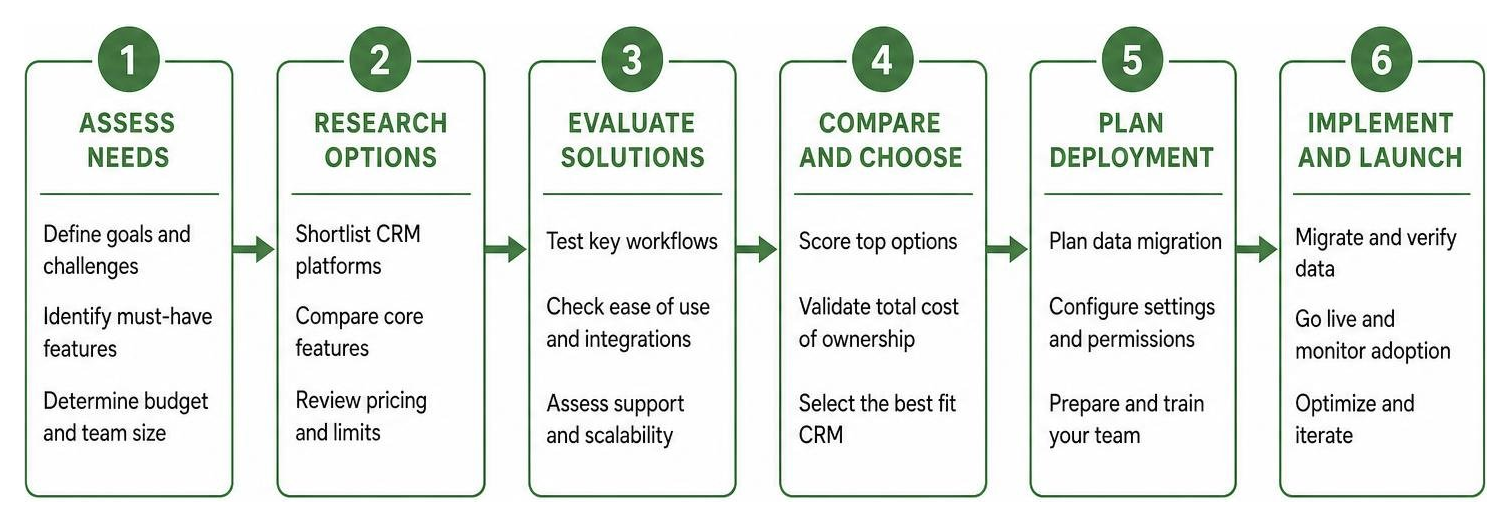
Selecting software represents only half of the implementation equation; ensuring consistent daily adoption across your staff ultimately dictates return on investment. Data entry fatigue, unclear operational standards, and fragmented side communication channels are primary drivers behind abandoned software rollouts.
To minimize friction during deployment and establish long-term team engagement:
- Audit Existing Systems: Inventory all existing software tools (inboxes, accounting tools, web forms, spreadsheets) to verify native integration compatibility prior to committing.
- Clean and Standardize Customer Data: Deduplicate and standardize existing contact records in spreadsheets prior to system import to prevent operational clutter.
- Designate an Internal System Champion: Assign a dedicated internal team member to lead onboarding efforts, establish data logging standards, and support staff members during transition phases.
- Enforce Core Daily Habits: Focus initial onboarding on fundamental daily workflows—such as logging phone calls and updating deal pipeline stages—before introducing complex, multi-step automated workflows.
How AI Automation and Team Messaging Complement Small Business CRMs

A major efficiency loss for modern small teams is context switching—the constant operational friction of switching between sales databases, communication apps, and inbox tools. Modern software solutions reduce this friction by embedding AI automation and communication features directly into daily team workflows.
Rather than operating as standalone databases, advanced CRMs integrate seamlessly with internal messaging platforms. For example, when a sales opportunity advances in the pipeline, automated notifications publish directly into specified team channels. Sales reps can query client details, review contact histories, or generate AI meeting summaries directly inside their chat interface without opening extra browser windows.
Integrating AI productivity capabilities directly into internal team communication helps small businesses eliminate routine task fatigue, streamline lead distribution, and execute faster data-driven decisions.
Frequently Asked Questions About Small Business CRMs
What is the best free CRM option for small businesses?
For micro-teams and startups, freemium options like Zoho CRM offer robust contact management, task tracking, and mobile app access free for up to 3 users. Bigin by Zoho also provides a lightweight free plan designed for basic visual pipeline tracking without upfront financial commitments.
How much does a small business CRM cost per user?
Small business CRMs typically range from $10 to $50 per user per month depending on feature requirements and user counts. Platforms like Less Annoying CRM maintain a flat rate of $15 per user per month, while scalable packages like Salesforce Starter begin at $25 per user per month with option tiers for expanding organizations.
Can team messaging platforms replace a traditional CRM?
No. While team messaging platforms facilitate internal team collaboration, they lack relational databases, structured sales pipeline tracking, and revenue forecasting tools. Messaging platforms serve best as a communication layer that integrates directly into a central CRM database.
Conclusion
Determining which CRM software is best for small business ultimately depends on your organization’s current size, budget limitations, and team workflow requirements. Solutions like Bigin and Less Annoying CRM deliver straightforward, user-friendly experiences ideal for micro-teams, whereas scalable choices like Salesforce Starter and Zoho CRM support growing businesses expanding their customer service and marketing capabilities.
By centralizing customer interaction data, automating routine tasks, and uniting your technology stack with modern tools like the best AI for productivity tools, your team can eliminate manual administrative burdens, enhance customer relationships, and achieve sustainable operational growth in 2026 and beyond.