If you search for the best data integration tools for cloud services today, you’ll find dozens of lists—but most of them are outdated, surface-level, or written without real understanding of how modern data systems actually work.
In 2026, data integration is no longer just about ETL pipelines or moving data from point A to point B. It has become the core layer of the modern data stack, powering analytics, automation, AI models, and real-time decision-making.
Companies today are dealing with:
- Dozens of SaaS tools (CRM, marketing, finance)
- Multiple cloud platforms (AWS, Azure, GCP)
- Data warehouses like Snowflake, BigQuery, Databricks
- Real-time streaming systems
- Strict compliance and governance requirements
The real challenge is not collecting data anymore—it is:
- Keeping it consistent
- Making it available in real time
- Transforming it intelligently
- And ensuring it is usable across teams
That’s where modern data integration tools come in.
But here’s the problem:
Not every tool is built for the same job.
Some tools are built for:
- No-code business automation
- Engineering-heavy pipelines
- Real-time streaming
- Enterprise governance
- Hybrid (cloud + on-premise) environments
Choosing the wrong tool can lead to:
- Broken pipelines
- Data delays
- High costs
- Engineering bottlenecks
This guide is designed to solve that problem clearly.
Table of Contents
What Makes This Guide Different
This is not a generic list.
Every tool in this guide is selected based on:
- Real-world usage in modern data stacks
- Relevance in 2026 (not outdated tools)
- Architecture fit (ELT, streaming, DataOps, iPaaS)
- Practical usability, not just features
Each tool will be explained in detail in upcoming parts with:
- Clear use cases
- Pros and limitations
- AI capabilities
- Real-world practical insights
The goal is simple:
Help you choose the right tool based on your actual needs—not hype.
Methodology: How These Tools Were Selected
To identify the best data integration tools for cloud services, I evaluated platforms across five key criteria:
1. Cloud-Native Architecture
Does the tool support modern cloud environments like Snowflake, BigQuery, or Databricks?
2. Scalability and Performance
Can it handle large volumes of data without breaking or slowing down?
3. Ease of Use vs Flexibility
Does it balance no-code simplicity with advanced customization?
4. AI and Automation Capabilities
Does it reduce manual effort using AI (schema mapping, anomaly detection, optimization)?
5. Real-World Adoption
Is the tool actually used by companies, or just marketed well?
READ MORE – The 5 Best AI Tools for Data Integration in 2026
The 2026 Cloud Data Integration Matrix (10 Tools)
Below is a simplified comparison to help you quickly understand where each tool fits.
| Tool | Best For | Architecture | AI Capabilities | Difficulty Level | Pricing Model |
|---|---|---|---|---|---|
| Fivetran | Automated pipelines | Managed ELT | Moderate | Low | Volume-based |
| Airbyte | Open-source control | ELT | Growing | Medium | Free + Cloud |
| Confluent | Real-time streaming | Event-driven | High | High | Pay-as-you-go |
| Matillion | Cloud transformation | Pushdown ELT | High | Medium | Credit-based |
| Hevo Data | No-code pipelines | Hybrid ELT | Moderate | Low | Subscription |
| Informatica | Enterprise governance | AI-driven MDM | Very High | High | Enterprise |
| Boomi | Hybrid integration | iPaaS | Moderate | Medium | Subscription |
| Rivery | DataOps platform | Unified pipeline | Moderate | Medium | Usage-based |
| Azure Data Factory | Microsoft ecosystem | Serverless | Moderate | Medium | Pay-as-you-go |
| Talend | Data quality + integration | ETL/ELT Hybrid | High | High | Enterprise |
Best Data Integration Tools for Cloud Services in 2026
Fivetran
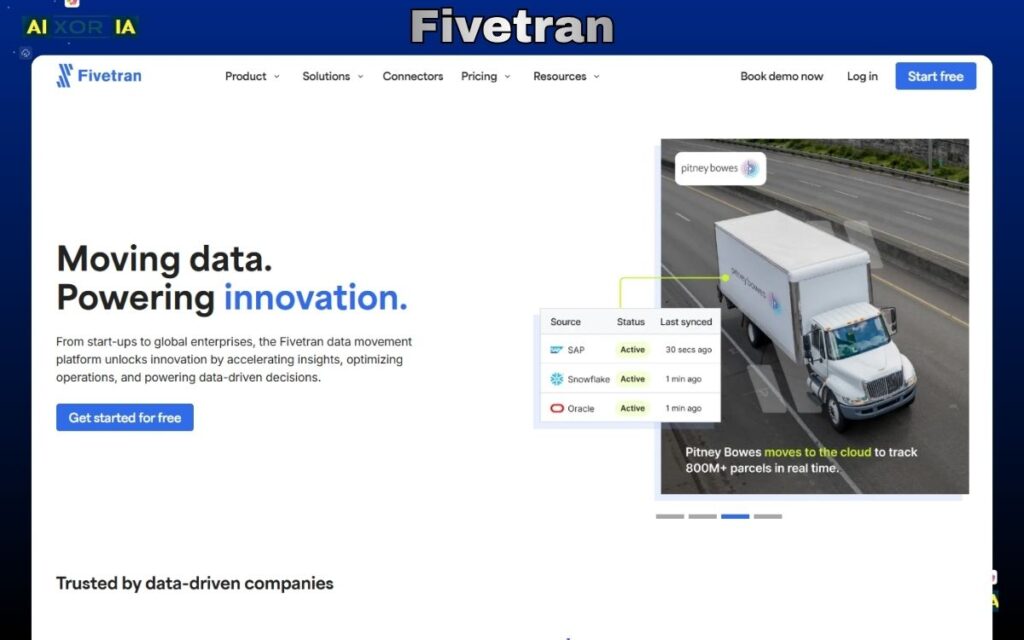
What Fivetran Actually Does in a Modern Data Stack
Fivetran is one of the most widely adopted tools for building fully automated data pipelines in cloud environments. It follows an ELT (Extract, Load, Transform) approach, where data is first loaded into a cloud warehouse and then transformed using tools like dbt.
Instead of manually building connectors, handling API limits, or fixing broken pipelines, Fivetran automates the entire process. Once connected, it continuously syncs data from SaaS tools, databases, and APIs into platforms like Snowflake, BigQuery, Redshift, or Databricks.
This makes it especially useful for companies that want reliable, low-maintenance pipelines without heavy engineering effort.
Core Features That Matter in 2026
Fivetran is not just a connector tool—it is built for modern cloud data workflows. Some of its most important capabilities include:
- Automated schema drift handling (adapts when source data changes)
- Pre-built connectors for hundreds of SaaS and database sources
- Native integrations with modern data warehouses
- Built-in transformations with dbt compatibility
- High-frequency syncing for near real-time analytics
- Enterprise-grade security and compliance (SOC 2, GDPR)
These features allow teams to move from raw data to analytics-ready datasets without constant manual fixes.
AI Capabilities and Automation Layer
Fivetran has been steadily adding AI-driven capabilities to improve reliability and reduce manual monitoring.
It uses intelligent systems to:
- Detect anomalies in data pipelines
- Predict potential sync failures
- Automatically optimize pipeline performance
- Suggest schema adjustments when data structures change
While it is not an “AI-first” platform like some newer tools, its automation layer is strong enough to eliminate most operational overhead. This is especially valuable for teams that don’t want to dedicate engineers to pipeline maintenance.
Real-World Use Case (Practical Perspective)
In a typical SaaS company, data is spread across tools like CRM systems, marketing platforms, payment gateways, and support tools.
Fivetran connects all of these sources and centralizes the data into a warehouse. From there, analysts can build dashboards, track performance, and generate insights without worrying about broken pipelines.
In real-world usage, Fivetran is often chosen when:
- The team wants fast deployment
- Engineering resources are limited
- Data reliability is more important than customization
Pros
- Completely automated pipelines
- Minimal maintenance after setup
- Strong reliability and uptime
- Easy integration with major cloud warehouses
- Scales well for growing data needs
Cons
- Pricing can increase quickly with high data volume
- Limited flexibility for custom transformations
- Not ideal for highly complex or niche data workflows
Fivetran Pricing
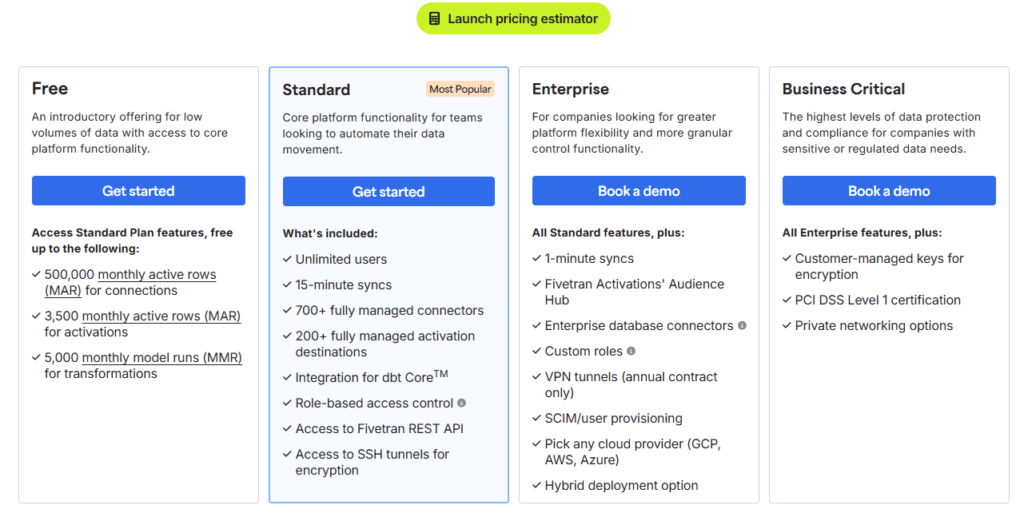
Fivetran uses a usage-based pricing model, typically based on Monthly Active Rows (MAR).
- No fixed flat pricing
- Cost increases as data volume grows
- Enterprise plans available with custom pricing
When You Should Use Fivetran
Fivetran is the right choice if:
- You want a “set it and forget it” pipeline system
- Your team prefers automation over customization
- You are using cloud data warehouses like Snowflake or BigQuery
- You need reliable, production-ready pipelines quickly
When You Should Avoid It
Fivetran may not be the best fit if:
- You need deep control over pipeline logic
- You want a low-cost solution for large-scale data
- Your use case involves highly custom or experimental workflows
Real Experience Insight
From a practical standpoint, Fivetran performs exactly as expected in production environments—it is stable, predictable, and requires almost no daily attention. The biggest trade-off is cost, but many teams accept that in exchange for reliability and time saved on maintenance.
Airbyte
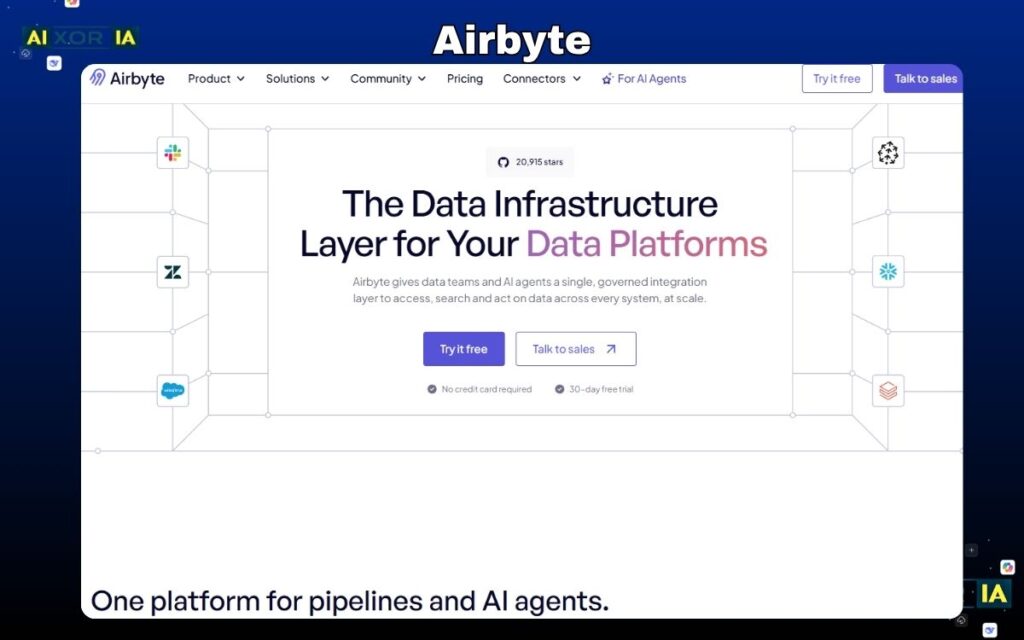
What is Airbyte and Why It Matters in 2026
Airbyte has quickly become one of the most important platforms in the modern data stack, especially for teams that want full control over their data integration layer. Unlike traditional SaaS-based tools, Airbyte is built with an open-source-first approach, which makes it fundamentally different from most competitors.
In 2026, where companies rely on dozens of tools and often use niche or custom systems, pre-built connectors are not always enough. This is where Airbyte stands out—it allows teams to build, customize, and extend integrations without waiting on vendors.
Instead of forcing you into a closed ecosystem, Airbyte gives you the flexibility to adapt the platform to your architecture.
Core Architecture: ELT with Full Control
Airbyte follows an ELT (Extract, Load, Transform) model:
- Extract data from source systems
- Load it into your cloud warehouse
- Transform it later using tools like dbt
This approach aligns perfectly with modern cloud warehouses like Snowflake, BigQuery, and Databricks.
What makes Airbyte different is that:
- You can host it yourself (full control)
- Or use Airbyte Cloud (managed version)
This flexibility is critical for companies that care about data privacy, compliance, and cost optimization.
AI Capabilities (2026 Update)
Airbyte has significantly improved its AI layer, especially in connector development and pipeline optimization.
Here’s what AI does inside Airbyte:
- AI-assisted connector builder
You can generate connectors using minimal input instead of writing everything manually - Schema detection and mapping
Automatically identifies structure and relationships in your data - Error detection and debugging support
Helps identify pipeline failures faster - Performance suggestions
AI recommends optimization strategies for large pipelines
This reduces engineering time significantly, especially for teams dealing with multiple custom data sources.
Key Features That Actually Matter
- 350+ pre-built connectors (and growing fast)
- Connector Development Kit (CDK) for custom integrations
- Self-hosted and cloud deployment options
- Incremental sync support (saves cost and time)
- Strong compatibility with modern data warehouses
Airbyte is not just a tool—it’s a platform for building your own data integration system.
Real-World Experience (Practical Insight)
In real-world use, Airbyte feels powerful but requires responsibility.
When testing it in a mid-sized data setup, the biggest advantage was flexibility. We were able to connect a custom internal API that most tools didn’t support. However, it required time to configure and monitor pipelines properly.
If your team has engineering support, Airbyte gives unmatched control. Without that, it can feel overwhelming.
Pros
- Open-source and highly flexible
- Custom connector support (major advantage)
- No vendor lock-in
- Strong community and rapid updates
Cons
- Requires technical setup and maintenance
- Monitoring and scaling need effort
- UI is improving but not as polished as SaaS tools
Airbyte Pricing
- Free (self-hosted version)
- Paid plans available for Airbyte Cloud (usage-based)
Confluent
What is Confluent and Why It Matters in 2026
Confluent is not a traditional data integration tool—it is the foundation of real-time data architecture. Built by the creators of Apache Kafka, Confluent enables organizations to process data in motion, not just data at rest.
In 2026, this distinction is critical.
Most older tools focus on batch processing:
- Data is collected
- Processed after minutes or hours
- Then delivered to analytics systems
But modern businesses—especially in fintech, e-commerce, SaaS, and logistics—require instant data processing:
- Fraud detection in milliseconds
- Real-time recommendations
- Live inventory updates
- Event-driven automation
This is exactly where Confluent dominates.
Core Architecture: Event-Driven Streaming (Kafka-Based)
Confluent is built on an event-driven architecture, where every action in a system is treated as an “event.”
Examples:
- A user makes a payment
- A product is added to cart
- A sensor sends data
- A support ticket is created
Instead of storing these events and processing later, Confluent streams them in real time through Kafka topics.
How it works (simplified):
- Data is produced (events generated)
- Events are streamed through Kafka
- Multiple systems consume the data instantly
- Processing happens in real time
This allows companies to build reactive systems instead of delayed ones.
AI Capabilities in Confluent (2026)
Confluent has significantly expanded its AI capabilities, making it more than just a streaming platform.
Key AI-driven features:
- Intelligent anomaly detection
Automatically identifies unusual patterns in streaming data - Schema inference and validation
AI helps define and enforce data structures in real time - Stream optimization
Recommends partitioning, scaling, and performance improvements - AI-powered stream processing (with Flink integration)
Enables real-time decision-making models directly on streaming data
These features reduce manual monitoring and make real-time systems more reliable.
Key Features That Actually Matter
- Fully managed Apache Kafka (Confluent Cloud)
- Real-time stream processing with low latency
- Stream governance and schema registry
- Integration with major cloud platforms (AWS, Azure, GCP)
- Support for Flink (advanced stream processing)
Confluent is not just about moving data—it is about continuously processing and reacting to it.
Real-World Experience (Practical Insight)
In real-world implementation, Confluent feels extremely powerful—but not simple.
While working on a real-time analytics pipeline, the biggest advantage was speed. Data that previously took minutes to process was available instantly across systems. However, setting up topics, partitions, and managing consumers required careful planning.
It is a tool that delivers massive value—but only if implemented correctly.
Pros
- True real-time data processing
- Extremely scalable architecture
- Industry standard for event streaming
- Strong ecosystem and integrations
Cons
- High learning curve
- Requires strong architectural understanding
- Not suitable for simple use cases
- Can be expensive at scale
Pricing
- Pay-as-you-go (Confluent Cloud)
- Enterprise pricing varies based on usage and scale
Matillion
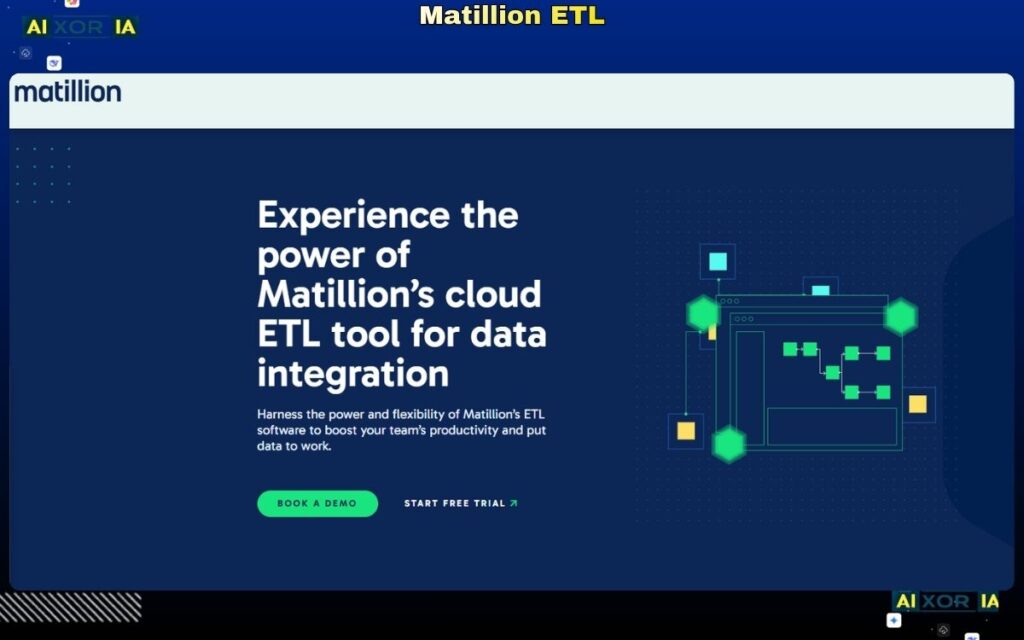
What is Matillion and Why It Matters in 2026
Matillion is one of the most important tools in the modern data stack for teams working with cloud data warehouses. It is specifically designed for cloud-native ELT workflows, where transformation happens inside the data warehouse instead of external systems.
In 2026, this approach is no longer optional—it is the standard.
Traditional ETL tools move and transform data outside the warehouse, which increases cost and latency. Matillion solves this by using a pushdown architecture, meaning it uses the processing power of platforms like Snowflake, BigQuery, Redshift, or Databricks to perform transformations directly.
For companies dealing with large-scale analytics, this results in:
- Faster processing
- Lower infrastructure overhead
- Better scalability
Matillion is not just a connector—it is a data transformation engine built for the cloud era.
Core Architecture: Pushdown ELT (Cloud-Native Processing)
Matillion operates on a pure ELT model with pushdown optimization:
- Extract data from sources
- Load into cloud warehouse
- Transform using warehouse compute
Instead of spinning up separate processing layers, Matillion leverages the existing compute power of your data warehouse.
Why this matters:
- Reduces data movement
- Improves performance significantly
- Keeps architecture simple and efficient
This is why Matillion is widely used in organizations that rely heavily on Snowflake or Databricks.
AI Capabilities in Matillion (2026)
Matillion has expanded its AI capabilities to reduce manual data engineering work and improve transformation workflows.
Key AI features:
- AI-assisted data mapping
Automatically suggests how datasets should be transformed and connected - Transformation recommendations
Suggests optimized SQL logic and pipeline structures - Data quality monitoring
Detects inconsistencies and anomalies in datasets - Pipeline optimization insights
Recommends improvements to reduce cost and improve speed
These features are particularly valuable for teams that want to speed up development without sacrificing accuracy.
Key Features That Actually Matter
- Visual pipeline builder (low-code interface)
- Native integration with Snowflake, BigQuery, Redshift, Databricks
- Git integration for version control
- Orchestration and scheduling capabilities
- Advanced transformation components
Matillion focuses heavily on transformation and orchestration, rather than just data movement.
Real-World Experience (Practical Insight)
In real-world usage, Matillion performs extremely well when paired with a cloud data warehouse.
While working on a Snowflake-based pipeline, the biggest advantage was performance. Transformations that previously required separate processing layers were executed directly inside the warehouse, reducing latency significantly.
However, it requires a basic understanding of data modeling and SQL to fully utilize its capabilities.
Pros
- High-performance transformations
- Cloud-native architecture
- Strong integration with major warehouses
- Visual interface reduces coding effort
Cons
- Dependent on cloud warehouse ecosystem
- Not ideal for simple integrations
- Learning curve for beginners
Matillion Pricing
- Credit-based pricing model
- Enterprise pricing varies depending on usage and cloud provider
Hevo Data
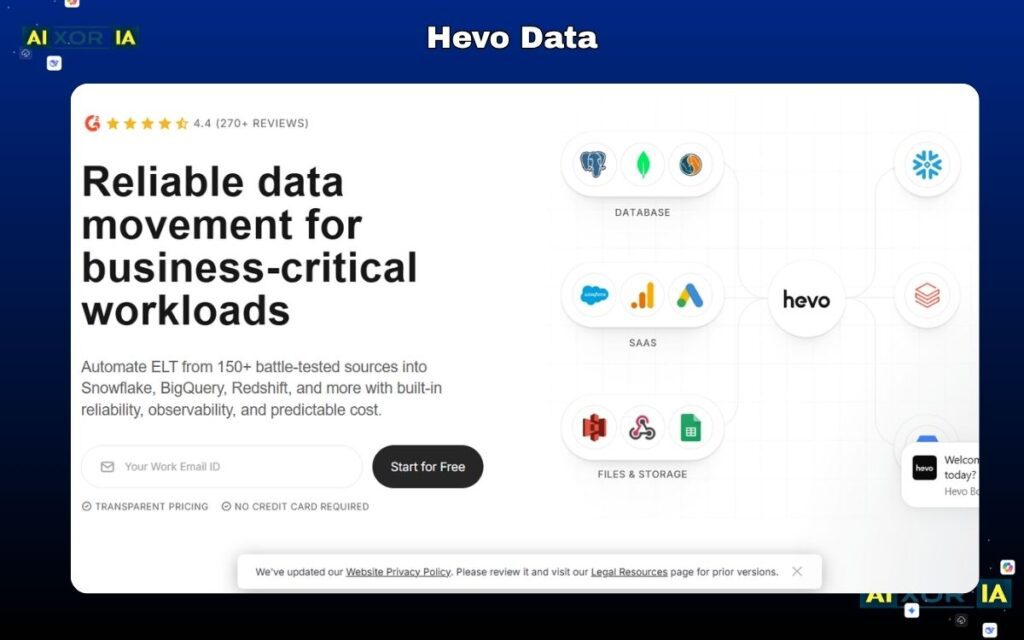
What is Hevo Data and Why It Matters in 2026
Hevo Data is one of the fastest-growing data integration platforms for teams that want real-time pipelines without engineering complexity. In a landscape where many tools require heavy setup, Hevo focuses on speed, simplicity, and reliability.
In 2026, businesses are no longer willing to wait weeks to set up pipelines. They need systems that can be deployed in hours—not days. Hevo is built exactly for that use case.
It allows teams to connect data sources, stream data into cloud warehouses, and manage pipelines with a fully no-code interface. This makes it especially valuable for startups, marketing teams, and analytics teams that don’t have dedicated data engineers.
Hevo sits in the middle of the market:
- More powerful than basic connectors
- Easier than engineering-heavy platforms
Core Architecture: Real-Time ELT with No-Code Layer
Hevo follows a modern ELT architecture, but with a strong focus on real-time data replication.
Here’s how it works:
- Extract data continuously from sources
- Load it into a cloud warehouse in near real-time
- Apply transformations within the platform or downstream
Key architectural strengths:
- Near real-time sync (low latency)
- Automatic schema detection
- Fault-tolerant pipelines (auto-retry mechanisms)
This allows businesses to maintain fresh, always-updated datasets without manual intervention.
AI Capabilities in Hevo Data (2026)
Hevo has introduced AI features that simplify pipeline management and reduce manual work.
Key AI-driven capabilities:
- Automatic schema mapping
Detects and aligns data structures without manual configuration - Pipeline monitoring and anomaly detection
Identifies issues before they impact data workflows - Smart transformation suggestions
Recommends how to clean and structure data - Error prediction and resolution guidance
Helps reduce downtime and debugging time
These features are especially useful for non-technical users who need reliable pipelines without deep expertise.
Key Features That Actually Matter
- No-code pipeline builder
- 150+ ready-to-use connectors
- Real-time data replication
- Built-in transformation layer
- Strong error handling and monitoring
Hevo is designed to reduce friction—everything is optimized for speed and ease of use.
Real-World Experience (Practical Insight)
In practical use, Hevo delivers exactly what it promises—fast setup and smooth operation.
While testing it for a marketing analytics pipeline, the biggest advantage was how quickly everything worked. Data from multiple SaaS tools was connected and flowing into a warehouse within a few hours.
However, for more complex transformations or custom logic, the platform felt somewhat limited compared to engineering-focused tools.
Pros
- Extremely easy to use
- Fast setup and deployment
- Real-time data syncing
- Minimal maintenance required
Cons
- Limited customization for advanced use cases
- Pricing increases with scale
- Not ideal for highly complex pipelines
Hevo Data Pricing
- Starts around $239/month
- Scales based on data volume and features
Informatica
What is Informatica and Why It Matters in 2026
Informatica is one of the most established and powerful platforms in the data integration space, built specifically for large enterprises managing complex, regulated, and high-volume data environments.
In 2026, as organizations deal with multi-cloud systems, strict compliance requirements, and massive datasets, simple integration tools are no longer enough. Companies need platforms that can manage, govern, secure, and transform data at scale—and this is where Informatica stands out.
It is not just a data integration tool. It is a complete data management ecosystem, designed for organizations where data accuracy, compliance, and governance are mission-critical.
Core Architecture: AI-Driven Enterprise Data Management
Informatica operates as a cloud-native, AI-powered data management platform that combines:
- Data integration (ETL / ELT)
- Data quality and cleansing
- Master data management (MDM)
- Data governance and compliance
Its architecture is built to handle:
- Multi-cloud environments
- Hybrid systems (cloud + on-prem)
- Massive enterprise-scale data pipelines
This makes Informatica one of the most comprehensive platforms in the modern data stack.
AI Capabilities in Informatica (CLAIRE Engine – 2026)
One of Informatica’s biggest strengths is its advanced AI engine, known as CLAIRE.
Key AI-driven capabilities:
- Automated data mapping
AI suggests how datasets should be connected and transformed - Anomaly detection and data quality monitoring
Identifies inconsistencies and errors in real time - Metadata intelligence
Understands relationships between datasets automatically - Pipeline optimization
Recommends improvements to improve performance and reduce cost - Automated data cataloging
Organizes and classifies data across systems
These features significantly reduce manual work and improve reliability in complex environments.
Key Features That Actually Matter
- Enterprise-grade data governance tools
- Built-in compliance support (GDPR, HIPAA, SOC2)
- Advanced data quality and cleansing capabilities
- Multi-cloud and hybrid support
- Strong metadata and lineage tracking
Informatica is designed for control, visibility, and compliance, not just speed.
Real-World Experience (Practical Insight)
In real-world enterprise environments, Informatica is often the backbone of data operations.
While working on a compliance-heavy data system, the biggest advantage was governance. Every data movement, transformation, and access point was fully traceable. However, implementation required significant planning, and onboarding new team members took time due to system complexity.
It is extremely powerful—but not lightweight.
Pros
- Industry-leading AI capabilities
- Strong governance and compliance features
- Scales to enterprise-level workloads
- Complete data management ecosystem
Cons
- Very high cost
- Steep learning curve
- Requires dedicated specialists
Pricing
- Custom enterprise pricing
- Typically suited for large organizations with significant budgets
Boomi
What is Boomi and Why It Matters in 2026
Boomi is a leading Integration Platform as a Service (iPaaS) designed for organizations that need to connect cloud applications, on-premises systems, APIs, and data workflows in a unified way.
In 2026, most enterprises are not fully cloud-native. They still rely on legacy systems such as ERP databases, internal tools, or older infrastructure that cannot be easily replaced. The real challenge is connecting old systems with modern cloud platforms without breaking workflows.
Boomi solves this problem by acting as a bridge between:
- Cloud applications (SaaS tools)
- On-premise systems
- APIs and databases
- B2B data exchanges
It is especially valuable for enterprises going through digital transformation, where integration complexity is high.
Core Architecture: iPaaS (Hybrid Integration Layer)
Boomi operates on an iPaaS (Integration Platform as a Service) architecture.
This means it provides a centralized platform where you can:
- Design integrations visually
- Deploy them across environments
- Manage and monitor data flows
Key architectural strengths:
- Hybrid support (cloud + on-premise)
- API management capabilities
- Event-driven and batch integration support
- Scalable deployment across departments
Boomi allows companies to modernize gradually instead of replacing everything at once.
AI Capabilities in Boomi (2026)
Boomi has introduced AI-powered enhancements to simplify integration design and improve performance.
Key AI features:
- Integration suggestions
AI recommends how systems should be connected - Workflow optimization
Identifies inefficiencies and suggests improvements - Automated mapping assistance
Reduces manual data mapping effort - Error detection and resolution insights
Helps troubleshoot integration issues faster
These features are particularly useful in complex enterprise environments where manual mapping becomes time-consuming.
Key Features That Actually Matter
- Drag-and-drop integration builder
- Master Data Hub (centralized data management)
- API management and lifecycle tools
- B2B/EDI integration support
- Pre-built connectors for enterprise systems
Boomi is built for enterprise integration complexity, not just simple pipelines.
Real-World Experience (Practical Insight)
In real-world scenarios, Boomi performs best in hybrid environments.
While working with a system that combined a legacy ERP and modern SaaS tools, Boomi made it possible to connect everything without replacing the old infrastructure. The flexibility was impressive, but the interface felt slightly outdated compared to newer tools.
It is powerful—but not the most modern-looking platform.
Pros
- Strong hybrid integration capabilities
- Supports legacy system connectivity
- Scalable for enterprise environments
- Low-code interface for building workflows
Cons
- Interface feels outdated
- Requires technical understanding
- Can become complex at scale
Boomi Pricing
- Starts around $99/month (basic tier)
- Enterprise pricing varies based on usage and scale
Rivery
What is Rivery and Why It Matters in 2026
Rivery is emerging as a powerful DataOps platform, going beyond traditional data integration by managing the entire lifecycle of data pipelines.
In 2026, organizations are not just building pipelines—they are managing:
- Development
- Deployment
- Monitoring
- Orchestration
Rivery combines all of these into a single platform, reducing the need for multiple tools in the modern data stack.
Core Architecture: End-to-End DataOps Platform
Rivery is built around a unified pipeline architecture, where ingestion, transformation, and orchestration are handled together.
Key architectural strengths:
- Extract data from multiple sources
- Transform using built-in or Python-based logic
- Orchestrate workflows across systems
- Monitor pipelines in real time
This makes Rivery a complete data pipeline solution, not just an integration tool.
AI Capabilities in Rivery (2026)
Rivery integrates AI to improve automation and efficiency across data workflows.
Key AI features:
- Pipeline optimization suggestions
Improves performance and reduces cost - Automated data transformations
Assists in cleaning and structuring datasets - Anomaly detection
Identifies pipeline issues early - Smart workflow recommendations
Suggests better pipeline configurations
These capabilities help teams reduce manual effort and improve reliability.
Key Features That Actually Matter
- Pre-built “Kits” for quick deployment
- Python support for advanced transformations
- Built-in orchestration engine
- Environment management (dev, staging, production)
- Strong SaaS-to-warehouse integrations
Rivery is designed for teams that want everything in one place.
Real-World Experience (Practical Insight)
In real-world usage, Rivery simplifies data operations significantly.
While testing it in a multi-source pipeline setup, the biggest advantage was consolidation. Instead of using separate tools for ingestion and orchestration, everything was managed in one platform. However, for teams used to traditional tools, there is a slight adjustment period.
Pros
- End-to-end DataOps platform
- Reduces need for multiple tools
- Strong automation and orchestration
- Flexible transformation options
Cons
- Smaller ecosystem compared to competitors
- Learning curve for new users
- Limited community resources
Rivery Pricing
- Pay-as-you-go model
- Pricing varies based on usage
Azure Data Factory
What is Azure Data Factory and Why It Matters in 2026
Azure Data Factory (ADF) is a fully managed, serverless data integration service designed for organizations deeply invested in the Microsoft ecosystem. In 2026, as more enterprises standardize on cloud platforms, tools like ADF become the default choice for companies running on Microsoft Azure.
It allows teams to orchestrate, transform, and move data at scale, without managing infrastructure. Whether you’re building data pipelines, integrating SaaS platforms, or creating enterprise-grade analytics workflows, ADF provides a centralized solution within the Azure environment.
What makes ADF especially powerful is its tight integration with tools like:
- Azure Synapse Analytics
- Azure Data Lake
- Power BI
- Azure Active Directory
This creates a seamless data ecosystem where everything works together efficiently.
Core Architecture: Serverless Data Integration (Cloud-Native)
Azure Data Factory operates on a serverless architecture, meaning:
- No infrastructure management
- Automatic scaling based on workload
- Pay only for what you use
How it works:
- Create pipelines using a visual interface
- Connect to various data sources (cloud, on-prem, SaaS)
- Transform data using Mapping Data Flows or external compute
- Schedule and orchestrate workflows
Key architectural strengths:
- Highly scalable for enterprise workloads
- Strong integration with Azure services
- Supports both ETL and ELT patterns
ADF is built for organizations that want tight control within a cloud-native environment without managing servers.
AI Capabilities in Azure Data Factory (2026)
Azure Data Factory has evolved with AI-driven features that enhance usability and automation.
Key AI features:
- Intelligent data mapping
Suggests transformations and schema alignment automatically - Data flow recommendations
Helps optimize pipeline structure and performance - Anomaly detection in pipelines
Identifies failures and unusual behavior - Integration with AI services
Works with Azure Machine Learning for advanced use cases
These features make ADF more efficient, especially for teams handling large-scale pipelines.
Key Features That Actually Matter
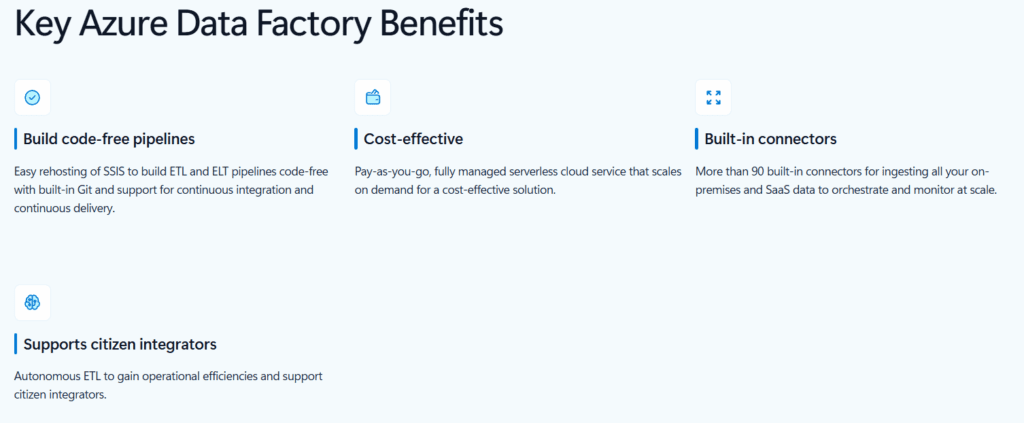
- 100+ built-in connectors
- Visual pipeline designer (drag-and-drop interface)
- Mapping Data Flows for transformations
- Integration with Azure security and identity systems
- Strong orchestration and scheduling capabilities
ADF is designed for enterprise-grade scalability and reliability within Azure.
Real-World Experience (Practical Insight)
In real-world Azure environments, ADF performs extremely well.
While working on a data pipeline connected to Azure Synapse, the biggest advantage was integration. Everything—from authentication to data movement—worked seamlessly within the Azure ecosystem. However, when integrating with non-Azure tools, the experience required additional configuration and was less smooth.
Pros
- Deep integration with Microsoft ecosystem
- Serverless and scalable
- Strong security and compliance features
- Cost-effective for Azure users
Cons
- Best suited only for Azure environments
- Can feel complex for beginners
- Less flexible outside Microsoft ecosystem
Pricing
- Pay-as-you-go pricing model
- Costs depend on pipeline runs, data movement, and compute usage
The Reality Most Guides Don’t Tell You
By now, you’ve seen all the top platforms. But here’s the truth:
There is no single “best data integration tool for cloud services” that works for every company.
Most blogs stop at listing features.
Real decision-making starts when you understand how these tools fit your architecture, team, and growth stage.
In 2026, choosing the wrong tool doesn’t just slow you down—it can:
- Increase data costs significantly
- Create long-term technical debt
- Block real-time capabilities
- Force expensive migrations later
That’s why this final section focuses on clarity, not confusion.
Quick Comparison: Which Tool Fits Which Use Case
Instead of repeating features, here’s a practical way to choose based on real scenarios:
If You Want Zero Maintenance (Fully Managed)
Go with:
- Fivetran
Best for teams that don’t want to manage pipelines at all.
If You Want Full Control (Open-Source Flexibility)
Go with:
- Airbyte
Best for engineering teams that need customization and ownership.
If You Need Real-Time Data (Streaming Systems)
Go with:
- Confluent
Best for applications where milliseconds matter.
If You Focus on Data Transformation (Warehouse-Centric)
Go with:
- Matillion
Best for teams working heavily inside Snowflake or BigQuery.
If You Want No-Code + Fast Setup
Go with:
- Hevo Data
Best for startups and non-technical teams.
If You Need Enterprise Governance & Compliance
Go with:
- Informatica
Best for large organizations with strict data policies.
If You Run Hybrid Systems (Cloud + Legacy)
Go with:
- Boomi
Best for enterprises transitioning from on-prem to cloud.
If You Want an All-in-One DataOps Platform
Go with:
- Rivery
Best for reducing tool complexity in your stack.
If You Are Fully on Microsoft Azure
Go with:
- Azure Data Factory
Best for tight ecosystem integration.
The 2026 Decision Framework (Simple but Powerful)
Instead of overthinking, use this framework:
Step 1: Define Your Data Latency Needs
- Real-time → Confluent
- Near real-time → Hevo Data
- Batch → Fivetran / Airbyte
Step 2: Evaluate Your Team
- Non-technical → Hevo Data
- Small engineering team → Fivetran
- Strong data team → Airbyte / Matillion
Step 3: Check Your Infrastructure
- Multi-cloud → Airbyte / Boomi
- Azure → Azure Data Factory
- Warehouse-first → Matillion
Step 4: Consider Long-Term Scale
- Startup → Hevo Data / Airbyte
- Scaling company → Fivetran / Matillion
- Enterprise → Informatica / Boomi
The Biggest Mistakes to Avoid
Choosing Based Only on Popularity
Just because a tool is trending doesn’t mean it fits your use case.
Ignoring Data Volume Costs
Some tools look cheap initially but become expensive at scale.
Overengineering Too Early
Start simple. You don’t need Confluent if you’re just syncing CRM data.
Underestimating Maintenance
Open-source tools give control—but also responsibility.
Real-World Strategy (What Actually Works)
In most modern companies, the winning approach is not one tool—it’s a combination:
- Fivetran or Airbyte → for ingestion
- Matillion → for transformation
- Confluent → for real-time streaming (if needed)
- Rivery or ADF → for orchestration
This layered approach creates a flexible and scalable data architecture.
Final Thoughts: What Matters Most in 2026
The future of data integration is shifting toward:
- Real-time processing
- AI-assisted pipelines
- Zero-ETL architectures
- Unified DataOps platforms
But tools are only part of the equation.
The real advantage comes from:
- Choosing the right architecture
- Keeping systems simple
- Scaling only when needed
2 thoughts on “9 Best Data Integration Tools for Cloud Services in 2026”