Why the Best Document Management Software for Accounting Firms is Your New Secret Weapon

In May 2026, finding the Best Document Management Software for Accounting Firms is the most effective way to stop wasting time on manual filing and start focusing on high-value client work.
If you need a quick answer to find the right fit for your firm, here is how the top contenders stack up:
- SmartVault: Best for firms using Lacerte, UltraTax, or Drake. It offers deep tax software integration and a secure portal.
- TaxDome: Best for small-to-midsized firms looking for an all-in-one platform that includes CRM, billing, and unlimited storage.
- IRIS DocIt: Best for growing practices that need “work binders” to organize complex engagements and high-volume scanning.
- HubSync: Best for large firms wanting an AI-driven “backbone” that connects the entire tax lifecycle.
- M-Files: Best for firms that want to move away from folders and use AI to organize data by client context.
Searching for a missing 8879 or a client’s bank statement isn’t just a headache. It’s a drain on your profits. Most firms using a digital system report a 20% decrease in time spent working on files. Even better, they find the documents they need at least twice as fast as they did with paper or basic cloud drives.
Moving to a dedicated system helps you solve three big problems:
- The “Document Chase”: Automated reminders and branded portals stop the endless back-and-forths with clients.
- Compliance Risk: Built-in tools help you meet IRS Pub 4557 and FTC Safeguards rules without extra effort.
- Information Silos: Centralized storage means your team can see the latest version of any file from anywhere in the world.
Modern software has moved beyond simple storage. By May 2026, the best tools use AI and machine learning to read your documents, tag them automatically, and even suggest where they should be filed. It’s like having a digital admin assistant who never sleeps.
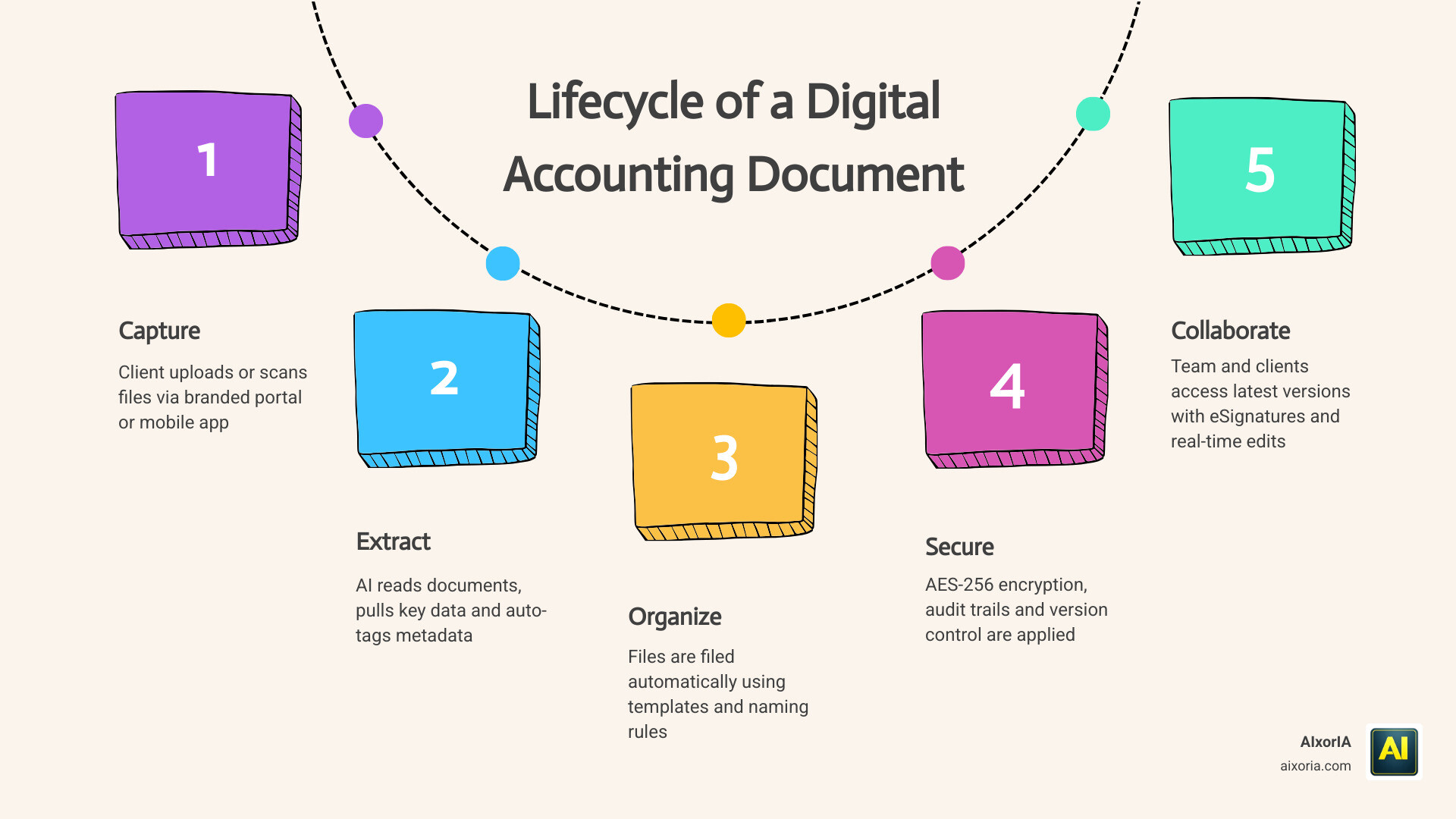
Key Features of the Best Document Management Software for Accounting Firms
When we evaluate the Best Document Management Software for Accounting Firms, we aren’t just looking for a place to dump files. We look for a system that understands the unique “rhythm” of tax and audit work. A top-tier document management system for accounting and tax firms | TaxDome provides much more than a digital filing cabinet.
Key features include:
- Optical Character Recognition (OCR): This technology converts images and PDFs into searchable text. Instead of opening ten files to find a specific figure, you can search for a keyword across your entire database.
- Version Control: Ever had two staff members edit the same spreadsheet at once? Version control prevents this by tracking every change and allowing you to restore previous versions with one click.
- Audit Trails: For every document, the system records who accessed it, when they viewed it, and what they changed. This is non-negotiable for maintaining accountability and passing external audits.
- Integrated eSignatures: The best systems include legally binding eSignatures (often with Knowledge-Based Authentication or KBA) so you don’t have to pay for a separate DocuSign subscription.
Essential Security and Compliance Standards
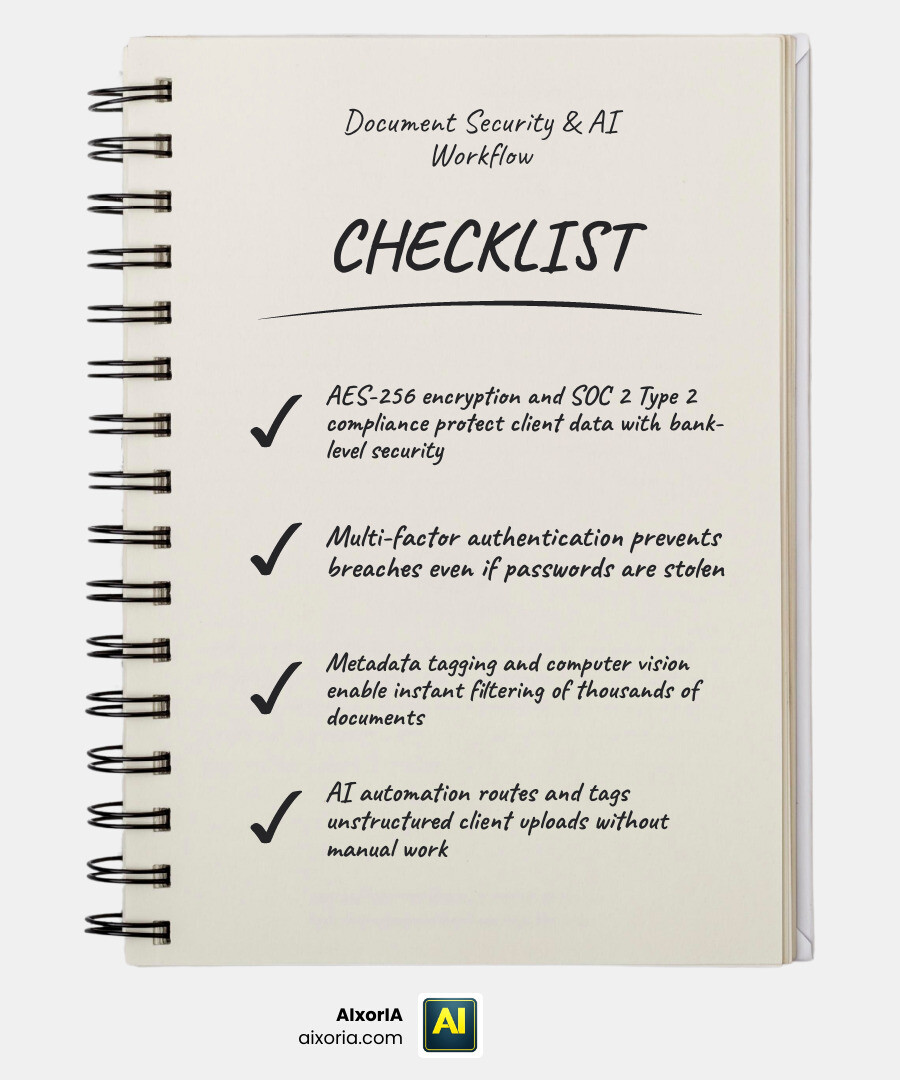
In the accounting world, security isn’t a “nice-to-have”—it’s a legal requirement. The Best Document Management Software for Accounting Firms must support IRS Pub 4557 and the FTC Safeguards Rule. These regulations demand that you protect sensitive taxpayer data with enterprise-grade tools.
We recommend looking for software that offers AES-256 encryption (the same used by banks) and SOC 2 Type 2 compliance. Additionally, Multi-Factor Authentication (MFA) should be mandatory for both your staff and your clients to ensure that even a stolen password won’t lead to a data breach.
Advanced Search and Metadata Tagging
Modern firms are moving away from deep, confusing folder structures. Instead, they use metadata—tags like “Tax Year 2025,” “Corporation,” or “Pending Signature.” This allows for a centralized, AI-driven file management experience where you can filter thousands of documents in seconds.
By using computer vision, some systems can even “look” at a scanned document, recognize it as a W-2, and automatically tag and file it in the correct client folder without you lifting a finger.
The Role of AI and Automation in Modern Accounting Workflows

By 2026, AI has become the engine behind the 7 Best Document Management Software For Accounting Firms In 2026. We are seeing a shift from manual data entry to automated data ingestion.
Machine learning models now provide predictive suggestions. For example, if you upload a document that looks like a 1099, the software will suggest the correct folder and client name based on past patterns. This eliminates the “non-billable hours” spent on administrative cleanup.
AI-Driven Data Ingestion in the Best Document Management Software for Accounting Firms
The real magic happens when software handles “unstructured data”—those messy scans and photos clients send. Using Document Management Solutions For Accountants | IRIS, firms can use automated routing to monitor folders. When a new file arrives, the AI extracts the information and publishes it to the client portal or emails the relevant partner automatically.
We are also seeing the rise of RAG (Retrieval-Augmented Generation) search. This allows you to ask your DMS questions in plain English, such as “Which clients haven’t submitted their depreciation schedules for 2025 yet?” and receive a contextual, accurate answer immediately.
Streamlining Client Collaboration and Collection
The biggest bottleneck in any firm is the client. The Best Document Management Software for Accounting Firms solves this with branded portals. Instead of a generic link, clients log into a portal that features your firm’s logo and colors.
Features that make life easier include:
- PBC (Provided by Client) Lists: Create checklists for clients to follow so they know exactly what’s missing.
- Mobile Scanning: Clients can use their phone’s camera to “scan” a document into a high-quality PDF that uploads directly to their folder.
- Real-time Co-editing: Work on a document simultaneously with a client or colleague without creating multiple “Final_V2” files.
Comparing Leading Solutions for Firm Scalability
Choosing the right tool depends on your current tech stack and growth goals. Below is a comparison of how the leaders perform in the 2026 landscape.
| Feature | SmartVault | TaxDome | IRIS DocIt | HubSync | |
|---|---|---|---|---|---|
| Best For | Tax Software Integration | All-in-One Practice Mgmt | Mid-sized Growth | Enterprise AI | |
| Compliance | IRS/FTC/SOC 2 | IRS/GDPR/SOC 2 | IRS/Audit Ready | SOC 2/IRS | |
| Storage | Secure Cloud | Unlimited | On-prem/Cloud | AI-Backbone | |
| Key Strength | [SmartVault | Secure File Sharing](https://www.smartvault.com/) | Automation Workflows | Work Binders | Tax Lifecycle Sync |
Integration with Tax and Practice Management Systems
A DMS that doesn’t talk to your other software is just another silo. The Best Document Management Software for Accounting Firms offers direct “Print-to-DMS” functionality for major tax software like Lacerte, UltraTax CS, and Drake.
We also see heavy integration with accounting platforms like QuickBooks and Xero. This allows for “locked documents”—where a client can see a completed tax return but can only download it once their invoice is paid through the integrated billing system.
Specialized Tools for Audit and Tax Advisory
For firms focused on audit or complex advisory, IRIS DocIt offers specialized tools like Work Binders. These allow you to group every file related to a specific engagement—emails, PDFs, spreadsheets, and notes—into a single digital “binder” that can be opened with one click. This keeps complex projects organized and ensures that nothing is missed during the review process.
Strategic Evaluation: Choosing the Right System for Your Firm
When we help firms choose the Best Document Management Software for Accounting Firms, we look beyond the price tag. We perform an ROI analysis. If a system costs $50/month but saves a senior accountant three hours of searching per week, it pays for itself in the first few days of the month.
Consider these factors:
- User Adoption: Is the interface simple enough for your least tech-savvy client to use?
- Scalability: Can it handle 10 clients today and 1,000 next year?
- Technical Support: Does the provider offer one-on-one onboarding and U.S.-based support?
Overcoming Implementation Challenges in the Best Document Management Software for Accounting Firms
The most common hurdle is data migration. Moving years of client files from a legacy system or a server can be daunting. The best providers offer “assisted data conversion” to help you map your old folder structures to the new system.
To ensure success, we recommend workflow mapping before you launch. Decide on your naming conventions and folder templates early. This prevents the new system from becoming just as cluttered as the old one.
Measuring the Benefits of Dedicated Document Systems
The results of a successful implementation are often dramatic:
- 20% reduction in time spent working on a single file.
- 2x faster retrieval of documents by administrative staff.
- Up to 294% ROI over three years for some AI-powered platforms.
- Improved Work-Life Balance: Digital workflows mean your team can work from anywhere, reducing the “busy season” burnout.
Frequently Asked Questions about Accounting Document Management
How does document management software help with IRS compliance?
Dedicated DMS tools are built to meet IRS Publication 4557 standards. They provide the necessary encryption, audit trails, and access controls that generic cloud drives lack. This ensures that taxpayer data is protected according to federal requirements, reducing your firm’s liability.
Can clients upload documents directly from their mobile devices?
Yes! Most modern systems like TaxDome and SmartVault offer a mobile app or a mobile-responsive portal. Clients can simply take a photo of their document, and the software’s built-in scanner will convert it into a clear, searchable PDF and file it automatically.
What is the difference between a generic cloud drive and a dedicated accounting DMS?
Generic drives (like Google Drive or Dropbox) are just storage. A dedicated accounting DMS includes tax software integrations, KBA eSignatures, automated folder templates, and workflow automation. It is built specifically to handle the “engagement lifecycle” of an accounting client.
Conclusion
At AIxorIA, we know that the right technology can transform an accounting firm from a paper-cluttered office into a streamlined, high-growth business. Whether you are looking for custom AI solutions, tool training workshops, or a performance audit of your current tech stack, we are here to help in simple, clear language.
The Best Document Management Software for Accounting Firms is no longer a luxury—it is the foundation of a modern practice. By embracing these tools, you aren’t just managing documents; you’re reclaiming your time and securing your firm’s future in the AI Tools for Business in 2026.
1 thought on “7 Best Document Management Software for Accounting Firms in 2026 | Top Picks”