Why Finding the Best Legal Document Management System Matters in 2026
Scr0ll d0wn to D0VVNL0AD
Choosing the best legal document management system for your firm can be the difference between a streamlined, profitable practice and one buried in filing chaos.
Here’s a quick look at the top-rated options:
| Platform | Best For | Key Strength |
|---|---|---|
| iManage | Large & global firms | Trusted by 80% of Global 100 law firms |
| NetDocuments | Mid-to-large firms | Cloud-native, FedRAMP certified, 30% cost reduction |
| MyCase | Small to mid-size firms | All-in-one practice management + DMS |
| CosmoLex | Small firms | Integrated billing, cases, and documents |
| Filevine Docs+ | Litigation teams | OCR, 25 GB uploads, AI contract review |
| Irys | AI-first teams | Unified legal AI, replaces 5+ tools |
| Worldox | On-premises preference | Mature, matter-centric filing |

Law firms handle enormous volumes of sensitive documents every day — briefs, contracts, motions, case files, correspondence. When those documents are scattered across email inboxes, shared drives, and paper folders, things go wrong fast.
Misfiled documents. Missed deadlines. Version confusion. Compliance gaps.
The problem isn’t just inconvenience. It’s risk — to clients, to cases, and to the firm itself.
That’s why more legal teams are moving away from basic file storage and toward purpose-built document management systems designed specifically for legal workflows. According to data from NetDocuments, over 60% of law firms using their platform report a 25% productivity improvement from automation and better version control alone.
And it’s not just large firms feeling the pressure. Solo practitioners and small law offices face the same organizational challenges — just with fewer resources to fix them.
This guide breaks down everything you need to know: what separates a true legal DMS from basic storage, which platforms lead the market in 2026, how to evaluate them for your firm’s size and practice area, and what AI features are now changing the game.
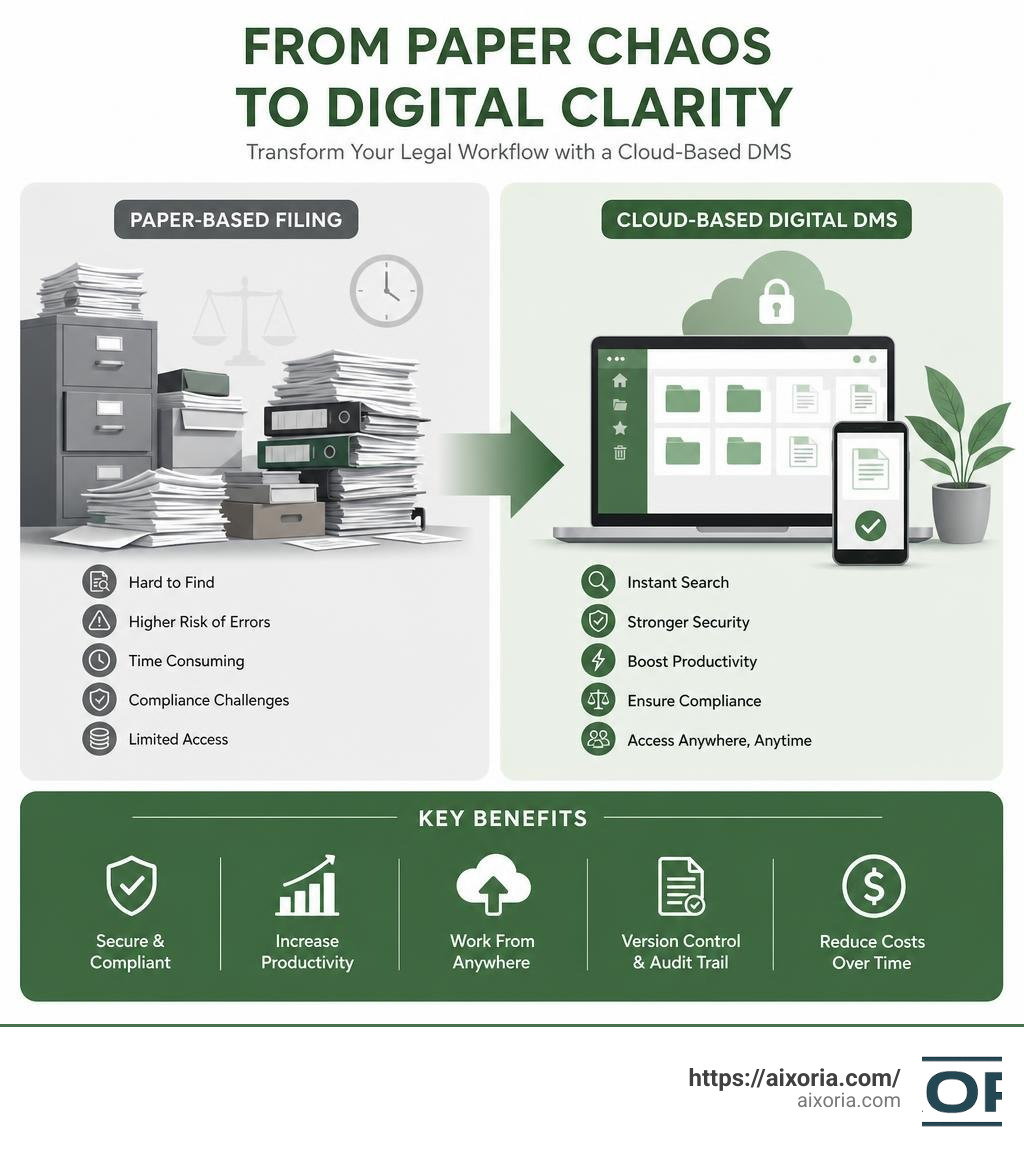
Understanding Legal Document Management vs. Basic Storage
Many firms start out using basic cloud storage services like Google Drive, Dropbox, or standard network server folders. While these tools are excellent for saving files, they are passive storage systems. A dedicated legal document management system (DMS), on the other hand, is an active productivity engine built around the unique realities of legal work.

Passive storage simply holds your files. It relies entirely on human discipline to maintain folder structures, name files correctly, and keep track of who changed what. When human error inevitably slips in, documents get lost, overwritten, or mislabeled.
An active legal DMS prevents these disasters by introducing specific tools designed for legal professionals:
- Matter-Centric Organization: Instead of loose folders, a legal DMS organizes every document, email, and attachment around a specific client matter. It acts as a virtual file cabinet where everything relating to “Matter X” is automatically indexed together.
- Version Control: Rather than saving multiple files like Contractv1finaleditv2.docx, a DMS maintains a single file profile. It tracks every single edit, allows you to compare versions side-by-side, and lets you restore previous versions with one click.
- Optical Character Recognition (OCR): A legal DMS automatically processes scanned PDFs, images, and faxes, turning them into fully searchable text. If you need to find a specific clause inside a 500-page scanned document, OCR makes it searchable in seconds.
- Metadata Tagging: Documents are tagged with structured data (such as document type, author, date, and jurisdiction), making filtering and retrieval incredibly fast compared to standard search bars.
If you want to see how these principles compare to document management in other professional sectors, you can explore our guide on the 7 Best Enterprise Document Management Software In 2026.
How a Dedicated DMS Elevates Law Firm Productivity and Compliance
Implementing the best legal document management system is not just about keeping files neat—it has a direct impact on your firm’s bottom line, risk profile, and client satisfaction.
Let’s look at the numbers. In legal practice, time is literally money. Industry data shows that small law firms using comprehensive practice management and document tools see an average 38% increase in their caseload. Furthermore, features like automated time tracking can capture hours of work that otherwise go unbilled. For example, users of MyCase’s Smart Time Finder feature reclaim an average of 5.3 billable hours per month (64 hours per year) simply by letting the software track document-related workflows automatically.
At the enterprise level, the efficiencies are even more pronounced. iManage, which is trusted by 80% of the Global 100 law firms and 77% of the AmLaw 100, serves over 1 million users worldwide by breaking down information silos. By transforming individual attorney files into institutional knowledge, global firms can collaborate seamlessly across multiple offices while remaining fully compliant with regional data regulations.
From a compliance and risk perspective, a legal DMS acts as a shield. It ensures that sensitive client data is protected by bank-grade encryption, role-based access permissions, and comprehensive audit trails. If a regulatory body or client asks who accessed a specific document, your DMS can generate a complete, unalterable history of every view, edit, and download.
Similar strict organizational and compliance needs exist across other document-heavy industries, which you can read about in our breakdown of the 7 Best Document Management Software For Accounting Firms In 2026.
Key Criteria for the Best Legal Document Management System
Every law firm has unique needs based on its size, practice areas, and existing tech stack. Selecting the best legal document management system requires looking past flashy marketing and evaluating how a system handles day-to-day legal tasks.

Core Features of the Best Legal Document Management System
When evaluating options, there are several non-negotiable core features that any top-tier legal DMS must provide:
- True Matter-Centricity: The system must organize files, emails, and notes into dedicated spaces for each matter.
- Deep Email Integration: Email is the lifeblood of legal communication. The best systems integrate directly with Microsoft Outlook or Gmail, allowing attorneys to save emails and their attachments directly to the relevant matter with a single click.
- Document Locking and Co-authoring: To prevent team members from overwriting each other’s work, the system should feature “Document Locking” (which checks a document out so only one person can edit it) or support secure, real-time co-authoring where multiple attorneys can edit a draft simultaneously.
- Advanced PDF Editing and Bates Stamping: Litigation-heavy firms need built-in tools to annotate, redact, split, and Bates-stamp PDFs without leaving the DMS environment.
To see these features in action, platforms like Docs+: Advanced Document Management System for Law Firms | Filevine offer powerful built-in PDF editing, Bates stamping, and massive file uploads up to 25 GB. Meanwhile, Document Management Software for Law Firms | CosmoLex provides an all-in-one practice management approach, combining unlimited document storage with native legal billing and business accounting.
How AI is Redefining the Best Legal Document Management System
In 2026, artificial intelligence is no longer a futuristic concept—it is a core component of modern legal document management. AI-powered DMS platforms go beyond simple search, active analysis, and automation to save hours of manual review.
Modern AI integrations can read a 100-page contract and extract key terms, deadlines, and action items in seconds. For litigators, systems can automatically build interactive timelines and chronologies by analyzing thousands of discovery documents.
Furthermore, advanced AI assistants allow attorneys to “interrogate” their case files. You can ask natural language questions like, “What did the witness say about the weather conditions during their deposition?” and the system will instantly extract the exact quote, complete with page and line citations.
For teams looking to leverage these capabilities, Irys One | The Unified Legal AI Platform represents the cutting edge of this shift. As a unified legal AI platform, it helps attorneys recover over 1.2 hours per day by combining drafting, research, and matter intelligence into one secure system. For litigation teams, Collaborative Case Management Software for Lawyers – Everchron integrates document intelligence and dynamic case chronologies to help litigators automatically connect witnesses, issues, and exhibits.
Security, Compliance, and Integration Standards
Because lawyers are bound by strict rules of professional conduct regarding client confidentiality, security is paramount. A legal DMS must meet rigorous security standards, including:
- Encryption: Data must be encrypted both in transit (using TLS 1.2 or higher) and at rest (using AES 256-bit encryption).
- Access Permissions: Administrators must be able to set granular, role-based access controls to maintain “ethical walls” within the firm.
- Compliance Certifications: Look for platforms that are SOC 2 Type II certified, GDPR compliant, and HIPAA compliant (especially if you handle personal injury or medical malpractice cases). For firms handling government contracts, FedRAMP certification is essential.
Integration with your existing tools is just as critical. Your DMS should connect seamlessly with Microsoft Office, Adobe, and your practice management or billing software. Solutions like Document Management System | Clarra focus on keeping your documents centralized and secure while integrating into a larger case management framework. Similarly, Legal Document Management System | Document Management |App4legal (Lexzur) provides a comprehensive, GDPR-compliant virtual file cabinet designed to streamline collaboration for both law firms and in-house corporate legal departments.
Cloud-Based vs. On-Premises Legal DMS Solutions
One of the biggest architectural decisions your firm will make is choosing between a cloud-based DMS and an on-premises (server-based) system.
| Feature | Cloud-Native DMS | On-Premises DMS |
|---|---|---|
| Storage Location | Secure, redundant cloud servers (e.g., AWS, Azure) | In-office physical servers or private data centers |
| Accessibility | Secure remote access from any device, anywhere | Typically requires slow, complex VPN connections |
| IT Overhead | Minimal; vendor handles updates, security, and backups | High; requires dedicated IT staff for maintenance |
| Upfront Costs | Low; predictable monthly subscription fees | High; hardware purchases, software licenses, setup fees |
| Scalability | Instant; add users or storage with a few clicks | Slow; requires purchasing new hardware and drives |
| Data Control | Shared responsibility model with the cloud provider | Total physical control over where data resides |
While on-premises systems like Worldox historically gave firms a sense of physical security, the legal industry has overwhelmingly shifted toward cloud-native platforms. Cloud-native systems eliminate the headache of server maintenance, software updates, and complex remote VPN setups. This flexibility is vital for modern legal teams who need to access case files from the courtroom, their home offices, or on the go.
For comparison, you can read about how cloud-native document architecture is transforming other mobile-heavy fields in our guide to the 7 Best Construction Document Management Software In 2026.
Implementation, Cost, and ROI Considerations
Adopting a new legal DMS is an investment in your firm’s future, but it requires careful planning to ensure a strong return on investment (ROI).
- Cost Structure: Most modern cloud-based systems operate on a software-as-a-service (SaaS) subscription model, charging a flat monthly or annual fee per user. While this makes costs highly predictable, you must also budget for one-time implementation, data migration, and training costs.
- The Migration Challenge: Transitioning thousands of legacy files from an old server or basic cloud storage is the most critical phase of adoption. Many top-tier providers offer turn-key migration services to preserve your existing folder structures, metadata tags, and file creation dates.
- Onboarding and “Superusers”: Software is only useful if your team actually uses it. To ensure high user adoption, identify tech-savvy “superusers” within your firm to undergo advanced training first. They can then act as on-the-ground support to help other attorneys and paralegals adapt to the new workflows.
Frequently Asked Questions about Legal DMS
What is the difference between legal document storage and legal document management?
Legal document storage is passive; it simply holds files in a folder structure (like Google Drive). Legal document management is active; it automatically organizes files by client matter, tracks document versions, indexes content using OCR for deep search, integrates directly with email clients, and enforces strict security and compliance rules.
How does a legal DMS ensure compliance with HIPAA and GDPR?
A dedicated legal DMS protects sensitive data by using advanced encryption (at rest and in transit), enforcing multi-factor authentication (MFA), keeping detailed audit trails of who accessed or modified files, and allowing administrators to restrict file permissions. Some AI-driven systems also feature “zero data retention” policies to ensure that confidential client data is never used to train external models.
Can multiple team members collaborate on a document simultaneously?
Yes. Modern cloud-based legal DMS platforms feature document locking (which prevents others from making edits while you have a file checked out) or support secure, real-time co-authoring, allowing multiple attorneys to draft and edit agreements simultaneously without losing track of version history.
Conclusion
In 2026, the best legal document management system is no longer just a digital filing cabinet—it is a critical operational hub. By centralizing your firm’s collective knowledge, automating manual workflows, and securing highly sensitive client data, a modern DMS allows your attorneys to focus on what they do best: practicing law.
Whether you are a solo practitioner looking to scale your caseload with MyCase, a litigation boutique leveraging the AI-powered search of Filevine Docs+ or Irys, or a global enterprise standardizing on iManage, the right DMS will pay dividends in productivity, security, and client satisfaction.
Ready to take your firm’s digital transformation to the next level? Explore AI Tutorials and Legal Tech Guides on Aixoria to stay ahead of the latest trends in legal technology and workflow automation.