The Best Flowchart Software at a Glance (May 2026)
Scr0ll d0wn to D0VVNL0AD
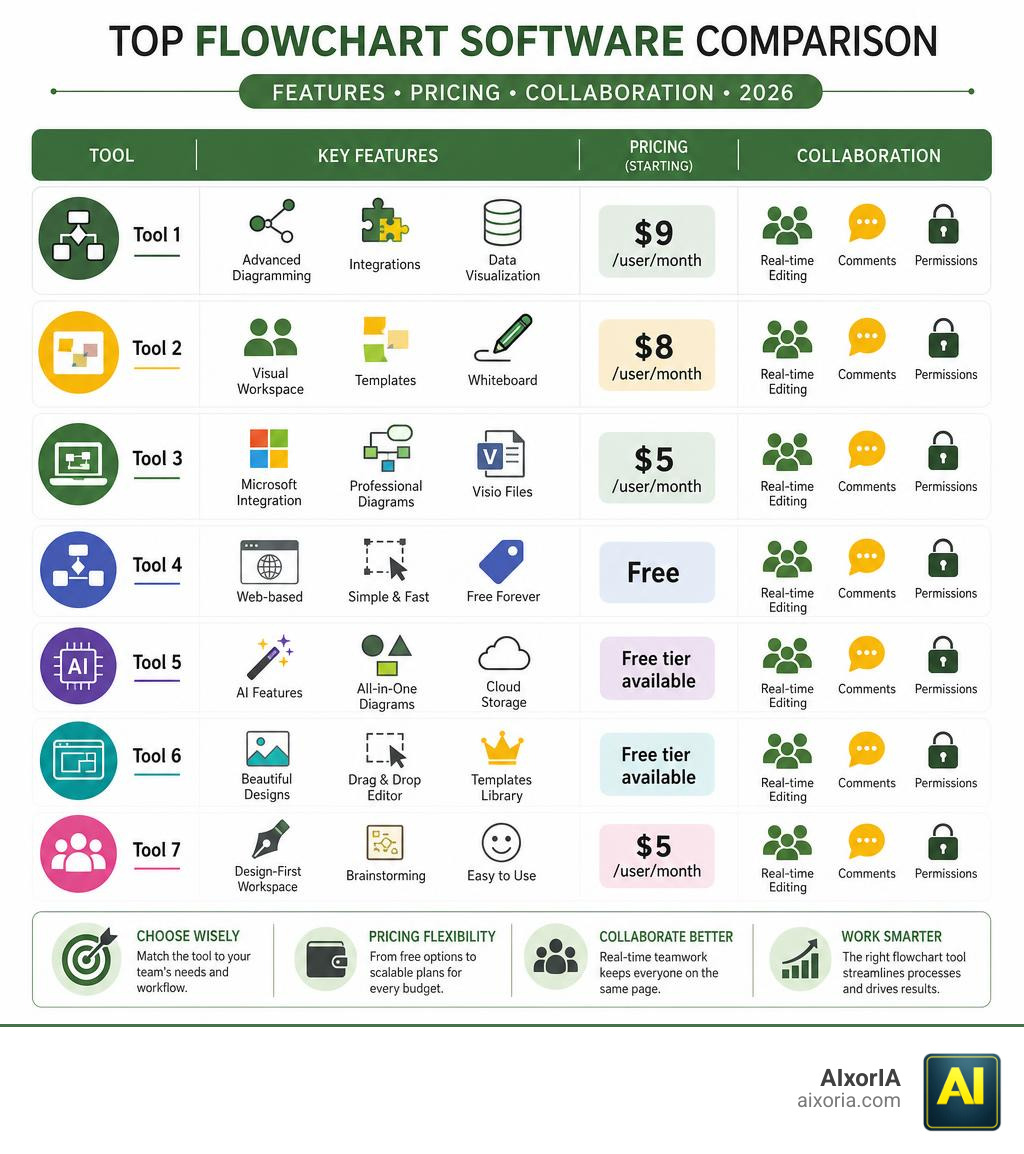
The best flowchart software options in 2026 cover a wide range of needs — from free browser-based tools to AI-powered enterprise suites. Here’s a quick overview to help you decide fast:
| Tool | Best For | Starting Price |
|---|---|---|
| Lucidchart | Data-heavy teams, integrations | $9/user/month |
| Miro | Real-time collaboration | $8/user/month |
| Microsoft Visio | Microsoft 365 users | $5/user/month |
| draw.io | Free, no-account diagramming | Free |
| EdrawMax | All-purpose + AI features | Free tier available |
| Canva | Simple, visual-first flowcharts | Free tier available |
| FigJam | Design teams and workshops | $5/user/month |
Without a clear visual of your process, teams miscommunicate, duplicate work, and miss critical steps. That’s a real productivity drain — especially for small businesses already stretched thin.
Flowchart software solves this by giving everyone a shared, easy-to-read map of how work actually flows. Whether you’re onboarding a new hire, mapping a sales process, or untangling a messy workflow, the right tool makes it simple — no technical skills required.
This guide compares the top options side by side so you can pick the best fit for your team, budget, and skill level.
Why Modern Teams Require Flowchart Software
In our experience helping businesses transition to modern digital workflows, we often see teams drowning in long text documents that nobody reads. Relying purely on written text to explain a complex process is a recipe for communication barriers.
Modern teams require flowchart software because it establishes instant alignment. When you map out a process visually, you create a single source of truth that clarifies roles, deadlines, and dependencies.
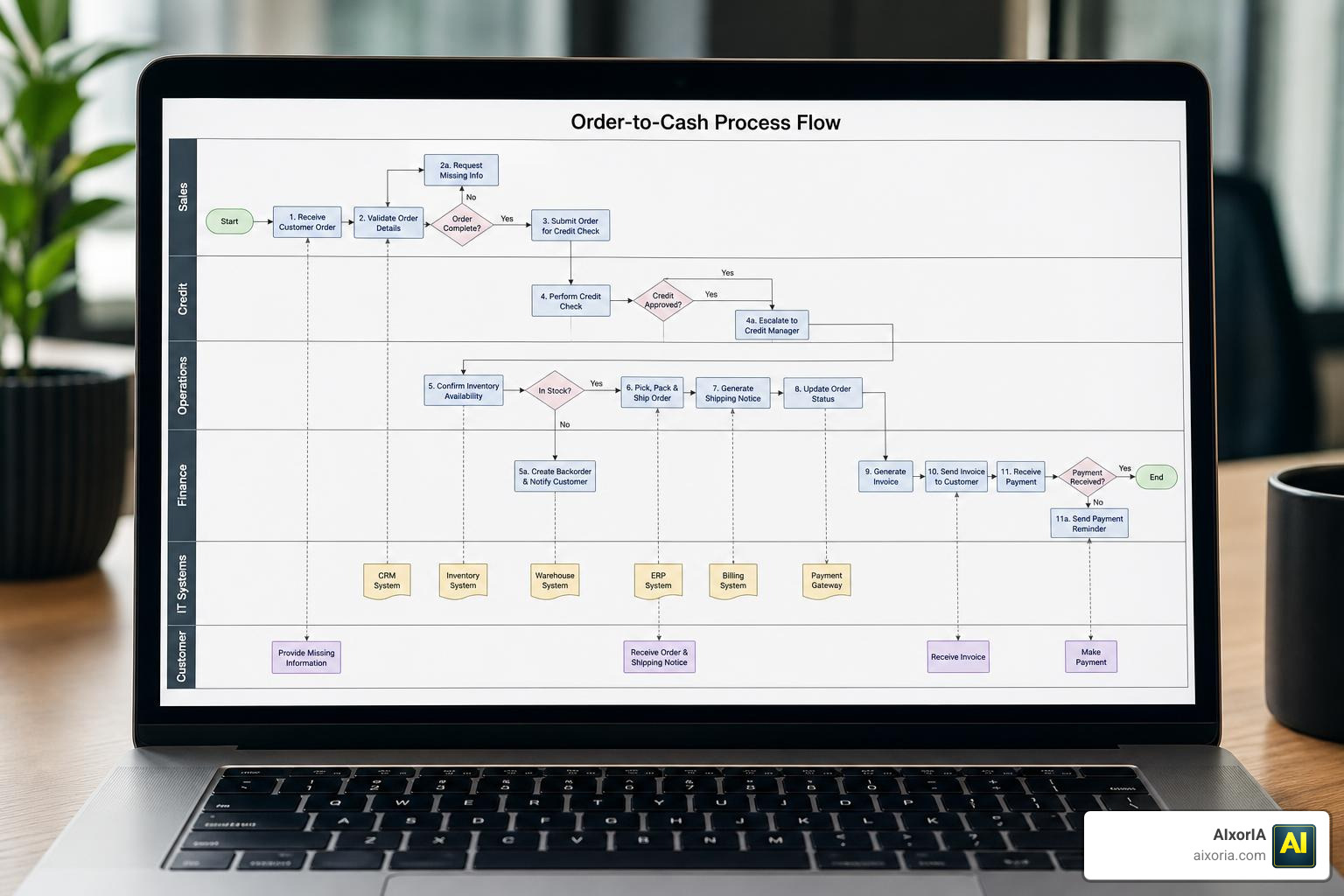
Using a visual process map also acts as an diagnostic tool. It allows teams to identify bottlenecks, spot redundancies, and find opportunities for automation. Instead of spending hours in meetings trying to explain “who does what,” a well-designed flowchart shows the entire workflow transparently. It is particularly valuable for training new employees, visualizing project critical paths, and documenting compliance procedures.
Key Features to Evaluate in the Best Flowchart Software
When shopping for the best flowchart software, it is easy to get distracted by flashy interfaces. However, to get real value, you should focus on features that make diagramming fast and maintenance effortless:
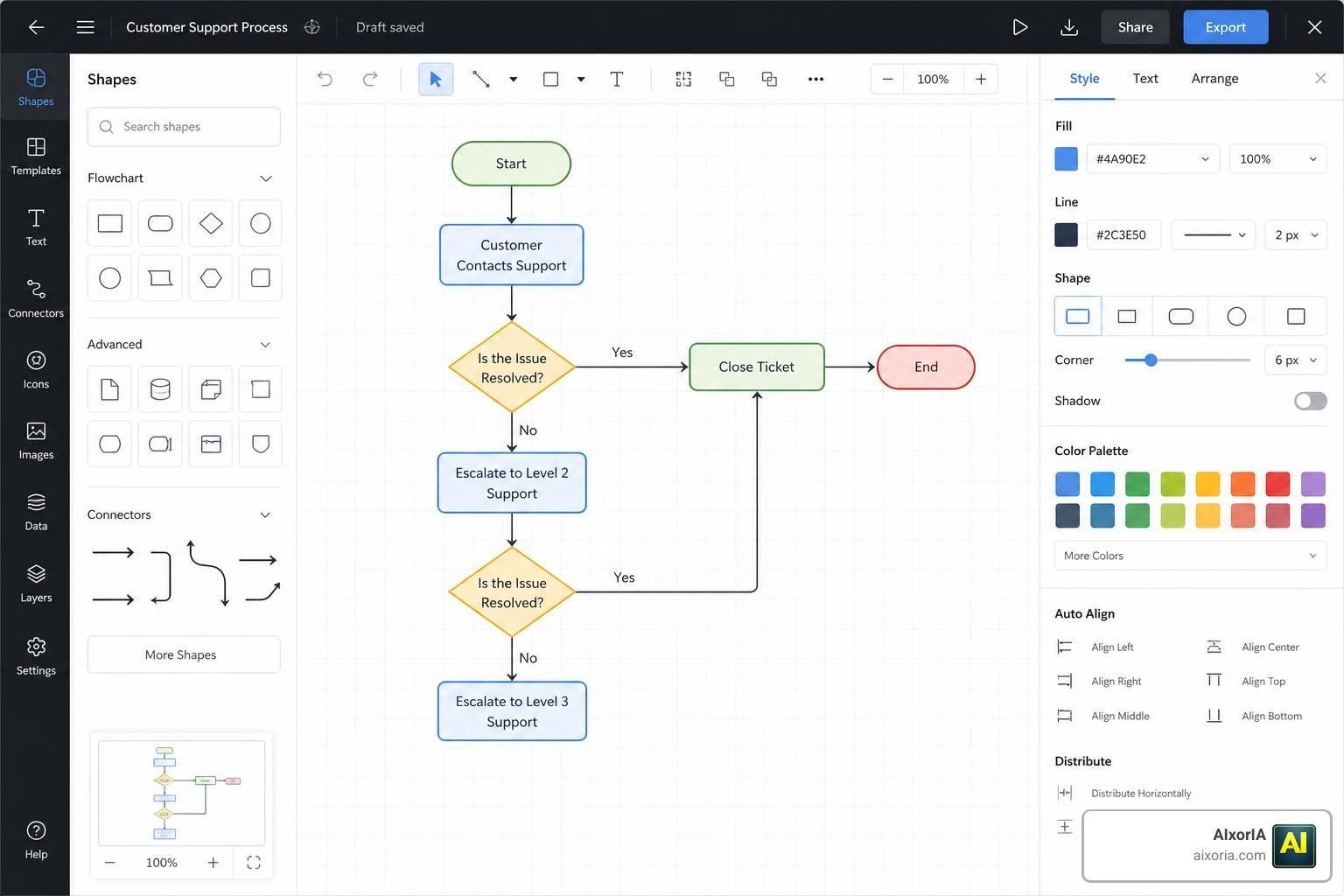
- Extensive Shape Libraries: A good tool should offer standard shapes (ovals for start/end, rectangles for process steps, diamonds for decision nodes) as well as specialized stencils like BPMN 2.0 or AWS/Azure network icons.
- Intuitive Drag-and-Drop Interface: You should be able to drag a shape onto the canvas and have the connectors automatically snap into place.
- Auto-Align and Auto-Space Tools: Tools like Flowchart Maker for Visio | Microsoft Visio help you keep your layout perfectly clean and professional without manual micro-adjustments.
- Template Variety: Starting from a blank page is intimidating. Look for software that offers hundreds of pre-built templates for user journeys, org charts, and swimlane diagrams.
- Version Control: If a teammate accidentally deletes half of a complex diagram, you need a robust revision history to restore previous versions with one click.
Comparing the Top Categories of Flowchart Tools for 2026
Not all diagramming software is built for the same purpose. To help you navigate your options, we have broken down the top tools into three distinct categories based on how your team works.
| Category | Typical Features | Best For | Example Tools |
|---|---|---|---|
| Collaborative Whiteboards | Infinite canvas, live cursors, sticky notes, video chat | Brainstorming, workshops, agile planning | Miro, FigJam, Vani |
| Enterprise Diagramming Suites | Data linking, CAD-style precision, deep security | Complex systems, network maps, compliance | Microsoft Visio, Lucidchart, EdrawMax |
| Open-Source & Free Tools | Local storage, XML-based files, no accounts | Budget-conscious developers, quick mockups | draw.io, yEd Graph Editor |
Collaborative Whiteboards for Real-Time Team Workflows
If your team is remote and thrives on interactive workshops, collaborative whiteboards are your best bet. These tools offer an infinite canvas where multiple team members can drop shapes, write comments, and vote on process steps simultaneously.
For example, Miro offers over 3,000 visual templates and features built-in timers to keep meetings on track. If you want a zero-friction, highly interactive experience, you can also check out the Free online flowchart maker | Built for every team from Vani, which features built-in video catchups and live cursors directly on the canvas.
Enterprise Diagramming Suites for Complex Systems
For technical documentation, network architecture, or heavy data integration, you need more than a whiteboard. Enterprise suites allow you to link your diagrams directly to live data sources like Excel or SQL databases.
Microsoft Visio: Diagramming & Flowcharts | Microsoft 365 is a classic example of this power. It offers over 250,000 shapes and supports advanced process modeling standards like BPMN 2.0. In the Microsoft ecosystem, you can even use the Data Visualizer feature to convert Excel spreadsheets into polished flowcharts automatically. For teams outside of the US, you can access the same robust features via Microsoft Visio: Diagramming & Flowcharts | Microsoft 365.
Open-Source and Free Diagramming Tools
If you want to create a quick diagram without signing up for yet another subscription, free and open-source options are incredibly powerful.
Draw.io is a stellar example: it requires no account to start, integrates seamlessly with Google Drive, and saves files in a highly portable XML format. If you prefer a dedicated desktop application that runs offline across Windows, macOS, and Linux, the yEd – Graph Editor is a fantastic, completely free option that uses advanced layout algorithms to arrange complex data structures automatically.
Selection Criteria and Pricing Models
Finding the best flowchart software requires balancing your team’s size, your budget, and your security requirements.
Selecting the Best Flowchart Software Based on Team Size
- Small Teams (1–10 users): Focus on ease of use and low setup times. Tools like Canva (trusted by over 75 million users worldwide) or FigJam are excellent because they require virtually zero training.
- Mid-Sized Businesses (11–100 users): Look for robust integration capabilities. Your flowchart tool should connect with your project management software, Slack, and documentation hubs like Confluence.
- Large Enterprises (100+ users): Prioritize security features like Single Sign-On (SSO), advanced user permissions, and compliance with data privacy standards.
Budget Considerations for the Best Flowchart Software
While many tools offer free forever plans, they usually limit the number of active boards or shapes you can use.
- Free Plans: Best for occasional diagramming. Draw.io is completely free, while Miro and Lucidchart offer limited free tiers.
- Per-User Subscriptions: Paid plans usually start around $5 to $9 per user per month. While this is affordable for a few people, the costs can scale quickly for larger organizations.
- Lifetime Licenses: Some tools, like EdrawMax, occasionally offer lifetime licenses or bundle options, which can provide a much higher return on investment (ROI) over several years compared to monthly subscriptions.
The Role of AI in Modern Diagramming Tools
The biggest shift in flowcharting in 2026 is the integration of Artificial Intelligence. You no longer have to manually drag every single box and arrow onto the screen.
With modern AI features, you can simply type a text description of your process, and the software will generate a complete flowchart in seconds. For instance, the Free AI Flowchart Maker: 3 Steps to Make Flowcharts from EdrawMax lets you generate, analyze, and optimize process flows with simple text prompts.
AI doesn’t just build the initial draft; it can also analyze your existing flowcharts to find inefficiencies, suggest steps you might have missed, and automatically clean up messy layouts.
Frequently Asked Questions About Flowchart Tools
What is the difference between a flowchart and a mind map?
A flowchart is sequential and process-oriented. It uses specific symbols and decision nodes to show how a process moves from start to finish. A mind map is hierarchical and radiating. It starts with a central idea in the middle and branches out into sub-topics, making it ideal for open-ended brainstorming rather than step-by-step processes.
Can I generate a flowchart automatically from Excel data?
Yes. Professional tools like Microsoft Visio (using the Data Visualizer add-in) and Lucidchart allow you to import CSV files or connect direct spreadsheets to auto-generate diagrams. When your underlying Excel data changes, the diagram can update automatically.
Are there completely free flowchart tools available without registration?
Yes, draw.io (also known as diagrams.net) is completely free and does not require you to create an account. You can save your diagrams directly to your local hard drive, Google Drive, or GitHub, making it a highly private and accessible option.
Conclusion
Finding the best flowchart software is all about understanding how your team visualizes information. Whether you need the real-time collaboration of Miro, the data-linking power of Visio, or the quick, free simplicity of draw.io, the right tool will save your team time and eliminate visual clutter
.
At AIxorIA, we believe that work shouldn’t be complicated. We specialize in providing custom AI solutions, interactive tool training workshops, and performance audits to help businesses streamline their operations. If you want to empower your team with the latest visual collaboration and AI tools, we are here to help with simple language, affordable services, and fast support.
Ready to transform your business workflows? Let’s connect at AIxorIA to build a smarter, more visual future together.
1 thought on “What Is the Best Flowchart Software in 2026? A Complete Guide for Teams and Enterprises”