How to choose AI tools for SMS marketing for local businesses
Scr0ll d0wn to D0VVNL0AD
The best AI tools for SMS marketing for local businesses depend on the job you need done. Choose a campaign tool to write and send offers, a two-way messaging tool to answer questions, or a missed-call tool to follow up with new leads. If you rely on appointments, look for booking links, reminders, and an easy way for staff to take over a conversation.
Before paying, test one real workflow. Check that the tool works with your booking or customer system, fits your message volume, and helps you manage consent and opt-outs. Fast replies matter, but useful replies matter more.
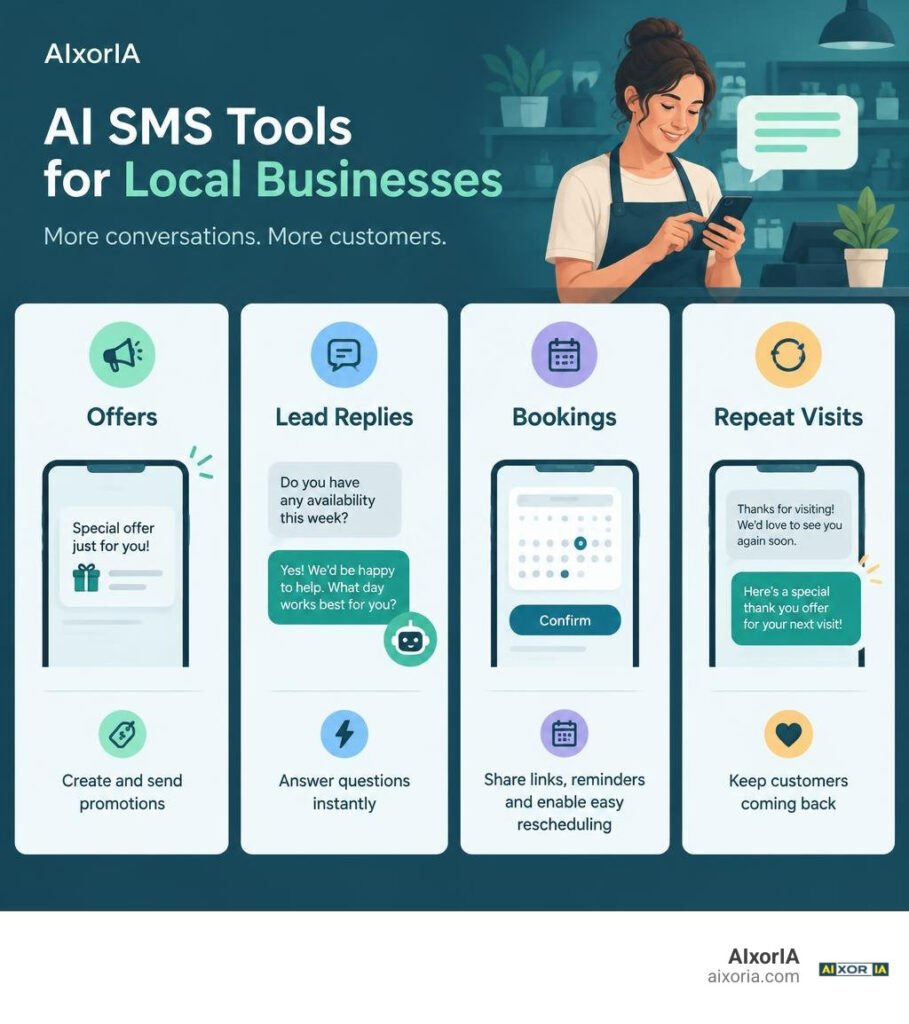
What local businesses can fix with AI-powered SMS
A busy local business can lose a lead while staff are serving customers, driving between jobs, or helping someone at the counter. AI-assisted texting can respond to routine questions, follow up after missed calls, and keep appointment messages from slipping through the cracks.
Common uses include:
- Responding to questions about services, availability, or opening hours.
- Texting someone who called but did not reach the business.
- Sending appointment confirmations, reminders, and rebooking prompts.
- Following up after a visit with a review request or relevant offer.
- Creating customer segments so regulars and new customers do not receive the same promotion.
- Drafting short messages when no one has time to start from a blank page.
A good workflow can help with automated customer service, but it should not send uncertain answers or treat every customer message as a marketing opportunity. Too many irrelevant texts can lead to opt-outs and weaken trust.
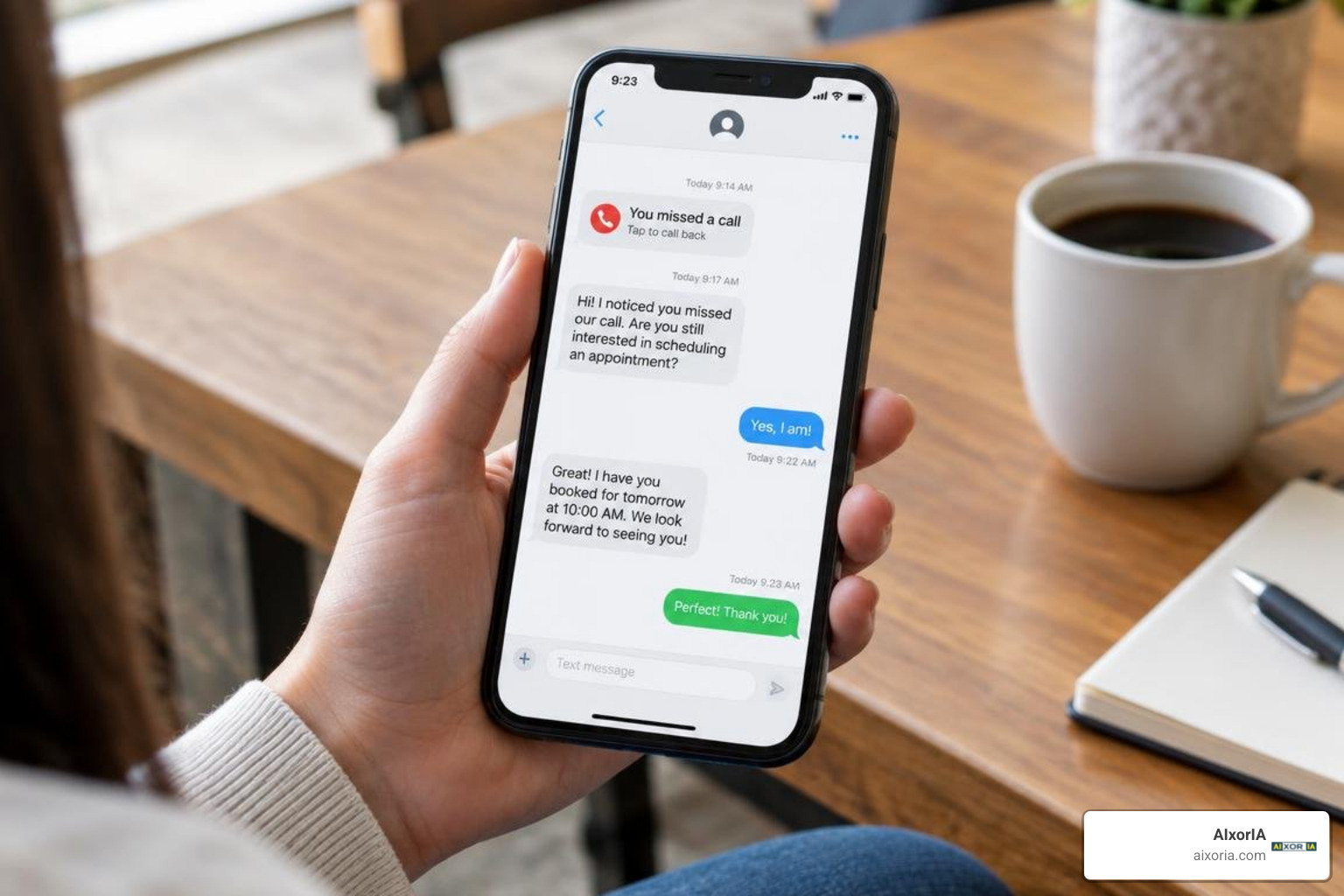
How AI tools for SMS marketing for local businesses improve response time and lead capture
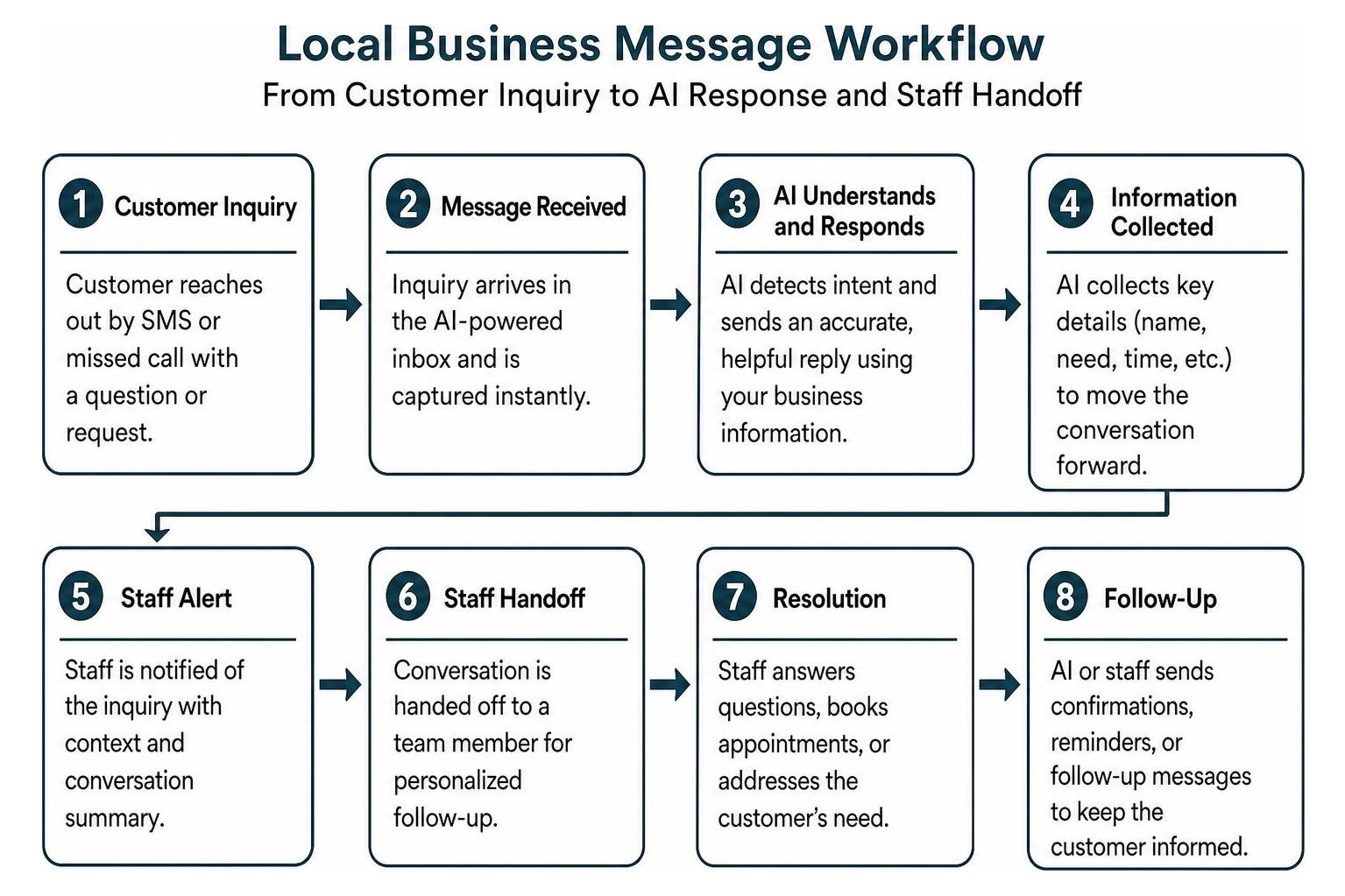
AI can acknowledge an inquiry in seconds, even when the owner is busy or the business is closed. It can answer approved FAQs, identify likely booking or buying intent, collect basic details, and share a booking link. If the request is unusual or important, it can alert a person to take over.
Missed-call follow-up is especially useful for service businesses. A short text can let a caller know the business received the call and ask what they need. Some tools can continue the conversation using business information the owner has provided. For example, a home-service business might collect the type of job and the customer’s location before a staff member follows up.
Speed can matter: one cited statistic says businesses that text back within five minutes are 21 times more likely to qualify a lead than those waiting 30 minutes. Treat this as a reported comparison, not a guaranteed result for every industry or business. AI can improve coverage, but quiet hours, escalation rules, and a clear human handoff still matter.
Which AI SMS features have the biggest impact on local business ROI?
Start with the features that prevent lost revenue or reduce repetitive work:
- Missed-call recovery: Promptly follow up with callers who could not reach you.
- Appointment reminders: Reduce forgotten bookings and make it easier to confirm or reschedule.
- Two-way automated replies: Handle common questions and route complex ones to staff.
- Rebooking and retention prompts: Invite past customers to return when the timing makes sense.
- Personalized campaign drafts: Generate concise starting copy that staff can review.
- Audience segments: Send relevant updates to groups such as new customers, regulars, or members nearing renewal.
- Review requests: Ask for feedback after a visit, while following platform rules and applicable laws.
Send-time optimization and AI-generated copy can save time, but neither guarantees more sales. For many small businesses, the clearest early return comes from capturing leads and improving appointment follow-up.
AI tools for SMS marketing for local businesses: compare tools by use case
The platforms below represent different kinds of tools, not interchangeable products. Some focus on promotional campaigns; others focus on incoming inquiries or missed calls. Pricing and available integrations can change, so confirm current details directly with a provider before signing up.
| Tool | Main use | Setup and automation | Integrations | Pricing model noted in available information | Best fit |
|---|---|---|---|---|---|
| Reachly | AI-assisted campaign writing and promotional texts | Upload contacts, choose a template or generate copy, preview, and send | CSV or Excel contact import; broader integrations are not specified | Trial; listed Starter plan at $29 per month for 1,000 SMS; custom volume pricing | Owners who want straightforward campaign setup |
| PepperSend | Missed-call follow-up and lead capture | Call-forwarding trigger, AI replies based on business information, and lead capture | Works with call forwarding; external CRM and booking integrations are not detailed | Listed entry plan at $15 per month plus $0.03 per SMS; higher plan also listed | Service businesses that miss calls |
| Responder | Unified replies across customer inquiry channels | AI answers FAQs, detects intent, and hands conversations to staff | SMS, Google Business messages, Facebook, Instagram, website forms; booking integrations listed for Calendly and Square | Listed plans start at $149 per month | Businesses managing inquiries and bookings across channels |
| Quellow | Email, SMS, and social marketing | AI drafts campaigns and posts for human approval | Uses customer information from supported orders, bookings, calls, and loyalty activity; details depend on setup | Free tier listed; paid marketing plans start at $20 per month | Owners who want a combined marketing workflow |
| Textmunication | SMS/MMS campaigns and customer-retention workflows | AI-assisted campaign optimization and automated reminders or loyalty messages | POS and CRM connections; 30+ integrations are claimed | Pricing not stated in the available information | Repeat-customer businesses needing connected campaign workflows |
| Attentive | Personalized, omnichannel marketing | AI personalization, segmentation, and campaign automation | 100+ integrations are claimed; ecommerce is a central focus | Custom or flexible pricing described; exact prices not stated | Larger or fast-growing brands with complex marketing needs |
These are vendor-described features, not independent performance guarantees. Check the setup steps, required integrations, message limits, and support options before deciding. For local-business marketing examples and workflows, see marketing ideas for local businesses. For a different use case, missed-call SMS automation focuses on responding to calls that a business could not answer.

Best AI tools for SMS marketing for local businesses by business need
Choose based on the job you want to automate:
- Campaign drafting and promotional broadcasts: Look for AI writing, reusable templates, contact segments, scheduling, and a preview before sending. A human should approve offers and details.
- Two-way replies and lead capture: Prioritize intent detection, accurate answers based on your business information, staff alerts, and a clear handoff.
- Missed-call recovery: Check how the tool detects unanswered calls, whether it can collect useful lead details, and how it avoids messaging people inappropriately.
- Appointment workflows: Look for calendar or booking links, confirmations, reminders, cancellation handling, and rebooking prompts.
- Customer reactivation: Favor tools that can identify lapsed customers from reliable visit or purchase data and let you test whether messages bring them back.
- Unified inbox: If inquiries arrive through several channels, check whether staff can see and answer them in one place.
- Beginner setup: A simple contact import, ready-to-edit templates, clear reports, and responsive support can matter more than advanced features you will not use.
How ecommerce SMS tools differ from tools for local and service businesses
Ecommerce platforms often focus on online behavior: abandoned carts, product recommendations, purchase history, and automated journeys across email and SMS. Those workflows can suit a retailer selling online, but they may not solve a plumber’s missed-call problem or a salon’s need to fill tomorrow’s openings.
Local and service businesses typically need appointment reminders, booking links, missed-call follow-up, review requests, local event promotions, and repeat-visit messages. Integrations with booking systems, point-of-sale data, and customer records may be more valuable than sophisticated product recommendations. Restaurants, for instance, may care about promoting a timely special, while a clinic may prioritize appointment confirmations and rescheduling.
Which AI SMS features, integrations, and safeguards should you prioritize?
The best tool fits the systems you already use. Check whether it can connect to your CRM, booking calendar, POS, or customer database, and whether it can bring in useful history such as a customer’s last visit. For customer questions arriving through several channels, confirm which social or business messaging inboxes are supported.
Also check what the AI is allowed to do. A tool might draft messages for approval, answer questions using a knowledge base, or send automated messages based on a trigger. Those are different levels of automation. Our overview of AI sales and marketing tools can help frame how these features fit into a broader workflow.
Consent and message controls should be part of setup, not an afterthought. In the United States, businesses should understand applicable TCPA requirements and carrier rules, including registration requirements for certain business messaging programs. In Canada, CASL applies to commercial electronic messages. Requirements depend on the message, location, and circumstances. The FCC’s order on robotexts and related rules is useful background, but platform features do not replace legal advice.
Can AI-generated SMS sound like your business?
It can, if you give it useful examples and boundaries. Provide a few messages that reflect your usual tone, plus accurate details about services, prices, hours, and policies. Saved templates and tone settings can help keep drafts consistent. Personalization tokens, such as a customer’s name or appointment time, can make a message feel more relevant when the underlying data is correct.
Preview every message before sending. Watch for invented discounts, incorrect availability, awkward phrasing, or overfamiliar language. For customer replies, limit the AI to approved business information and make it easy for staff to step in. AI should sound like your business, not like a generic greeting card that discovered emojis yesterday.
How SMS platforms support consent, opt-outs, and quiet hours
A platform may help add opt-out language, process STOP replies, keep suppression lists, and store consent records. These tools reduce manual work, but they do not make every campaign compliant automatically.
Before sending, confirm that the business has the required consent for the message and recipient. Keep records of when and how consent was collected, respect opt-out requests promptly, and do not re-add opted-out numbers without a valid basis. Set sending windows that follow applicable laws and carrier requirements; some regions or states may have stricter rules than general defaults.
For US business texting, ask whether the platform supports the relevant sender registration and verification process, including A2P 10DLC when applicable. Also check how it handles failed messages, shared numbers, and changes in consent status. The business remains responsible for its messaging practices.
Pricing, setup, and measurement for businesses with fewer than 10,000 contacts
Small-business SMS pricing commonly combines a subscription with included message credits, charges per message, or a pay-as-you-grow model. Compare the total likely bill, not just the advertised starting price. Consider contact limits, message volume, carrier fees, setup costs, overages, and whether replies count toward usage.
| Pricing model | Cost predictability | Often suits | Check before choosing |
|---|---|---|---|
| Per-message or pay-as-you-go | Variable | Infrequent campaigns or testing | Rates for sent and received messages, carrier fees, and minimum charges |
| Monthly subscription with credits | More predictable | Regular reminders and campaigns | Included messages, overage rates, and whether unused credits roll over |
| Pay-as-you-grow or custom volume | Depends on usage tiers | Growing lists or multiple locations | How the price changes as contacts and messages increase |
Estimate costs at both 1,000 and 10,000 contacts. A small list can still generate substantial usage if you send frequent reminders or two-way replies. Our guide to AI productivity tools also covers ways to evaluate tools based on the work they save, not just their feature lists.
How to choose an AI SMS tool without overpaying
Start with one workflow, such as missed-call follow-up or appointment reminders. Use a free trial if available, then test it with a real but appropriate scenario. Check whether you can set it up without technical help, whether it connects to your booking or customer system, and whether staff can review or take over conversations.
Before committing, model likely costs at your current list size and at 10,000 contacts. Include expected messages per contact, replies, and overages. Avoid paying for ecommerce journeys, extra channels, or advanced analytics if your immediate need is simply to answer leads or reduce no-shows. Also consider switching costs: contact exports, consent records, templates, and workflow setup should be portable or documented.
What results should local businesses track?
Track outcomes that connect to business activity:
- Response time: How quickly new inquiries receive a useful reply.
- Delivery rate: The share of messages successfully delivered.
- Reply and click rates: Whether customers respond or use the link.
- Booking and conversion rates: Whether messages lead to appointments, visits, or purchases.
- Repeat visits and revenue per recipient: Whether campaigns contribute to customer return and sales.
- Opt-out rate: Whether message frequency or relevance is causing fatigue.
SMS is often described as having a 98% open rate, and one cited average response-rate claim is 45%. These figures vary by source, audience, message type, and measurement method; do not treat them as guaranteed benchmarks. Likewise, vendor case studies can show what happened for a particular business but do not establish what another business will achieve.
For a clearer test, compare a messaged group with a small, similar group that does not receive the campaign. Track bookings or visits over the same period. Attribution is imperfect: a customer may have visited anyway, or responded after seeing another promotion. Use the numbers as evidence for improving decisions, not as proof that every sale came from a text.
Frequently Asked Questions about AI SMS marketing for local businesses
Can AI reply to customers when the owner is unavailable?
Yes. Depending on the tool, AI can respond to common questions, gather basic lead details, or share a booking link. Set boundaries using accurate business information and route uncertain or high-priority requests to a person. Test the workflow before enabling it for customers.
Do AI SMS tools automatically manage opt-outs and quiet hours?
Some tools offer STOP handling, opt-out suppression, and scheduled sending windows. Confirm exactly what is automated and what still requires your attention. You are responsible for collecting appropriate consent and following the rules that apply to your business and customers.
Which pricing model works best for a business with a small contact list?
A subscription with included credits can suit a business that sends regular reminders or campaigns and wants a predictable base cost. Pay-as-you-go may be better for occasional sends. Compare likely message volume, replies, fees, and overages rather than choosing by contact count alone.
Conclusion
Start with one high-value workflow: recover missed calls, confirm appointments, or encourage a timely repeat visit. Test the setup, check the AI’s replies, and verify consent and opt-out handling before expanding. Then measure bookings, response times, repeat visits, and costs to see whether the workflow is helping.
We focus on practical guidance that helps businesses assess AI tools without getting lost in feature lists. To explore more AI tools and business guides, start with the task you want to make easier and choose the simplest tool that handles it well.