Why Free Offline Accounting Software for Small Business Owners Is Worth a Closer Look

The best free offline accounting software for small business options available in 2026 include:
| Software | Best For | OS Support |
|---|---|---|
| Manager.io | All-round free desktop accounting | Windows, Mac, Linux |
| GnuCash | Data privacy, personal + business books | Windows, Mac, Linux |
| Accountinite | Open-source POS + double-entry | Windows, Linux |
| LedgerSMB | Growing businesses, ERP features | Self-hosted (any OS) |
| Akaunting | Self-hosted, open-source, multi-currency | Self-hosted (any OS) |
| NCH Express Accounts | Small teams (5 or fewer employees) | Windows, Mac |
| ETAR | Service businesses, guided bookkeeping | Windows |
| STOKKA | Inventory-heavy businesses (up to 100 SKUs free) | Windows |
As a small business owner, you know how fast expenses add up. The last thing you need is another monthly subscription just to track them.
That is exactly why offline desktop accounting software matters. It costs nothing. It works without internet. And your financial data stays on your own machine — not on someone else’s server.
But “free” in accounting software does not always mean what you think. Some tools are truly free forever. Others are freemium — free until you hit a limit on invoices, users, or revenue. And cloud-based tools that look free often require a paid upgrade the moment your business grows past the micro-business stage.
This guide cuts through the noise and focuses specifically on software you can install and run locally, with no ongoing subscription fees and no mandatory internet connection.
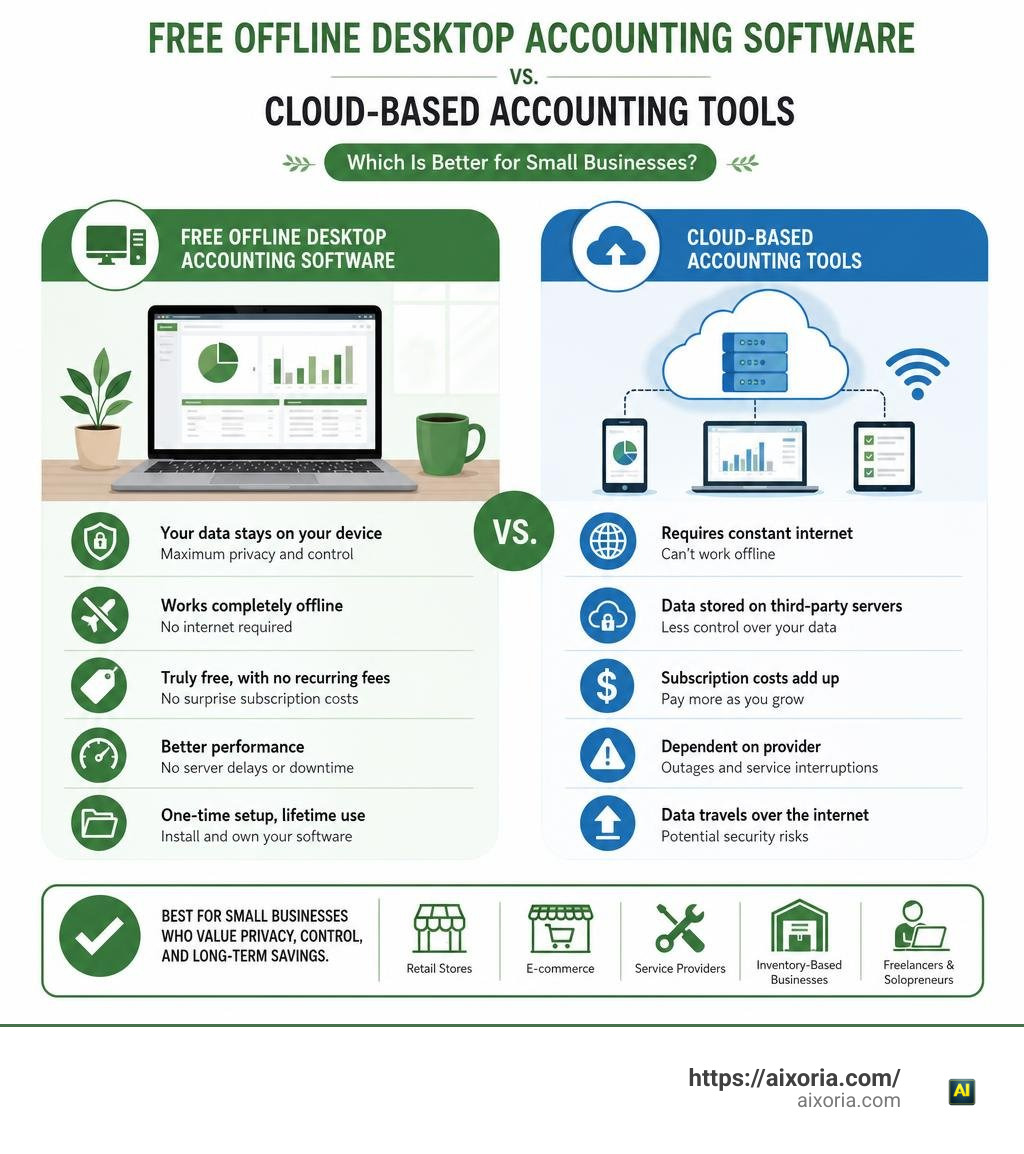
Understanding Free Offline Accounting Software for Small Business: Cloud vs Desktop
When choosing bookkeeping software, the core architecture determines where your data lives and how you access it. Software for desktop accounting operates directly on your local device. In contrast, cloud platforms host your records on remote third-party servers.
Using free offline accounting software for small business ensures high local data security. Cloud systems require a continuous connection to the internet and transfer sensitive general ledger entries across public networks. Even with 256-bit SSL encryption and PCI Level-1 certification, cloud databases remain vulnerable to server outages, credential theft, or unexpected subscription rate increases.
Freemium models often restrict core features. For example, cloud platforms might limit invoicing to 1,000 entries per year, cap annual revenue at $50,000, or charge extra for double-entry bookkeeping rules. Fully offline tools give you zero monthly subscriptions without hidden transaction ceilings.
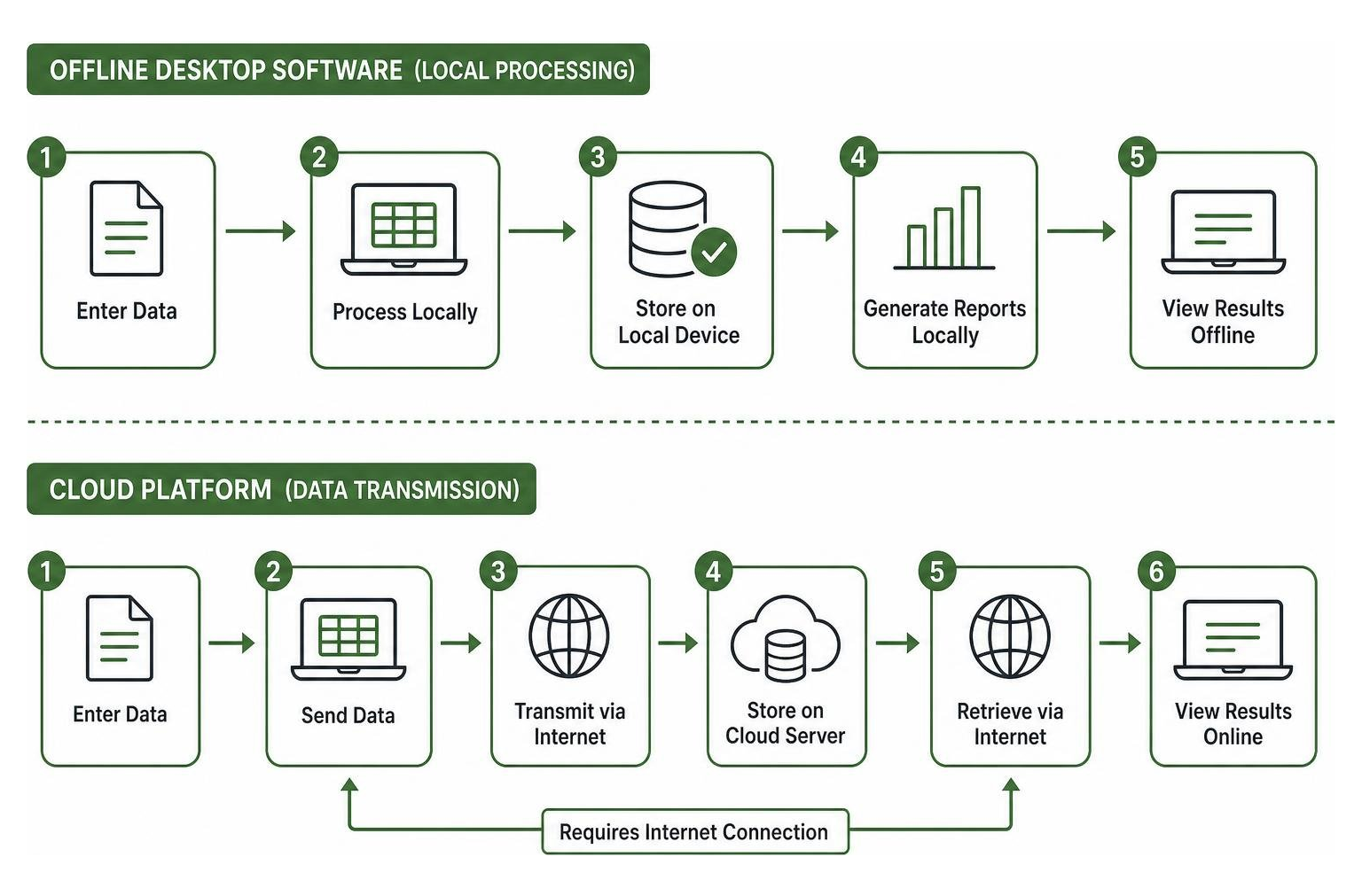
| Feature | Offline Desktop Software | Cloud SaaS Accounting |
|---|---|---|
| Data Storage Location | Local hard drive / local server | Remote vendor server |
| Internet Dependency | 100% offline functionality | Continuous internet required |
| Subscription Cost | $0 forever (for local desktop versions) | Monthly recurring fees |
| Data Privacy | Full local control, zero cloud tracking | Subject to vendor privacy policies |
| Multi-Device Syncing | Manual file transfers or local LAN | Automatic cloud synchronization |
| Backup Responsibility | Managed locally by the business owner | Automated by the cloud vendor |
Benefits of Storing Financial Data Locally
Storing your business finances locally gives you maximum data privacy. When using programs like GnuCash or Manager.io, zero data leaves your desktop device. You never have to worry about third-party telemetry, data harvesting, or cloud provider policy changes.
Local data storage provides complete operational independence. If your internet connection goes down, your point-of-sale counter and invoicing stay fully functional. Encrypting your local database drive ensures your financial statements, profit margins, and customer balances stay protected behind your physical hardware security.
Limitations and Scalability Bottlenecks of Desktop Solutions
Despite their advantages, desktop accounting solutions bring distinct operational constraints. Because data resides exclusively on local hardware, you bear full responsibility for manual backups and disaster recovery protocols. A sudden drive failure without an offsite CSV or database backup can wipe out entire financial histories.
Desktop freeware also introduces user caps and collaboration limitations. Most desktop applications operate as single-user tools or restrict multi-user access across a local network without cloud connectivity. Furthermore, offline systems lack automated bank feeds, requiring manual entry or CSV bank statement imports to reconcile accounts.
Key Features to Look For in Offline Bookkeeping Solutions
Finding the right software depends on your operational needs. A solopreneur handling basic service billing needs simple invoice creation and expense tracking. A retail storefront requires complex batch tracking, POS integration, and automated inventory adjustments.
Essential features to check before installing offline accounting software include:
- Double-Entry Bookkeeping: Ensures balanced general ledgers, accurate trial balances, and audit-ready reports.
- Accounts Payable (A/P) and Accounts Receivable (A/R): Keeps track of outstanding vendor bills and customer collections.
- Multi-Currency Support: Handles automatic conversion rates and foreign transactions for cross-border clients.
- Customizable Invoicing: Generates professional PDF invoices with custom taxes, payment terms, and business branding.
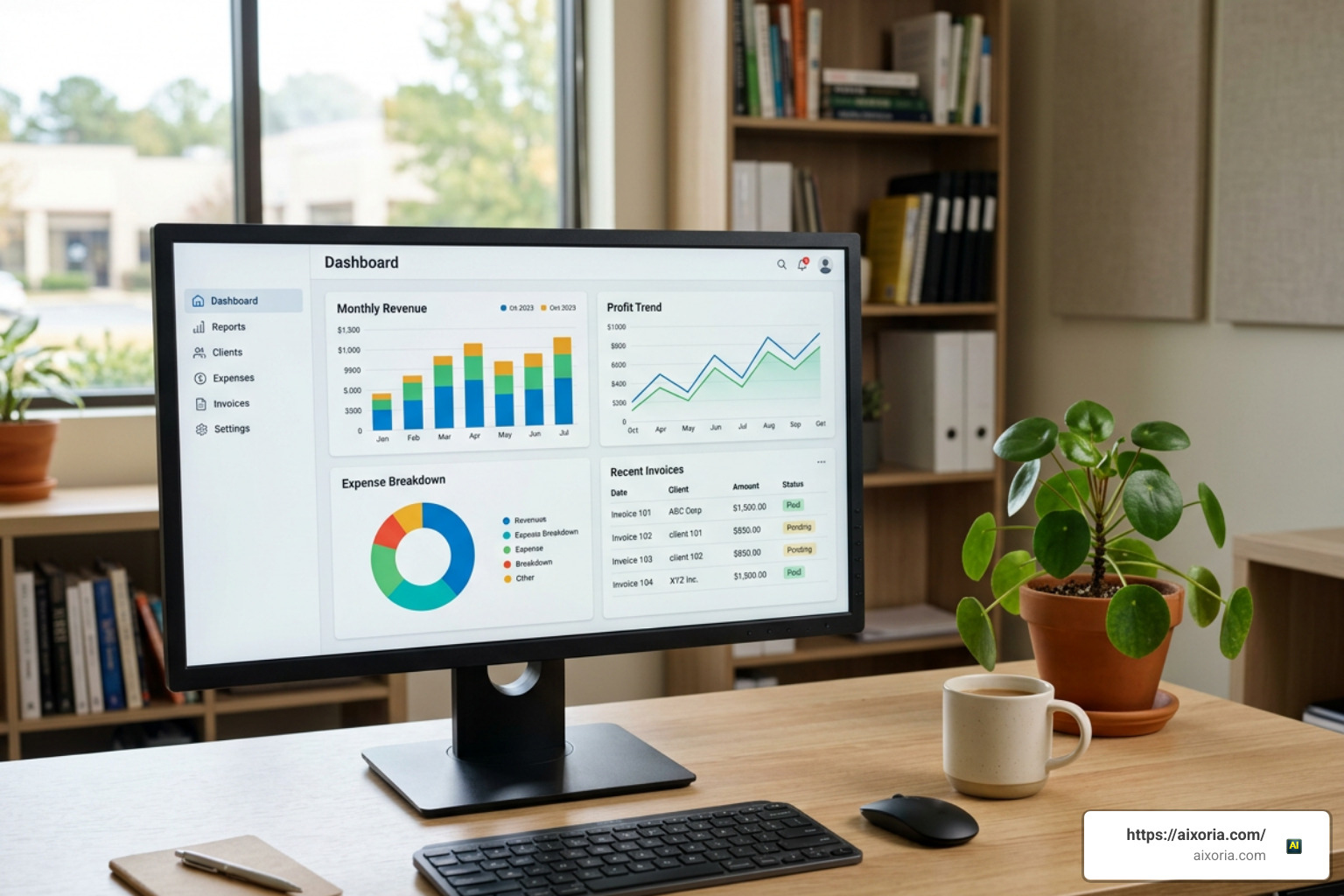
Tax Compliance and Financial Reporting Capabilities
Managing tax compliance offline requires local configuration for regional tax codes, GST rates, or VAT rules. Leading desktop options let you define multi-tier sales tax structures and calculate liabilities automatically as you enter transactions.
For localized tax preparation, localized solutions simplify corporate reporting. For instance, Indian small businesses using BizKhata — Free GST Billing & Accounting Software India | Windows & Mac | No Subscription can process 100% offline GST billing, track CGST/SGST splits, and export Tally XML files for immediate handoff to Chartered Accountants. Core financial reporting capabilities across top offline tools include:
- Balance Sheets and Profit & Loss (P&L) statements
- General Ledger detail reports
- Accounts Receivable aging breakdowns
- GSTR-1 and GSTR-3B tax summary exports
Inventory and Point of Sale (POS) Integrations
For product-based companies, inventory management dictates software selection. Basic invoicing apps cannot track complex inventory metrics like batch numbers, serial numbers, or stock expiration dates.
Advanced offline tools streamline retail and wholesale workflows. Software like STOKKA — Offline Business Management for Small Businesses | 3S Coding offers a free tier for up to 100 SKUs, utilizing First-Expired, First-Out (FEFO) inventory deduction for batch tracking without internet requirements. Integrated POS software lets retail clerks scan barcodes, execute quick cash counter checkouts, and automatically convert quotations into binding sales invoices.
Top Categories of Desktop Accounting Tools
Offline tools fall into two main software architecture categories: open-source software and proprietary freeware.
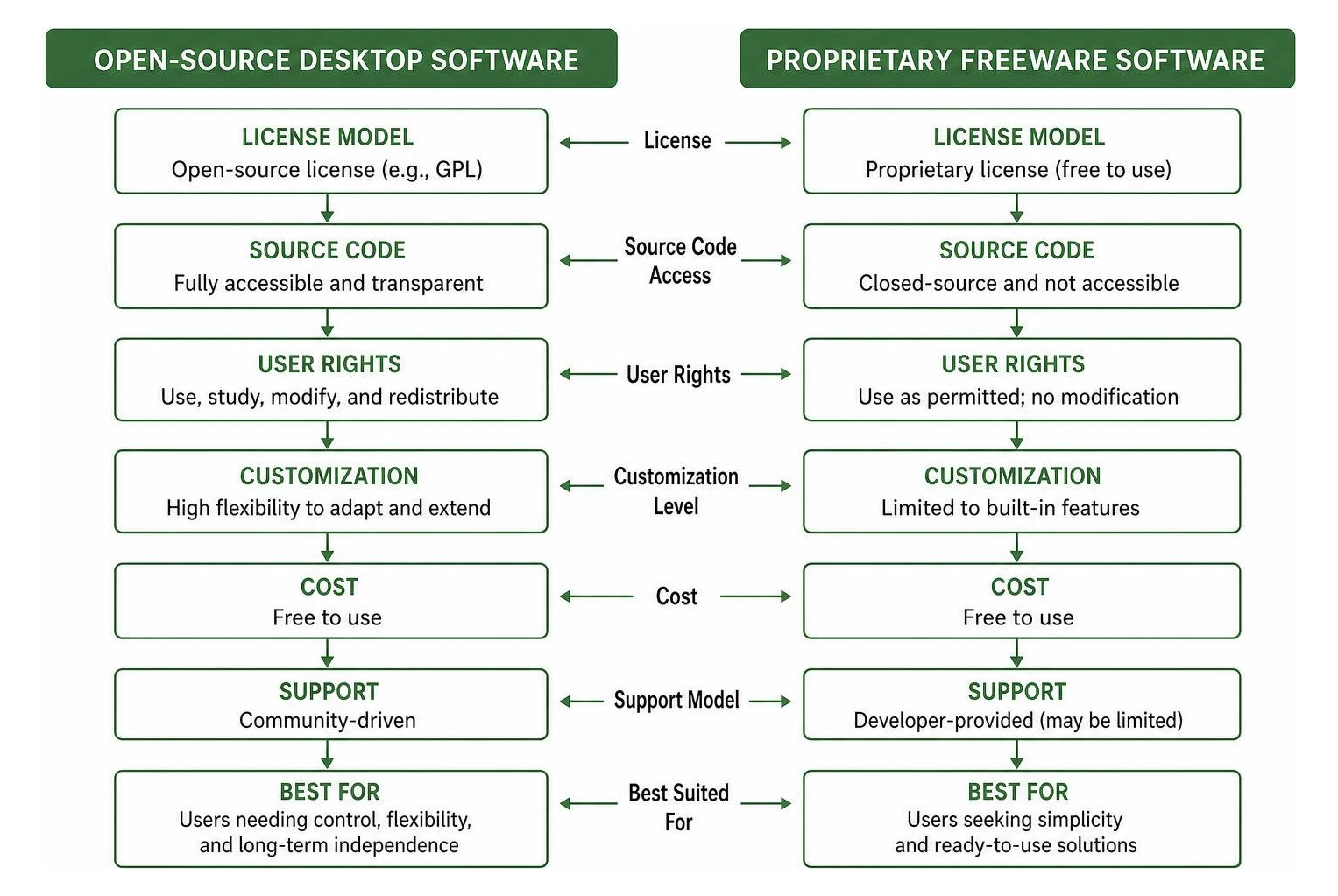
Open-Source Free Offline Accounting Software for Small Business Options
Open-source bookkeeping software gives you total transparency over the source code. Businesses with technical capabilities can inspect, modify, and extend the platform to build custom workflows without vendor lock-in.
For example, codeconomics-tz/accountinite provides an open-source, offline-first accounting application built on Electron and SQLite. It combines double-entry bookkeeping with integrated POS and batch inventory tracking.
For enterprise-level needs, open-source ERP platforms like Open Source ERP: accounting, invoicing and more | LedgerSMB handle high-volume processing. Backed by a PostgreSQL database, LedgerSMB can support companies handling thousands of transactions per week, processing over 650,000 accumulated transactions across millions of journal lines on local network servers.
Proprietary Desktop Free Offline Accounting Software for Small Business Solutions
Proprietary freeware offers compiled, out-of-the-box desktop installers designed for non-technical users. Software like Manager.io provides complete accounting functionality for Windows, Mac, and Linux without forcing subscriptions or time limits.
Similarly, service businesses needing structured ledger entries can look to tools like ETAR. Through its Downloads page, users can access guided entry forms that explain accounting terms to non-accountants, generating balance sheets and exporting sales orders directly to Excel or PDF format.
Operating System Compatibility and Upgrade Paths
Cross-platform compatibility ensures your local financial files stay readable if your business upgrades or switches operating systems.

OS Specific Selection: Windows, Mac, and Linux
Selecting software aligned with your desktop operating system reduces technical overhead:
- Windows: Supports almost every proprietary offline tool, including NCH Express Accounts, BizKhata, ETAR, and STOKKA.
- macOS: Manager.io and GnuCash offer native macOS releases, while BizKhata natively supports both Intel Macs and Apple Silicon (M1/M2/M3).
- Linux: GnuCash and Manager.io run natively on Linux distributions. Technical teams can also deploy self-hosted systems locally. Developers can reference the official README.md at ddea1f167e9f515444f32e279b22170294def1d5 · ledgersmb/LedgerSMB to set up Docker containers on localhost via
docker-compose up -d.
Managing Migration When Your Small Business Outgrows Free Tools
As your company scales, single-user desktop software may hit operational limits. When your accounting demands multi-user remote access or automated bank feeds, plan a clean data migration strategy:
- Clean Your Ledger: Reconcile all outstanding Accounts Payable and Receivable balances in your offline tool.
- Export Financial Masters: Export customer lists, supplier records, chart of accounts, and product SKUs into structured CSV files.
- Export Trial Balances: Run a final ending trial balance report to establish opening balances for your new software.
- Backup Database Files: Store a permanent, encrypted copy of your offline software’s raw database file for future tax audit defense.
Frequently Asked Questions About Offline Accounting
How does offline accounting software handle data backups and disaster recovery?
Because offline accounting applications store data on your local hard drive, automated cloud backups do not run in the background. You must establish manual or local backup protocols.
Most offline desktop platforms include a built-in “Backup” utility that exports your company file into a single compressed database file. You should regularly copy this file to encrypted external media (such as an external SSD or secure local NAS drive).
Can offline accounting software manage tax compliance like GST and VAT?
Yes. Desktop accounting tools allow you to customize tax codes, specify compound or flat percentage rates, and track tax collected on sales versus tax paid on expenses.
Many region-specific offline programs include pre-built tax return templates that generate localized CSV summaries or XML files ready for direct upload to government tax portals.
Are there hidden costs associated with using free offline accounting tools?
Truly free offline software (like GnuCash, Manager.io Desktop, or Accountinite) has no software licensing costs. However, indirect operational costs can arise:
- Labor Time: Manual entry of bank transactions takes more time than automated cloud bank feeds.
- IT Infrastructure: Self-hosted open-source ERP systems (such as LedgerSMB) may require local network setup or IT support.
- Hardware Backups: Purchasing external backup storage drives to protect against hardware failures.
Conclusion
Choosing a free offline accounting software for small business setup gives you complete data ownership, operational privacy, and freedom from monthly subscriptions. Whether you choose open-source options like GnuCash and Accountinite or proprietary applications like Manager.io, running your bookkeeping software locally puts you in complete control of your business records.
As your operations scale, combining reliable local record-keeping with modern automation keeps your business lean and efficient. Learn how AI productivity tools can enhance your business workflows in 2026 to streamline operational tasks alongside your local accounting strategy.