Why McKinsey AI PowerPoint Reduction Is Changing How Work Gets Done
Scr0ll d0wn to D0VVNL0AD
McKinsey AI PowerPoint reduction is real, measurable, and moving fast — and the lessons apply far beyond big consulting firms.
Here is the short answer if you need it quickly:

How McKinsey is reducing PowerPoint with AI:
- Built an internal AI platform called Lilli that searches and synthesizes knowledge across 40+ sources — saving consultants up to 30% of the time they used to spend on research and slide prep
- Replaced living slide decks with an AI-assisted “client visualization hub” — a centralized, searchable website that kills version control problems overnight
- Shifted from week-long analysis to hour-one answers by letting AI agents handle the first-draft thinking
- Freed up consultant time for higher-value work like strategy, judgment calls, and client relationships — not formatting slides
The numbers back this up. Within just a couple of months of rolling out AI tools, PowerPoint usage at McKinsey dropped sharply — both in the number of presentations created and the time spent inside the program. Today, 72% of the firm actively uses Lilli, generating over 500,000 prompts per month.
This is not just a story about a giant firm with a massive budget. The underlying approach — using AI to cut busywork and replace static documents with smarter, live information hubs — is something any business can adapt.
If you have ever spent hours updating a slide deck that was outdated the moment you sent it, you already understand the problem McKinsey solved.
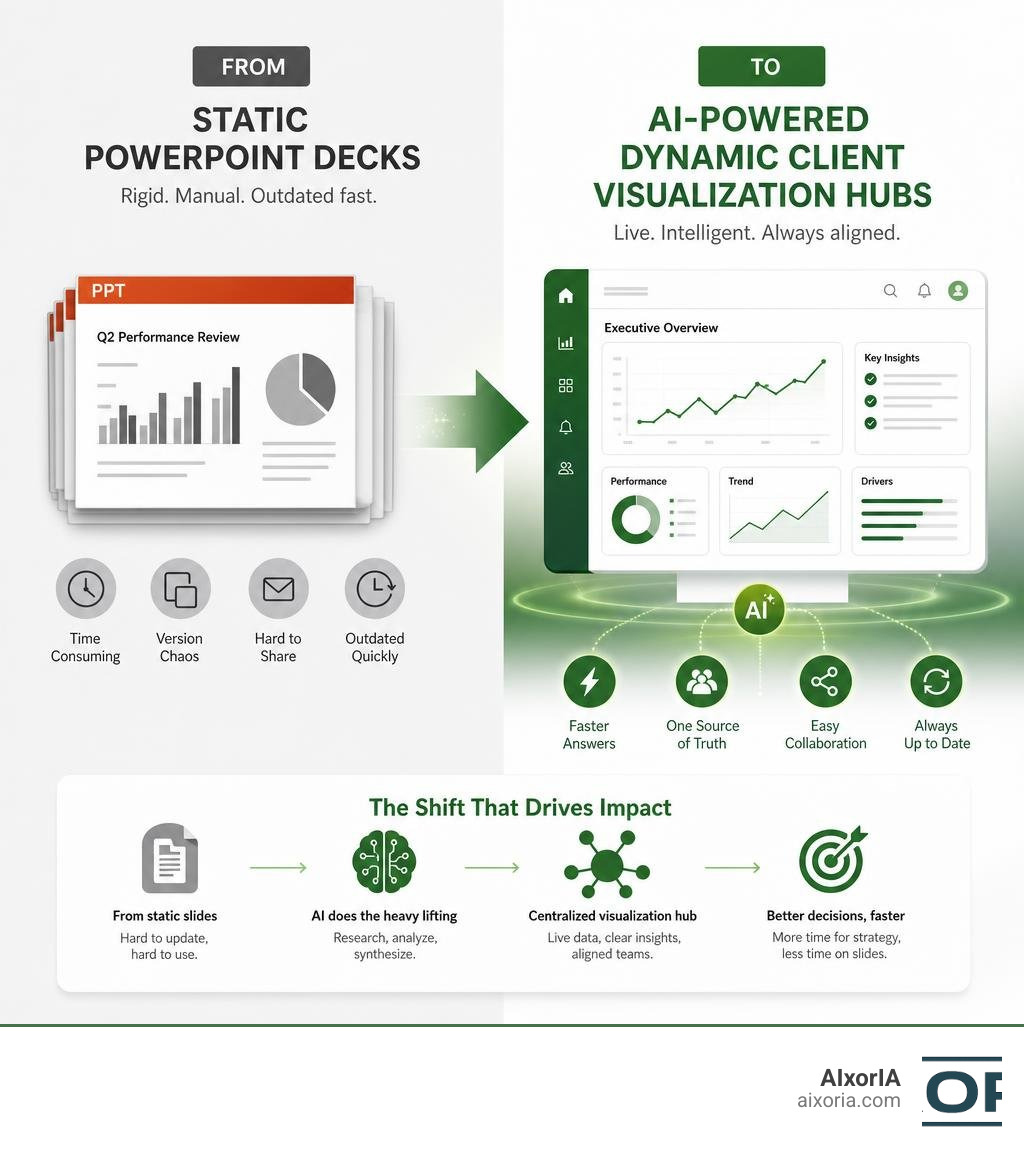
The McKinsey AI PowerPoint Reduction Strategy: How Lilli and Hubs Replace Decks
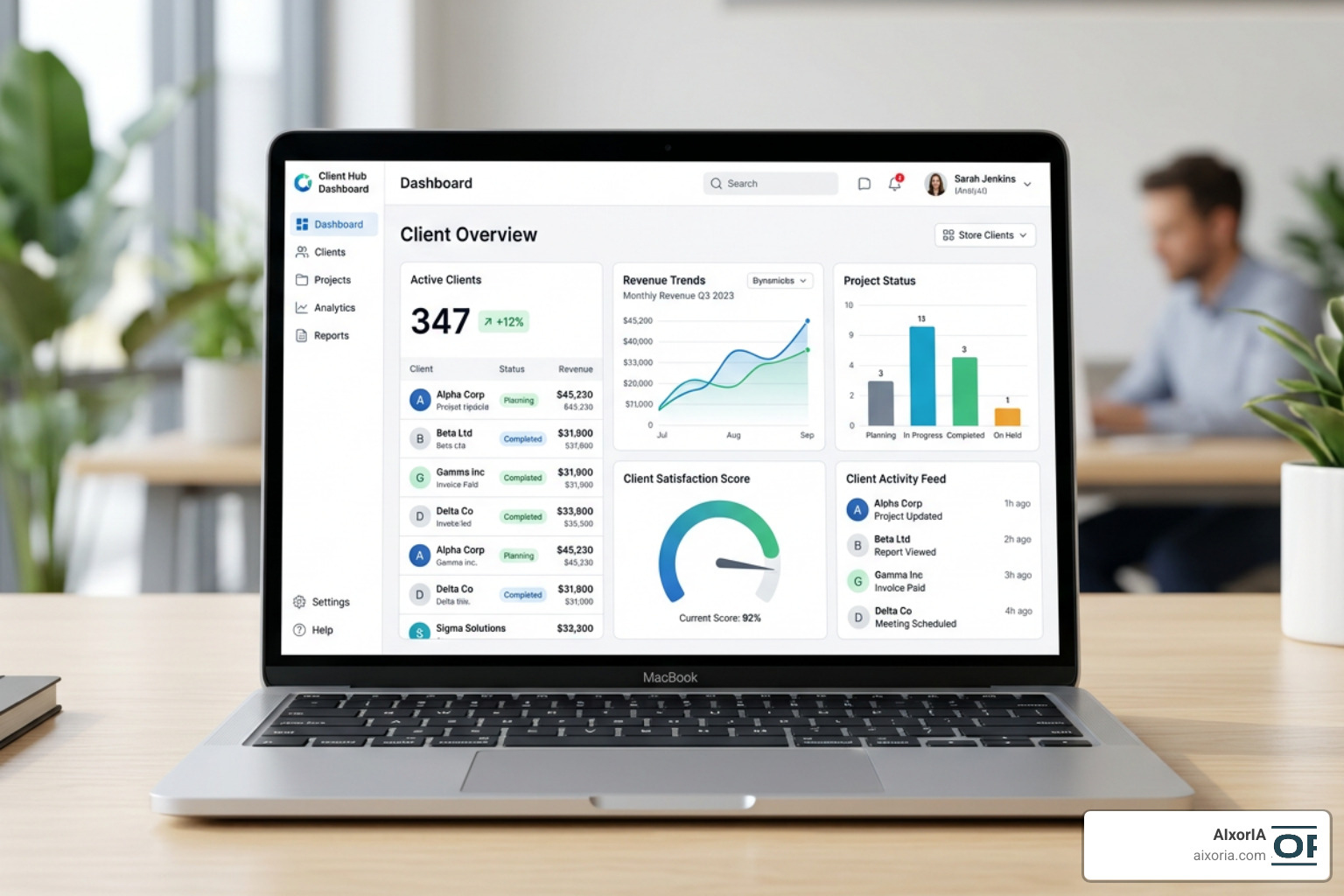
For decades, the standard consulting deliverable has been the slide deck. Consultants spent countless late nights nudging text boxes, aligning icons, and color-coding charts. However, as reported by McKinsey consultants are using AI to end their dependence on PowerPoint | Business Insider Africa , this traditional workflow is undergoing a massive shift.
At AIxorIA, we help businesses of all sizes realize these exact kinds of productivity gains. By streamlining workflows and integrating smart automation, we make it easy to cut out the digital clutter. If you are looking to optimize your team’s day-to-day tools, our guide on the Best AI Tools for Business Productivity is a fantastic place to start.
Inside Lilli: The AI Platform Driving McKinsey AI PowerPoint Reduction
At the heart of this transformation is Lilli, McKinsey’s proprietary generative AI platform. Named after Lillian Dombrowski, the first professional woman hired by the firm in 1945, Lilli has quickly become the digital lifeblood of their consulting operations.
Lilli acts as an advanced knowledge aggregator, connecting consultants to more than 40 internal knowledge sources, case studies, and deep research databases. Instead of starting from scratch on a new project—which traditionally required searching multiple repositories and manually compiling background slides—consultants can now query Lilli.
The platform’s adoption metrics are staggering:
- 72 percent of the entire firm is active on Lilli.
- Users generate more than 500,000 prompts every single month.
- Consultants report up to 30 percent time savings in searching and synthesizing complex knowledge.
By handling the heavy lifting of initial research and slide outline generation, Lilli allows teams to skip the tedious “blank slide” phase.
The Client Visualization Hub: Ending Version Control Chaos
One of the most practical innovations resulting from this AI push is the transition from static, emailed PowerPoint files to centralized, interactive web platforms. According to McKinsey Consultants Replace PowerPoint With AI Hub | Let’s Data Science , consultants are increasingly using a “client visualization hub” approach.
Consider the old way: a 70-person project team circulating a “living” PowerPoint deck. By day three, you have files named Project_Update_v4_final_FINAL_edit_LCG.pptx. Version control becomes a nightmare, and finding a specific data point requires digging through older email attachments.
The client visualization hub solves this by serving as a single, searchable, secure project website. Built using internal deployment platforms, these hubs compile the latest project data, deliverables, and interactive charts in one secure place. Because the hub is updated in real time and powered by metadata-driven search, clients and consultants always have access to the absolute latest version of the truth.
Re-Engineering the Consulting Workflow and Economic Model

Reducing slide count is not just about changing file formats; it is about completely redefining how consultants spend their working hours and how firms price their expertise.
From Week-One to Hour-One Answers with Dojo Sessions
Traditionally, a consulting team would spend their entire first week on a project gathering data, formulating basic hypotheses, and structuring initial slide decks. Generative AI has compressed this timeline dramatically, turning the traditional “week-one answer” into an “hour-one answer.”
With the grunt work of data synthesis automated, teams now have time to pressure-test ideas. McKinsey consultants have implemented structured collaborative formats like:
- Dojo Sessions: Focused, rapid-fire workshops where consultants use AI tools to run real-time simulations, stress-test business strategies, and co-create solutions.
- Hackathons: Intense, cross-functional sessions where teams build interactive prototypes or custom analytical models in hours rather than weeks.
This allows consultants to focus on high-value conceptual problem-solving and strategic judgment right from the start.
The Economics of 40,000 Humans and Multiples of 25,000 AI Agents
The consulting economic model has long relied on the “pyramid structure,” where junior analysts bill hourly rates to perform research and build slide decks under the guidance of senior partners.
In late 2024, McKinsey’s CEO Bob Sternfels highlighted that the firm’s operational headcount comprised roughly 40,000 human consultants and 25,000 AI agents. By mid-2026, that agent count has grown to many multiples of the original 25,000.
This massive digital workforce is reshaping industry economics:
- Pricing Structures: As AI slashes the billable hours required for slide creation and data entry, firms are moving toward value-based or fixed-fee pricing models that reward outcomes rather than hours spent.
- The Apprenticeship Model: Traditionally, junior consultants learned the ropes by building slides. With AI handling these tasks, firms must redesign training programs to ensure junior staff still develop critical pattern-recognition and advisory skills.
Overcoming the Limitations of Commercial AI Presentation Tools
While there are many off-the-shelf AI presentation makers on the market, most fall short when measured against professional, consulting-grade standards.
| Feature / Metric | Commercial AI Presentation Tools | McKinsey-Grade Consulting Standards |
|---|---|---|
| Storyline Rigor | Linear, generic summaries | Structured, logical pyramid principle |
| Action Titles | Vague labels (e.g., “Market Trends”) | Full, verb-driven insights (e.g., “Market growth accelerates due to…”) |
| Visual Hierarchy | Random layouts, inconsistent spacing | Strict, disciplined grids and alignment |
| Data Visualization | Basic bar and pie charts | Clean, flat, specialized charts (e.g., BLOCK_ARC donuts) |
Why Standard AI Tools Fail McKinsey-Grade Design Standards
Many businesses turn to tools like Perceptis, Decky AI, or Slidely to save time. In our testing of the 9 Best AI Tools for PowerPoint Presentations in 2026, we found that while these tools are fantastic for rapid brainstorming, they struggle to produce client-ready corporate decks without heavy manual editing.
Common issues include:
- Inconsistent styling: Mixing up to three different fonts on a single slide.
- Hallucinated content: Creating convincing-looking but entirely fabricated data points.
- Lack of structural rigor: Missing the “Action Title” format where every slide header is a complete, insightful sentence.
As we noted in our review of Which AI is Best for PPT Presentation Free in 2026 Top 7 AI Presentation Tools Tested, the best way to use standard AI tools is for storyline scaffolding and inspiration, rather than expecting a finished, client-ready deck out of the box.
Programmatic Slide Design and the McKinsey AI PowerPoint Reduction Code
To bridge the gap between generic AI outputs and high-end design, advanced teams are turning to programmatic, code-driven slide design. Open-source repositories like the SKILL.md at main · likaku/Mck-ppt-design-skill framework demonstrate how developers are building precise, template-driven PowerPoint engines.
For example, the mck-ppt-design — Skill for Claude Code | ImAiFox | ImAiFox integration allows AI assistants to call specific layout methods rather than writing raw, unpredictable positioning coordinates.
This programmatic approach features advanced design techniques such as:
- BLOCK_ARC Native Shapes: Using native PowerPoint vector shapes for donut and pie charts rather than heavy, uneditable images, resulting in a 60 to 80 percent reduction in file size.
- Tencent Hunyuan 2.0 Integration: Automatically generating industry-specific cover images based on the presentation’s title (e.g., mapping a healthcare deck to a clean stethoscope image).
- McKinsey-Style Post-Processing: Applying precise color-channel tints (R×0.85, G×0.92, B×1.18) and overlaying signature Bézier ribbon curves, as documented in the update Refine cover and ring layout templates · 98dc979 · likaku/Mck-ppt-design-skill .
Frequently Asked Questions about AI Presentation Workflows
How does McKinsey’s client visualization hub replace PowerPoint?
Instead of emailing large, static slide decks back and forth, consultants deploy a secure, interactive website (the visualization hub). This hub centralizes data, charts, and project updates in real time. It completely eliminates version control issues, is fully searchable, and allows clients to access the latest information on demand.
Can commercial AI tools generate McKinsey-grade slides?
Not entirely. While commercial tools are excellent for drafting outlines and structured storylines, they often struggle with visual hierarchy, exact spacing, and deep analytical accuracy. To achieve McKinsey-grade quality, you should use AI for the initial structural draft, then manually refine the visual alignment, design guard rails, and action titles. For a detailed breakdown of how these tools perform, check out our guide on the Best AI Tool for PPT Generation in 2026 Tested.
How does Lilli save time for consultants?
Lilli acts as a highly secure, conversational search engine for the firm’s entire historical knowledge base. Instead of spending hours digging through older case studies and internal files to see “what we did last time,” a consultant can prompt Lilli to synthesize the key insights instantly, saving up to 30 percent of the time spent on early-stage research.
Conclusion
The era of spending half your workweek aligning text boxes in PowerPoint is coming to an end. By embracing smart internal AI platforms like Lilli and moving toward interactive client visualization hubs, McKinsey has proven that mckinsey ai powerpoint reduction is a highly effective way to unlock productivity and focus on high-value, strategic work.
At AIxorIA, we make this transition simple and affordable for your business. We provide custom AI solutions, tool training workshops, practical tutorials, and thorough performance audits designed to help your team work smarter, not harder.
Ready to cut down on presentation clutter and supercharge your team’s productivity? Explore how we can help your business implement these advanced workflows at AIxorIA.
1 thought on “McKinsey AI PowerPoint Reduction 2026: How Lilli Is Replacing Slide Decks”