Why the Best Business Intelligence Tools Matter in 2026
Scr0ll d0wn to D0VVNL0AD

The best business intelligence tools available right now can mean the difference between guessing and knowing — and for small business owners, that gap is costly.
Here’s a quick look at the top BI tools to know:
| BI Tool | Best For | Starting Price |
|---|---|---|
| Microsoft Power BI | Microsoft ecosystem users | $14/user/month |
| Tableau | Advanced visualizations | $15/user/month |
| Domo | Real-time dashboards & no-code apps | Custom pricing |
| Looker Studio | Google data & simple reporting | Free ($9/user/month Pro) |
| Qlik Sense | Exploring data relationships | ~$200/month (10 users) |
| Zoho Analytics | Small teams & solopreneurs | From $24/user/month |
| IBM Cognos Analytics | Enterprise reporting | From $10.60/user/month |
| Metabase | Open source / budget-conscious teams | From $85/month (5 users) |
| Apache Superset | Data engineers, self-hosted | Free (open source) |
| ThoughtSpot | Search-based data exploration | From $25/user/month |
Data is growing fast. The global BI market is estimated at $41.16 billion in 2026 and is projected to hit $62.38 billion by 2031. Organizations of all sizes are under pressure to make sense of that data — quickly and without needing a team of analysts.
But here’s the challenge most small business owners face: there are hundreds of BI tools out there, each promising to transform your raw data into clear decisions. Some are free. Some cost thousands per month. Some require a data engineer to set up. Others you can use on day one.
Choosing the wrong one wastes time and money. Choosing the right one can save both.
This guide cuts through the noise. Whether you want a free tool to get started or a full enterprise platform to scale with, you’ll find a clear recommendation below.
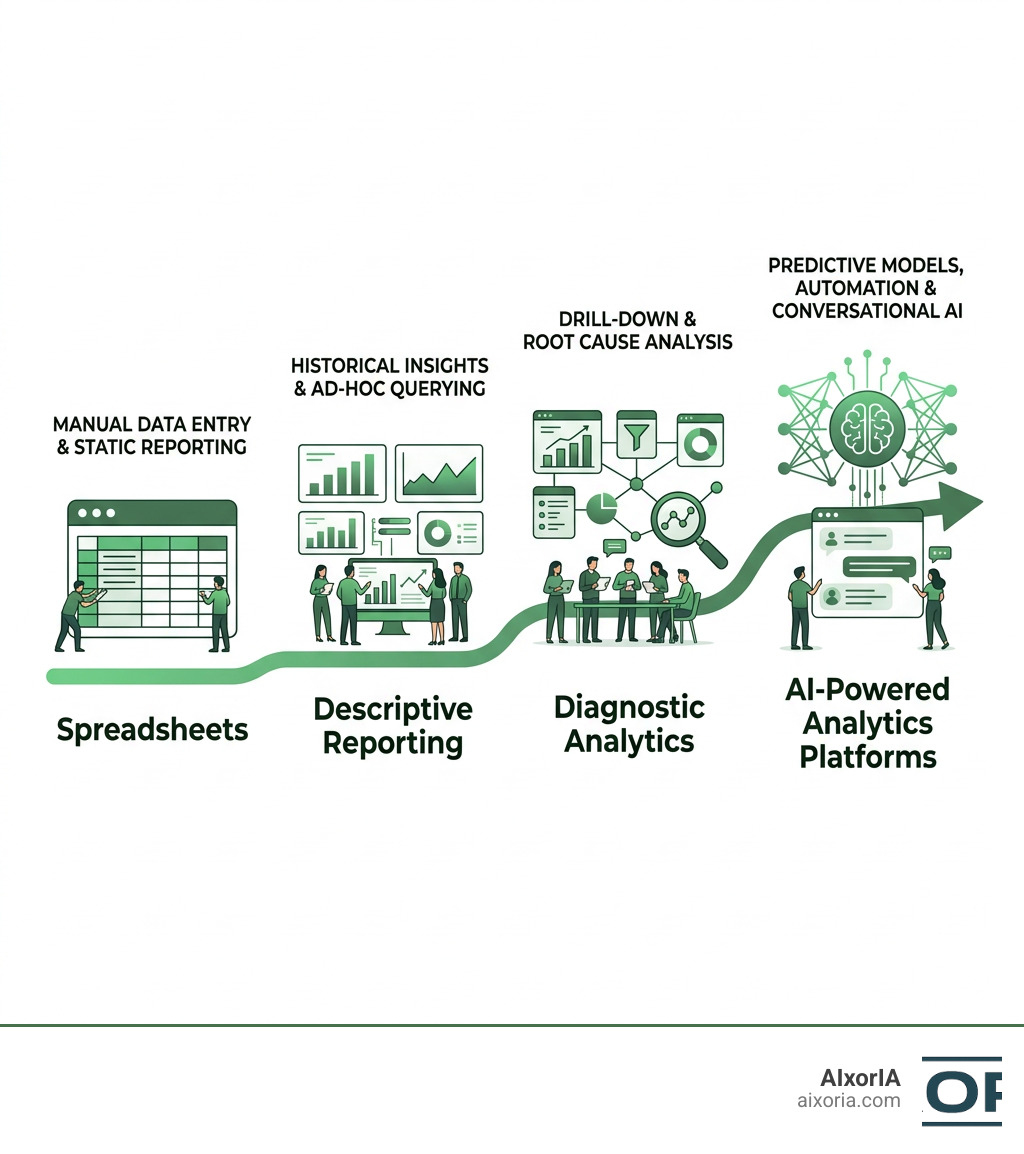
Key Features to Evaluate in the BEST Business Intelligence Tools
When we help organizations select their analytics infrastructure, we emphasize looking beyond flashy charts. The best business intelligence tools must act as a reliable bridge between chaotic raw databases and clear, everyday business decisions.

To find a tool that will actually get used, we recommend evaluating five core pillars:
- Data Integration & Connectivity: Your tool is only as good as the pipelines feeding it. Look for platforms that offer native, hassle-free connectors to your databases, CRMs, and cloud warehouses. If you want to streamline this initial stage, exploring the Best AI Tools for Data Integration in 2026 can save your engineering team weeks of custom coding.
- Intuitive Data Visualization: Can a non-technical manager look at a chart and understand it in five seconds? The platform should offer clean, drag-and-drop report editors, responsive canvas layouts, and interactive filtering.
- Robust Data Governance: Who has access to your sensitive financial data? A great BI tool provides strict role-based access controls, row-level security, and audit logs to ensure your data stays secure and compliant.
- AI & Natural Language Capabilities: In 2026, you shouldn’t need to write SQL queries to get a simple answer. Modern BI tools feature AI assistants that let you type questions like, “Why did sales dip in region B last month?” and receive instant, visual explanations.
- Self-Service vs. Enterprise Reporting: Your tool must balance freedom and control. It should empower business users to build ad-hoc dashboards (self-service) while allowing IT leaders to publish certified, locked-down financial reports (enterprise reporting).
Commercial vs. Open Source BI: Licensing, Capabilities, and Hidden Costs
Many teams are tempted to start with open source BI tools because the upfront software license costs nothing. However, we always remind our clients that “free” in software usually means “free like a puppy, not free like a beer.”
To help you weigh your options, we’ve broken down the key differences:
| Evaluation Metric | Commercial BI Platforms | Open Source BI Tools |
|---|---|---|
| Licensing Models | Proprietary subscription per user/capacity | OSI-approved (Apache 2.0, MIT) or Open-Core |
| Initial Software Cost | Moderate to High | Free (Self-hosted community editions) |
| Setup & Engineering Time | Fast (often plug-and-play cloud) | High (requires DevOps, Docker, or Kubernetes) |
| Maintenance & Patching | Managed entirely by the vendor | Internal engineering team must handle security patches |
| Support Channels | Dedicated SLA support and account managers | Community forums or paid enterprise add-ons |
Open source platforms like Apache Superset or Metabase’s community tier are excellent for engineering-heavy teams. However, they introduce significant hidden costs. You must dedicate valuable engineering hours to deployment, database tuning, and ongoing maintenance.
Furthermore, “open-core” platforms often gate essential enterprise features — like Single Sign-On (SSO), row-level security, and audit logs — behind their paid, commercial tiers. If two different departments build dashboards with slightly different calculations for the same metric, you end up with “metric drift.” Resolving these governance challenges without a unified commercial semantic layer can quickly burn through your budget.
If you are considering going the open source route, make sure to read our 5 Best Business Intelligence Open Source Tools Complete 2026 Guide to understand the technical commitments involved.
Top Commercial Platforms for Enterprise Teams and Business Analysts
For teams that want to focus on analyzing data rather than managing servers, commercial BI platforms are the gold standard. They integrate seamlessly with major ecosystems, scale effortlessly, and provide robust customer support.

To help your analysts thrive, we also suggest checking out the Best AI Tools for Business Analysts in 2026 to complement your core BI stack.
Microsoft Power BI: The BEST Business Intelligence Tools for Microsoft Ecosystems
With a strong 4.4 rating on Gartner Peer Insights, Microsoft Power BI remains a dominant force in 2026. It is the natural choice for organizations heavily invested in the Microsoft suite.
- Key Capabilities: Seamless integration with Excel, Teams, and PowerPoint. Power BI Pro provides a highly accessible starting point, while Microsoft Fabric unifies data engineering, data science, and BI under a single, highly scalable capacity model.
- Pricing: Starts at $14 per user/month for Pro.
- Best For: Teams already utilizing Microsoft 365 who require enterprise-grade governance combined with familiar, Excel-like modeling interfaces.
Learn more directly from the Power BI – Data Visualization | Microsoft Power Platform product page.
Tableau: The BEST Business Intelligence Tools for Advanced Visualizations
Tableau (rated 4.4 on Gartner Peer Insights) is beloved by professional data analysts for its unmatched visual depth and active community.
- Key Capabilities: Tableau Cloud offers beautiful, custom dashboards with built-in visual best practices. In 2026, their new “agentic analytics” capabilities allow users to turn insights into automated, direct workflows.
- Pricing: Starts at $15 per user/month for the Viewer plan, while Creator licenses start at $75 per user/month.
- Best For: Data analysts who need to conduct deep, exploratory data analysis and build highly customized, interactive data stories.
Explore their latest features on the Business Intelligence and Analytics Software | Tableau website.
Domo: Cloud-Native BI and No-Code App Building
Domo is a highly integrated, cloud-first platform that holds a stellar 4.5 rating on Gartner Peer Insights.
- Key Capabilities: Domo excels at bringing data integration, visualization, and no-code app development together. It supports over 1,000 pre-built data connectors, allowing business users to easily build custom, branded data apps that automate workflows.
- Pricing: Custom, usage-based pricing models tailored to business size.
- Best For: Fast-moving organizations that want to build real-time dashboards and external-facing data products without writing heavy code.
See how it works at Domo Business Intelligence | Domo .
Looker Studio: Simple Reporting and Google Cloud Integration
Looker Studio (formerly Google Data Studio) is Google’s highly accessible, web-based visualization tool, holding a 4.5 Gartner rating.
- Key Capabilities: It connects natively to Google Analytics, Google Ads, BigQuery, and over 1,400 other data sources. The drag-and-drop report editor is incredibly simple to learn, and Looker Studio Pro adds enterprise-grade administration and security.
- Pricing: Free for basic reporting; Looker Studio Pro costs $9 per user/project/month.
- Best For: Marketing teams and small businesses that need quick, visually appealing reports using Google ecosystem data.
Get started for free at Data Studio: Business Insights Visualizations | Google Cloud .
IBM Business Analytics Enterprise: Unified Multi-Vendor Hubs
IBM Cognos Analytics is designed for large-scale enterprise planning and multi-vendor environments.
- Key Capabilities: This platform acts as a single, no-code composite hub. It allows organizations to personalize and consolidate analytics content from multiple different BI vendors into one unified, secure dashboard.
- Pricing: Standard plans start around $10.60 per user/month.
- Best For: Large enterprises looking to reduce tool sprawl, streamline predictive analytics, and establish a single governed portal for all internal reports.
Read more about their enterprise suite at Business Analytics Enterprise | IBM .
TARGIT: Industry-Specific Analytics and InMemory Performance
TARGIT is a specialized BI solution designed to deliver deep operational visibility for specific industries.
- Key Capabilities: TARGIT offers pre-packaged, industry-tailored reporting for manufacturing, equipment rental, automotive, and the public sector. Its unique InMemory database technology helps organizations combine data from ERPs and DMS systems while significantly lowering monthly cloud hosting costs.
- Pricing: Custom enterprise pricing based on deployment scale.
- Best For: Mid-market manufacturing and distribution companies that need out-of-the-box operational dashboards without starting from scratch.
Learn more about their specialized solutions at TARGIT | Business Intelligence and Analytics software for everyone .
Selecting the Right BI Tool for Your Organization’s Needs
Choosing from the best business intelligence tools comes down to matching the software to your team’s everyday realities.
We recommend mapping your decision across three main criteria:
- Your Primary User Types: If your team consists mostly of non-technical business users, prioritize intuitive, AI-assisted tools like Domo or Looker Studio. If you have dedicated data analysts who want to build complex, customized models, Tableau or Power BI will serve them better. You can also review the Best AI Tools for Data Analysis and Visualization in 2026 to find complementary tools that bridge the gap for non-technical staff.
- Your Existing Tech Stack: If your company lives in Microsoft Teams and Excel, Power BI is almost always the right financial and operational decision. If you run your business on Google Workspace and BigQuery, Looker Studio will feel like a natural extension.
- Security & Compliance Requirements: Regulated industries like finance and healthcare cannot compromise on data governance. Ensure the tool you choose supports row-level security, data encryption at rest, and automated compliance tracking before signing a contract.
Frequently Asked Questions about Business Intelligence Tools
When should we transition from open source or free BI tools to commercial platforms?
You should consider moving to a commercial platform when your engineering team is spending more time maintaining BI servers and custom connectors than analyzing data. Other clear signs include hitting strict data volume limits, needing advanced row-level security, or requiring dedicated customer support. For a deeper look at where the industry is heading, read Business Intelligence Tools in 2026: From Dashboards to Agentic Decision Systems.
What are the security and compliance requirements for BI tools in regulated industries?
Regulated industries must look for BI platforms that offer Single Sign-On (SSO) integration, end-to-end data encryption, and role-based access control (RBAC). Row-level security is also vital, as it ensures regional managers or specific departments only see the specific rows of data they are legally authorized to view.
Can business intelligence tools completely replace traditional spreadsheets?
In our experience, no. BI tools are designed for shared, automated dashboards and recurring, governed reports. Spreadsheets, however, remain unmatched for quick, one-off calculations, ad-hoc planning models, and individual budgeting. The two tools should complement each other, not compete.
Conclusion
Finding the right BI platform doesn’t have to be overwhelming. By focusing on your team’s technical skills, your existing software ecosystem, and your long-term scaling needs, you can select a tool that turns raw data into a genuine competitive advantage.
At AIxorIA, we specialize in making advanced data and AI technologies accessible. Whether you need custom AI solutions built for your operations, hands-on tool training workshops to get your staff up to speed, or a performance audit of your current data pipeline, we are here to help with fast customer support and affordable services.
Ready to make your data work for you? Unlock your data potential with AIxorIA today!
1 thought on “10 Best Business Intelligence Tools in 2026 (Tested & Compared)”