Freelancers Are Burning Out on Admin — AI Chat Tools Are Changing That

The best AI chat tools to boost freelancer productivity are ChatGPT, Claude, Gemini, Notion AI, and multi-model platforms like LumiChats — each helping freelancers cut admin time, write better proposals, and focus on billable work.
Here’s a quick overview of the top picks:
| AI Chat Tool | Best For | Starting Price |
|---|---|---|
| ChatGPT | Writing, brainstorming, proposals | $20/mo |
| Claude | Long-form writing, analysis | $17/mo |
| Gemini | Research, Google Workspace users | Free / $20/mo |
| Notion AI | Project management, notes | $8/mo add-on |
| LumiChats | Multi-model access, flexible pricing | Pay-per-day |
| Plutio Pal | Invoicing, time tracking, client admin | From $19/mo |
Picture this: you just landed a great new client. Instead of celebrating, you’re dreading the contract, the proposal follow-up, the project setup, and the invoice you still haven’t sent from last week.
That’s the reality for most freelancers. You’re not just doing the work — you’re running the entire business solo.
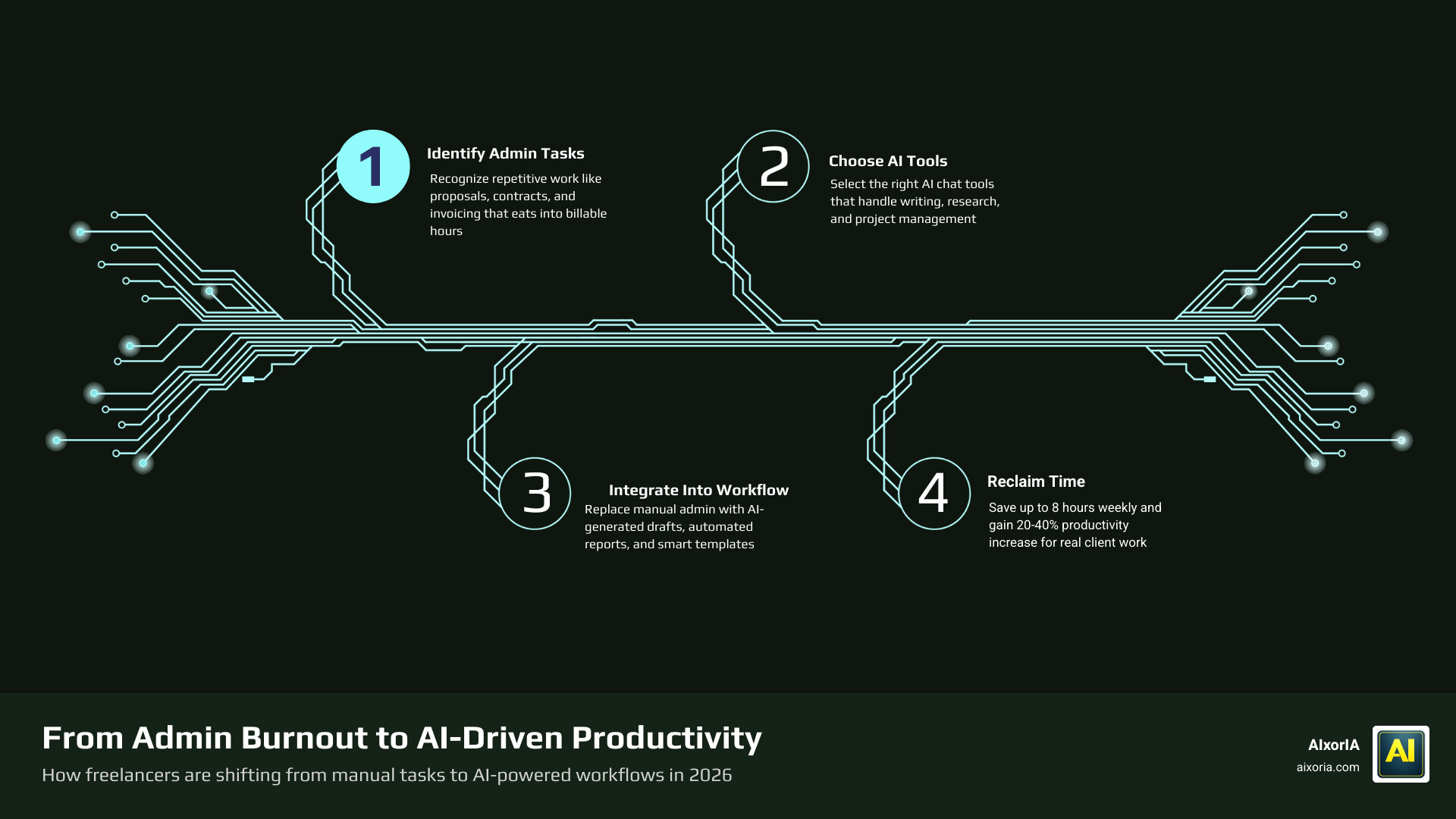
The numbers back this up. By 2026, 77% of freelancers use AI tools regularly. Those who do report saving an average of 8 hours per week and seeing a 20–40% productivity gain. That’s not a small edge — that’s the difference between a 50-hour week and one that actually feels sustainable.
The real cost isn’t the subscription fee. It’s the hours you’re losing to tasks that AI can handle in seconds.
This guide covers the best AI chat tools available right now, what makes each one worth your time, and how to pick the right one for the way you actually work.
Why Freelancers are Adopting AI Chat Tools in 2026
In 2026, the “solopreneur” life is faster than ever, but the admin burden hasn’t shrunk on its own. We’ve all felt that admin burnout—the feeling of being the CEO, the intern, and the accountant all at once. Research shows that freelancers often work 50-hour weeks but only manage to bill for 30 to 35 of them. The rest of that time is swallowed by repetitive tasks like chasing unpaid invoices, drafting repetitive emails, and organizing project files.
This is where the The Best AI Productivity Tools in 2026 come into play. By integrating AI chat tools into your daily routine, you can reclaim those lost billable hours. Instead of staring at a blank screen trying to write a proposal, you can use AI to generate a draft based on your previous wins. Instead of spending an hour drafting a service agreement, you can use AI-driven templates to iterate on contract details in minutes.
The shift toward What is the Best AI for Productivity in 2026 Tested Compared isn’t just about speed; it’s about scalability. With AI handling the “busy work,” we can take on more clients without hiring a virtual assistant. It’s about working smarter, not harder, and ensuring that our creative energy goes into the work we actually get paid for.
Best AI Chat Tools to Boost Freelancer Productivity
When we look at the Best AI Chat Tools to Boost Freelancer Productivity, we see a landscape divided between general powerhouses and niche specialists. Choosing the right one depends on whether you need a creative partner, a research assistant, or a technical “co-pilot.”

- ChatGPT: Still the go-to for most of us. Its versatility in brainstorming and content suggestions is unmatched. Whether you are using it for breaking writer’s block or building custom GPTs for your specific niche, it remains a foundational tool.
- Claude: Widely praised for its more “human” writing style and exceptional ability to handle long documents. If your freelance work involves summarizing 50-page reports or writing nuanced long-form content, Claude is often the preferred choice.
- Gemini: For those of us living in Google Workspace, Gemini’s integration is a lifesaver. It can pull data from your Sheets or Docs and help you research topics with real-time web access.
- Notion AI: If your workspace is already in Notion, this is a no-brainer. It can turn a messy list of tasks into a structured project plan or summarize your meeting notes instantly. Check out more on the 6 Best AI Chat Tools to Boost Freelancer Productivity 2026.
- Canva Magic Studio: Essential for freelancers who aren’t designers but need to look professional. You can type a prompt and generate social media graphics or presentation slides in seconds.
Multi-Model Platforms for Best AI Chat Tools to Boost Freelancer Productivity
One of the biggest headaches for freelancers is “subscription fatigue.” Paying $20 a month for three different AI tools adds up quickly, especially when you might only use one of them 25% of the time. This is why multi-model platforms like LumiChats have become so popular in 2026.
Platforms like these allow you to access 40+ models (including Claude, Gemini, and DeepSeek) from a single interface. This eliminates context switching—that 20-minute productivity drain that happens every time you jump between apps. LumiChats specifically offers a “Day Pass” pricing model, which is perfect for freelancers with variable income. You only pay for the days you actually use the heavy-duty models. This is a key insight for anyone exploring Best AI Productivity Tools for Entrepreneurs 2026.
Specialized Assistants for Best AI Chat Tools to Boost Freelancer Productivity
For those who want AI integrated directly into their existing freelance platforms, specialized assistants are the way to go.
- Uma, Upwork’s Mindful AI: Uma is embedded directly into the Upwork experience. It helps you draft job posts, write custom proposals based on your past wins, and even summarizes video meetings into actionable milestones.
- Plutio Pal: This is a game-changer for project management. Instead of clicking through menus, you can just ask AI Assistant for Freelancers: Manage Work by Asking (2026) to “Start a timer for the Smith project” or “Create an invoice for $500.” It handles the admin through a chat panel.
- Lancer: Specifically designed for Upwork outreach, Lancer automates the bidding process with a 21.8% reply rate—much higher than the manual average.
- Kroolo: A unified workspace that combines project management, document handling, and AI chat to help freelancers manage multiple clients without the chaos.
Essential Features for Freelance Workflows
To find the Best AI Chat Tools to Boost Freelancer Productivity, you need to look for features that actually solve freelance-specific problems. It’s not just about chatting; it’s about execution.
- Document Analysis: You should be able to upload PDFs, CSVs, or Word docs and ask the AI to summarize them or find specific clauses. This is vital for reviewing client contracts or dense research papers.
- Code Execution: For those in technical roles, tools that can test and verify code (like “Agent Mode” in some platforms) are essential. See more on Best AI Productivity Tools for Developers in 2026 and Best AI Productivity Tools for Coders in 2026 Tested.
- Shareable Outputs: Can you generate a link to an AI chat to show a client your research process? This adds a layer of professionalism and transparency to your work.
- Voice Input: When you’re on the go, being able to speak your requests to your AI assistant—like generating an invoice while waiting for coffee—is a massive time-saver.
- Custom Agents: The ability to create a “mini-AI” that knows your specific tone of voice or your specific pricing structure makes your output much more consistent.
Navigating Pricing and Integration
Managing variable income is one of the hardest parts of freelancing. Paying $100+ a month in fixed AI subscriptions can be painful during a slow month.
| Pricing Model | Pros | Cons |
|---|---|---|
| Subscription | Predictable costs, unlimited use | Expensive if not used daily |
| Pay-per-use / Day Pass | Scales with workload, saves money | Costs can spike during busy months |
We recommend looking for tools that offer flexibility. Some platforms allow you to activate a day pass for as little as ₹69, which is much better for your bottom line than a recurring $20/month bill you only use twice. For larger freelance agencies, exploring the Best AI Productivity Tools for Enterprise in 2026 can provide insights into bulk licensing. For a monthly breakdown of what’s current, check out the 7 Best AI Productivity Tools for April 2026 Tested.
Best Practices for Quality and Data Privacy
While AI is a powerful ally, we must use it responsibly to maintain our professional reputation.
- Data Encryption: Ensure the tools you use have TLS encryption. Your client’s data should never be used to train public AI models.
- Client Disclosure: It’s a good rule of thumb to let your clients know you use AI. For example, How to use Uma, Upwork’s Mindful AI, as a freelancer suggests informing clients upfront to ensure they are comfortable with the technology.
- Human-in-the-loop: Never send an AI-generated invoice or contract without reviewing it. AI can hallucinate facts or numbers. You are the final filter for quality.
- Fact-Checking: Always verify data points. If an AI gives you a statistic, double-check it before putting it in a deliverable.
- Maintain Your Voice: Use AI for the “skeleton” of your work, but add your unique perspective and “flesh” to the content to avoid a robotic tone. This is the core of Best AI Productivity Software in 2026 Agentic AI Tested.
Frequently Asked Questions about Freelancer AI Tools
How can I create contracts without expensive lawyers?
You can use tools like AgreementGen or specialized AI assistants to draft NDAs, service agreements, and freelance contracts. You simply enter the project details, and the AI suggests standard clauses. However, we always recommend a final human review for high-stakes projects.
How can I accurately track time across multiple projects?
AI-powered time trackers like Clockify can automatically monitor your activity and generate reports. Some tools, like Plutio Pal, allow you to start and stop timers using simple chat commands, ensuring you never forget to log a billable hour again.
Can AI chat tools help me overcome writer’s block?
Absolutely. Use ChatGPT or Claude to generate five different outlines for a blog post or to suggest three different tones for a cold outreach email. It provides that initial spark so you aren’t staring at a blank cursor.
Conclusion
Freelancing in 2026 doesn’t have to mean burnout. By choosing the Best AI Chat Tools to Boost Freelancer Productivity, you can reclaim hours of your life every week. Whether it’s consolidating your models with LumiChats, managing your workspace with Plutio Pal, or using Uma to land your next big gig on Upwork, the right tools act as the “second brain” every solopreneur needs.
At AIxorIA, we specialize in helping you navigate this fast-moving world. We offer custom AI solutions, tool training workshops, and performance audits to ensure you’re using the most efficient tech for your specific niche. If you’re ready to stop the admin grind and start scaling, we’re here to help with simple, affordable guidance.
Check out our other resources like Best AI Tools for Work or Boost your freelance output with expert AI guidance to stay ahead of the curve. Let’s make 2026 your most productive year yet!