Which Embrilliance Software Do You Actually Need for Embroidery?https://mcmpdl.com/dimension-homes-addon-for-minecraft-pe-bedrock/
Which Embrilliance software do I need for embroidery? — it’s one of the most common questions new embroiderers ask, and the answer depends almost entirely on what you want to do with your machine.
Scr0ll d0wn to D0VVNL0AD
Here’s a quick answer to get you started:
| Your Situation | Start With |
|---|---|
| You just got a machine and want to edit designs | Embrilliance Essentials |
| You collect lots of embroidery design files | Add Thumbnailer |
| You want more control over stitches and hooping | Add Enthusiast to Essentials |
| You want to create designs from scratch | StitchArtist Level 1, 2, or 3 |
| You use many embroidery fonts | Add AlphaTricks |
| You work with commercial or stock designs | Add Density Repair Kit |
| You just want to use BX fonts for free | Express Mode (free) |
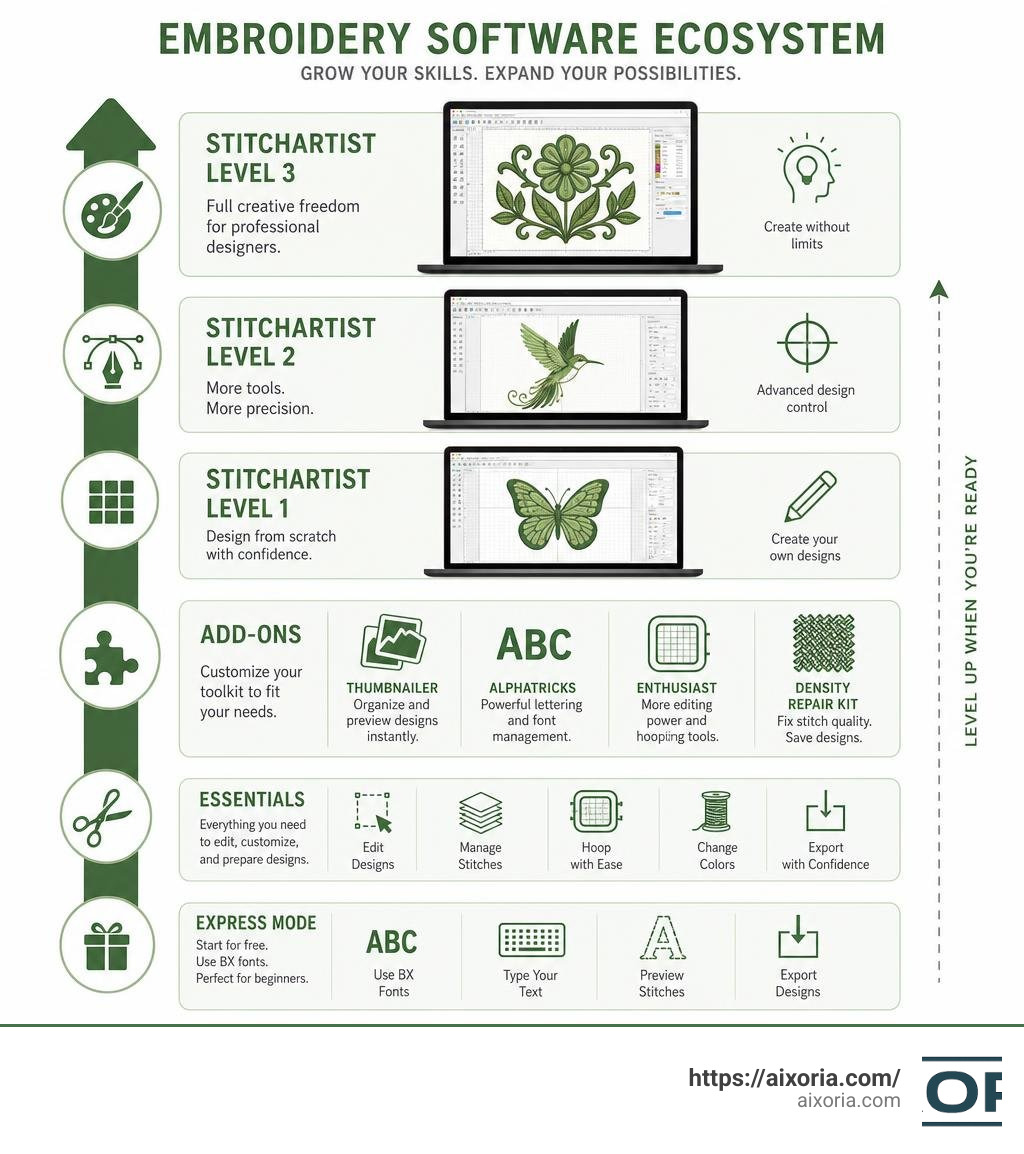
Embrilliance offers a modular system. You start with one product and add more as your needs grow. Nothing overlaps — each product does its own job.
That’s actually what makes it different from most embroidery software. Instead of paying for a massive bundle full of tools you’ll never touch, you build your toolkit piece by piece.
Over the next sections, we’ll break down every product, who it’s for, and how they work together.
Understanding the Embrilliance Platform and Express Mode
To understand how Embrilliance works, you have to understand the Embrilliance Platform. Unlike other software packages that require you to install several different programs that clutter your desktop, Embrilliance uses a single, universal window.
When you download and install the platform, you are installing the entire suite of tools. The specific features you have access to are unlocked simply by entering the serial numbers you purchase. If you own Essentials and later buy Enthusiast, you do not need to download a new program. You simply open the platform, enter your new serial number under the help menu, and those advanced tools instantly unlock in your workspace.
But what if you haven’t bought anything yet? That is where Express Mode comes in.
Express Mode is a completely free version of the Embrilliance Platform. It runs without requiring any paid serial numbers. Its primary purpose is to allow embroiderers to use .BX format fonts.
In the embroidery world, lettering has historically been a chore. If you bought an alphabet set from a designer, it usually came as a folder full of individual stitch files—one file for “A”, one for “B”, and so on. To spell a name, you had to manually import each letter file, line them up, space them out, and merge them.
The .BX format changed everything. It allows font creators to map their designs to a standard computer keyboard. When you drag and drop a .BX file into the free Express Mode, it installs the font. You can then simply type out names, monograms, or phrases on your keyboard, and the software instantly generates the embroidery design. Because almost every major embroidery font designer now offers their products in the .BX format, Express Mode is an incredibly powerful tool that costs absolutely nothing.
To get started with Express Mode or to update your existing software to the latest July 2026 build, you can visit the Downloads / Updates – Embrilliance Embroidery Software page.
Which Embrilliance software do I need for embroidery?
Choosing the right software depends heavily on your current skill level, your embroidery machine, and your creative goals. Because the system is fully modular, you never have to worry about buying the “wrong” version and wasting money; you can always upgrade or add features later.
To help you visualize how the core programs differ, we have put together a quick comparison table:
| Feature / Capability | Essentials | Enthusiast | StitchArtist (L1-L3) |
|---|---|---|---|
| Primary Focus | Customizing & Lettering | Advanced Stitch Editing | Custom Digitizing |
| Resize Designs | Yes (with stitch recalculation) | Yes (plus advanced controls) | Yes (as vector objects) |
| Monograms & Text | Yes (21 built-in fonts) | Yes (inherits from Essentials) | Yes (L3 creates custom fonts) |
| Color Sorting | Yes | Yes (plus palette editing) | Yes |
| Applique Tools | Yes (creates cut files) | Yes | Yes (creates from scratch) |
| Stitch-Level Editing | No | Yes (lasso, move, delete) | Yes (full control) |
| Knockdown Stitches | No | Yes | No |
| Create Designs from Scratch | No | No | Yes (using Bezier curves) |
If you want to explore these choices in more depth based on your specific machine setup, check out the official Product Selection Guide – Embrilliance Embroidery Software .
Which Embrilliance software do I need for embroidery as a beginner?
If you have an embroidery machine and just want to start customizing designs, adding names to gifts, and playing with layouts, you should start with Embrilliance Essentials. It is widely considered the gold standard starting point for hobbyists because it handles the core, everyday tasks that every embroiderer needs to do.
With Embrilliance Essentials – Embrilliance Embroidery Software , you can:
- Merge Designs: Combine multiple design files (such as a floral border and a monogram) into a single hoop layout.
- Resize with Stitch Recalculation: Standard software simply stretches a design, making the stitches sparse and ruinous to sew. Essentials recalculates the stitch count dynamically as you scale the design between 50% and 250% of its original size, keeping the density perfect.
- Colorize and Convert: Easily change design colors and convert them to your favorite thread brand (like Madeira, Robison-Anton, or Sulky) with a single click.
- Add Lettering: Use the 21 built-in, scalable, object-based fonts to create multi-line text, monograms, circular text, or spiral layouts.
- Create Applique Cut Files: If you do applique, Essentials can read the placement lines in your design and export them as vector cutting files (SVG, PLT, FCM, or .studio) for electronic cutting machines like the Cricut, Brother ScanNCut, or Silhouette Cameo.
If you want to jump straight in, you can purchase it directly via Embrilliance Essentials – Embrilliance Embroidery Software .
For those who want to build a robust lettering library right out of the gate, we highly recommend The Essential Bundle – Embrilliance Embroidery Software . This bundle combines the core Essentials software with Font Collection 1 and Font Collection 2, giving you a massive library of 59 beautiful, scalable, keyboard-ready fonts.
Which Embrilliance software do I need for embroidery as a professional?
If your goal is to create your own embroidery designs from scratch—such as transforming a corporate logo, sketch, or vector graphic into a stitch file—you need StitchArtist.
It is important to note that StitchArtist is not an “auto-digitizing” program where you click a button and a photo magically turns into a perfect design. True, high-quality embroidery digitizing is an art form that requires manual control over stitch types, directions, and densities. StitchArtist is designed to make this process as intuitive and fluid as possible.
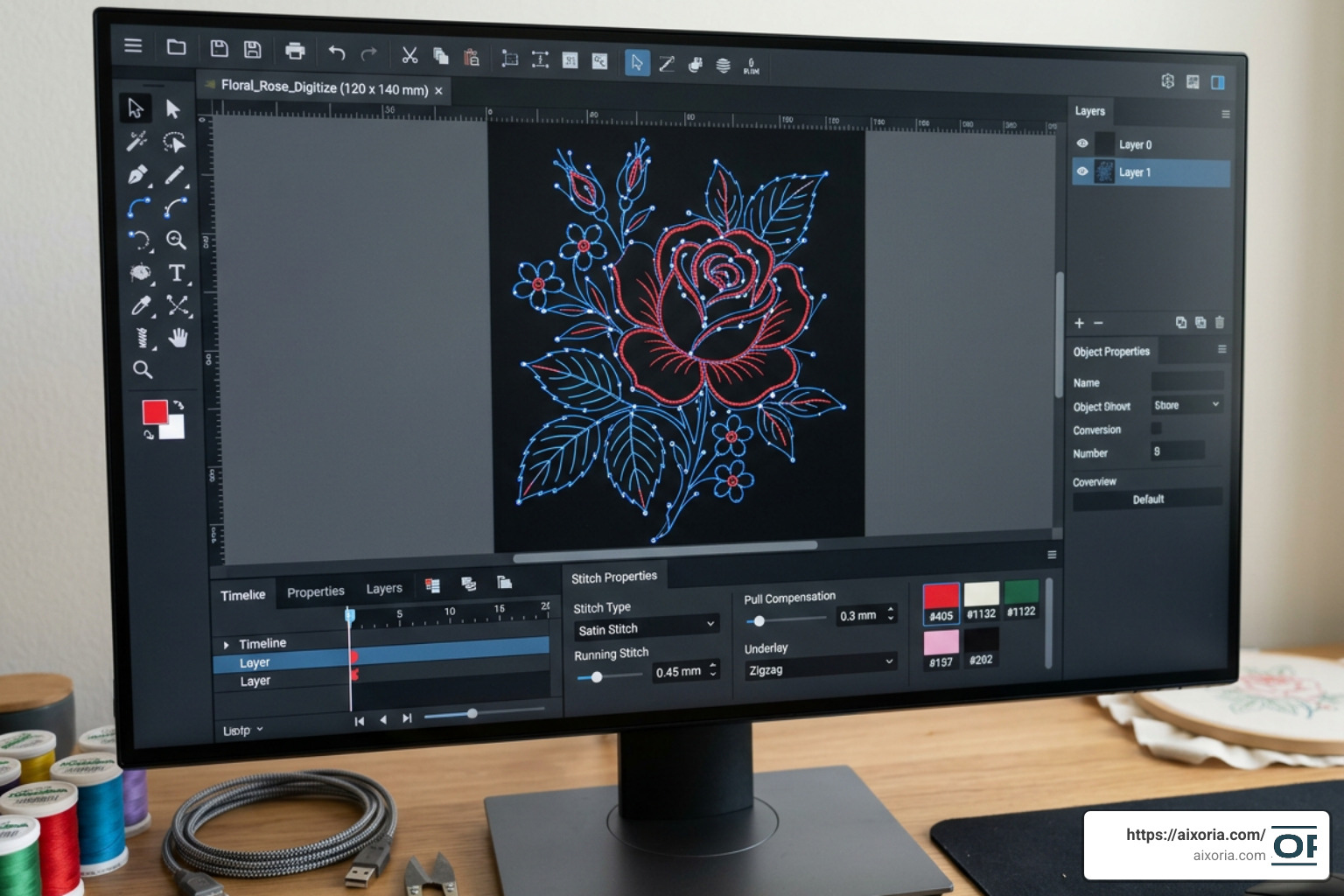
StitchArtist is unique because it is offered in three upgradable levels. You can start with Level 1 and move to Level 2 or 3 by only paying the price difference:
- StitchArtist Level 1 (Hobbyist): Designed for those who want to do light digitizing, simple applique designs, running stitch elements, and basic filled shapes. It is perfect if you want to create simple designs without getting bogged down in complex technical settings.
- StitchArtist Level 2 (Production): This is the sweet spot for commercial logo digitizing and detailed illustration work. It includes advanced control over satin stitches, vector file import (like SVG), custom motifs, and the world’s first automatic 3D Foam column underlay tool.
- StitchArtist Level 3 (Professional / Power User): Designed for professional digitizers and creators who want to publish their work. It includes advanced graphical operators, automatic branching (which sequences complex designs to sew continuously without jumps), and the ability to create and publish your own scalable, object-based
.BXfonts with digital rights management.
Deep Dive into Embrilliance Add-ons and Specialized Tools
Once you have established your baseline with Essentials or StitchArtist, you may find yourself facing specific embroidery challenges. Embrilliance has created several highly targeted add-on products to solve these exact problems.
Embrilliance Enthusiast
If you have mastered the basics of Essentials and want more surgical control over your designs, it is time to look at Embrilliance Enthusiast – Embrilliance Embroidery Software . This add-on introduces several advanced custom tools:
- Stitch Editing: Allows you to select individual stitches using a lasso tool to move, delete, copy, or paste them. This is incredibly useful for cleaning up stray stitches or separating elements of a pre-made design.
- Knockdown Stitches™: This patented feature places a light, mesh-like underlay of stitching beneath your design. It is essential when embroidering on high-pile or textured fabrics like towels, sherpa, faux fur, or fleece. The knockdown stitch holds the fabric loops down so your actual design stands out beautifully and doesn’t get lost in the fluff.
- Multiple Hooping: If you have a design that is larger than your machine’s maximum hoop size, Enthusiast can automatically split the design into multiple sections, complete with alignment basting lines, so you can sew it in multiple hoopings.
Thumbnailer
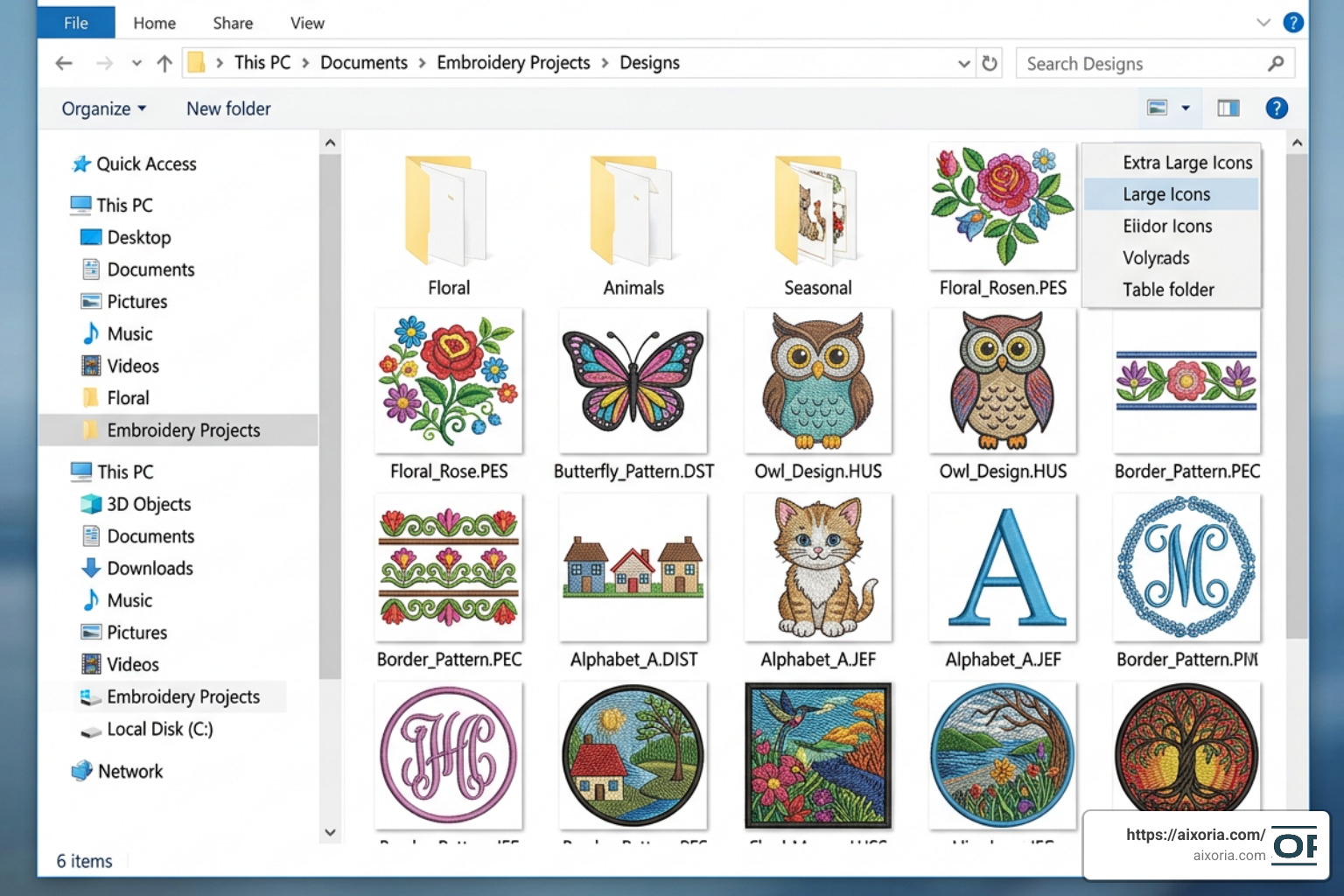
If you are a design collector, Thumbnailer is an absolute must-have. Typically, computer operating systems cannot display embroidery files (like .PES, .DST, or .JEF) visually. Instead, you just see a generic icon, making it impossible to find a design without opening every single file. Thumbnailer runs quietly in the background of Windows or macOS, converting those blank icons into actual visual previews of your embroidery designs right inside your file explorer.
AlphaTricks
If you have accumulated hundreds of alphabet designs that are not in the .BX format, AlphaTricks is your lifesaver. It provides a simple mapping wizard where you can import your individual letter files, tell the software which letter of the keyboard each file represents, and map them into a single, typable font.
Density Repair Kit (DRK)
Heavy, dense designs are the enemy of smooth embroidery. They cause thread breaks, broken needles, and stiff, cardboard-like garments. The Density Repair Kit automatically analyzes stock designs and reduces excess density by removing hidden, overlapping stitches. It is a vital tool for commercial embroiderers who work with third-party stock designs.
Frequently Asked Questions about Embrilliance Software
Can I install Embrilliance on multiple computers?
Yes! One of the biggest advantages of the Embrilliance Platform is its incredibly generous licensing. Unlike many competitors that use physical USB dongles or restrict you to a single computer, Embrilliance allows you to install your software on as many personal computers as you own. It runs natively on both macOS and Windows, and you do not need separate licenses for different operating systems.
What is the difference between StitchArtist Level 1, 2, and 3?
The differences lie in the complexity of the tools and your end goals. Level 1 is for simple hobby projects (running stitches and basic shapes). Level 2 is for commercial-grade logo digitizing, offering full control over complex satin columns and vector imports. Level 3 is for professional digitizers who want advanced automation (like branching) and the ability to create and license their own keyboard-ready .BX fonts.
Do I need Essentials to use StitchArtist or Enthusiast?
No. Because the Embrilliance Platform is modular, StitchArtist and Enthusiast can run entirely on their own within the free platform window. However, they are designed to complement one another. For example, while StitchArtist lets you draw shapes, Essentials gives you the tools to easily manage thread brands, print real-size alignment templates, and color-sort your finished layouts.
Conclusion
Finding the right embroidery software doesn’t have to be overwhelming. By starting with the free Express Mode or diving into Embrilliance Essentials – Embrilliance Embroidery Software , you can build a system that grows alongside your passion and business.
As you expand your machine embroidery journey, keeping your tech skills sharp is just as important as mastering your stabilizer. To learn more about utilizing modern technology, software workflows, and creative tools to elevate your projects, explore our detailed guides and tutorials over at the Aixoria AI Tutorials page!
1 thought on “Which Embrilliance Software Do You Actually Need in 2026? Complete Guide”