Flowcharts are no longer just simple diagrams used for documentation—they have become a core part of modern design workflows. From UX mapping and user journeys to system architecture and creative ideation, designers rely on flowchart software to visualize complex processes clearly and efficiently.
But not all flowchart tools are built for designers. Some prioritize technical users, others focus on collaboration, and a growing number now integrate AI to automate diagram creation and improve productivity.
If you’re a designer working in the US market—whether in product design, UX, or creative strategy—the right tool should do more than draw shapes. It should help you think, iterate, collaborate, and present ideas with clarity.
This guide breaks down the best flowchart software for designers in 2026, including AI-powered tools, usability insights, and real-world use cases—so you can choose the one that fits your workflow.
Table of Contents
What Makes the Best Flowchart Software for Designers?
Before choosing a tool, it’s important to understand what actually matters for designers—not just developers or operations teams.
Visual Flexibility
Designers need more than boxes and arrows. The ability to customize layouts, colors, typography, and spacing is critical for presenting ideas clearly and professionally.
Ease of Use
A tool should not slow down ideation. Drag-and-drop interfaces, intuitive controls, and minimal learning curve are essential—especially during early-stage design thinking.
Collaboration
Modern design workflows are collaborative. Real-time editing, comments, version history, and sharing options are key features for teams working across locations.
Integration with Design Tools
Flowcharts often connect with wireframes, prototypes, and design systems. Integration with tools like Figma or project management platforms is a major advantage.
AI Capabilities
AI is becoming a differentiator. The ability to generate diagrams from text, suggest workflows, or automate repetitive tasks can significantly speed up the design process.
READ MORE – Best Software to Create a Flowchart in 2026
The Best Flowchart Software for Designers at a Glance
| Tool | Best For | Key Strength |
|---|---|---|
| Figma | UI/UX designers | Design + flowchart in one platform |
| Lucidchart | Professional diagramming | Advanced features + integrations |
| Miro | Team collaboration | Infinite canvas + brainstorming |
| Whimsical | Fast visual thinking | Clean UI + speed |
| Creately | Visual collaboration | Smart templates + database |
| FigJam | Quick ideation | Lightweight and intuitive |
| Draw.io (diagrams.net) | Free users | Powerful and free |
Best Flowchart Software for UI/UX Designers
Figma
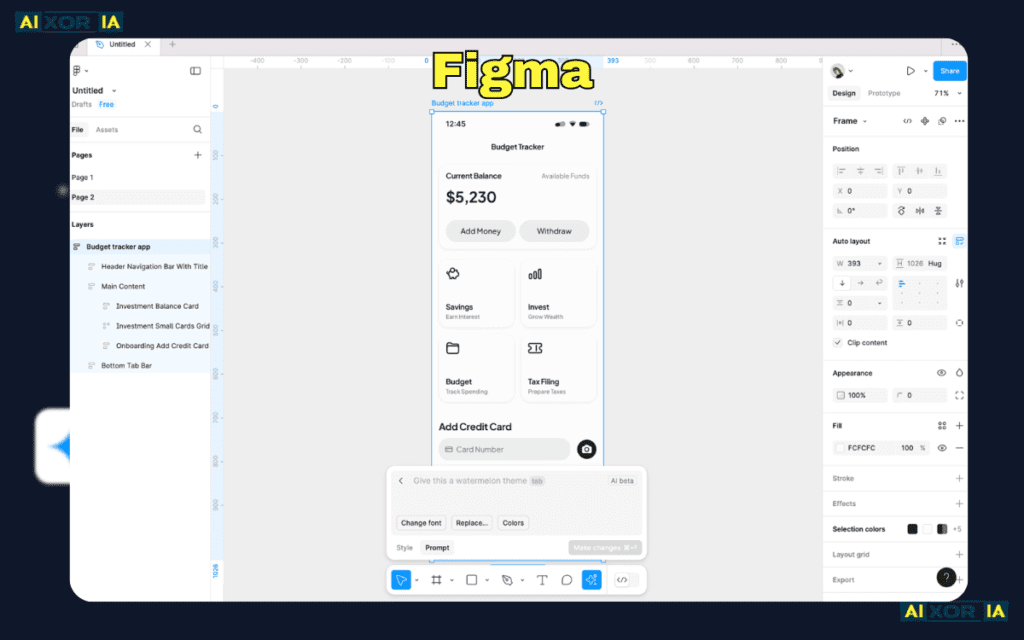
Figma has evolved beyond interface design into a complete collaboration platform, making it one of the most powerful tools for designers who want flowcharting and UI work in one place.
Key strengths:
- Unified design + flowchart workflow
- Component-based design system
- Real-time collaboration
- Plugins for diagramming and automation
Designers can create user flows alongside wireframes without switching tools. This reduces friction and improves workflow continuity, especially in product design environments.
AI capabilities:
Figma is gradually integrating AI features that assist with layout generation, content suggestions, and workflow structuring. While not fully automation-focused yet, it is moving toward AI-assisted design systems.
Limitations:
- Requires setup for flowchart-specific use
- Can become complex for non-designers
Best for: Designers who want a single platform for flows, wireframes, and UI design.
Best Flowchart Software for Advanced Diagramming
Lucidchart
Lucidchart is one of the most established diagramming tools, widely used in enterprise environments and by professional teams.

Key strengths:
- Extensive shape libraries
- Data linking and automation
- Integration with Google Workspace, Slack, and more
- Professional-level diagram control
It offers a balance between technical power and usability, making it suitable for both designers and business teams.
AI capabilities:
Lucidchart includes AI-assisted diagram generation and data visualization features, allowing users to convert text inputs into structured diagrams and automate repetitive diagram elements.
Limitations:
- Interface can feel dense for beginners
- Premium pricing for advanced features
Best for: Designers working in structured environments that require precision and scalability.
READ MORE – What Is the Best Flowchart Software in 2026
Best Flowchart Software for Collaborative Design Teams
Miro
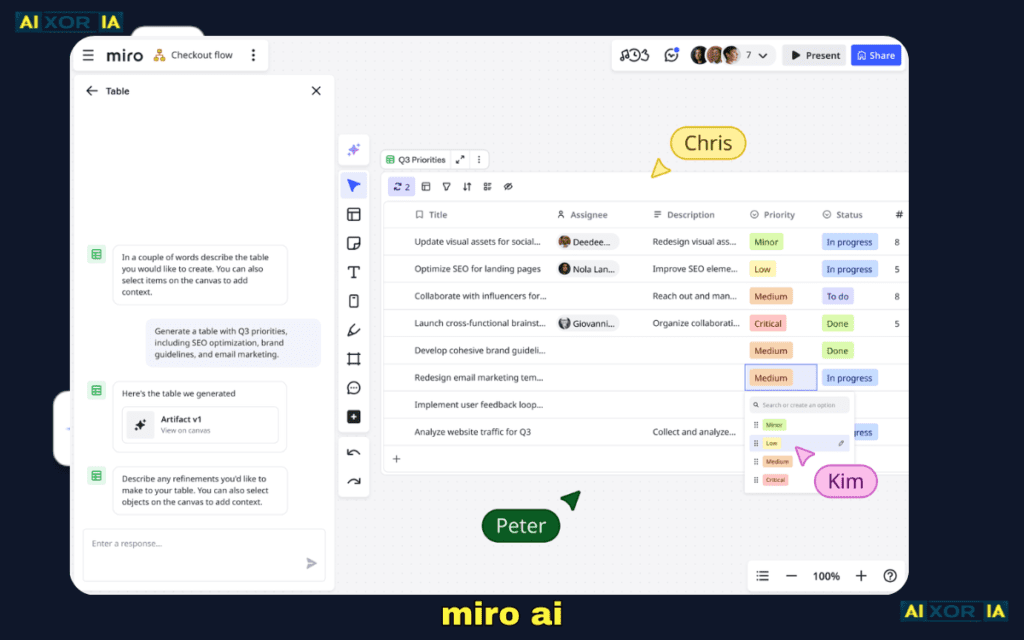
Miro is built for collaboration-first workflows. It’s widely used for brainstorming, workshops, and mapping complex systems visually.
Key strengths:
- Infinite canvas
- Strong real-time collaboration
- Extensive templates for user flows and journeys
- Sticky notes, mind maps, and diagrams in one space
Designers can quickly map ideas, iterate visually, and collaborate with stakeholders without friction.
AI capabilities:
Miro AI can generate diagrams, summarize boards, and convert ideas into structured flows. This is particularly useful during early-stage ideation.
Limitations:
- Less precision compared to dedicated diagram tools
- Can become cluttered with large boards
Best for: Teams that prioritize collaboration and brainstorming over precision diagramming.
Best Flowchart Software for Speed and Simplicity
Whimsical
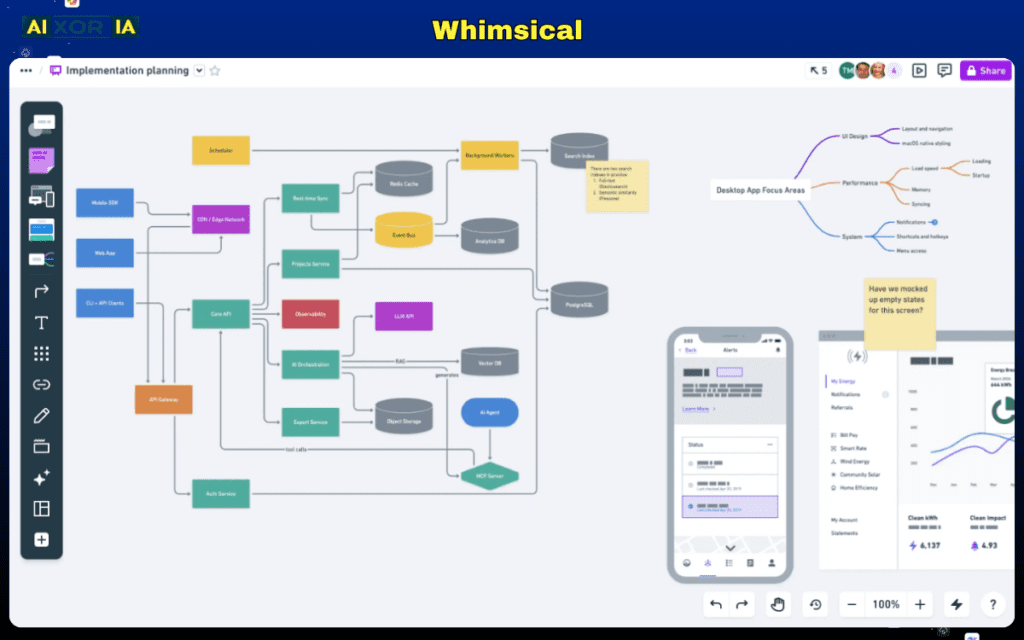
Whimsical focuses on speed and clarity. It’s designed for designers who want to quickly visualize ideas without dealing with complex tools.
Key strengths:
- Extremely fast interface
- Clean and minimal design
- Built-in flowcharts, wireframes, and mind maps
- Low learning curve
It’s ideal for early-stage design thinking where speed matters more than advanced customization.
AI capabilities:
Whimsical includes AI-powered diagram suggestions and content generation, helping users quickly create structured flows from simple prompts.
Limitations:
- Limited advanced features
- Not ideal for complex enterprise workflows
Best for: Designers who want fast, distraction-free flowcharting.
Best Flowchart Software with Smart Visual Databases
Creately
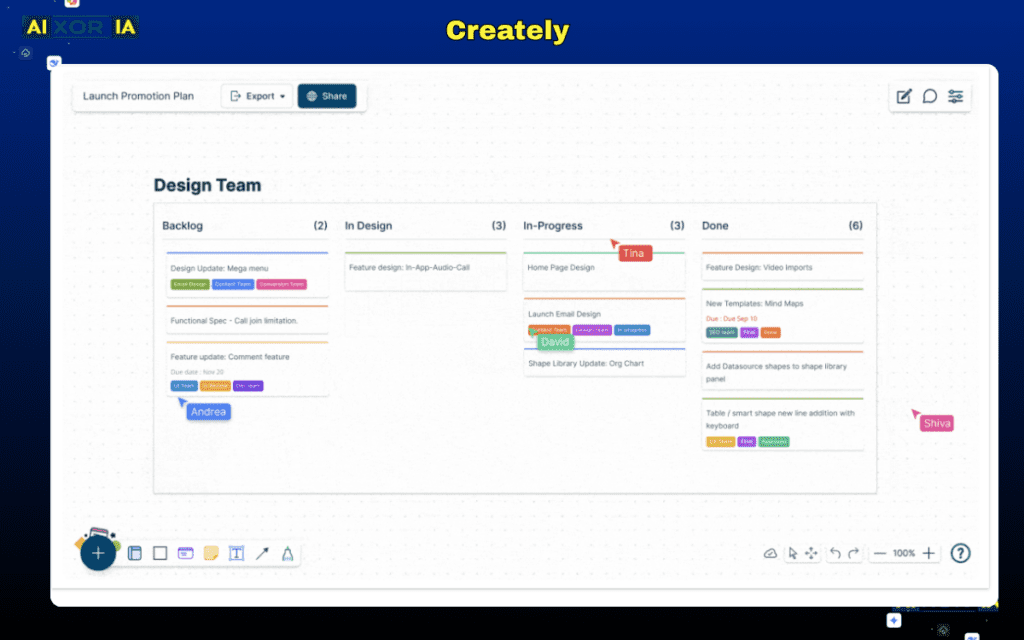
Creately combines diagramming with data-driven workflows, making it a unique option for teams that want more than static diagrams.
Key strengths:
- Visual database integration
- Smart shapes and connectors
- Real-time collaboration
- Extensive templates
It allows designers to connect diagrams with underlying data, making flows more dynamic and actionable.
AI capabilities:
Creately integrates AI for diagram generation, smart suggestions, and workflow automation, helping users move from idea to structured process quickly.
Limitations:
- Slight learning curve
- Interface can feel heavy at times
Best for: Designers working on complex systems or data-driven workflows.
Best Lightweight Flowchart Tool for Designers
FigJam
FigJam is a lightweight collaboration tool built by Figma, designed for quick ideation and diagramming.
Key strengths:
- Simple and intuitive
- Great for brainstorming
- Seamless integration with Figma
- Real-time team collaboration
It’s perfect for quick flowcharts, workshops, and early-stage discussions.
AI capabilities:
FigJam AI can generate diagrams, organize ideas, and assist in structuring workflows based on prompts.
Limitations:
- Not suitable for complex diagrams
- Limited customization compared to full tools
Best for: Quick, collaborative flowcharting within design teams.
READ MORE – What are the Best AI Tools for Work?
Best Free Flowchart Software for Designers
Draw.io (diagrams.net)
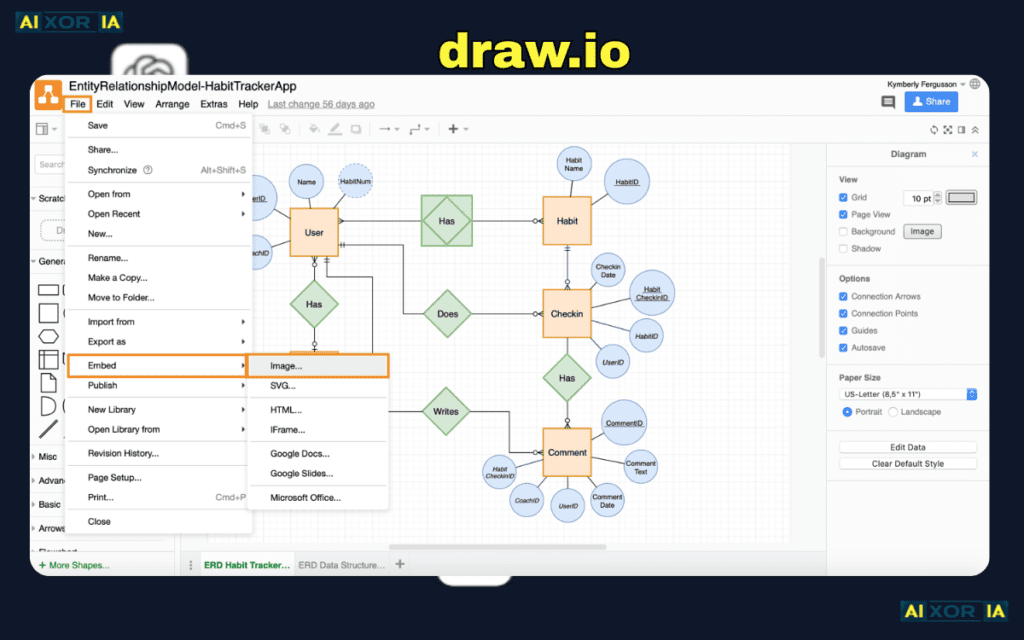
Draw.io is a powerful, completely free diagramming tool that runs in the browser.
Key strengths:
- No cost
- Strong feature set
- Works offline and online
- Integration with Google Drive and other platforms
Despite being free, it offers capabilities comparable to many paid tools.
AI capabilities:
Currently limited compared to newer tools, but still functional for manual diagram creation.
Limitations:
- UI feels outdated
- No advanced AI features
Best for: Designers who need a free, reliable tool.
How to Choose the Right Flowchart Software
The best tool depends on your workflow and priorities.
- If you want design + flowcharts together → Figma
- If you need advanced diagramming → Lucidchart
- If collaboration is your priority → Miro
- If speed matters most → Whimsical
- If you need data-driven workflows → Creately
- If you want simplicity → FigJam
- If budget is zero → Draw.io
Many teams combine tools—for example, using Miro for ideation and Figma for final design flows.
The Role of AI in Flowchart Software (2026 Trend)
AI is changing how designers create flowcharts.
Instead of manually building diagrams:
- You can describe a workflow in text
- AI generates the structure
- You refine and customize it
This reduces time spent on repetitive tasks and allows designers to focus more on logic and user experience.
In 2026, the best tools are not just diagram builders—they are workflow assistants.
Final Thoughts
The best flowchart software for designers is not a one-size-fits-all solution. It depends on how you work, who you collaborate with, and how complex your processes are.
For most design teams:
- Use collaborative tools for ideation
- Use structured tools for final workflows
- Leverage AI to speed up repetitive work
If you want a balanced, modern workflow, combining tools like Figma and Miro—or similar platforms—often delivers the best results.
Choose based on your design process, not just features, and you’ll get far more value from your flowcharting workflow.
1 thought on “Best Flowchart Software for Designers in 2026”