AI Tools for Bakeries: Start With Orders and Social Media
Scr0ll d0wn to D0VVNL0AD
AI tools for bakeries to use for custom orders and social media work best as a pair: one captures cake inquiries and collects the details needed for a quote; the other drafts posts and schedules them when customers are likely to see them.
Start by sending social media inquiries to one order form. Ask for the event date, servings, flavor, design reference, and pickup needs. Let AI flag missing details and draft replies, but have a person approve complex quotes and allergy-related answers. For posts, use real bakery photos, check every claim, and link to a clear order page.
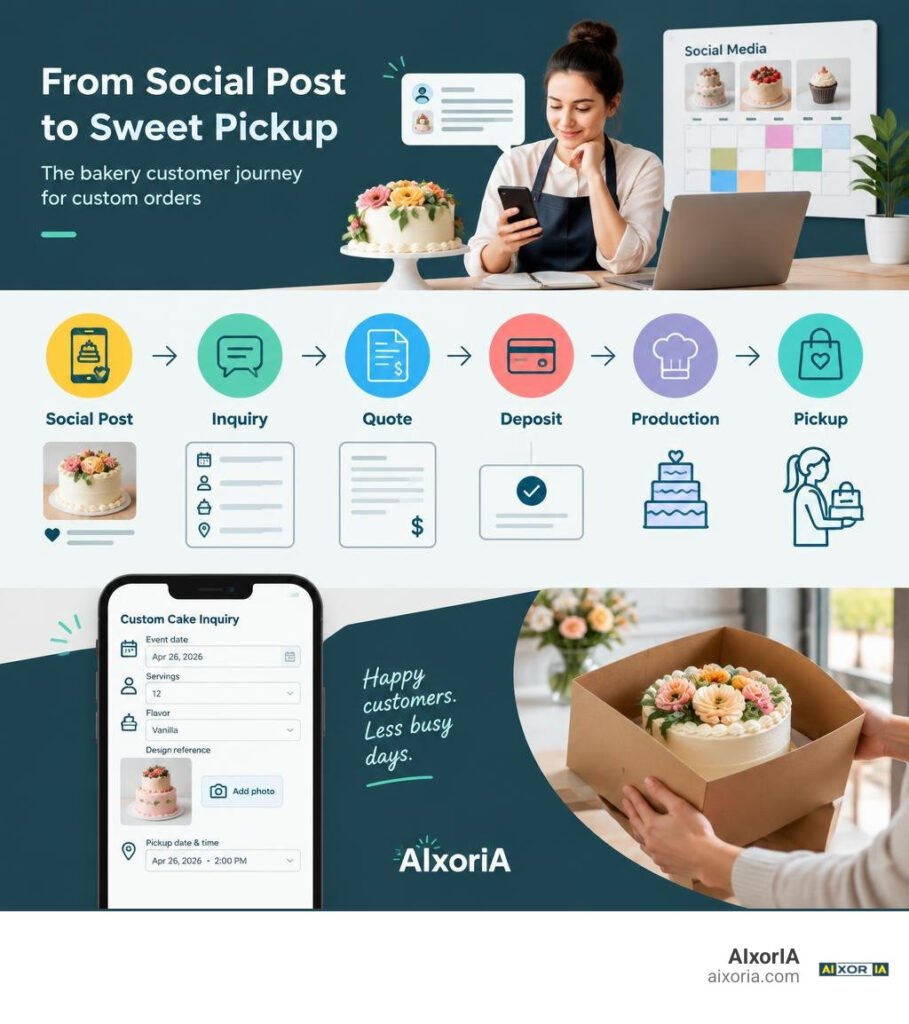
How AI tools for bakeries to use for custom orders and social media capture and manage inquiries
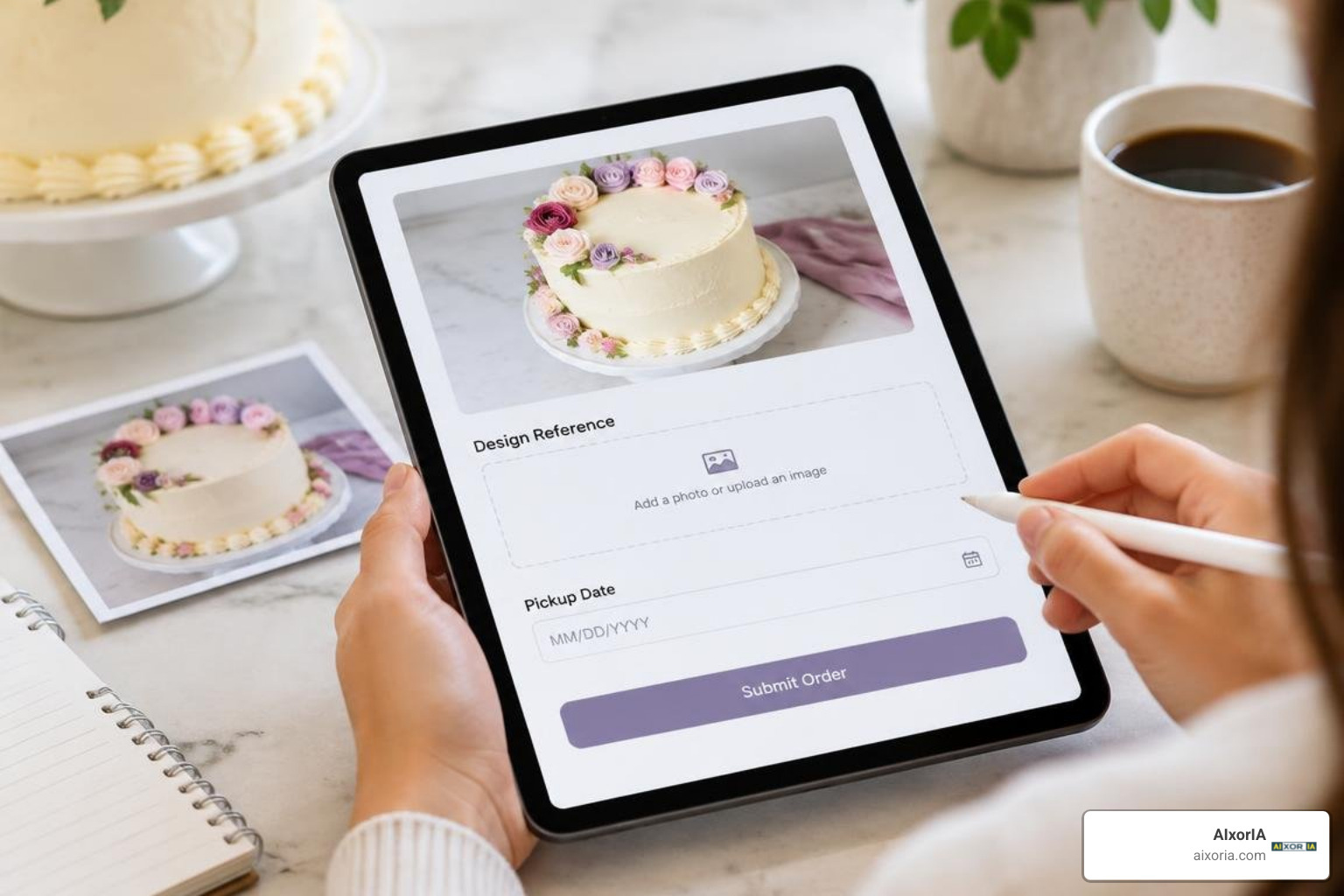
A custom cake inquiry can arrive while the mixer is running, after closing, or in the middle of a weekend rush. AI can respond promptly, guide customers through a structured intake, and collect details in one place instead of leaving staff to piece together a request from scattered messages.
A useful order brief typically includes the event date, servings or size, flavor, design reference, inscription, pickup or delivery needs, and a way to contact the customer. The system should check the requested date against lead times and capacity. If that date is full, it should offer another option rather than accept an order the bakery cannot fulfill.
Some systems are designed to connect intake with quoting, deposits, production tasks, and pickup. For example, DoughOps’ custom order workflow describes AI-assisted design intake alongside quote approvals and production planning. A bakery management system may also connect customer and order information with other operations; see the BakeOnyx AI features overview for examples of order and content workflows.
How AI tools for bakeries to use for custom orders and social media reduce missed leads
An automated assistant can acknowledge inquiries at any hour, answer approved questions about menu options or lead times, and ask for missing information. That first response gives a customer a clear next step while the bakery is closed. It can also notify staff when a request needs a person, such as a wedding cake with unusual requirements or a design that cannot be priced from standard rules.
Fast responses may help prevent customers from moving on, but conversion figures depend on the bakery, its audience, prices, and availability. Treat claims that automation increases bookings by a particular percentage as vendor-reported unless independently verified. The practical goal is simpler: respond reliably, capture complete briefs, and follow up on every qualified inquiry.
From intake to quote, deposit, and production
AI can organize order details and prepare a preliminary quote using bakery-approved prices and rules. A quoting workflow might account for size, flavor, decoration complexity, rush timing, delivery, and tax. It should also show whether the date is available and flag requests outside the bakery’s standard options.
A sound process keeps the customer and bakery in control:
- Collect the order brief and check the requested date against capacity.
- Draft a quote using approved pricing rules.
- Have staff review unusual designs, discounts, or exceptions.
- Send an approval link and secure payment link for the deposit.
- After approval, pass the confirmed details to production and pickup staff.
Deposits can reduce the risk of no-shows, but the bakery should set clear rules for due dates, cancellations, refunds, and when a date is considered booked. Keep payment details within a trusted payment processor; an AI assistant should not ask customers to send card numbers in a chat.
Allergy notes need particular care. AI can record a customer’s stated needs, but it should not promise that a product is allergen-free or safe from cross-contact unless the bakery has verified that claim and is authorized to make it. Route allergy questions to trained staff.
Can AI handle orders without human intervention?
AI can often manage routine FAQs, collect standard order details, and prepare a draft quote. It may also send reminders or update an order status when connected systems support those actions. But full automation is not appropriate for every bakery or every request.
Keep human review for ambiguous design references, custom pricing exceptions, allergy questions, date conflicts, and any commitment the system cannot verify. Require confirmation before AI changes an order, accepts payment, or reserves production capacity. Review privacy settings, access permissions, retention policies, and the vendor’s data-handling terms before uploading customer information or reference images.
AI tools for bakeries to use for social media content and scheduling

AI can turn a product photo, menu detail, or weekly bake schedule into draft captions and post ideas. It can also help adapt one announcement for different platforms and prepare a calendar around daily specials, seasonal launches, and preorder deadlines.
A bakery-focused service such as Sociro’s social media planning for bakeries describes drafting and scheduling posts for bakery content. Whatever tool you use, have someone check product names, availability, prices, dates, and claims before publishing.
Create useful, on-brand posts that turn attention into orders
The strongest posts give customers a reason to visit or place an order. Useful formats include:
- A photo of today’s bake with the time it will be available.
- A weekend menu with quantities or preorder deadlines.
- A custom cake guide explaining sizes, flavors, lead times, and how to request a quote.
- A behind-the-scenes clip of decorating or preparing a seasonal item.
- A local offer with a clear pickup window and order link.
Give the AI examples of your brand voice, preferred terms, products, and words to avoid. Use real bakery photos when possible; generated images can misrepresent a product customers expect to receive. Include a specific call to action, such as checking today’s menu or submitting a cake request. For a broader look at scheduling and automation approaches, see our guide to AI social media automation.
Schedule posts, answer common questions, and plan campaigns
Scheduling lets staff prepare posts when they have time and publish them at useful moments, rather than interrupting production to write a caption. Depending on the tool and its integrations, a bakery may schedule content for Instagram, Facebook, and Google Business Profile.
Some systems also support keyword replies that send an order-form link when someone comments with a word such as “ORDER.” This can move an inquiry toward a structured brief, but customers should still be able to reach a person when their request is unusual.
Plan seasonal campaigns several weeks ahead. Share the launch, remind customers of the deadline, and update posts when capacity is nearly full. Track link clicks, inquiries, bookings, and sales rather than relying only on likes. After pickup, a polite satisfaction message can invite feedback; review requests should be sent consistently and without pressuring customers to leave only positive reviews. Reactivation messages can also remind past customers about relevant occasions, with appropriate consent and an easy way to opt out.
Choosing AI tools for bakeries to use for custom orders and social media
The right setup depends on the bakery’s main bottleneck. A custom-order intake tool may suit a cake studio handling complex requests. A bakery management system may be more useful when orders, recipes, costs, and inventory need to work together. A social media tool focuses on planning and publishing content, while general-purpose AI can assist with drafts and brainstorming but may require more manual checking.
| Tool category | Core workflow | Integrations to check | Approval controls | Typical cost |
|---|---|---|---|---|
| Order-intake agent | Collects details, checks availability, and prepares a quote | Website, calendar, payment processor, POS | Staff review for exceptions and final approval | Free tiers or paid subscriptions; confirm transaction fees |
| Bakery management system | Connects orders with recipes, costing, customers, or production | POS, ecommerce, CRM, accounting | Permissions and confirmation for changes | Subscription pricing varies by features and plan |
| Social media tool | Drafts, schedules, and reviews posts | Social accounts and content library | Post preview and approval before publishing | Free tiers to monthly plans |
| General-purpose AI | Helps draft captions, replies, and ideas | Usually requires manual copy or separate integrations | Human fact-checking and editing | Free tiers or paid plans |
Published product examples in the source materials include social plans starting at $29 per month and bakery software plans from $24 to $166 per month. Other services have different pricing, limits, and transaction fees; setup or onboarding charges may also apply. Check current plan details directly before choosing. Our guide to AI tools for small businesses can help frame the selection process.
Features to check before choosing a system
Look for features that match the way your bakery works:
- Customizable order forms with fields for date, size, flavor, design references, and dietary notes.
- Capacity limits, lead-time rules, and clear handling of unavailable dates.
- Quote revisions, deposit tracking, payment links, and order status updates.
- Recipe costing or pricing rules if custom quotes depend on ingredients and decoration time.
- Customer history and reminders for follow-ups or repeat orders.
- Content scheduling, platform connections, and basic performance analytics.
- Staff access controls, approval steps, data export, and a documented privacy policy.
Ask how the tool handles duplicate records, failed payments, order changes, and cancellations. Check whether it connects directly to your POS, CRM, or ecommerce system, or whether staff must transfer information manually.
Costs, setup, and realistic ROI
Total cost can include the subscription, payment-processing fees, setup, staff training, and the time needed to maintain menus and rules. A free plan may be enough to test one workflow, but check its order limits, integrations, and feature restrictions.
Estimate return using your own numbers: count qualified inquiries, measure how many become paid orders, and calculate the value of additional bookings after costs. For example, if faster replies help you book more orders, compare the extra gross profit with the monthly tool and processing fees. Include time saved and repeat orders only when you can measure them.
Some vendor materials report higher conversion, more reviews, or revenue gains after adopting AI. Treat such results as vendor-reported examples, not a guarantee for your bakery. Ask whether a case study has independent verification, and run a small pilot against your own baseline.
A practical rollout plan that keeps the bakery’s personal touch
Start with the task that causes the most friction, not a full digital overhaul. Our AI tools for business productivity guide offers a broader way to think about choosing tools around a specific workflow.
Launch one workflow, measure it, then expand
- Choose one bottleneck, such as slow custom-order replies or inconsistent posting.
- Write down approved menu details, lead times, capacity rules, prices, and escalation cases.
- Connect one channel and test it with sample orders, including unavailable dates and incomplete requests.
- Assign a staff member to review drafts, monitor errors, and update the system when products or capacity change.
- Track response time, complete inquiries, bookings, staff time, and customer feedback.
- Expand only after the workflow is reliable.
Keep a simple record of what the system gets wrong. Review it weekly and update answers, templates, and capacity rules. Avoid connecting every sales channel before the first one works properly.
Keep customer conversations warm and trustworthy
Use the customer’s name and the details they provided, but avoid making automated replies sound more personal than they are. Tell customers when they are interacting with an automated assistant and make it easy to request a person. Staff should approve sensitive answers and any message involving a custom design, payment dispute, or allergy.
Share only the customer information needed to complete the order. Set access permissions for staff, check how long the vendor retains data, and use secure payment links rather than collecting payment details in chat. A human handoff is not a failure of automation; it is part of a dependable customer experience.
Frequently Asked Questions about AI tools for bakery orders and social media
Can AI collect custom order details, prepare a quote, and collect a deposit?
It can collect structured details, check configured availability, and draft a quote. Some systems can send an approval or payment link and record a deposit. Set limits for automated quotes and require staff review for unusual designs, exceptions, or uncertain availability. Confirm that a date is not booked until the bakery’s deposit and approval rules are met.
How do bakery AI tools connect with POS, CRM, and ecommerce systems?
Connections may use a native integration, an API, or data imports such as CSV files. Before adopting a tool, confirm which records sync, how order status changes are handled, and whether customer and product data can be exported. Test for duplicate orders and mismatched prices. If systems do not sync automatically, include the time and responsibility for manual updates in your workflow.
What results and costs should a bakery expect?
Costs range from free tiers to monthly subscriptions, with possible payment fees, setup costs, and plan limits. Results depend on inquiry volume, average order value, staff adoption, and whether the tool solves a genuine bottleneck. Track a baseline before launch and calculate payback from additional profit and measurable time savings, not vendor claims alone.
Conclusion
AI can help a bakery respond to inquiries, organize custom orders, and prepare social posts without taking the craft out of the customer experience. Start with one measurable workflow, check every important detail, and keep people involved in decisions about pricing, capacity, and sensitive requests.
We share practical guidance to help businesses evaluate AI against real needs, not just a long feature list. Explore AIxorIA’s AI and business productivity resources as you decide what to test next.