What You Need to Know Before Reading This Zorq AI Review

This Zorq AI review covers everything a content creator needs to decide whether this platform is worth their money in July 2026.
Quick answer:
- What it is: Zorq AI is a multi-model AI platform that bundles tools like Kling 3.0, Sora 2, and Google Veo 3.1 into one dashboard
- Best for: Content creators, social media marketers, and small teams who want to stop juggling multiple AI subscriptions
- Free credits: 150 credits on signup — no credit card required
- Pricing: Starts around $15.90/month; one-time credit packs from $6.90
- Commercial use: Yes, included on all paid plans
- Biggest limitation: Credits can deplete fast on high-quality or motion-heavy generations
- Verdict: A genuinely useful workflow simplifier, but go in with realistic credit expectations
If you’re a content creator in 2026, you’ve probably felt the pain of paying for three or four separate AI tools — one for images, one for video, one for motion — just to finish a single project. Zorq AI is built to solve exactly that problem.
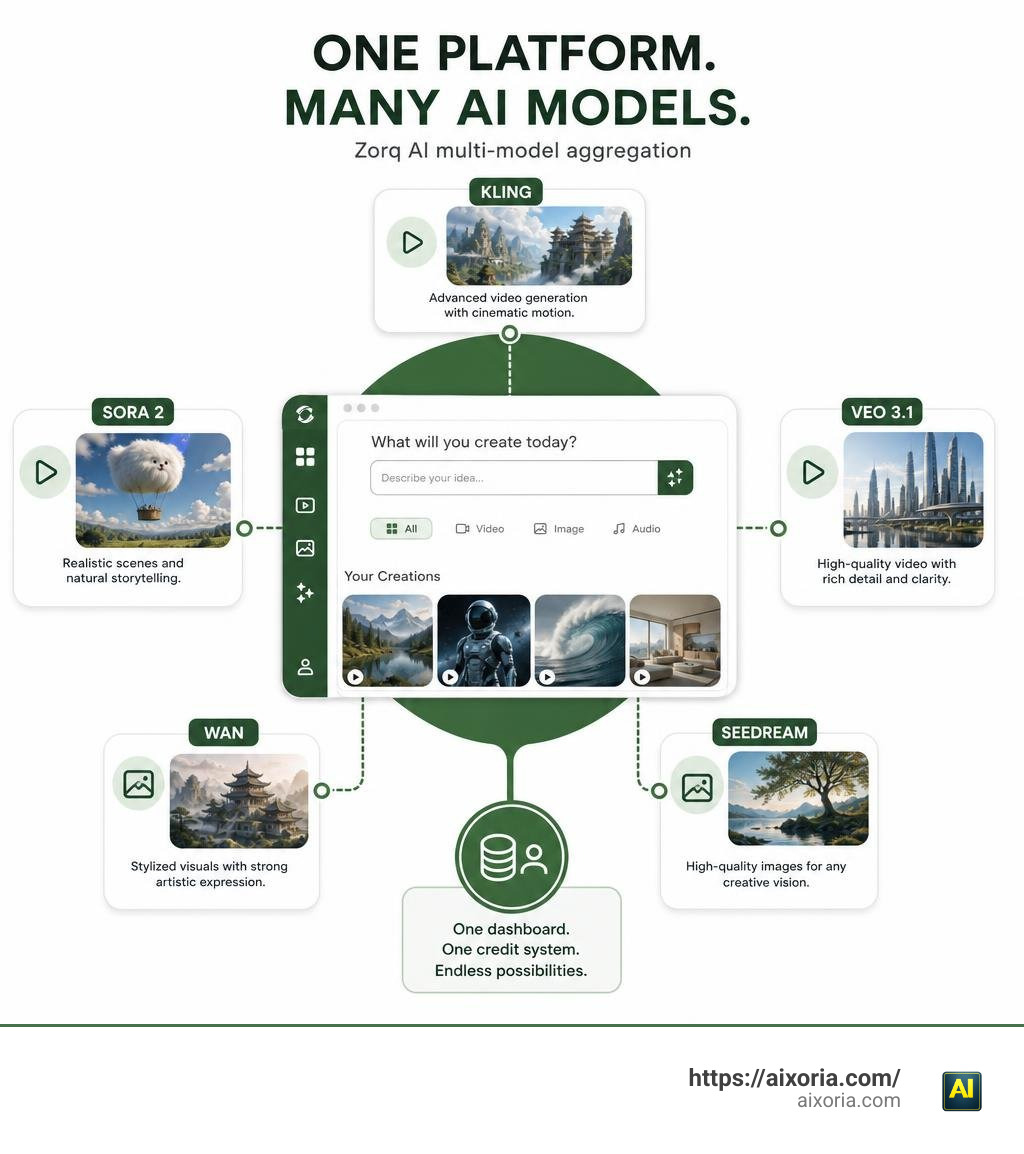
It works as an aggregation layer: instead of building its own AI models from scratch, it licenses and connects frontier models like Kling, Sora 2, and Veo 3.1 behind one interface and one credit system. The idea is simple — pay one subscription, access many models, skip the tab-switching.
The platform currently serves 20,000+ active creators and processes over 100,000 images and 40,000 videos per month. Those numbers suggest real usage, not just hype.
But is it actually worth it? That depends heavily on how you plan to use it and which models you reach for. This guide breaks it all down.
What is Zorq AI and How Does It Work?
To understand Zorq AI, we first have to look at the massive shift occurring in the artificial intelligence market. The global AI video market is projected to expand from $847 million in 2026 to a staggering $3.35 billion by 2034. As a result, new models are launching almost weekly. For individual creators and small agencies, keeping up with these individual subscriptions quickly turns into a costly, chaotic headache.
This is where the concept of a multi-model aggregator comes in. Zorq AI does not develop proprietary base models. Instead, it functions as a unified workspace that bridges the gap between different third-party models. When you write a prompt inside Zorq AI, you are sending a request to established, licensed engines like Kling, Sora 2, Google Veo 3.1, Wan 2.2, or Seedream 4.5.
By handling everything in the cloud, Zorq AI eliminates the need for expensive, high-end local GPUs. You can easily access the platform via any standard web browser. This approach simplifies the creative workflow, allowing you to test how different AI models handle the exact same prompt without leaving your dashboard. If you want to learn more about the methodology behind choosing the right platform, you can read our guide on How to Evaluate AI Tools.
To see how the developer community views this technical approach, you can explore the GitHub integration page. Zorq AI positions itself as a workflow tool designed to reduce subscription fatigue, making it highly attractive for creators who want options without the high cost of multiple standalone plans.
Core Features and Hands-On Testing: A Deep Zorq AI Review
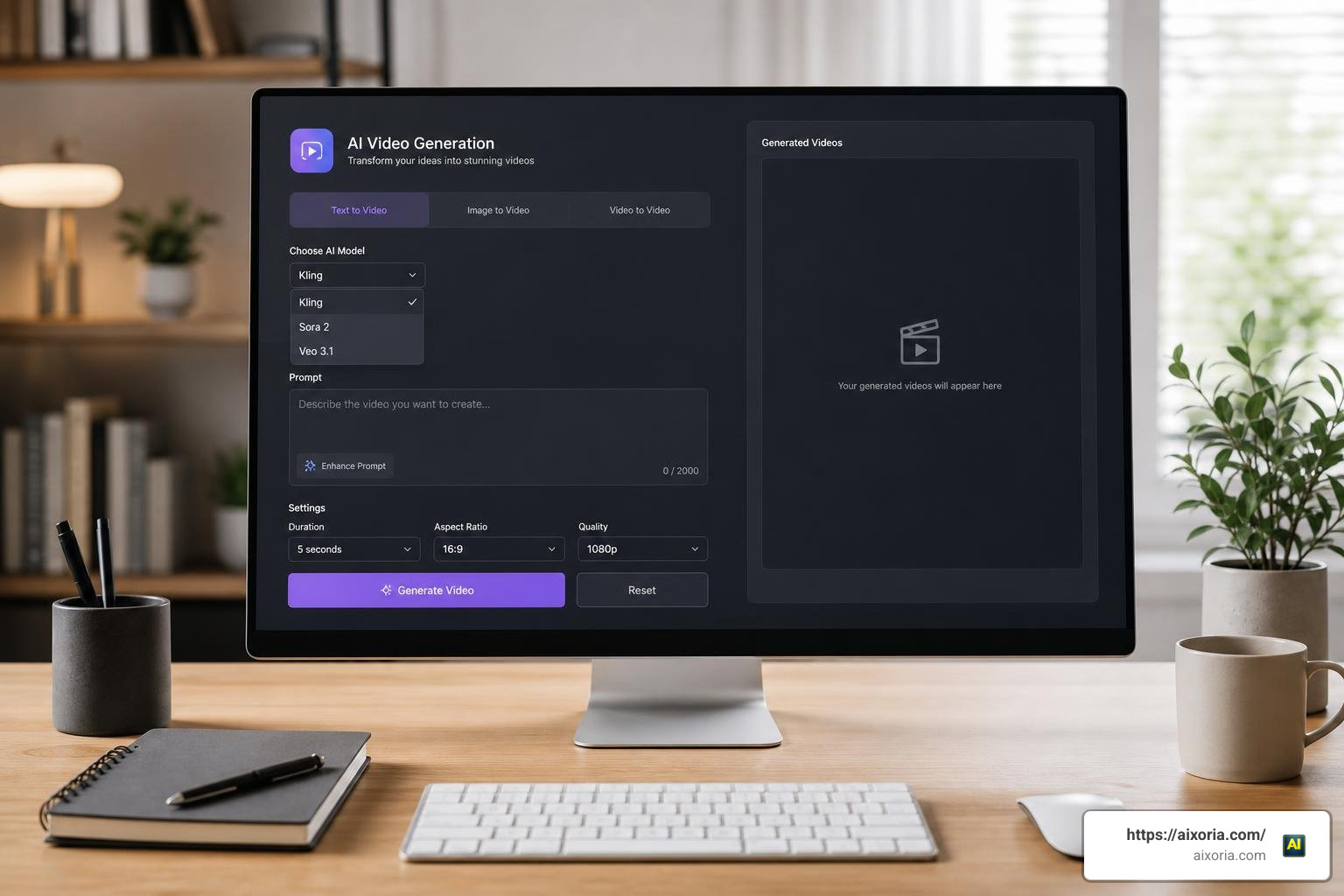
During our hands-on testing, we wanted to see if Zorq AI is truly a game-changer or simply a fast way to burn through credits. The platform features two primary workspaces: the Image Studio and the Video Studio.
Generating content is straightforward. You input your text description, select your preferred model, adjust the resolution and aspect ratio, and click generate. To help you get better results on your first attempt, Zorq AI includes a model-aware “AI Prompt Assist” tool. This feature automatically enhances basic prompts. For example, if you enter a simple prompt like:
“portrait of a woman in studio lighting”
The AI Prompt Assist refines it into a highly detailed version:
“Cinematic portrait, studio lighting, shallow depth of field f/1.8, high-end fashion photography, photorealistic quality with refined skin texture and natural color grading.”
This prompt refinement is incredibly useful because it reduces the trial-and-error that typically drains your credit balance.
For more information on how this platform holds up under testing, check out the Zorq AI Review 2026: Is It Worth It or Just Another AI Scam? for a complete breakdown of its early performance.
One of the most powerful features we tested is the MultiGen Engine. This is a bulk creation mode designed for power users who need to maintain character consistency across multiple scenes. If you are building a serialized story or a social media campaign featuring a consistent AI influencer, the MultiGen Engine allows you to lock in key character features, lighting styles, and backgrounds across multiple image and video variations. This solves one of the biggest challenges in generative AI: visual drift between generations.
Here is a quick summary of the core features available inside Zorq AI:
- AI Image Generation (Text-to-Image): Powered by models like Seedream 4.5 and Nanobanana Pro, allowing you to create high-resolution source images.
- AI Video Generation (Text-to-Video & Image-to-Video): Convert text prompts or approved static images into realistic video clips.
- Built-in Inpainting and Outpainting: Edit specific parts of an image or expand its boundaries directly inside the platform.
- 4K Upscaling: Sharpen and restore generated images to 4K resolution with a single click.
Advanced Motion Control and Lip Sync in Zorq AI Review
Where Zorq AI truly shines is in its post-generation and motion control tools. Many generic AI video generators struggle with chaotic movement, resulting in distracting visual jitters or morphing shapes. Zorq AI addresses this by integrating Kling Motion Control.
With Kling Motion Control, you can guide camera paths or transfer motion from a reference video directly onto your generated characters. This feature is a massive time-saver for animators and digital marketers. Instead of spending hours adjusting keyframes in traditional software, you can upload a simple phone-shot reference video of a walk or a hand wave, and the AI will transfer that motion directly to your digital character.
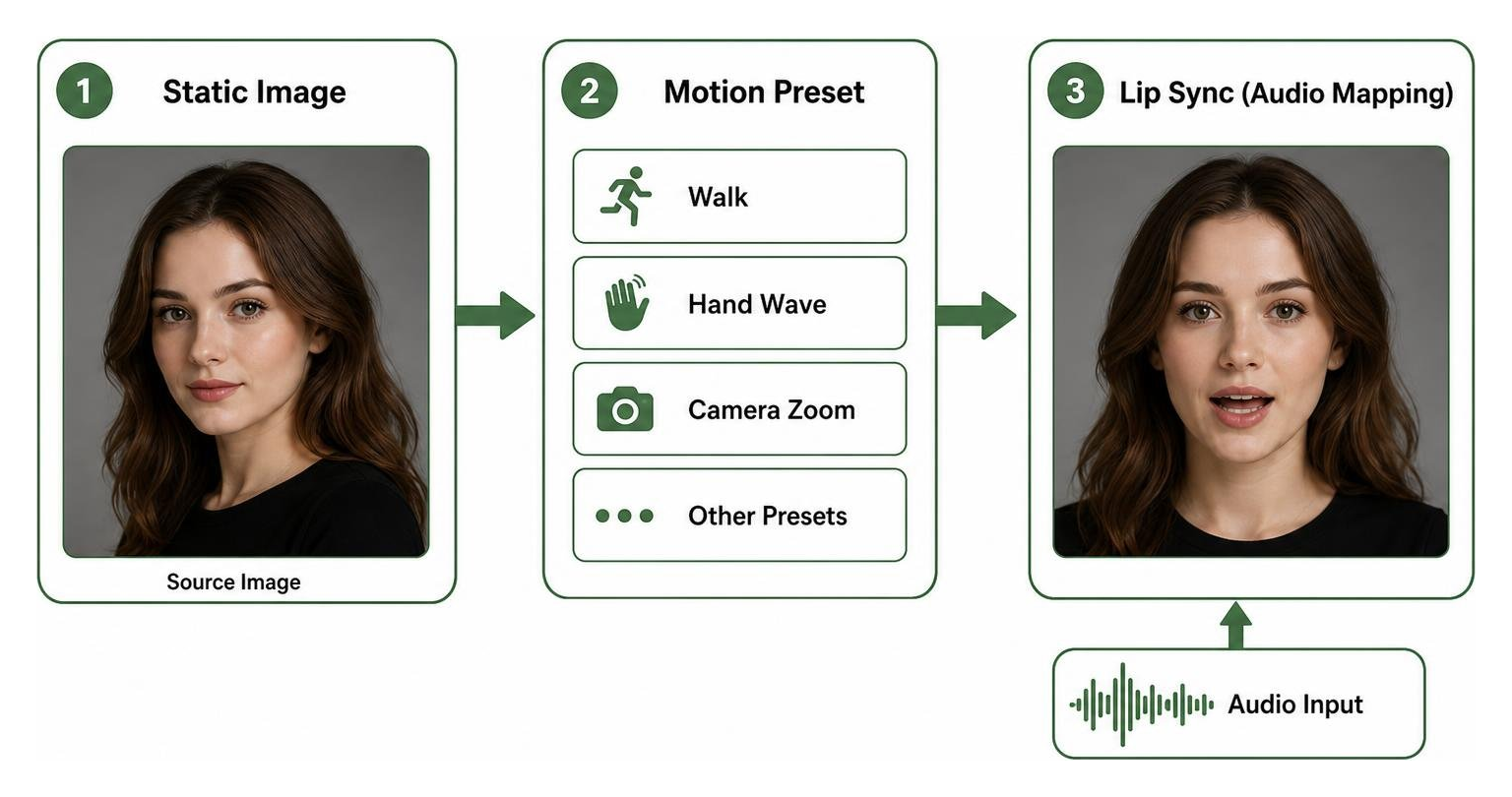
Additionally, the platform features a built-in Lip Sync AI. This tool allows you to combine audio files with generated face images to create talking-head videos. It supports over 12 languages and uses a 30fps phoneme mapping system to ensure that mouth movements sync naturally with the spoken dialogue. This makes Zorq AI an excellent choice for educators creating talking-head explainer videos or marketers producing localized video ads.
For a deeper look at how these advanced motion features perform, you can read the Zorq AI Review 2026: Game Changer or Credit Burner? .
Model Performance: Sora 2 vs Veo 3.1 vs Kling 3.0 in Zorq AI Review
To give you a clear picture of what to expect, we ran identical prompts across the three premier video models hosted inside Zorq AI: OpenAI’s Sora 2, Google Veo 3.1, and Kling 3.0. As we discovered, there is no single “best” model; instead, the right model depends on your specific project needs, timeline, and budget.
- Kling 3.0: This model is the absolute best for realism and physical accuracy. If you are generating product showcases or authentic user-generated content (UGC), Kling 3.0 renders believable motion, reflections, and skin textures. It had the highest first-pass usability rate in our tests (~70%).
- Google Veo 3.1: Optimized specifically for social media pacing, Veo 3.1 is the fastest model to render. It responds exceptionally well to pacing cues and beat-matching, making it the ideal choice for quick vertical TikToks or Instagram Reels.
- OpenAI Sora 2: Sora 2 delivers the most cinematic, visually stunning frames. However, it is also the most resource-intensive. In our testing, it had the slowest render times and consumed the most credits, with a first-pass usability rate of around 55% due to occasional physics distortions.
For a detailed analysis of these model differences, read the Zorq AI Models Explained: Kling vs Veo 3 vs Sora 2 .
Here is a performance comparison table based on our hands-on testing:
| Performance Metric | Kling 3.0 | Google Veo 3.1 | OpenAI Sora 2 |
|---|---|---|---|
| Primary Strength | Realism & Product Shots | Social Pacing & Speed | Cinematic Aesthetics |
| Render Speed | Moderate (~1.5x clip length) | Fast (~1.3x clip length) | Slow (~1.9x clip length) |
| First-Pass Usability | ~70% | ~65% | ~55% |
| Credit Cost | Standard | Standard | Premium |
| Best Use Case | E-commerce & UGC | TikTok & Reels | Brand Films & Storytelling |
Understanding the Credit System and Pricing Plans

Zorq AI operates on a credit-based system. Every action you take — whether it is generating an image, upscaling to 4K, or rendering a 5-second video — consumes a specific number of credits. It is important to know that credit consumption is not flat; premium models like Sora 2, high-resolution outputs, and advanced features like motion control burn through credits much faster than basic generations.
If you are trying to decide how this fits into your overall productivity budget, you can compare it to other platforms in our analysis of What is the Best AI for Productivity in 2026 (Tested & Compared).
Zorq AI offers two main ways to pay: monthly subscriptions and one-time credit packs.
Subscription Plans (Billed Monthly or Annually)
- Beginner / Lite Plan ($12.99 to $15.90/mo): Provides around 200 to 715 credits per month. This is ideal for hobbyists or creators who only need a few short video clips.
- Starter Plan ($26.24 to $39.00/mo): Provides 500 credits per month. This is a great entry point for testing workflows.
- Creator Plan ($59.99 to $99.00/mo): Provides 1,400 credits per month. Designed for active social media managers.
- Unlimited Plan ($124.99 to $299.00/mo): Provides 5,000 credits per month.
Note on the Unlimited Plan: While image generation is completely credit-free on this tier, using the bulk “MultiGen” features or premium video models still consumes credits. Also, subscription credits reset at the end of each billing cycle; they do not roll over to the next month. Opting for annual billing typically saves you about 17% to 30% depending on the plan.
One-Time Credit Packs
If you dislike recurring subscriptions or experience occasional project overflows, Zorq AI offers one-time credit packs that never expire:
- Mini Pack: $6.90 for 170 credits.
- Medium Pack: $69.90 for 2,690 credits.
All paid plans include a full commercial license, allowing you to use your generated images and videos for client work, social media ads, and YouTube monetization.
Evaluating the Pros, Cons, and Legitimacy of Zorq AI
To help you make an informed decision, let’s look at the clear advantages and disadvantages of using Zorq AI.
Pros
- Unified Workspace: You don’t need to purchase separate subscriptions for Kling, Sora, and Veo.
- AI Prompt Assist: Automatically optimizes raw prompts, saving you credits on failed generations.
- No Local Hardware Required: Processes everything in the cloud, rendering standard 5-second video clips in just 40–90 seconds.
- Flexible Payment Options: One-time credit packs are perfect for creators who want to avoid subscription fatigue.
Cons
- No Rollover for Subscription Credits: Unused monthly credits are forfeited at the end of the billing cycle.
- No Built-In Timeline Editing: Zorq AI is excellent for generating raw visual “clay,” but you will still need an external video editor to stitch your short clips into a final video.
- Credit Burn Rate: High-quality 4K upscaling and complex motion control can deplete your credits quickly if you aren’t careful.
For a thorough discussion of these trade-offs, check out the Zorq AI Review 2026: Pricing, Pros & Cons (Is It Legit?) – AIListingTool .
Is Zorq AI free to use?
Zorq AI is primarily a paid platform, but it does offer 150 free credits upon signup with no credit card required. This is enough for roughly 3 to 4 Kling Motion Control video generations, allowing you to test the interface and model speeds before making a financial commitment.
Can I use Zorq AI outputs for commercial projects?
Yes. Commercial usage rights are included across all paid plans, starting from the entry-level tiers. This means you can confidently use your creations for YouTube, digital advertising, e-commerce, and client deliverables.
How do I avoid domain scams associated with Zorq AI?
Because of Zorq AI’s popularity, several copycat websites and domain names have appeared online. To ensure your payment details and data remain secure, always verify that you are using the official domain: www.zorqai.io. Avoid entering your credit card information on unverified domains like zorqai.com or zorq-ai.net. The official platform uses secure Stripe payment processing to protect your transactions.
For a complete breakdown of the features and use cases across these models, you can read the Zorq AI Sora 2, Kling, Veo Tools: Features, Use Cases and Full Breakdown .
Conclusion
Zorq AI is a powerful aggregator that successfully addresses subscription fatigue for content creators in July 2026. By bringing premium models like Kling 3.0, Google Veo 3.1, and Sora 2 under one roof, it simplifies the creative workflow and saves you money. While you will still need external editing software to assemble your final projects, Zorq AI is an exceptional tool for generating high-quality raw assets.
If you are interested in exploring other automation tools to enhance your creative workflow, check out our review of the Best AI Agent Builder Software in 2026 (Tested) or read about The 20 Best AI Software Development Tools in 2026.
Ready to master these new creative platforms? Explore our comprehensive AI Tutorials to level up your skills today!