Why AI Tools to Enhance Project Risk Management Are Changing How Projects Succeed
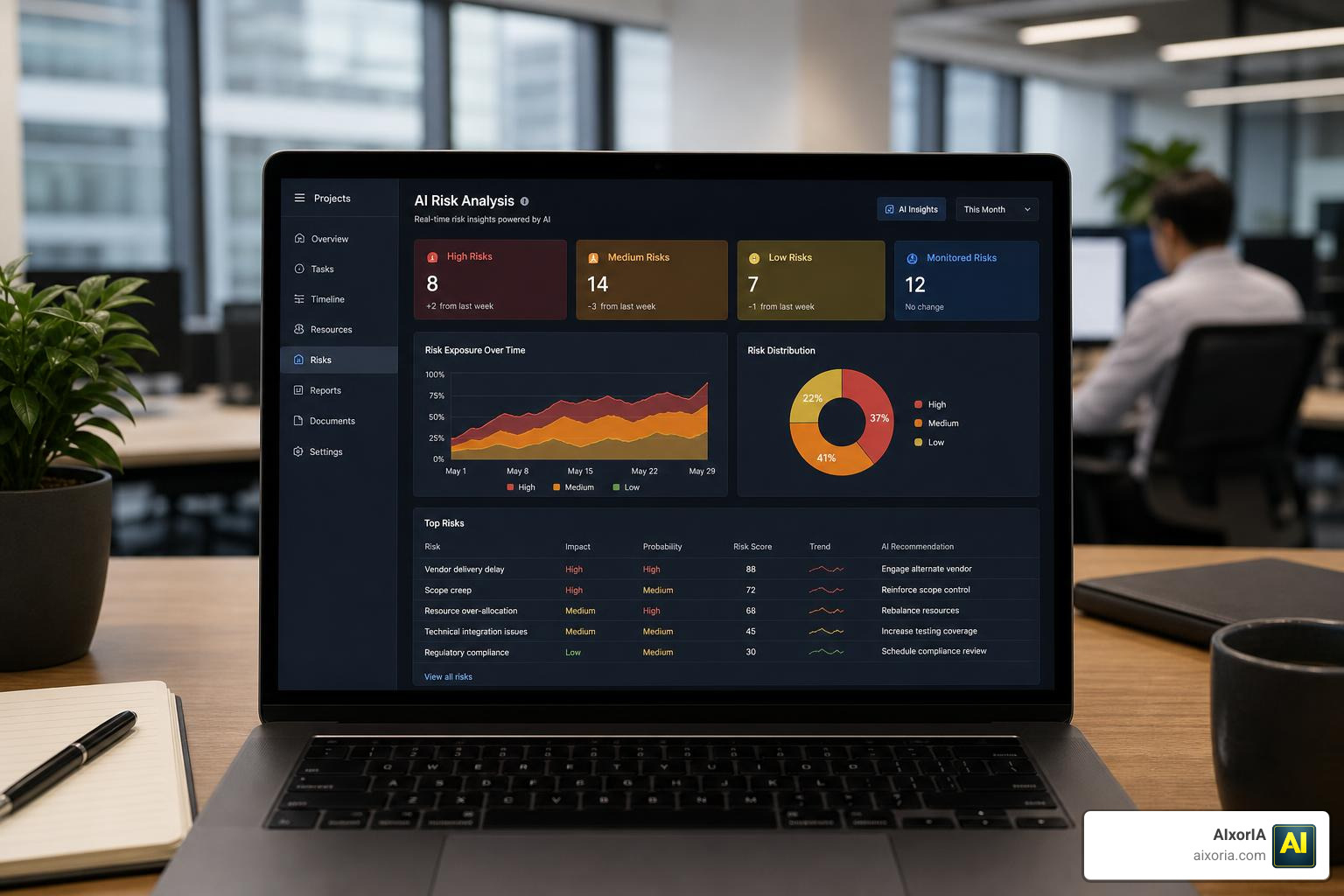
AI tools to enhance project risk management are no longer just for large enterprises with dedicated risk teams. If you run projects — even small ones — and want to catch problems before they derail your timeline or budget, these tools are built for you.
Here are the top AI tools for project risk management in 2026:
| Tool | Best For | Key AI Feature |
|---|---|---|
| Asana (Teammate AI) | General project risk monitoring | Schedule and workload risk detection |
| Taskade | Small team risk workflows | AI agents for risk registers and RACI |
| Nodes & Links | Schedule risk analysis | AI-powered Monte Carlo simulations |
| P3M | Enterprise portfolio risk | Voice-to-risk dictation, Bayesian scoring |
| Predict! by Lumivero | Multi-industry project risk | Qualitative + quantitative risk analysis |
| SEERai by Galorath | Cost and schedule risk | Document-based risk discovery agent |
| Project Problems (Beta) | Autonomous risk detection | Agentic AI from emails and documents |
Projects have always been risky. But the last few years have made them significantly riskier — supply chain shocks, rising costs, cybercrime, and rapid regulatory change have all piled on.
The traditional approach — spreadsheets, periodic meetings, and expert gut-feel — simply can’t keep up. By the time a risk gets flagged, it’s often already a problem.
That’s where AI changes the game.
AI-powered tools can scan thousands of data points in seconds, spot patterns humans miss, and flag issues before they become costly. A systematic review of 84 peer-reviewed studies published between 2014 and 2024 confirmed that AI methods like machine learning, computer vision, and natural language processing are already making a real difference in how risks are identified and managed across projects.
The market is responding fast. AI adoption in project management is projected to nearly double — from USD 2.5 billion in 2023 to USD 5.7 billion by 2028.
Even small pilot teams using agentic AI for risk checks have seen a 30% reduction in oversight errors. That’s not a marginal improvement — that’s a meaningful shift in how confidently you can deliver.
This guide walks you through the best AI tools available right now, how they work, and how to start using them — even if you don’t have a technical background.
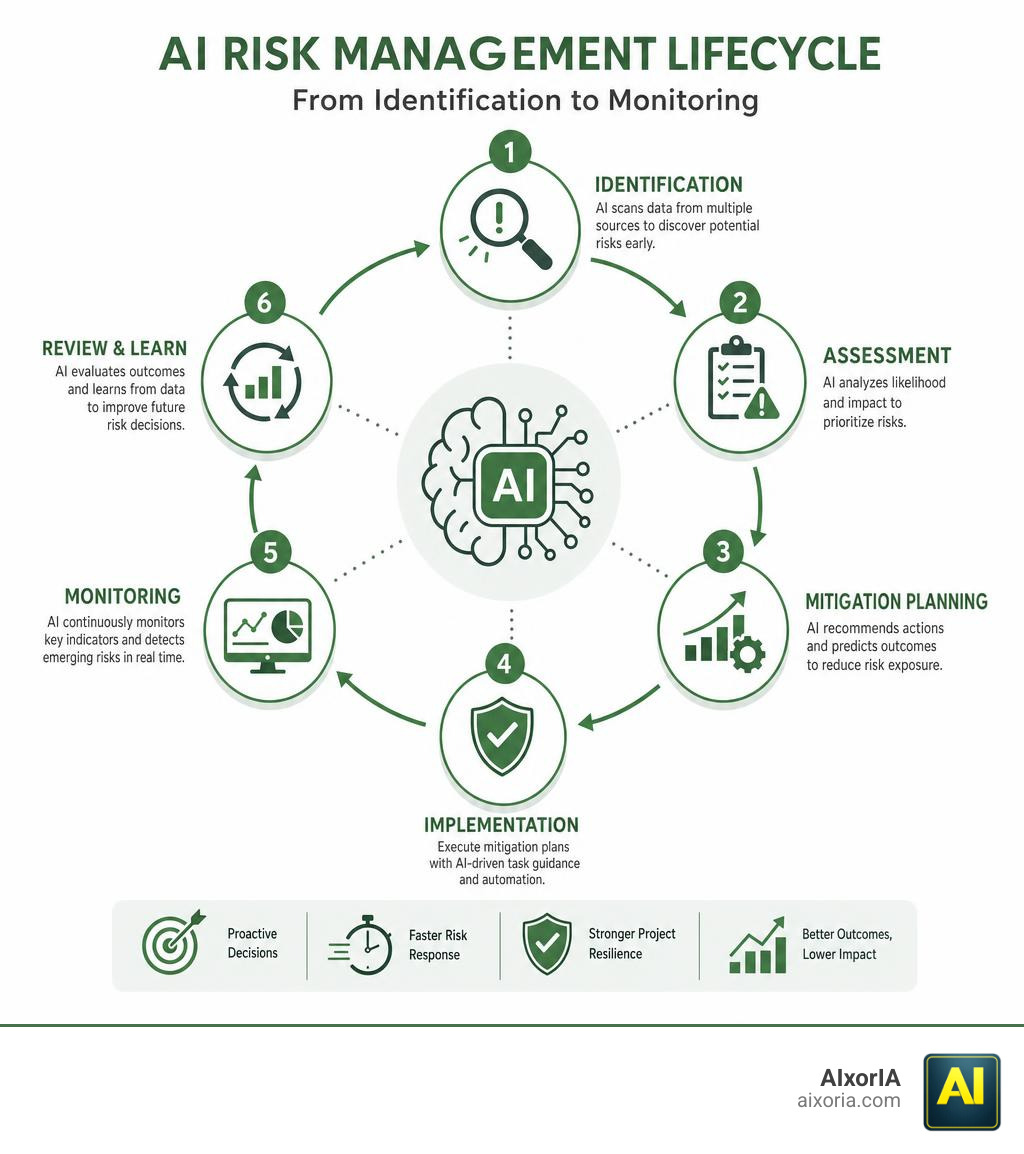
How AI Tools to Enhance Project Risk Management Outperform Traditional Methods
Traditional risk management is often slow, manual, and painfully reactive. We have all sat in those grueling project kickoffs where the team brainstorms potential problems, writes them down in a static spreadsheet, and then… rarely looks at them again until something actually breaks.
By contrast, using AI tools to enhance project risk management shifts your posture from reactive firefighting to proactive prevention. AI tools analyze complex data patterns across multiple files, emails, and past project archives in seconds. This allows you to spot warning signs—like a supplier delay or an unrealistic timeline—weeks before they impact your milestones.
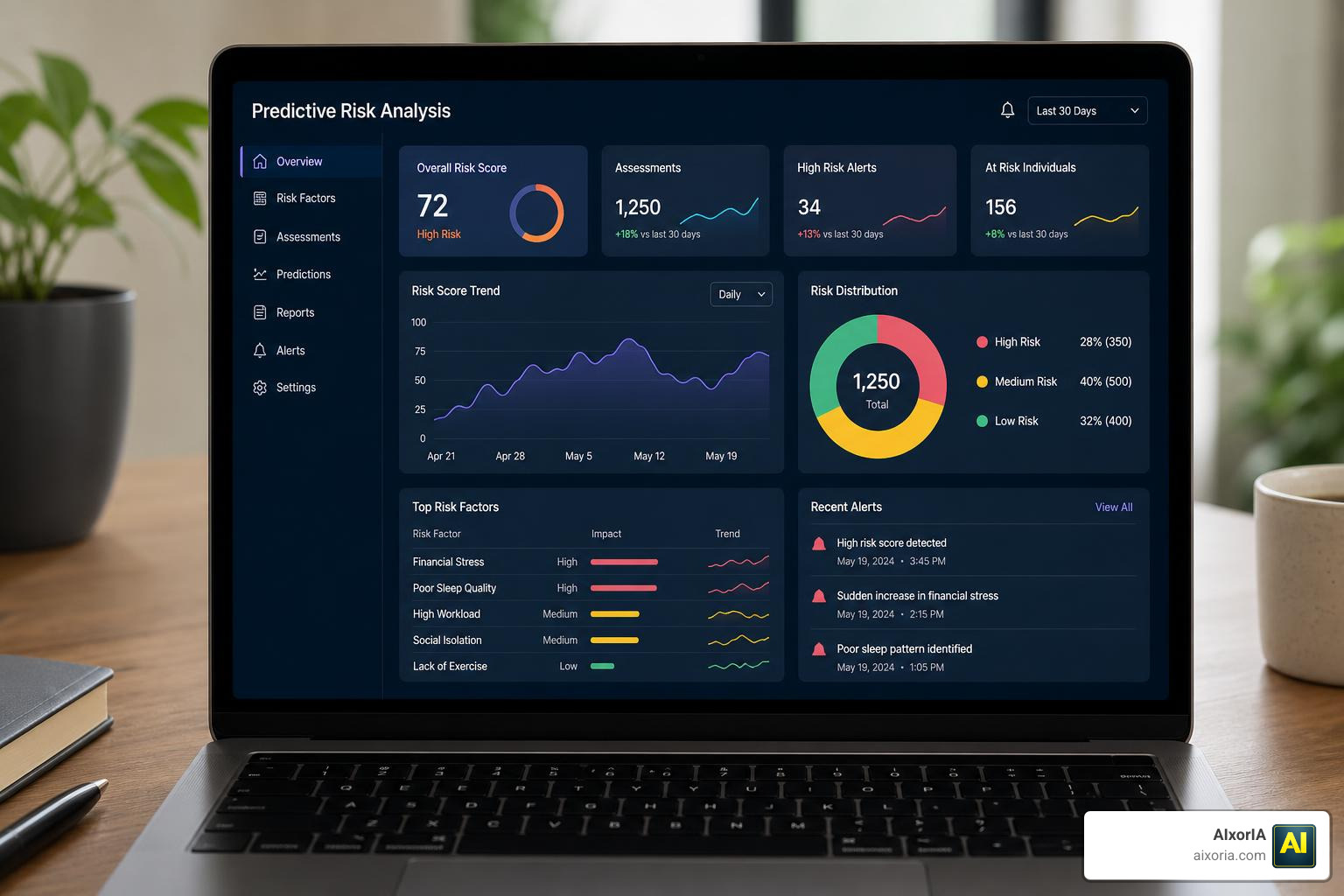
To put this in perspective, let’s look at how traditional expert-driven risk management stacks up against AI-driven processes:
| Feature | Traditional Risk Management | AI-Driven Risk Management |
|---|---|---|
| Speed | Takes days or weeks of workshops and manual data entry | Processes thousands of data points in seconds |
| Proactivity | Reactive; relies on periodic manual updates | Continuous, real-time monitoring and early warning alerts |
| Accuracy | Prone to human bias, oversight, and “gut-feel” errors | Data-driven; utilizes historical data and pattern recognition |
| Data Scope | Limited to structured spreadsheets and meeting notes | Handles unstructured data (emails, contracts, PDFs, images) |
| Oversight Errors | High risk of missing hidden dependencies | Reduced by up to 30% using autonomous agentic checks |
Core AI Technologies Driving Modern Project Risk Assessment
How exactly does the magic happen? Modern risk platforms rely on a combination of core artificial intelligence technologies. Each technology plays a specific role in moving a risk from a vague worry to a manageable data point.
To see how these technologies are built into functional tools, researchers have even developed frameworks like the one outlined in An Integrated Artificial Intelligence Tool for Predicting and Managing Project Risks, which highlights how machine learning models can predict project risk types, probabilities, and mitigation strategies simultaneously.
Machine Learning and Predictive Analytics for Risk Forecasting
Machine learning (ML) is the engine behind predictive modeling. By training on historical project data, ML models learn to spot early warning signs of budget overruns and schedule delays. If a previous project with similar resource constraints and contract terms went 20% over budget, the AI recognizes the pattern and flags your current project as high-risk.
To see how these models are applied across different project management software, check out our guide on 9 Ai Tools To Enhance Project Risk Management In 2026.
Natural Language Processing and Cognitive Analytics in AI Tools to Enhance Project Risk Management
Projects generate massive amounts of unstructured data—contracts, emails, meeting transcripts, and regulatory updates. Natural Language Processing (NLP) allows AI tools to “read” these documents.
Cognitive analytics takes this a step further by applying human-like context and rationale to the text. For example, an NLP agent can scan a new 50-page vendor contract, compare it to historical contract disputes, and immediately highlight compliance risks or unfavorable terms hidden in the legalese.
Computer Vision and Optimization Algorithms for Real-Time Safety and Scheduling
In physical environments like construction sites or manufacturing floors, computer vision uses live camera feeds to identify safety hazards, such as workers missing protective gear or equipment placed in hazardous zones.
Meanwhile, optimization algorithms run behind the scenes to solve complex scheduling puzzles. If a critical path task is delayed, these algorithms instantly recalculate resource allocation and schedule pathways to minimize the impact on your final delivery date.
Integrating AI Risk Capabilities into Existing Project Management Platforms
You don’t need to throw away your current software to benefit from AI. The most effective way to adopt these technologies is by using tools that integrate directly into your daily workflows.
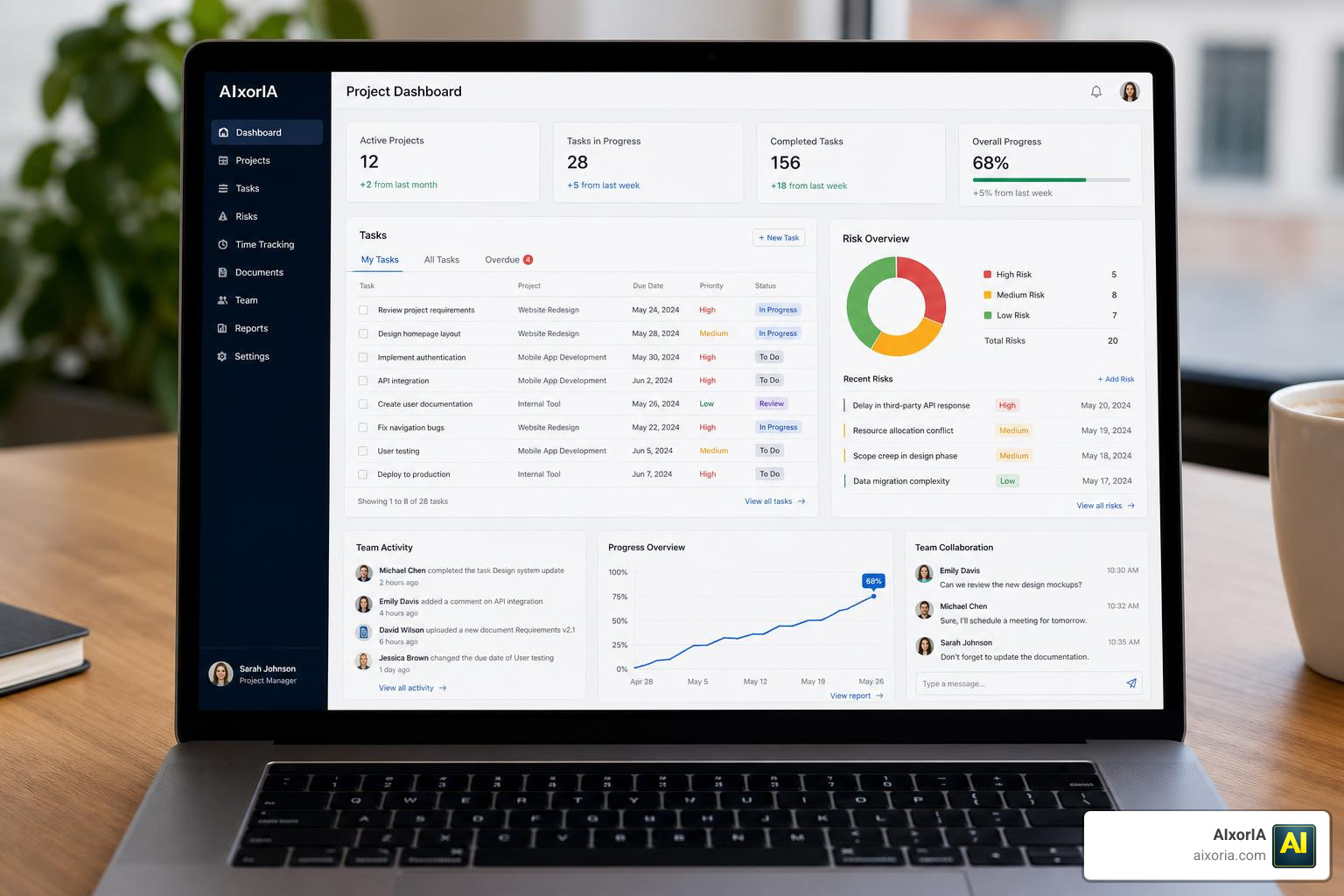
Many of the platforms you already use are embedding AI directly into their interfaces, turning standard task lists into active risk-monitoring hubs. For a broader look at the software landscape, you can explore the What Are The Best Software For Project Management 2026 Guide and see how they compare in our review of What Are The Top 10 Project Management Tools In 2026.
Connecting AI Tools to Enhance Project Risk Management with Standard PM Workflows
Modern tools like Asana and Taskade are making risk management collaborative and visual. Instead of building RACI matrices (Responsible, Accountable, Consulted, Informed) or risk registers from scratch in Excel, teams can use collaborative canvases.
For example, Taskade and Jeda.ai allow you to describe your project goals, and the AI instantly generates a complete RACI matrix and risk register. This cuts post-workshop synthesis time from days to minutes.
Furthermore, these tools can automatically generate risk summaries. To learn how to leverage these reports, read our guide on the Best Ai Tools For Project Reports.
Advanced Risk Modeling: Combining AI with Monte Carlo Simulations and Blockchain
For highly complex or capital-intensive projects, basic risk lists aren’t enough. Advanced platforms combine AI with Monte Carlo simulations to run thousands of “what-if” scenarios in seconds. This gives project managers highly accurate, probabilistic forecasts of project outcomes (such as a 15% chance of finishing on time vs. an 85% chance with added contingency).
Additionally, integrating these models with blockchain technology and smart contracts allows for automated risk responses. For example, if an AI agent detects a verified supplier delay on the blockchain, smart contracts can automatically release contingency funds or trigger backup orders without waiting for manual approval.
Challenges, Governance, and Best Practices for Implementing AI Risk Tools
While the benefits are clear, implementing AI-driven risk management isn’t without its hurdles. To succeed, organizations must establish clear governance and follow proven best practices.
- Address the Data Quality Challenge: AI models are only as good as the data they are trained on. If your historical project records are incomplete or messy, the AI’s predictions will be unreliable. Prioritize data cleaning and establish a single source of truth before launching complex models.
- Prioritize Model Interpretability: Avoid “black-box” AI systems. Your project teams need to understand why an AI tool flagged a specific task as high-risk. Use explainable AI (XAI) frameworks that provide clear reasoning behind every alert.
- Bridge the Workforce Skills Gap: Technology is only half the battle. Provide training workshops to help your team transition from manual tracking to validating and acting on AI insights.
- Align with International Standards: Ensure your AI risk workflows align with established frameworks like ISO 31000. Enterprise-grade tools like Predict! by Lumivero | Project risk management software are purpose-built to combine qualitative scoring and quantitative analysis within an audit-ready, standardized environment.
Frequently Asked Questions about AI in Project Risk Management
What are the primary risk categories that AI tools address in construction projects?
In complex environments like construction, AI tools primarily target five key risk categories:
- Cost: Predicting budget overruns by analyzing material price trends and historical cost variances.
- Safety: Using computer vision to monitor job sites for safety compliance in real-time.
- Schedule: Running predictive simulations to identify potential bottleneck activities on the critical path.
- Quality: Analyzing sensor data and images to catch structural or material defects early.
- Supply Chain: Tracking global logistics and weather patterns to anticipate delivery delays.
How does agentic AI reduce oversight errors in project management?
Unlike simple prompt-based AI that only responds to direct questions, agentic AI operates autonomously. These intelligent agents can continuously monitor project files, scan incoming emails, and analyze contract updates in the background. By comparing this real-time data against historical project benchmarks, the agent autonomously flags hidden risks and sends actionable alerts to the team, reducing manual oversight errors by up to 30%.
What are the main barriers to adopting AI for project risk management?
The three largest barriers are:
- Data Quality: Missing, fragmented, or poorly formatted historical project data.
- Interpretability: A lack of trust in AI recommendations when the underlying logic is not visible (the “black box” problem).
- Skills Gap: Project managers and teams lacking the training to effectively interpret and act on AI-driven insights.
Conclusion
Embracing AI tools to enhance project risk management is no longer a futuristic concept—it is a competitive necessity in 2026. By shifting from slow, reactive spreadsheets to real-time, predictive risk intelligence, your organization can deliver projects with higher certainty, lower costs, and fewer surprises.
We at AIxorIA are committed to helping you navigate this transition smoothly. We provide custom AI solutions, interactive tool training workshops, and comprehensive performance audits designed to empower your teams without the technical jargon. To learn more about boosting your team’s efficiency, explore our curated list of the Best Ai Tools For Business Productivity or browse our full suite of resources on our Explore AI Productivity Solutions page.