In 2023, people uploaded photos.
In 2024, they generated random luxury renders.
But in 2026?
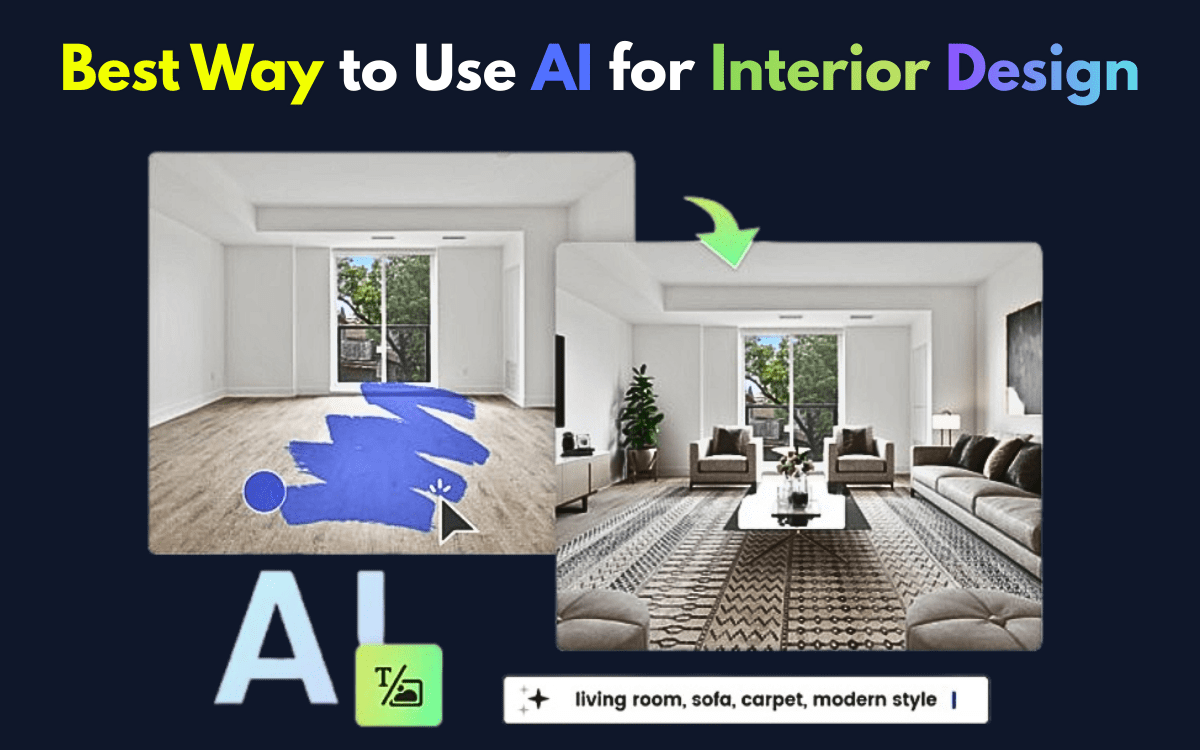
Smart users create a 3D Digital Twin of their real space, connect it to AI design engines, and generate shoppable, measurement-accurate interior concepts.
That’s the difference between inspiration… and execution.
If you want to use AI the right way for interior design — whether you’re redesigning your home or presenting concepts to clients — this guide explains the professional workflow that actually works.
The 2026 Standard: Start With a 3D Digital Twin (Not Just a Photo)
Uploading a flat image is outdated.
Today, professionals scan their room using LiDAR (Light Detection and Ranging) to create a precise 3D model — also called a Digital Twin.
You can create this using tools like:
- Luma AI
- Polycam
These apps scan your space using your phone and generate:
- Accurate room dimensions
- Wall height data
- Window & door placements
- Depth perception
- Real spatial mapping
Then you import this 3D twin into a design AI platform.
Why this matters:
• No unrealistic furniture scaling
• No impossible layouts
• No guessing measurements
• 100% spatial awareness
This single upgrade dramatically improves design realism.
Read More – Best AI Tools for Infographics
Step 2: Use 2026’s Leading AI Interior Platforms
The AI landscape has evolved. Some older tools still exist, but the market leaders in 2026 focus on accuracy + commerce integration.
1. HomeDesignsAI
Best Overall (2026)
- 80+ interior & exterior styles
- Garden + facade redesign
- Strong realism
- Paid ($27/month approx.)
2. Rendair AI
Best for Professionals
- Sketch-to-photorealism
- Architectural accuracy
- Ideal for client presentations
- Subscription model
3. ReimagineHome
Best for Shoppable Designs
- Furniture sourcing suggestions
- Real product references
- Commercial-ready workflow
4. RoomGPT
Best for Quick Makeovers
- Upload & style instantly
- Credit-based system
- Beginner-friendly
The Pro Workflow: How Experts Actually Use AI
Here’s the 2026 professional sequence:
1. Scan the Space
Create a 3D Digital Twin via LiDAR.
2. Define Constraints
Budget range
Preferred material types
Lighting direction
Room usage purpose
3. Generate Multiple Style Variations
Modern minimal
Japandi
Industrial
Warm contemporary
4. Refine Through Prompt Iteration
Add texture notes.
Specify materials.
Adjust color warmth.
Define ceiling height perception.
5. Activate “Shoppable AI” Mode
Modern AI tools like ReimagineHome or Paintit.ai now provide:
• Direct furniture links
• Purchase references
• Retail integration
• Budget breakdown ideas
This bridges imagination and real-world buying.
And yes — this commercial integration is powerful because it aligns design inspiration with purchasing intent.
Read More – Business Name Generator
⚠️ Structural Safety Warning
AI can visually remove walls.
But it cannot detect load-bearing structures.
⚠️ Pro Note: AI may suggest placing a window or removing a wall that is structurally critical. Always consult a licensed structural engineer before making permanent architectural changes.
Interior design touches property value and safety. Human verification is non-negotiable.
2026 AI Interior Tool Comparison Table
| Tool | Best For | Unique Feature | Cost |
|---|---|---|---|
| HomeDesignsAI | Overall Redesign | 80+ Styles (Interior + Garden) | ~$27/month |
| Planner 5D | Floor Plans | AI Floor Plan Recognition + AR | Freemium |
| Rendair AI | Professional Renders | Sketch-to-Photorealism | Subscription |
| RoomGPT | Quick Makeovers | Simple Upload & Style UI | Credit-based |
(Always verify current pricing before purchase.)
Why AI Alone Is Not Enough
AI produces possibilities.
Designers produce decisions.
Real interior expertise involves:
• Understanding traffic flow
• Natural light psychology
• Texture layering
• Human comfort behavior
• Cultural aesthetic preferences
AI accelerates the creative process — but experience refines it.
That balance builds trust.
Common Mistakes in 2026
- Skipping 3D scanning
- Trusting unrealistic furniture scale
- Ignoring budget realities
- Overdesigning small rooms
- Forgetting electrical & plumbing constraints
AI is a design assistant — not a building authority.
Is AI Interior Design Worth It in 2026?
For:
✔️ DIY homeowners
✔️ Real estate staging
✔️ Designers testing variations
✔️ Social media visualization
✔️ Concept pitching
Absolutely yes.
For:
❌ Structural renovation decisions
❌ Permit-level drawings
❌ Engineering calculations
No.
Final Verdict: The Best Way to Use AI for Interior Design
The smartest workflow today is:
Create a 3D Digital Twin →
Import into AI design platform →
Refine with professional prompts →
Activate shoppable AI →
Validate with human expertise.
That’s the 2026 method.
Not random image generation.
Not fantasy renders.
But structured, measurement-aware, commerce-ready interior planning.
Author Bio
Written by BAKU GURJAR
I research how artificial intelligence intersects with spatial design, visualization tools, and digital commerce workflows to create practical, execution-ready interiors.
1 thought on “What Is the Best Way to Use AI for Interior Design in 2026?”