Team collaboration has evolved far beyond chat and file sharing. In 2026, collaboration tools are expected to unify communication, project management, automation, and AI-driven workflows into a single, scalable system.
For modern teams—especially in the US where remote and hybrid work models dominate—the right collaboration platform is not just a productivity tool. It becomes the central operating system for how work gets done.
This guide covers the best team collaboration tools in 2026, with a focus on usability, scalability, integrations, and increasingly important AI capabilities that help teams move faster and make better decisions.
Table of Contents
What Makes the Best Team Collaboration Tool in 2026?
Not all collaboration platforms are built equally. The best tools today combine multiple layers of functionality:
Unified communication
Chat, video, and async messaging should live in one place, reducing tool fragmentation.
Workflow and task management
Collaboration tools must go beyond communication and support execution—tasks, timelines, and ownership.
AI-powered assistance
AI is now central, helping summarize conversations, generate tasks, automate workflows, and improve decision-making.
Integration ecosystem
Teams rely on dozens of tools. The best platforms integrate deeply with CRMs, cloud storage, developer tools, and more.
Scalability and governance
For growing teams and enterprises, features like permissions, audit logs, and admin controls are critical.
The Best Team Collaboration Tools in 2026 at a Glance
| Tool | Best For | Key Strength | Pricing |
|---|---|---|---|
| Slack | Team communication | Real-time messaging + AI summaries | Free; Paid from $7.25/user/month |
| Microsoft Teams | Enterprise collaboration | Deep Microsoft 365 integration | Free; Paid from $4/user/month |
| Notion | All-in-one workspace | Docs + tasks + AI in one place | Free; Paid from $8/user/month |
| Asana | Project collaboration | Task and workflow management | Free; Paid from $10.99/user/month |
| ClickUp | All-in-one productivity | Highly customizable workflows + AI | Free; Paid from $7/user/month |
| Trello | Simple collaboration | Visual boards and simplicity | Free; Paid from $5/user/month |
| Zoom | Video collaboration | Meetings + AI transcription | Free; Paid from $14.99/month |
Best Team Collaboration Tool for Communication
Slack
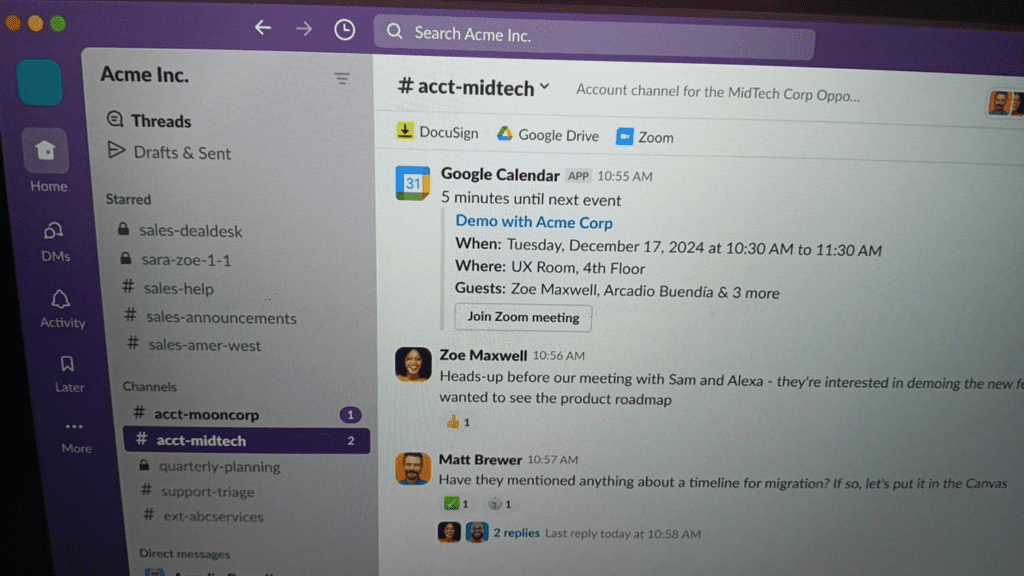
Slack remains one of the most widely used collaboration tools, especially for teams that rely heavily on real-time communication. Channels, threads, and integrations make it easy to organize conversations across projects and departments.
In 2026, Slack’s AI capabilities have become a core feature. It can summarize long conversations, highlight key decisions, and even suggest next steps. This is particularly useful for async teams that need quick context without reading hundreds of messages.
Slack also integrates with thousands of tools, allowing teams to centralize notifications and workflows. However, it works best when paired with a task or project management tool, as it focuses primarily on communication.
Pros:
- Clean and intuitive messaging interface
- Strong integration ecosystem
- AI summaries and workflow suggestions
Cons:
- Can become noisy without proper structure
- Limited built-in task management
Pricing: Free plan available; paid plans start at $7.25 per user/month
Best Collaboration Tool for Microsoft-Based Teams
Microsoft Teams
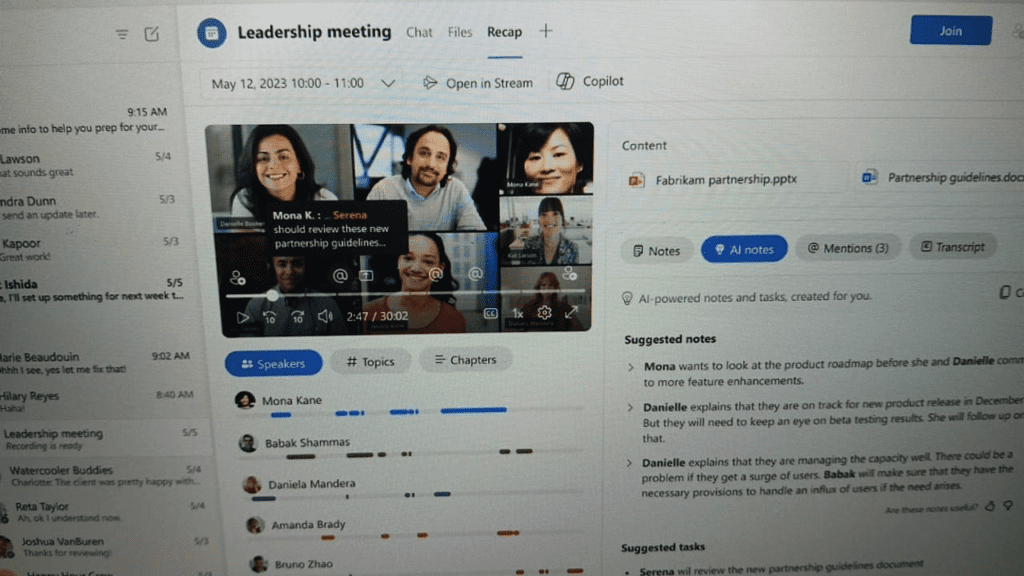
Microsoft Teams is designed for organizations already using Microsoft 365. It combines chat, video meetings, file sharing, and collaboration within a single ecosystem.
Its biggest strength lies in integration. Teams connects seamlessly with tools like Outlook, SharePoint, Excel, and Word, making it a natural choice for enterprises.
AI is deeply embedded through Microsoft Copilot. It can summarize meetings, generate notes, draft messages, and assist with document creation. This reduces manual work and improves productivity across departments.
Pros:
- Deep integration with Microsoft 365
- Strong video conferencing capabilities
- Built-in AI (Copilot) for productivity
Cons:
- Can feel complex for new users
- Less flexible outside Microsoft ecosystem
Pricing: Free plan available; paid plans start at $4 per user/month
Best All-in-One Collaboration Workspace
Notion
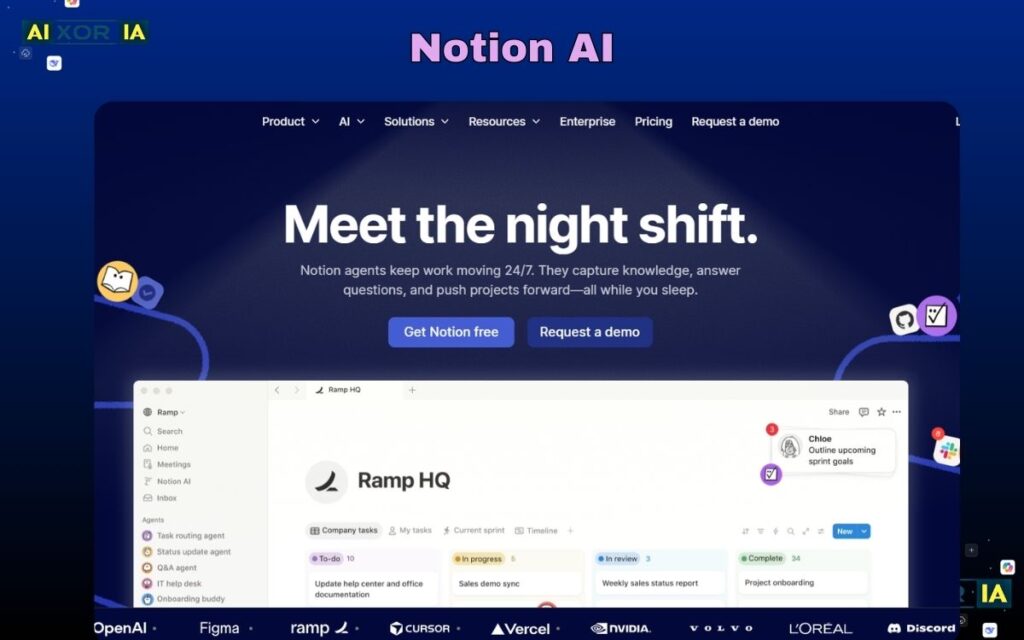
Notion has become a central workspace for teams that want to combine documentation, tasks, databases, and collaboration in one place.
Instead of switching between multiple tools, teams can manage everything—from knowledge bases to project workflows—within Notion. Its flexibility allows teams to build custom systems tailored to their needs.
Notion AI plays a significant role in 2026. It can generate content, summarize documents, extract insights, and assist in structuring workflows. For teams dealing with large amounts of information, this becomes a major productivity advantage.
Pros:
- Highly flexible and customizable
- Combines docs, tasks, and databases
- Powerful AI writing and summarization
Cons:
- Learning curve for complex setups
- Can become disorganized without structure
Pricing: Free plan available; paid plans start at $8 per user/month
Best Collaboration Tool for Project Management
Asana
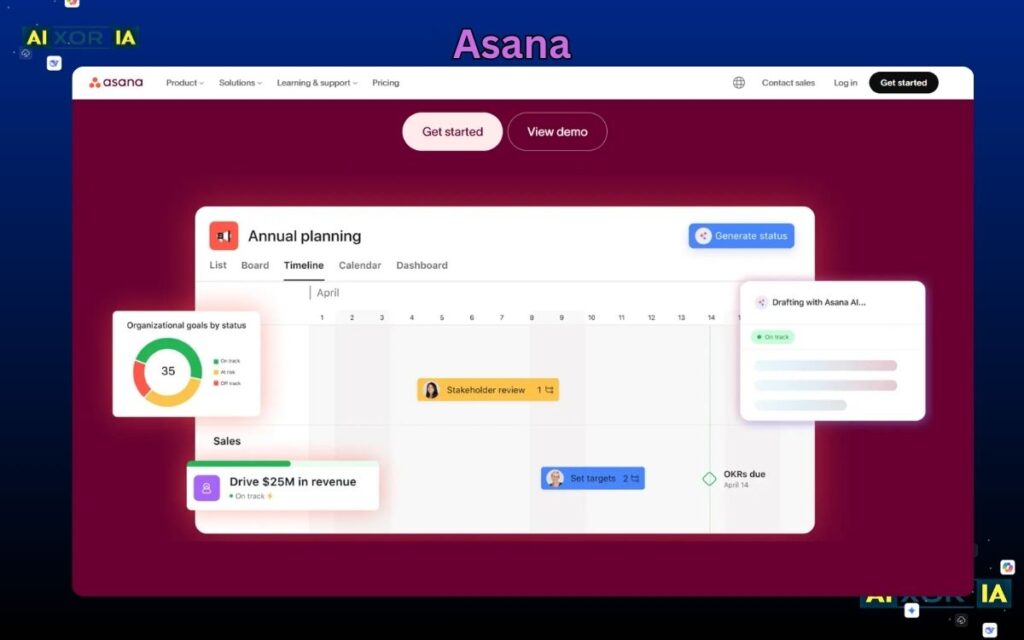
Asana is built for teams that need structured project management alongside collaboration. It focuses on tasks, timelines, dependencies, and workflow clarity.
Its interface is clean and designed to help teams track progress without confusion. Teams can assign tasks, set deadlines, and monitor project status in real time.
AI features in Asana help automate workflows, suggest task breakdowns, and provide insights into project risks. This makes it easier for teams to stay on track and avoid bottlenecks.
Pros:
- Strong task and workflow management
- Clear project visualization
- AI-powered insights and automation
Cons:
- Limited real-time chat features
- Advanced features require higher plans
Pricing: Free plan available; paid plans start at $10.99 per user/month
Best All-in-One Productivity Platform
ClickUp
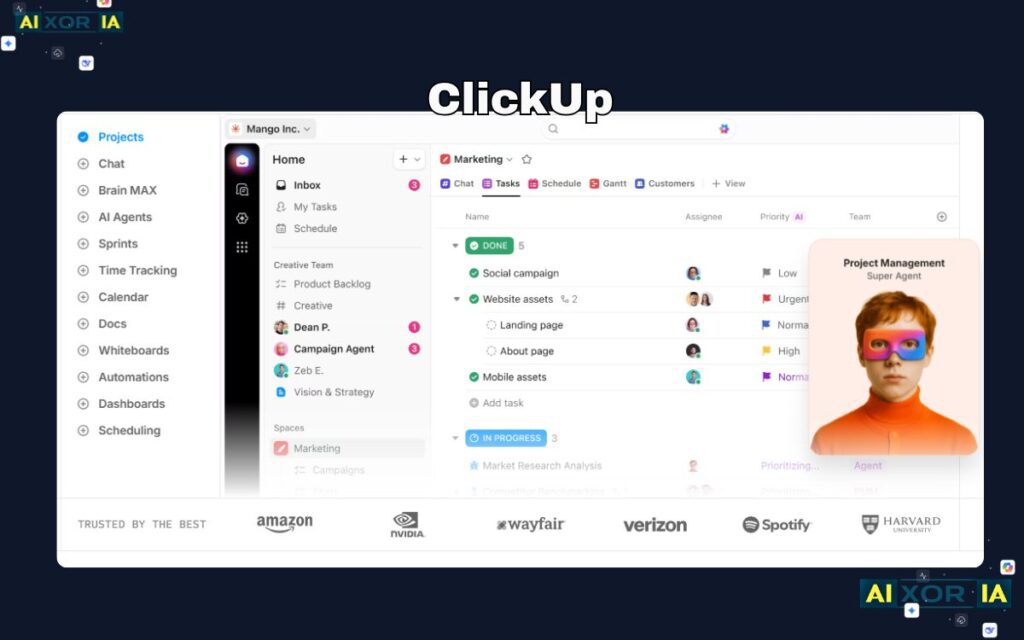
ClickUp positions itself as an all-in-one productivity platform, combining tasks, docs, goals, chat, and dashboards.
Its biggest advantage is customization. Teams can build workflows that match their exact processes, making it suitable for a wide range of use cases.
ClickUp AI enhances productivity by generating tasks, summarizing updates, and automating repetitive work. It helps teams reduce manual effort and focus on execution.
Pros:
- Highly customizable workflows
- Combines multiple tools in one platform
- Strong AI features for automation
Cons:
- Interface can feel overwhelming
- Requires setup time to optimize
Pricing: Free plan available; paid plans start at $7 per user/month
Best Simple Visual Collaboration Tool
Trello
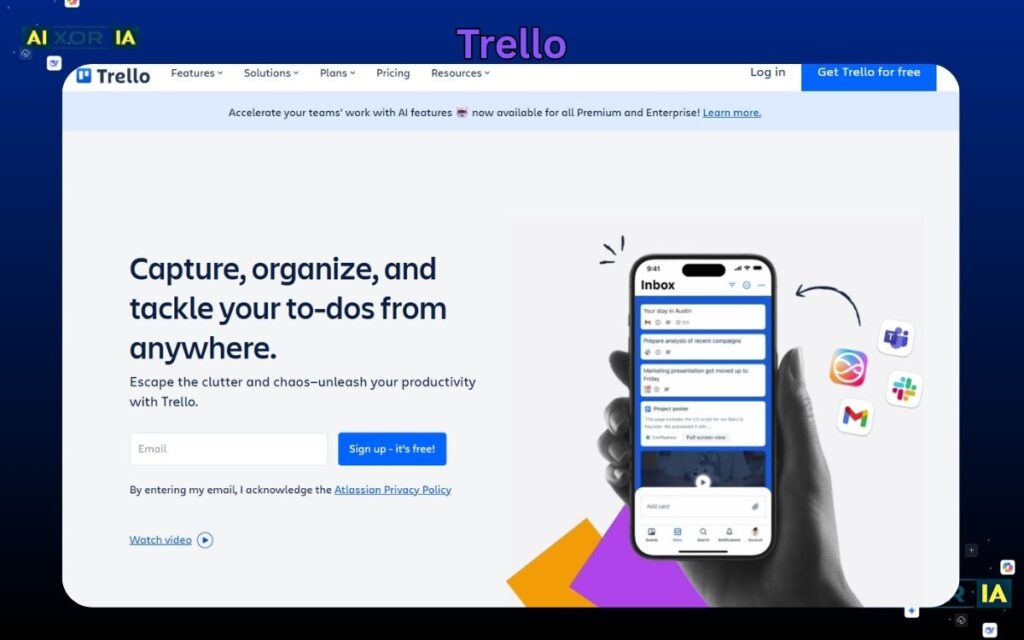
Trello is known for its simplicity and visual approach to task management. It uses boards, lists, and cards to organize work in a way that’s easy to understand.
It’s ideal for small teams or projects that don’t require complex workflows. Trello’s automation features and integrations extend its functionality, while its AI capabilities help with task suggestions and organization.
Pros:
- Extremely easy to use
- Visual and intuitive interface
- Good for simple workflows
Cons:
- Limited scalability for complex projects
- Fewer advanced features
Pricing: Free plan available; paid plans start at $5 per user/month
Best Tool for Video-Based Collaboration
Zoom
Zoom remains a leading platform for video communication, especially for remote and hybrid teams.
Beyond meetings, Zoom now includes collaboration features like chat, whiteboards, and integrations. Its AI capabilities include meeting transcription, summaries, and action item extraction.
These features make it easier for teams to capture important information without manual note-taking.
Pros:
- High-quality video and audio
- AI-powered meeting summaries
- Reliable for remote teams
Cons:
- Limited project management features
- Requires additional tools for full collaboration
Pricing: Free plan available; paid plans start at $14.99 per month
How to Choose the Right Collaboration Tool
The best tool depends on your team’s workflow:
- For communication-focused teams → Slack
- For Microsoft-based organizations → Microsoft Teams
- For all-in-one workspace → Notion
- For structured project management → Asana
- For customization and flexibility → ClickUp
- For simplicity → Trello
- For video collaboration → Zoom
Many teams combine tools—for example, using Slack for communication and Asana for task management.
The Role of AI in Team Collaboration (2026)
AI is fundamentally changing how teams collaborate.
Modern tools now:
- Summarize meetings and conversations
- Generate tasks automatically
- Suggest workflows and improvements
- Automate repetitive processes
This reduces cognitive load and allows teams to focus on high-value work.
In 2026, collaboration tools are no longer passive platforms—they actively assist teams in thinking, organizing, and executing work.
Final Thoughts
The best team collaboration tools in 2026 are those that go beyond communication and enable complete workflow management with AI support.
The right choice depends on your team’s size, tools, and working style. Some teams benefit from an all-in-one platform, while others prefer combining specialized tools.
READ MORE –
Best AI Content Detectors for Teachers in 2026
Best Flowchart Software for Designers in 2026
5 Best Free AI Tools for Students & Researchers (2026 Guide)