The Best AI Note Takers That Stay Out of Your Zoom Call
Scr0ll d0wn to D0VVNL0AD
The best AI note taker that does not join Zoom meetings depends on how you work: choose Granola for notes on a Mac, Superpowered for desktop meetings on Mac or Windows, or Tactiq if you use Zoom in your browser. For in-person meetings, consider a dedicated recorder such as Plaud.
These tools capture audio or transcripts from your device instead of adding a visible bot to the call. That can make client meetings feel less awkward and remove the need for a host to admit a note-taking bot. Bot-free does not mean consent-free, though. Tell participants when you are capturing the conversation, and check where the tool processes and stores your data.
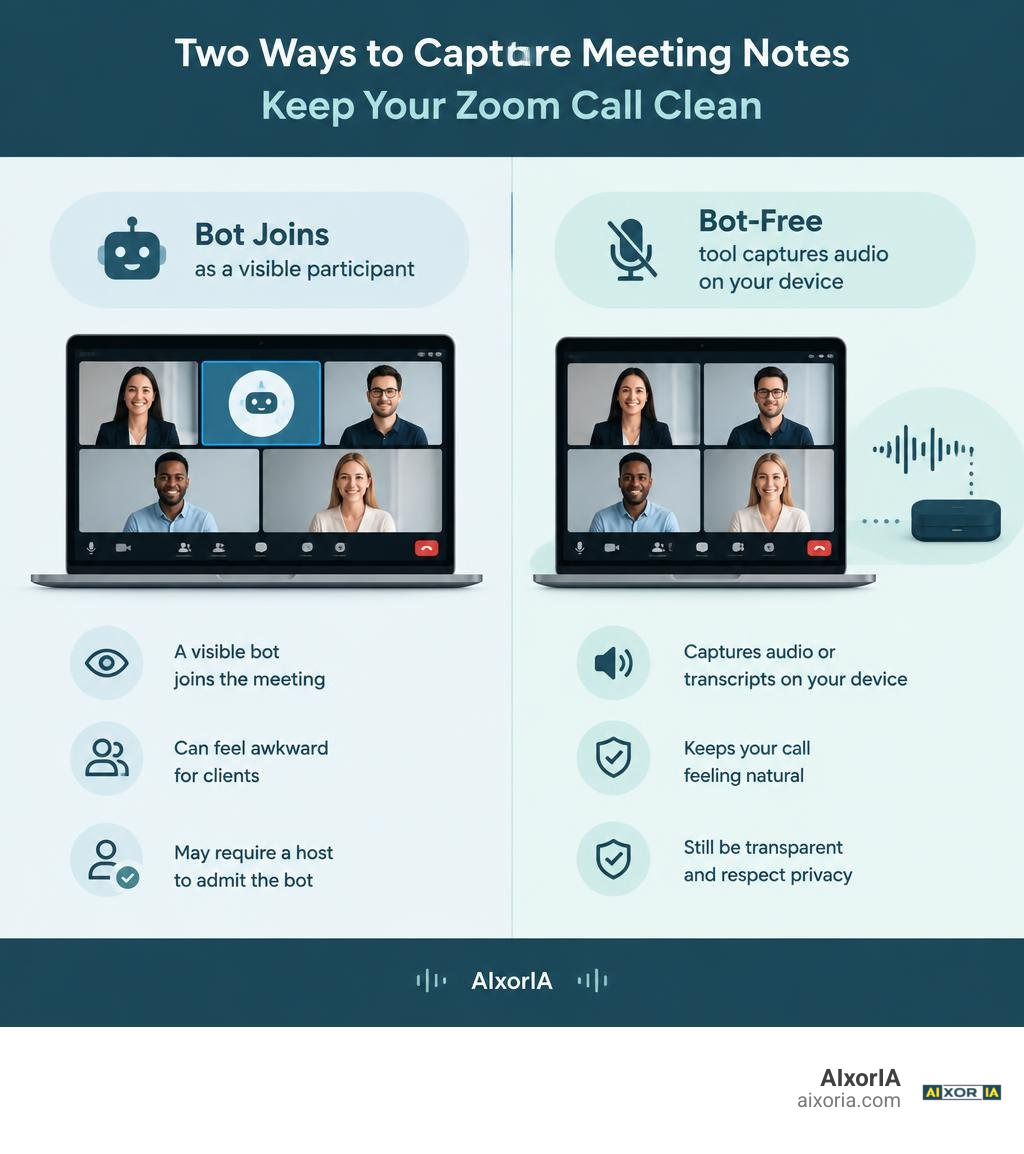
The average professional spends roughly 31 hours per month stuck in meetings. Even worse, cognitive research indicates that participants forget nearly 50% of spoken discussion points within 24 hours. While automated transcription provides a natural solution, inviting an uninvited third-party bot into a high-stakes client discussion often kills the vibe before the presentation even begins.
At AIxorIA, we test and curate real-world tools to eliminate administrative friction. Below is an exhaustive breakdown of how bot-free meeting intelligence works, how it keeps your calls clean, and which solutions represent the best options available in 2026.
Why Bot-Based Note Takers Cause Friction in Modern Meetings
For years, the standard approach to automated documentation required an auxiliary account (often named something like “Meeting Assistant” or “Recorder Bot”) to request entry into your call room. While functional for internal daily standups, this method introduces significant operational hurdles in modern professional settings.
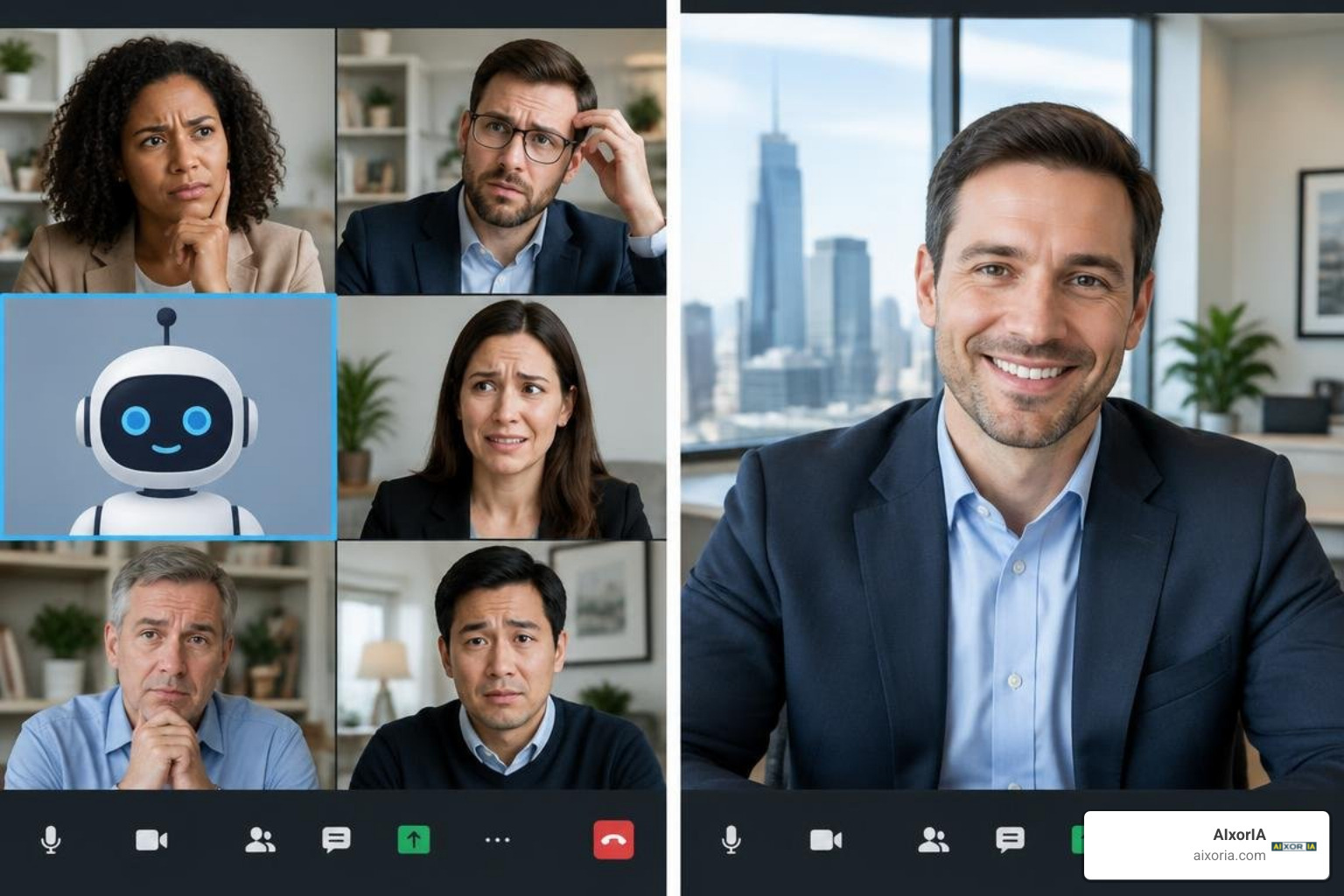
The “Bot Tax” and Client Perception
When you invite external stakeholders, prospects, or executive partners to a call, the arrival of a transcription bot introduces immediate social friction. Call participants frequently freeze, wonder who invited the virtual spectator, or question whether their casual comments are being permanently logged to an unknown cloud server. In client-facing sales or legal consultations, this dynamic damages rapport and creates an unnecessary barrier to candid communication.
Automated Security Blocks and Meeting Gatekeepers
Platform providers have cracked down heavily on automated participants. Major meeting tools routinely flag external bots as potential security risks, forcing hosts to manually verify and admit them from virtual waiting rooms. If a host overlooks the bot waiting in the lobby—or explicitly rejects it—you lose the entire record of the conversation.
Security-conscious enterprises have also started blacklisting known recording bot domains outright, preventing them from accessing corporate conference rooms altogether. When evaluating the best AI productivity tools in 2026, seamless background operation has shifted from a luxury to an absolute necessity.
Legal and Compliance Roadblocks
Recording conversations carries strict regulatory consequences. In jurisdictions governed by all-party consent laws—such as California, Florida, and Illinois—recording without explicit approval from everyone on the line can result in severe statutory penalties. Similarly, European organizations handling personal identifying information must comply with stringent GDPR standards regarding data retention, processing rights, and storage sovereignty.
While traditional bots announce themselves awkwardly, they do not handle compliance for you. Conversely, operating a stealthy recorder without notifying attendees creates major legal liabilities. The goal is not clandestine recording; it is removing the clumsy visual artifact of a bot while preserving professional transparency and data privacy.
How Bot-Free Meeting Recorders Work Behind the Scenes
How can software generate real-time transcripts, summaries, and action items if no virtual assistant is dialled into the call? Bot-free solutions operate from within your operating system or local browser environment rather than joining the conference bridge as an external attendee.

1. System Loopback and Virtual Audio Drivers
When you run a desktop-based meeting assistant, the software intercepts the sound routed through your computer’s operating system. Using native loopback drivers (like CoreAudio taps on macOS or WASAPI loopback on Windows), the app splits your audio into two distinct streams:
- The Inbound Stream (Far-End): Captures incoming audio originating from call participants through your computer speakers or headphones.
- The Outbound Stream (Near-End): Captures your local microphone input directly.
By capturing these two channels simultaneously on your machine, the software records the complete dialogue cleanly without transmitting an external bridge bot into Zoom, Microsoft Teams, or Google Meet.
2. Browser DOM and Web Audio Capture
Browser-based extensions take an alternative route. When you attend meetings using a web client (such as Zoom Web or Google Meet in Chrome), the extension taps into the platform’s native live closed-caption stream or browser audio APIs. It reads the real-time caption text directly from the page layout and parses the speaker tags assigned by the video platform, bypassing audio transmission altogether.
3. Local Whisper Engines vs. Ephemeral Cloud Processing
Once captured, the audio is converted into text via advanced speech-to-text models like OpenAI Whisper. Privacy-focused tools increasingly run lightweight versions of these models locally on modern CPUs or neural processing units (NPUs).
For tools that use cloud transcription, leading providers implement zero-data-retention pipelines: the audio stream is converted to text live, deleted from volatile memory immediately after processing, and never retained to train public foundational models.
Best AI Note Taker for Meetings That Does Not Join Zoom: Top Tools Compared
Finding the best AI note taker that does not join Zoom meetings requires weighing your operating system, preferred workflow, and compliance needs. The table below highlights how the leading botless platforms stack up across core technical capabilities.
| Solution | Primary Platform | Capture Method | Speaker ID Support | Local/Zero Storage | CRM / Post-Call Actions |
|---|---|---|---|---|---|
| Granola | macOS | System Loopback | Two-channel (Me vs Others) | Cloud processing with strict privacy | Notion, Slack, customizable templates |
| Superpowered | macOS, Windows | Desktop App Loopback | Single/Dual channel | Audio deleted instantly; text held 7 days | Calendar integrations, template exports |
| Tactiq | Chrome Extension | Browser Caption Scraping | Full multi-speaker tagging | Browser-based, SOC 2 Type II certified | HubSpot, Salesforce, Notion, Slack |
| Reline | macOS, Windows | System Loopback | Two-channel tagging | Cloud transcription, local controls | Notion-style editor, Lens templates |
| Plaud Note | Hardware Device | Dual MEMS & Sensor | Hardware-level pickup | Local on-device storage, app sync | Markdown, structured summary export |
| Muesli | Windows (Open-Source) | Local WASAPI Loopback | Dual-track local audio | 100% on-device (Ollama / Local Whisper) | Local SQLite, Markdown exports |
For teams building modern workflows, finding the right tool from these best AI tools for business productivity helps eliminate meeting fatigue without introducing compliance red tape. Even platform giants have adjusted: the native AI note taker: Your AI Meeting Assistant provided via Zoom Workplace now offers direct local summaries across platforms without third-party bots.
Granola: Best AI Note Taker for Meetings That Does Not Join Zoom on Mac
For Apple users who value elegant software design and personal autonomy over rigid transcription dumps, Granola stands out as an exceptional choice. Rather than generating a massive, unformatted wall of text, Granola acts as an intelligent co-pilot for your manual notes.
- How It Operates: Granola runs as a sleek macOS desktop app. When your call begins, it captures your microphone and incoming system audio via macOS audio taps without requiring a bot or calendar invite.
- Intelligent Note Enhancement: During the meeting, you can jot down rough, disjointed bullet points. After the call concludes, Granola combines your handwritten cues with the full transcript, organizing your fragmented thoughts into structured meeting briefs, action lists, or executive recaps.
- Privacy Stance: Audio capture occurs directly through your Mac. The resulting text is processed securely without using client data to train general models, making it ideal for consultants, founders, and executives who need discretion.
If you appreciate Mac-native design, exploring alternative tools like Bot-Free Meeting Notes for Mac — Reline can also provide similar system-level recording paired with ready-made lens templates.
Superpowered and Tactiq: Best AI Note Taker That Does Not Join Zoom Meetings for Browser and Cross-Platform Use
If your work spans multiple operating systems or relies primarily on web browsers, Superpowered and Tactiq provide robust, bot-free alternatives to standard meeting assistants.
Superpowered
Superpowered | Your AI Notetaker functions as an ambient desktop application for both macOS and Windows.
- Ephemeral Audio Handling: Superpowered transcribes incoming and outgoing audio in real time and deletes the raw audio recordings immediately after text generation. Transcripts are retained for only seven days by default.
- Frictionless Calendar Sync: The app connects directly with Google Calendar and Microsoft Outlook, alerting you to upcoming meetings and offering single-click auto-join capabilities that prepare your note-taking canvas without launching an external participant bot.
- Tailored AI Templates: Includes pre-built templates customized for candidate interviews, discovery sales calls, 1-on-1 performance reviews, and technical project syncs.
Tactiq
Tactiq approaches meeting capture from within the browser. Available as a Chrome extension, it functions across Google Meet, MS Teams Web, and Zoom Web.
- Native Caption Ingestion: Because it captures text directly from platform-generated closed captions, Tactiq never routes raw audio files to external processing servers.
- Granular Speaker Diarization: Since Zoom and Google Meet assign speaker identity tags directly to their live captions, Tactiq preserves accurate speaker separation across large group calls.
- Enterprise Security Credentials: Certified with SOC 2 Type II, GDPR, and ISO 27001 standards, Tactiq allows users to automatically post transparency disclaimers directly into meeting chat threads to maintain legal compliance effortlessly.
Plaud Note and Muesli: Hardware and Open-Source Offline Alternatives
When virtual software integrations are impossible—or when your meetings take place in physical boardrooms—dedicated hardware recorders and open-source utilities fill the gap.
Plaud Note (Hardware-First Intelligence)
Software tools struggle when you leave your desk. The Plaud Note solves this using an ultra-slim, credit-card-sized device that snaps onto your smartphone or sits flat on a conference table.
- Dual-Engine Acoustic Capture: Features dedicated Knowles MEMS microphones alongside a dual-mode vibration sensor that records phone calls directly from mobile hardware without internet lag.
- Offline Independence: Records offline anywhere without requiring active Wi-Fi or meeting URLs, synchronizing files with mobile and desktop applications for AI transcription later.
Muesli (Open-Source and 100% On-Device)
For developers, security teams, and privacy purists, Muesli provides an MIT-licensed, open-source meeting assistant that runs locally on Windows machines.
- Local Hardware Transcripts: By integrating local Whisper engines directly with local large language models (via Ollama), Muesli transcribes and summarizes meetings without transmitting a single byte of audio or text outside your local area network.
- Evidence-Backed Insights: Uses LangGraph pipelines to generate structured action items tied directly to specific transcript quotes and verification timestamps.
Key Criteria for Choosing a Botless AI Meeting Assistant
Selecting the right meeting assistant requires understanding how different solutions fit into your broader tech stack. When evaluating options, prioritize these four technical capabilities:
1. Transcription Accuracy and Acoustic Robustness
In standard English corporate environments, transcription accuracy has reached high reliability across top-tier engines, with most tools achieving 90% to 95% word accuracy on clear audio. However, accuracy drops when audio encounters heavy cross-talk, strong regional accents, or background office noise. If you frequently take calls in public environments, verify whether your chosen software includes native background noise suppression.
2. Speaker Diarization Capabilities
Identifying who said what is critical for accurate follow-ups. Browser extensions using closed-caption scraping capture precise speaker names automatically because the video platform handles identification. In contrast, system loopback tools split audio into two tracks: “Me” (your local microphone) and “Others” (everyone coming through your computer speakers). For 1-on-1 calls, two-channel separation is flawless; for 10-person group debates, browser scraping or multi-track solutions perform better.
3. Workflow Integration and CRM Synchronization
Raw notes provide little value if they remain locked inside an isolated application. When identifying what are the best AI tools for work, evaluate whether your meeting assistant connects natively to your operational ecosystem:
- Can it automatically draft post-meeting recap emails?
- Does it push structured opportunity notes and objection summaries directly to HubSpot or Salesforce?
- Can it assign follow-up action items directly inside Slack, Notion, Asana, or Linear?
4. Enterprise Compliance and Retention Controls
Ensure that any tool handling corporate IP provides transparent data governance policies. Verify whether the provider maintains active SOC 2 Type II or ISO 27001 certifications, permits complete data deletion on demand, and guarantees that your conversations are excluded from AI model training datasets.
Frequently Asked Questions About Bot-Free AI Note Takers
Is it legal to record meetings using a bot-free AI note taker?
Yes, provided you satisfy the applicable recording consent laws in your operating jurisdiction. In “one-party consent” regions, only one participant (you) must agree to capture the conversation. However, in “all-party consent” areas (such as California, Florida, Illinois, and many international jurisdictions), you must inform all attendees that the call is being transcribed.
Using a bot-free tool does not exempt you from these legal requirements. The easiest way to maintain complete transparency without introducing bot friction is to announce: “I am using a desktop AI assistant to capture our action items today—please let me know if anyone prefers me to take notes manually.”
Do bot-free note takers accurately separate different speakers?
It depends on how the software captures data:
- Browser Extensions (e.g., Tactiq): These tools capture name-tagged data directly from Google Meet or Zoom closed-caption feeds, delivering accurate multi-speaker separation.
- Desktop Loopback Apps (e.g., Granola, Superpowered): These tools separate audio into two distinct tracks: your microphone (“Me”) and your computer’s audio output (“The Others”). While perfect for 1-on-1 syncs, they summarize group calls as a single collective counterparty unless paired with secondary acoustic diarization models.
Can botless AI meeting tools capture in-person conversations?
Yes. Desktop solutions that capture your local microphone can record face-to-face meetings directly through your laptop’s hardware mic. For frequent travel or mobile discussions, dedicated hardware units (such as the Plaud Note) or smartphone applications with offline Whisper transcription provide better acoustic capture than standard laptop microphones across large conference rooms.
Conclusion
The shift toward bot-free AI meeting assistants reflects a broader movement across modern software: professionals want the time-saving benefits of artificial intelligence without sacrificing client trust, privacy, or meeting etiquette. By tapping directly into system audio, browser captions, or dedicated local hardware, botless meeting tools eliminate awkward virtual lobbies while capturing critical commitments and action items.
Whether you choose Granola for intuitive note curation on macOS, Superpowered for ephemeral cross-platform capture, or Tactiq for compliant browser transcription, eliminating the recording bot keeps your meetings professional, natural, and productive.
To discover more actionable frameworks, software evaluations, and implementation guides, explore curated productivity tools and guides at AIxorIA to upgrade your business workflows.
1 thought on “Best AI Note Takers That Don’t Join Zoom Meetings”