Why Finding the Right Free Design Tool Can Make or Break Your Creative Start
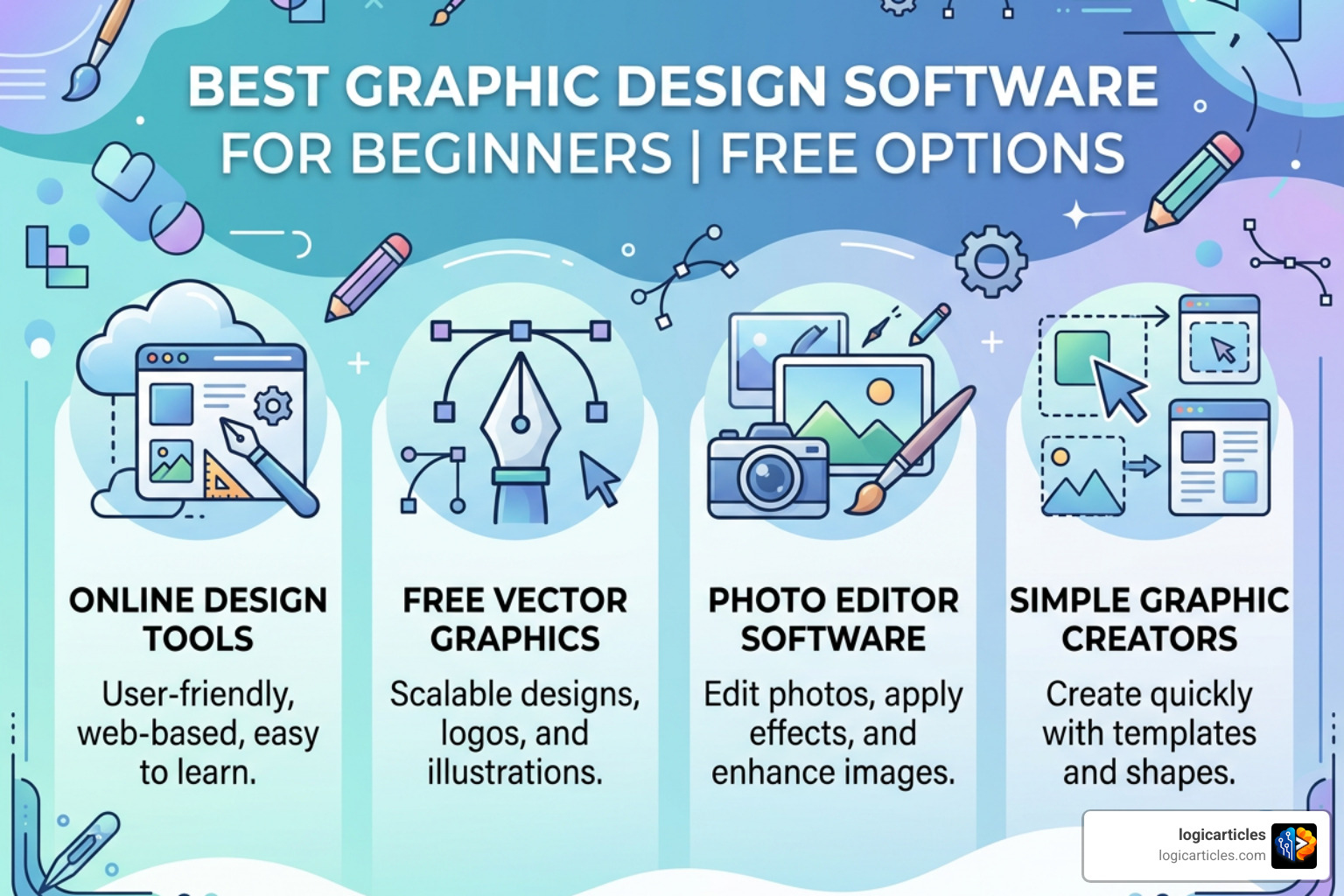
If you’re looking for the best graphic design software for beginners free of charge, here are the top picks to get you started right now:
- Canva – Best overall for beginners; browser-based, drag-and-drop, no download needed
- Adobe Express – Best for social media graphics with AI-powered tools
- Affinity – Best for professional-grade work at zero cost (Windows & macOS)
- VistaCreate – Best for animated content and social posts with 100K+ free templates
- GIMP – Best free open-source option for photo editing
- Inkscape – Best free open-source option for vector design
- Paint.NET – Best lightweight photo editor for Windows users
Good design doesn’t have to cost anything. Not at the start, anyway.
The graphic design industry is worth $43.4 billion globally — and growing fast. Yet 81% of businesses already use graphic design in some form. That means the demand for visual content has never been higher, whether you’re a student, a small business owner, or just someone who wants to make social media posts that don’t look amateur.
The problem? Most people assume they need expensive software like Adobe Photoshop or Illustrator to get results. They don’t.
There are genuinely powerful free tools available today — some browser-based, some downloadable, some open-source. Each one suits a different type of beginner. A freelancer making Instagram graphics has very different needs than someone learning vector illustration from scratch.
This guide cuts through the noise. It covers the best free options, who each tool is actually for, and what limitations to watch out for before you commit.
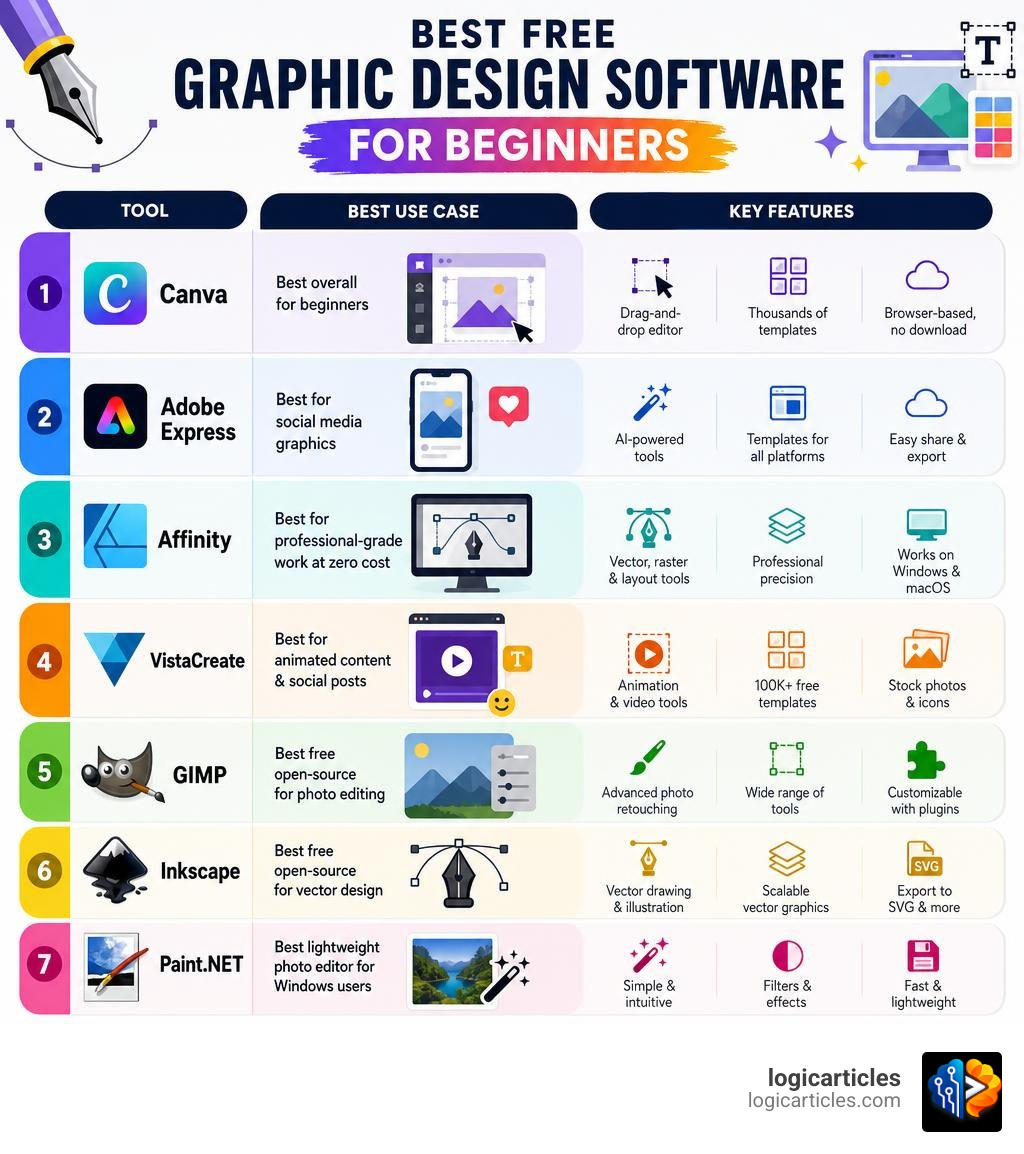
What to Look For in the Best Graphic Design Software for Beginners Free
When you are just starting out, it is easy to get overwhelmed by complex interfaces and technical jargon. To find the right tool for your workflow, you should keep a few critical factors in mind:
System Requirements and Hardware
Before downloading heavy software, check your device’s specifications. For lightweight, browser-based tools like Canva or VistaCreate, almost any modern laptop or Chromebook with a stable internet connection will do. However, if you are installing local desktop software like GIMP, Inkscape, or the newly free Affinity suite, your hardware matters.
We highly recommend a device with at least 8GB of RAM, though 16GB of RAM is ideal if you plan to work with multiple layers, complex vector paths, or high-resolution photos. If you want to expand your editing arsenal specifically on Apple hardware, check out our guide to the best free image editing software for Mac in 2026.
The Learning Curve: Drag-and-Drop vs. Traditional Canvas
Are you looking to create a quick social media post in five minutes, or do you want to learn the fundamentals of digital art?
- Drag-and-Drop Editors (like Canva and Adobe Express) require zero prior experience. They rely on pre-made templates, intuitive sliders, and pre-selected font pairings.
- Traditional Design Software (like GIMP or Inkscape) features a blank canvas and a toolbox filled with pens, brushes, and layers. The learning curve is much steeper, but they offer complete creative freedom.
Vector vs. Raster Graphics
Understanding the difference between these two graphic types is essential for any beginner:
- Vector Graphics: These use mathematical equations to draw lines, curves, and shapes. Because they are math-based, you can scale them infinitely without losing quality. This makes vector tools perfect for logos, typography, and illustrations.
- Raster Graphics: These are built on pixel grids. Photos are raster images. When you blow up a raster image, it becomes pixelated and blurry. Raster software is best suited for photo editing and digital painting.
Export Formats and Watermarks
Some “free” tools online come with a catch: they stamp a massive watermark across your finished design or block you from exporting in high-quality formats unless you pay. The best free tools allow you to export in standard formats like PNG, PDF, and SVG without holding your work hostage behind a paywall.
Here is a quick breakdown of how browser-based tools stack up against downloadable open-source software:
| Feature | Browser-Based Tools (Canva, VistaCreate) | Open-Source Software (GIMP, Inkscape) |
|---|---|---|
| Installation | None (runs in your web browser) | Required (local desktop download) |
| Learning Curve | Extremely low (minutes to learn) | Moderate to high (requires tutorials) |
| Offline Access | No (requires active internet) | Yes (works completely offline) |
| File Formats | PNG, JPG, PDF (SVG often paid) | Full control (PNG, SVG, PDF, EPS) |
| Templates | Hundreds of thousands of pre-made templates | None (start from scratch) |
Top Free Graphic Design Software for Beginners
Now that you know what features to look for, let’s dive into the absolute best free design applications available right now.
Canva: The Best Graphic Design Software for Beginners Free for Quick Templates
Canva is the undisputed king of beginner-friendly design. It completely revolutionized the graphic design space by making visual creation accessible to everyone. If you have zero design background but need to put graphic design theory into practice, Canva is your best starting point.
The platform is entirely web-based, meaning you do not have to download a thing. It operates on a highly intuitive drag-and-drop interface. You choose a pre-made template, double-click to change the text, swap out the background, and you are ready to export.
Canva has also integrated powerful AI features. With Canva AI 2.0, you can use “Magic Eraser” to clean up unwanted objects from photos, “Magic Write” to refine your copy, and “Magic Layers” to easily organize complex designs. The free tier is incredibly generous, giving you access to millions of free photos, graphics, and templates.
To start designing in your browser today, head over to the Canva Visual Suite.
Adobe Express: Best Graphic Design Software for Beginners Free for Social Media
If you love the idea of Canva but want a tool backed by the creative power of Adobe, Adobe Express is a phenomenal alternative. It is custom-built for social media managers, small business owners, and content creators who need to produce high-impact graphics quickly.
Adobe Express shines when it comes to quick actions. With a single click, you can remove backgrounds, resize an image for multiple social media channels (like turning an Instagram post into a TikTok story without starting over), or convert files into PDFs.
Furthermore, Adobe Express is deeply integrated with Adobe Firefly, their generative AI engine. This allows you to generate high-quality AI images and unique text effects directly inside your workspace. The free plan offers a generous 5GB of cloud storage and access to thousands of Adobe Fonts.
If you eventually want to step up to professional photo manipulation, you can explore the 7 best free alternatives to Photoshop in 2026 tested, but for quick social media assets, you can get started right now with Adobe Express Free.
Affinity: Professional-Grade Power Without the Subscription
In a massive move that shook up the creative industry, the entire professional-grade Affinity suite—encompassing vector design, pixel editing, and page layout—is now available completely free! To access these pro-level tools, all you need is a free Canva account.
Unlike watered-down free trials, this version of Affinity gives you unlimited access to its robust Vector, Pixel, and Layout studios. If you want to design complex vector illustrations, retouch high-resolution RAW photos, or lay out multi-page print documents, Affinity does it all in a single, unified workspace.
It is fully optimized for macOS and Windows, and it seamlessly imports industry-standard Adobe files (like PSD, AI, and IDML) while preserving your layer structures. While core tools are completely free, optional premium AI features can be unlocked if you have a Canva Pro subscription.
To download this powerhouse suite on your system, visit Get Affinity or go straight to the Affinity Download page. If digital illustration is your main focus, you can also compare it to other options in our roundup of the best free drawing software in 2026.
VistaCreate: Excellent Free Animated Content Creator
VistaCreate (formerly Crello) is another brilliant web-based design tool that gives Canva a serious run for its money. It is specifically optimized for creating eye-catching, animated social media graphics.
The Starter plan is completely free and provides over 100,000 professionally designed templates, 10GB of cloud storage, and access to over a million free photos, videos, and vector graphics. VistaCreate also features an integrated Sticker Maker that converts any standard photo into a custom sticker with a single click.
For small businesses, VistaCreate includes a basic “Brand Kit” feature on its free tier, allowing you to save your company’s colors and fonts so your marketing materials always look uniform.
Ready to make your designs move? Check out the VistaCreate Free Software platform.
GIMP & Inkscape: Powerful Open-Source Alternatives
If you prefer open-source software that gives you absolute control over your files without any corporate limitations, the classic duo of GIMP and Inkscape is hard to beat.
- GIMP (GNU Image Manipulation Program): This is the ultimate free alternative to Photoshop. It is a raster-based program perfect for photo editing, digital painting, and freeform compositing. While its user interface can look a bit dated and intimidating to a complete beginner, it supports advanced layers, masks, filters, and community-made plugins. (It even has an amusingly specific “toilet paper” canvas size preset if you ever need to design for… delicate surfaces!)
- Inkscape: This is a powerful, free vector design tool comparable to Adobe Illustrator. It is the go-to open-source choice for creating scalable logos, icons, and detailed vector art.
Both of these programs have a steeper learning curve than browser-based tools, but mastering them gives you professional design skills for free. If you need some creative spark before staring at their blank canvases, browse through the 10 best graphic design inspiration sites to bookmark in 2026.
Paint.NET: Simple and Fast Photo Editing for Windows
For Windows users who find GIMP too complex but find Microsoft Paint too basic, Paint.NET is the perfect middle ground. Originally designed as a college senior project mentored by Microsoft, it has evolved into a highly capable, lightweight desktop photo editor.
Paint.NET features a clean, well-organized interface that supports layers, an unlimited undo history, and a wide variety of special effects. It also has a massive, active community that creates free plugins, allowing you to add advanced features as your skills grow.
It is fast, responsive, and runs beautifully even on older laptops with limited RAM. You can download it directly from the Paint.NET Software homepage.
Key Limitations of Free Graphic Design Tools
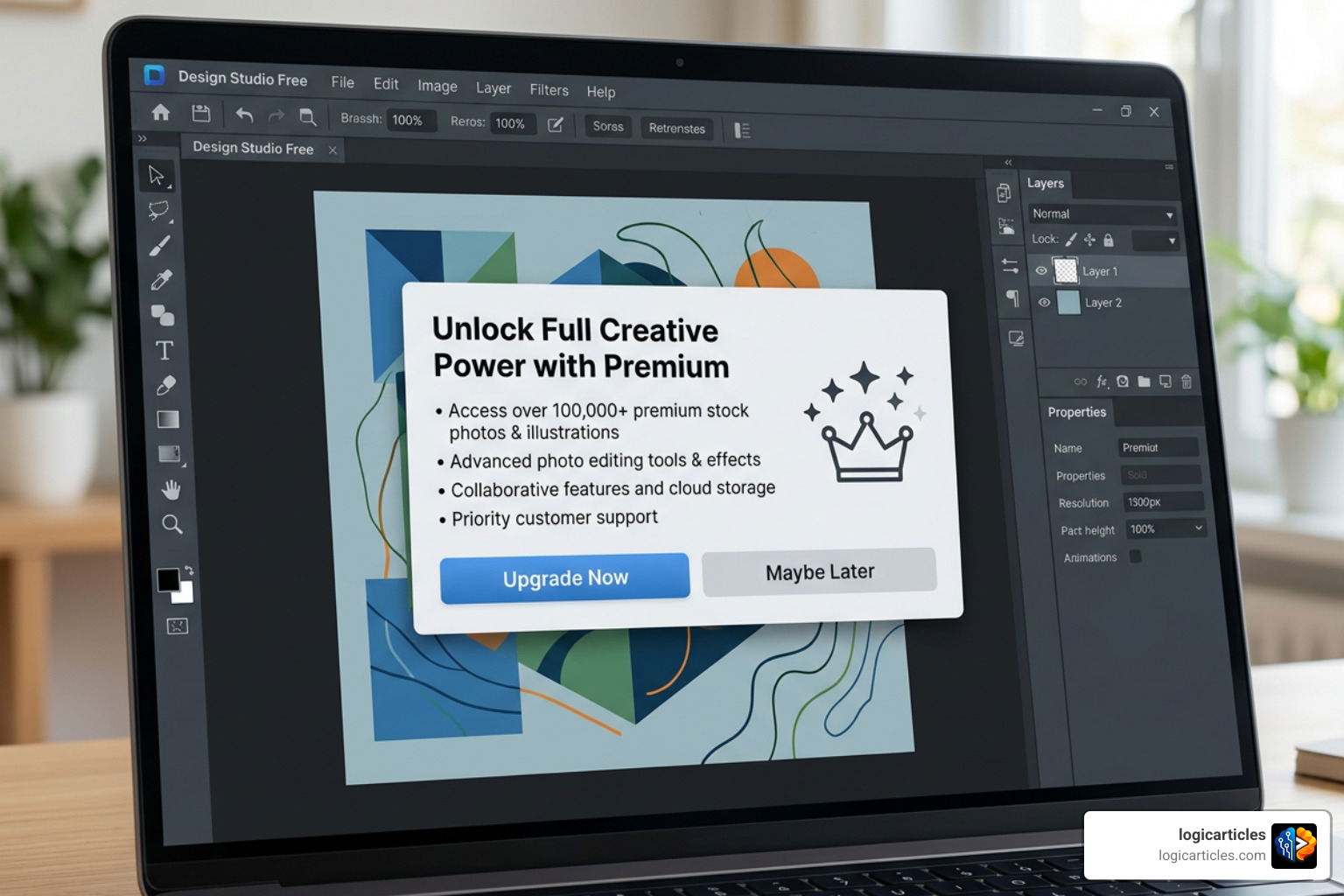
While the free tools highlighted above are incredibly capable, they do come with trade-offs. Knowing these limitations beforehand will save you a lot of headache down the road:
- Storage Limits: Browser-based platforms limit how much media you can upload. For example, Adobe Express limits free users to 5GB of cloud storage, while VistaCreate offers 10GB. If you design high-resolution videos or heavy graphics, you will hit these ceilings quickly.
- AI Credit Caps: Most free plans now include cool generative AI features, but they are rarely unlimited. You will usually receive a small batch of monthly credits (such as 50 free credits in Canva) to generate images or remove backgrounds. Once they are gone, you have to wait until the next month or upgrade.
- Export Restrictions: Some free programs restrict your export options. For instance, you might be able to export a basic PNG, but exporting a high-quality print PDF or an editable vector SVG might require a premium upgrade.
- Lack of Advanced Collaboration: While tools like Canva allow basic team sharing, advanced collaboration features—like real-time co-editing, shared brand kits, and multi-user asset libraries—are almost always locked behind a paywall.
Frequently Asked Questions About Free Graphic Design Software
What is the best graphic design software for beginners free of watermarks?
Canva, Adobe Express, and Affinity are the best free tools that do not add watermarks to your exported designs. However, make sure you only use “Free” assets within Canva and Adobe Express. If you accidentally use a premium stock photo or template, the tool will ask you to pay or add a watermark to that specific element upon export.
Do free graphic design tools include AI features?
Yes! Modern free tools are packed with AI capabilities. Canva and Adobe Express both feature AI background removal, text-to-image generation, and smart photo-erasing tools. VistaCreate also offers built-in AI tools for quick object removal and text refinement.
How do I choose between vector and raster software?
Choose vector software (like Inkscape or Affinity’s Vector Studio) if you are designing logos, icons, typography, or anything that needs to be resized frequently without losing sharpness. Choose raster software (like GIMP, Paint.NET, or Affinity’s Pixel Studio) if you are editing photos, painting digitally, or working with complex, photorealistic images.
Conclusion
Starting your graphic design journey in 2026 doesn’t require a heavy financial investment. If you want the easiest, fastest way to create gorgeous social media graphics, templates, and marketing materials, start with Canva or Adobe Express. If you want to jump straight into professional, high-fidelity design workflows without paying a dime, download the newly free Affinity suite. For those who love open-source software and complete offline control, GIMP and Inkscape are fantastic, powerful alternatives.
No matter which tool you choose, the most important step is to simply start creating. Experiment with different interfaces, practice your layouts, and watch your skills grow.
For more in-depth software roundups and creative guides, explore our extensive library of resources at logicarticles Best Software Guides.
1 thought on “Best Graphic Design Software for Beginners Free in 2026 (Top 7 Picks)”