AI-generated art has evolved rapidly, and one of the most in-demand categories is NSFW AI art generation. In 2026, creators are no longer just experimenting—they are building full creative workflows around AI tools that offer high-quality rendering, style control, and fewer restrictions compared to mainstream platforms.
However, not all tools are suitable for professional or serious use. Many lack control, quality, or consistency. The best NSFW AI art generator must balance creative freedom, image quality, customization, and reliability.
This guide focuses on one of the most capable tools available today, analyzed in depth for performance, usability, and real-world use.
Table of Contents
What Makes a High-Quality NSFW AI Art Generator?
Before choosing a tool, it’s important to understand what separates a basic generator from a professional-grade platform:
Creative Control
The ability to fine-tune prompts, styles, poses, lighting, and outputs is essential. Designers need more than “generate and hope”—they need precision.
Image Quality and Realism
High-resolution outputs, detailed textures, and consistent anatomy are critical, especially for professional or commercial work.
Model Flexibility
Support for different AI models or custom-trained models allows creators to experiment and achieve unique styles.
Privacy and Freedom
Many platforms impose strict filters. Advanced users often prefer tools that offer more flexibility while still maintaining platform guidelines.
Speed and Performance
Fast rendering and batch generation improve workflow efficiency, especially for creators producing large volumes of content.
Best NSFW AI Art Generator for 2026
Stable Diffusion
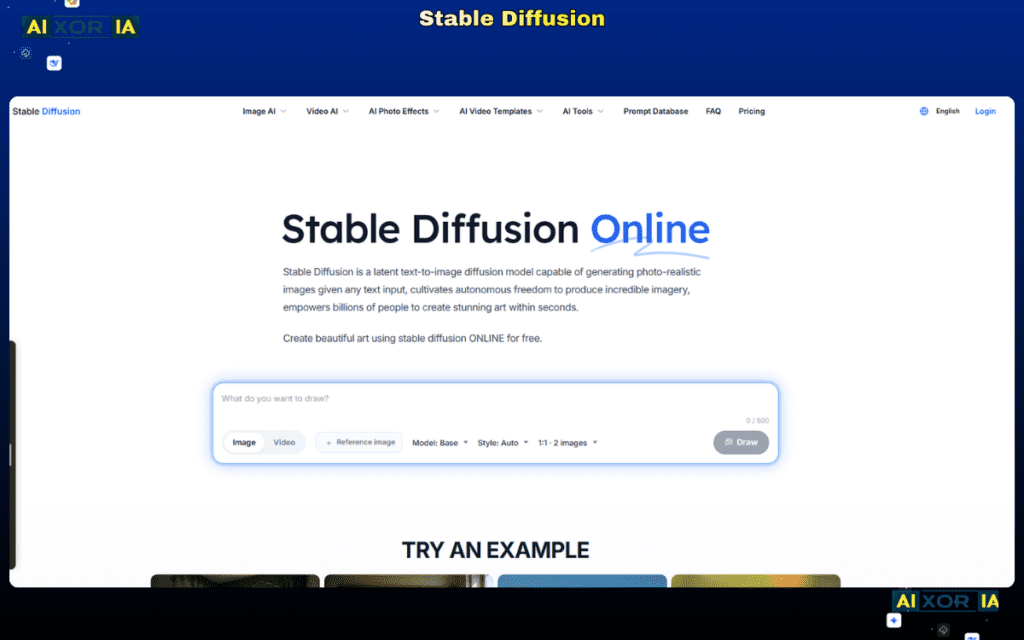
Stable Diffusion remains one of the most powerful and flexible AI art generation systems in 2026. Unlike many closed platforms, it is open-source, highly customizable, and widely supported by a large community of developers and artists.
For NSFW art generation, Stable Diffusion stands out because it offers full control over models, prompts, and outputs, making it a preferred choice for advanced users and designers who want precision rather than limitations.
Why Stable Diffusion Is the Best Choice
Stable Diffusion is not just a tool—it’s an entire ecosystem.
It allows users to run models locally or via cloud services, giving complete control over how images are generated. This is particularly important for creators who require privacy, flexibility, and customization.
One of its biggest strengths is the availability of custom-trained models. These models are specifically fine-tuned for different styles, including realism, anime, illustration, and more specialized artistic outputs. This enables creators to generate highly specific results that are difficult to achieve with generic AI tools.
Additionally, Stable Diffusion supports advanced features like:
- Prompt weighting (fine control over details)
- Negative prompts (removing unwanted elements)
- Image-to-image generation (refining existing visuals)
- ControlNet (precise pose and structure control)
- LoRA models (style and concept customization)
These features make it significantly more powerful than most browser-based generators.
AI Capabilities and Workflow
Stable Diffusion integrates well with modern AI workflows, allowing creators to go beyond simple image generation.
You can:
- Generate images from detailed text prompts
- Refine outputs iteratively using image-to-image tools
- Maintain pose consistency using ControlNet
- Train or use specialized models for unique styles
- Automate workflows using scripts and extensions
This makes it ideal for designers, digital artists, and content creators who need repeatable, high-quality results rather than random outputs.
Pros and Cons
Pros
- Full creative control with advanced prompt engineering
- Open-source and highly customizable
- Large community with thousands of models and extensions
- High-quality output with proper setup
- Works locally for better privacy and control
- Supports advanced tools like ControlNet and LoRA
Cons
- Requires setup and technical understanding
- Not beginner-friendly compared to simple web tools
- Performance depends on hardware (GPU recommended)
- No built-in moderation layer (user responsibility required)
Pricing
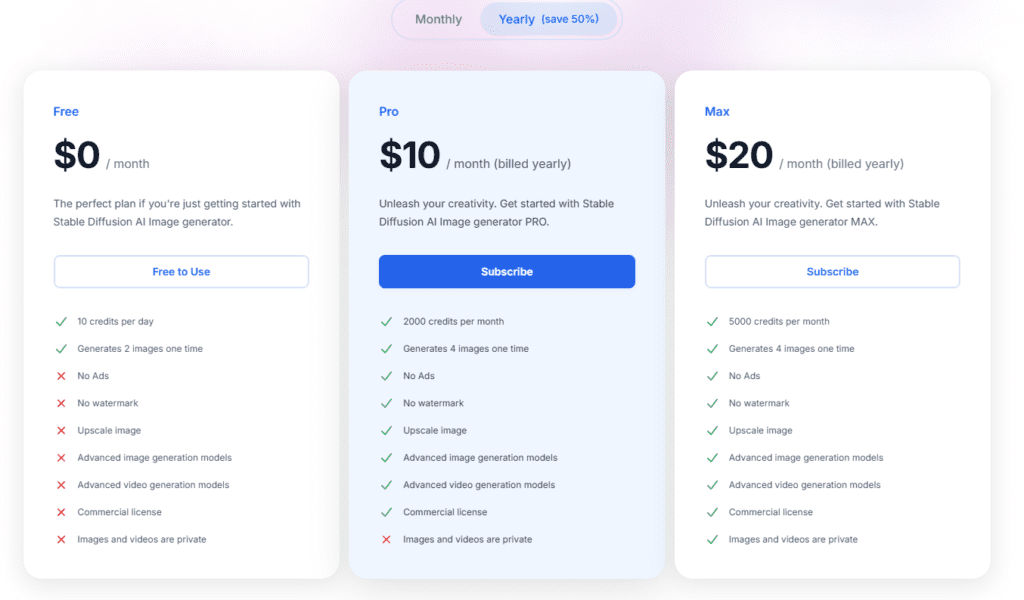
Stable Diffusion itself is free and open-source.
However, actual costs depend on how you use it:
- Local setup: Free (requires a capable PC with GPU)
- Cloud platforms: Typically $10–$30/month depending on usage
- Premium models or services: Optional, varies by provider
This flexibility allows both beginners and professionals to scale their usage based on needs.
Who Should Use Stable Diffusion?
Stable Diffusion is best suited for:
- Designers who need full control over outputs
- Artists creating detailed or stylized content
- Advanced users comfortable with customization
- Creators who value privacy and flexibility
- Professionals building scalable AI art workflows
It may not be ideal for users looking for a simple “click-and-generate” experience.
Final Thoughts
In 2026, the landscape of AI art generation is defined by control, customization, and capability. While many platforms offer convenience, they often limit what creators can achieve.
Stable Diffusion stands out because it gives users the ability to design their own workflow, control every detail, and produce high-quality results consistently.