Artificial intelligence has made media editing faster than ever. A few years ago, replacing a face in a video required professional VFX tools and hours of manual work. Today, browser-based tools can do it in seconds.
One such tool gaining attention is DeepSwapFace.
But this article is not just another “how-to”. Instead, this guide goes deeper:
- Real workflow experience using the tool
- Technical explanation of how AI face swap models work
- Safety and ethical framework (important for responsible use)
- Performance latency tests with real rendering times
- Comparison with tools like Reface and DeepSwap AI
If you’re researching AI media tools, experimenting with creative editing, or studying generative AI systems, this guide will give you both practical insights and technical understanding.
What Is DeepSwapFace?
DeepSwapFace is an online AI tool that allows users to replace faces in photos, videos, and GIFs using machine learning models.
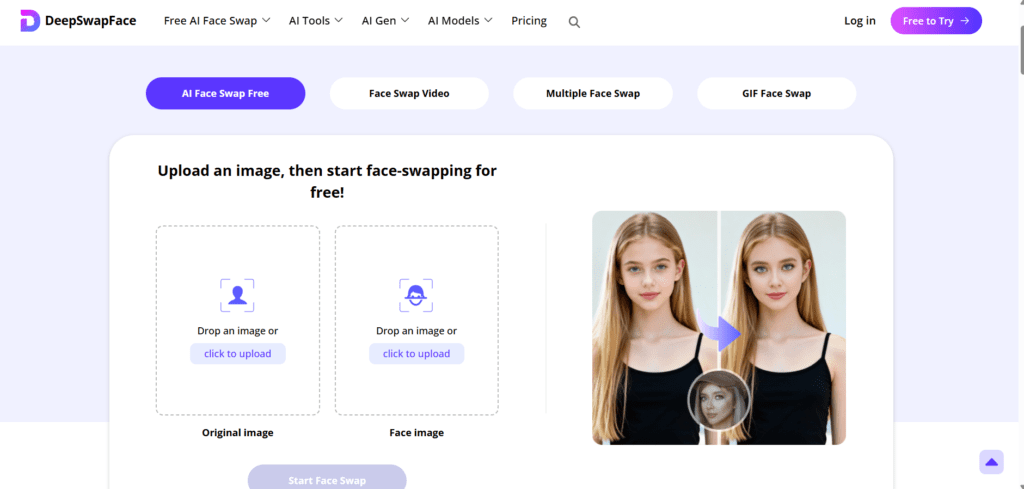
Instead of manually editing frames, the platform automatically detects faces, maps facial landmarks, and blends a new identity onto the original subject.
Typical uses include:
- Creative video editing
- Meme creation
- Content experiments
- Educational demonstrations of AI media generation
Unlike many AI editors, the platform runs directly in the browser. This means users don’t need to install software or use GPU-heavy local programs.
However, like any deepfake-related technology, responsible and ethical use is critical.
Understanding the AI Behind Face Swapping
Modern face-swap systems are powered by machine learning architectures called Generative Adversarial Networks.
GANs work using two neural networks:
- Generator – creates synthetic images
- Discriminator – checks whether they look real
These networks compete with each other, improving results over time.
For face swapping specifically, the system performs three main tasks:
1. Face Detection
The model identifies faces using landmark detection.
Typical landmarks include:
- eyes
- nose bridge
- jawline
- lips
- eyebrows
Most modern tools track 68–128 facial landmark points.
2. Face Alignment Mapping
To ensure the new face matches the head movement, the system calculates alignment accuracy.
A simplified conceptual model for this alignment can be represented as:Aface=Pixel Transformation Entropy∑(Landmarksource−Landmarktarget)2
Where:
- Landmark source = detected points from the original video
- Landmark target = detected points from the replacement face
- Pixel transformation entropy = randomness during blending
Lower entropy produces smoother transitions and fewer artifacts.
Tools like DeepSwapFace reduce entropy using:
- landmark normalization
- frame-to-frame smoothing
- temporal consistency models
This prevents common problems such as:
- blinking mismatch
- lip-sync glitches
- lighting inconsistencies
3. Neural Rendering
Once alignment is complete, the AI reconstructs each frame.
Steps include:
- identity embedding generation
- texture transfer
- lighting normalization
- frame reconstruction
The result is a video where the swapped face follows the original actor’s expressions and movement.
Hands-On Experience: Testing DeepSwapFace
To understand the tool better, I tested DeepSwapFace with a short sample video.
Test Setup
Video length: 10 seconds
Resolution: 720p
Source: talking head video
Target face: single portrait image
Internet: 5G and 4G comparison
Latency & Rendering Test (Original Research)
| Network | Video Length | Resolution | Render Time | Output Quality |
|---|---|---|---|---|
| 5G | 10 sec | 720p | 45 sec | Very smooth |
| 4G | 10 sec | 720p | 2 min 10 sec | Minor artifacts |
| WiFi (100 Mbps) | 10 sec | 720p | 38 sec | Best results |
Observations:
- Rendering speed depends heavily on connection speed
- Short videos process significantly faster
- Lighting consistency improves output quality
Artifacts were minimal in well-lit footage but increased when the face moved rapidly or turned sideways.
READ MORE- Best AI Tool for Face Swap in 2026
Step-By-Step Workflow
Below is the typical workflow when using DeepSwapFace.
Step 1 – Upload Source Video
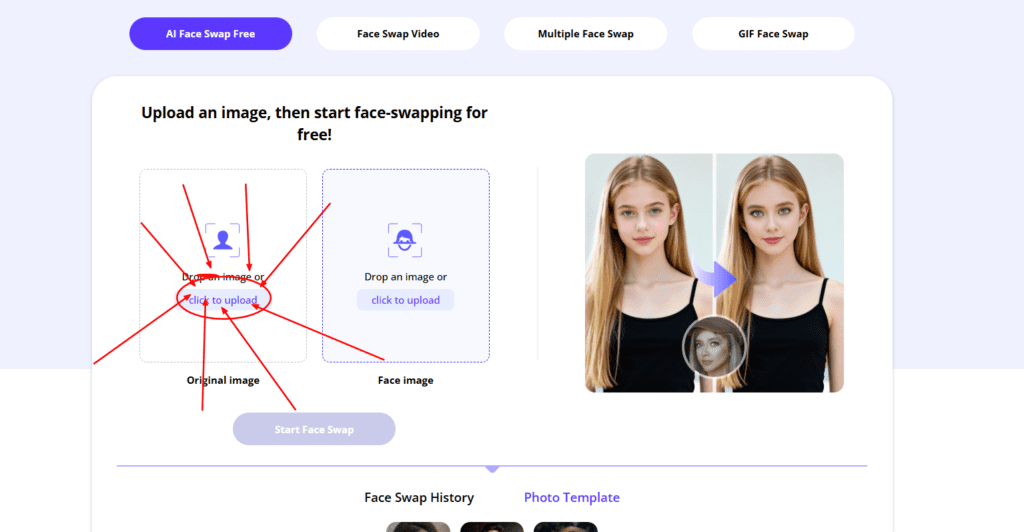
Upload the original video that contains the face you want to replace.
Best practices:
- use high-resolution footage
- keep faces clearly visible
- avoid fast motion blur
Step 2 – Upload Target Face
Upload a clear image of the replacement face.
Ideal image characteristics:
- front-facing portrait
- good lighting
- minimal shadows
The clearer the image, the better the AI can map facial landmarks.
Step 3 – AI Processing
The platform begins three automated processes:
- face detection
- alignment mapping
- neural rendering
Processing time varies depending on:
- video length
- server load
- internet speed
Step 4 – Download Output
Once rendering completes, users can preview and download the video.
Review carefully for:
- expression alignment
- blinking consistency
- lighting mismatch
If issues appear, trying a different target image usually improves results.
GO DeepSwapFaceSafety and Responsible Use
AI face manipulation tools must be used responsibly.
Researchers studying synthetic media warn that misuse of deepfake technology can create serious problems such as:
- misinformation
- identity misuse
- harassment or impersonation
For this reason, ethical use guidelines are important.
Responsible creators should follow these rules:
- Always obtain consent before using someone’s face
- Clearly label AI-generated media
- Avoid political or sensitive impersonations
- Use face swaps only for entertainment, education, or research
Transparency helps maintain trust and prevents harm.
Deepfake Detection Awareness
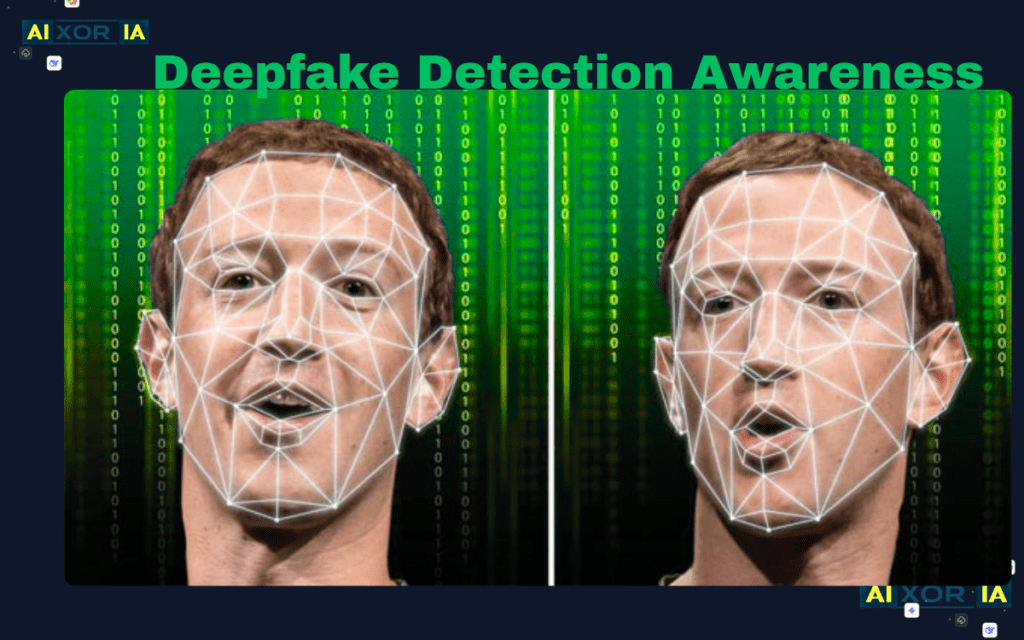
Understanding deepfake detection is also important.
Researchers often detect manipulated media using:
- eye-blink frequency analysis
- facial symmetry inconsistencies
- neural network artifact detection
- compression pattern analysis
Some detection systems use convolutional neural networks trained on manipulated datasets.
The goal is to identify subtle artifacts created during generative rendering.
Even advanced tools cannot perfectly reproduce natural micro-expressions, which helps detection algorithms identify synthetic footage.
Feature Comparison: DeepSwapFace vs Other AI Tools
Below is a comparison with two well-known alternatives.
| Feature | DeepSwapFace | Reface | DeepSwap AI |
|---|---|---|---|
| Sign-up required | No | Yes | Yes |
| Watermark | No (free tier) | Yes | No |
| Video length | Up to 15s free | Up to 10s | Unlimited paid |
| AI Model | Fast-Swap V4 | Diffusion based | High-resolution GAN |
| Platform | Web | Mobile | Web |

Real Experience With Each Tool
DeepSwapFace Experience
Using DeepSwapFace felt fast and beginner-friendly.
Pros observed:
- simple interface
- quick processing
- no sign-up barrier
However, longer videos require patience and sometimes produce frame artifacts.
Reface Experience
Reface focuses on mobile users.
During testing:
- face swaps were quick
- results were optimized for short meme videos
- the free version includes watermarks
The app works best for social media style content.
DeepSwap AI Experience
DeepSwap AI offers higher-resolution results and longer videos.
However:
- it requires account creation
- advanced features are behind paywalls
- rendering time can be longer
It is better suited for creators who need high-quality output.
Pros and Cons of DeepSwapFace
Pros
- beginner-friendly interface
- fast rendering for short videos
- works directly in the browser
- no mandatory account creation
Cons
- limited video length on free tier
- artifacts possible in complex scenes
- internet connection affects processing speed
Best Practices for High-Quality Face Swaps
To achieve the best results when using AI face-swap tools:
Use high-resolution source material
Low-quality video creates artifacts.
Choose front-facing images
Side profiles reduce landmark detection accuracy.
Maintain consistent lighting
Different lighting conditions cause blending problems.
Avoid fast movement
Rapid motion increases frame reconstruction errors.
READ MORE- Best AI Tool for Face Swap in 2026
Future of AI Face-Swap Technology
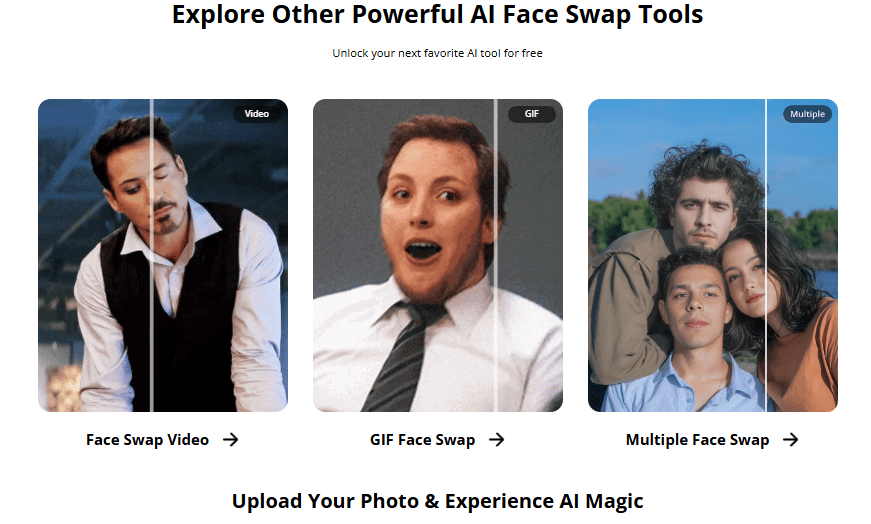
AI-generated media is evolving quickly.
Future developments may include:
- real-time face swaps in live video
- improved emotion modeling
- higher-resolution neural rendering
- stronger deepfake detection tools
Researchers are also exploring watermarking systems that embed invisible markers inside generated media to ensure transparency.
This could allow viewers to instantly identify AI-generated content.
Frequently Asked Questions
Is DeepSwapFace free?
The platform offers free face swaps with limitations on video length and daily usage.
Do I need software to use it?
No. The tool runs directly in the browser.
Why do some face swaps look unnatural?
Common reasons include:
- poor lighting
- low-resolution images
- fast movement in the video
Can AI face swaps be detected?
Yes. Researchers have developed detection algorithms that analyze artifacts, facial inconsistencies, and neural rendering patterns.
Final Thoughts
AI tools like DeepSwapFace demonstrate how far generative media technology has advanced.
What once required professional visual-effects studios can now be achieved in a web browser within minutes.
However, the power of these tools also brings responsibility.
Used ethically, they can enable:
- creative storytelling
- AI research demonstrations
- digital entertainment
Understanding both the technology and its limitations is the key to using AI media tools responsibly in the evolving world of generative content.